

1. Before you delete your Google Analytics account, remove the Analytics tracking code from all your web pages
2. Next, sign in to Google Analytics and click on Admin
3. Now, In the ACCOUNT column, use the menu to select the account (if you have multiple accounts) you want to delete and then click on Account details
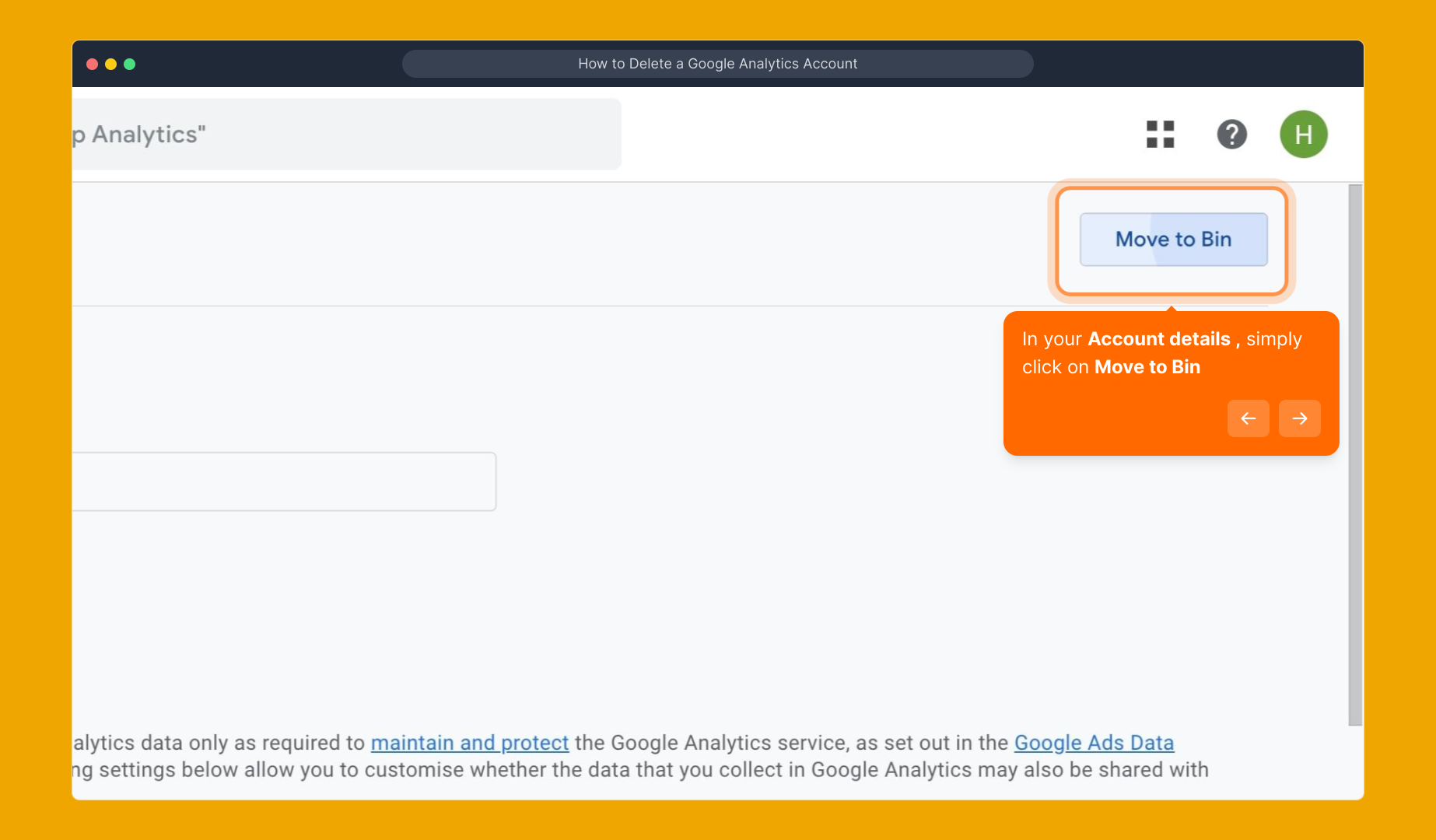
4. In your Account details , simply click on Move to Bin
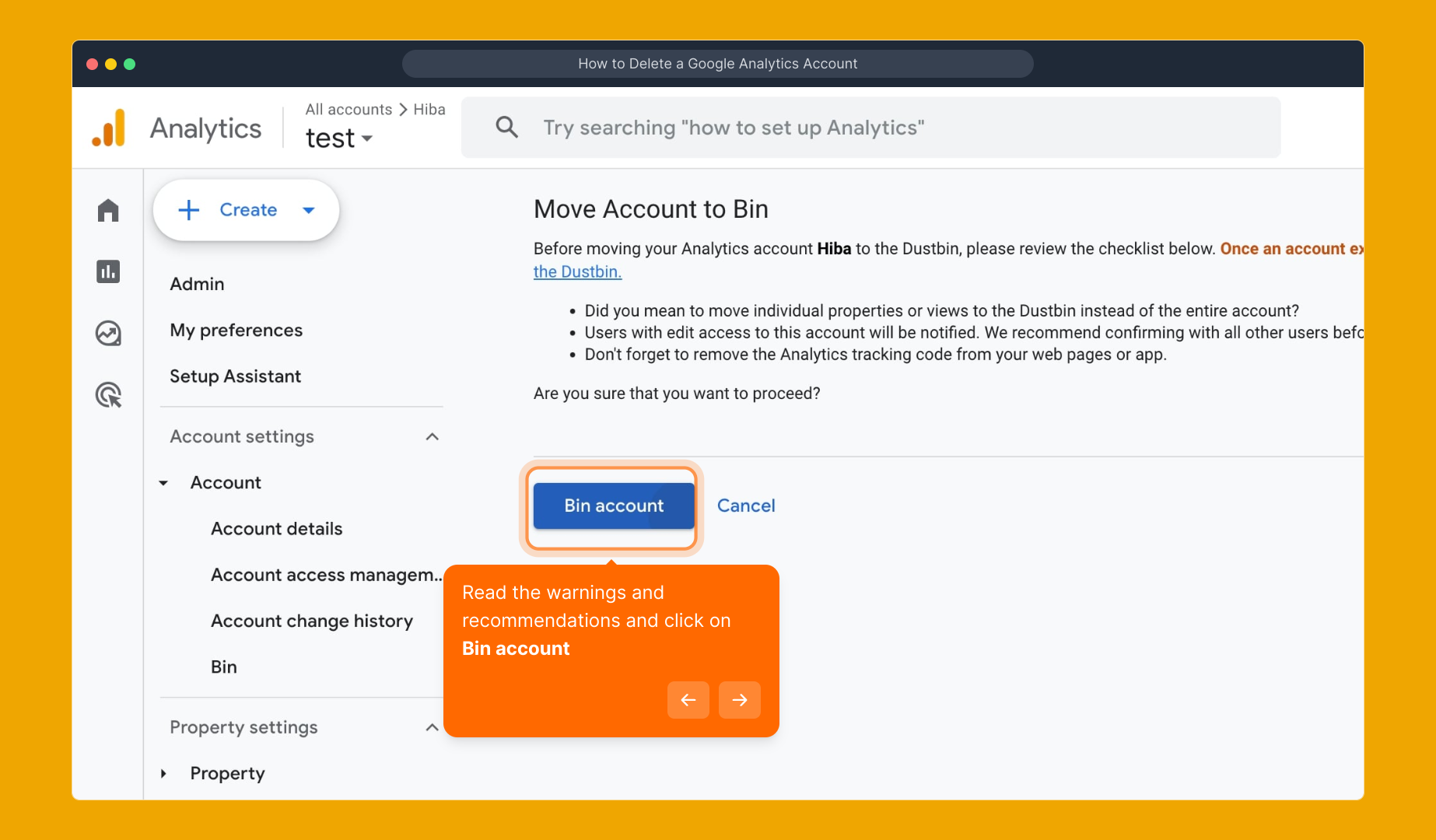
5. Read the warnings and recommendations and click on Bin account
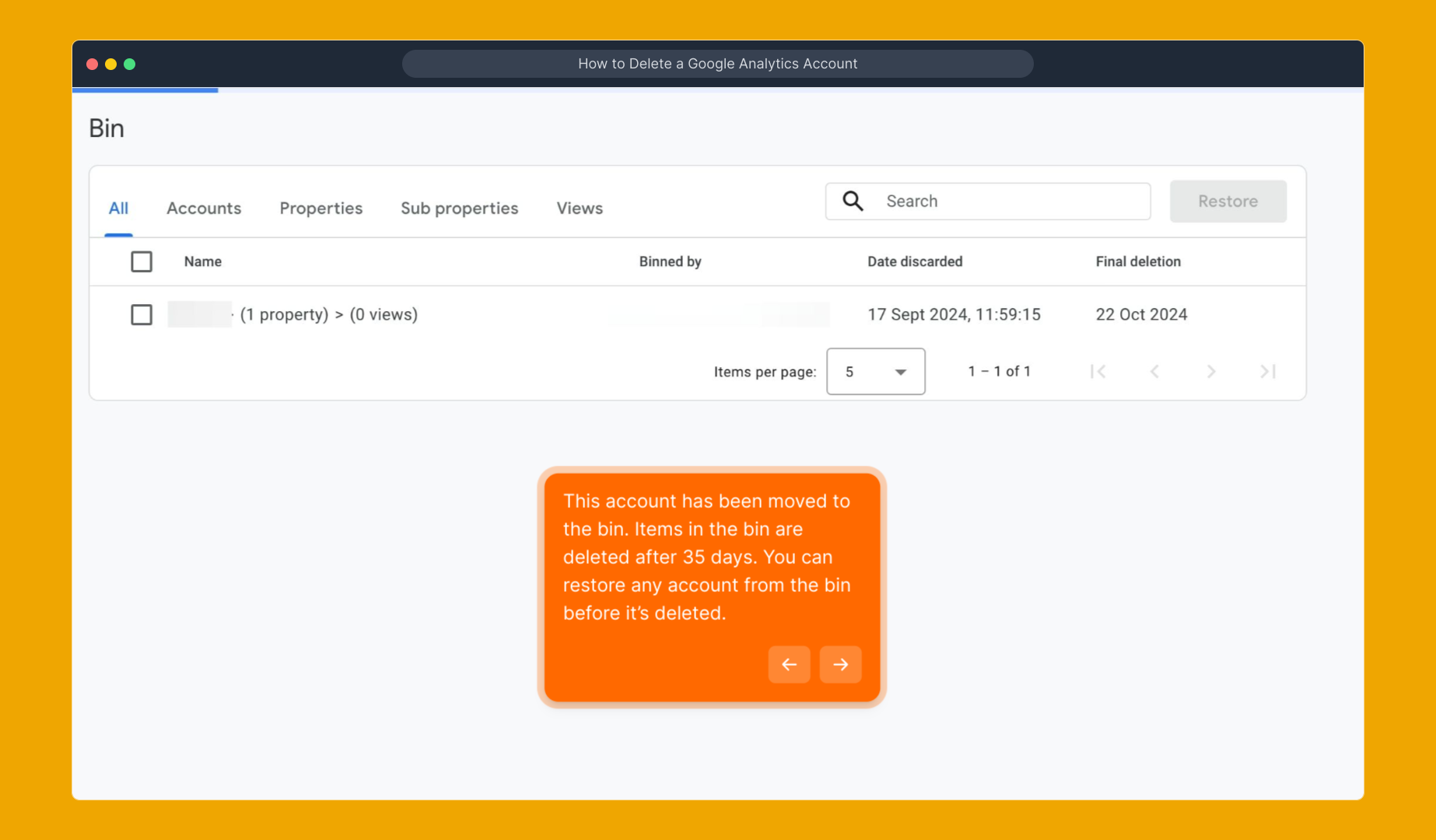
6. This account has been moved to the bin. Items in the bin are deleted after 35 days. You can restore any account from the bin before it’s deleted.
7. Create a Supademo in seconds
This interactive demo/guided walkthrough on How to Delete a Google Analytics Account was created using Supademo.
How to Delete a Google Analytics Account : Step-by-Step Guide
To start off, ensure that you remove the Google Analytics tracking code from every page on your website. This prevents any new data from being collected once the account is deleted, keeping your tracking clean and accurate.

After you’ve updated your website, log into your Google Analytics account. Once inside, navigate to the Admin section found in the bottom-left corner of the dashboard — this area lets you manage all your accounts and settings.

In the Admin panel, look for the ACCOUNT column on the left. If you have several accounts, use the dropdown menu to pick the exact one you wish to delete. Once selected, click on Account details to open up the specific settings for that account.

Within the Account details page, you’ll find the option to remove the account. Click on Move to Bin to begin the deletion process, which sends the account to a temporary holding area rather than permanently erasing it right away.
Before finalizing, carefully review the warnings and recommendations presented to make sure you understand the implications. When you’re ready, confirm the deletion by clicking Bin account.
Once moved to the bin, your account will remain recoverable for 35 days. During this grace period, you can restore the account if needed. After that time, the account and all its data will be permanently deleted.
With the account deletion process complete, you’re all set to create a Supademo quickly and effortlessly. This tool lets you get started in just seconds, streamlining your next steps.

Create your own interactive demos in < 5 mins with Supademo
You can create your own interactive product demo in minutes using Supademo. Drive growth, scale enablement, and supercharge product-led onboarding with Supademo. Sign up for free here with no credit card required.
FAQs
What happens when I delete my Google Analytics account?
Deleting your Google Analytics account moves it to the bin where it stays for 35 days before permanent deletion. During this period, data collection stops, but you can still restore the account if needed. After 35 days, all data and settings are permanently erased.
Can I restore a deleted Google Analytics account?
Yes, you can restore a deleted account from the bin within 35 days of deletion. After this grace period, the account and its data are permanently deleted and cannot be recovered.
Do I need to remove the tracking code before deleting my account?
Yes, remove the Google Analytics tracking code from all your web pages before deleting the account. This stops new data collection and ensures your website is no longer linked to the deleted account.
Will deleting my Google Analytics account affect other Google services?
No, deleting your Google Analytics account does not affect other Google services like Google Ads or Search Console. However, any linked reports or data within Analytics will be lost after deletion.
How do I access the Account details to delete my Analytics account?
After signing in and clicking the Admin tab, select the desired account from the ACCOUNT column. Then, click on Account details to view settings where you can find the option to move the account to the bin.
Is deletion immediate once I click "Move to Bin"?
No, deleting an account moves it to the bin temporarily for 35 days. During this time, the account is inactive but can be restored. Permanent deletion only occurs after this period.
Will my website still collect Analytics data after account deletion?
If the tracking code remains on your site, data collection may continue but won’t be processed by the deleted account. It’s important to remove the code to stop data flow and maintain clean tracking.
Can multiple Google Analytics accounts be deleted from the same interface?
Yes, you can delete multiple accounts one at a time by selecting each account under the ACCOUNT column in the Admin panel and following the deletion steps for each individually.
Are there any warnings before deleting an Analytics account?
Yes, Google Analytics shows warnings and recommendations during deletion to explain the consequences. Review these carefully to ensure you understand data loss and impact before proceeding.
Why should I use a tool like Supademo for account walkthroughs?
Supademo allows you to create interactive, guided demos easily. Using it for Google Analytics account deletions ensures users understand steps clearly and avoid mistakes by providing a hands-on learning experience.