
1. First, log in to your Stripe account by visiting stripe.com and entering your credentials.
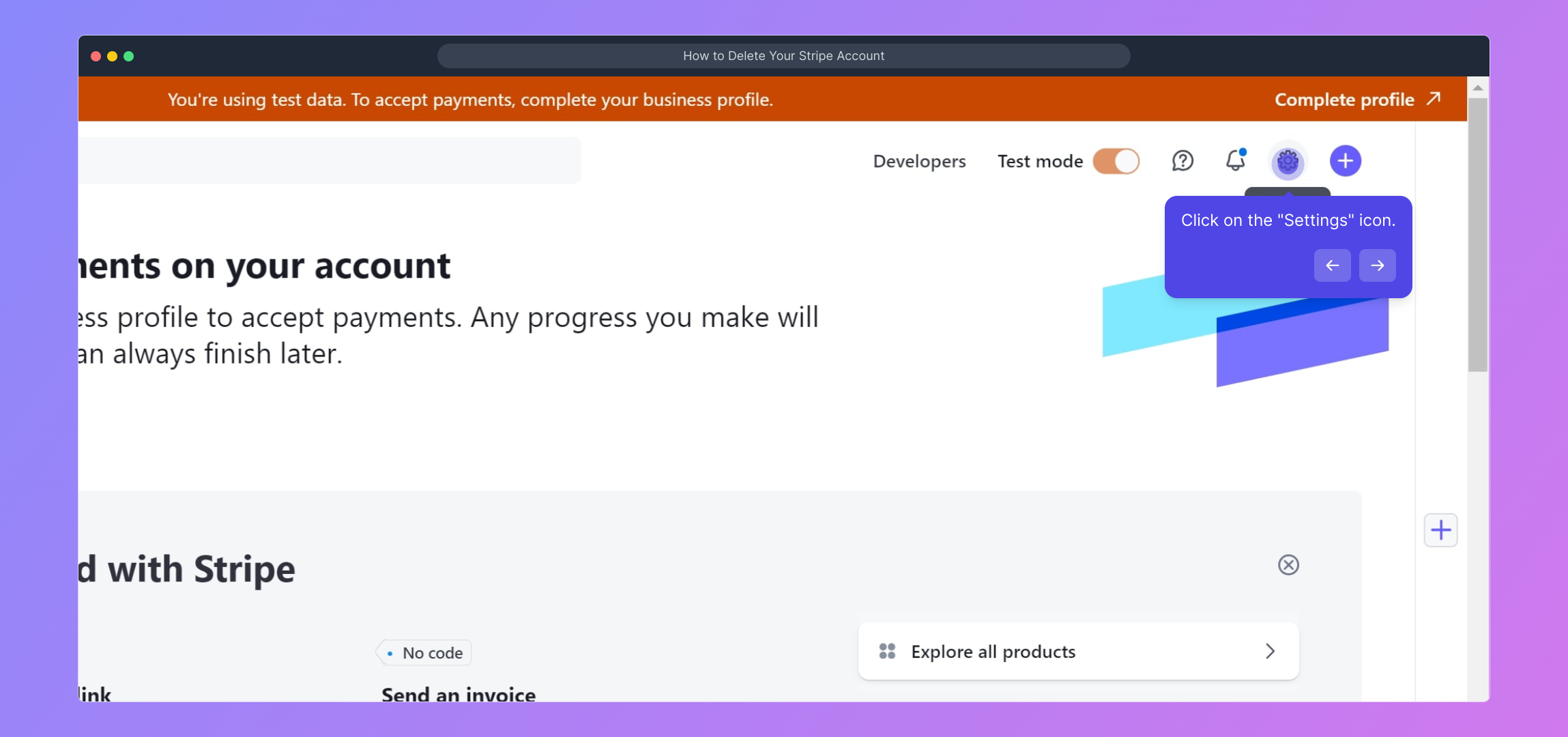
2. Click on the "Settings" icon.
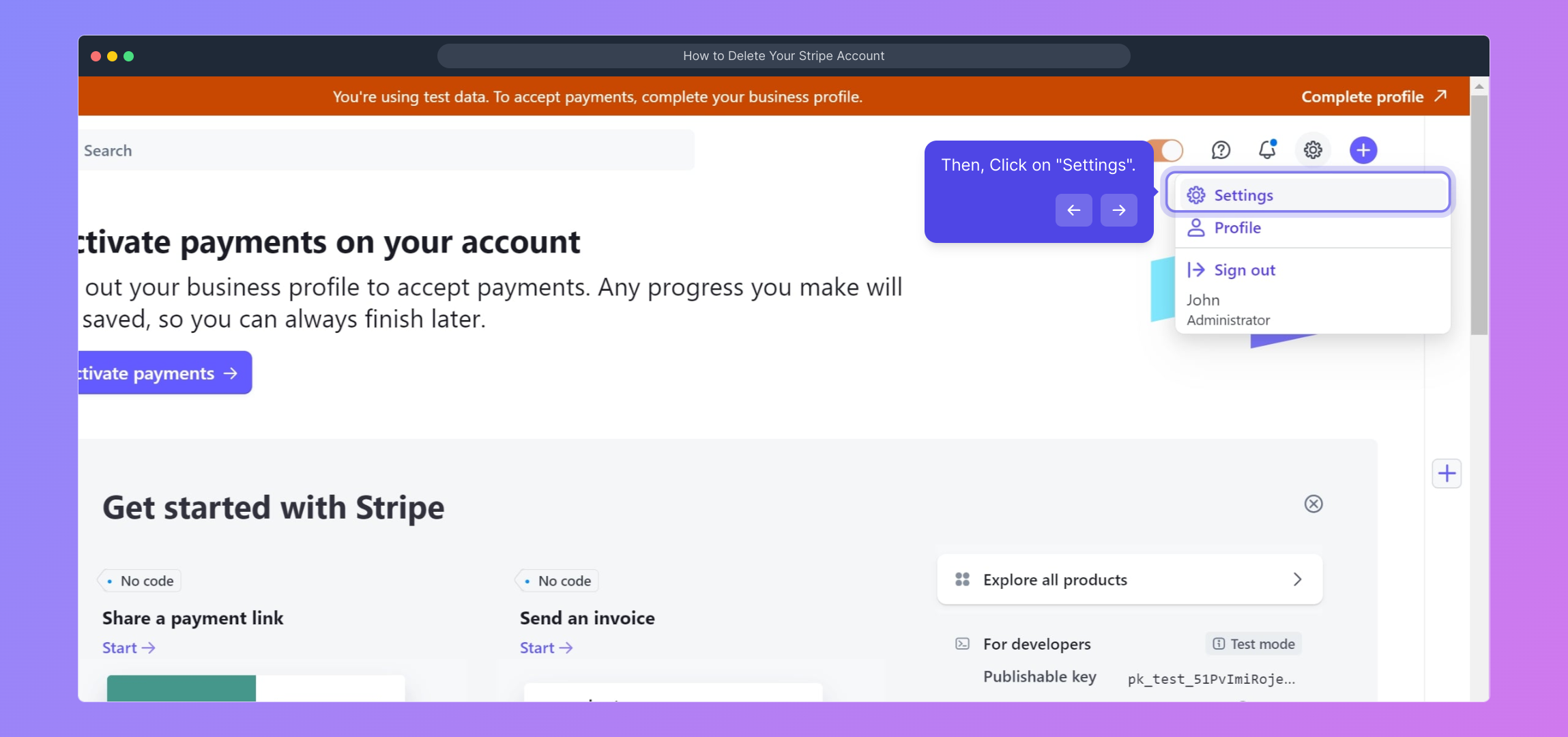
3. Then, Click on "Settings".
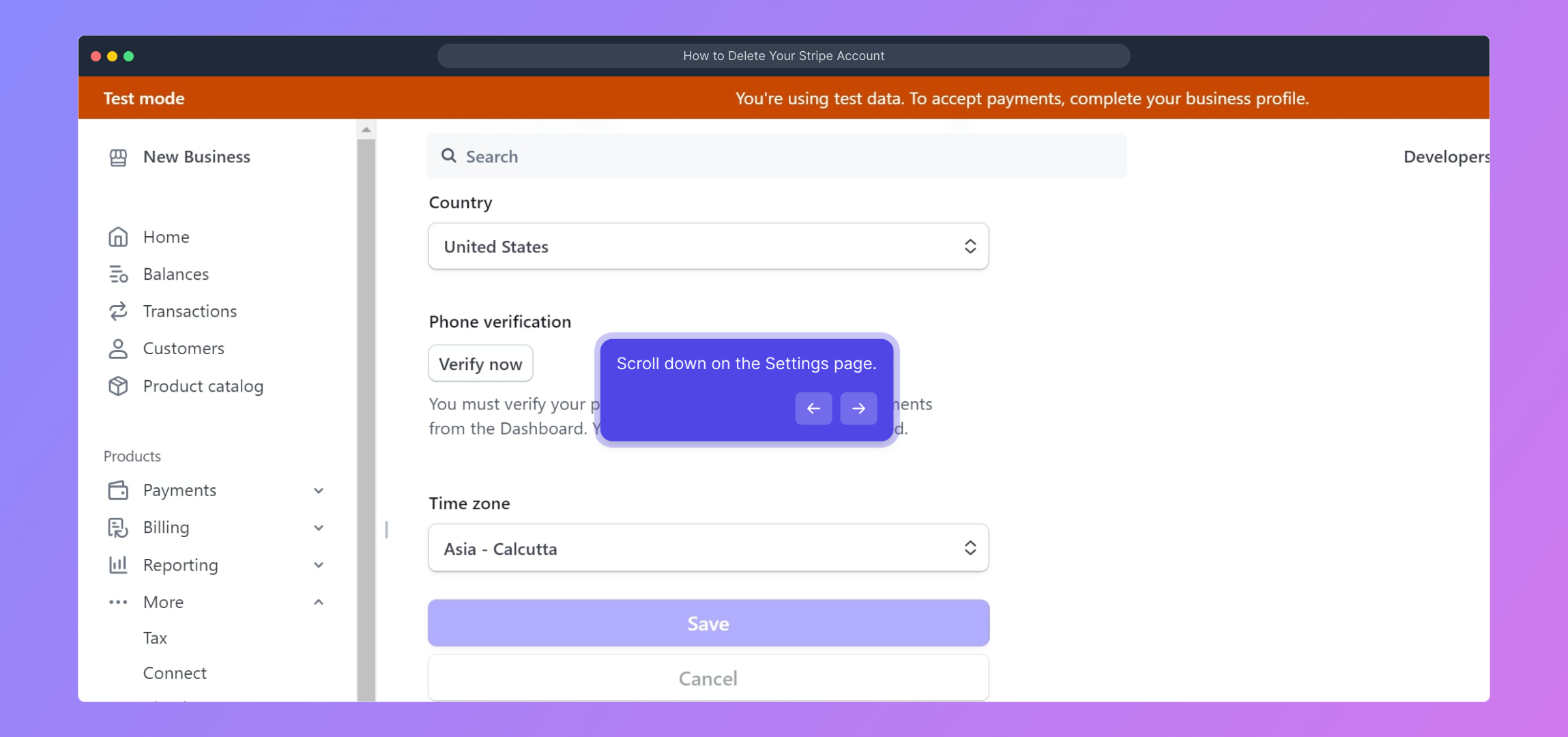
4. Scroll down on the Settings page.
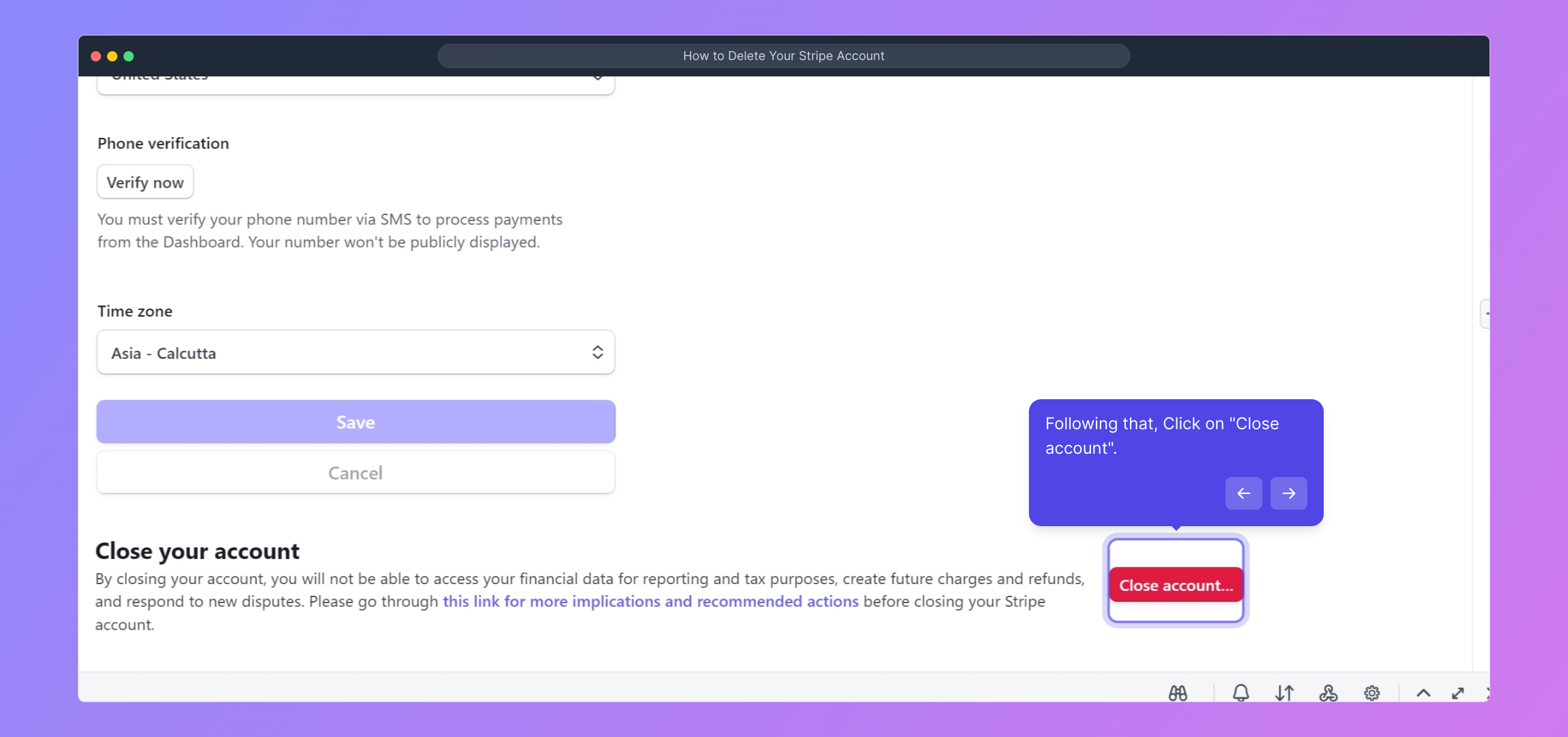
5. Following that, Click on "Close account".
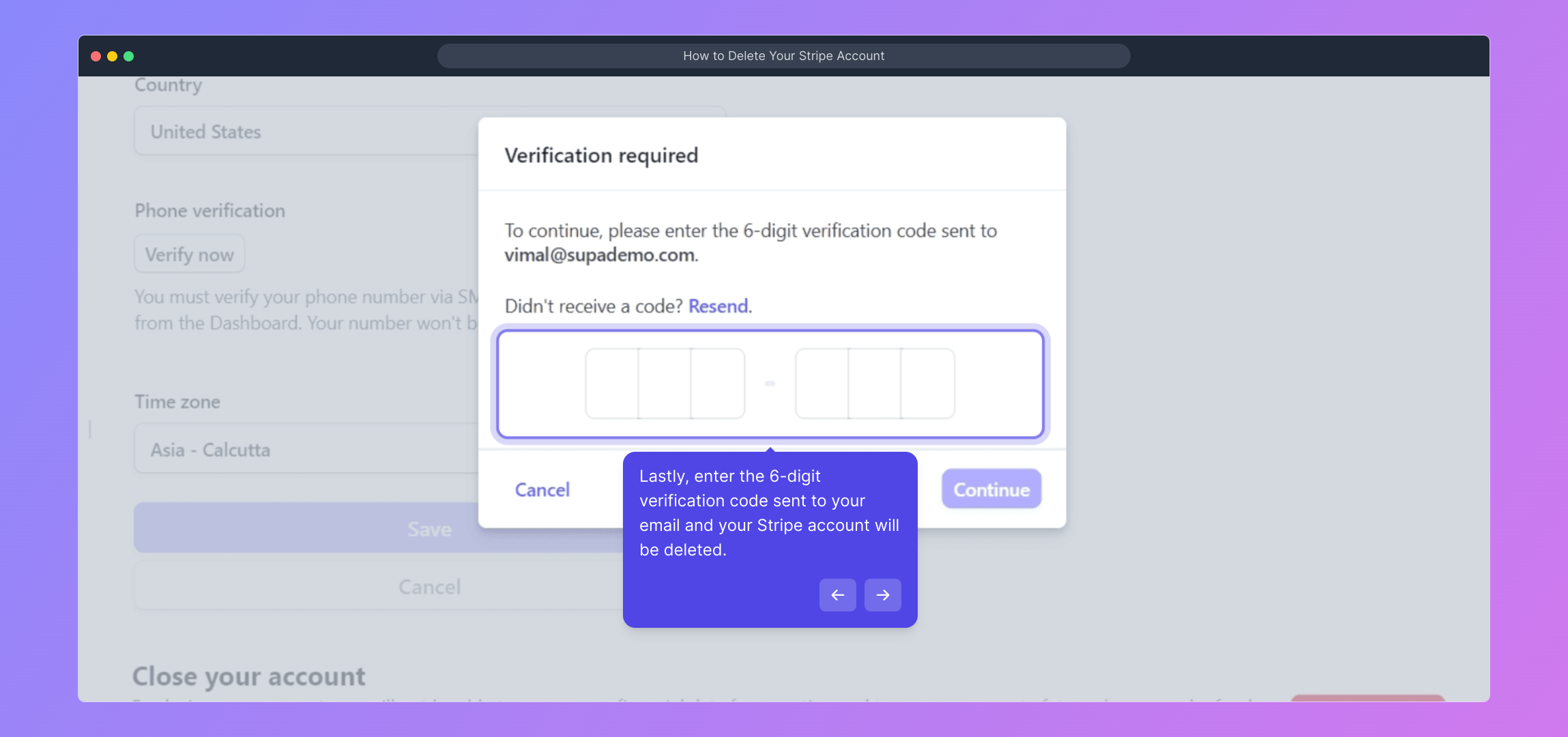
6. Lastly, enter the 6-digit verification code sent to your email and your Stripe account will be deleted.
7. Create a Supademo in seconds
This interactive demo/guided walkthrough on How to Delete Your Stripe Account was created using Supademo.
How to Delete Your Stripe Account : Step-by-Step Guide
To get started, head over to stripe.com and log into your account using your usual email address and password. This will take you to your Stripe dashboard where you can manage your account settings.
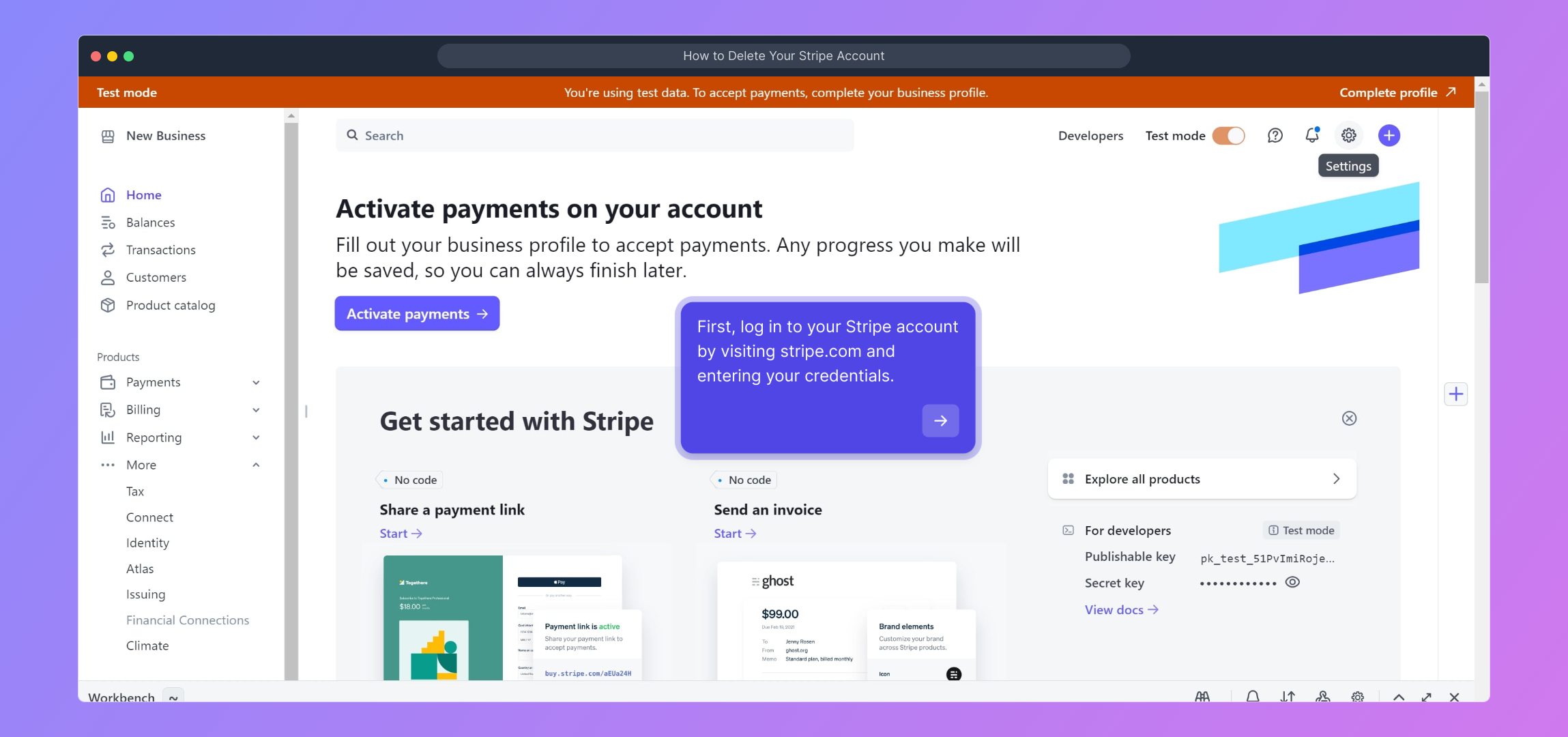
Once logged in, look for the gear-shaped "Settings" icon in the upper right corner of your dashboard. Clicking here opens up a variety of options to customize and manage your Stripe account preferences.
After clicking the settings icon, you will land on the main Settings page. Here, you’ll find different sections organized for account configuration; this is where you control your billing, team members, and more.
Scroll down through the Settings page to locate advanced options. The lower part contains critical actions related to account management, including the option to close your account if needed.
When you find the “Close account” option, click on it to initiate the process of permanently disabling your Stripe account. Be sure you’re ready to proceed, as this action cannot be undone later.
As a security step, Stripe will send a 6-digit verification code to your registered email address. Enter this code in the provided field to confirm your identity and finalize deleting your account.
Finally, once your Stripe account is successfully closed, you can quickly create a new Supademo project to continue testing or presenting your demos with ease.
Create your own interactive demos in < 5 mins with Supademo
You can create your own interactive product demo in minutes using Supademo. Drive growth, scale enablement, and supercharge product-led onboarding with Supademo. Sign up for free here with no credit card required.
FAQs
Commonly asked questions about this topic.
How do I delete my Stripe account?
Will deleting my Stripe account delete all my stored data?
Can I reactivate my Stripe account after deleting it?
Do I need to settle pending payments before deleting my Stripe account?
Is there a way to temporarily disable my Stripe account instead of deleting?
What happens to my API keys when I close my Stripe account?
How long does the account deletion process take?
Can I download my financial data before deleting my account?
Will my customers be notified if I delete my Stripe account?
Is it possible to delete multiple Stripe accounts at once?

Product Operations Associate
Vimal Kumar helps build and grow Supademo’s team and GTM efforts, with a focus on figuring out growth levers and improving product traction.




