
Appsembler is a platform that combines Virtual IT Labs and learning management system to deliver immersive training experiences.
The problem is that it is one of the most pricey and specialized virtual learning platforms on the market. And, if you want a budget-friendly Appsembler alternative that caters to different use cases, we've compiled them all in this guide.
Short on time? Jump straight to our roundup of the top 5 Appsembler alternatives & competitors.
What is Appsembler?
Appsembler is an advanced virtual learning software that offers two key tools—a learning management system (LMS) and Virtual IT Labs.
- Learning management system: Build a comprehensive course library with self-paced and instructor-led training program.
- Virtual IT Labs: Create a sandbox environment to offer hands-on learning to your employees.
One stand-out feature is its integration with the other LMSs like OpenedX. With this, you can combine theoretical learning with practical application, ensuring long-term retention.
Why do customers look for Appsembler alternatives?
Despite its advanced features, Appsembler has its fair share of drawbacks. Here are three key reasons we found that make users look for alternatives.
Reason 1: Expensive starting plan
While Appsembler is among the best learning management platforms, its pricing doesn't fit every team's budget.
The starting pricing is $525/month, which can be expensive for growing businesses and teams in the early stages of implementing virtual learning platforms.
Reason 2: Focused approach, limiting multiple use cases
Appsembler's focus on educational and learning environments shows its excellence in the field.
However, if your team needs an all-in-one solution to handle multiple use cases—from employee training to customer demos and product onboarding—you might have to invest in additional tools, which can add more costs and require additional time to train the users.
Reason 3: Takes longer to set up any training program
Committing to a Virtual IT Lab with Appsembler might not be a time-efficient process. It requires time investment and a willingness to be patient throughout the process. You'll need to configure the technical environments, test it continuously, and train both instructor and students on navigating the tool.
All this usually makes the implementation cycle longer for teams who want a quick, ready-to-go solution.
If you want a budger-friendlier interactive learning tool with a gradual learning curve, there are multiple Appsembler alternatives at your disposal.
What are the best alternatives to Appsembler in 2026?
Based on our research and user reviews, we have identified 5 best alternatives & competitors to Appsembler.
| Appsembler Alternatives | Best For | G2 Rating |
|---|---|---|
| Supademo | Small to medium-sized businesses who want to build multi-use case interactive product walkthroughs within budget. | 4.8 |
| CloudShare | Medium to large-sized companies who want seamless team collaboration. | 4.6 |
| Skytap | Enterprise organizations delivering complex software training at scale. | 4.6 |
| Consensus | Enterprise SaaS companies to build presales and sales-specific training demos. | 4.8 |
| TestBox | Growing businesses targeting multiple customer segments with customized demo experiences. | 4.8 |
1. Supademo
Supademo’s key features
Easy-to-use demo editor
Supademo offers a comprehensive demo editing stack to polish each interactive training demo and tailor it to potential buyers.
You can customize each demo that reflect your brand tone and tailor it to buyer segments using dynamic variables. You can add the recipient's name or company they work at in the demo's title, CTAs, or hotspots.
There are additional tools to make each demo engaging: Chapters: Organize showcases by pricing contextual guidance through chapters.
- Zoom and pan: Zoom into key areas in your tool to bring emphasis.
- Voiceover: Add voiceovers to break the monotony of reading textual information
Insightful analytics
Supademo's analytics dashboard gives a 360-degree view of your demo’s performance, highlighting key metrics like total number of viewers, demo completion rate, and average engagement rate.
If you want to see individual demo performance, click on the detailed insights button. You'll see the following details: • Demo engagement, drop-offs, and completion rate
• Identified (known email) and unidentified (anonymized but unique) viewers
• View and export all email leads captured through gated Supademos
You can also visualize the performance through a bar graph depicting how the users progressed as they interacted with the demo.
Workspace management
One challenge with Appsembler's traditional Virtual IT Labs is maintaining consistency across demos.
Supademo's smart workspace management solves this and helps you build a central source of truth.
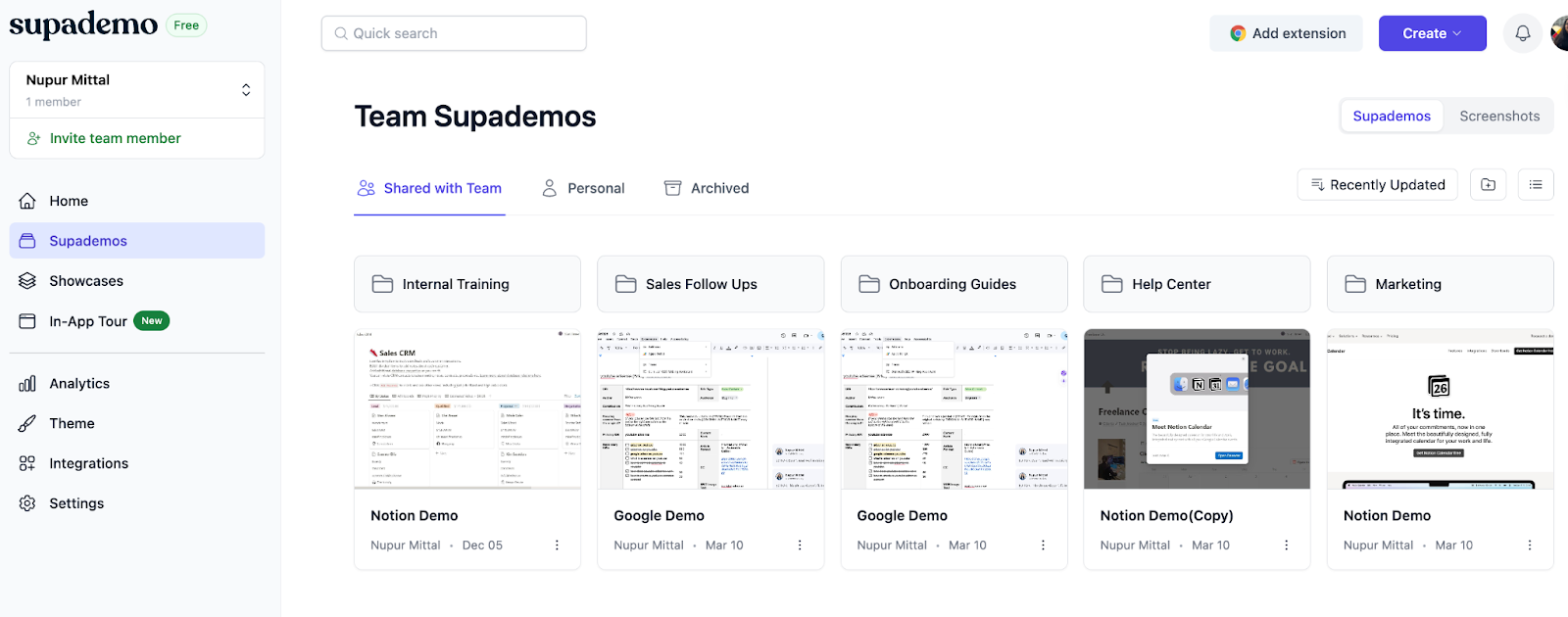
- Create themed folders to organize demos by use case, customer segment, or team
- Combine multiple demos into shareable kits for easy customer onboarding
- Add internal reviewers without spending an extra dime, making collaboration inexpensive
- Reuse and update existing demos instead of recreating from scratch
Supademo pricing
Supademo offers multiple paid plans and a free one.
Free plan ($0/month): Included 5 Supademo recordings and editing, unlimited screenshots, sharing via link or embedding, and exports as videos or SOPs.
Scale (starts at $38/creator/month): Including in-app product tou triggers, desktop app recording, custom domain, form and calendar embed, and trackable share link.
Business (starts at $199/month): Includes 1 creator (+$50/month per extra creator), guided HTML demos, HTML text and image editing, AI data editing, unlimited view-only collaborators, and priority support.
Enterprise (custom pricing): Includes unlimited user seats, HTML-based demo capture, advanced security, and personalized onboarding and training.
You can try Supademo’s Scale and Growth plans with a 14-day trial. (No credit card required)
Supademo pros and cons
✅ Enhance the user experience by bundling multiple demos in a single URL
✅ Folder and subfolders-based demo organization helps in building an internal knowledge base
✅ Saves time by auto-generating interactive demos with accurate annotations
✅ Easy to share demos with internal teams or external users with multiple export options such as MP4 file or GIF conversion
❌ Offers limited integrations than competitors. Currently integrates with HubSpot, Salesforce, Marketo, Zapier, Google Analytics, and Slack
❌ Lack of vertical scrolling, SOP views unless the demo is exported
Supademo vs. Appsembler: why choose Supademo?
Let’s see what makes Supademo, the #5 fastest growing software product according to G2, one of the best Appsembler alternatives.
1. Supademo streamlines demo creation
Unlike Appsembler, Supademo gives you multiple ways to build interactive demos.
- Record product walkthroughs through a Chrome extension or desktop app
- Convert existing screenshots and videos into interactive product tours
- Transform Figma designs into demos using our native plugin
Supademo auto-generates step-by-step guides with smart annotations, no matter which method you choose.
The result?
Your team spends less time setting up demos and more time engaging with prospects.
You can also trigger product demos within your application by adding a code snippet to your app. Supademo automatically trigger the chosen demo at the right spot programmatically.
2. Supademo has a modern & easy UX
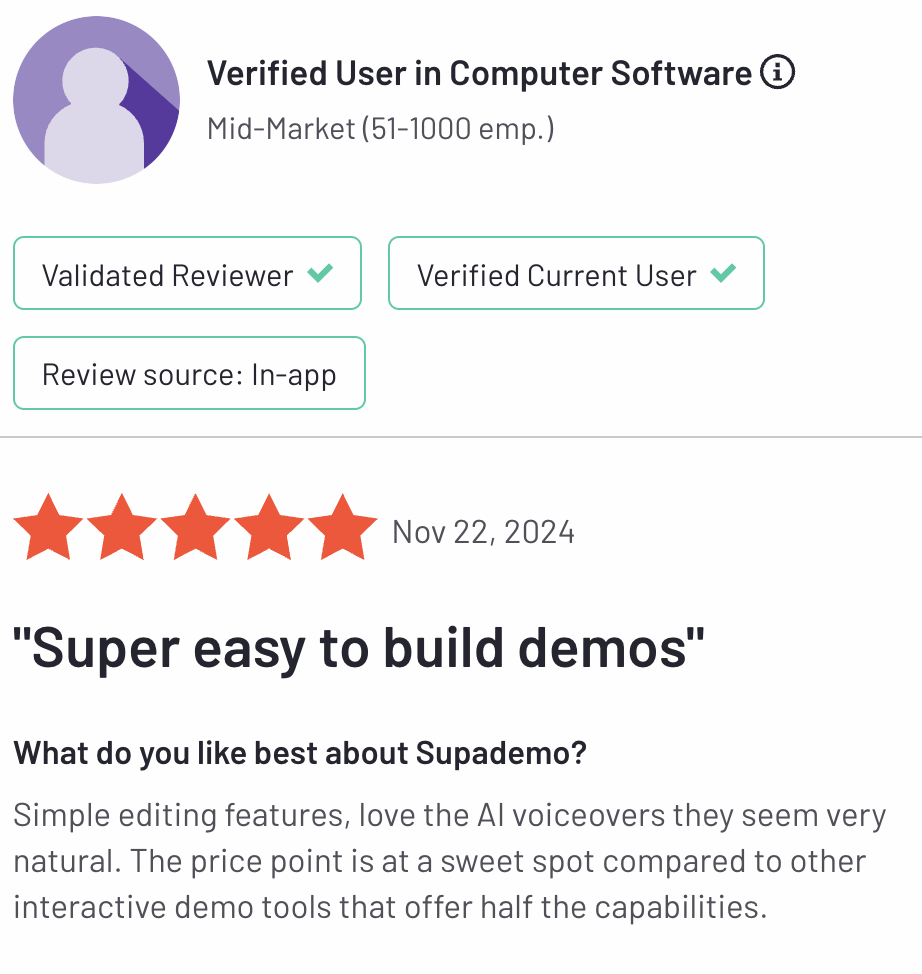
Unlike Appsembler's dated UI, Supademo's UX is modern & sleek, with easy-to-navigate dashboards. That's what makes it one of the easiest demo automation software, with a 9.2 rating on G2.
You can access all the features from the left navigation bar; each option is clearly described. Ease of use reduces the product adoption time so that you can start building and sharing demos as quickly as possible.
Our customers love our intuitive approach to demo production.
“We needed a tool that was efficient, easy to use, and scalable across our sales team. Supademo covers both functionality and simplicity and drives results." says Orbitax.
3. Supademo pricing plans are flexible (and predictable)
Unlike Appsembler's ever-increasing pricing rates, Supademo offers transparent and creator-based pricing.
No matter the plan, the price increases in direct proportion to the number of creators. So, you can focus on scaling your demo production rather than think about the next billing cycle.
Let’s get even more granular and see how Supademo compares against Appsembler in other aspects.
| Supademo | Appsembler | |
|---|---|---|
| Best for | Customer-facing teams to engage prospects and generate leads | Remote teams for internal team communication |
| Pricing (Annual Billing) | Starts at $38/mo | Starts at $15/mo |
| Ease of Setup | #1 on G2 for ease of setup | Easy setup |
| Recording Type |
|
Supports virtual machine-based demo building |
| Desktop Recording | ✅ Available for Mac (Windows in beta) | ⛔ No |
| Analytics | Granular breakdown: time spent, clicks, engagement | Learner progress & course completion tracking |
| AI Voiceovers | ✅ Yes (15+ languages) | ⛔ No |
| AI Text Generation | ✅ Yes (Demo title, annotations, CTAs) | ⛔ No |
| AI Transcript Translations | ✅ Yes (15+ languages supported) | ⛔ No |
| Custom Branding | ✅ Yes | ✅ Yes |
| Share Multiple Demos & Guides as One Link | ✅ Yes | ⛔ No |
| Calendar & Forms Embed | ✅ Yes | ⛔ No |
| Personalization with Dynamic Variables | ✅ Yes | ⛔ No |
| Conditional Branching | ✅ Yes | ⛔ No |
| Figma Plugin | ✅ Yes | ⛔ No |
2. CloudShare
CloudShare's key features
- Analytics: Track student progress in real-time, offering detailed metrics on engagement, performance, and resource utilization.
- Templates: Pre-built demo templates to create and clone complex environments, making setting up training sessions or sales demos easy.
- Integrations: Offer native CRM and LTI (Learning Tools Interoperability) integrations for all-around and ease of access to learning.
CloudShare's pricing
CloudShare offers custom pricing plans. You need to go through the hassle of booking a demo call to get a quote.
CloudShare's pros and cons
✅ Unlimited user seats on all the plans
✅ Easy to collaborate with trainers and trainees
✅ Modern and user-friendly UI, enhancing user experience
❌ Occasionally runs into performance issues, especially when launching complex training setups
❌ The mobile app is non-intuitive and lacks features present in its desktop app
❌ The more demos you build, expensive the pricing gets
3. Skytap
Skytap's key features
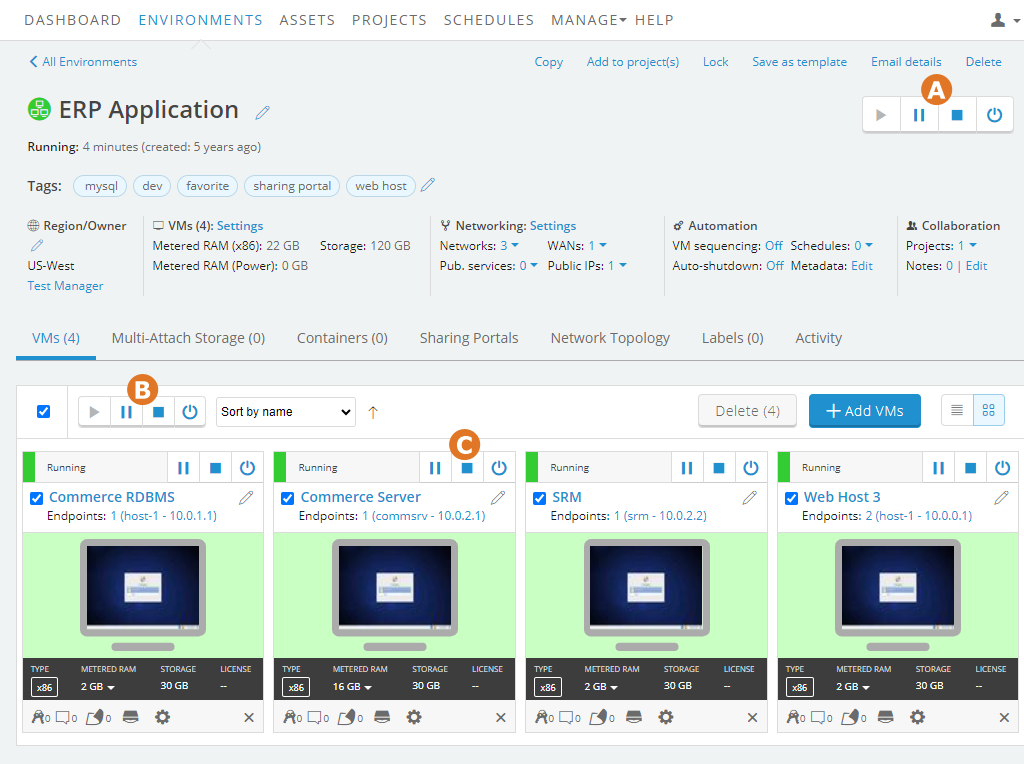
- Rapid environment provisioning: Create production-like environments with a single click, facilitating faster development and testing cycles.
- Sharing portals: Share URL-based access to virtual learning labs with external or internal stakeholders. You can decide the access duration and if it needs to be password protected.
- Custom templates: Use pre-built product training demos and configure them based on the type of learning experience you want to offer.
Skytap's pricing
Skytap pricing isn't publicly available. You need to go through the hassle of booking a demo call to get a quote.
Skytap pros and cons
✅ Ensure safety by giving you control over sharing each demo
✅ Easy to scale demo creation with copy and cloning of templates
❌ User-interface is outdated and cluttered
❌ Require technical know-how to setup virtual environments
❌ Doesn’t offer any integration with modern tools like CRMs
4. Consensus
Consensus's key features
- Product simulations: Build a sandbox environment without engineering help and offer a strings-free alternative to explore your tool’s features.
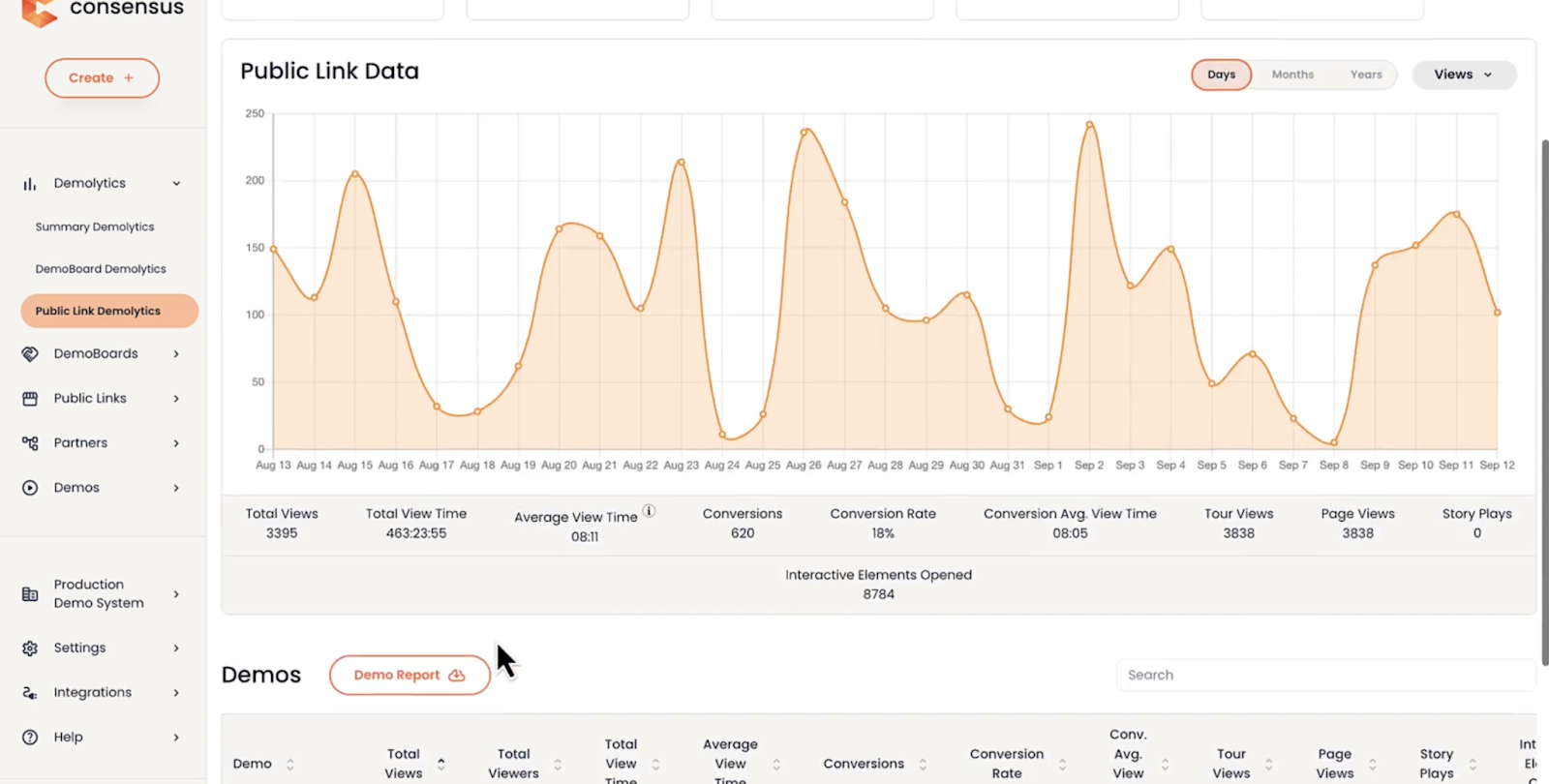
- Demolytics: Track how potential buyers engage with interactive walkthroughs through heatmaps and get stakeholder insights like demos sent, views, and completion rate.
- BuyerBoard: Build a central digital space with shareable demos, documentation, and other resources to help buyers engage stakeholders and colleagues
Consensus's pricing
Consensus offers custom pricing plans based on the role of the creator and the number of licenses.
Consensus pros and cons
✅ Boost sales team productivity by helping you build quick product demos in a user-friendly interface
✅ Helps you prepare for a meeting with targeted questions by learning about buyer’s past interactions with the demo shared
✅ Easily integrates with existing sales processes and tools
❌ Gmail integration can be inconsistent at times
❌ Video editing tools aren’t as advanced as competitors, leading to generic video-based demo tours
❌ Initial setup and adaption time is long and would need constant learning and training to get everyone familiar with the tool
Also read: Top Performing Presales Software
5. Testbox
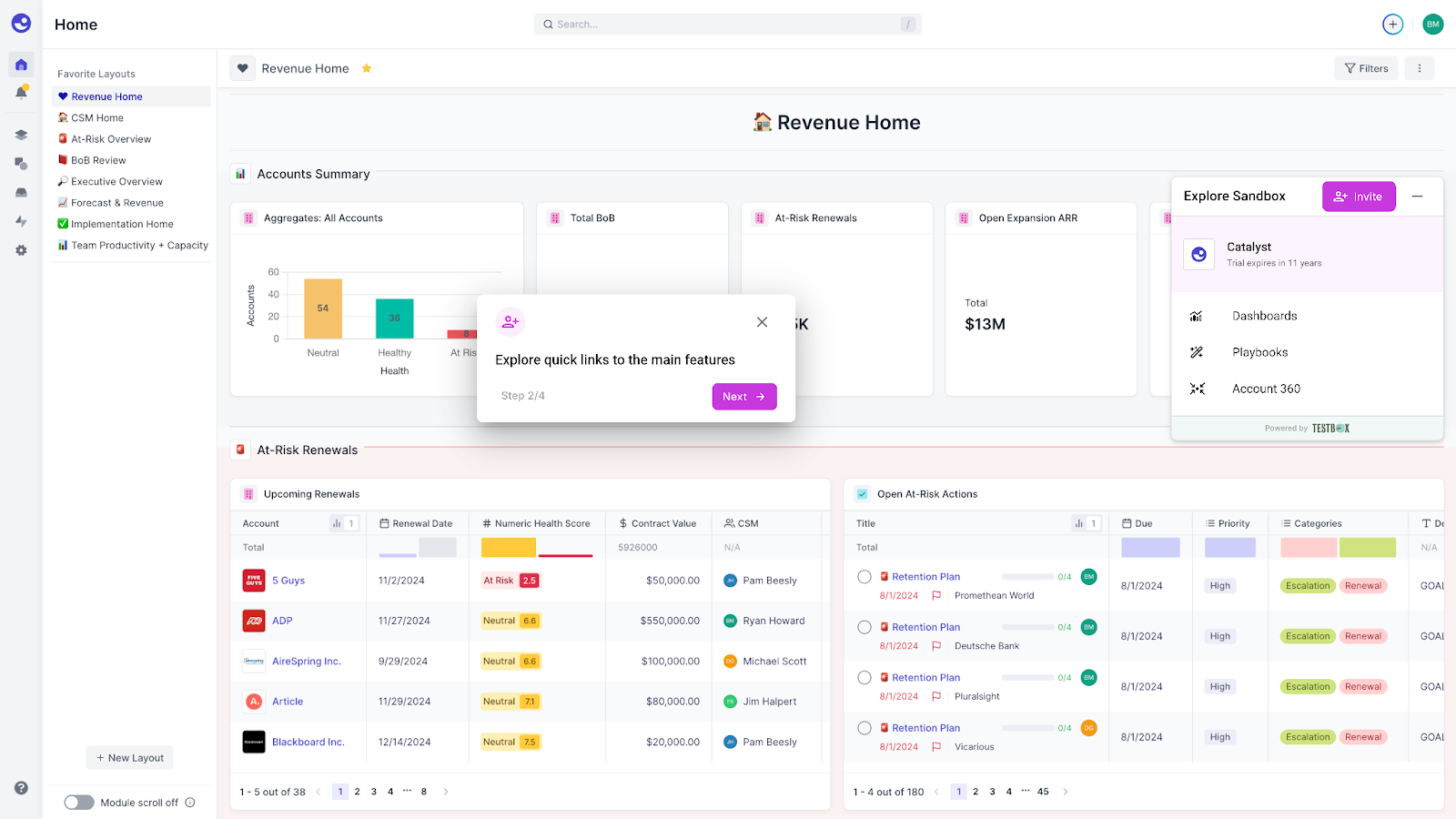
Testbox's key features
- Live product demos: Create fully functional product demos that give a real-time view of your product without requiring any maintenance.
- Automated POCs: Build a personalized simulated sandbox environment pre-populated with custom data that mimics real-user activity.
- AI-generated data: Create dataset templates during the initial set-up based on which the tool generates realistic custom data using GPT-4 for all the demo accounts.
Testbox's pricing
Startup (Starts at $44,750 for 15 users): Includes basic foundational demo or POC building experience with no integration and expensive data analysis.
Growth (Starts at $59,500 for 15 users): Includes third-party integrations, advanced multi-product demo building, and complex data-tracking workflows.
Enterprise (custom plan): Includes tailored enterprise setup, AI-powered workflows, and segmentation.
Testbox doesn’t offer a free plan or trial. For additional users, there’s a $1,200/user charge regardless of the plan.
Testbox pros and cons
✅ Shortens sales cycles by automating demo and POC creation
✅ Provides realistic, PII-free data for authentic demonstrations
✅ Integrates seamlessly with existing CRM systems
❌ Implementation process can be time-intensive, often requiring several weeks of setup
❌ Limited demo environment customization and real-time editing constraints.
Choose the right interactive product solution
Appsembler is a great choice for teams who want to build a comprehensive e-learning sandbox environment and have a huge budget to spare.
But, for teams who want a more diverse solution that fits the pocket, there are better alternatives.
One of them, for example, is Supademo.
- It has the most user-friendly interface that's packed with help guides to get you up to speed (seriously, our users build their first demos in under 5 minutes)
- It offers the best demo editing tools to help you build every demo distinct and personalized to your target prospect or customer.
- It offers multiple ways to share your demos—embed in your emails, help guides, and feature pages, share as MP4 or GIFs, or share a custom link.
Start exploring all the features with our forever-free plan and upgrade to our paid tiers whenever you're ready to scale your demo production.
Frequently Asked Questions about Appsembler alternatives
Commonly asked questions about this topic.
What are the top interactive demo platforms to replace Appsembler?
How does Supademo compare to Appsembler?
Is Supademo's pricing model more cost-effective than Appsembler's?
Which Supademo capabilities are missing from Appsembler?
Does Supademo require less onboarding time than Appsembler?
Which interactive demo tool works best for customer success teams?
What free alternatives exist for creating interactive product demos?
How do interactive demo platforms impact customer onboarding success rates?

Content Specialist
Nupur is a content writer with 3+ years of experience writing for SaaS startups and agencies. Her expertise lies in writing customer-centric content.



