
Skytap is best for configuring complex application setups for virtual training and education.
But, this type of demo building capability isn't suitable for all businesses. Limited editing, expensive pricing, and lack of standardization are some areas where Skytap falls short.
If you're looking beyond what Skytap offers within budget, we've got just the right tools for you.
No time to waste? Jump straight to our roundup of the top 5 Skytap alternatives & competitors of 2025.
What is Skytap?
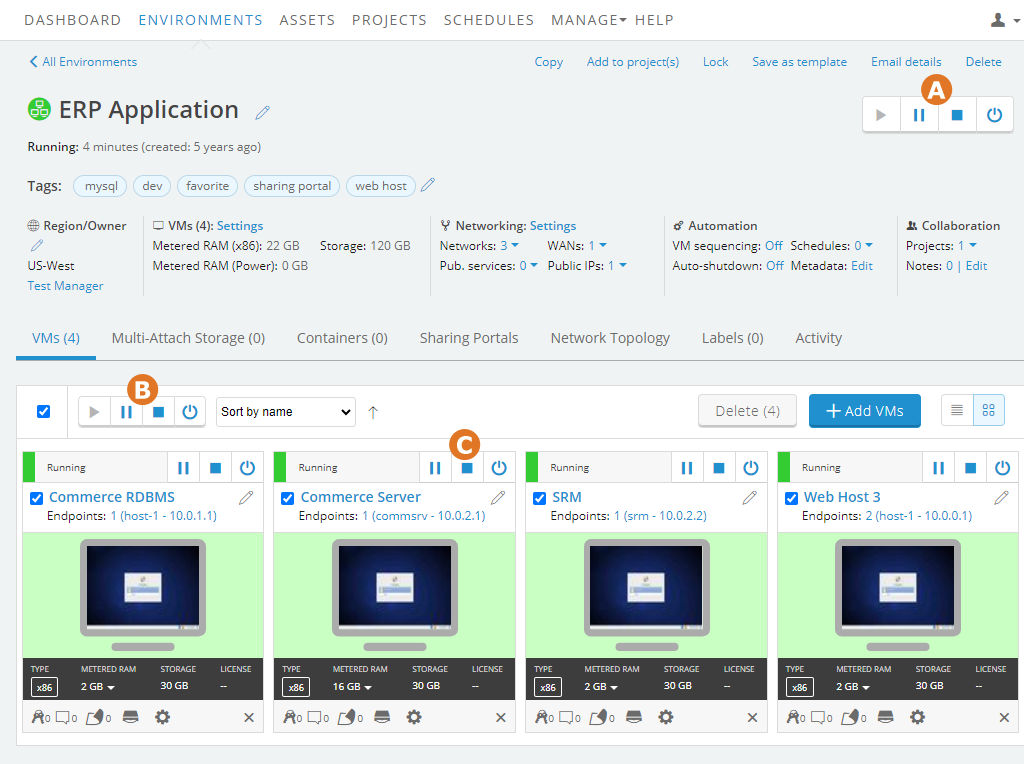
Skytap is a cloud-based learning solution that helps you build virtual training demos for employees, stakeholders, clients, and customers. You can also create product demos for sales activities and realistic POC, matching customers' needs.
The platform uses virtual machines (VMs), the brains behind building a solid lab environment. Skytap offers pre-built machine templates to create demos, or you can build a custom one.
Why do customers look for Skytap alternatives?
Despite its features, three core reasons make users look for Skytap alternatives.
Reason 1: Skytap interface creates workflow inefficiencies
Compared to modern demo builders, Skytap's interface looks outdated and clunky.
Beyond that, it impacts how teams work.
First, you must configure the entire virtual environment to demonstrate specific features, limiting scalability. And, since there are tons of features to build a demo, you'll need to invest heavily in training your team members, elongating the learning curve.
You'll also fail to make each demo consistent without pouring hours into cross-checking the setting against the other demos.
Reason 2: Pricing model can be restrictive
Skytap's pay-as-you-go pricing model initially seems flexible, but it often creates issues.
As you decide to scale demo production, the costs will quickly catch up. You'll end up paying more with each demo you create, making you think twice before building another setup.
Users have also reported paying for features they didn't need because the pricing became too unpredictable, especially for teams in growth mode.
Reason 3: Lack of screen recording feature
Skytap offers pre-built machine templates to create custom demos. Due to this, you don't get the option to edit your demos as freely as possible in modern tools.
For example, you cannot add voiceovers, include animations, or adjust the hotspot style to make each demo stand out.
This limits your ability to capture your audience's attention as you have limited control over what you can configure.
While Skytap excels at complex virtual environments, modern teams who need a more agile way to create and share demos look for alternatives.
What are the best alternatives to Skytap in 2026?
After analyzing multiple software offerings and reading 100s of user reviews, we have shortlisted five of the best Skytap alternatives, supporting multiple use cases within a budget.
| Skytap Alternatives | Best for | G2 Rating |
| Supademo | Small to enterprise businesses to build multi-use case interactive product walkthroughs and training demos | 4.8 |
| Testbox | Growing businesses targeting multiple customer segments with customized demo experiences | 4.8 |
| CloudShare | Mid to large-scale companies collaborating with multiple trainers and learners | 4.6 |
| Appsembler | Mid-to-large companies focusing on interactive product training and employee development | 4.0 |
| Consensus | Enterprise SaaS companies to build presales and sales-specific training demos | 4.8 |
1. Supademo
Supademo’s key features
Interactive demo editor
Supademo offers a comprehensive set of editing capabilities to polish each product tutorial and tailor it to potential buyers.
You can customize each demo to reflect your brand tone and tailor it to buyer segments using dynamic variables. You can add the recipient's name or the company they work at in the demo's title, CTAs, or hotspots.
There are additional tools to make each demo more engaging.
- Add your videos as an introductory slide to build a human connection.
- Include email captures and surveys strategically at the right interval to collect lead data.
- Customize each video to tell your brand story—adjust the color palette, include your logo, use a custom domain, and more.
In-app product tours
With Supademo, you can trigger interactive product tours within your application. All you need to do is add a code snippet to your app to trigger it there.
The best part is that you don't have to create a new demo. You can pick any pre-made walkthroughs and trigger them at the right time for the right user.
Workspace management
One challenge with Skytap's traditional Virtual IT Labs is maintaining consistency across demos.
Supademo's smart workspace management solves this and helps you build a central source of truth.
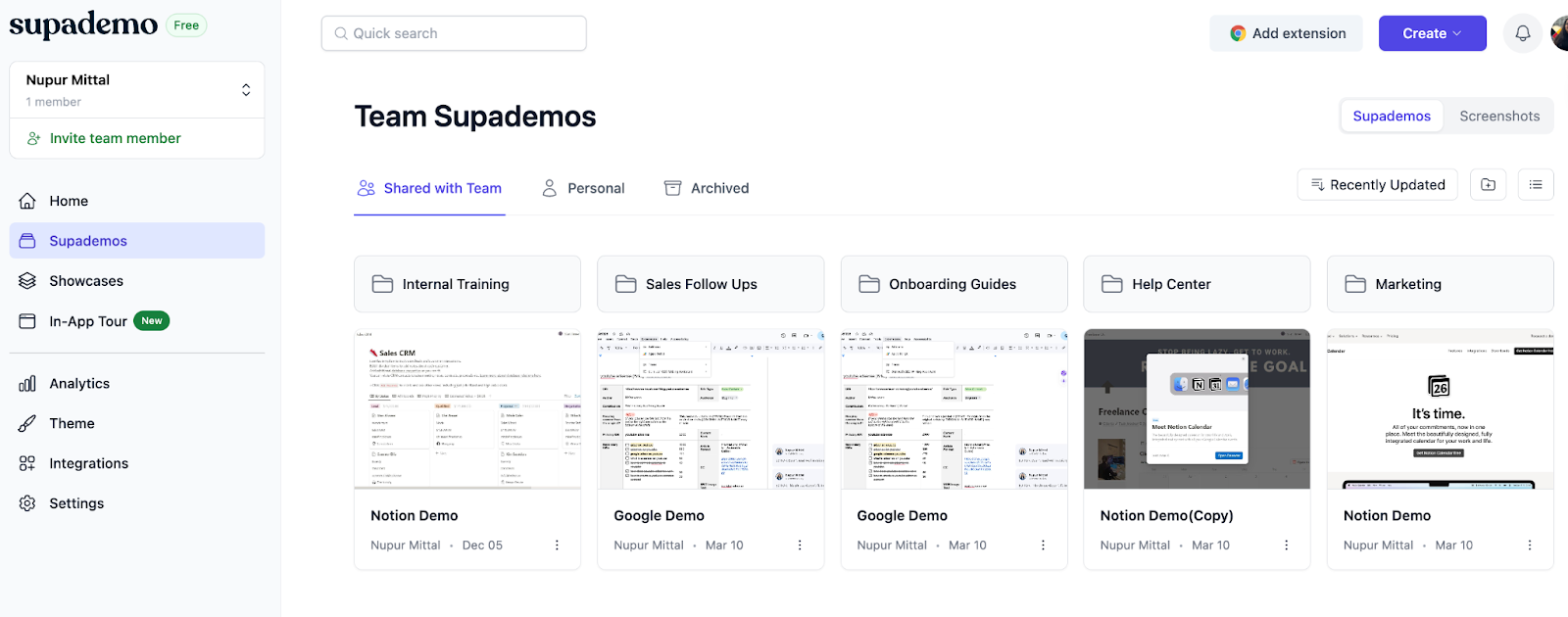
- Create themed folders to organize demos by use case, customer segment, or team
- Combine multiple demos into shareable kits for easy customer onboarding
- Add internal reviewers without spending an extra dime, making collaboration inexpensive
- Reuse and update existing demos instead of recreating them from scratch
Supademo pricing
Supademo offers multiple paid and free plans.
Free plan ($0/month): Included 5 Supademo recordings and editing, unlimited screenshots, sharing via link or embedding, and exports as videos or SOPs.
Scale (starts at $38/creator/month): Including in-app product tou triggers, desktop app recording, custom domain, form and calendar embed, and trackable share link.
Business (starts at $199/month): Includes 1 creator (+$50/month per extra creator), guided HTML demos, HTML text and image editing, AI data editing, unlimited view-only collaborators, and priority support.
Enterprise (custom pricing): Includes unlimited user seats, HTML-based demo capture, advanced security, and personalized onboarding and training.
You can try Supademo’s Scale and Growth plans with a 14-day trial. (No credit card required)
Supademo pros and cons
✅ Enhance the user experience by bundling multiple demos in a single URL
✅ Folder and subfolder-based demo organization helps in building an internal knowledge base
✅ Saves time by auto-generating interactive demos with accurate annotations
✅ Easy to share demos with internal teams or external users with multiple export options such as MP4 file or GIF conversion
❌ Offers limited integrations compared to competitors. Currently integrates with HubSpot, Salesforce, Marketo, Zapier, Google Analytics, and Slack.
Supademo vs. Skytap: Why choose Supademo?
Let’s see what makes Supademo one of the best Skytap alternatives.
1. Supademo streamlines demo creation
Rather than configuring entire virtual environments, Supademo offers a more intuitive approach: Record product walkthroughs through a Chrome extension or desktop app
- Convert existing screenshots and videos into interactive product tours
- Transform Figma prototypes into demos using our native plugin
Supademo auto-generates step-by-step guides with smart annotations, no matter your chosen method.
The result?
Your team spends less time setting up demos and more time engaging with prospects.
2. Supademo has a user-friendly interface
Unlike Skytap, Supademo's interface is clean, with easy-to-navigate dashboards. That's what makes it one of the easiest demo automation software, with a 9.2 rating on G2.
Ease of use helps you build and share engaging interactive demos, organize them neatly, and manage access control without any headache.
3. Supademo pricing plans are flexible (and predictable)
Unlike Skytap's ever-increasing pricing rates, Supademo offers transparent and creator-based pricing.
No matter the plan, the price increases in direct proportion to the number of creators. So, you can focus on scaling your demo production and closing more deals rather than worrying about the next billing cycle.
Let’s get even more granular and see how Supademo compares against Skytap in other aspects.
| Supademo | Skytap | |
| Best for | Internal and external teams, particularly customer-facing teams for training, lead generation, or onboarding | Remote learning and training using custom sandbox environments |
| Pricing (annual billing) | Starts at $38/month | Custom plans |
| Ease of setup | Ranks #4 with 9.2 rating on G2 | Require heavy investment in training and onboarding to configure the platform |
| Recording Type |
|
No screen recording. You need to configure everything to build sandbox environments |
| Analytics | Offers granular breakdown with key metrics like time spent, clicks, and overall engagement | Offers insights into student’s participation, progress, and course completion. It also monitors the instructor’s performance in real-time. |
| Interactive product demos | ✅ Yes | ⛔️ No |
| AI voiceovers | ✅ Yes (15+ languages) | ⛔️ No |
| AI text generation | ✅ Yes (Demo title, annotations, and CTAs) | ⛔️ No |
| AI transcript translations | ✅ Yes, 15+ languages supported | ⛔️ No |
| Custom branding | ✅ Yes | ✅ Yes |
| Share multiple demos and guides as one link | ✅ Yes | ⛔️ No |
| Calendar and forms embed | ✅ Yes | ⛔️ No |
| Personalisation with dynamic variables | ✅ Yes | ⛔️ No |
2. TestBox
TestBox's key features
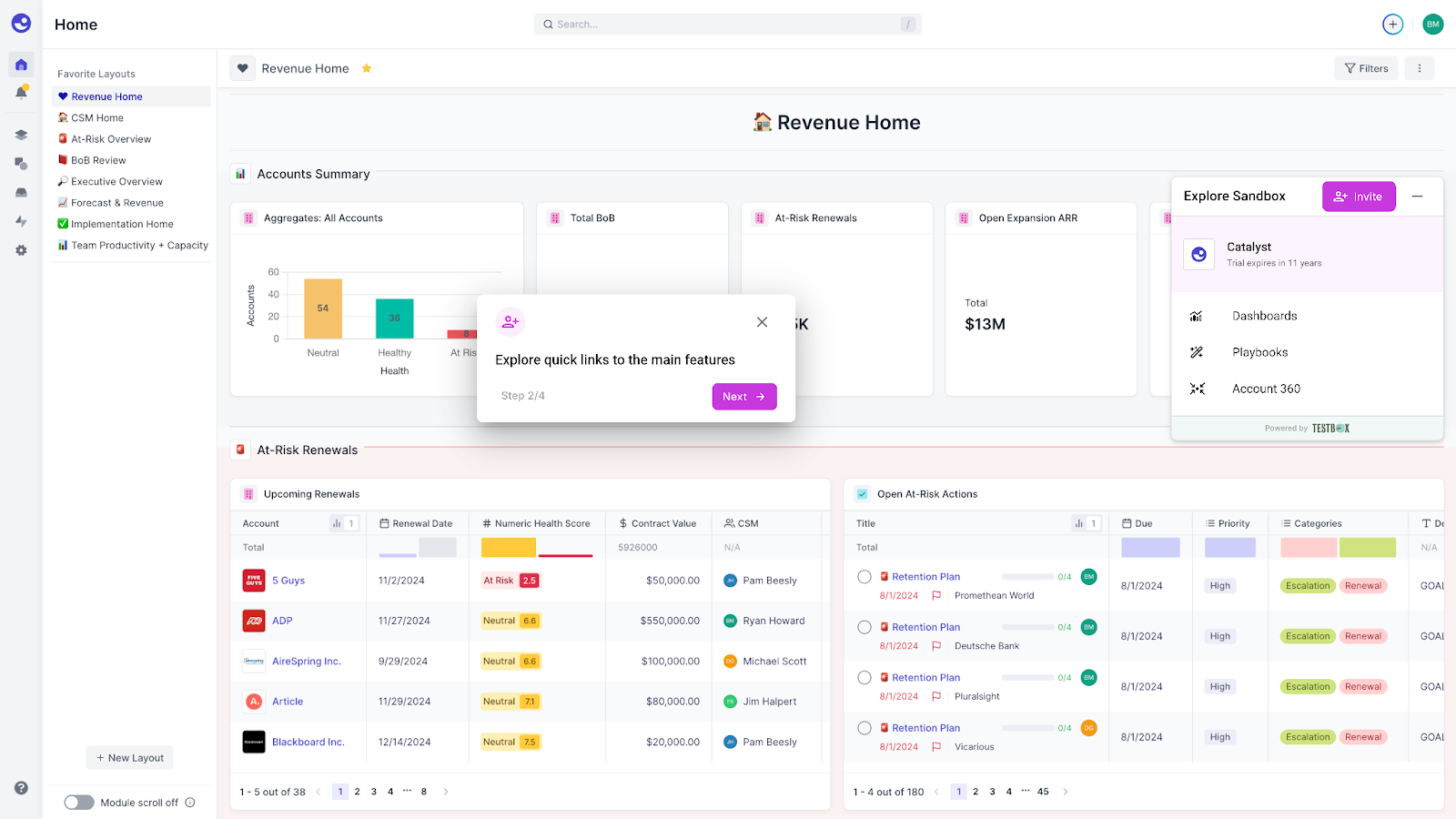
- Live product demos: Create fully functional product demos that give a real-time view of your product without requiring any maintenance.
- Automated POCs: Build a personalized simulated sandbox environment pre-populated with custom data that mimics real-user activity.
- AI-generated data: Create dataset templates during the initial set-up based on which the tool generates realistic custom data using GPT-4 for all the demo accounts.
TestBox's pricing
Startup (Starts at $44,750 for 15 users): Includes basic foundational demo or POC building experience with no integration and expensive data analysis.
Growth (Starts at $59,500 for 15 users): Includes third-party integrations, advanced multi-product demo building, and complex data-tracking workflows.
Enterprise (custom plan): Includes tailored enterprise setup, AI-powered workflows, and segmentation.
Testbox doesn’t offer a free plan or trial. For additional users, there’s a $1,200/user charge regardless of the plan.
TestBox's pros and cons
✅ Shortens sales cycles by automating demo and POC creation
✅ Provides realistic, PII-free data for authentic demonstrations
✅ Integrates seamlessly with existing CRM systems
❌ Implementation process can be time-intensive, often requiring several weeks of setup
❌ Limited demo environment customization and real-time editing constraints.
3. CloudShare
CloudShare's key features
- Integrations: Offer native CRM and LTI (Learning Tools Interoperability) integrations for all-around and ease of access to learning.
- Analytics: Track student progress in real-time with metrics like engagement, performance, and completion rate.
- Templates: Pre-built demo templates to expedite the demo creation time.
CloudShare's pricing
CloudShare offers custom pricing. You need to book a demo to get a quote.
CloudShare's pros and cons
✅ Unlimited user seats on all the plans
✅ Easy to collaborate with a different instructor
✅ Modern and user-friendly UI, enhancing user experience
❌ Occasionally runs into performance issues, especially when launching complex training setups
❌ The mobile app is non-intuitive and lacks features present in its desktop app
❌ The more demos you build, the more expensive the pricing becomes
4. Appsembler
Appsembler’s key features
- Analytics: Track learner progress and engagement and fine-tune their training programs based on real-time data
- LMS integration: Deliver virtual interactive demos within LMS like Open edX through a unique lab identifier.
- Assessments: Include evaluation criteria in virtual labs, such as quizzes, to test the learner’s understanding of specific features.
Appsembler’s pricing
Starter (Starts at $525/month): Includes themes and page editor, Open edX Studio Course Authoring, instructor reports (CSV), and real-time reporting.
Pro (Starts at $1,260/month): Includes Integrations (Zoom, Illumidesk, etc.), CSS editor, custom domain, and single-sign-on (SSO).
Premium (Starts at $2,625/month): Includes 2 dedicated training sessions, Business Intelligence Connector, and API endpoints.
All the pricing plans are only for 100 monthly active users (MAUs). Their team considers an MAU someone who logs in at least once a month.
You can also try any plan with a 30-day free trial.
Appsembler's pros and cons
✅ Ease to customize and set up for your company’s preferences
✅ Helps you deliver a practical learning experience by integrating with e-learning platforms like Open edX
❌ Administration can become difficult when you manage multiple courses
❌ Pricing can be steep for small to medium-sized companies
5. Consensus
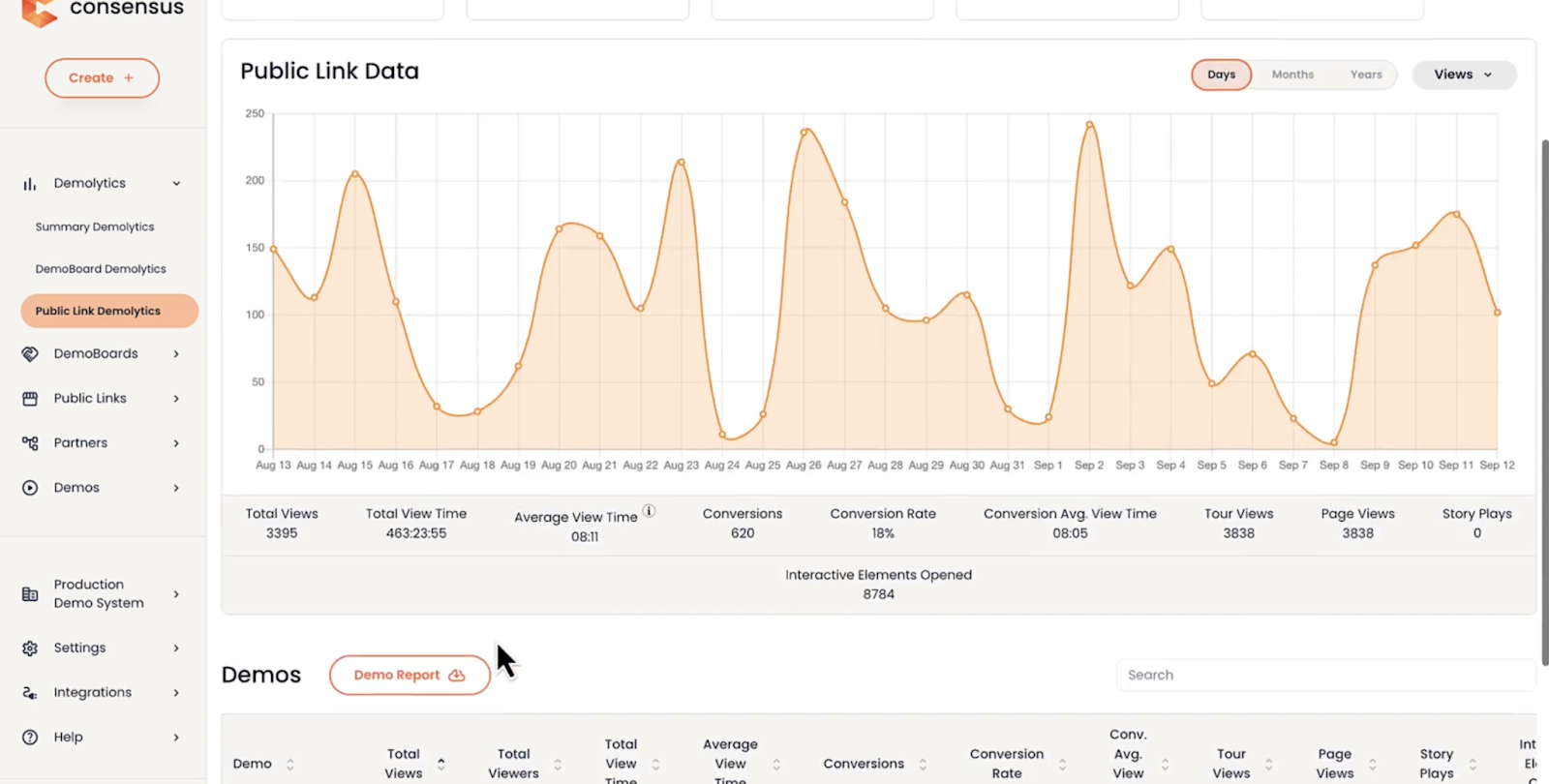
Consensus is a product experience and demo automation platform that helps you build a sandbox environment and interactive product walkthroughs with its Chrome Extension. Consensus is a product experience and demo automation platform that helps you build sandbox environment and interactive product walkthroughs with its Chrome Extension.
Consensus is built for presales and the GTM team to nurture leads and convert them into paying customers. Unlike Skytap, it offers niche features to help customer-facing teams give a more transparent view of their product's features.
Consensus's key features
- Product simulations: Build a sandbox environment without engineering help and offer a string-free alternative to explore your tool’s features.
- Demolytics: Track how potential buyers engage with interactive walkthroughs through heatmaps and get stakeholder insights like demos sent, views, and completion rate.
- BuyerBoard: Build a central digital space with shareable demos, documentation, and other resources to help buyers engage stakeholders and colleagues
Consensus's pricing
Consensus offers custom pricing plans based on the role of the creator and the number of licenses.
Consensus's pros and cons
✅ Boost sales team productivity by helping you build quick product demos in a user-friendly interface
✅ Helps you prepare for a meeting with targeted questions by learning about buyer’s past interactions with the demo shared
✅ Easily integrates with existing sales processes and tools
❌ Gmail integration can be inconsistent at times
❌ Video editing tools aren’t as advanced as competitors, leading to generic video-based demo tours
❌ Initial setup and adaption time is long and would need constant learning and training to get everyone familiar with the tool
Beyond Skytap: select the right interactive training platform
Skytap is a great choice for teams who want to scale their virtual learning environment and have a huge budget to invest.
There are better alternatives for teams who want a more diverse solution that fits the pocket.
Supademo, for example, is the ideal solution.
- You can build your first demo in under 5 minutes with its intuitive interface and navigation
- You can make each demo stand out with its array of editing tools—from re-writing hotspot text to adding intro videos
- You can share demos in multiple ways—embed them in your emails, help guides, and feature pages, share them as MP4 or GIFs, or share a custom link.
Start exploring all the features with our forever-free plan and upgrade to our paid tiers whenever you're ready to scale your demo production.
Frequently Asked Questions about Skytap alternatives
Commonly asked questions about this topic.
Which Skytap competitor offers the best value in 2026?
How does Supademo compare to Skytap?
What are the main reasons to migrate from Skytap to another platform?
How does Supademo differentiate itself from Skytap?
Which is faster to implement: Supademo or Skytap?
What interactive demo platforms work best for onboarding?
Does Supademo have a free tier like Skytap alternatives?
What makes an interactive demo platform suitable for enterprise environments?

Content Specialist
Nupur is a content writer with 3+ years of experience writing for SaaS startups and agencies. Her expertise lies in writing customer-centric content.





