How to add additional ticket status in Zendesk

Justin James
Justin James·
How to add additional ticket status in Zendesk

Overview

Take control of your customer support workflow by learning how to effortlessly add additional ticket statuses in Zendesk. With this interactive guide learn how to customize and optimize your support process by creating new status options that align perfectly with your team's unique needs, ensuring smooth ticket management and enhanced customer satisfaction.

Step by step interactive walkthrough

Interactive demo powered by Supademo

Steps to How to add additional ticket status in Zendesk

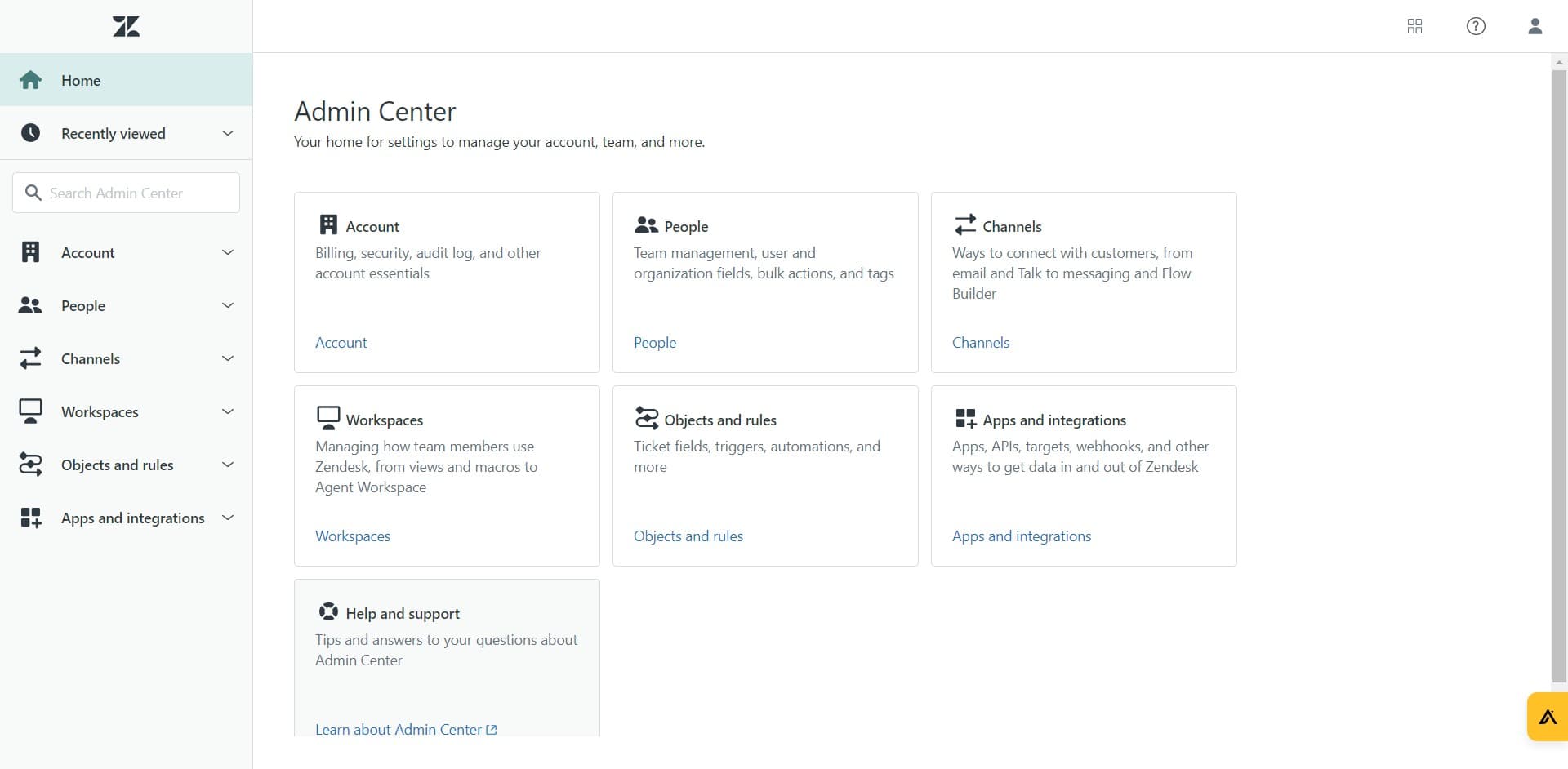
1) Navigate to Zendesk Admin Center

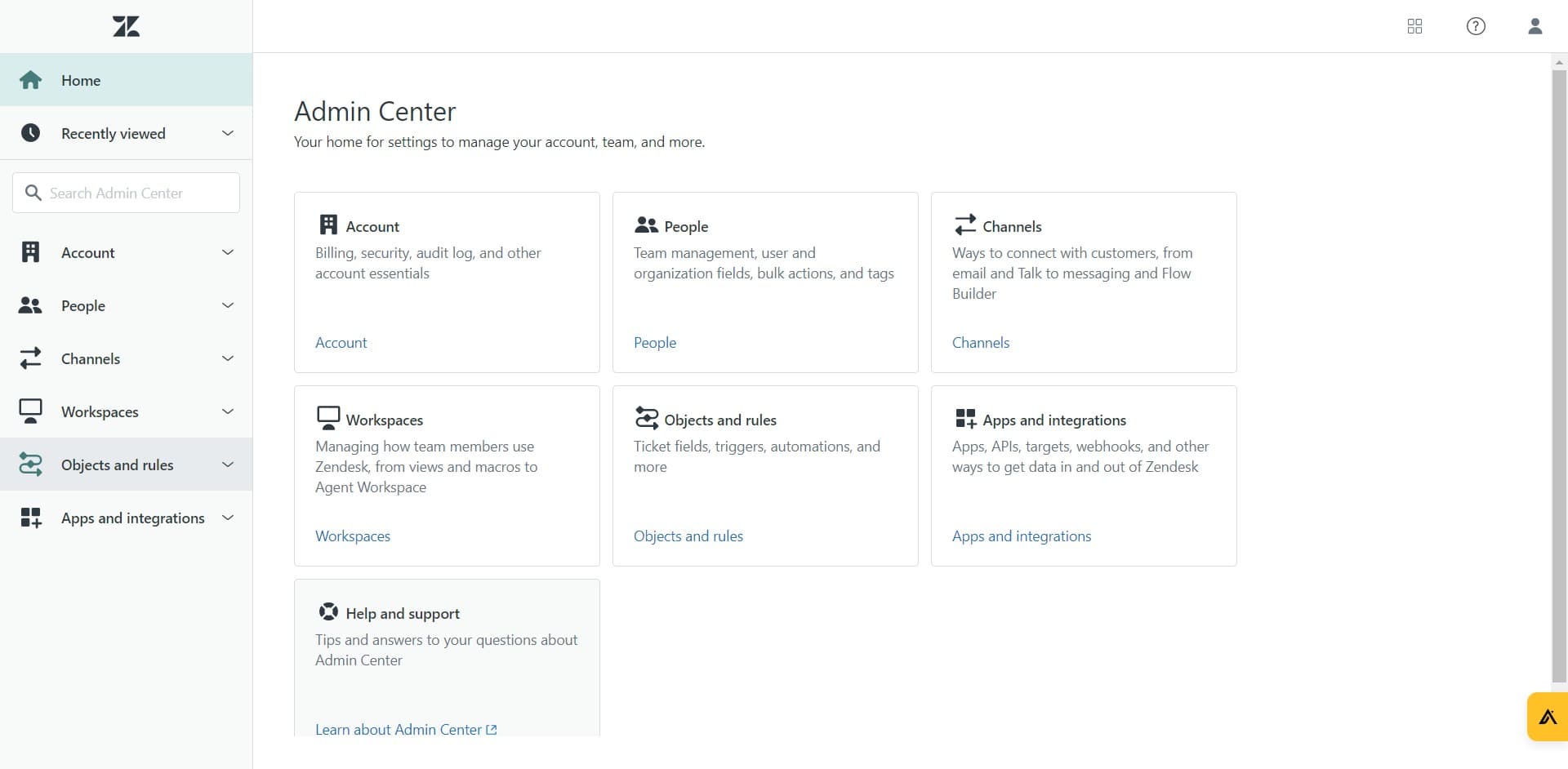
2) Click on "Objects and rules"

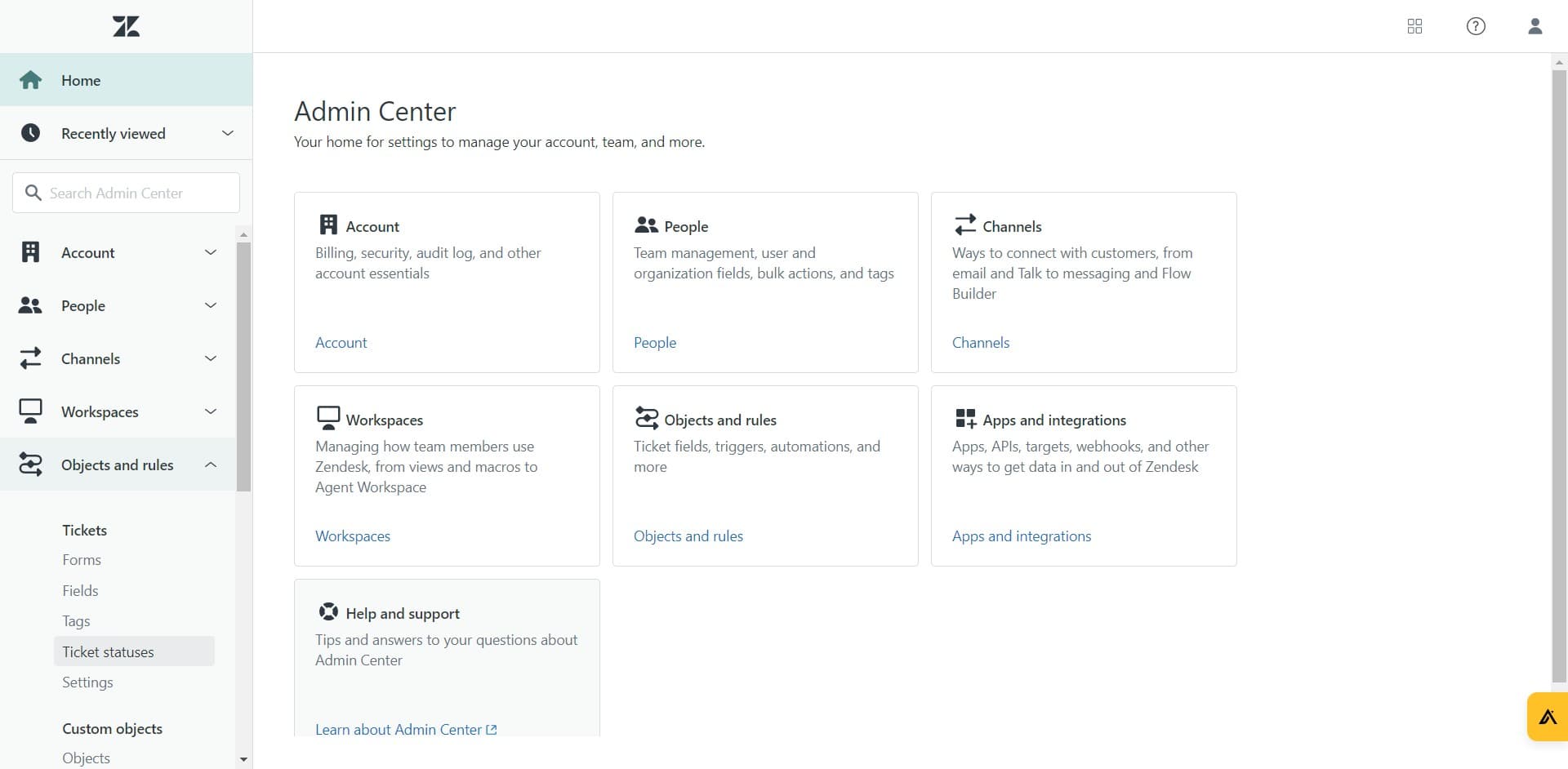
3) Click on "Ticket statuses"

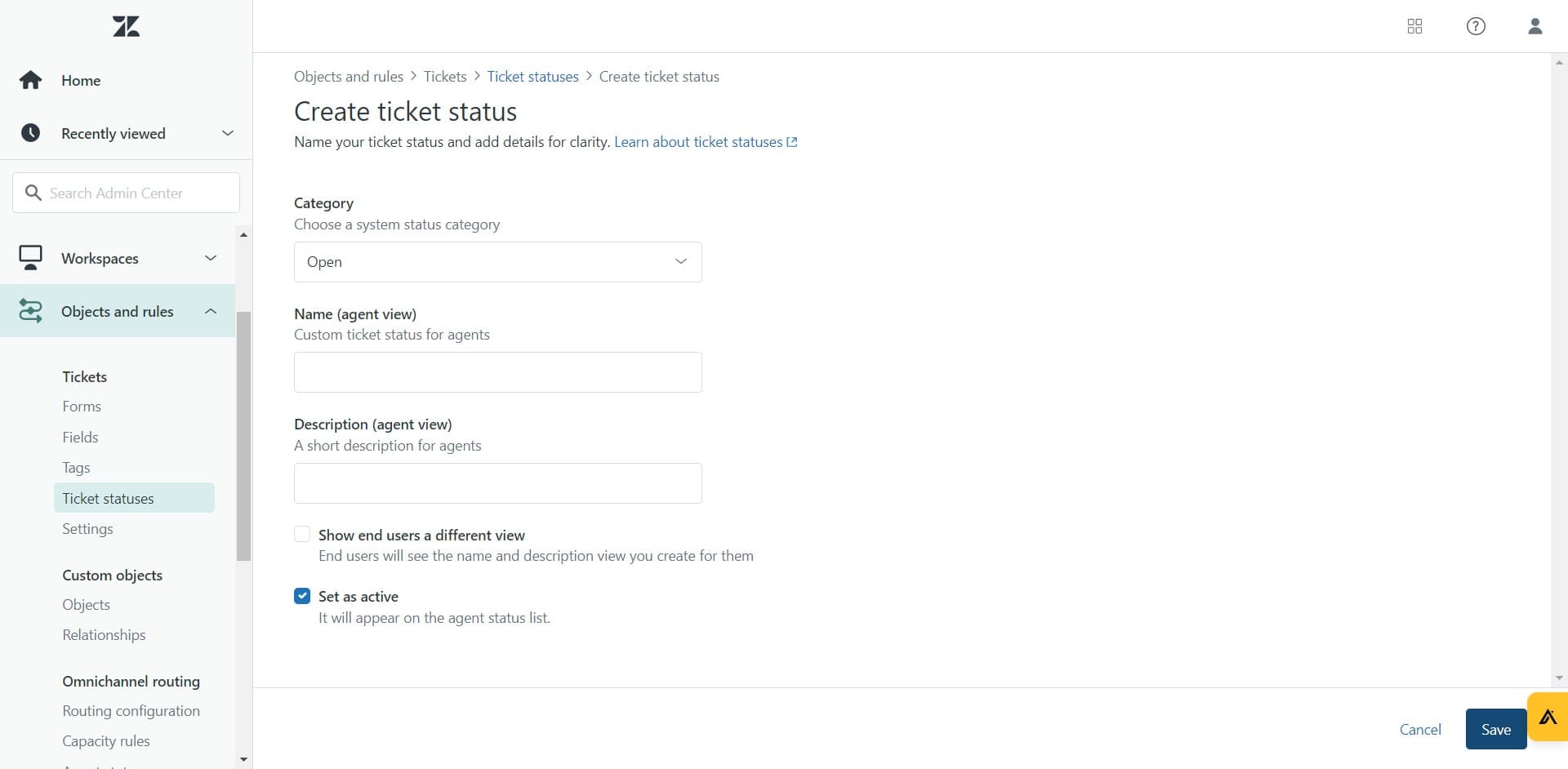
4) Fill in the Status Category

5) Name your ticket status

6) Fill in the description

7) Click on "Save"

Frequently Asked Questions about how to add additional ticket status in zendesk

Commonly asked questions about this topic.

What are the key features of Zendesk for additional ticket status?

Zendesk provides built-in additional ticket status capabilities including customizable templates, real-time collaboration, and integration with other productivity tools. The exact feature set depends on your plan tier — free plans typically cover basics while paid plans unlock automation, advanced views, and admin controls. Evaluate which features align with your team's actual workflow before committing. DBmaestro achieved 80% faster demo delivery after adopting interactive demos. DBmaestro achieved 80% faster demo delivery after adopting interactive demos.

Does Zendesk offer templates for additional ticket status?

Most modern platforms like Zendesk include starter templates for common use cases, including additional ticket status. Templates save setup time but should be customized to match your team's specific needs — default configurations rarely fit every workflow. Check Zendesk's template gallery or community library for options relevant to your industry. Interactive demos see 7x higher conversion rates compared to traditional demo videos. The average time from recording to publishing a Supademo is just 3.5 minutes.

What are best practices for adding additional ticket status effectively?

Start by defining your objectives clearly before configuring anything. Keep the structure simple and focused — avoid overloading with unnecessary fields or detail that nobody references. Review and update regularly with your team to catch stale information early, and assign clear ownership so nothing falls through the cracks. Supademo was named the #5 fastest-growing software product on G2 in 2025. Supademo integrates with 30+ tools including HubSpot, Salesforce, Slack, and more.

Can I automate parts of adding additional ticket status in Zendesk?

Many project management and productivity tools, including Zendesk, support workflow automation for repetitive tasks. Common automations include status updates, notifications, recurring task creation, and approval flows. Start with simple automations and expand gradually — over-automating early can create maintenance headaches. To illustrate, Processmaker saved hundreds of hours by replacing manual walkthroughs with self-service interactive demos. Teams save an average of 85% of the time previously spent on demo creation.

Can I collaborate with my team on additional ticket status in Zendesk?

Zendesk supports real-time collaboration where multiple team members can view and edit simultaneously. Features like commenting, @mentions, and activity logs help keep communication in context. Set clear editing permissions — having too many editors without structure leads to version conflicts and confusion. Learn more about Supademo's features. 81% of teams rate onboarding impact from Supademo as high or very high.

Is Zendesk suitable for enterprise-scale adding additional ticket status?

For enterprise teams, evaluate Zendesk's admin controls, SSO support, permission granularity, and audit logging capabilities. Scalability depends on your specific additional ticket status complexity — what works for a 10-person team may need structural changes at 500+. Most platforms offer enterprise plans with dedicated support and custom SLAs, and teams increasingly recognize that 68% of teams rate the impact of guided HTML demo builders on support and self-service as high or very high, making visual guidance tools essential for enterprise adoption. Supademo holds a 4.7/5 rating on G2 based on verified user reviews.

What's the best way to onboard new team members to adding additional ticket status in Zendesk?

Combine a brief overview document with a hands-on walkthrough they can follow independently. Interactive walkthroughs are more effective than recorded videos because new hires can proceed step-by-step at their own pace and revisit specific sections. Pair the walkthrough with a simple checklist of tasks to complete during their first week. Data supports this approach: the State of Arcade alternatives for 2026s 2026 report shows 68% of teams rate support and self-service impact as high or very high.
Justin James

Justin James

Justin is a growth intern focused on content generation and marketing. He's passionate about making an impact across various startup roles.

More from the blog

How to Remove 'Powered by Shopify'

How to Remove 'Powered by Shopify'

Learn how to easily remove the 'Powered by Shopify' text from your online store with step-by-step instructions and tips to customize your Shopify storefront.

Vimal Kumar
Vimal KumarJan 3, 2026
How to Add Products to Shopify

How to Add Products to Shopify

Learn step-by-step how to add products to your Shopify store effortlessly, including tips on product details, images, pricing, and inventory management to boost your online sales.

Vimal Kumar
Vimal KumarDec 17, 2025
How to Deactivate Your Shopify Store

How to Deactivate Your Shopify Store

Learn step-by-step how to deactivate your Shopify store easily, including important considerations and tips to pause or close your shop without losing data.

Vimal Kumar
Vimal KumarDec 17, 2025
How to Remove 'Powered by Shopify'

How to Remove 'Powered by Shopify'

Learn how to easily remove the 'Powered by Shopify' text from your online store with step-by-step instructions and tips to customize your Shopify storefront.

Vimal Kumar
Vimal KumarDec 17, 2025
How to Create a Shopify Account

How to Create a Shopify Account

Learn step-by-step how to create a Shopify account quickly and easily, set up your online store, and start selling your products in no time.

Vimal Kumar
Vimal KumarDec 17, 2025
How to Create a Stripe Account

How to Create a Stripe Account

Learn how to create a Stripe account quickly and easily with our step-by-step guide, perfect for beginners looking to start accepting online payments.

Vimal Kumar
Vimal KumarDec 17, 2025