Interactive Pipedrive Demo
Explore an interactive product demo of Pipedrive, a sales-focused CRM built around a visual pipeline that helps sales teams track active deals, log every touchpoint, and keep follow-ups from falling through the cracks.
What is Pipedrive?
Pipedrive is a sales-focused CRM designed to give sales reps a visual pipeline view of all their active deals. Founded in 2010 in Estonia by salespeople, Pipedrive was built on the principle that salespeople should spend more time selling and less time on admin. It serves over 100,000 companies in 179 countries.
The pipeline view organizes deals by stage, with a drag-and-drop interface reps use to move opportunities forward as they progress. Each deal carries a contact, a history of activities and notes, email threads, and any custom fields your team has configured. Pipeline analytics surface conversion rates between stages and average deal values, so managers can spot where things stall.
Email integration logs incoming and outgoing messages to the right deal or contact record automatically. The Activities system surfaces deals that have gone quiet and prompts reps to schedule a next step. Automations take care of recurring tasks, like sending a follow-up email or creating a new task whenever a deal changes stage.
How to get started with Pipedrive
- 1
Create your account and pipeline
Sign up at pipedrive.com for the 14-day free trial, then from $14.90/user/month on paid plans. The first thing you configure is your pipeline: a set of stages that reflect how your team actually sells, whether that's Qualified, Demo, Proposal, Negotiation, Closed Won, or something specific to your process.
- 2
Add your deals and contacts
Create a deal for each active opportunity and link it to a contact and their organization. Filling in deal value, expected close date, and the owner gives you the data you need for pipeline reporting from day one.
- 3
Log activities and notes
Attach activities like calls, emails, and meetings directly to a deal, then log a note after each interaction. Pipedrive surfaces a prompt to schedule the next activity after you complete one, so the deal always has a pending action and nothing drifts into silence.
- 4
Connect your email
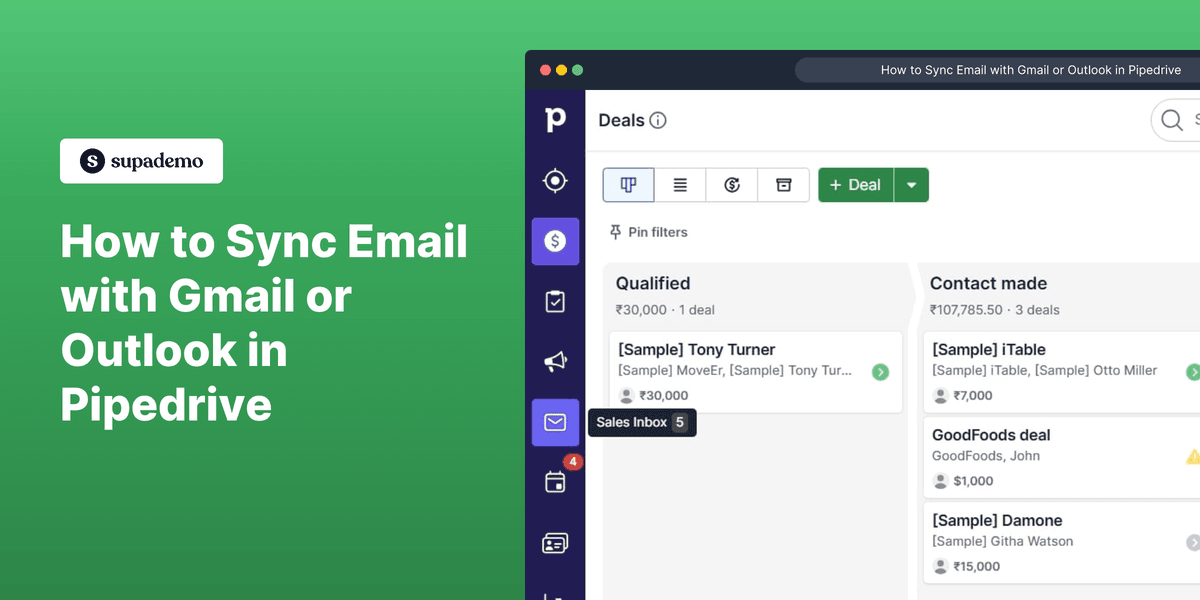
Link your Gmail or Outlook account and the email history with each contact starts populating on their deal record without any manual logging. You can send from inside Pipedrive using templates, with open and click tracking built in.
- 5
Set up automations
Build automation workflows to cut down on repetitive admin. A common setup: when a deal moves to Demo Scheduled, a follow-up task is created automatically for 24 hours after the meeting. Email sequences handle nurturing for deals that go quiet, so reps stay focused on active conversations.
Explore more Pipedrive guides
Step-by-step interactive demos and tutorials for Pipedrive.
Who is Pipedrive most useful for?
Pipedrive gets the most use from B2B sales teams running outbound pipelines, where the daily job is moving a set of active deals through defined stages. Supademo works well here for building walkthroughs of your specific pipeline configuration, so new reps learn your process rather than a generic one.
For sales managers, the value is visibility without having to pull individual updates. Embedding Supademo demos in deal notes gives the whole team a consistent reference for product knowledge during live sales conversations.
Mid-market and SMB teams that find Salesforce too heavy to administer, but have outgrown tracking opportunities in a spreadsheet, tend to land on Pipedrive. The setup is straightforward, and Supademo onboarding guides can compress the time it takes a new rep to actually work the pipeline confidently.
Revenue operations teams use it to enforce process, not just store data. Supademo walkthroughs of your automation rules and required field logic give frontline reps a concrete reference, which reduces the variance in how data gets entered across the team.
If Pipedrive isn't quite the right fit, here are four tools worth evaluating based on how your team sells.
HubSpot combines marketing, sales, and service in one platform, and its free CRM tier is more generous than Pipedrive's. Most teams use it for inbound sales, where lead nurturing and marketing attribution matter. Pipedrive fits better when the job is working a defined pipeline of outbound deals.
View demo →
Salesforce handles complex reporting, custom objects, and deep platform integrations that enterprise teams often need. For SMBs, the overhead to configure and maintain it typically isn't worth it. Pipedrive is purpose-built for sales teams that want to work deals, not manage a CRM platform.
View demo →
Close shares a sales-first philosophy with Pipedrive but adds built-in calling and SMS, including a power dialer. It fits high-volume outbound teams well. Pipedrive has the edge on deal-stage management and visual pipeline tracking.
View demo →
Copper is built to work inside Google Workspace, including Gmail, which makes it a natural fit for teams that rarely leave the Google ecosystem. Pipedrive offers a more developed pipeline view and a broader automation builder for teams that need more deal-stage structure.
FAQs on Pipedrive
Commonly asked questions about Pipedrive. Have more? Reach out and our team will be happy to help.
Pipedrive is one of the easier CRMs to get up and running. The visual pipeline interface maps closely to how most salespeople already think about their deals, which shortens the adjustment period. Most teams measure new rep onboarding in hours rather than days.
Pipedrive's email sync connects to your Gmail or Outlook account, and from that point, any email with a tracked contact automatically appears on the relevant deal and contact record. You can also compose and send from inside Pipedrive, using templates with open and click tracking.
Pipedrive's Insights module covers pipeline reports, activity reports, conversion analysis between stages, and revenue forecasting. Managers can build custom dashboards around the views their team checks regularly. The more advanced reporting features are gated to higher plans.
Pipedrive's Marketplace lists 400+ integrations, covering tools like HubSpot, Slack, Zapier, Mailchimp, Zoom, and DocuSign. For anything not covered there, the Pipedrive API handles custom integrations for specific workflow needs. Works well if you already use common sales or marketing tools.
Pipedrive's automation builder triggers actions based on deal stage changes, logged activities, or time-based conditions. From a single trigger, you can send emails, create tasks, update field values, or fire a webhook, all without writing code.
Pipedrive is GDPR compliant. Data processing agreements are available, EU data residency is an option, and the platform supports contact consent tracking and data deletion. Pipedrive is headquartered in New York with European operations.