Onboarding Snapshot
Activation Event
First AI-generated video produced with avatar, voice, and script
Time-to-Value
~8–12 minutes
Primary Strength
Value-first flow that moves me toward generating a real asset immediately
Primary Risk
Multiple intermediate steps between signup and first completed video output
Overview
Descript gets the most important call right: it moves users toward a real output instead of explaining the product first. The bet is that watching a script turn into a narrated, avatar-driven video does more activation work than any guided tour could. The honest critique is the journey between signup and that moment — voice selection, avatar generation, script input, preview, finalization — each step is individually small but they add up into a sequence that's longer than it feels like it should be.
What Should You Steal?
Swipe through actionable takeaways from this onboarding flow.
Descript Commits to Output Over Explanation
The moment I hit the dashboard, Descript surfaces 'Generate animated video' as the primary action.
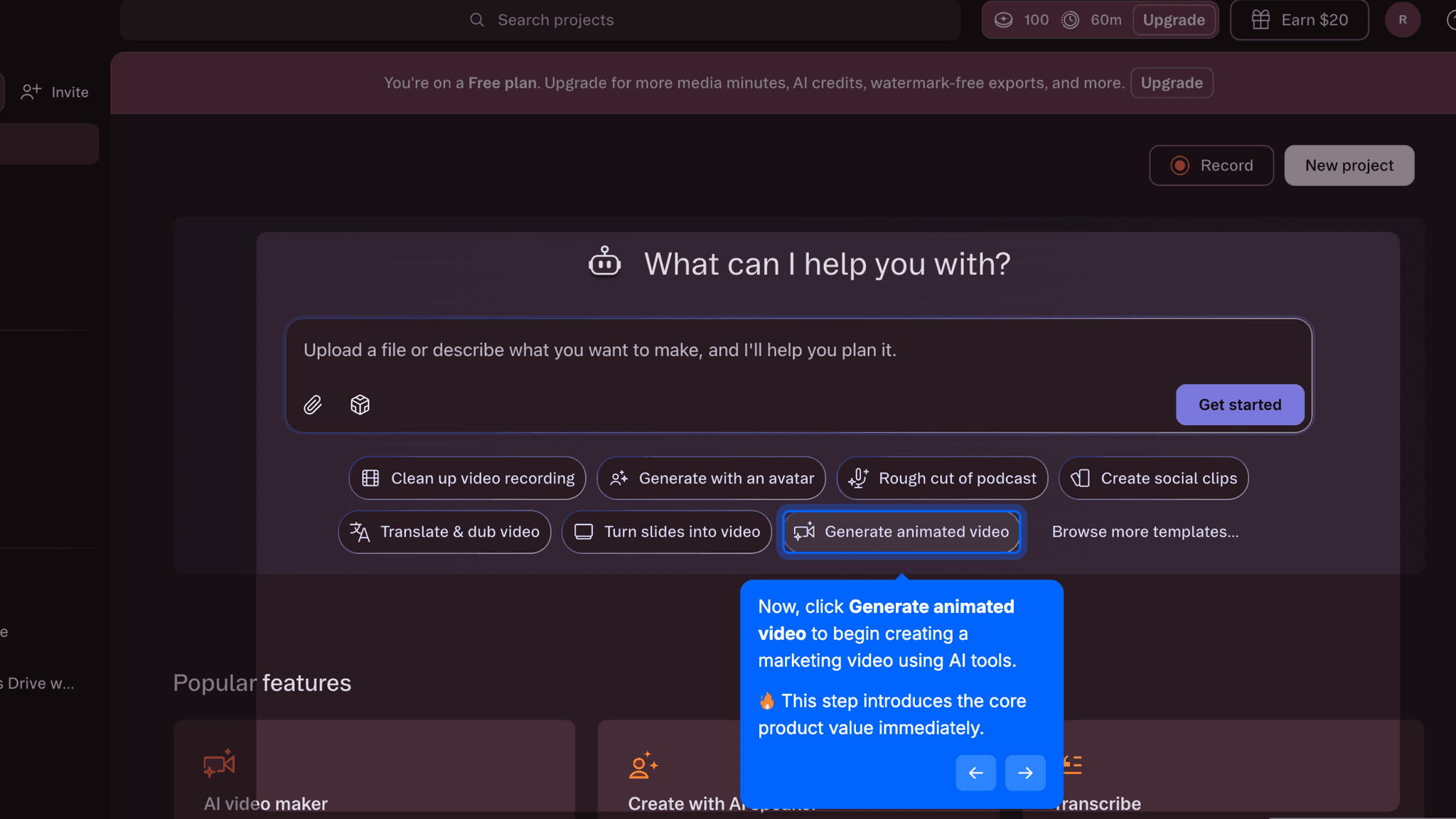
No feature tour, no modal, no checklist. The product bets on showing me something I made rather than telling me what I can make. Descript's core mechanic — editing text to edit video — is hard to explain and easy to demonstrate. An onboarding that shows me a finished video and then invites me to explore how it was built has a much better shot than one that explains first.
The Personalization Questions Are Fast Because They Have to Be
Three questions — role, use case, content type — show up before I reach the dashboard.
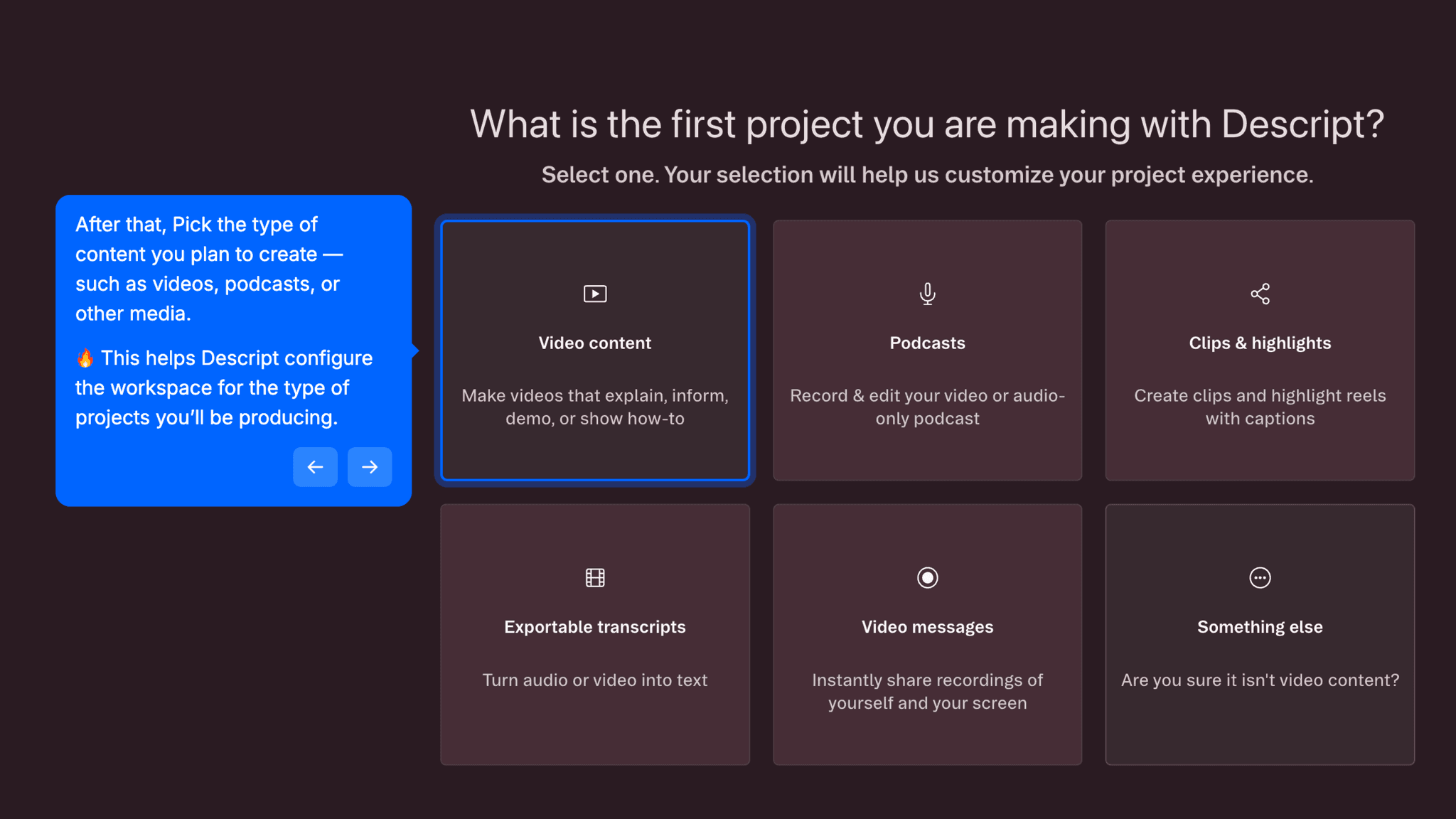
Each is single-choice, none ask for company size or revenue range. They do enough to tailor what Descript surfaces without stacking up the kind of four-and-five-screen segmentation sequences that start to feel like a form. The team invitation screen is also skippable — making invites optional means solo users can move directly into the editor without blocking on a decision they're not ready to make.
AI Personalization Belongs Inside the Creation Flow, Not Before It
Voice and avatar selection happen during video creation, not before it.
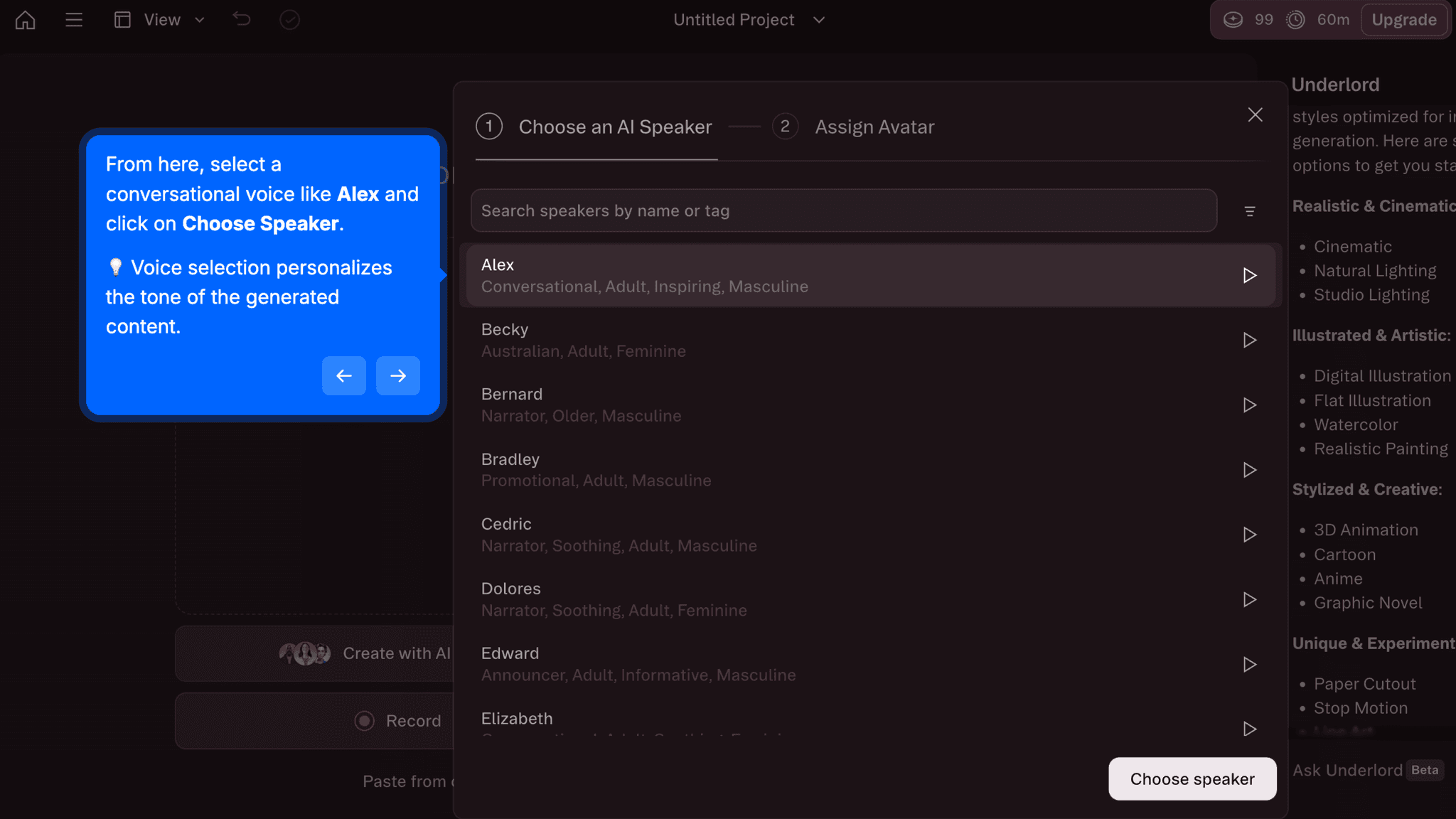
Choosing a speaker voice and generating an AI avatar are not setup tasks — they're part of building the output I came to produce. By embedding these choices inside the creation sequence rather than routing them to a settings page, Descript keeps me moving toward the activation event while still customizing the result. In practice it's the difference between feeling like I'm configuring software and feeling like I'm making something.
Onboarding Tactics That Work
Dashboard leads with asset creation, not feature education
Light, fast segmentation questions avoid pre-dashboard delays
Team invitation is skippable, protecting solo user momentum
Voice and avatar selection embedded in creation flow, not settings
Where There's Friction
Multiple intermediate steps between dashboard entry and first video output
Credit and duration limits visible early may trigger evaluation anxiety before activation
No clear progress indicator during AI generation steps
Activation milestone is ambiguous; it's unclear when 'first video' is actually complete
When Is the In-App Activation Moment?
The activation event in Descript is generating a first AI video where script, voice, and avatar come together into a playable output. That's the moment the product's core claim, that I can produce a marketing video without traditional editing, becomes real.
Getting there takes 8–12 minutes. The sequence runs from a fast signup through three personalization questions, an optional team invite, and dashboard entry. From the dashboard, I pick a speaker voice, generate an AI avatar, write or generate a script prompt, and hit preview. That final preview is the activation event: watching the avatar, voice, and script assemble into something you can actually play.
I expected two steps after clicking 'Generate animated video.' There were closer to six or seven.
Each individual step is light, but together they accumulate. The distance between clicking that button and watching the output play is longer than the dashboard made it look, and there's no progress indicator to signal how close I am at any point along the way.
The credit and duration limits visible on the dashboard during this process are worth calling out separately. Transparent pricing can build trust. Showing it during the activation sequence, before I've produced output worth paying for, shifts my mental mode from exploration to evaluation. That's a timing problem, not a transparency problem.
The Bottom Line on Descript's Onboarding
Descript gets the most important call right: it moves me toward a real output instead of explaining the product first. The bet is that watching a script turn into a narrated, avatar-driven video does more activation work than any guided tour could. On that point, Descript is correct.
The honest critique is the journey between signup and that moment. Voice selection, avatar generation, script input, preview, finalization: each step is individually small but they add up into a sequence that's longer than it feels like it should be.
The takeaway worth stealing: embed personalization inside the creation flow rather than pulling it out into configuration screens. Voice and avatar selection feel natural when they're part of building something. They would feel like setup if they lived anywhere else. Descript earns that distinction, even if it doesn't fully exploit it.
Embed personalization inside the creation flow rather than pulling it out into configuration screens.
FAQs
Common questions about Descript's onboarding flow and what makes it effective.
How does Descript onboard new users?
Descript's onboarding starts with a low-friction signup, three short personalization questions about role, use case, and content type, and an optional team invitation screen before reaching the dashboard. From there, I'm guided toward generating an AI video using a speaker voice, an AI avatar, and a script prompt. The activation event, first playable AI-generated video, typically takes 8–12 minutes from signup.
What makes Descript's onboarding stand out?
Descript leads with output rather than explanation. The dashboard surfaces 'Generate animated video' as the primary action, and the activation flow puts personalization choices like voice and avatar selection inside the creation sequence itself rather than routing them to settings. For a product whose core mechanic is easier to show than describe, building the onboarding around producing a real asset is the right call.
How long does it take to reach value in Descript?
From signup to first AI-generated video takes approximately 8–12 minutes. Most of that time is spent inside the creation flow rather than before dashboard entry. The segmentation questions and optional team invite add minimal delay. The bulk of the time is in the multi-step generation sequence: voice selection, avatar creation, script input, and preview.
How does Descript's onboarding compare to other SaaS tools?
Descript's value-first structure is closest to VEED's onboarding, which also moves me directly toward an AI-generated video output rather than a feature walkthrough. Where they differ is wait-state design: VEED shows a real-time progress percentage during generation, while Descript's generation steps don't always make the current state clear.