Onboarding Snapshot
Activation Event
First project created from a template with tasks assigned
Time-to-Value
Moderate — 28 steps before reaching a working workspace
Primary Strength
Templates and progress cues eliminate blank-canvas paralysis
Primary Risk
Long signup flow with unnecessary data requests before product is seen
Overview
Hive's onboarding has the right instincts: templates, progress cues, and a guided path to first task creation reduce time-to-value for a project management tool. The workspace doesn't open as a blank page, and users are never left without a clear prompt for what to do next. The honest problem is 28 steps before the product fully opens, with friction like a phone number request appearing before any product value is shown.
What Should You Steal?
Swipe through actionable takeaways from this onboarding flow.
Progress Cues That Actually Do Work
The progress checklist at the top of Hive's signup flow earns its place.
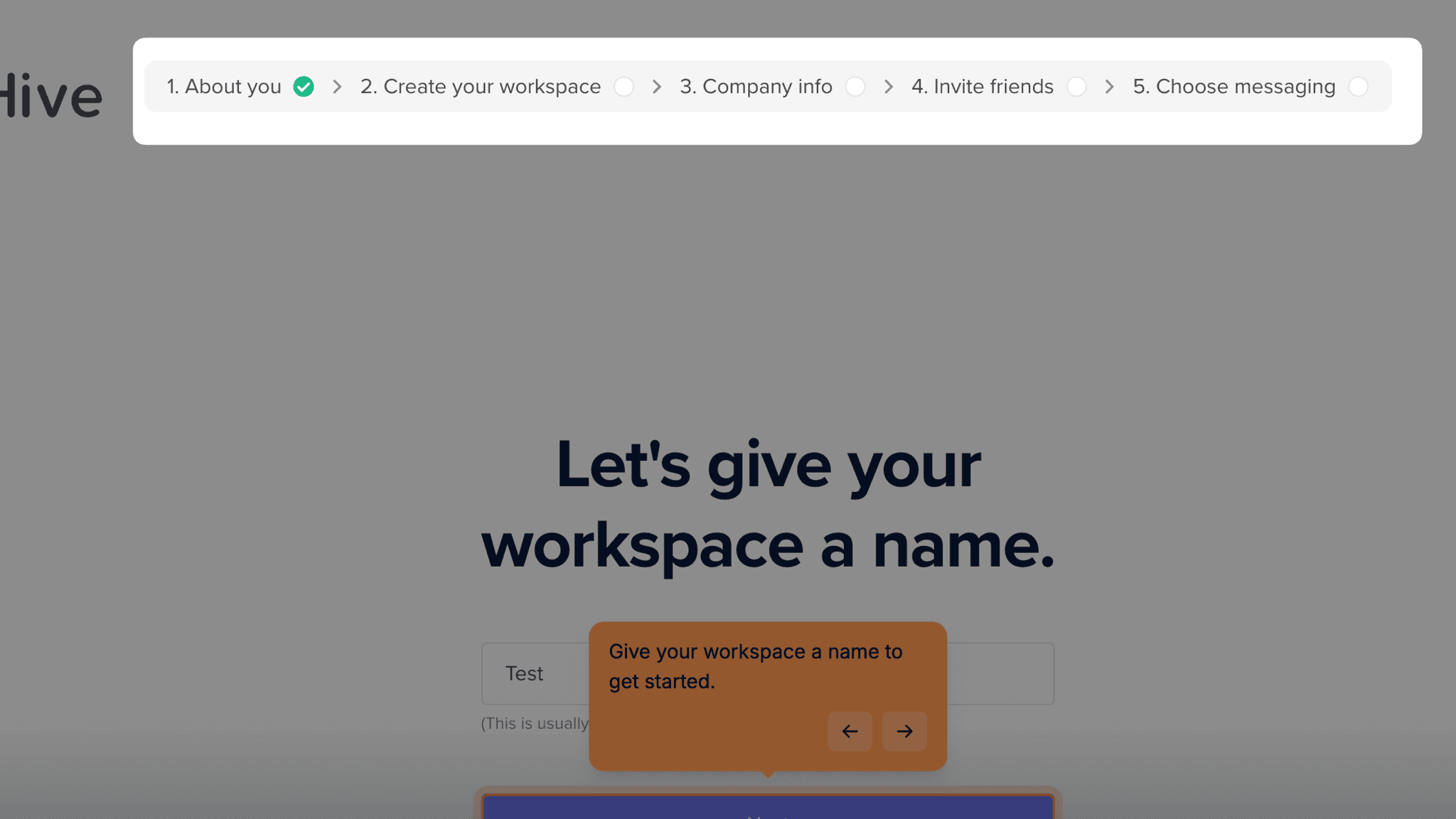
It shows where I am in the sequence and marks each step complete as I move through it — when I can see I'm on step four of six rather than staring at a form with no end in sight, I'm more likely to finish. Hive deploys this through both the signup checklist and a progress bar inside the workspace itself. The combination keeps motivation visible at every stage.
Templates Solve the Blank-Page Problem
Hive asks me to choose a workspace template early in setup — Marketing Team, Agency, PMO — and builds the initial workspace around that choice.
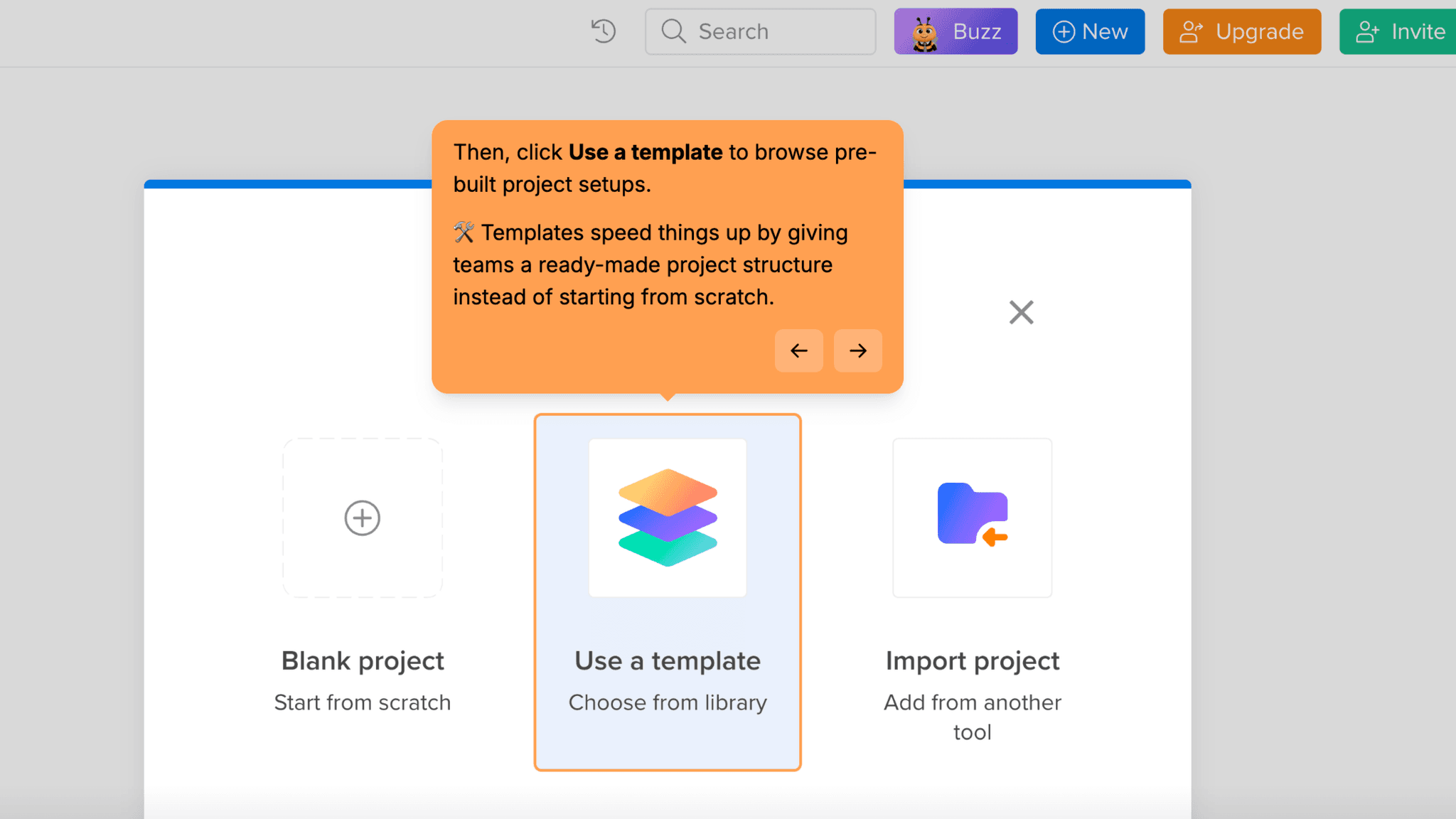
By the time I land in the product, it already has a structure that reflects what I said I was there to do. Getting handed a configured starting point is a different experience from being dropped into an empty workspace and expected to figure out what to name the first column.
Getting to First Action Fast
After signup, Hive doesn't leave me on a dashboard.
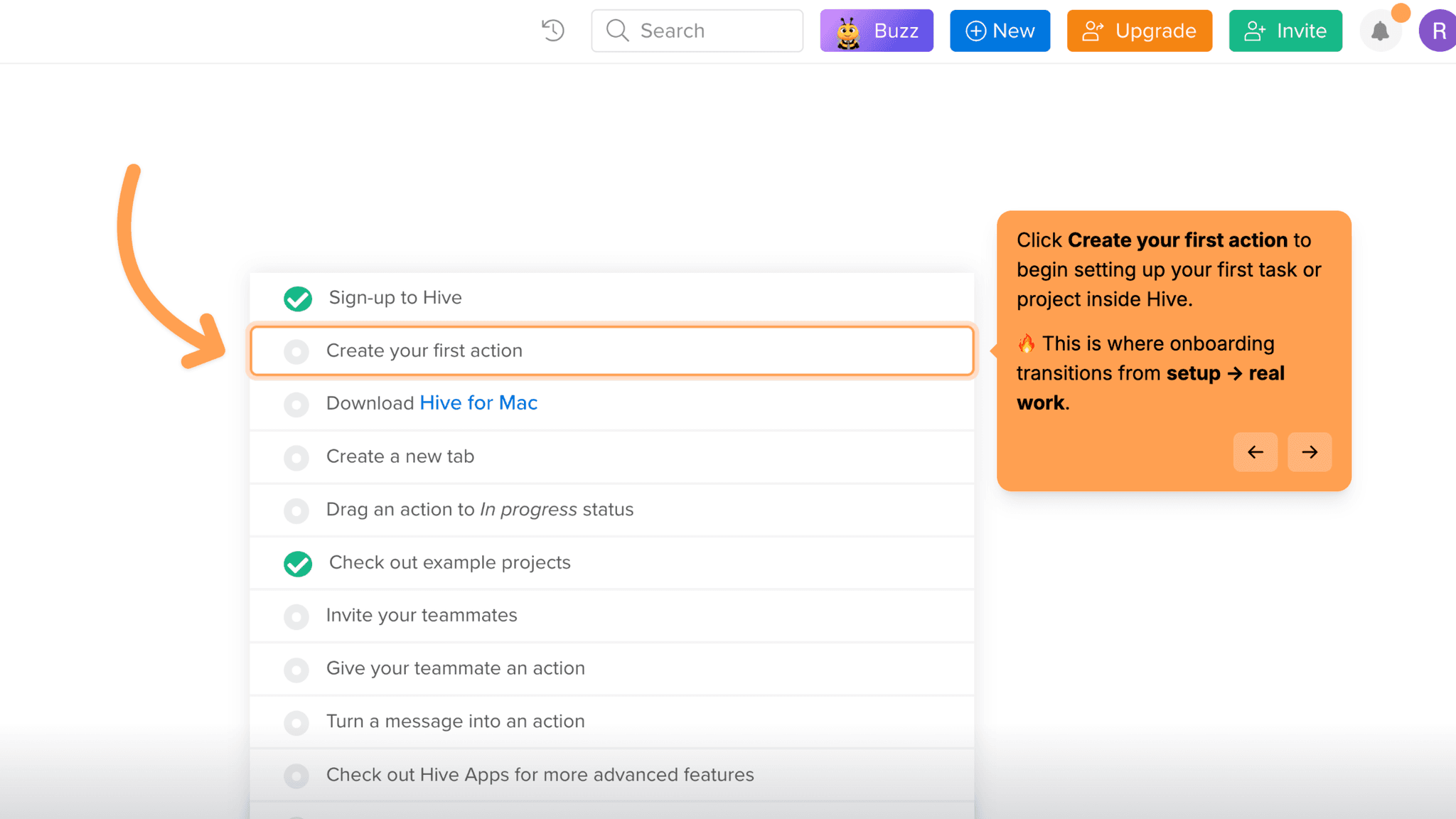
It pushes me directly toward creating my first action with a clear path to setting up a project. Creating the first project, adding tasks, and marking one complete all happen within the onboarding session. By the time I exit the guided path, I've produced something that looks like work, not just configuration.
What the Phone Number Request Costs
Before I've seen a single screen of the product, Hive asks for a phone number during account creation.
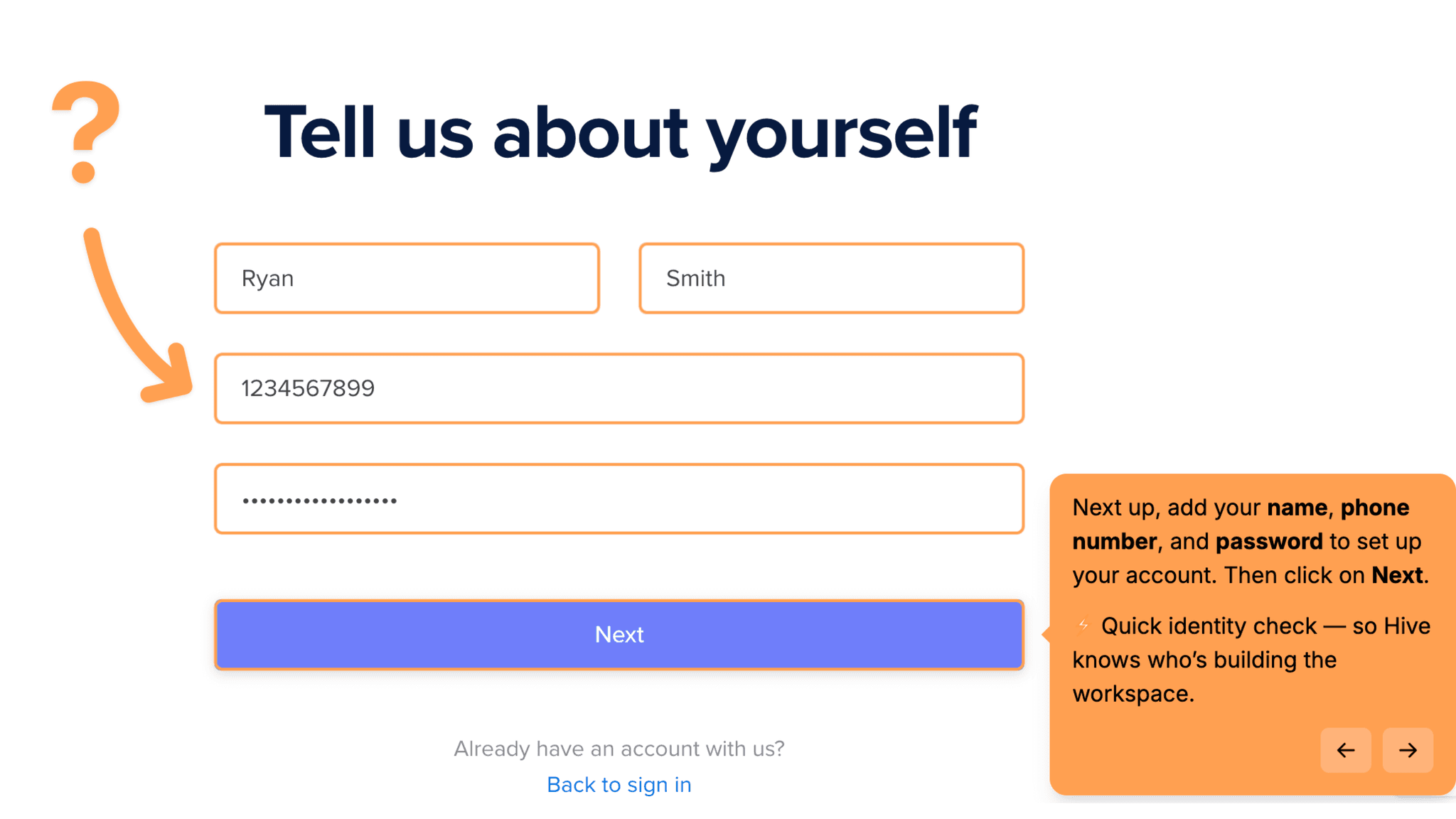
No explanation of why it's needed, not framed as optional. For a project management tool without an obvious mobile-first use case, this request reads as friction with no visible payoff — and I've still seen nothing at the point where Hive is asking me to hand over my number. That's a costly place to create hesitation.
Onboarding Tactics That Work
Progress checklist and in-workspace progress bar keep me oriented and motivated
Template selection eliminates blank-page problem and personalizes the workspace
Guided path from setup to first task creation happens within a single session
Where There's Friction
28 steps is a long flow before the product fully opens
Phone number request appears before I've seen any product value
Multiple 'Next' clicks through segmentation before any product interaction
When Is the In-App Activation Moment?
The activation event in Hive is creating the first project from a template and completing at least one task inside it. That's when the workspace stops being a configuration exercise and starts functioning like a real team environment.
The path to that moment runs through a longer-than-average signup sequence: account creation with name, phone number, and password; workspace naming; team size selection; template selection; optional teammate invites; messaging preference selection; entry into workspace; project creation using a template; first task marked complete.
When the first project opens, it already has tasks in it. Marking one complete feels like a real action, not an onboarding checkbox, and there's a specific moment where the workspace clicks into place as something I could actually hand to a teammate.
The distance between signup and that moment is the issue. At 28 steps, the flow asks for a lot before delivering a working product.
The Bottom Line on Hive's Onboarding
Hive's onboarding has the right instincts. Templates, progress cues, and a guided path to first task creation are exactly the mechanics that reduce time-to-value in a project management tool. The workspace doesn't open as a blank page, and I'm never left without a clear prompt for what to do next.
Twenty-eight steps is the honest problem. Several of those are redundant 'Next' clicks through segmentation questions that could be collapsed or skipped entirely, and the cumulative weight of them dulls the momentum the progress cues are working to maintain. The phone number request is the clearest example of friction that doesn't pay off.
Steal the template-first entry point. Most project management tools hand users an empty workspace and expect them to figure out what to name the first column. Hive skips that entirely, and the difference in first-session experience is not subtle.
FAQs
Common questions about Hive's onboarding flow and what makes it effective.
How does Hive onboard new users?
Hive walks new users through a multi-step signup flow covering account creation, workspace naming, team size, template selection, and optional teammate invites. After signup, users are guided directly into the workspace with a prompt to create their first project using a pre-built template. The activation event, creating a first project and completing a task, happens within the onboarding session.
What makes Hive's onboarding stand out?
The combination of progress checklists and template-first project creation. The checklist keeps users oriented through a long setup flow, while the template selection ensures the workspace has structure before the user arrives. Together, they address two of the most common reasons users abandon project management tools early: not knowing what to do next, and not knowing how to start.
How long does it take to reach value in Hive?
Moderate. The signup flow runs 28 steps, which is longer than most comparable tools. Once inside the workspace, the path to first project creation is guided and relatively fast. The bottleneck is the pre-product setup sequence, not the product itself.
How does Hive compare to other SaaS tools?
Hive's template-selection approach mirrors Notion's onboarding, which also uses intent data collected during signup to pre-configure the workspace before the user arrives. Where Hive differs is in the explicitness of the guided path post-signup, with a named first action and an in-workspace progress bar that keeps activation visible.