Onboarding Snapshot
Activation Event
Sharing your Linktree URL with an audience
Time-to-Value
Fast in concept, longer in practice due to customization steps
Primary Strength
Checklist-driven setup breaks a blank canvas into clear milestones
Primary Risk
31 steps before sharing; friction accumulates before the payoff
Overview
Linktree's onboarding is structured, checklist-driven, and moves quickly through signup — but the path to the one moment that matters, sharing your link, runs 31 steps long. The product gets a lot right at the front of the flow, then slows itself down with a premature upsell and an unexpected third-party integration before the activation moment arrives.
What Should You Steal?
Swipe through actionable takeaways from this onboarding flow.
The checklist that turns setup into wins
The onboarding checklist inside the Linktree dashboard is one of the smarter things I've seen in a tool aimed at casual users.
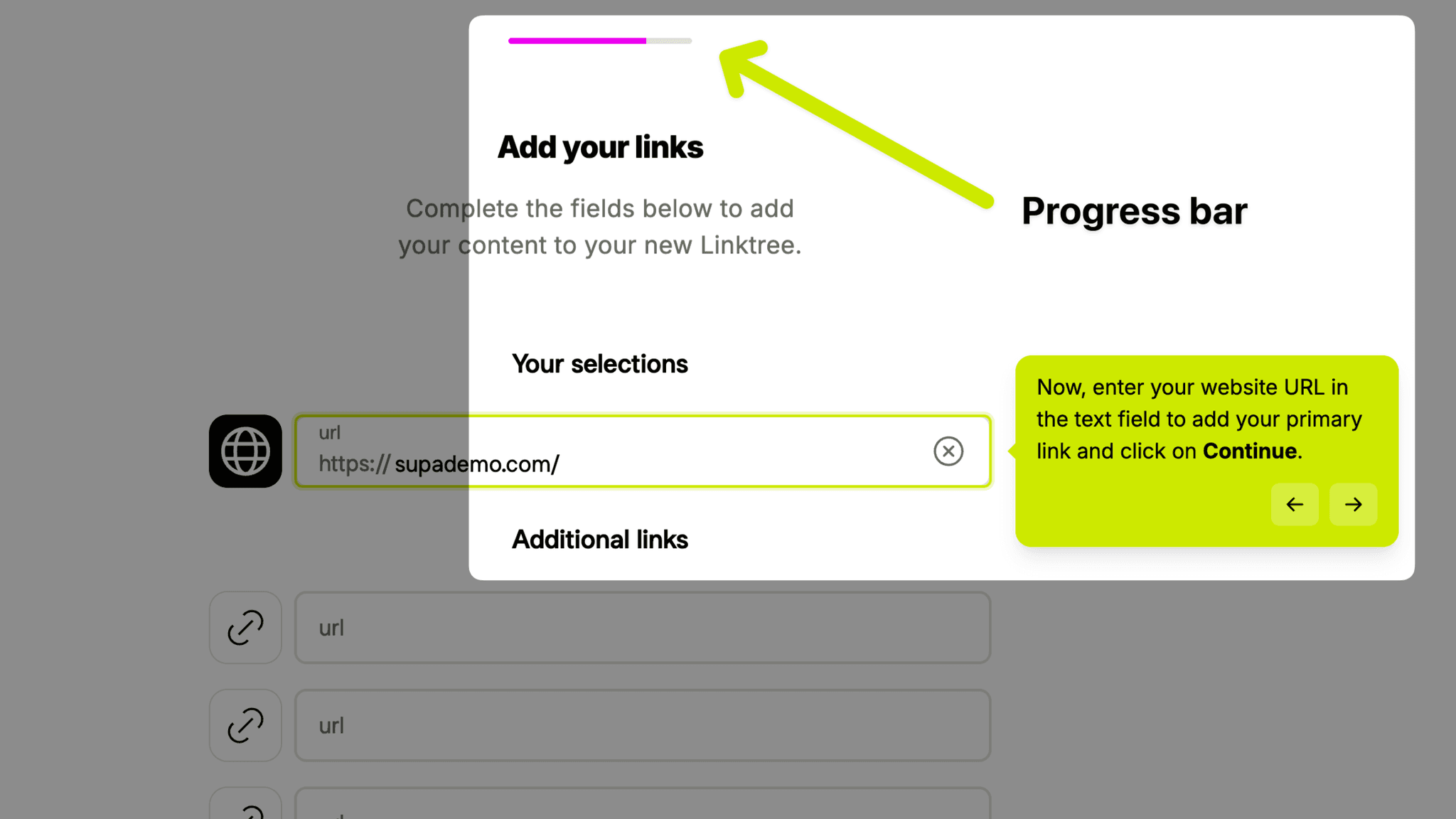
Each milestone, adding a name and bio, uploading a profile image, customizing your design, sharing your link, has its own action button attached. I don't just read what's left to do. I click directly into doing it. That matters because the gap between 'I see what I need to do' and 'I know how to start' is where most people quietly give up.
Account type segmentation at the door
Early in signup, Linktree asks what kind of account I'm creating.
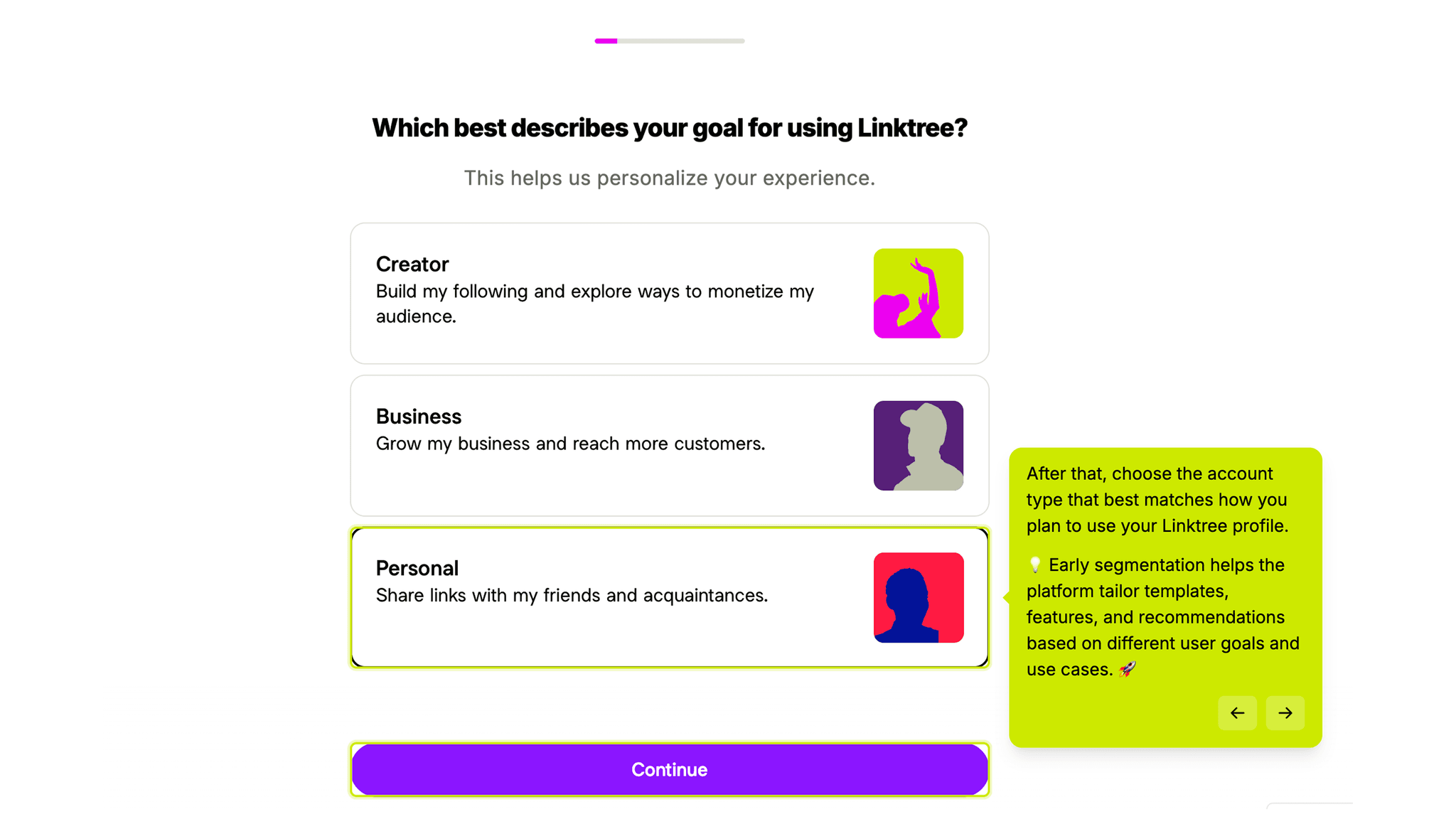
It's a lightweight question, but the answer does real work: the flow surfaces relevant templates, suggests appropriate link types, and avoids showing a musician features built for e-commerce. I'd apply this pattern anywhere the product serves meaningfully different personas. A single generic experience tends to feel like it fits no one.
Multiple authentication paths, no excuses
Not everyone has the right email address on hand, or wants to create a new password right at that moment, and Linktree doesn't force the issue.
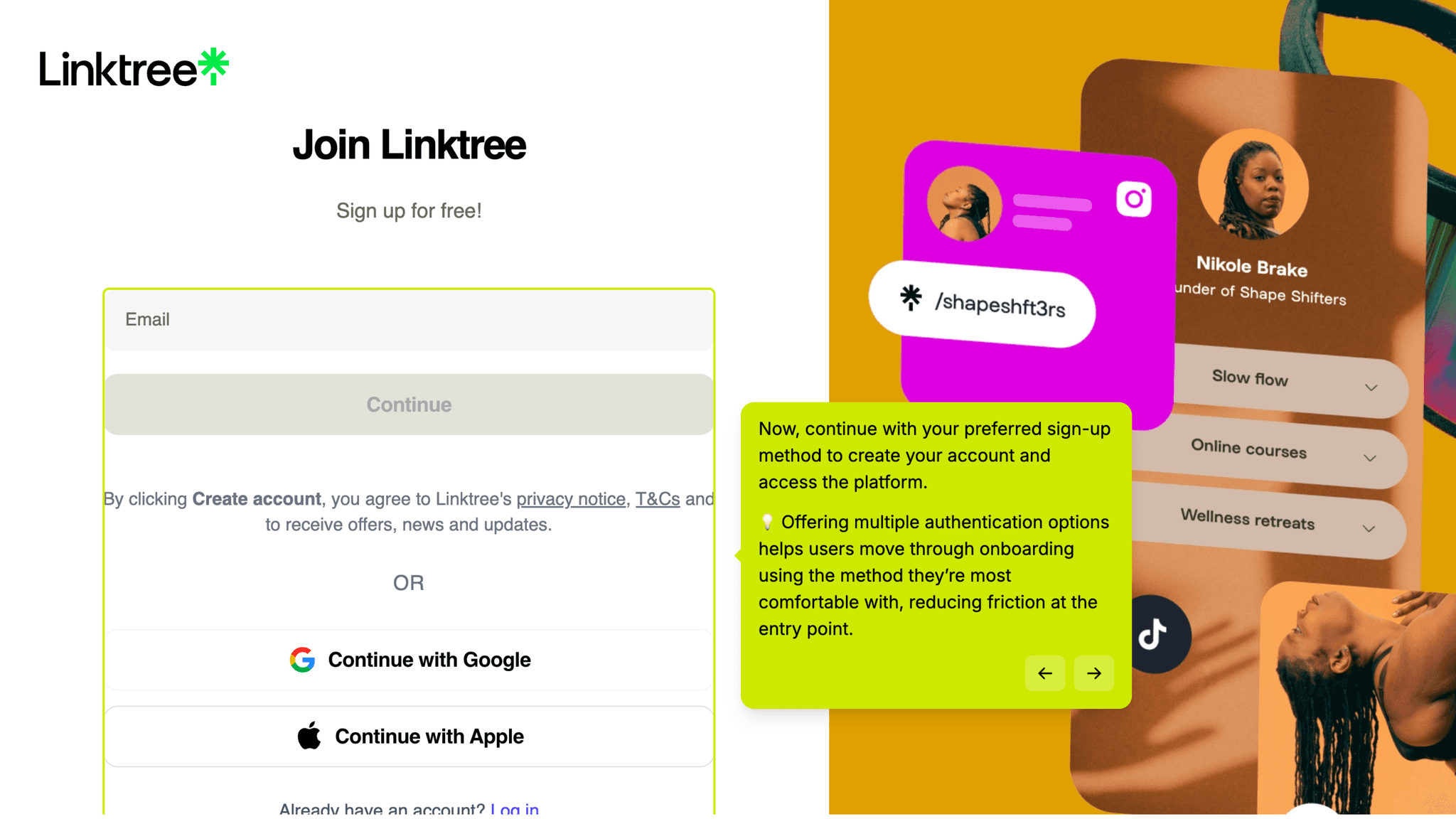
Signup supports several continuation options, which removes a surprisingly common reason people abandon registration. Reducing the number of reasons to stop is its own form of onboarding strategy.
The theme picker as a blank-page solution
Rather than asking me to imagine what my profile could look like, Linktree drops me directly into a template selection screen.
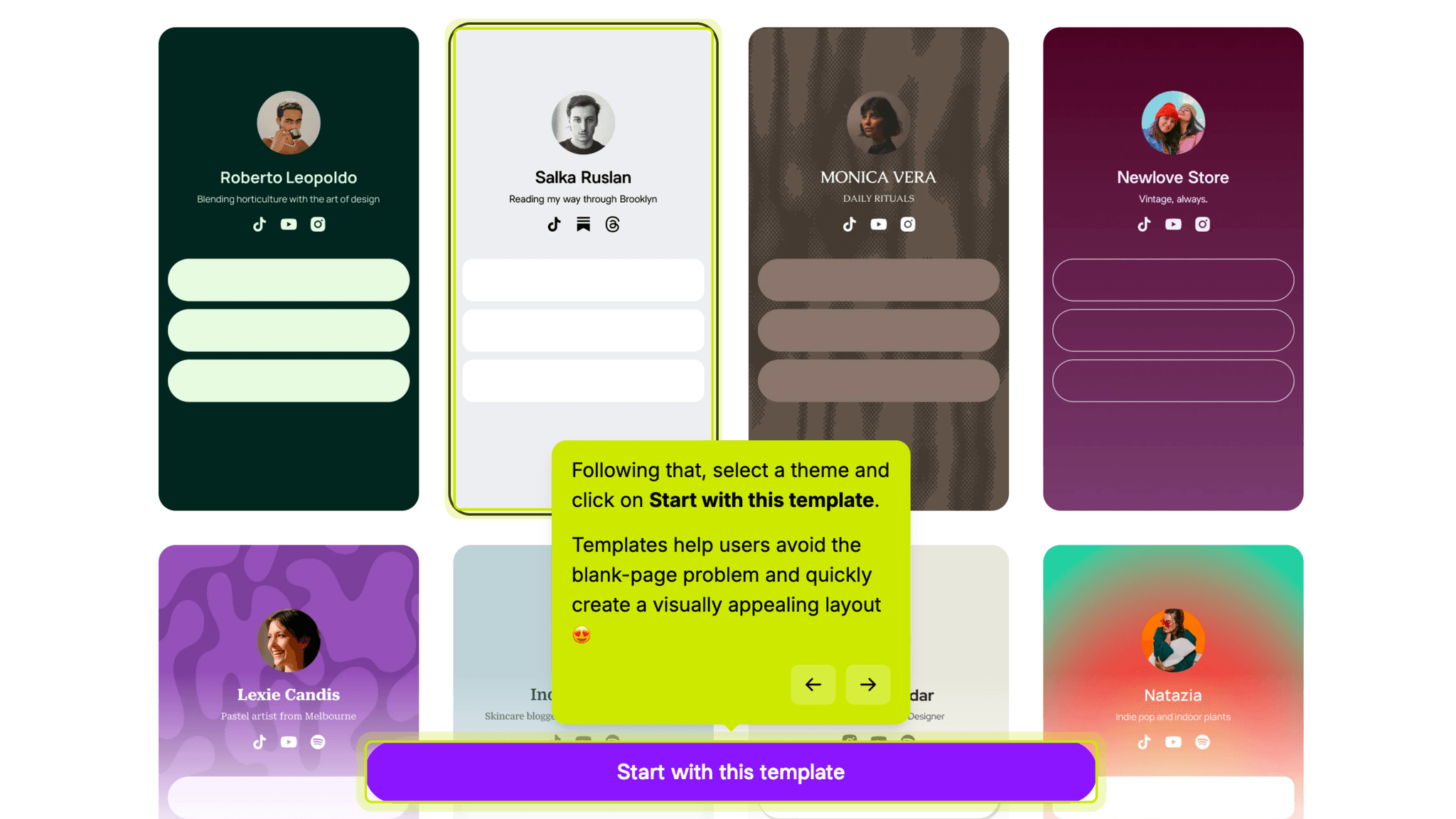
Several versions, presented side by side, with one question: which one do you want to start from? That reframe from 'build from nothing' to 'choose and customize' meaningfully lowers the barrier, and it works.
Onboarding Tactics That Work
Checklist with direct action buttons breaks setup into achievable steps
Account type question early on allows for light personalization
Template picker eliminates the blank-canvas problem immediately
Where There's Friction
31 steps total is a long path before reaching the sharing moment
Pro trial upsell appears before I've experienced core product value
Canva integration for profile images introduces unexpected external complexity
When Is the In-App Activation Moment?
The activation moment is clicking 'Share my Linktree.' That's the instant the product shifts from a setup exercise to something real: a single URL that routes my audience to everything I've created. It's the whole promise of the product made concrete.
Getting there takes longer than it feels like it should. By the time I hit that share button, I've already created an account and chosen a username, selected an account type and a starting template, added platform links, a display name, and a bio, uploaded a profile image, customized my theme, buttons, colors, and layout, and saved my changes.
Some of that is necessary context. Some of it is optional polish that could wait until after the first share, but the checklist treats everything as roughly equal in priority. Anyone who just wants to ship their link and tweak it later has to mentally sort the must-dos from the nice-to-haves on their own. That's a meaningful ask at the exact moment the product should be making things easier.
The activation moment exists. It's just buried deeper than it needs to be.
The Bottom Line on Linktree's Onboarding
Linktree gets a lot right at the front of the flow. Signup moves fast, the username creation is satisfying, and the checklist structure inside the dashboard gives me a clear sense of progress and direction. For a product that lives or dies on whether someone actually shares their link, those early wins matter.
My main critique is the sequencing. The Pro trial upsell arrives before I've had a reason to want more, which is almost always the wrong time to ask. And the Canva integration, while genuinely useful, drops a whole additional product into a flow that was moving at a good pace. Both choices slow the path to the one moment that makes Linktree worth anything: sending that link to someone.
A great checklist can make a long setup feel manageable. It doesn't replace the value of getting me to the activation moment sooner.
FAQs
Common questions about Linktree's onboarding flow and what makes it effective.
How does Linktree onboard new users?
Linktree walks new users through a multi-step signup flow covering account creation, username selection, account type, template choice, and basic profile setup. Once inside the dashboard, a checklist guides users through filling out their profile, adding social links, customizing their design, and eventually sharing their Linktree URL. The structure is clear; the path is just longer than you might expect.
What makes Linktree's onboarding stand out?
The checklist inside the dashboard is the standout piece. Each item includes a direct action button, so there's no navigating to find where to do the thing. The template picker at the start of setup also does real work, removing the blank-canvas anxiety that often slows down onboarding for design-adjacent tools.
How long does it take to reach value in Linktree?
A user could reach the sharing moment within a few minutes if they move quickly. In practice, the flow runs 31 steps, and several of those involve decisions like theme selection and image editing that slow momentum. Users who skip optional steps will get there faster, but the checklist doesn't clearly distinguish between required and optional actions, so most people won't know which steps they can defer.
How does Linktree compare to other SaaS tools?
Linktree's onboarding is longer than most tools in the creator space, but it benefits from a clear end goal that users already understand before they sign up. The main structural tension is that the product's value is social, sharing your link with an audience, but the onboarding is almost entirely solo until the very end.