How to access the editor in ClickUp doc

Nithil Shanmugam
Nithil Shanmugam·
Featured image for How to access the editor in ClickUp doc

Overview:

Efficiently navigate the ClickUp Doc editor with this comprehensive guide, optimizing your workflow and enhancing document creation. Learn to access the editor seamlessly, ensuring a smooth and productive experience. This guide empowers users to leverage ClickUp's editing capabilities, fostering efficiency and clarity in document management within the ClickUp platform.

Interactive demo powered by Supademo

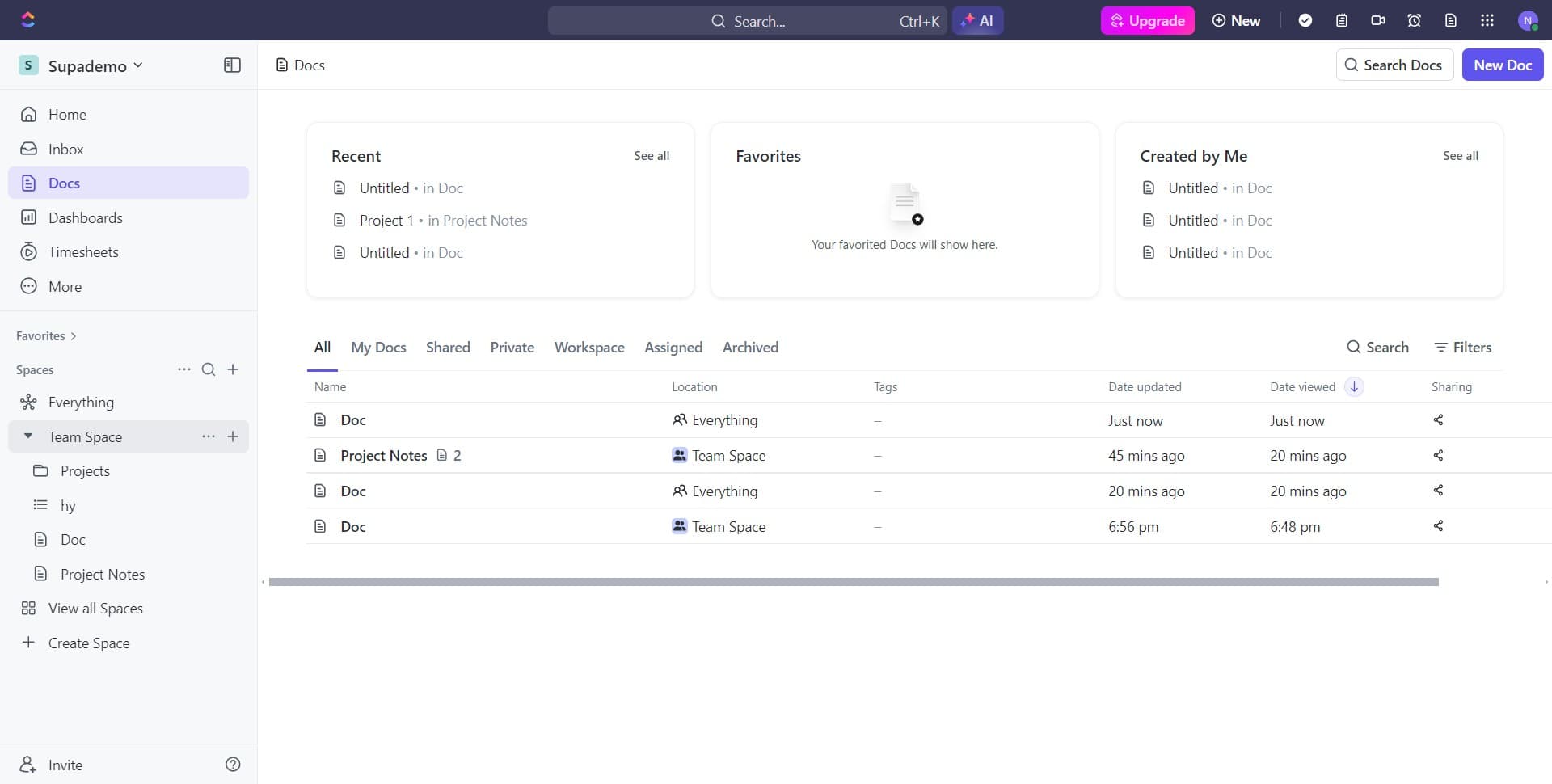
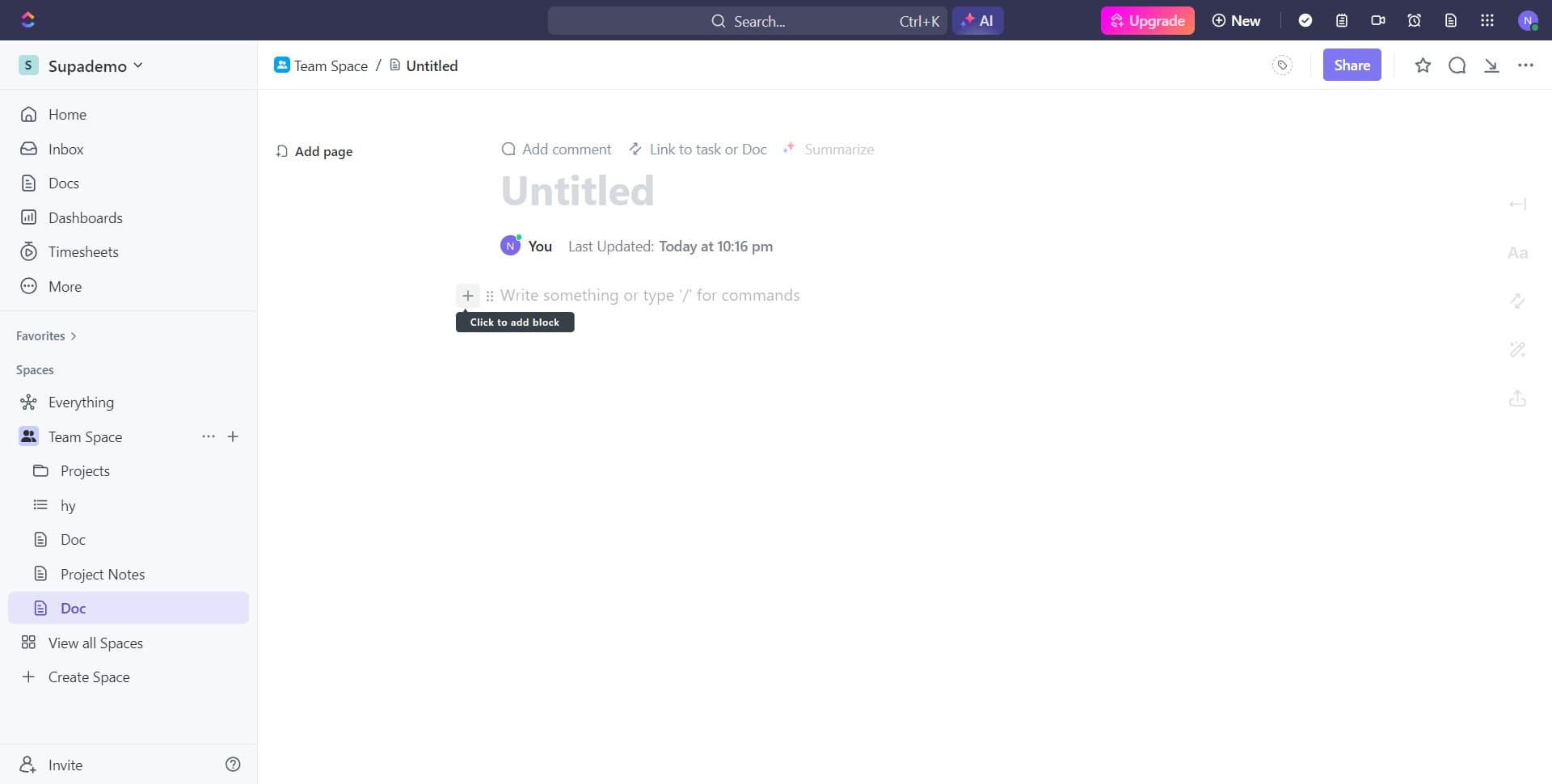
1. Start by selecting the plus icon to create a new document.

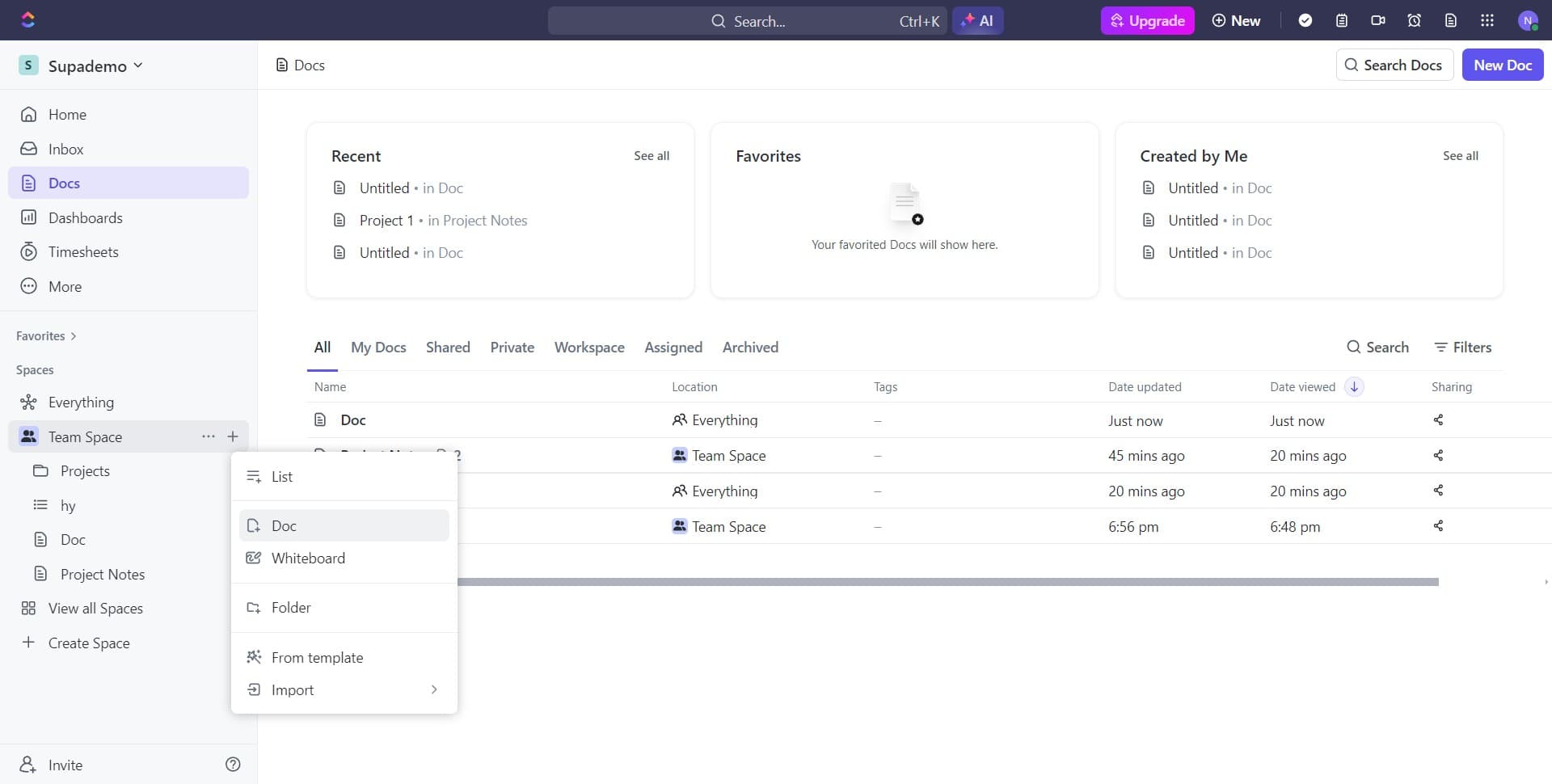
2. Next, choose the Doc option from the dropdown list.

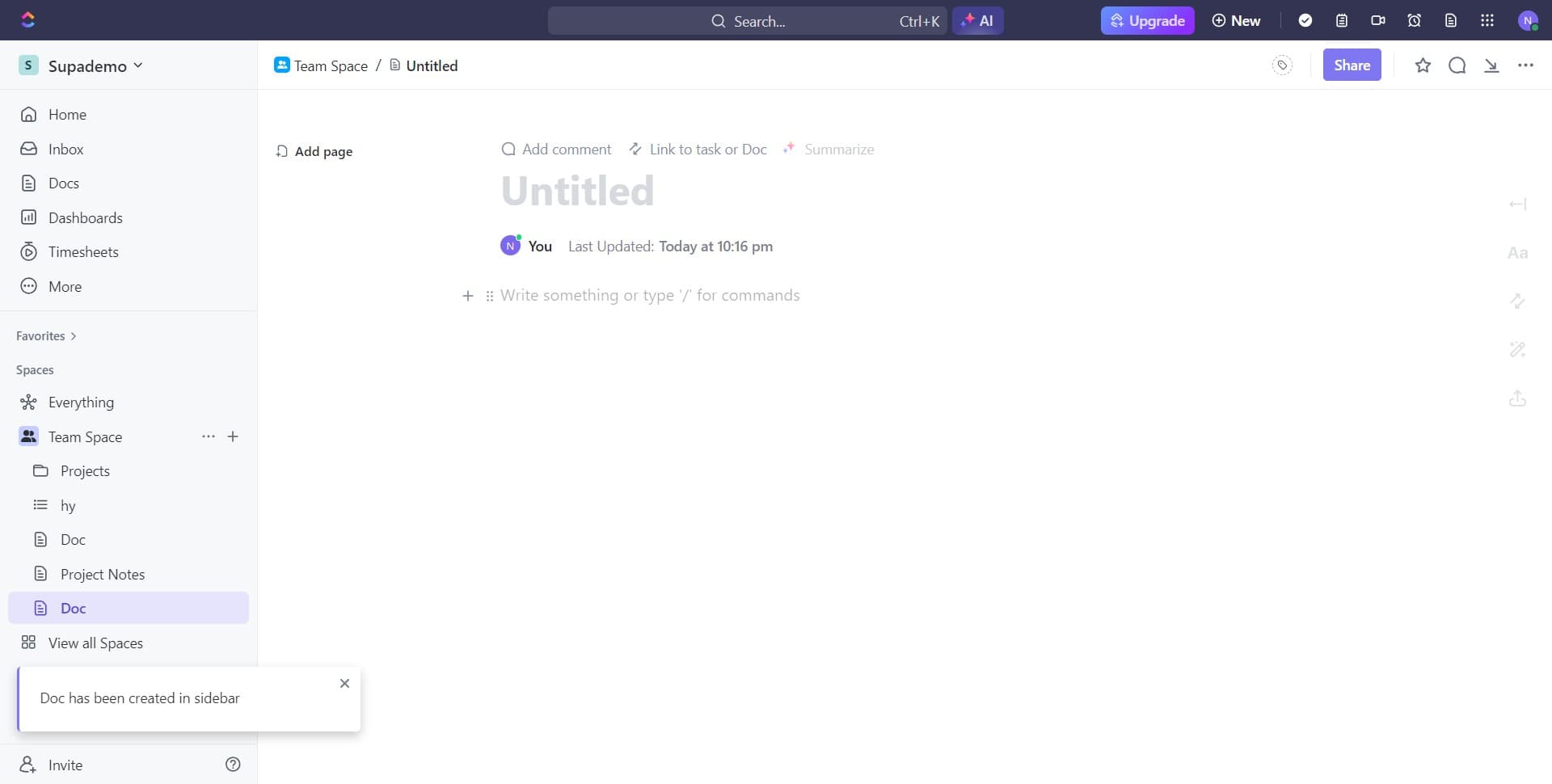
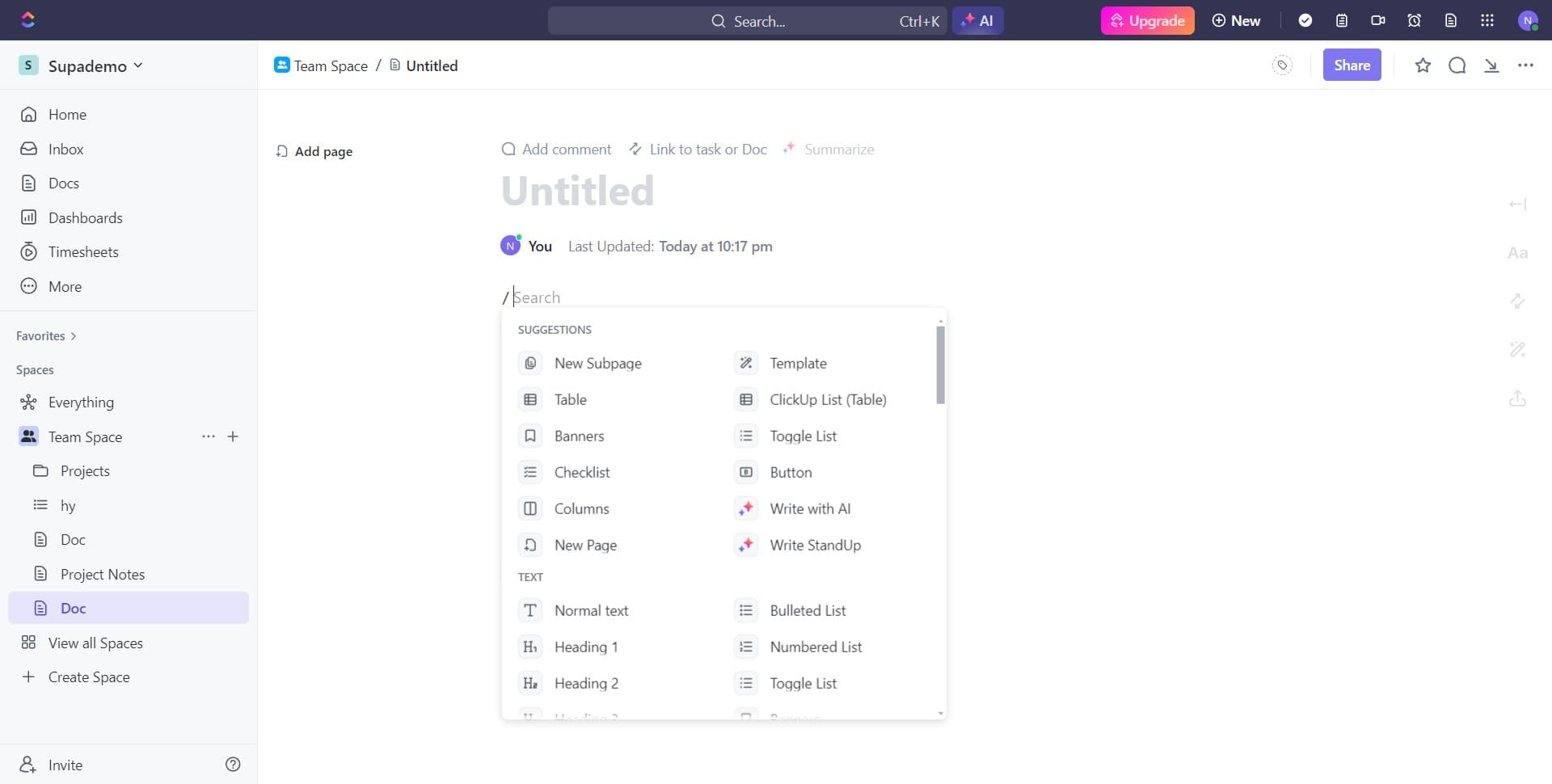
3. Now, click into the text area and input the slash symbol.

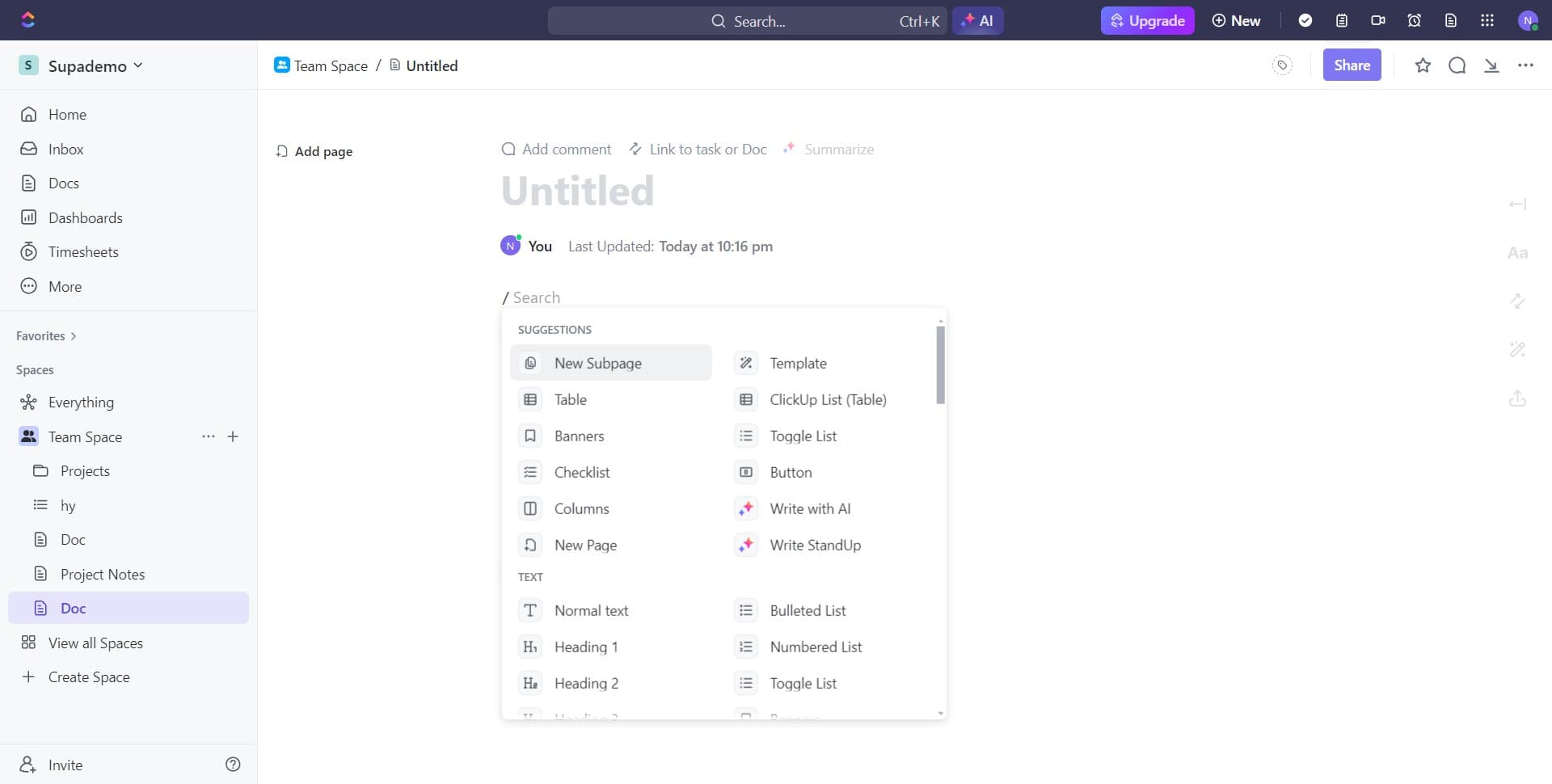
4. Great! The editor table should now be visible.

5. Alternatively, access is also available through the plus button.

6. That's it, you've successfully accessed the editor table again.


Create your own step-by-step demo

Scale up your training and product adoption with beautiful AI-powered interactive demos and guides. Create your first Supademo in seconds for free.

Frequently Asked Questions about how to access the editor in clickup doc

Commonly asked questions about this topic.

Where can I find the editor toolbar in ClickUp docs?

For stakeholders without ClickUp doc access, create a shareable walkthrough that shows the key views and data points without requiring a login. Interactive demo tools let you capture your ClickUp doc workspace and share it as a clickable link — viewers see the real interface without needing an account. This works well for executive reviews, client presentations, and cross-team alignment. As a reference point, Supademo holds a 4.7/5 rating on G2 with top marks for ease of use. beehiiv saw 50% better conversion rates after implementing interactive product demos.

What's the quickest way to start editing a ClickUp doc?

Start by defining your objectives clearly before configuring anything. Keep the structure simple and focused — avoid overloading with unnecessary fields or detail that nobody references. Review and update regularly with your team to catch stale information early, and assigner-in-jira) clear ownership so nothing falls through the cracks. 54% of top-completing demos use AI voiceover to improve the guide-guide-generator)d experience.

How do I navigate between different sections of the editor?

Capture the end-to-end process with annotated screenshots or clickable walkthroughs — written-only SOPs often go unread. Tools like Supademo let you record the exact steps in ClickUp doc, creating a living reference that stays current with UI changes. Store documentation where your team already works, not in a separate wiki they'll forget to check. 68% of teams rate support and self-service impact from interactive demos as high or very high.

Do I need a paid plan to access all editing features in ClickUp?

Free tiers on platforms like ClickUp doc often include basic editor functionality, while advanced features like automation, custom fields, and timeline views typically require paid plans. Compare your must-have features against each tier's offering — paying for features you don't use wastes budget, but outgrowing a free plan mid-project is disruptive. 54% of top-completing demos use AI voiceover to improve the guided experience.

What formatting options are available in the ClickUp doc editor?

ClickUp doc provides built-in editor capabilities including customizable templates, real-time collaboration, and integration with other productivity tools. The exact feature set depends on your plan tier — free plans typically cover basics while paid plans unlock automation, advanced views, and admin controls. Evaluate which features align with your team's actual workflow before committing. DBmaestro achieved 80% faster demo delivery after adopting interactive demos.

Can I automate parts of accessing the editor in ClickUp doc?

Many project management and productivity tools, including ClickUp doc, support workflow automation for repetitive tasks. Common automations include status updates, notifications, recurring task creation, and approval flows. Start with simple automations and expand gradually — over-automating early can create maintenance headaches. Worth noting: over 150,000 professionals use Supademo to create interactive demos. The average time from recording to publishing a record interactive product demos is just 3.5 minutes.

Is ClickUp doc suitable for enterprise-scale accessing the editor?

For enterprise teams, evaluate ClickUp doc's admin controls, SSO support, permission granularity, and audit logging capabilities. Scalability depends on your specific editor complexity — what works for a 10-person team may need structural changes at 500+. Most platforms offer enterprise plans with dedicated support and custom SLAs. Supademo is rated #1 for easiest setup and fastest implementation on G2.
Nithil Shanmugam

Nithil Shanmugam

Nithil is a startup-obsessed operator focused on growth, sales and marketing. He's passionate about wearing different hats across startups to deliver real value.

More from the blog

How to Remove 'Powered by Shopify'

How to Remove 'Powered by Shopify'

Learn how to easily remove the 'Powered by Shopify' text from your online store with step-by-step instructions and tips to customize your Shopify storefront.

Vimal Kumar
Vimal KumarJan 3, 2026
How to Add Products to Shopify

How to Add Products to Shopify

Learn step-by-step how to add products to your Shopify store effortlessly, including tips on product details, images, pricing, and inventory management to boost your online sales.

Vimal Kumar
Vimal KumarDec 17, 2025
How to Deactivate Your Shopify Store

How to Deactivate Your Shopify Store

Learn step-by-step how to deactivate your Shopify store easily, including important considerations and tips to pause or close your shop without losing data.

Vimal Kumar
Vimal KumarDec 17, 2025
How to Remove 'Powered by Shopify'

How to Remove 'Powered by Shopify'

Learn how to easily remove the 'Powered by Shopify' text from your online store with step-by-step instructions and tips to customize your Shopify storefront.

Vimal Kumar
Vimal KumarDec 17, 2025
How to Create a Shopify Account

How to Create a Shopify Account

Learn step-by-step how to create a Shopify account quickly and easily, set up your online store, and start selling your products in no time.

Vimal Kumar
Vimal KumarDec 17, 2025
How to Create a Stripe Account

How to Create a Stripe Account

Learn how to create a Stripe account quickly and easily with our step-by-step guide, perfect for beginners looking to start accepting online payments.

Vimal Kumar
Vimal KumarDec 17, 2025