How to delete a property on Google Analytics (2026)

Joseph Lee
Joseph Lee·
How to delete a property on Google Analytics (2024)

Having too many properties on Google Analytics can lead to clutter and confusion. With Google's constant UI change, it can be tough to follow their support guide. Luckily, we've created a step-by-step guide to how you can delete a property for Google Analytic's 2024 user interface.

Please note that you must have the Editor role to move a property to the Trash Can. Moving a property to the Trash Can also moves all component views to the Trash Can.

Who is Google Analytics best suited for?

Google Analytics is best suited for a wide range of professionals, including Digital Marketers, Website Managers, and E-commerce Analysts. For example, Digital Marketers can use Google Analytics for tracking and optimizing online marketing campaigns, Website Managers can leverage it for analyzing site performance and user behavior, and E-commerce Analysts can use it for monitoring sales and customer interactions, all benefiting from Google Analytics' comprehensive data insights and reporting tools.

Step-by-step interactive demo guide:

Interactive demo powered by Supademo

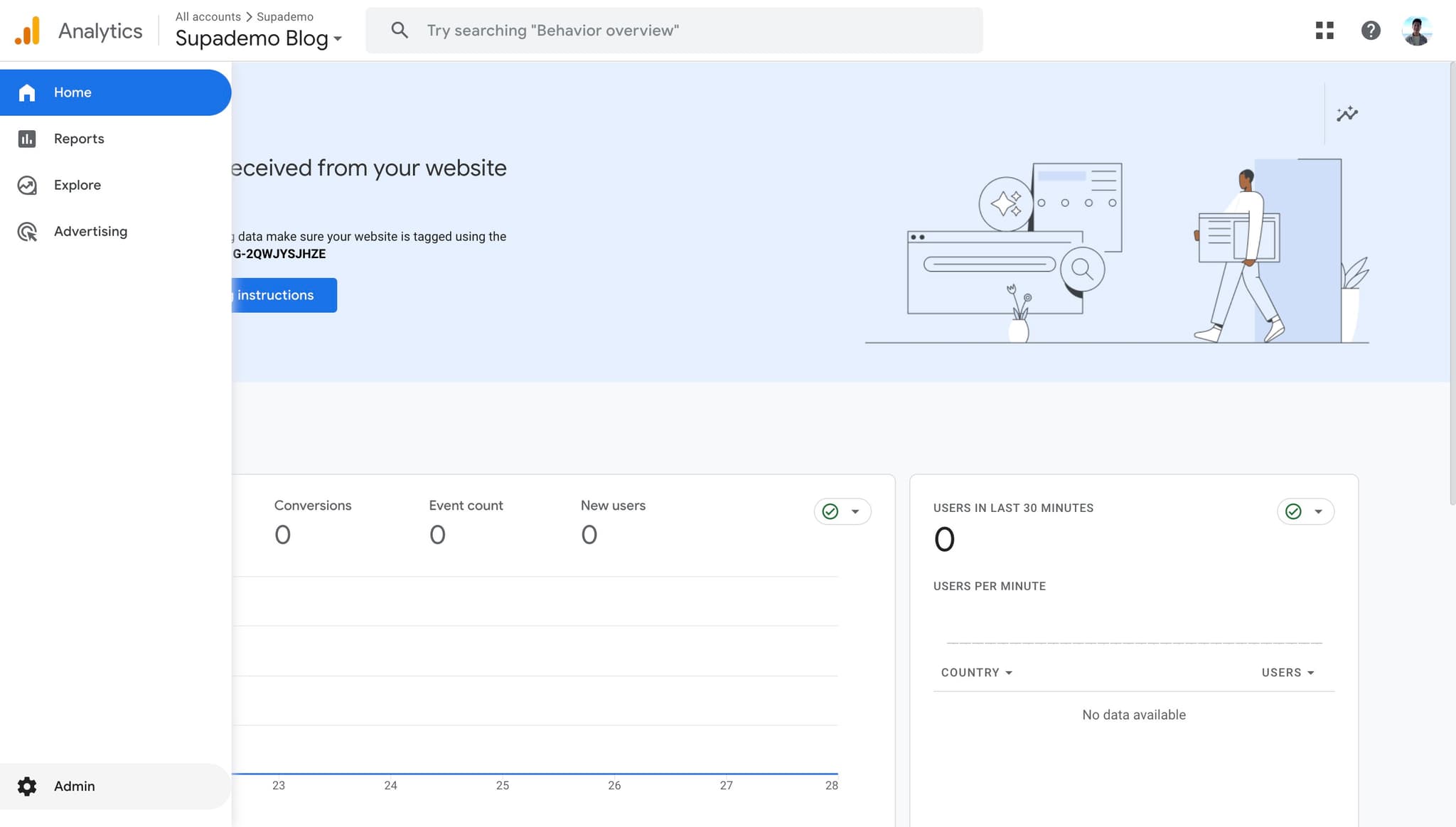
1. First off, navigate to the property you want to delete. Then click on "Admin" on the right.

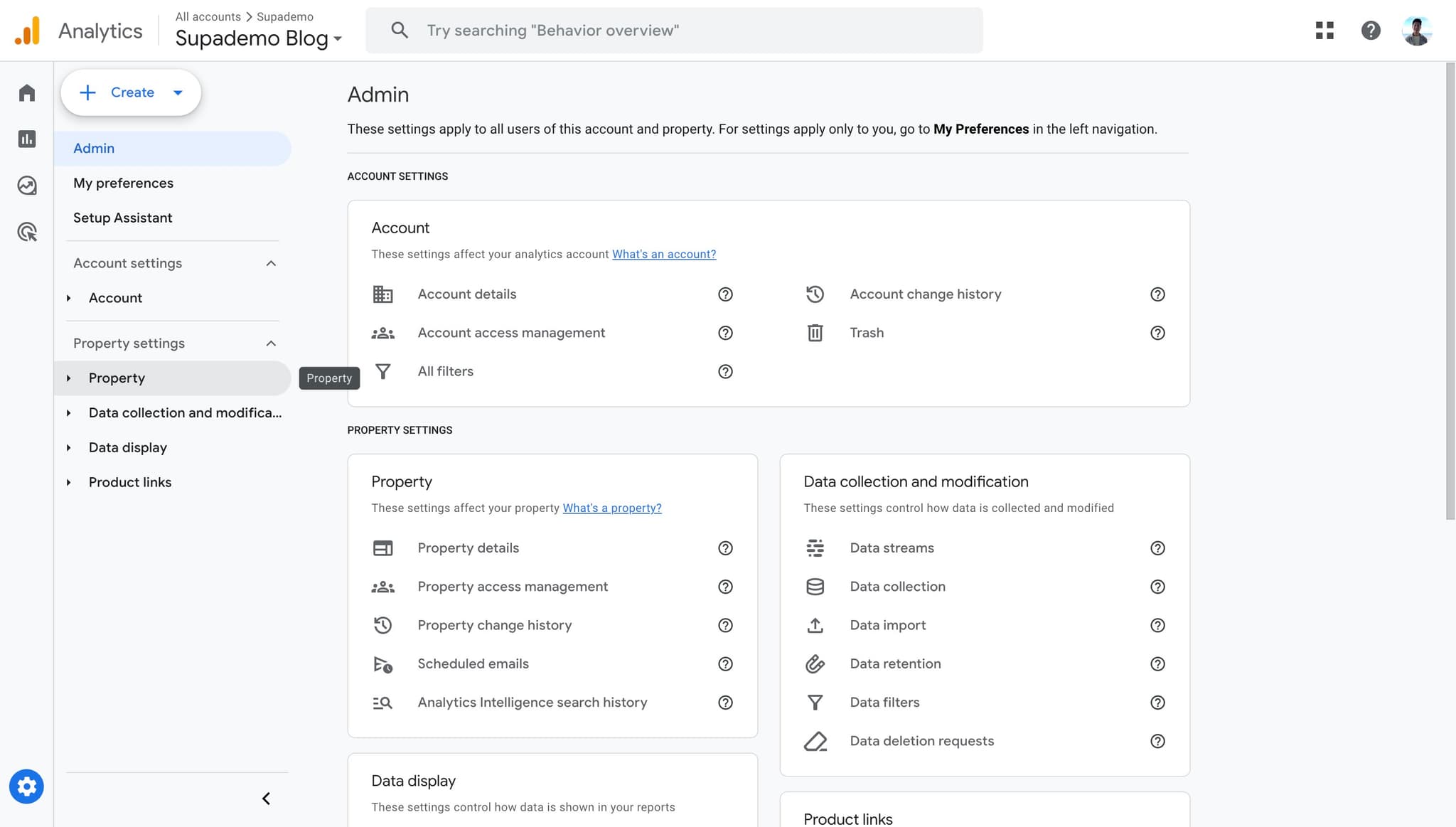
2. After, click on "Property" on the left.

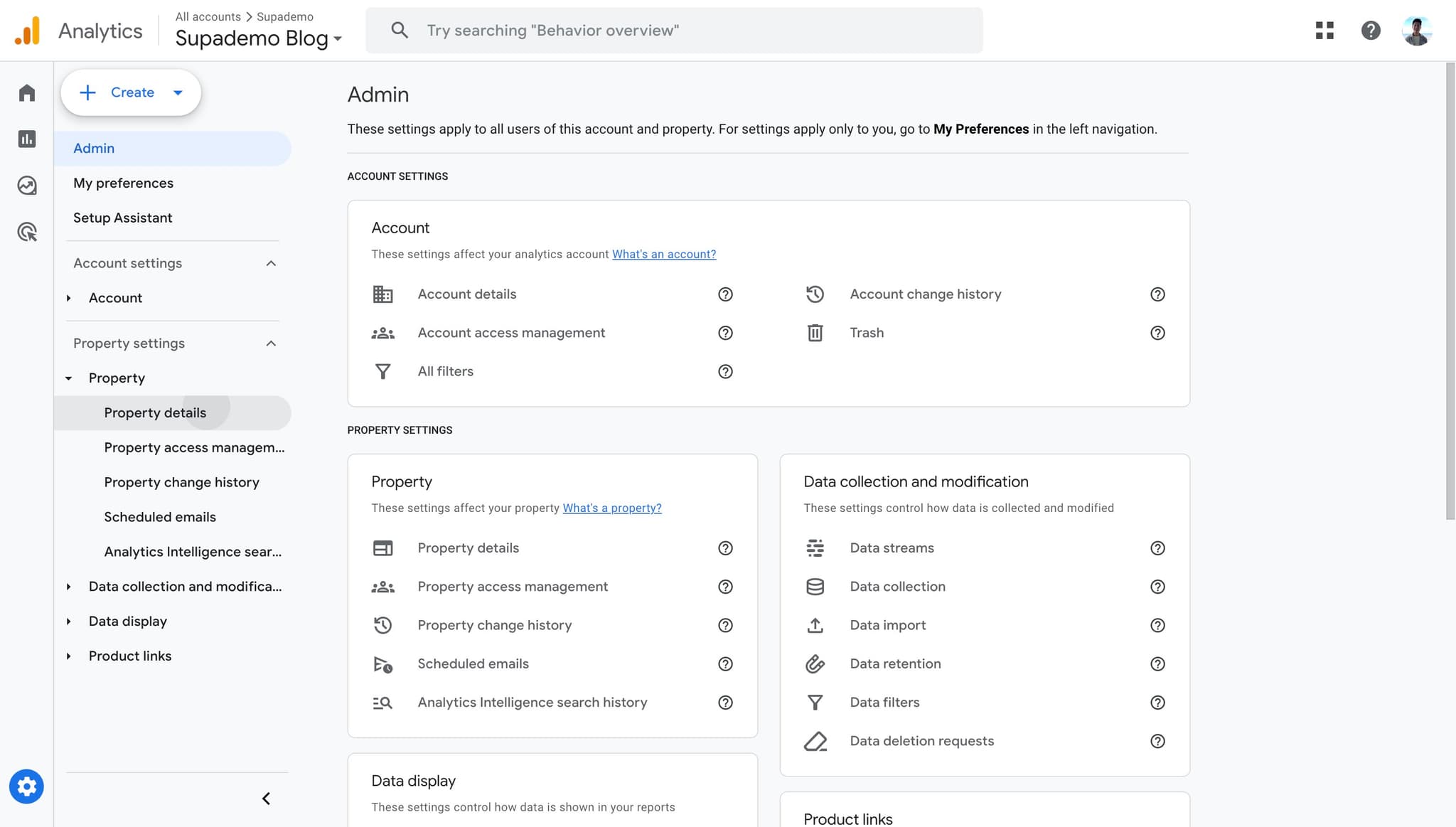
3. Proceed to click on "Property details".

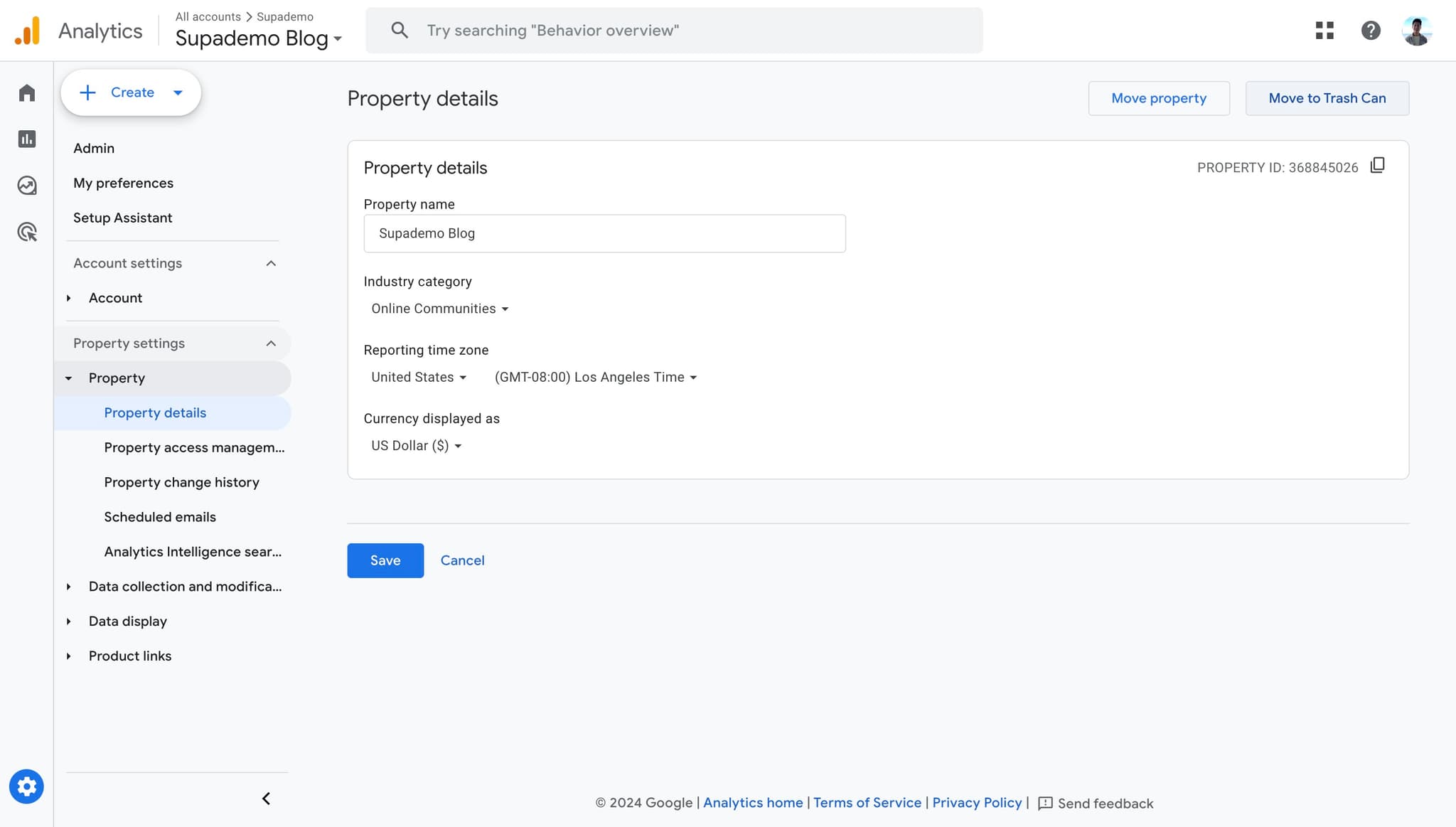
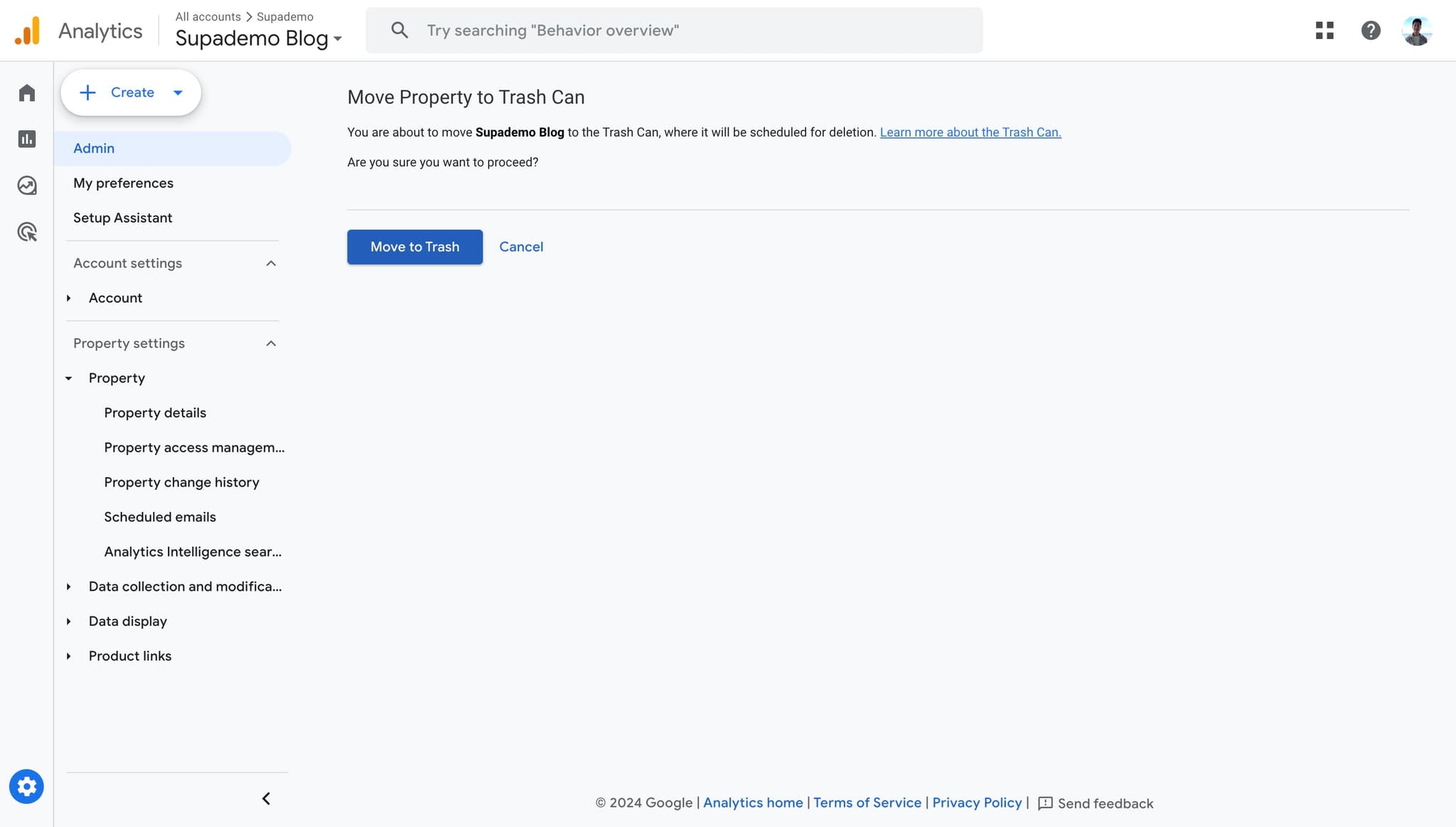
4. Click on "Move to Trash Can" on the top right.

5. Confirm your selection by clicking on "Move to Trash" again. You're all set!


Common FAQs on Google Analytics

Commonly asked questions about this topic.

How do I set up Google Analytics for my website?

To set up Google Analytics, sign in to your Google Analytics account and click on “Admin” at the bottom left. Under the “Account” column, click “Create Account” and follow the setup wizard to add your website details. After creating the account, you’ll receive a tracking ID. Install the Google Analytics tracking code on your website, either by adding it directly to your site’s code or using a tag manager like Google Tag Manager.

How can I track specific events or actions on my website?

To track specific events, you need to set up event tracking in Google Analytics. This involves adding additional code to your website that sends event data to Google Analytics. You can use Google Tag Manager to create and manage event tags more easily. Define events such as button clicks, form submissions, or video views, and configure the event categories, actions, and labels to capture relevant data.

What are Google Analytics goals and how do I set them up?

Google Analytics goals help you track specific actions users take on your website, such as completing a purchase or signing up for a newsletter. To set up goals, go to the “Admin” section and under the “View” column, click on “Goals.” Click “+ New Goal” and follow the setup wizard to define the type of goal (e.g., destination, duration, pages/screens per session, event) and specify the criteria for goal completion. Once set up, you can track goal conversions in your reports.

This interactive demo was created in minutes with Supademo

Scale up your training and guidance with engaging, AI-powered interactive demo walkthroughs. Create a Supademo for free with no credit card required.

Create interactive demos in seconds

Frequently Asked Questions about how to delete a property on google analytics (2024)

Commonly asked questions about this topic.

Is Google Analytics suitable for enterprise-scale deleting a property?

For enterprise teams, evaluate Google Analytics's admin controls, SSO support, permission granularity, and audit logging capabilities. Scalability depends on your specific property complexity — what works for a 10-person team may need structural changes at 500+. Most platforms offer enterprise plans with dedicated support and custom SLAs. Supademo was named the #5 fastest-growing software product on G2 in 2025.

Can I undo a property deletion in Google Analytics?

Google Analytics typically integrates with popular tools like Slack, Google Workspace, Microsoft 365, and Zapier for cross-platform automation. These integrations help connect deleting a property workflows with your existing tech stack. Check Google Analytics's integration marketplace for specific connectors relevant to your use case. 96.8% of top-performing demos use custom branding to maintain brand consistency.

What should a well-structured property include?

A strong property includes clear labels, defined owners, status indicators, and relevant dates or milestones. Avoid including information that belongs elsewhere — keep each element focused on its core purpose. The right level of detail depends on your audience: executives need summaries while team leads need actionable specifics. Learn more about Supademo's features. Companies using interactive demos report an average 28% reduction in customer acquisition cost.

Will deleting a property affect my other Google Analytics accounts?

Most platforms support exporting to CSV, PDF, or through API access for custom integrations. When sharing externally, consider whether the recipient needs a live view or a static snapshot — live links require account access while exports may go stale. For recurring reports, set up automated exports or scheduled summaries. RB2B eliminated 60+ hours of sales calls in just 30 days using best arcade alternatives 2026s. 81% of teams rate onboarding impact from Supademo as high or very high.

How long does it take for a deleted property to be permanently removed?

Capture the end-to-end process with annotated screenshots or clickable walkthroughs — written-only SOPs often go unread. Tools like Supademo let you record the exact steps in Google Analytics, creating a living reference that stays current with UI changes. Store documentation where your team already works, not in a separate wiki they'll forget to check. Research confirms this — the State of Interactive Demos 2026 report found that top-performing demos average 10-12 steps with 15-18 word hotspots and achieve 80%+ completion rates.

What happens to historical data when I delete a property?

The biggest mistake is overcomplicating the setup — adding too many fields, views, or automations before validating the basic workflow. Another common issue is inconsistent naming conventions, which makes searching and filtering unreliable at scale. Finally, skipping regular reviews leads to outdated property data that erodes team trust in the system. For context, Supademo offers 30+ integrations with tools like HubSpot, Intercom, Notion, and more. Teams save an average of 85% of the time previously spent on demo creation.

What's the best way to onboard new team members to deleting a property in Google Analytics?

Combine a brief overview document with a hands-on walkthrough they can follow independently. Interactive walkthroughs are more effective than recorded videos because new hires can proceed step-by-step at their own pace and revisit specific sections. Pair the walkthrough with a simple checklist of tasks to complete during their first week. Research confirms this — the State of Interactive Demos 2026 report found that 45% of teams adopted interactive demos specifically to solve onboarding friction.
Joseph Lee

Joseph Lee

Co-founder & CEO

Joseph is the CEO and co-founder of Supademo, building AI-driven interactive demo tooling used by 100,000+ founders, marketers, and operators to accelerate product understanding and sales. He’s a two-time startup founder passionate about zero-to-one product building and remote-first company culture.

More from the blog

How to Remove 'Powered by Shopify'

How to Remove 'Powered by Shopify'

Learn how to easily remove the 'Powered by Shopify' text from your online store with step-by-step instructions and tips to customize your Shopify storefront.

Vimal Kumar
Vimal KumarJan 3, 2026
How to Add Products to Shopify

How to Add Products to Shopify

Learn step-by-step how to add products to your Shopify store effortlessly, including tips on product details, images, pricing, and inventory management to boost your online sales.

Vimal Kumar
Vimal KumarDec 17, 2025
How to Deactivate Your Shopify Store

How to Deactivate Your Shopify Store

Learn step-by-step how to deactivate your Shopify store easily, including important considerations and tips to pause or close your shop without losing data.

Vimal Kumar
Vimal KumarDec 17, 2025
How to Remove 'Powered by Shopify'

How to Remove 'Powered by Shopify'

Learn how to easily remove the 'Powered by Shopify' text from your online store with step-by-step instructions and tips to customize your Shopify storefront.

Vimal Kumar
Vimal KumarDec 17, 2025
How to Create a Shopify Account

How to Create a Shopify Account

Learn step-by-step how to create a Shopify account quickly and easily, set up your online store, and start selling your products in no time.

Vimal Kumar
Vimal KumarDec 17, 2025
How to Create a Stripe Account

How to Create a Stripe Account

Learn how to create a Stripe account quickly and easily with our step-by-step guide, perfect for beginners looking to start accepting online payments.

Vimal Kumar
Vimal KumarDec 17, 2025