Onboarding Snapshot
Activation Event
First issue completed and resolved
Time-to-Value
Fast — task-driven checklist leads directly to first issue
Primary Strength
Command menu introduced before any action is taken
Primary Risk
Workspace URL pre-fill feels misaligned at setup
Overview
Linear's most distinctive decision is introducing the command menu before the user has touched anything. Most products save keyboard shortcuts for power users who've already committed. Linear makes it the first thing you learn, which signals clearly who the product is built for and how it expects to be used.
What Should You Steal?
Swipe through actionable takeaways from this onboarding flow.
How Linear Introduces Its Core Interaction Model
The command menu tutorial arrives before the user has done anything.
Most products introduce keyboard shortcuts in a tips section or a late-stage onboarding email. Linear teaches Cmd+K before the workspace is populated — not as a shortcut the user might like, but as the model for how the product works. That's a confident position to take before someone has created a single issue.
How Linear Introduces Its Core Interaction Model
The theme selection step is small but pointed.
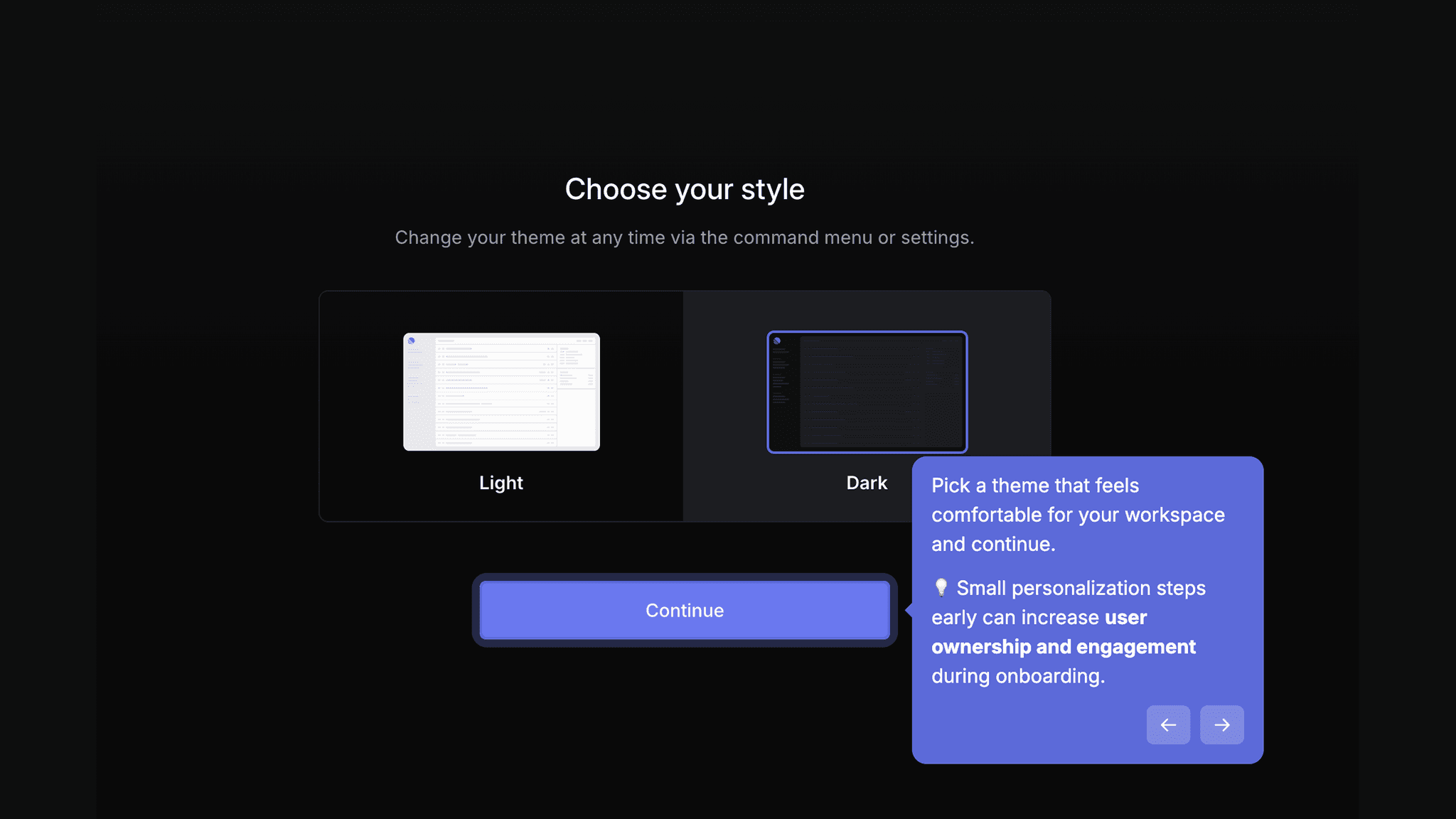
Light or dark mode gets asked immediately after workspace creation. It's cosmetic. But it's the first moment the product is being configured for the user rather than the other way around, and that sequencing lands differently than it would if the same question appeared at the end of setup.
How Linear Reduces Decisions Early
GitHub integration and teammate invites are both optional and skippable.
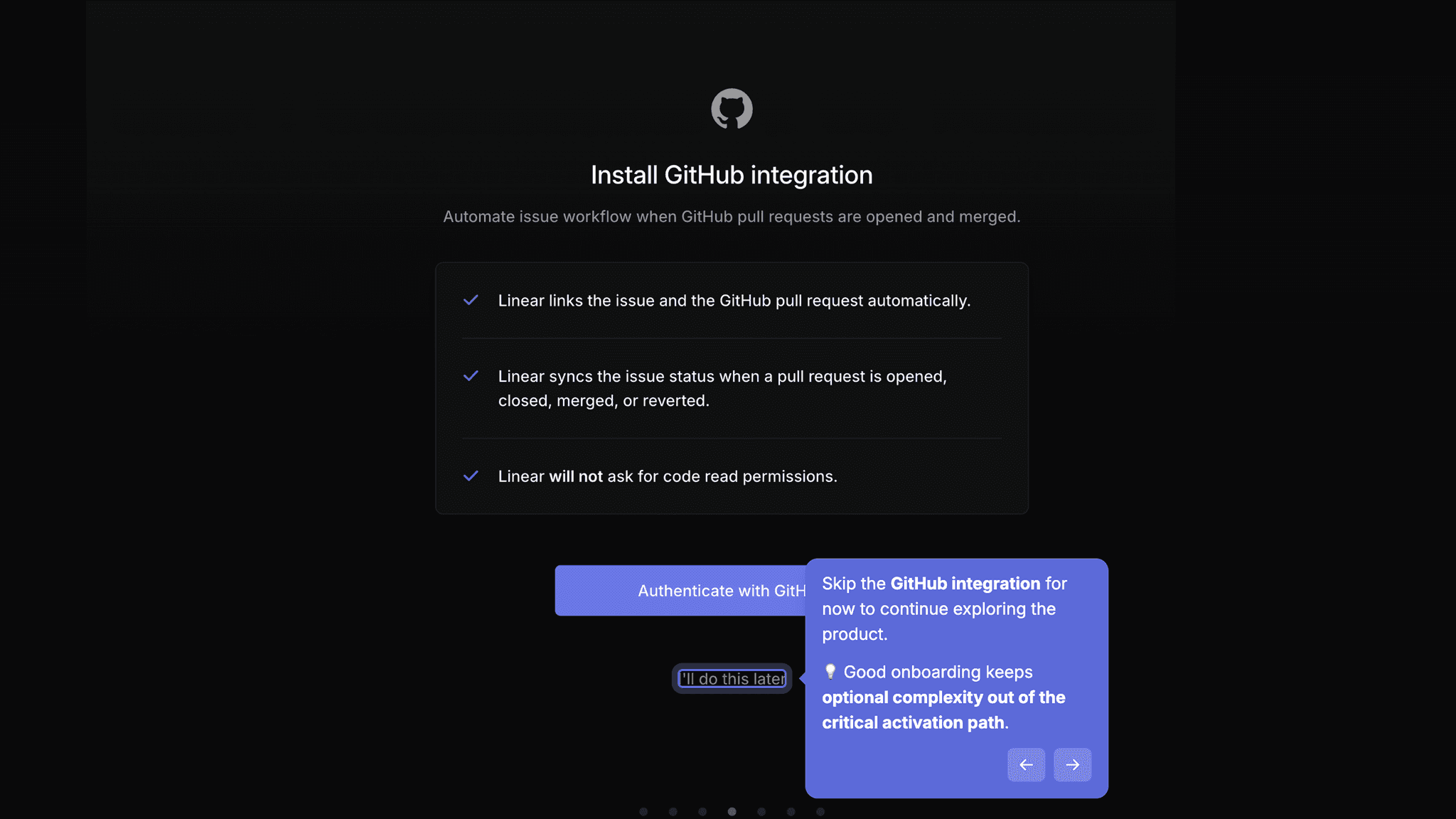
They appear early enough to feel purposeful, but neither blocks the path to first value. Users who aren't ready skip; users who are can set them up immediately. The placement plants the idea without creating a gate.
How Linear Uses Product Bumpers
The "get familiar with Linear" checklist teaches through action rather than explanation.
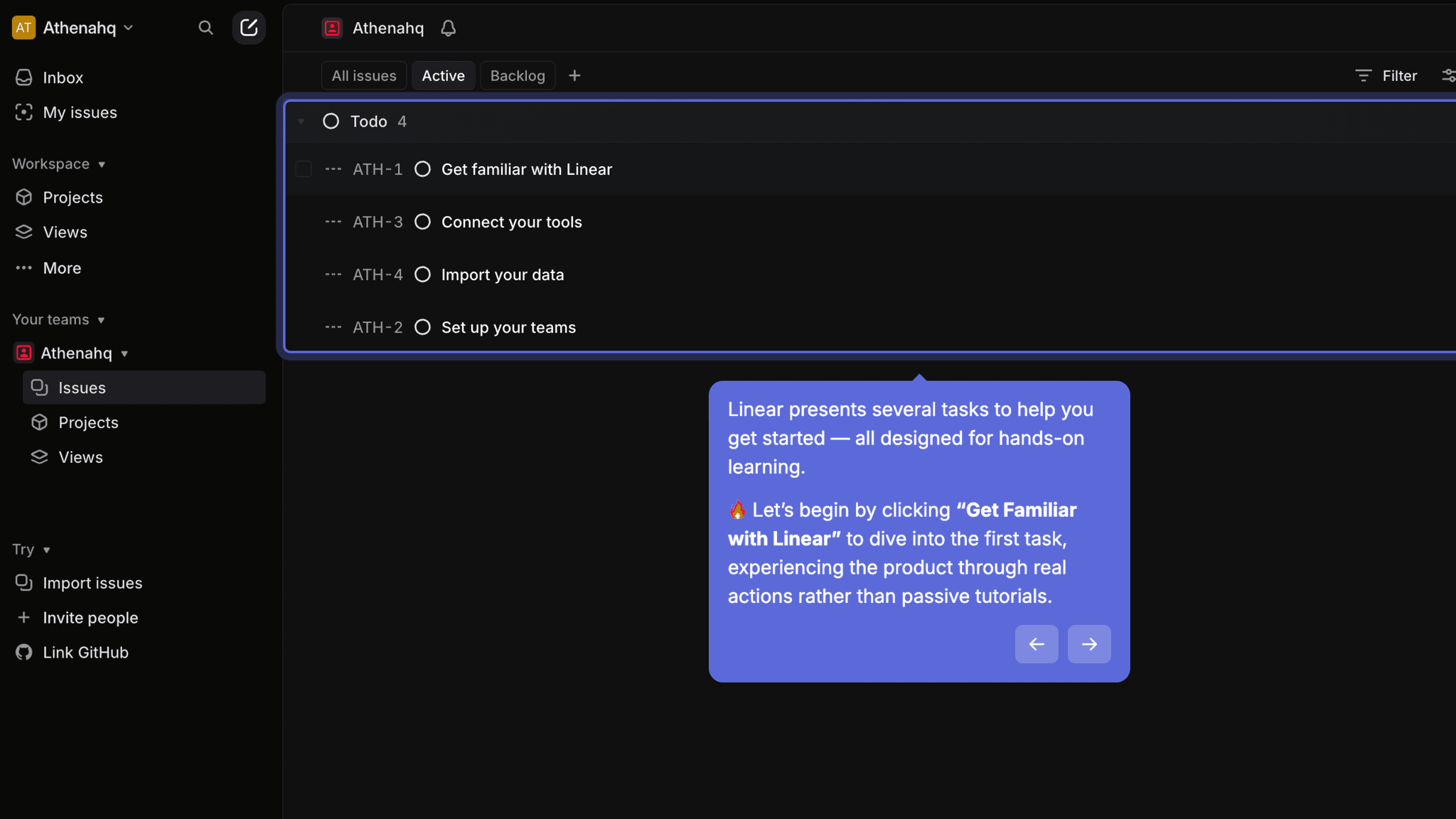
Instead of a product tour or feature modal, Linear gives users a set of tasks: create an issue, use the command menu, set a priority. Completing each one surfaces a feature — the left panel, the right panel labels, the status fields — in context. By the time the checklist is done, the user has touched the core workflow without having it explained to them first.
Onboarding Tactics That Work
Command menu (Cmd+K) introduced as primary pattern before first action
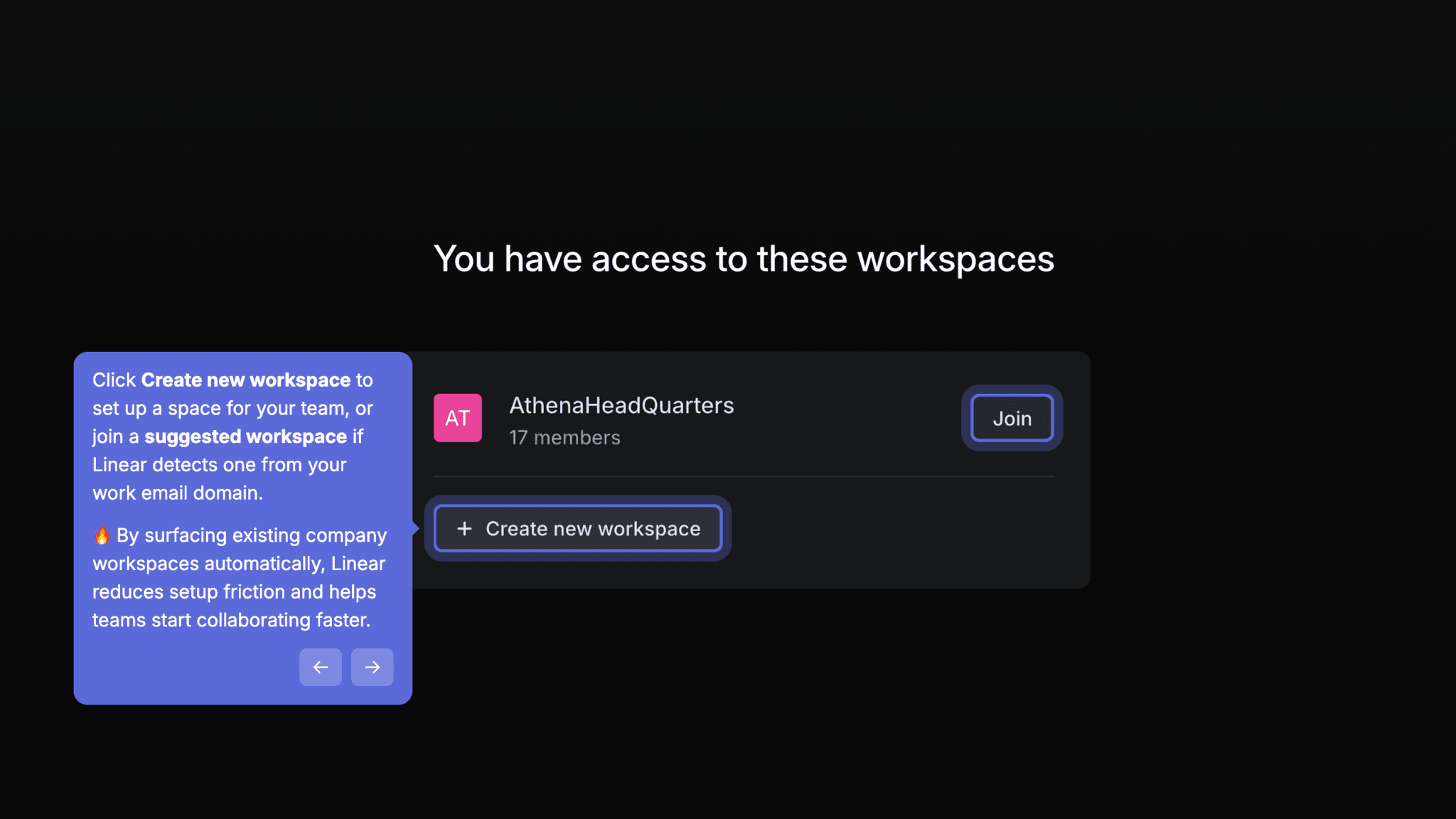
Domain auto-join turns individual signup into potential team adoption
Task-driven checklist exposes product features through doing, not watching
Optional GitHub and invite steps plant intent without blocking activation
Where There's Friction
Workspace URL pre-filled with generated slug rather than actual domain
Active issues pop-up on workspace entry assumes context the new user may not have
Users who skip optional steps may miss the integration framing entirely
When Is the In-App Activation Moment?
The Activation Event in Linear is completing and resolving the first issue, not just creating one. Creating an issue is easy. Resolving one closes the loop from problem to outcome and shows the core workflow in action.
Getting there is fast. The path moves through:
The checklist is the engine. Each task is scoped to a single action, and completing it unlocks the next one. Users aren't watching a tour — they're doing the thing.
The left panel (inbox, issues, projects, views) and right panel (labels, status, priority) become navigable through the tasks rather than through a guided overlay. The product surface appears as it's needed.
After the first issue resolves, the workspace is ready for real work. There's no explicit celebration. The product just becomes usable, and the habit loop starts from that first completed task.
The Bottom Line on Linear's Onboarding
Linear's most distinctive decision is introducing the command menu before the user has touched anything. Most products save keyboard shortcuts for power users who've already committed. Linear makes it the first thing you learn, which signals clearly who the product is built for and how it expects to be used.
The task-driven checklist is the second strong call. Learning by doing is harder to design than a tour, and Linear's implementation is clean: each task is small, sequenced, and contextual. The domain auto-join mechanic is worth noting separately for any B2B product — removing the invite bottleneck early is one of the highest-leverage team expansion decisions available during onboarding.
The workspace URL pre-fill is the one moment that feels slightly off. Minor, but it's the first setup step where the product could do more.
Steal the command-first introduction. If your product has a core interaction model — a shortcut, a gesture, a primary view — teach it before users have created anything. It reframes how every subsequent action lands.
FAQs
Common questions about Linear's onboarding flow and what makes it effective.
How does Linear onboard new users?
Linear's onboarding begins with Google OAuth sign-in, workspace creation with domain auto-join, theme selection, and a command menu introduction before the workspace is populated. Optional GitHub integration and teammate invites follow, then users drop into the workspace and complete a "get familiar with Linear" task checklist. The Activation Event, completing and resolving the first issue, happens within the onboarding session.
What makes Linear's onboarding experience stand out?
Two things stand out. The command menu (Cmd+K) is introduced as the primary navigation pattern before the user has created any content — not as a tip, but as the model for how the product works. And the task-driven checklist exposes the full issue workflow through action rather than explanation, so users learn the product surface by using it.
How long does it take to reach value in Linear?
Fast. The optional steps (GitHub, teammate invite) can be skipped without affecting activation, and the task checklist moves quickly. Users who follow the guided path move from workspace creation to first resolved issue within a single session. The checklist structure keeps momentum without requiring users to self-direct.
How does Linear's onboarding compare to other project management tools?
Linear's command-first approach is the sharpest differentiator in this category — most project management tools introduce keyboard shortcuts as optional features rather than primary patterns. The domain auto-join mechanic is closest to what Notion's onboarding does with workspace sharing, though Linear's implementation reduces ongoing admin friction rather than enabling initial collaboration. The task-driven checklist mirrors Tally's onboarding approach, where learning happens through doing rather than watching.