Onboarding Snapshot
Activation Event
First AI-generated presentation created and viewed
Time-to-Value
Fast — starter prompt to generated deck in under 2 minutes
Primary Strength
Starter prompts eliminate cold-start friction before first creation
Primary Risk
No progress indicator during multi-step signup segmentation
Overview
Gamma's best decision is using the AI generation wait as a teaching moment. While the deck is building, a three-step tutorial explains how the editor works. Users arrive oriented rather than confused. Most products treat that window as dead time.
What Should You Steal?
Swipe through actionable takeaways from this onboarding flow.
How Gamma Reduces Decisions Early
The creation mode selector removes the blank-page problem before it has a chance to form.
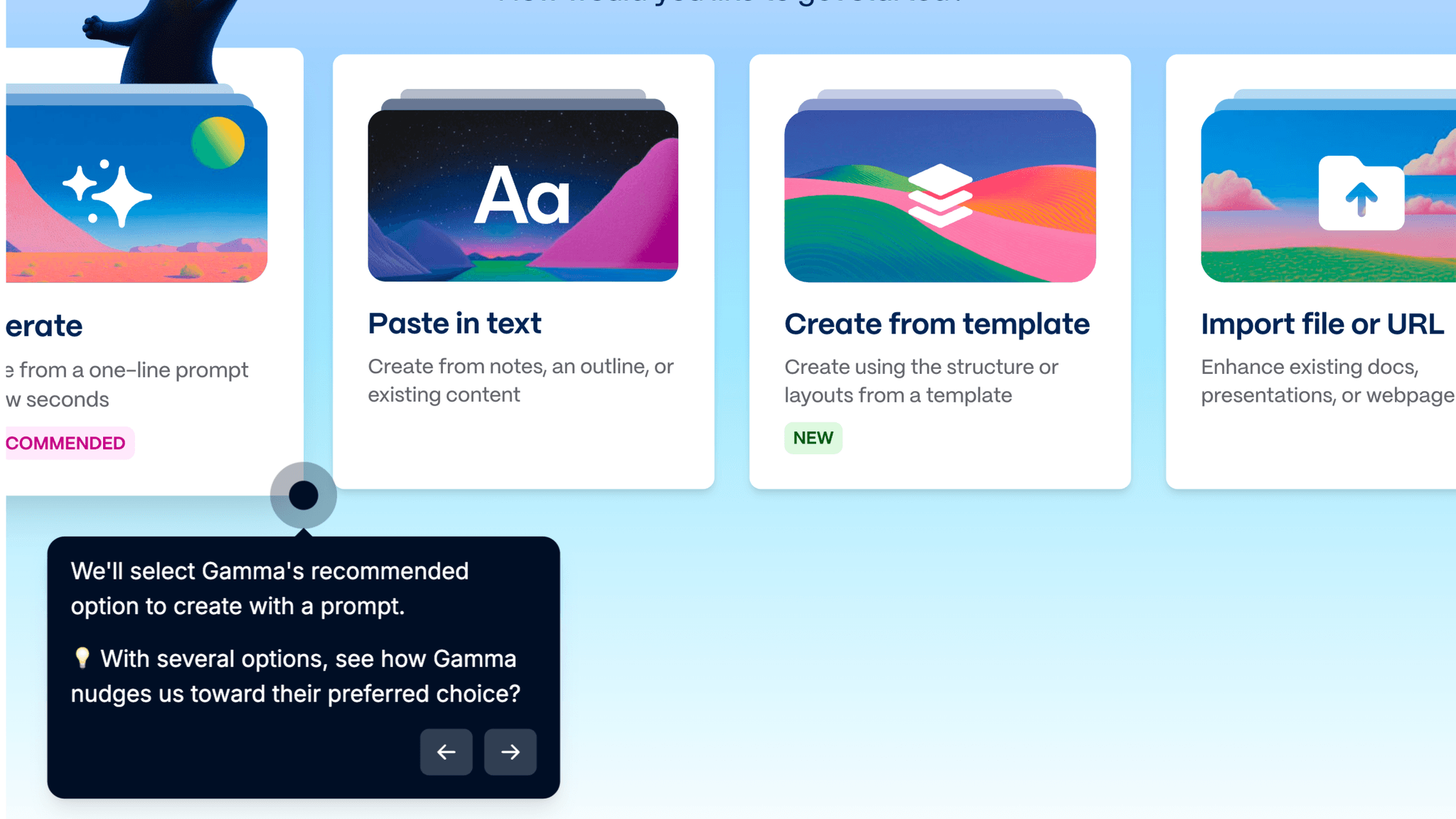
After signup, Gamma presents a fork: generate from a one-line prompt, paste in text, or start from a template. The AI generation option is visually foregrounded as the recommended path. Users who know what they want can move fast; users who don't have a clear path anyway.
How Gamma Reduces Decisions Early
Starter prompt examples appear below the input field at exactly the right moment.
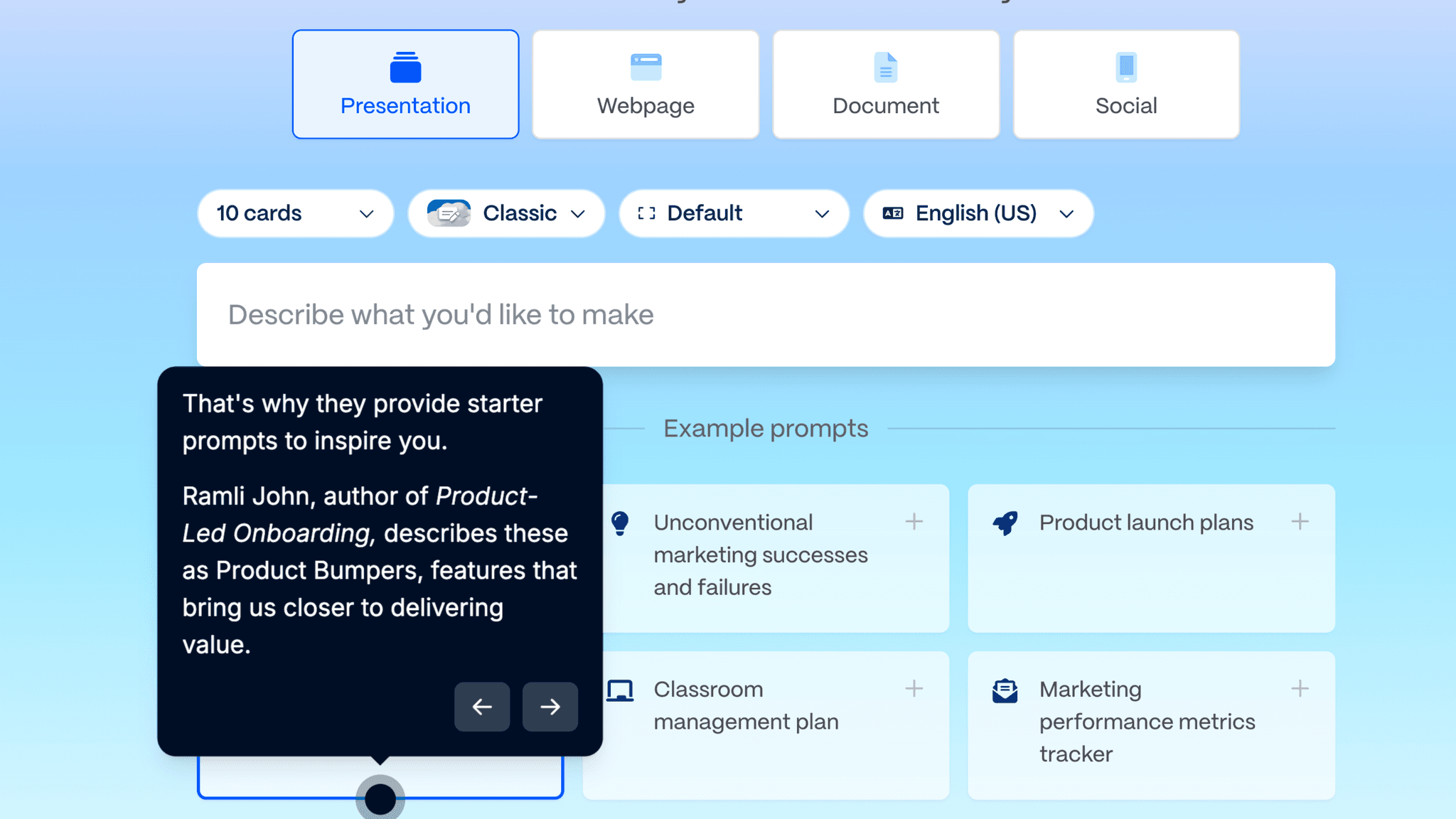
Before a user has to produce a single creative thought, Gamma hands them one. Selecting a ready-made prompt and hitting generate is a fundamentally different action than staring at an empty field — and that difference is where most AI creation tools lose new users.
How Gamma Personalizes Onboarding by Job-to-Be-Done
The four-question signup flow collects use case, role, org size, and attribution without feeling heavy.
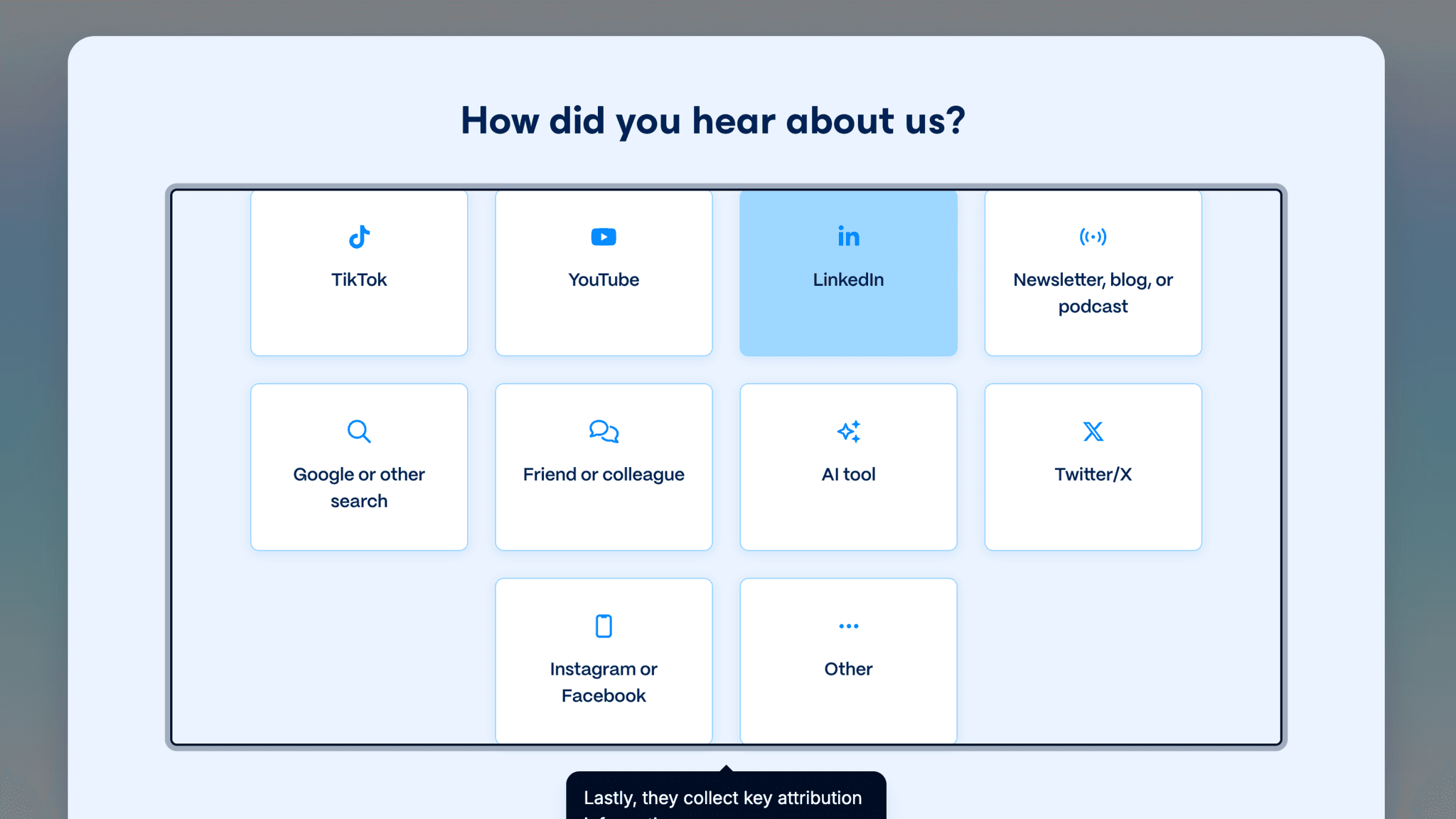
Each question uses large, clickable tiles rather than dropdowns or free-text fields, so the answers come quickly and setup stays light. The gap is the missing progress indicator. Users have no way of knowing whether they're on step 3 of 4 or step 3 of 7, and in a product that markets itself on speed, that uncertainty creates friction a simple "Step X of Y" label would eliminate.
How Gamma Uses Product Bumpers
The eight-step getting-started checklist extends onboarding into the product after the first presentation appears.
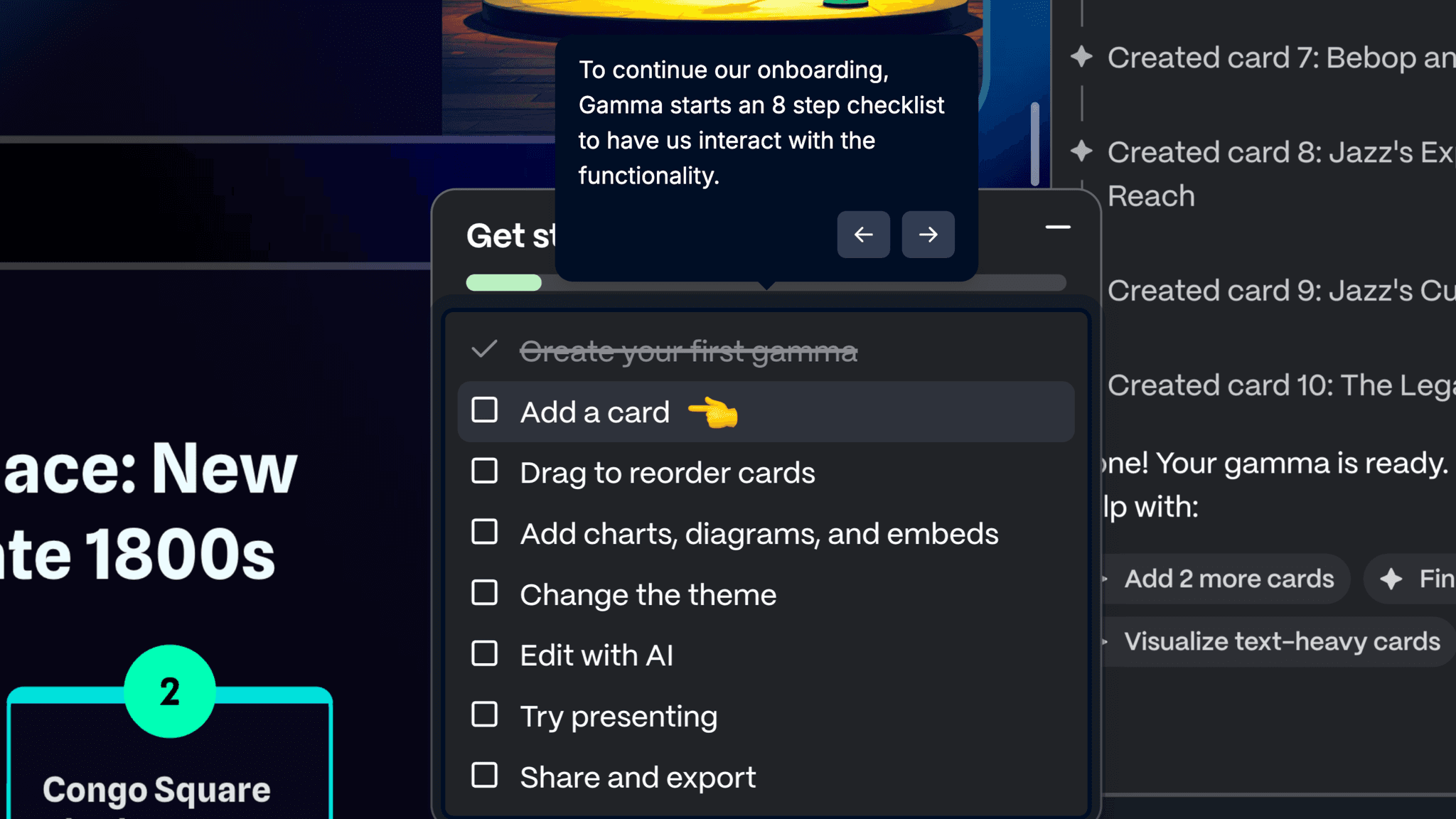
It covers creating cards, reordering by dragging, adding charts, changing themes, editing with AI, and presenting — each with a short embedded video. For an editor that works nothing like a traditional slide tool, the video format is the right call.
Onboarding Tactics That Work
Starter prompt examples eliminate cold-start friction at the creation screen
AI generation mode foregrounded as the recommended first action
In-editor tutorial runs during AI generation wait — uses idle time well
8-step checklist with embedded videos orients users to an unfamiliar editor
Where There's Friction
No progress indicator across four signup segmentation questions
Prompt-to-outline step adds an edit decision before generation completes
Account creation required before any product experience begins
When Is the In-App Activation Moment?
The Activation Event in Gamma is watching the first AI-generated presentation appear — a typed prompt becoming a real deck with formatted slides and content.
Getting there is fast once past signup. The path moves through:
The four-question segmentation block is the only real stall point. No progress bar means users can't tell how far they are or how much is left, which is a meaningful drop-off risk for a product that leads with speed as a selling point.
Once past it, things move quickly. Starter prompts handle the creative lift, the outline step gives users a chance to adjust before committing, and the tutorial fills the generation wait so the editor doesn't feel foreign when it loads. The 8-step checklist keeps momentum going after activation rather than leaving users to explore alone.
The Bottom Line on Gamma's Onboarding
Gamma's best decision is using the AI generation wait as a teaching moment. While the deck is building, a three-step tutorial explains how the editor works. Users arrive oriented rather than confused. Most products treat that window as dead time.
The starter prompts are the second strong call. Giving users ready-made example inputs before they've had to produce anything removes the exact moment where AI creation tools typically lose new users.
The segmentation flow is the honest critique. Four questions, no visible progress indicator, in a product that sells speed. A "Step 2 of 4" label costs nothing and signals that the setup is bounded.
Steal the wait-state tutorial. If your product has an AI generation or processing step, run a short walkthrough during that window. The user's attention is free, their stakes are low, and it's the best available moment to explain what they're about to see.
FAQs
Common questions about Gamma's onboarding flow and what makes it effective.
How does Gamma onboard new users?
Gamma's onboarding begins with Google sign-in, then four segmentation questions covering use case, role, org size, and attribution. Users choose a creation mode — generate with AI is the recommended path — enter a prompt or select a starter example, review the generated outline, then watch the presentation build in real time. The Activation Event, viewing the first completed AI-generated presentation, happens within the onboarding session.
What makes Gamma's onboarding experience stand out?
Two decisions. Starter prompt examples appear below the creation input before the user has typed anything, removing the blank-page problem at the exact moment it would otherwise cause drop-off. And Gamma runs its editor tutorial during the AI generation wait rather than after it, so users arrive in the editor with some orientation rather than none.
How long does it take to reach value in Gamma?
Fast once inside the product. The four segmentation questions are the slowest part — no progress indicator makes the flow feel longer than it is. From the creation screen to a finished presentation takes under two minutes. Users who select a starter prompt and skip outline editing get there fastest.
How does Gamma's onboarding compare to other SaaS tools?
Gamma's starter prompt approach is closest to Synthesia's onboarding, which also uses a selection menu to generate AI output from user inputs rather than asking users to start from scratch. The in-editor checklist with embedded videos is structurally similar to Notion's onboarding, which also uses a task-driven model to expose product features after activation. The missing progress indicator in the segmentation flow is the same friction point flagged in Loom's onboarding.