Onboarding Snapshot
Activation Event
First video recorded and ready to share
Time-to-Value
~4 minutes
Primary Strength
Example videos in workspace show what's possible before recording anything
Primary Risk
App download required before accessing the core recording feature
Overview
Supercut does two things well that most video tools don't. It shows new users what a finished recording looks like before they've made one, and it keeps a real human visible at the top of the funnel through the Intercom chat. Both decisions address the same underlying problem: the hesitation most people feel before pressing record for the first time. That hesitation is specific to video. Supercut's onboarding acknowledges it directly.
What Should You Steal?
Swipe through actionable takeaways from this onboarding flow.
How Supercut Handles Empty States
Showing example videos in the workspace on first login is the right answer to blank-dashboard anxiety.
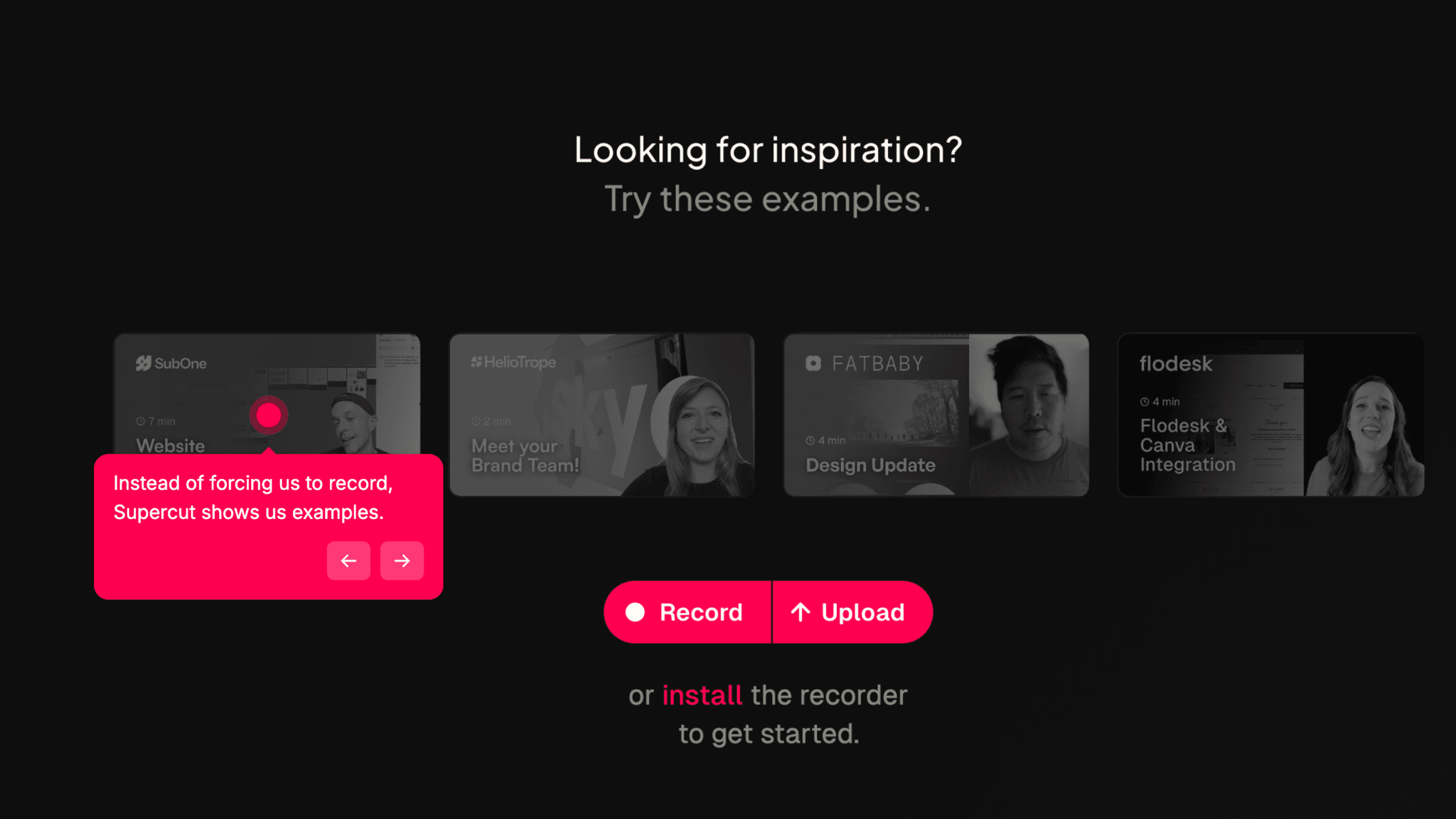
When I land, there are already videos there — examples of what a Supercut recording looks like, what the output looks like when it's shared, and what I'm working toward. Give users something to react to, not a vacuum to fill. Figma does the same thing with pre-loaded example files. The principle is identical: show finished work before asking someone to make their own.
How Supercut Handles Empty States
The Intercom welcome message sets a tone that most B2B tools miss.
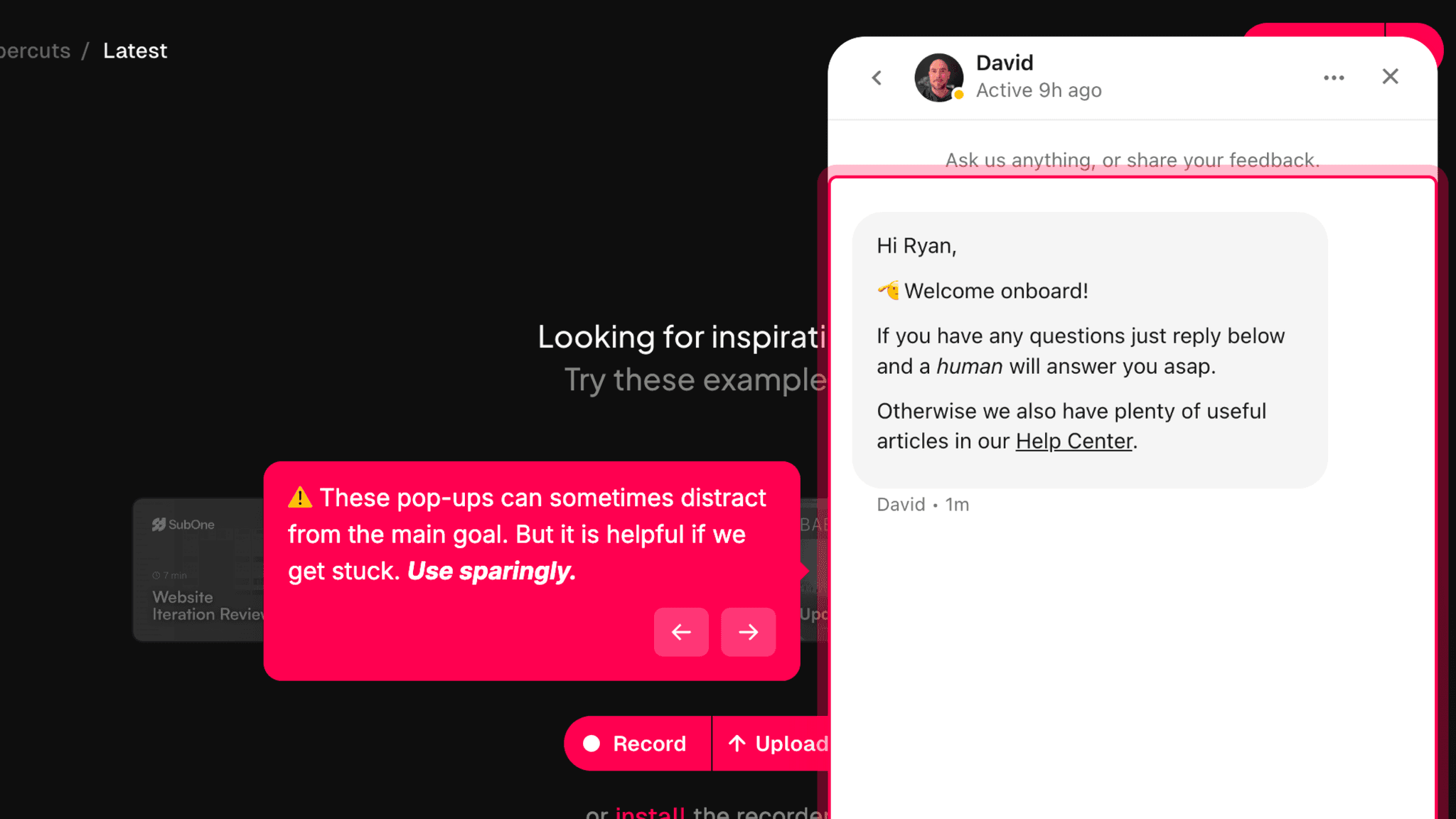
A message from a real support person — not a bot that routes to a ticket queue — changes the feel of the product from the first interaction. Supercut makes explicit that a human is reachable. For a video tool that depends on users feeling confident enough to press record, that reassurance early in the flow matters more than it might seem.
How Supercut Reduces Decisions Early
The setup path is short even before the app enters the picture.
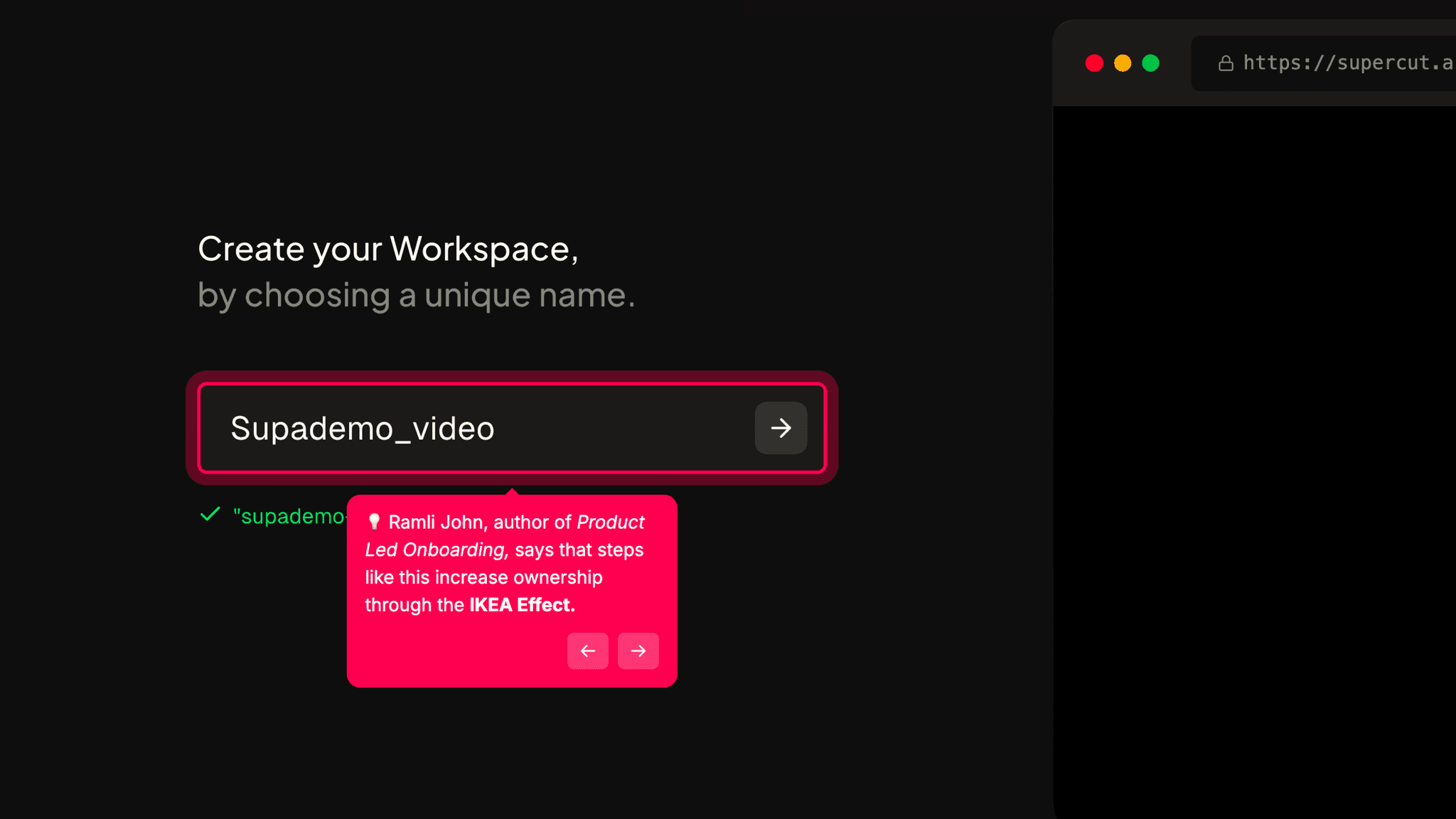
Signup, name, workspace name — three steps and I'm looking at the dashboard. The CTA when I arrive is immediate: Record or Upload. Two options, both pointing at the same place.
How Supercut Reduces Decisions Early
The alternative path for users who don't want to download the app yet is worth naming explicitly.
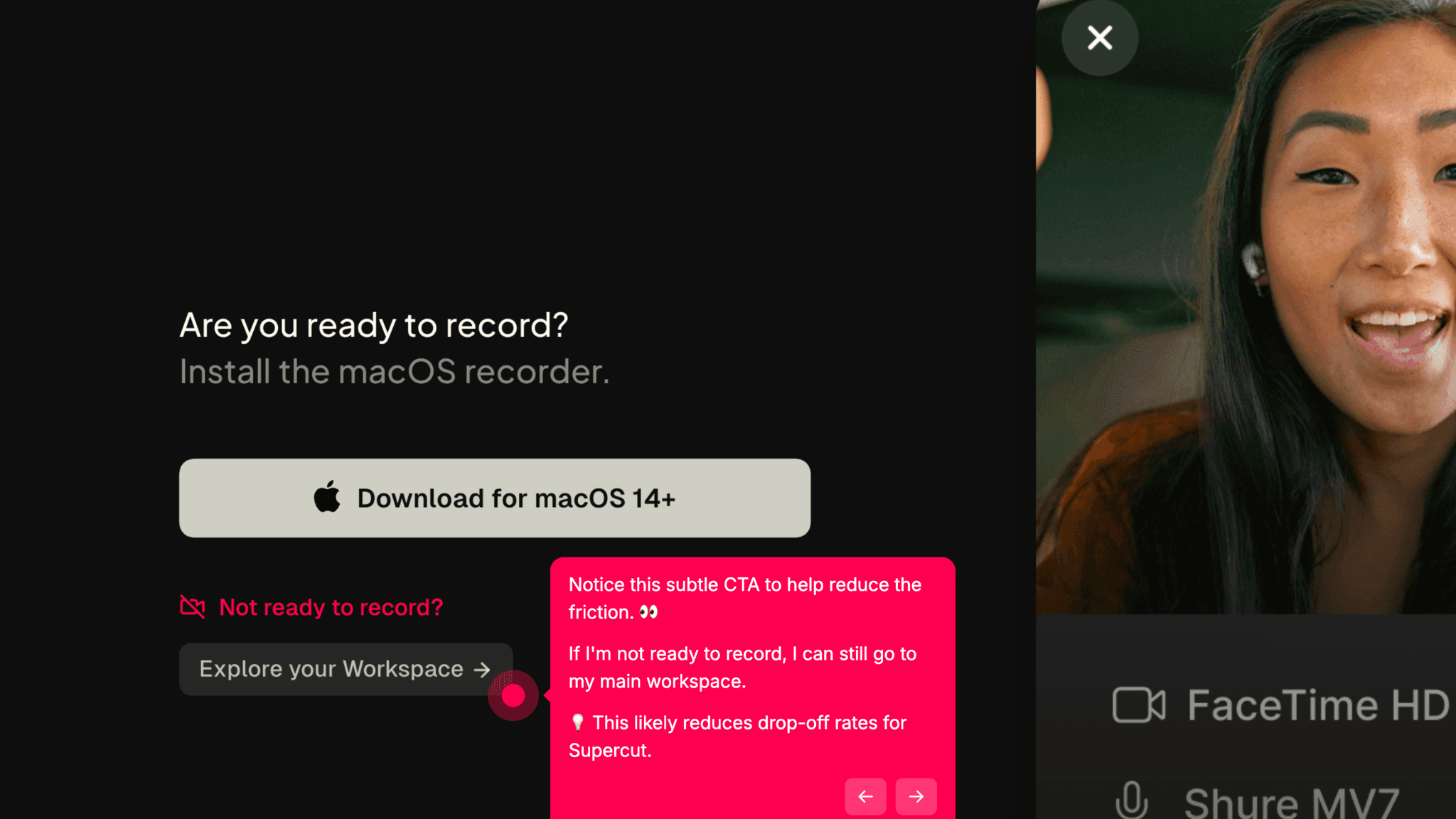
A desktop app download is not a small ask. It shifts the commitment from "try this in my browser" to "install something on my machine," and not every evaluation-stage user will make that jump. The browser path into the workspace keeps those users in the product rather than losing them at the download prompt.
Onboarding Tactics That Work
Example videos in workspace provide immediate inspiration and set expectations for output
Human-signaled Intercom chat on homepage reduces early anxiety
Clear Record / Upload CTA on workspace entry with minimal surrounding clutter
Alternative path into workspace without app download protects evaluation-stage users
Where There's Friction
App download required before accessing the core recording feature
No explicit guidance on what to record first for users without a clear use case
App download wall may cause drop-off among users still evaluating
When Is the In-App Activation Moment?
The Activation Event in Supercut is recording a first video. Not watching the examples, not exploring the workspace — pressing record and making something.
Getting there takes about 4 minutes. Signup, name, workspace name, app download prompt, workspace entry with examples and a Record CTA. For users who download the app immediately, the path is short and uninterrupted. For users who aren't ready to install anything yet, the browser path into the workspace preserves the session. They can see the product and explore the examples without committing to an install, and their activation path extends until they eventually do.
The example videos are the most important thing in the workspace for someone who just arrived. They answer the question new users are actually asking: what would I even make with this? Seeing completed recordings with their share format visible gives me a model before I've touched the record button. That prior context is the difference between a workspace that feels like an open invitation and one that just feels empty.
There's no checklist, no guided tour. The workspace trusts the examples and the CTA to do the work. For someone who arrives knowing what they want — a team update, a product demo, a screen recording — that's enough. For someone still figuring out whether this tool belongs in their workflow, the absence of any guided first-recording prompt means the decision to hit Record is theirs alone to make.
The Bottom Line on Supercut's Onboarding
Supercut does two things well that most video tools don't. It shows new users what a finished recording looks like before they've made one, and it keeps a real human visible at the top of the funnel through the Intercom chat. Both decisions address the same underlying problem: the hesitation most people feel before pressing record for the first time. That hesitation is specific to video. Supercut's onboarding acknowledges it directly.
The honest friction is the app download. Installing software before experiencing value is a real ask, and some users won't make it. The alternative browser path is the right mitigation, but it works around the constraint rather than removing it. Any version of the flow that can defer the install step will lose fewer users at that wall.
Steal the example-first workspace. If your product creates output of any kind, showing finished examples on first login costs nothing and removes the most common question in the first session: what does this thing actually produce?
FAQs
Common questions about Supercut's onboarding flow and what makes it effective.
How does Supercut onboard new users?
Supercut's onboarding is a short three-step flow — account creation, name, workspace name — followed by a prompt to download the desktop app. After entering the workspace, users see example videos alongside a prominent Record or Upload CTA. The Activation Event, recording a first video, takes approximately 4 minutes for users who download the app during onboarding.
What makes Supercut's onboarding experience stand out?
The example videos in the workspace and the human-signaled Intercom chat are the two decisions that set it apart. Most video tools drop new users into an empty recording interface and trust them to figure out what to make. Supercut shows finished examples of what the output looks like, so users have a model before they've touched the record button. The Intercom chat reinforces that a real person is available, which matters for a product that asks users to put themselves on camera.
How long does it take to reach value in Supercut?
Approximately 4 minutes from signup to first recorded video, for users who download the app during onboarding. Users who defer the download can still enter the workspace and explore the product, but recording requires the desktop app — so their path to activation extends until they install it.
How does Supercut's onboarding compare to other SaaS tools?
Supercut's example-first workspace follows the same principle as Figma's onboarding, which pre-loads interactive example files to eliminate blank-canvas anxiety. Both give users something to react to before they create. The app download requirement puts Supercut in different territory from browser-native tools like Tally or VEED, which activate users without any installation step.