Onboarding Snapshot
Activation Event
First card created, completed, and board toured
Time-to-Value
Fast — first task created within minutes of signup
Primary Strength
Users build their first board, creating investment before the tour
Primary Risk
Trial upsell appears before user has experienced core product value
Overview
Trello's strongest call is teaching the product through interaction before explanation. Before users see the board tour, before any feature list, they've already created a card and checked it off. That's Ramli John's behavior-change principle in direct application: onboarding should change what users do, not just what they know.
What Should You Steal?
Swipe through actionable takeaways from this onboarding flow.
How Trello Changes Behavior, Not Just Features
The opening sequence teaches the card mechanic through action, not description.
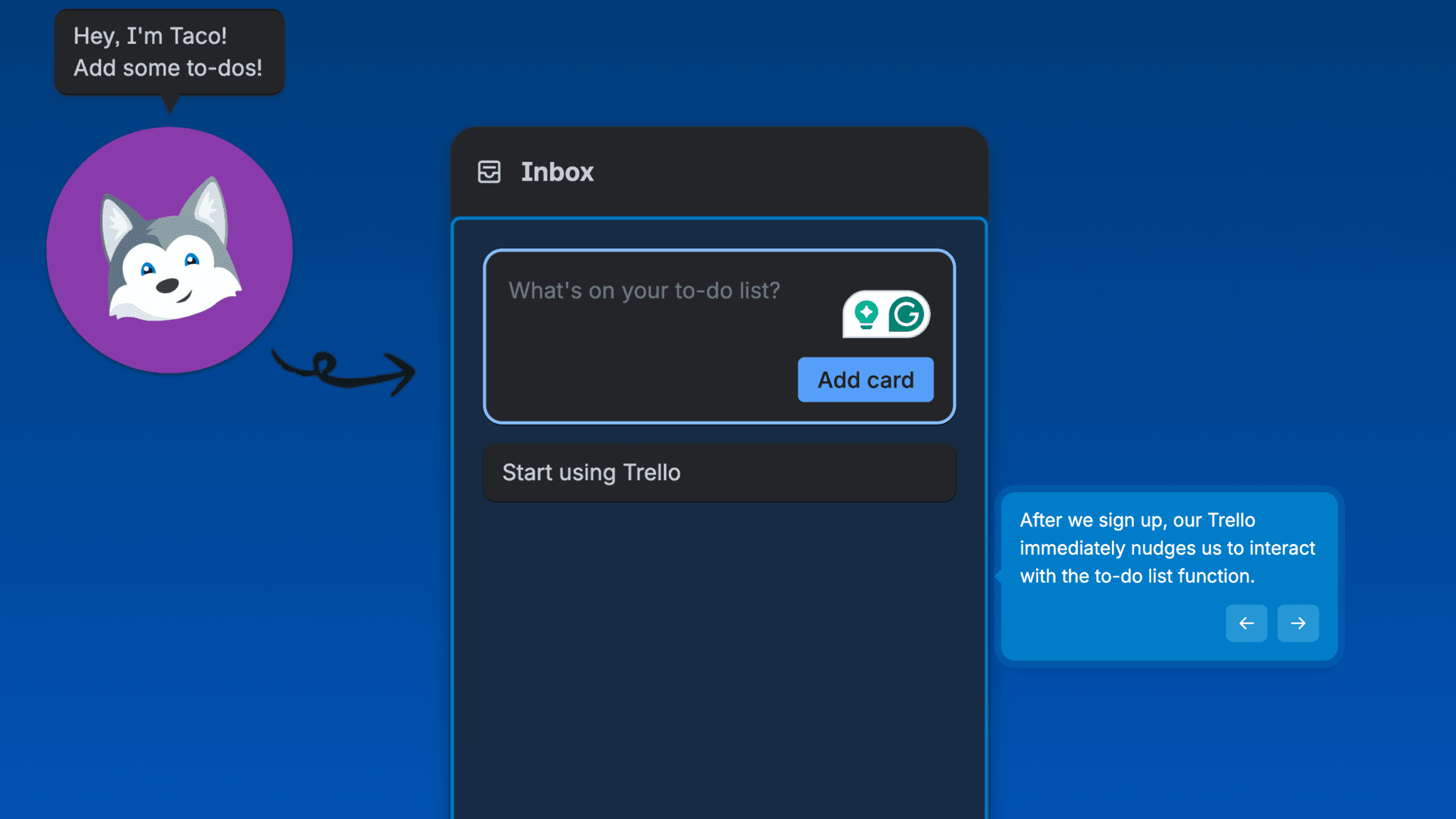
After Google sign-in, Taco the mascot prompts me to add a card. I type a task, click add, and the card appears in the inbox column. Then Taco prompts me to mark it complete. By the time the sequence ends, I've created and resolved a task without reading a single feature description. The behavior is set before any tour begins.
How Trello Changes Behavior, Not Just Features
The progress bar signals that the opening sequence is bounded.
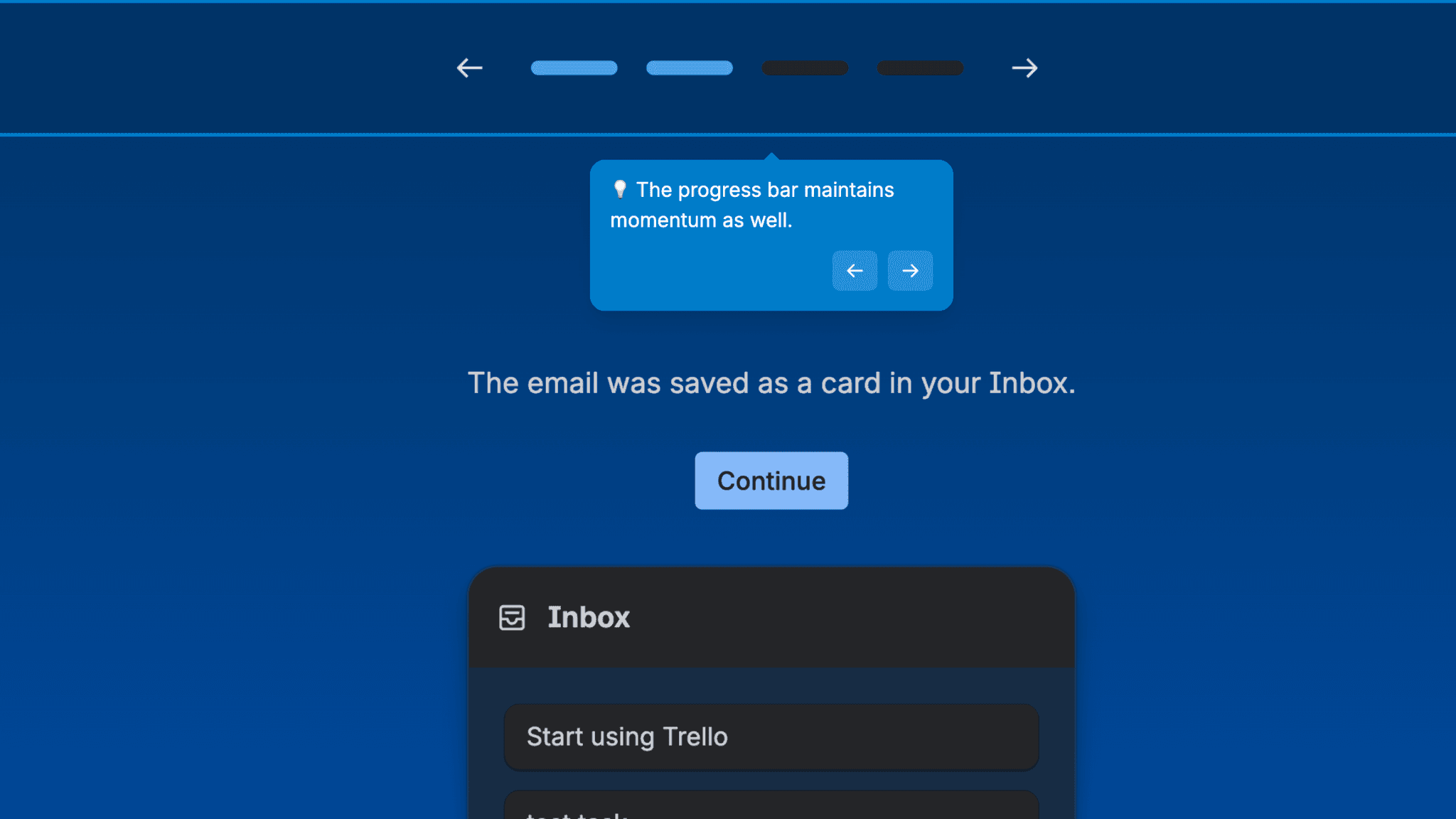
Users can see how far through the prompts they are — there's a visible finish line rather than an open-ended sequence, which keeps things moving.
How Trello Handles Empty States
The first board ships with pre-populated sample cards rather than an empty column.
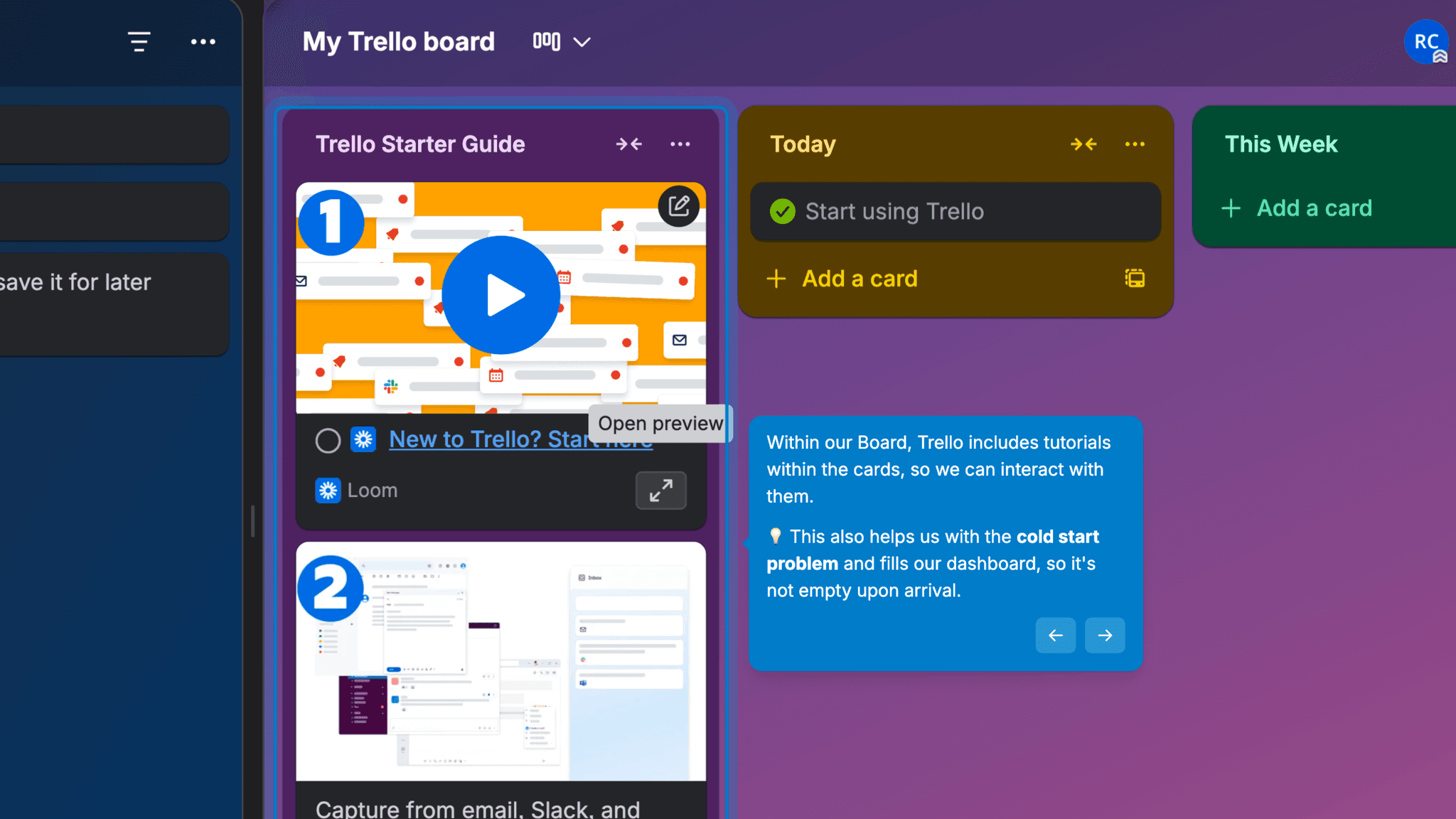
When I reach the board after the opening sequence, there's already content there — tasks Trello added to model how a board is used. Users aren't staring at a blank grid trying to figure out what to put in it. The sample cards demonstrate the pattern without requiring any explanation.
How Trello Handles Empty States
The three-step board tour uses animated GIFs rather than static screenshots.
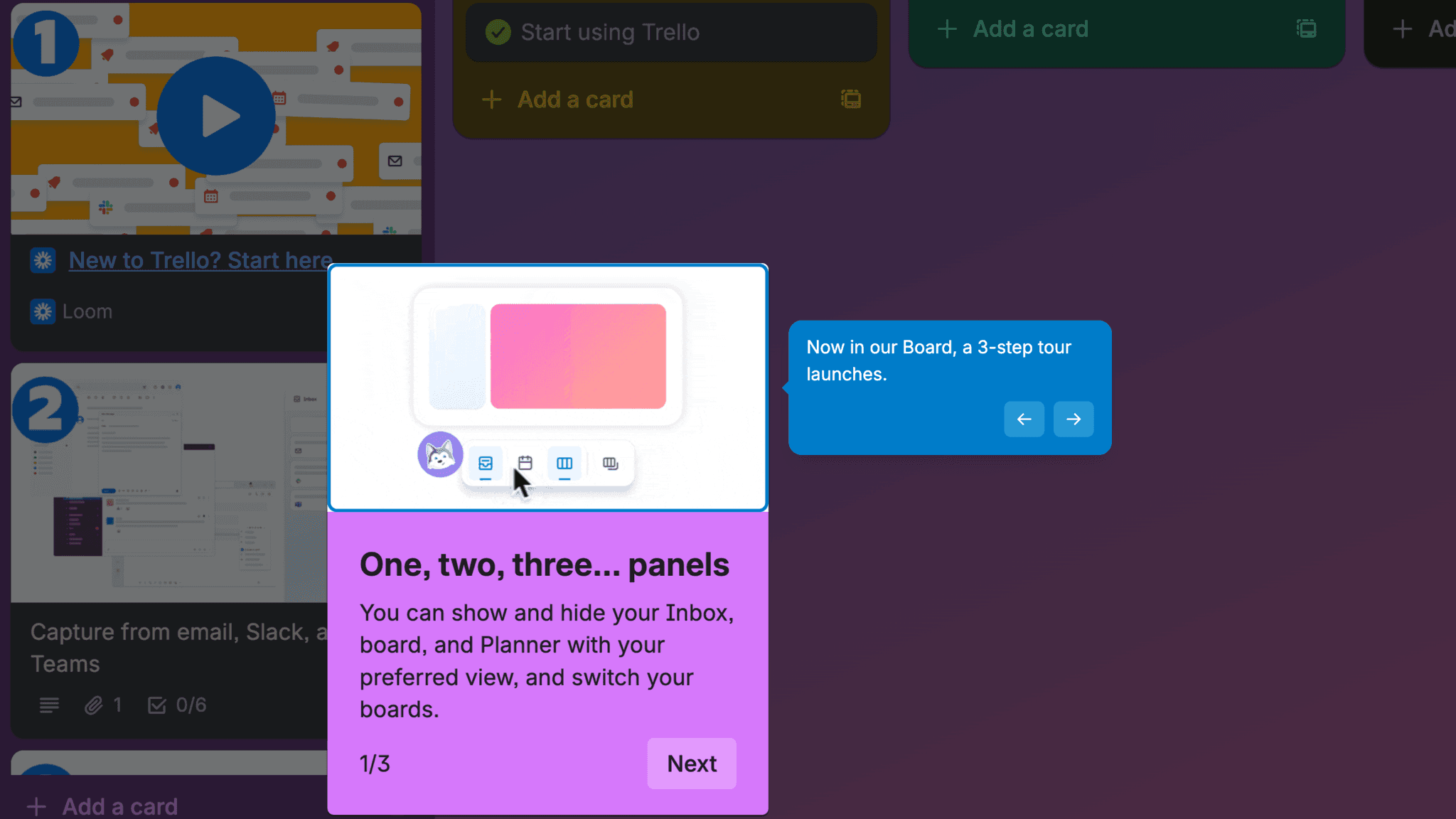
Each step shows the action alongside explanatory text. For a product where the core mechanics — dragging cards, checking off tasks — are spatial and gestural, seeing the motion is more useful than reading about it.
Onboarding Tactics That Work
Opening sequence has users create and complete a card before any tour begins
Pre-populated sample cards solve the cold-start problem on first board arrival
Three-step board tour uses GIFs — shows mechanics rather than describing them
Taco's directional arrow removes ambiguity about what to do next
Where There's Friction
Trial upsell pop-up appears on dashboard entry before user has seen the product work
Payment method prompt to extend trial is a meaningful ask before value is demonstrated
When Is the In-App Activation Moment?
The Activation Event in Trello is arriving at the first board — a board the user has already partially built — and understanding how to use it. That sequencing matters. By the time the board tour starts, I've created a card and marked it complete. The tour is orienting me to something I've already started, not introducing me to something foreign.
The path moves through:
The trial pop-up is the one friction point. It lands on dashboard entry, before I've seen the product do anything useful. The 30-day extension offer in exchange for a payment method is a good deal — but it's a payment ask before value is demonstrated, and most users will skip past it to get to the board.
Post-tour, the board has sample tasks and embedded tutorial links for going deeper. The habit loop starts with the first card created in the opening sequence.
The Bottom Line on Trello's Onboarding
Trello's strongest call is teaching the product through interaction before explanation. Before users see the board tour, before any feature list, they've already created a card and checked it off. That's Ramli John's behavior-change principle in direct application: onboarding should change what users do, not just what they know.
The IKEA effect is real here. Users who build their first board — even with prompting — are more invested in it than users handed a pre-built template.
The trial pop-up timing is the honest critique. A payment prompt before the product has delivered any value is a sequencing error. It's easy to dismiss, but it's still the wrong moment to ask.
Steal the interaction-first opening. If your product has a core mechanic — a card, a row, a node — have the user create one before they see anything else. The tour lands differently when it's explaining something they've already touched.
FAQs
Common questions about Trello's onboarding flow and what makes it effective.
How does Trello onboard new users?
Trello's onboarding begins with Google sign-in and an immediate prompt from Taco the mascot to add a card and mark it complete, teaching the core mechanic through action before any explanation. Users then enter the dashboard, navigate to their first board, and complete a three-step GIF-driven tour. The Activation Event, arriving at a functional board with a completed first card, happens within minutes of signup.
What makes Trello's onboarding experience stand out?
Two decisions. The opening sequence has users create and complete a card before they've seen any feature description — behavior change precedes explanation. And the first board ships with sample cards that solve the cold-start problem, so users arrive at a populated board rather than a blank one.
How long does it take to reach value in Trello?
Fast. The opening card-creation sequence takes under two minutes, and the board tour is three steps. Users who skip the trial pop-up and go directly to the board reach activation quickly. The payment prompt on dashboard entry is easy to dismiss but arrives before the product has demonstrated any value.
How does Trello's onboarding compare to other project management tools?
Trello's interaction-first opening is closest to Linear's onboarding, which also uses a task-driven checklist to teach the product through action rather than explanation. The mascot-guided prompt is similar to the directional devices used in Intercom's onboarding, where visual cues point users to a single next step. The pre-populated board addresses the same cold-start problem that Notion's onboarding handles with starter templates.