
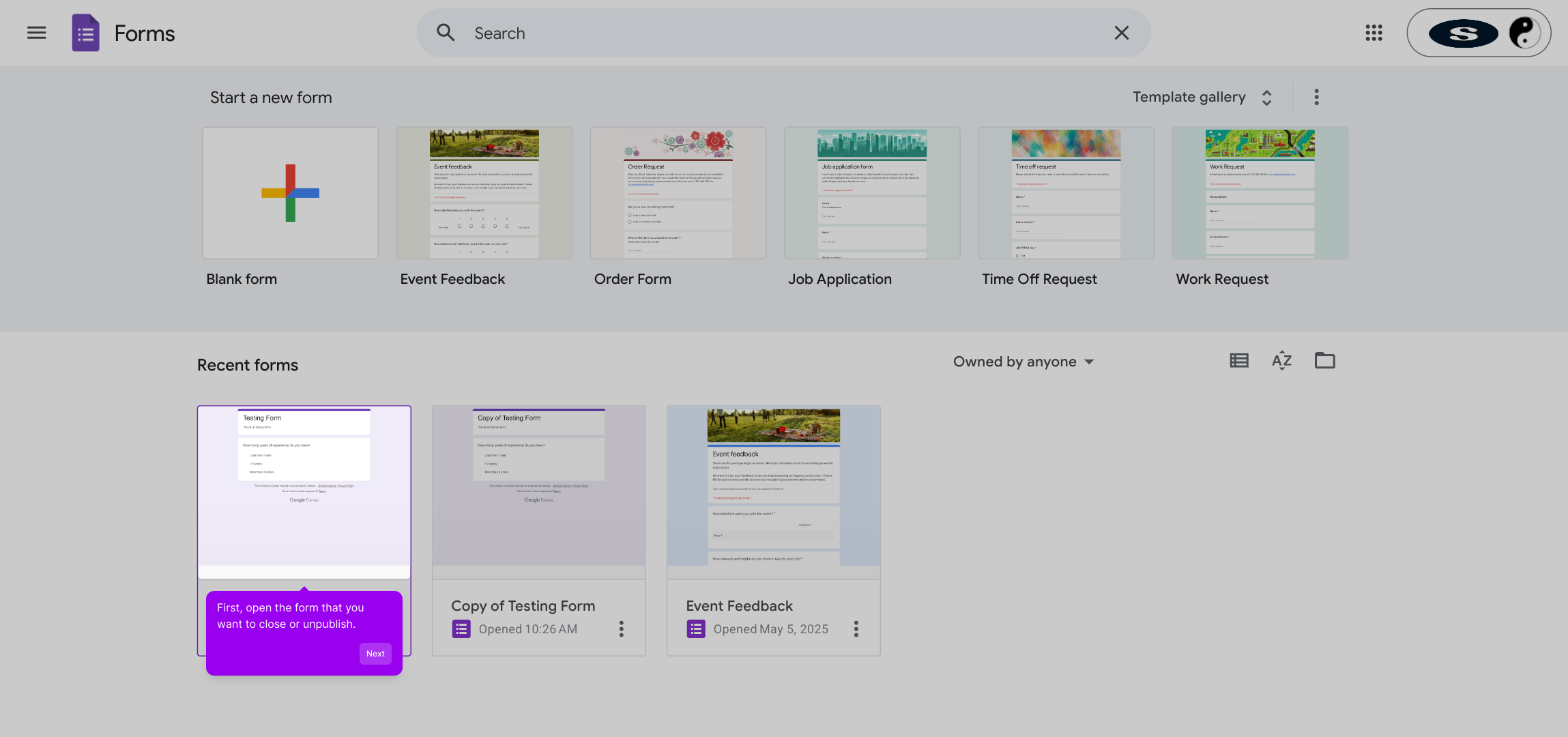
1. First, open the form that you want to close or unpublish.
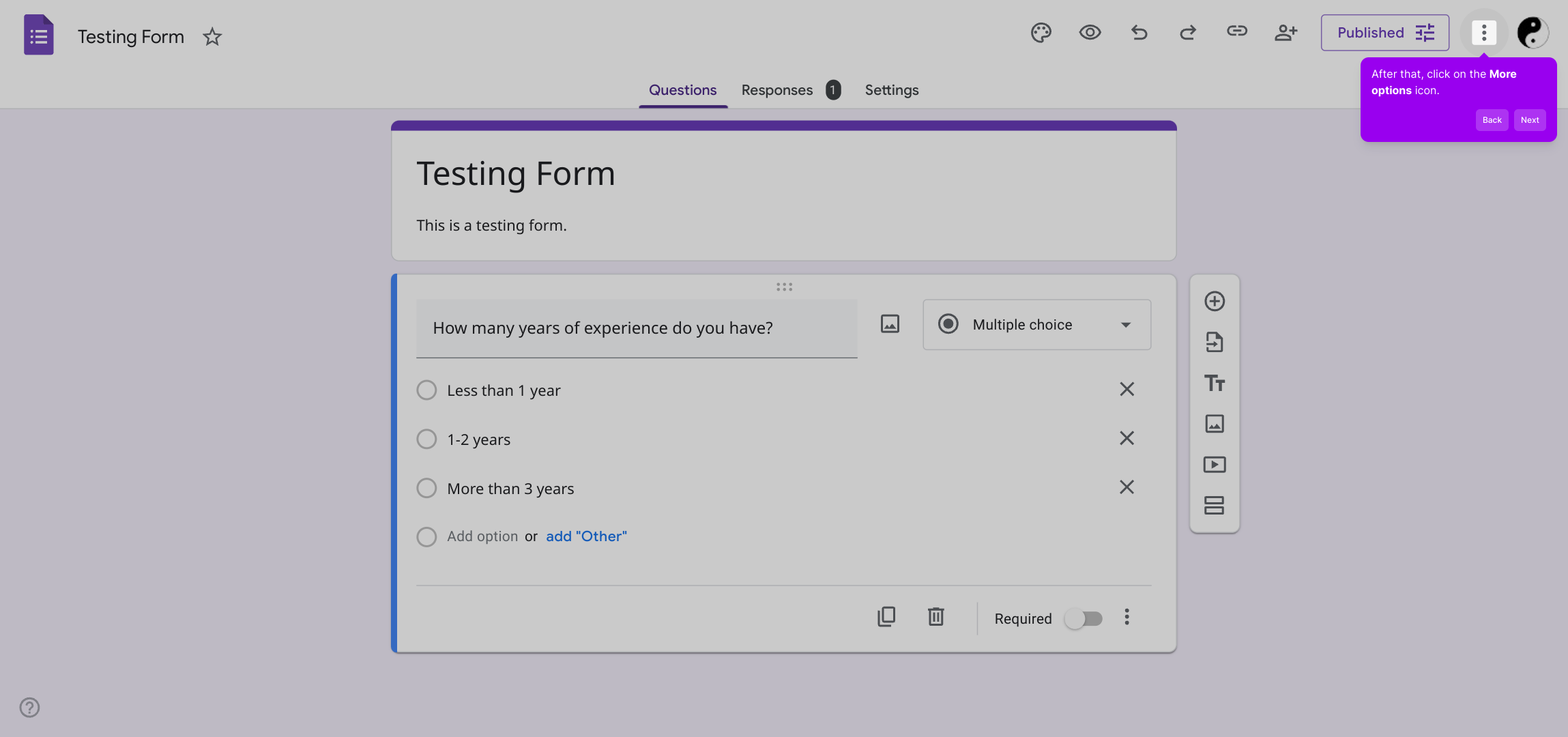
2. After that, click on the More options icon.
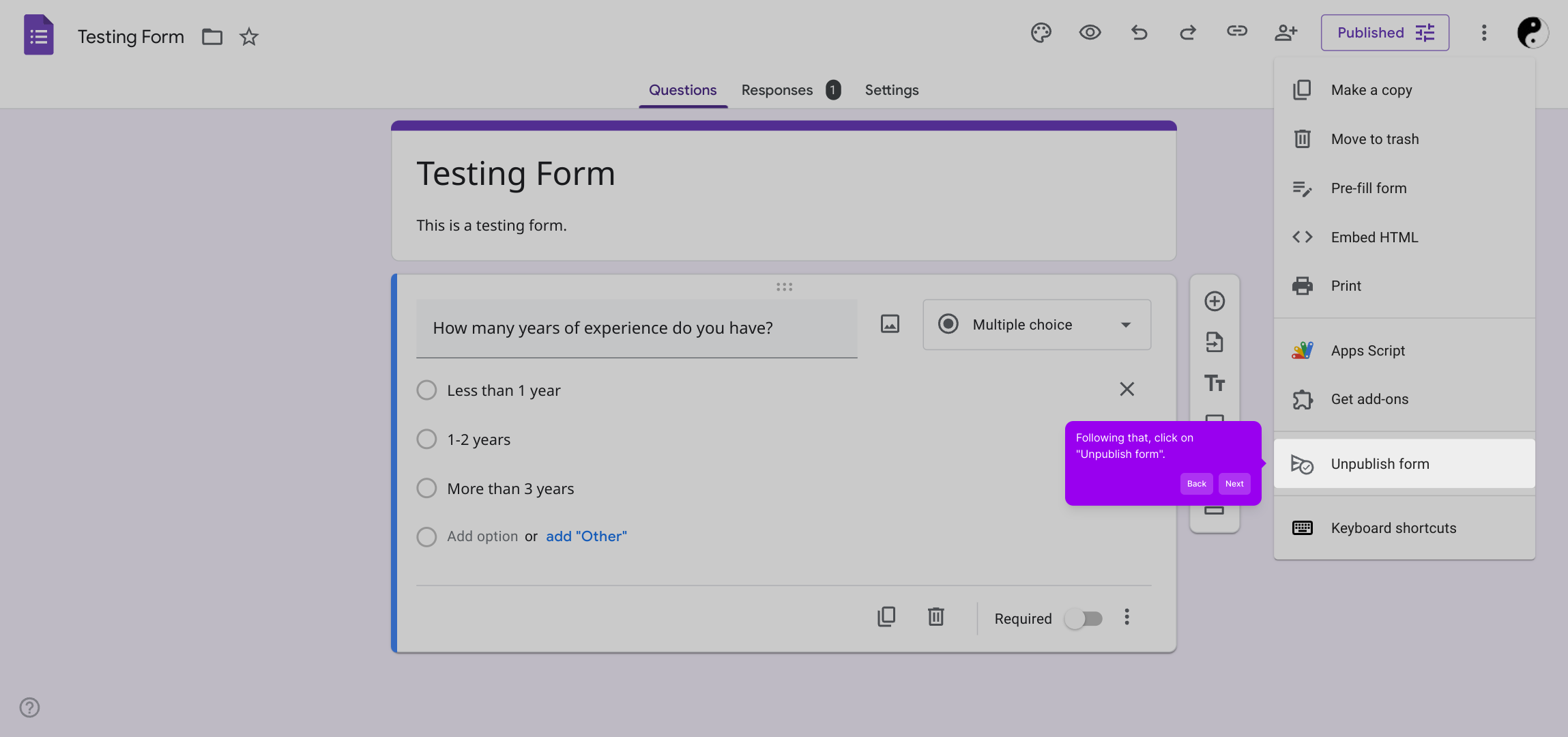
3. Following that, click on "Unpublish form".
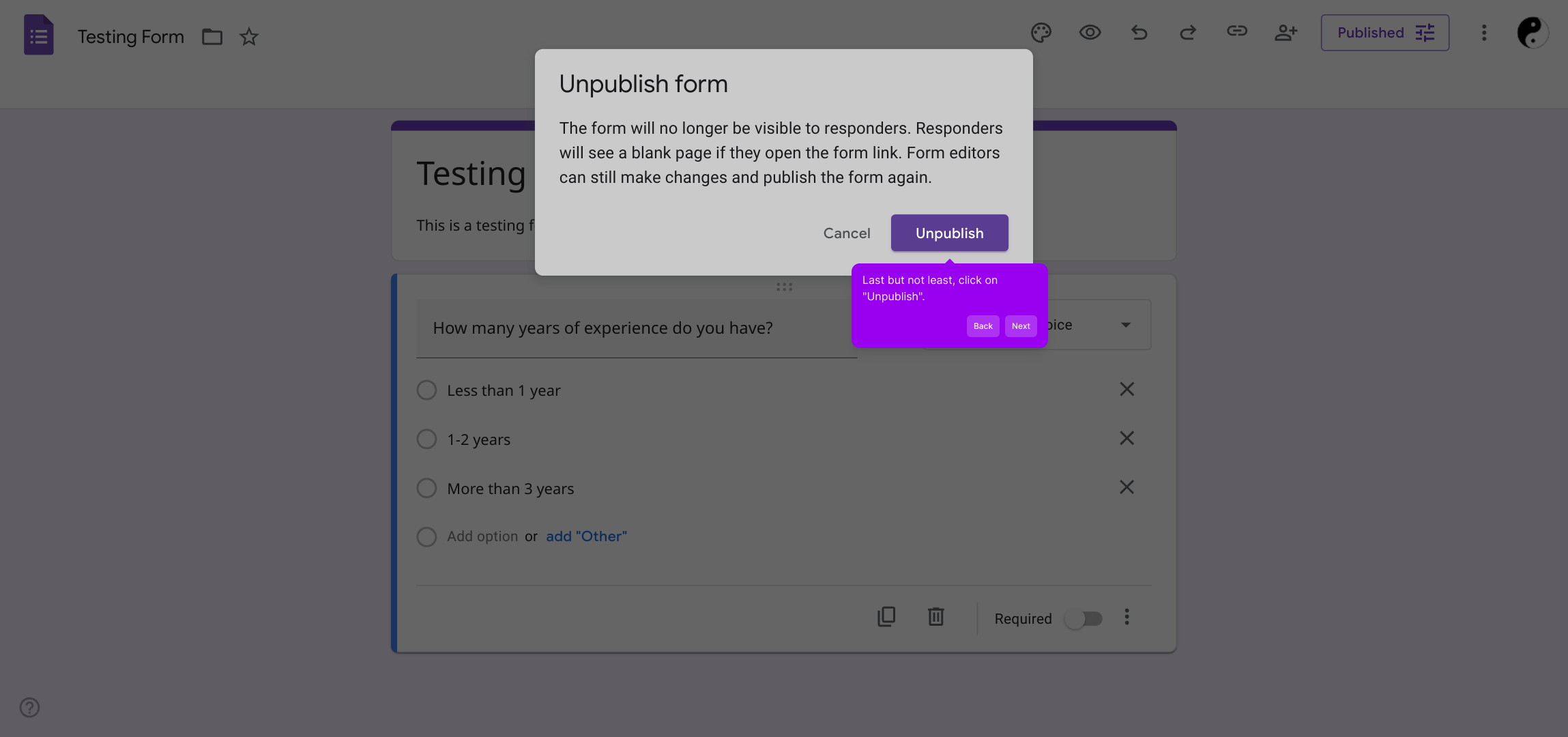
4. Last but not least, click on "Unpublish".
5. Create a Supademo in seconds
This interactive demo/guided walkthrough on How to Close a Google Form was created using Supademo.
How to Close a Google Form : Step-by-Step Guide
Start by navigating to the specific form you wish to either close or make inactive. This will be the form currently published and accessible to your audience.
Next, look for the More options icon, usually represented by three dots or a gear symbol. Clicking here will reveal additional settings related to the form.
In the list of options shown, select "Unpublish form." This action is important as it disables the form, preventing new responses without permanently deleting any data.
Finally, confirm your choice by clicking on the "Unpublish" button. This will immediately make your form inactive, ensuring it is no longer accessible to respondents.
With these simple steps, you can quickly manage your forms and keep your workspace organized and up to date.
Create your own interactive demos in < 5 mins with Supademo
You can create your own interactive product demo in minutes using Supademo. Drive growth, scale enablement, and supercharge product-led onboarding with Supademo. Sign up for free here with no credit card required.
FAQs
Commonly asked questions about this topic.
How can I close a Google Form to prevent new responses?
Does unpublishing a Google Form delete my responses?
Can I republish my Google Form after closing it?
Is it possible to schedule a Google Form to close automatically?
Will respondents see a message after a form is closed?
How long does it take for a form to be closed after unpublishing?
Can contributors still access form settings after closure?
Does closing a Google Form affect its linked Google Sheets?
Is there any way to allow limited responses before closing a Google Form?
What happens to form links after a Google Form is closed?

Product Operations Associate
Vimal Kumar helps build and grow Supademo’s team and GTM efforts, with a focus on figuring out growth levers and improving product traction.


