
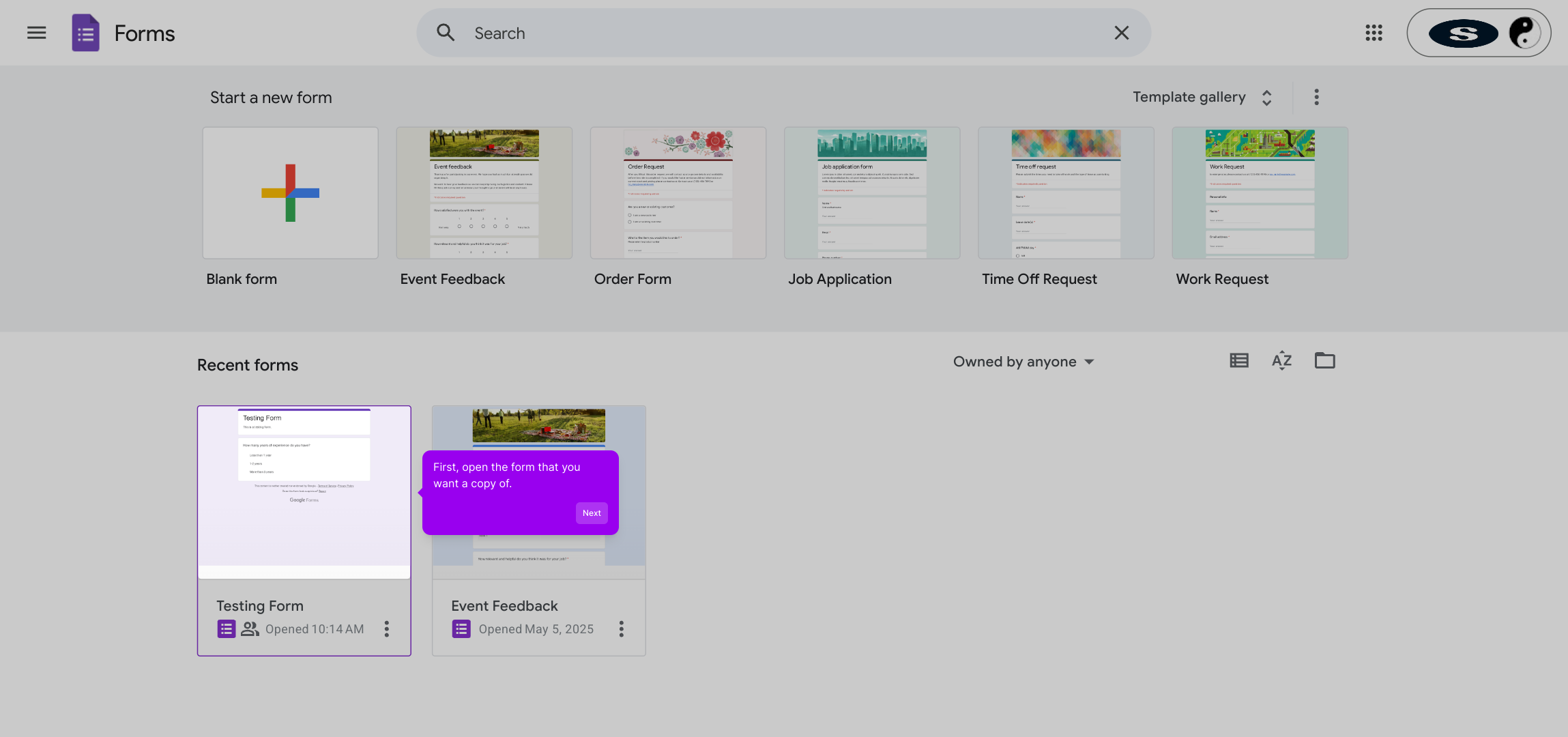
1. First, open the form that you want a copy of.
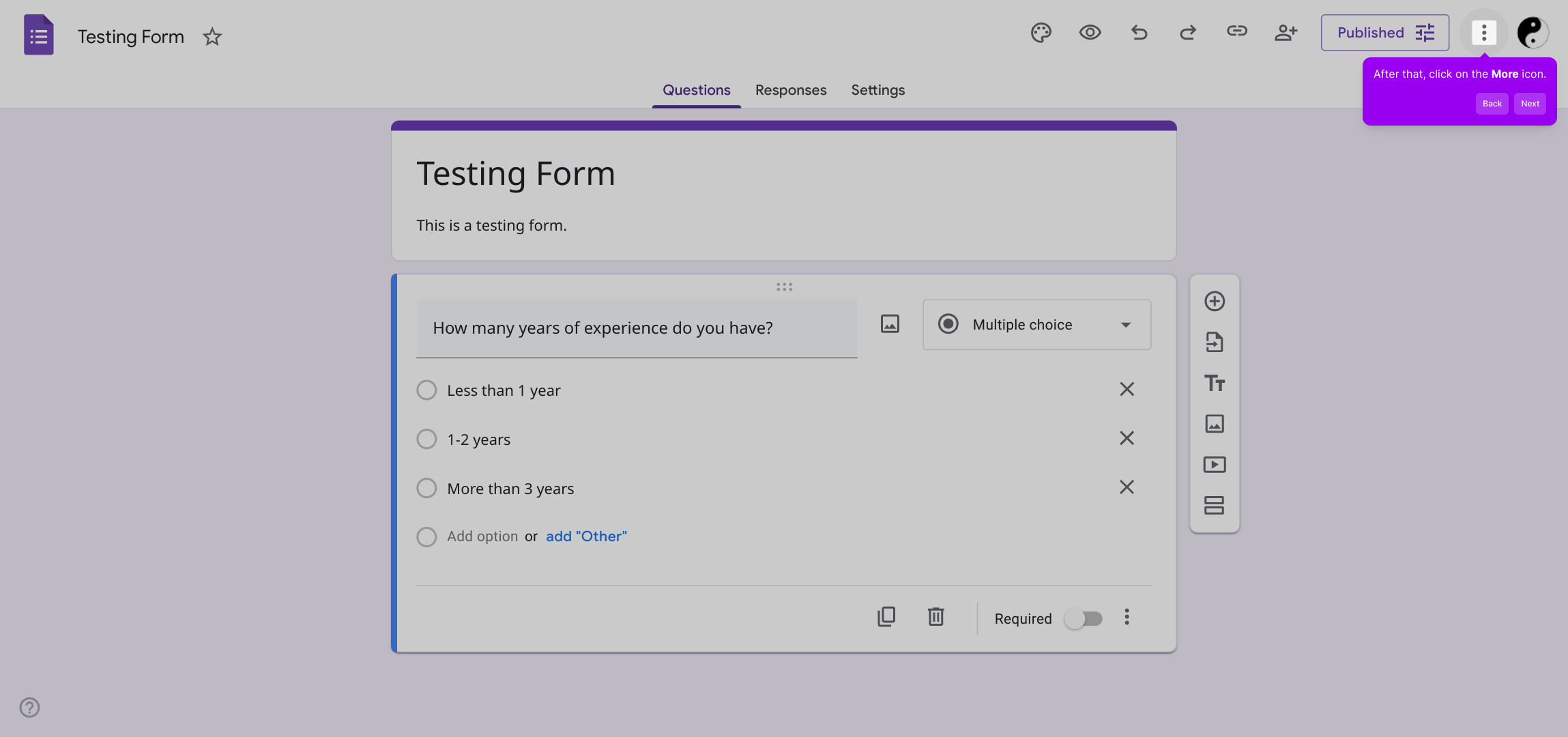
2. After that, click on the More icon.
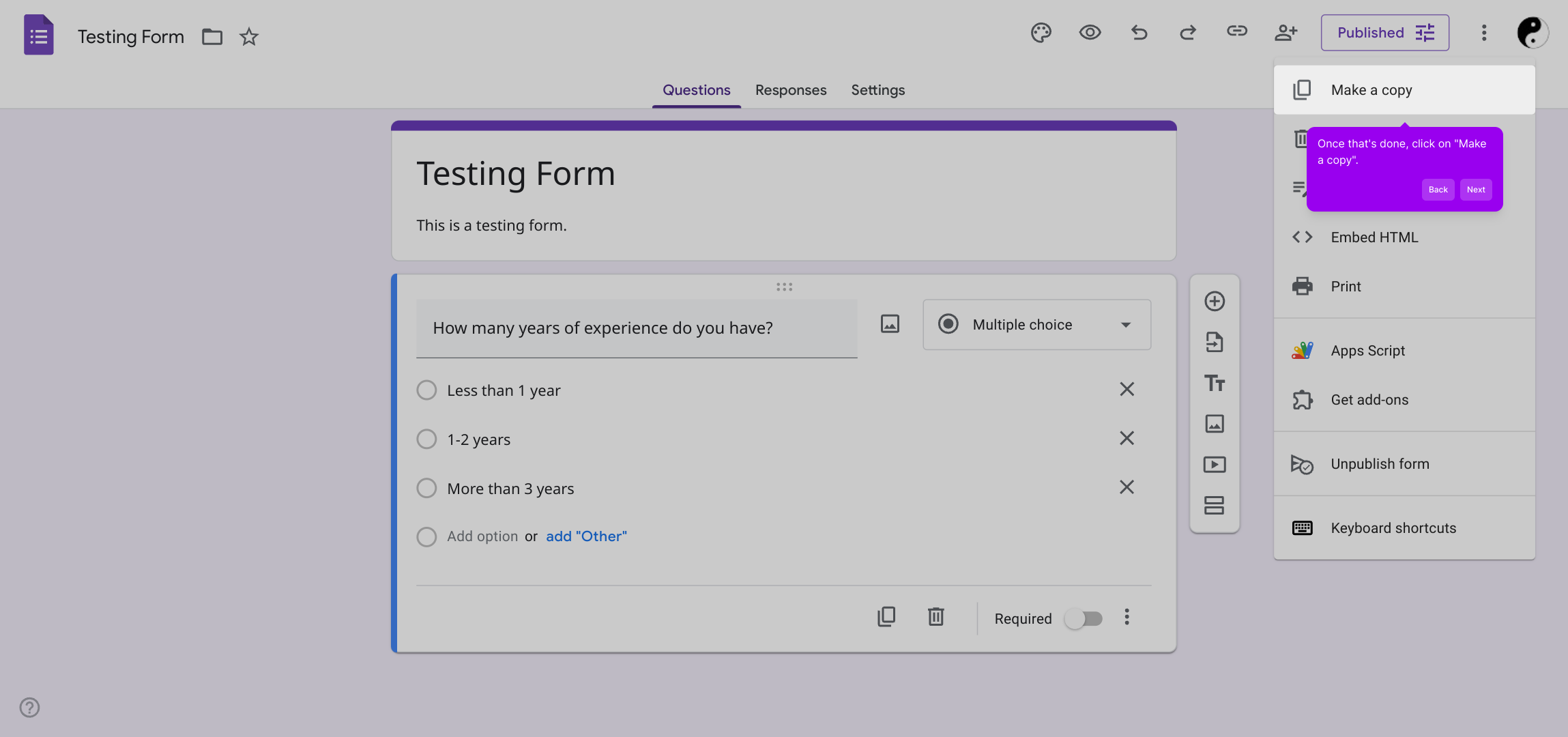
3. Once that's done, click on "Make a copy".
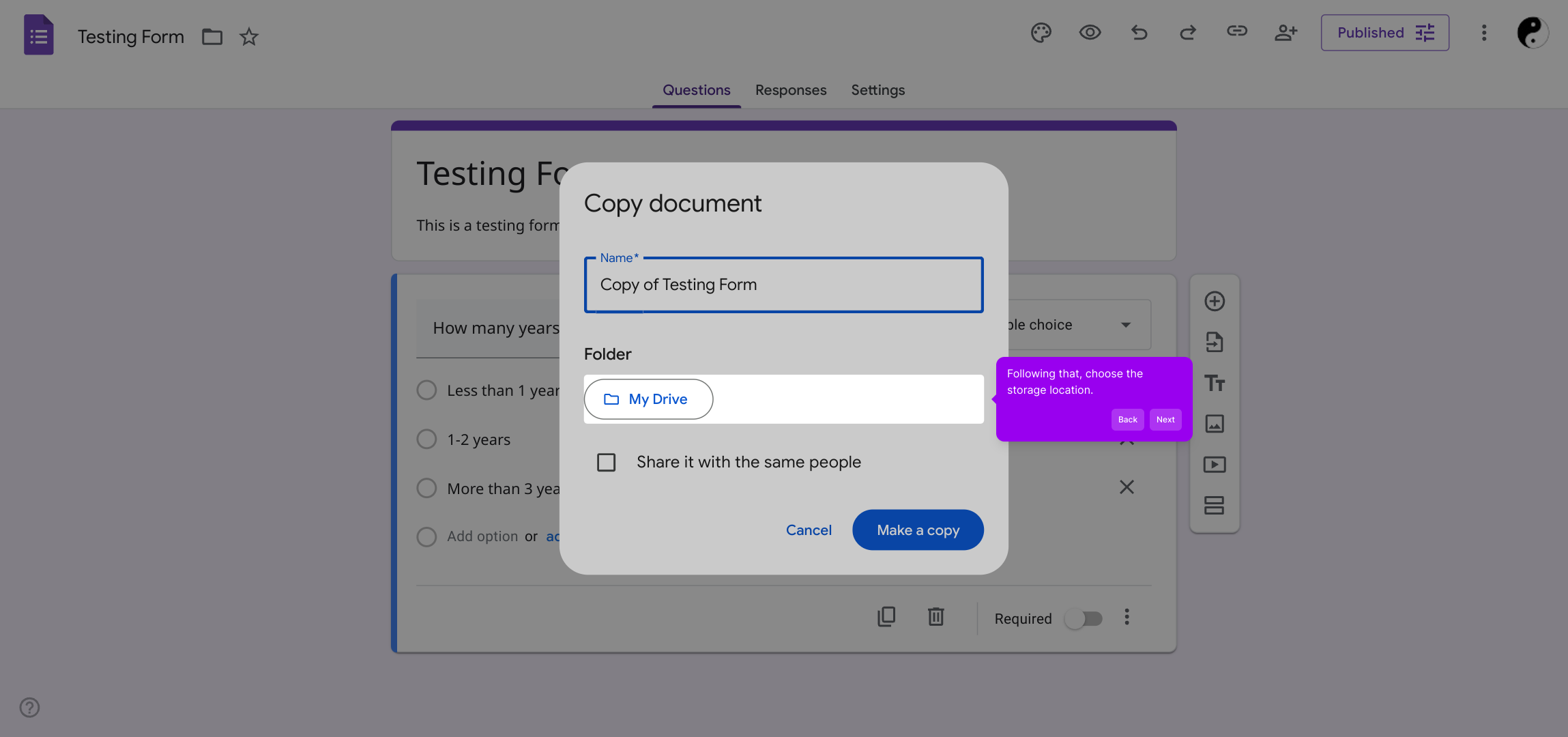
4. Now, name the new form.
5. Following that, choose the storage location.
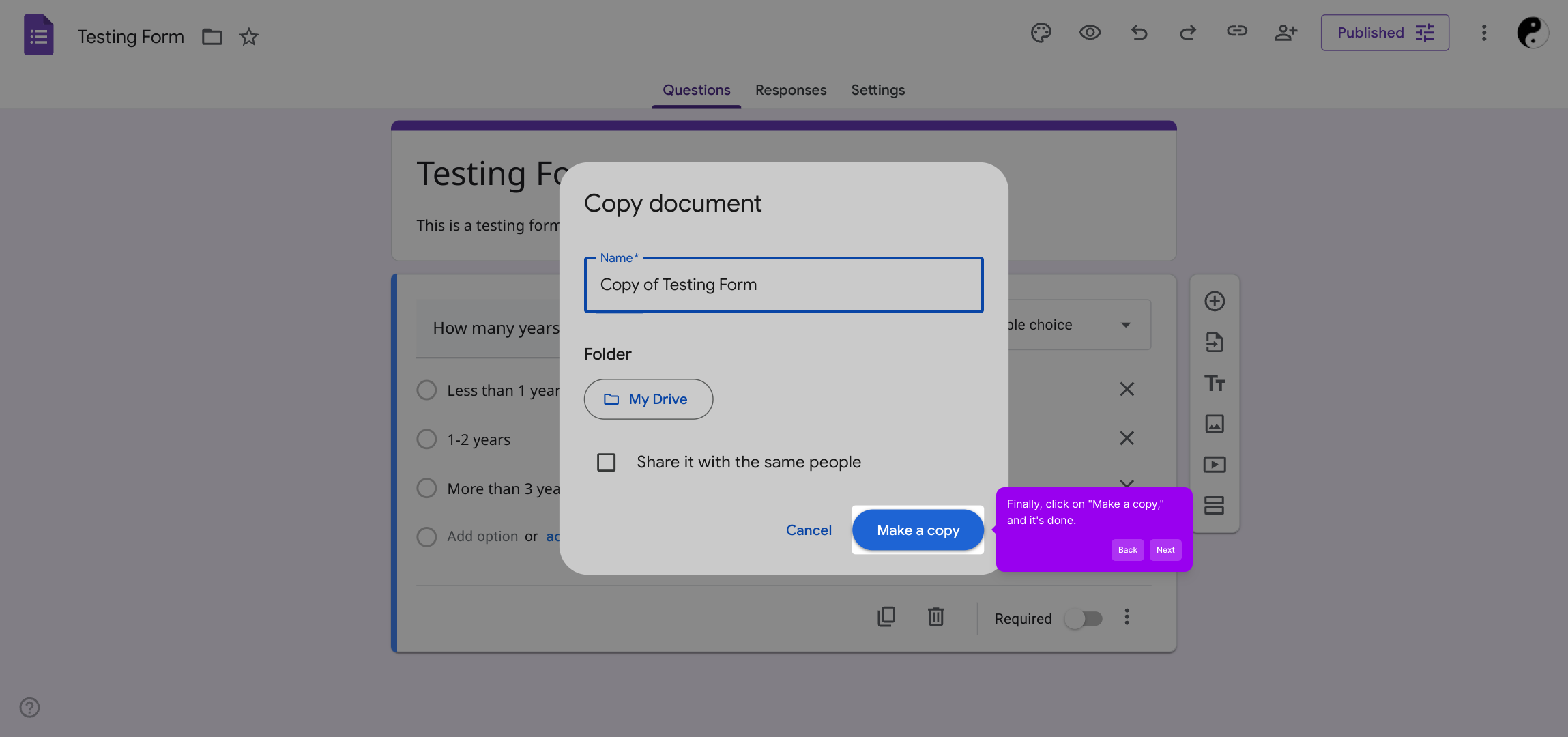
6. Finally, click on "Make a copy," and it's done.
7. Create a Supademo in seconds
This interactive demo/guided walkthrough on How to Make a Copy of a Google Form was created using Supademo.
How to Make a Copy of a Google Form : Step-by-Step Guide
Begin by locating and opening the form you wish to duplicate. This will serve as your starting point for creating an exact copy.
Next, look for the More options icon, typically represented by three dots, and click on it to reveal additional settings related to your form.
From the menu that appears, select the option labeled "Make a copy." This initiates the process to duplicate your current form.
A prompt will appear asking you to provide a name for your new form. Choose a clear and descriptive title to easily identify it later.
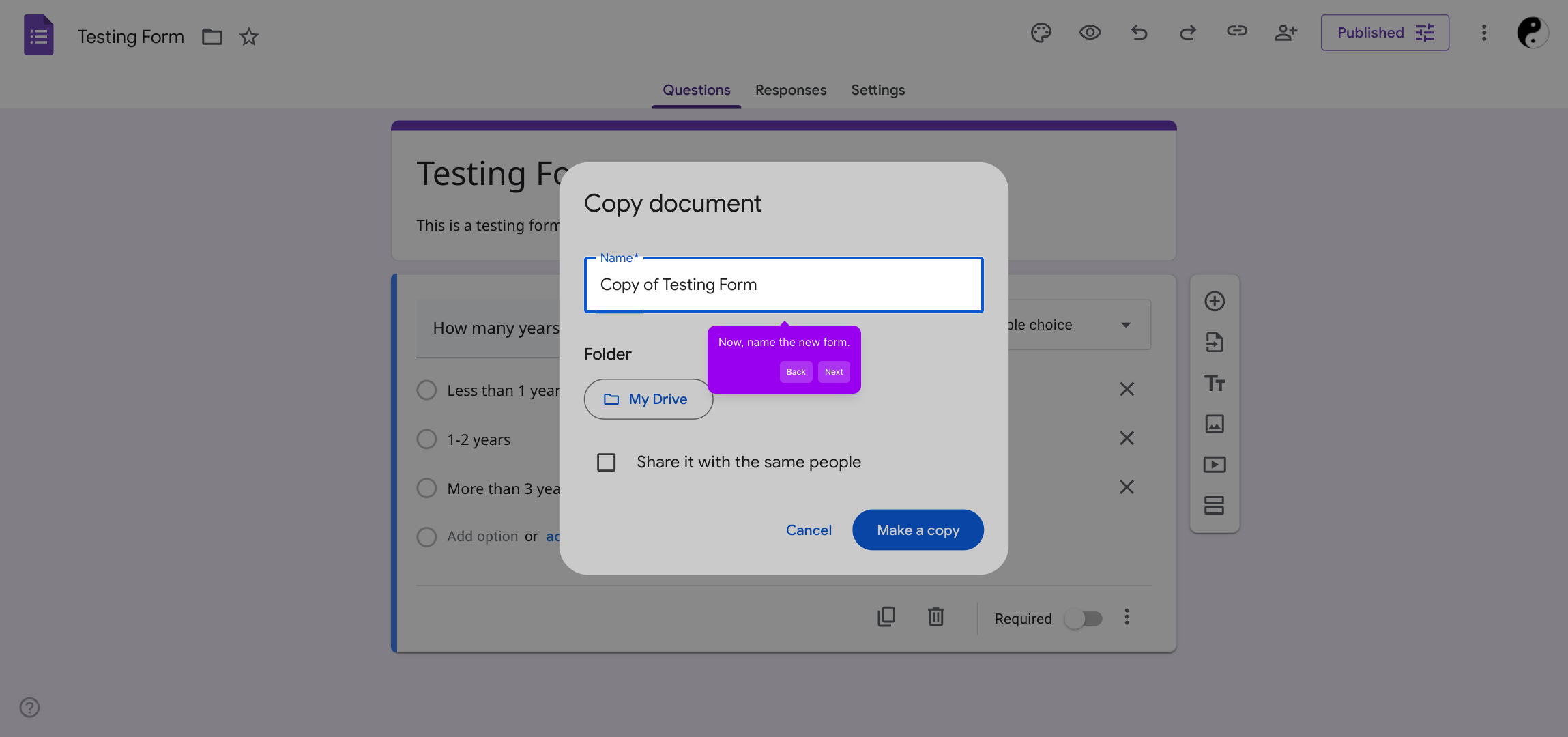
After naming, pick where you want to save this copy. Selecting the appropriate location helps keep your forms well organized.
To finish, confirm your choices by clicking “Make a copy.” Your new form will be created and ready for use shortly.
With these simple steps completed, you’ll have a fully functional Supademo form quickly and effortlessly.
Create your own interactive demos in < 5 mins with Supademo
You can create your own interactive product demo in minutes using Supademo. Drive growth, scale enablement, and supercharge product-led onboarding with Supademo. Sign up for free here with no credit card required.
FAQs
Commonly asked questions about this topic.
How do I make a copy of a Google Form?
Will the copied Google Form have the same settings as the original?
Can I change the storage location when copying a Google Form?
Is it possible to copy a Google Form on a mobile device?
Does copying a form duplicate the form responses as well?
Can collaborators be copied along with the Google Form?
How do I rename the copied Google Form?
Is there a limit to how many times I can copy a Google Form?
Can I copy Google Forms that are owned by others?
What happens to the linked spreadsheet when I copy a Google Form?

Product Operations Associate
Vimal Kumar helps build and grow Supademo’s team and GTM efforts, with a focus on figuring out growth levers and improving product traction.


