How to Print All Google Form Responses

Vimal Kumar
Vimal Kumar·
How to Print All Google Form Responses
Interactive demo powered by Supademo

1. First, open a Google form.

2. After, click on "Responses".

3. Now, click on the More Options icon.

4. Finally, click on "Print all responses," and it's done.

5. Create a Supademo in seconds

This interactive demo/guided walkthrough on How to Print All Google Form Responses was created using Supademo.


How to Print All Google Form Responses : Step-by-Step Guide

To get started, open the Google Form you’d like to view responses for. This is where all your form submissions are collected and managed.
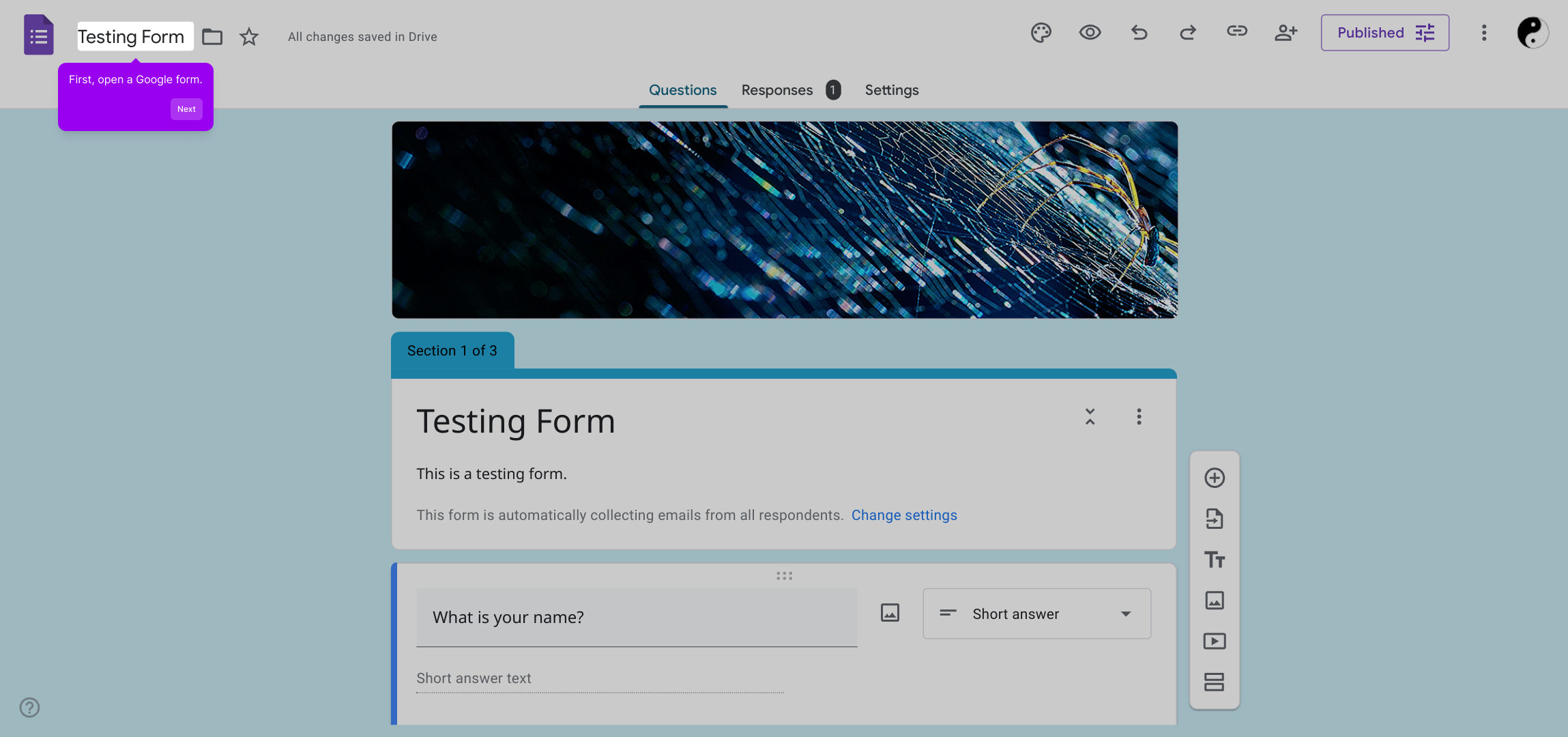
1

Once inside your form, navigate to the “Responses” tab at the top. This area shows the summary of all received answers and options for managing the data.
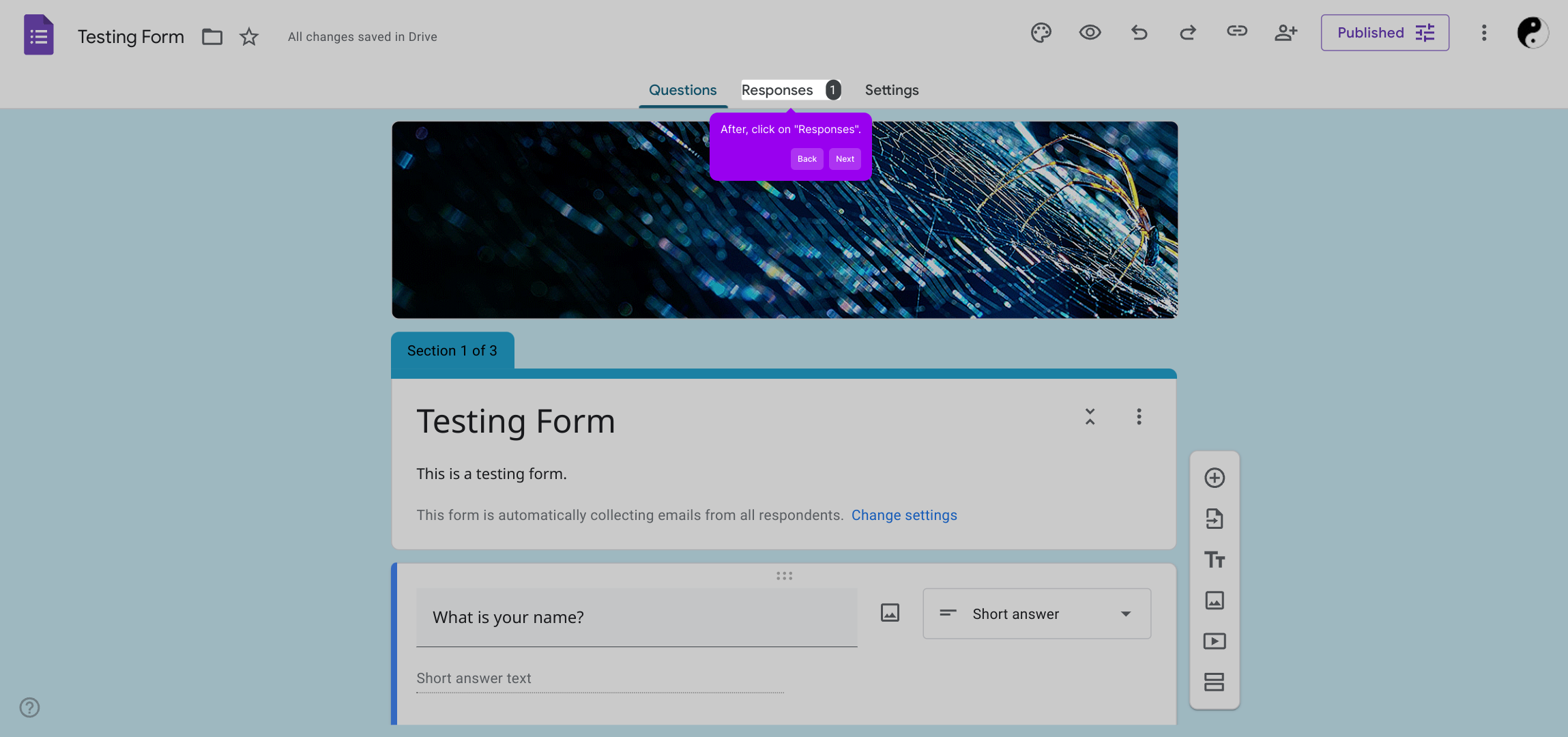
2

Next, locate and click on the More Options icon—represented by three vertical dots—to access additional settings related to your responses.
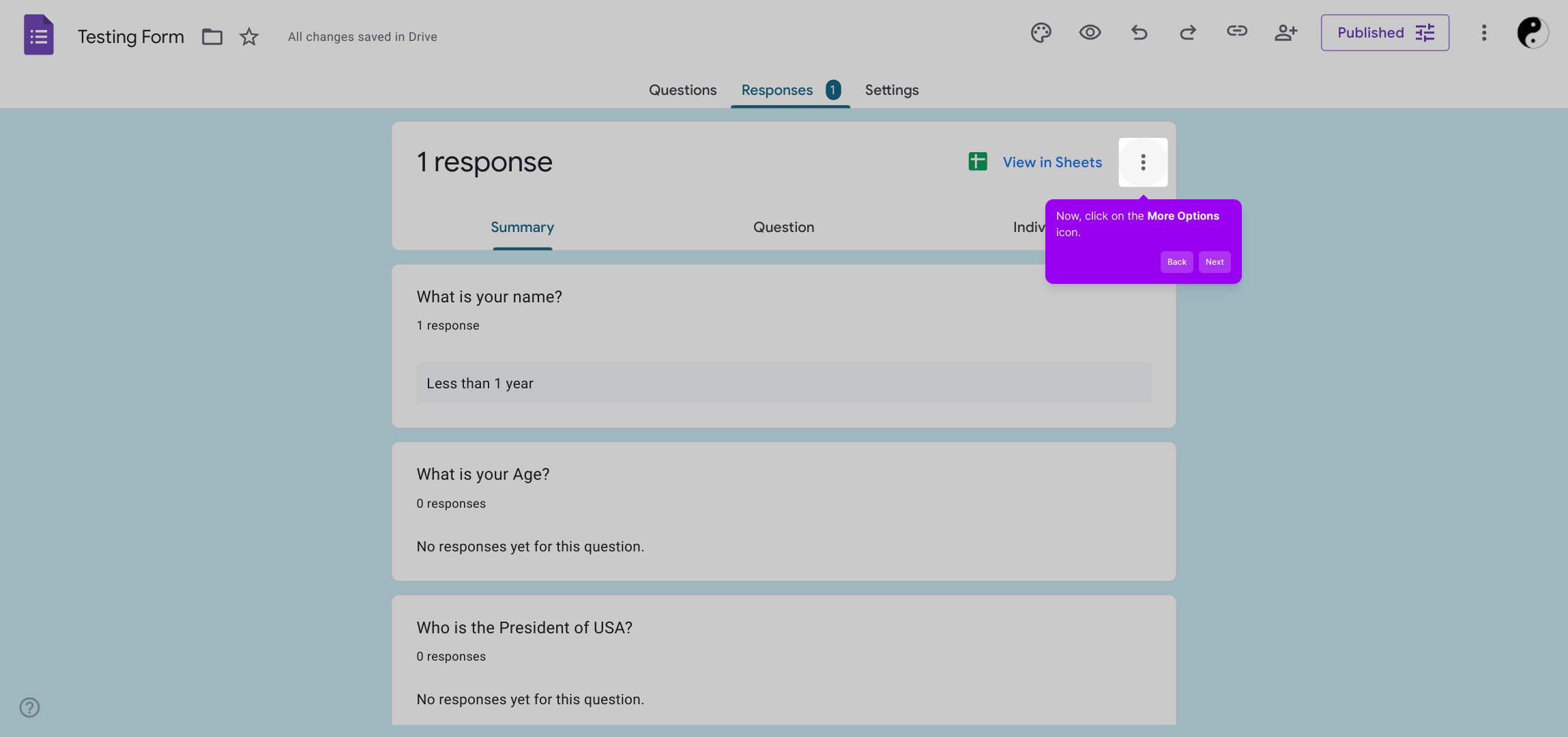
3

In the dropdown menu, select “Print all responses” to generate a complete printable view of every submission, making it easy to review or share your data.
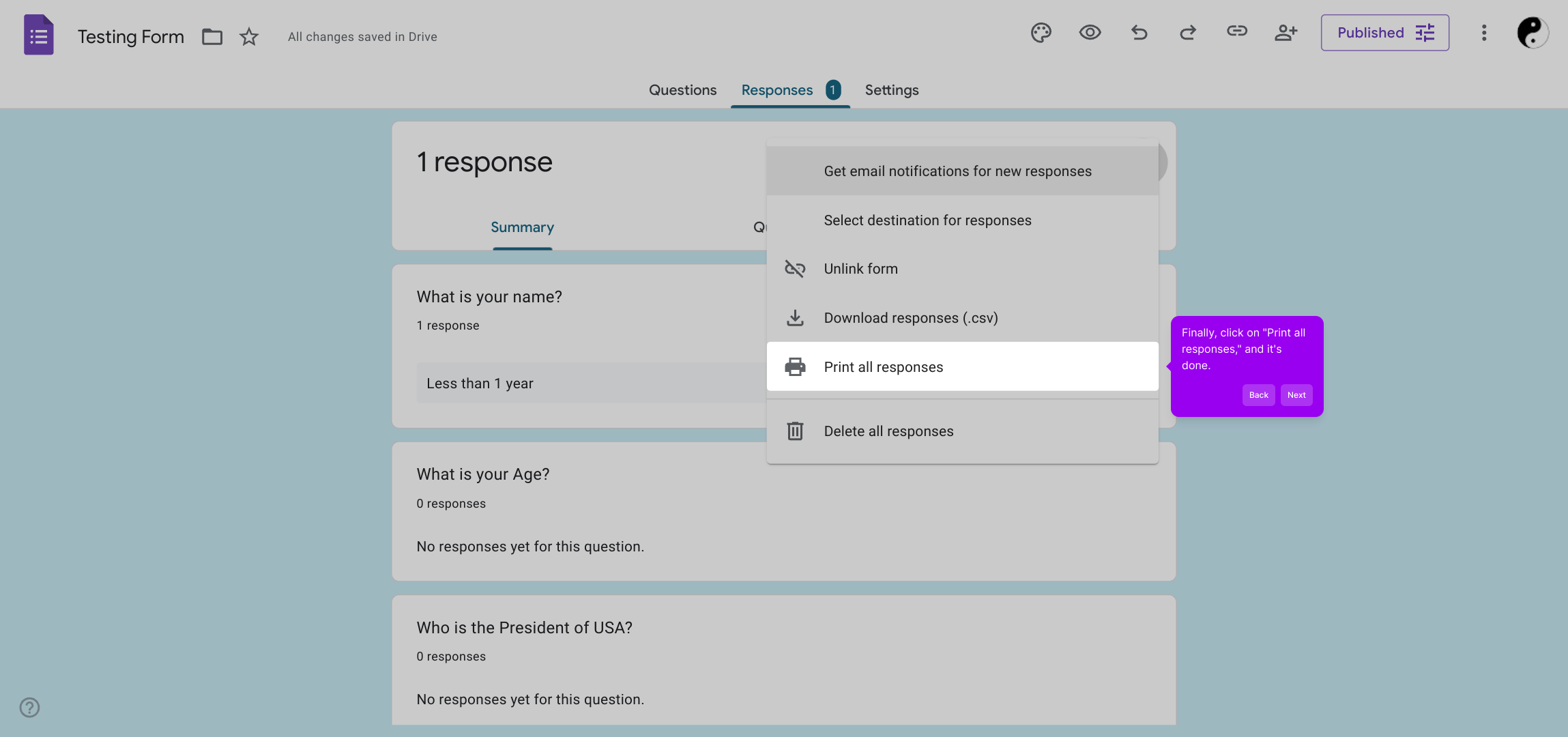
4

With just a few clicks, you’ve efficiently created a Supademo that showcases how straightforward it is to compile and utilize your form data.
5

Create your own interactive demos in < 5 mins with Supademo

You can create your own interactive product demo in minutes using Supademo. Drive growth, scale enablement, and supercharge product-led onboarding with Supademo. Sign up for free here with no credit card required.


FAQs

Commonly asked questions about this topic.

How do I print all responses from a Google Form?

Open your Google Form, go to the “Responses” tab, click the More Options icon (three vertical dots), and select “Print all responses.” This will open a printable view of all submissions for easy printing.

Can I print Google Form responses without using Sheets?

Yes. Google Forms allows you to print all responses directly via the “Print all responses” option under the More Options menu in the Responses tab, without needing to export to Google Sheets.

Is it possible to print individual Google Form responses?

While Google Forms doesn’t offer a direct print option per individual response, you can view responses one at a time under the Responses tab and manually capture the screen or export the data for printing.

How can I print Google Form responses in a readable format?

Using the “Print all responses” option formats the data neatly for printing. Alternatively, exporting responses to Google Sheets lets you customize and print in a preferred layout.

Can I save Google Form responses as a PDF?

Yes, after selecting “Print all responses,” choose “Save as PDF” in your printer dialog. This exports a PDF copy of all form responses for easy sharing or archiving.

What if I don’t see the “Print all responses” option?

Ensure you’re in the “Responses” tab of your own form with editing permissions. The print option may not appear for viewers or if you’re using older versions or third-party forms.

Can Google Form responses be printed in bulk from Google Sheets?

Yes, exporting responses to Google Sheets enables bulk formatting and printing. You can filter, format, and print selected ranges or entire sheets as needed.

Is there a way to customize which responses print?

The native Google Forms print option prints all responses. For selective printing, export data to Google Sheets to filter or delete entries before printing.

Do I need special permissions to print form responses?

Yes, you must have editing or at least viewing rights on the Google Form to access and print the responses. Public viewers typically cannot print responses.

Can I automate printing Google Form responses?

Automation isn’t native to Google Forms for printing. However, you can use Apps Script or third-party tools to export and generate printable reports automatically.
Vimal Kumar
Vimal Kumar

Product Operations Associate

Vimal Kumar helps build and grow Supademo’s team and GTM efforts, with a focus on figuring out growth levers and improving product traction.

More from the blog

How to Turn Off Responses on Google Form

How to Turn Off Responses on Google Form

Learn how to easily turn off responses on Google Forms to stop collecting submissions and manage your surveys effectively. Step-by-step guide included.

Vimal Kumar
Vimal KumarSep 17, 2025
How to Send confirmation emails in Google Forms

How to Send confirmation emails in Google Forms

Learn how to easily send confirmation emails in Google Forms to notify respondents instantly. Step-by-step guide to enhance your form communication and improve user experience.

Vimal Kumar
Vimal KumarSep 18, 2025
How to Close a Google Form

How to Close a Google Form

Learn step-by-step how to close a Google Form quickly and easily to stop accepting responses and manage your submissions efficiently.

Vimal Kumar
Vimal KumarSep 17, 2025