How to Create a Subtask in Jira

Subtasks in Jira help you break down complex issues into smaller, manageable work items. This guide walks you through the process of creating a subtask, allowing you to organize your project work more effectively and track progress on individual components of larger issues.
Quick summary
In this tutorial, you'll learn how to create a subtask in Jira by navigating to an existing issue and adding a child issue through Jira's straightforward interface. By following these steps, you'll be able to decompose your work and improve team visibility into task dependencies.
Why this matters
Creating subtasks is essential for managing complex work in Jira. Subtasks allow teams to break down large issues into actionable items, distribute work across team members, and maintain a clear hierarchy of dependencies—ultimately improving project transparency and delivery timelines.
Step-by-step guide
- 1
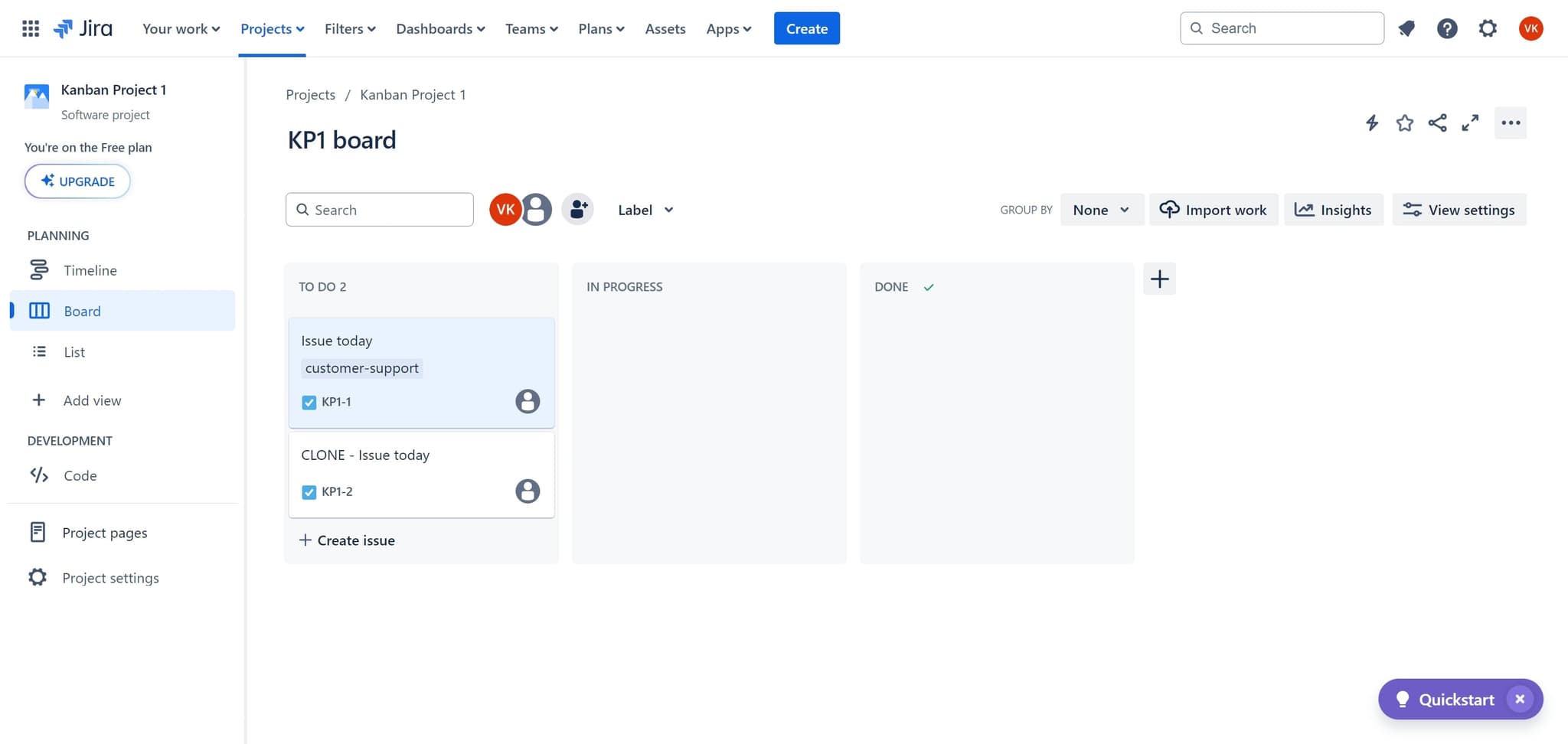
Click on the element to begin
Start by clicking on the main interface element where your issues are displayed. This action will open or highlight the issue management area where you can access the issue you want to add a subtask to.
- 2
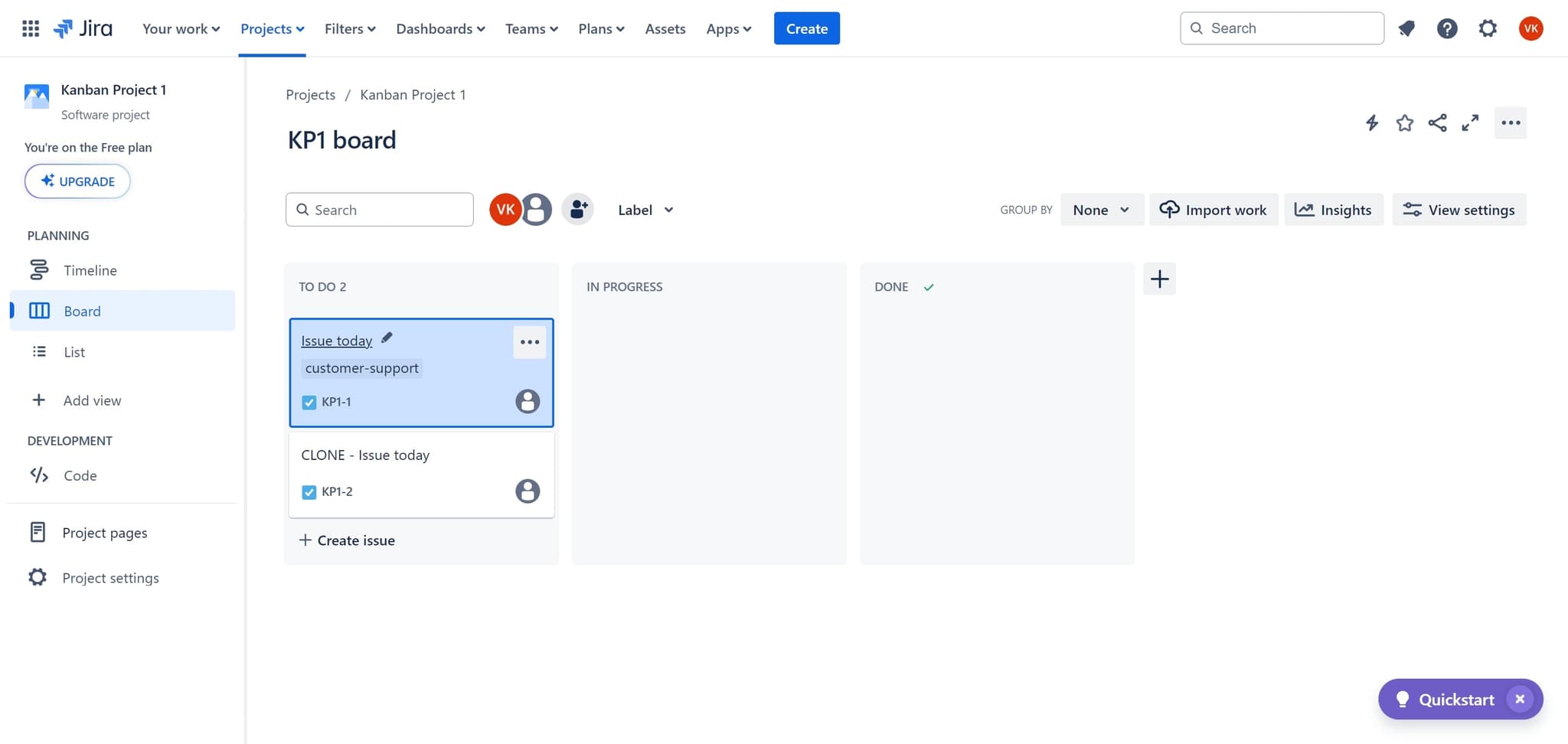
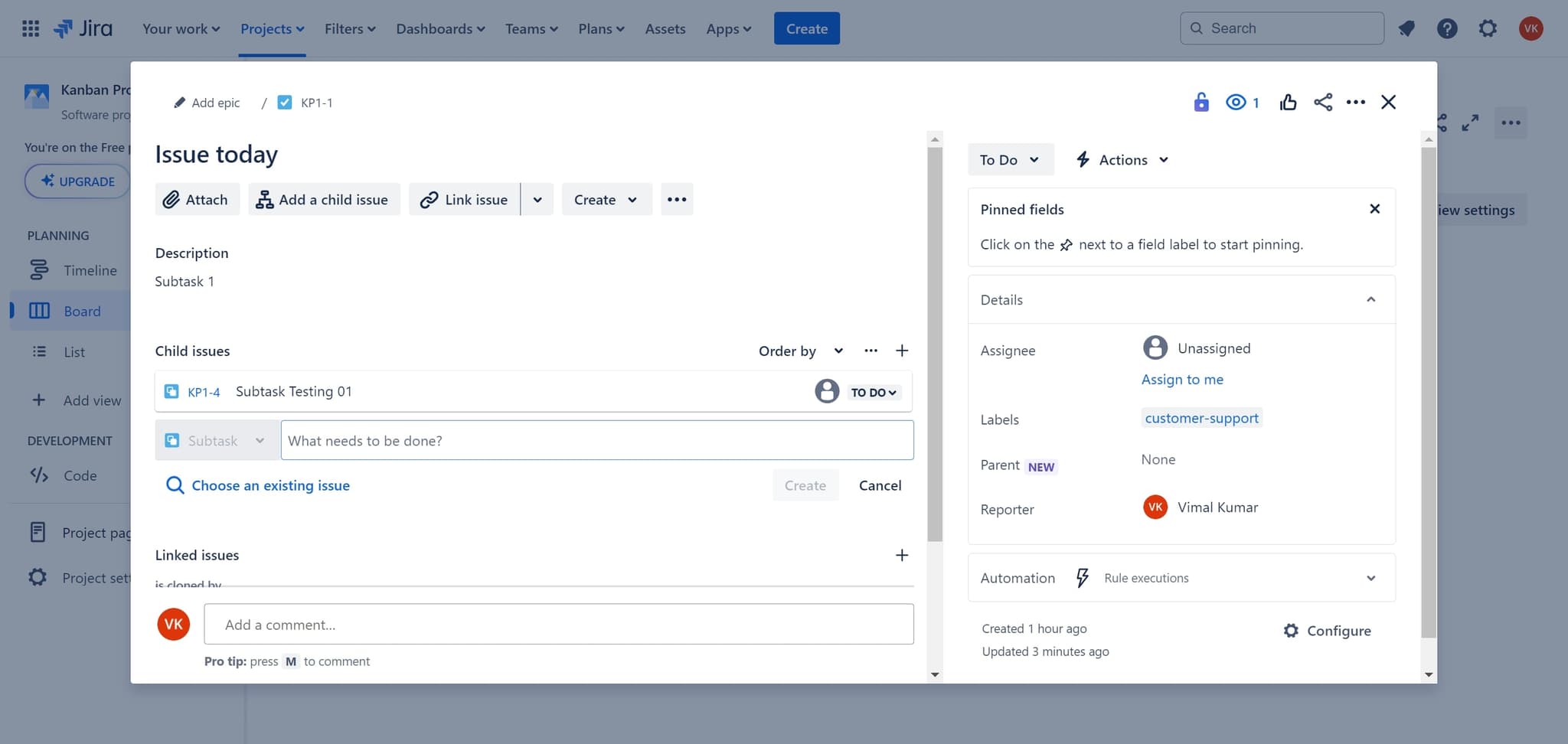
Select the issue from today
Click on 'Issue today' to filter and display issues from the current day. This narrows your view to recent work items, making it easier to locate the specific issue you want to add a subtask to.
- 3
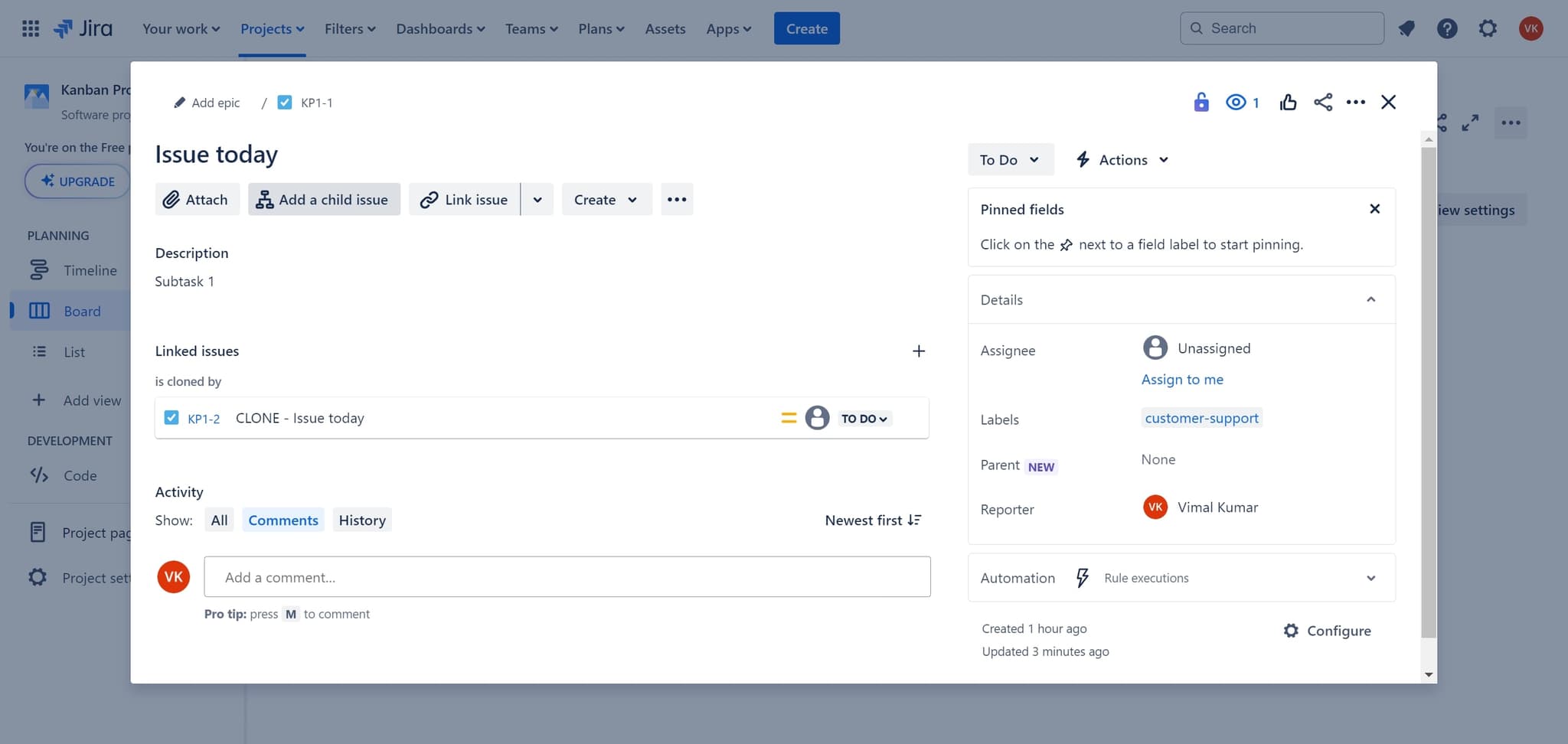
Add a child issue option
Click on 'Add a child issue' from the issue menu or toolbar. This option opens a dialog or form where you can create a new subtask linked to the parent issue you've selected.
- 4
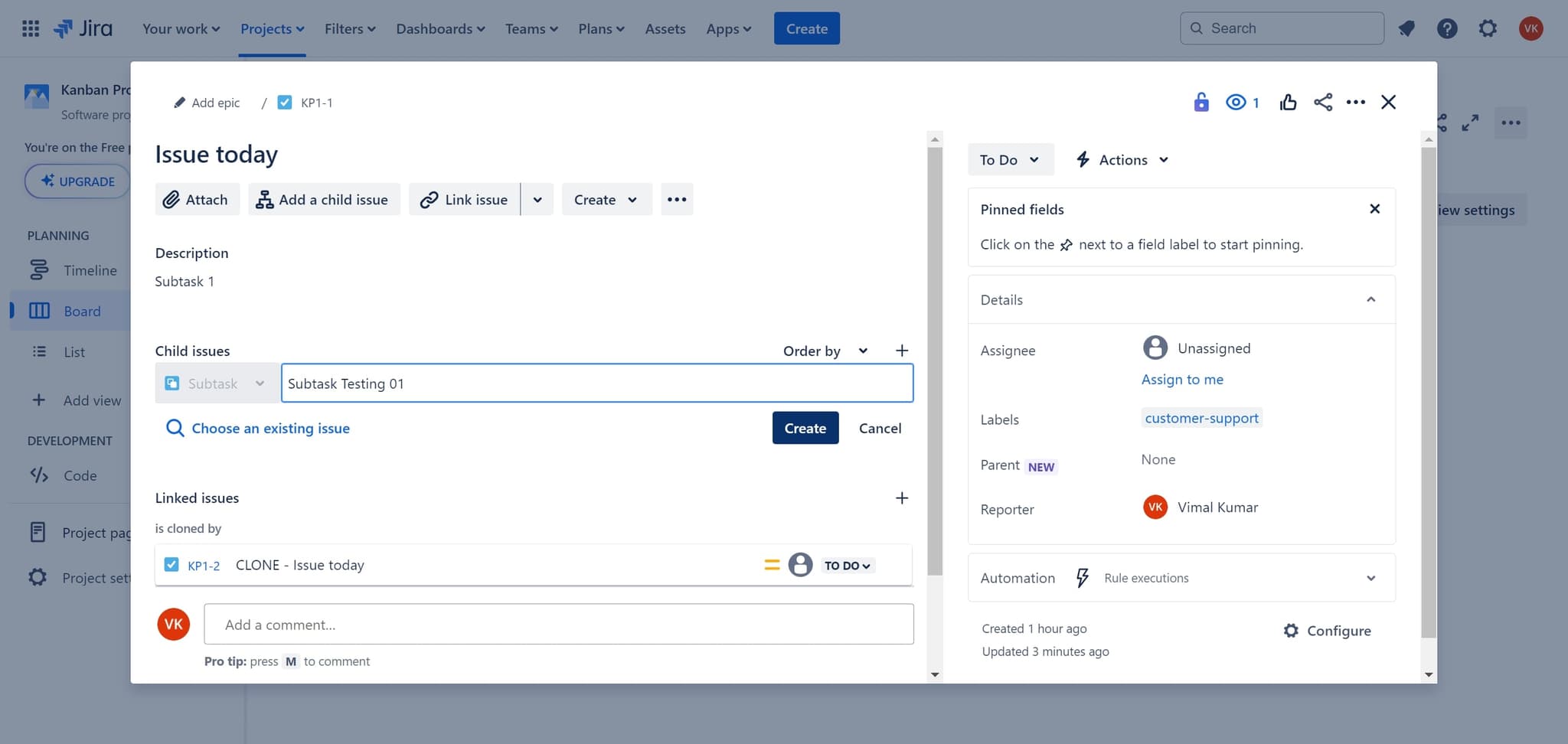
Create the subtask
Click on the 'Create' button to finalize and save your new subtask. The subtask will now appear as a child item under the parent issue, and you can assign it to team members and set additional details.
- 5
Fill in the description field
Click on the 'Description' field to add context and details about the subtask. Enter a clear description of what work needs to be completed, including any relevant instructions or acceptance criteria.
Frequently asked questions
Common questions about how to create a subtask in jira.
Can I create a subtask from any issue in Jira?
Yes, you can create a subtask from any issue type in Jira, including stories, bugs, and tasks. Simply open the issue and use the 'Add a child issue' option. Keep in mind that your Jira administrator may have configured specific rules about which issue types can have subtasks.
What's the difference between a subtask and a linked issue?
A subtask is a parent-child relationship where the subtask is hierarchically dependent on the parent issue. Linked issues, by contrast, are independent issues with a relationship type (such as 'relates to' or 'blocks'). Subtasks are typically used for breaking down work, while linked issues show broader dependencies.
How many subtasks can I add to a single issue?
Jira doesn't impose a strict limit on the number of subtasks per issue. However, best practice suggests keeping the number reasonable—typically 5 to 10 subtasks—to avoid overwhelming complexity and maintain clarity in your issue hierarchy.
Can I convert a subtask back to a regular issue?
Converting a subtask to a regular issue requires using Jira's API or third-party plugins, as the standard UI doesn't provide this functionality. Alternatively, you can create a new standalone issue and link it to the original parent if needed.
Will completing all subtasks automatically close the parent issue?
No, completing all subtasks does not automatically close the parent issue in Jira. You must manually change the parent issue's status. However, you can set up automation rules in Jira to transition the parent issue based on subtask completion if desired.