How to create a Template task in Asana

Template tasks in Asana help you standardize workflows by creating reusable task structures with predefined fields and descriptions. This guide walks you through the process of setting up a template task, enabling your team to maintain consistency and save time on repetitive task creation.
Quick summary
In this tutorial, you'll learn how to create a template task in Asana by customizing task fields, adding single-select and text field types, and including detailed descriptions. You'll discover how to access your workspace settings and configure the template structure that best fits your team's needs.
Why this matters
Template tasks eliminate manual data entry and reduce errors by ensuring every task in a workflow contains the same essential fields and information. This is especially valuable for teams managing recurring processes like content publishing, bug reporting, or project onboarding, where consistency directly impacts efficiency.
Step-by-step guide
- 1
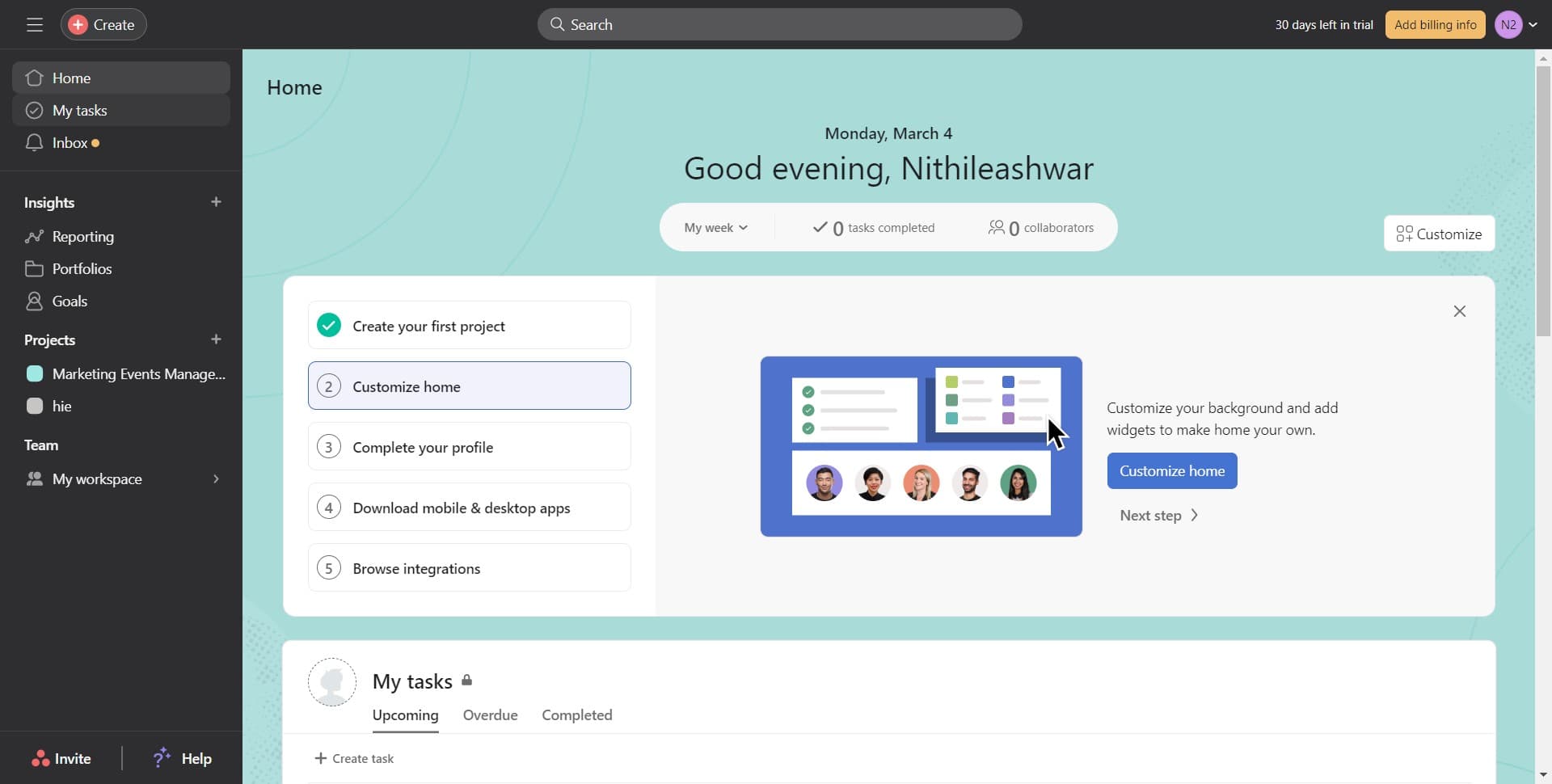
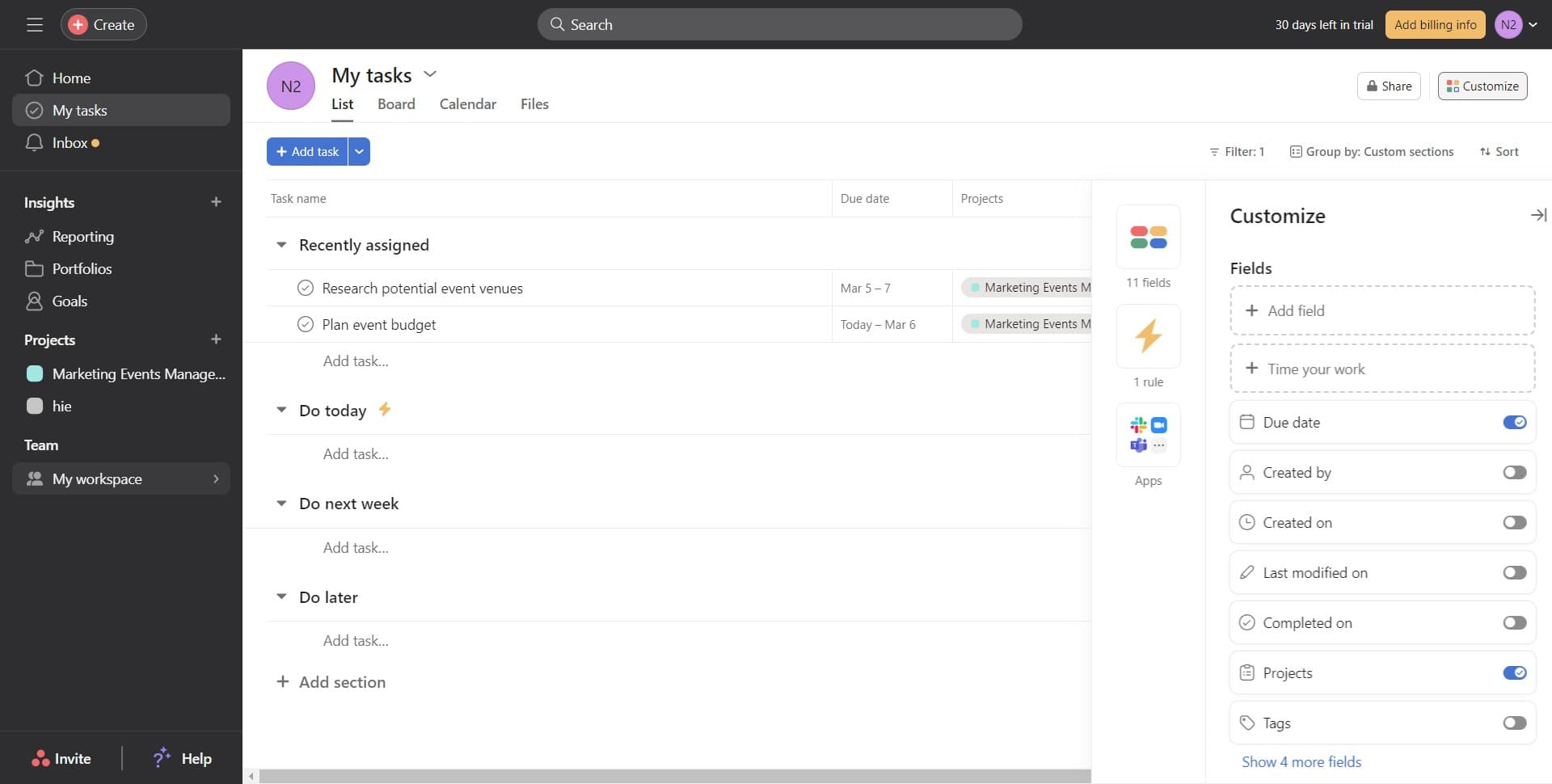
Click on My tasks
Navigate to your personal task list by clicking the 'My tasks' option in Asana's left sidebar. This is your starting point for accessing and managing all your assigned tasks.
- 2
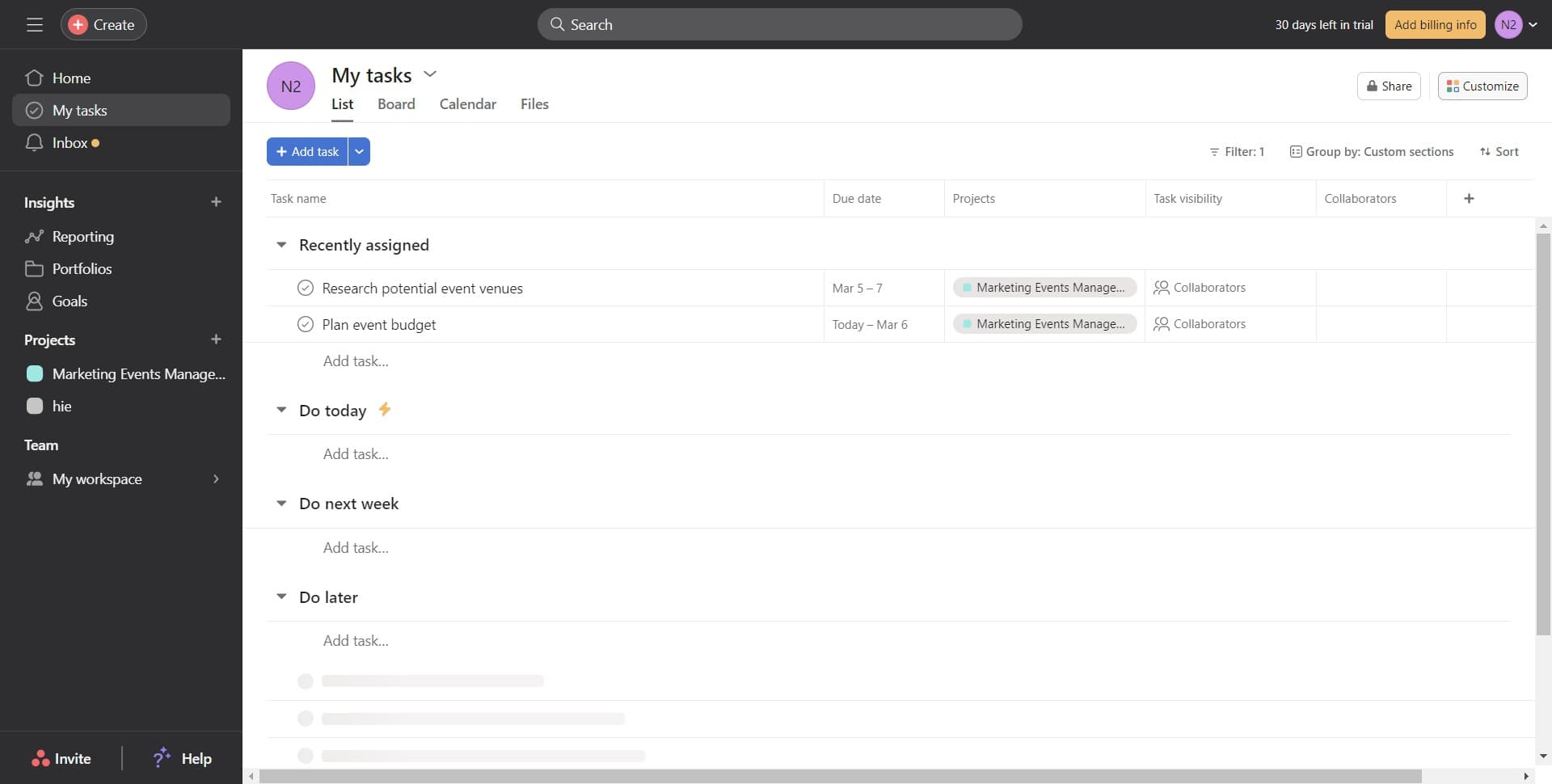
Click on Customize
Select the 'Customize' button to access the task customization panel. This allows you to modify the fields and structure that appear on your tasks.
- 3
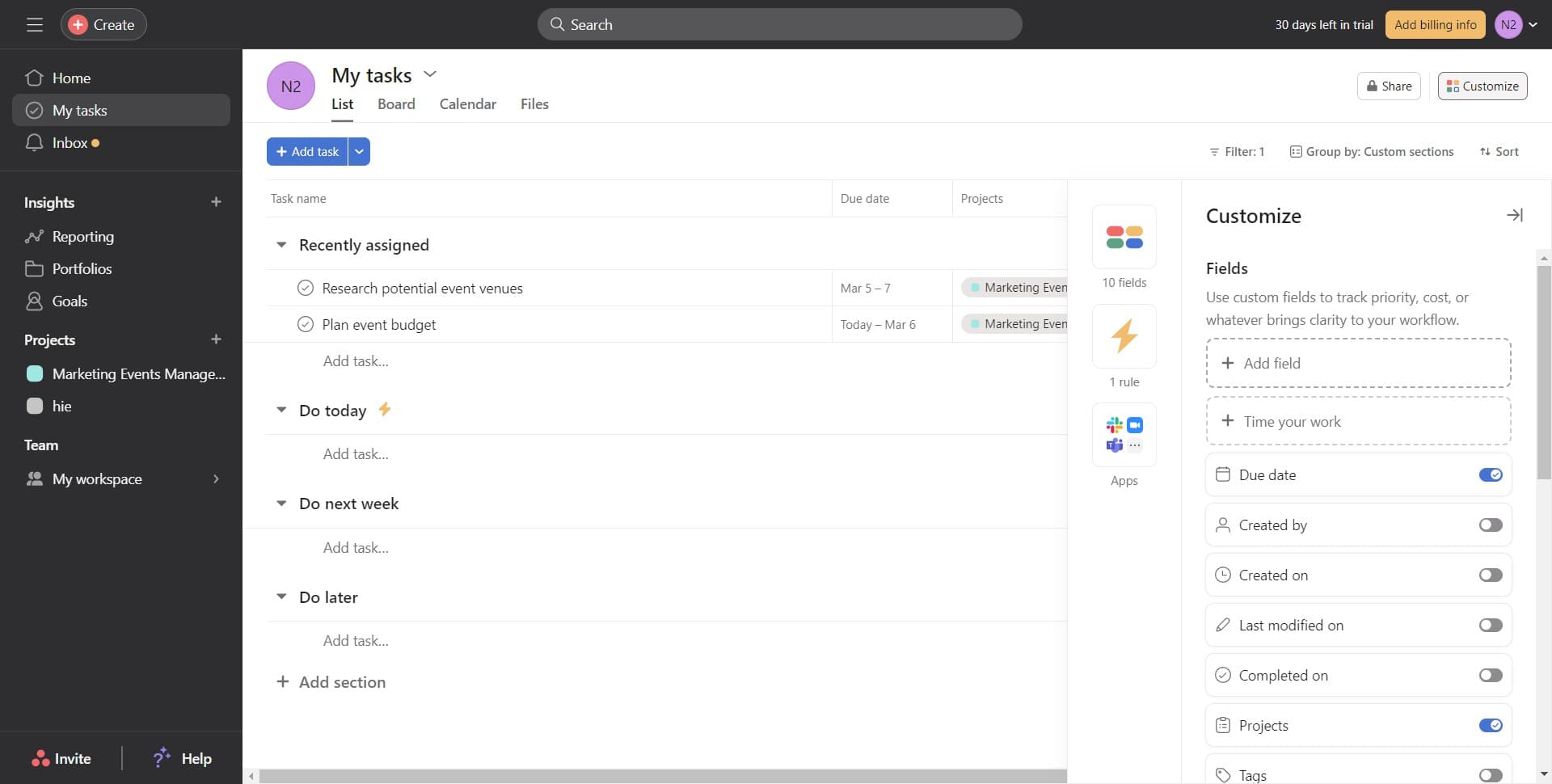
Click on Add field
Click 'Add field' to begin adding custom fields to your template task. This opens options for different field types you can incorporate.
- 4
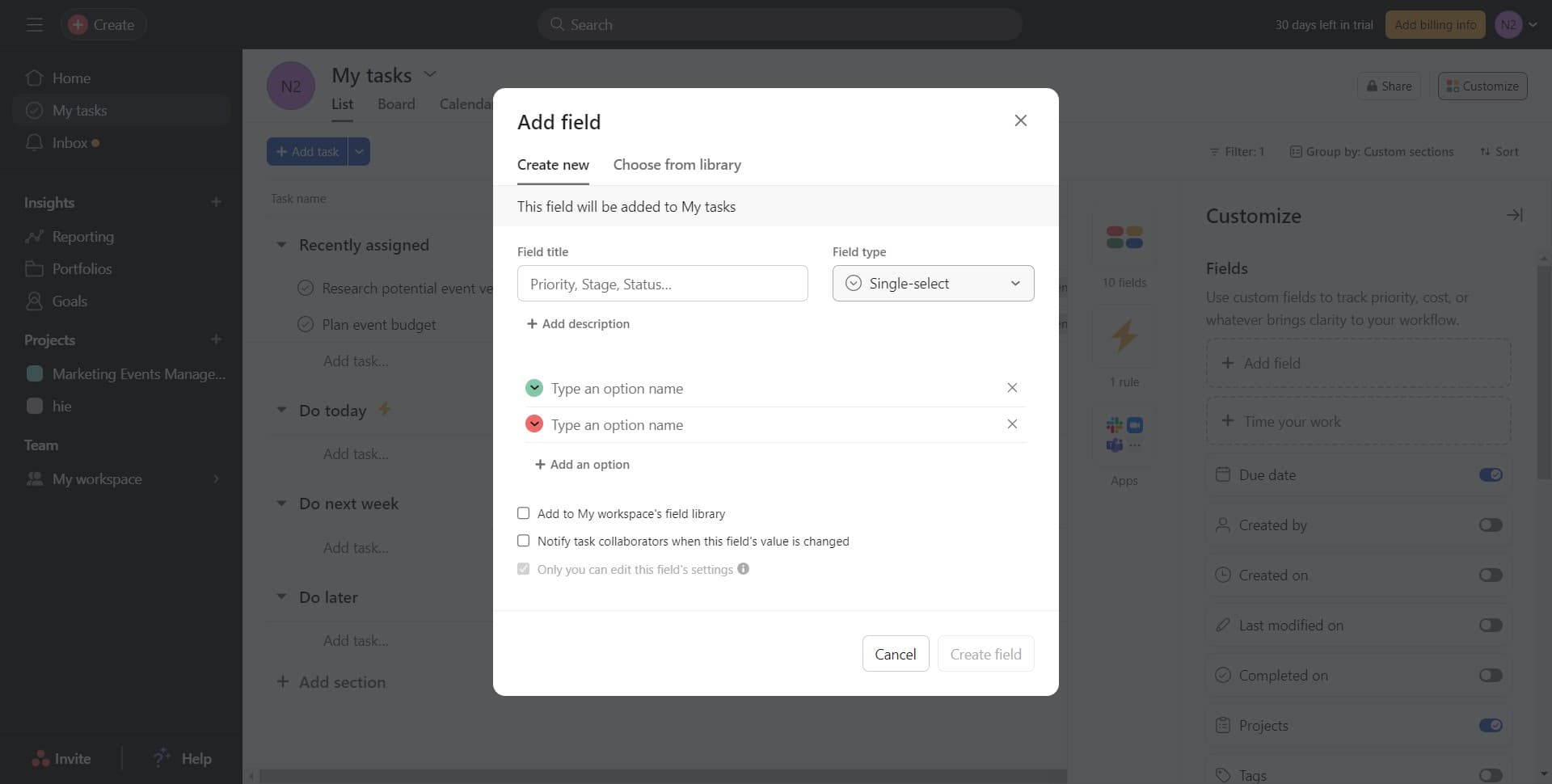
Click on Single-select
Choose 'Single-select' to add a dropdown field with multiple predefined options. This field type is useful for status tracking, priority levels, or categorical data.
- 5
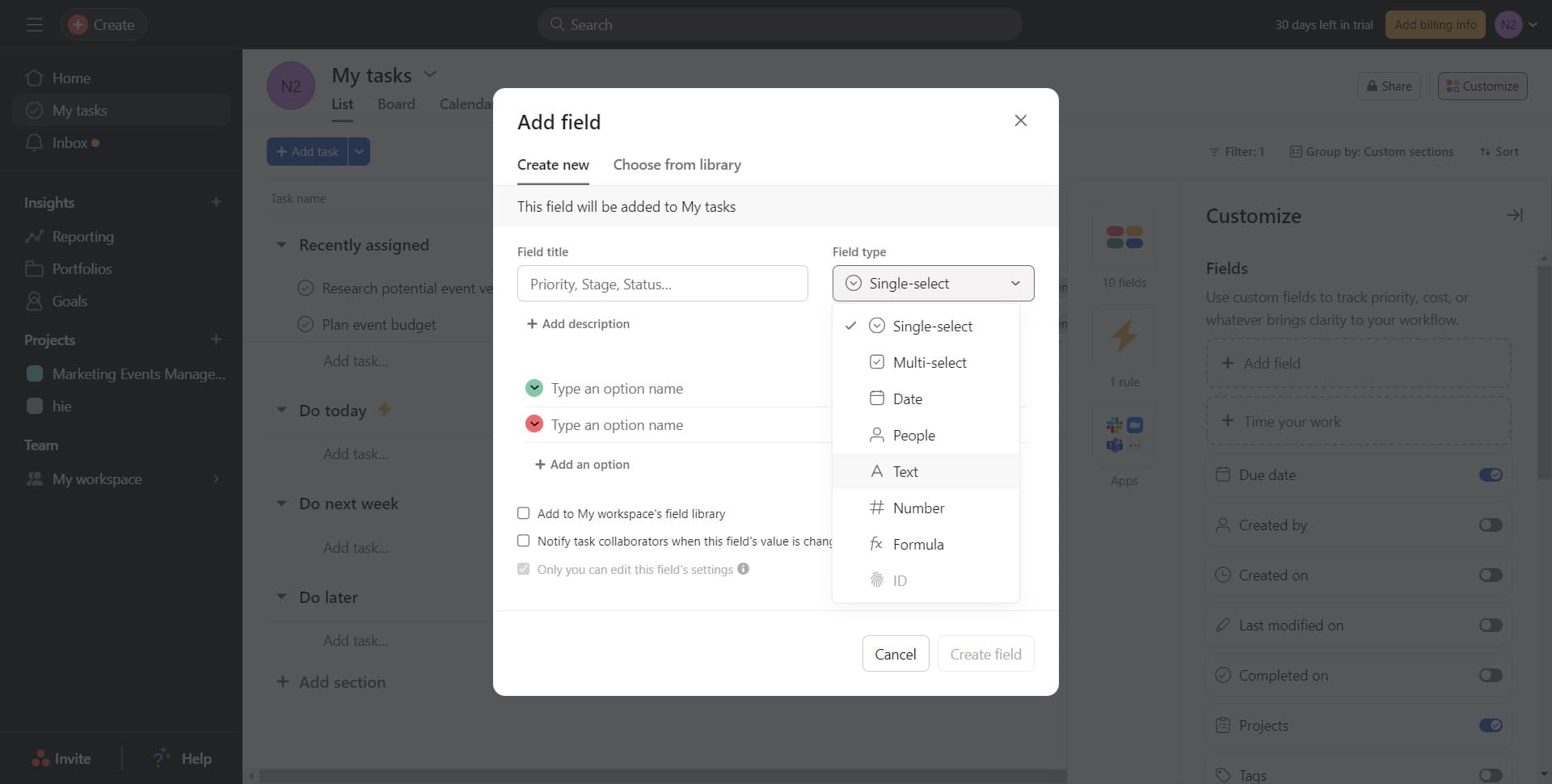
Click on Text
Select 'Text' to add a freeform text field to your template. This field type accommodates any text-based information your team needs to capture.
- 6
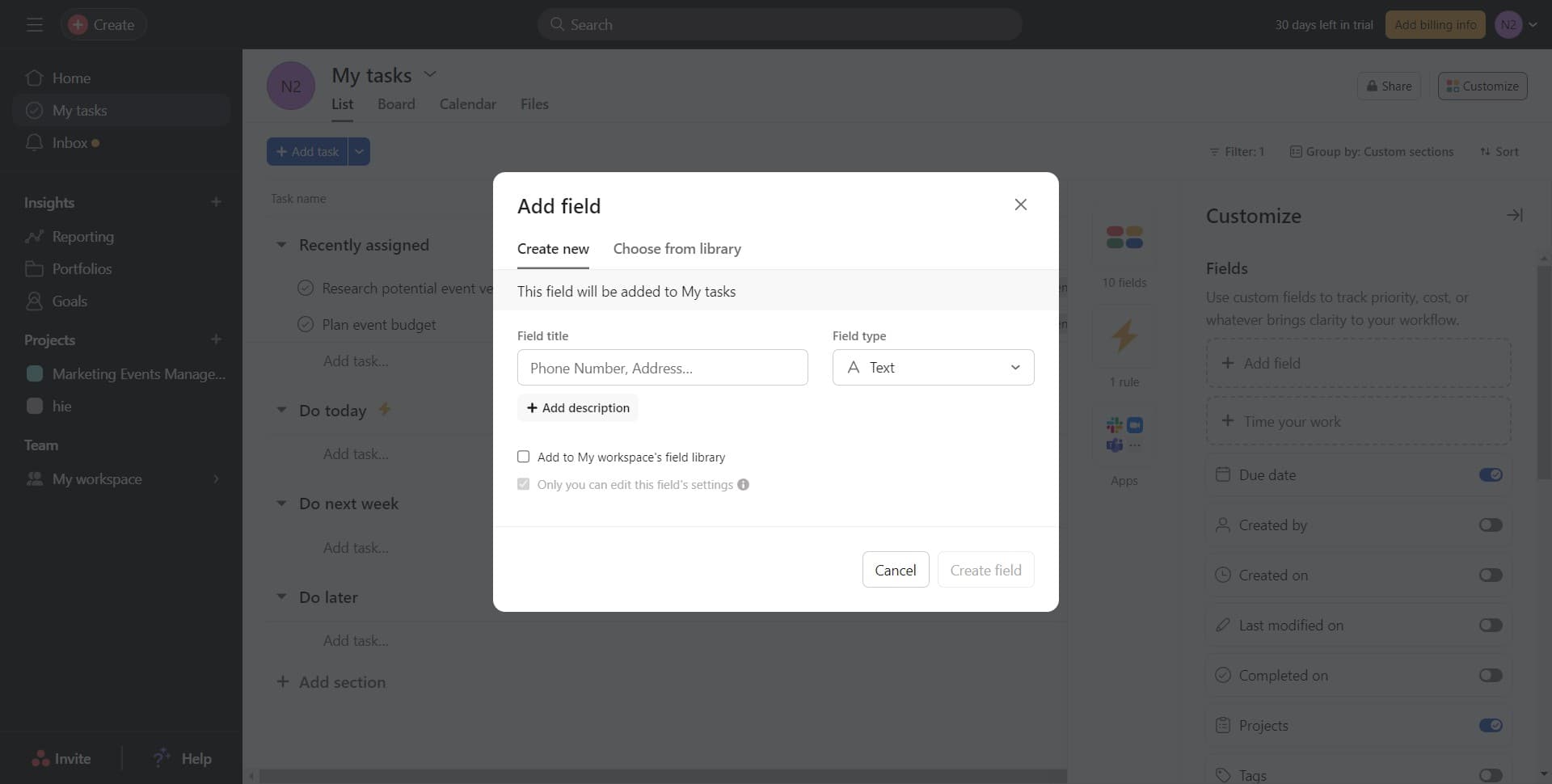
Click on Add description
Click 'Add description' to include a description field in your template task. This field allows team members to provide detailed context about the task.
- 7
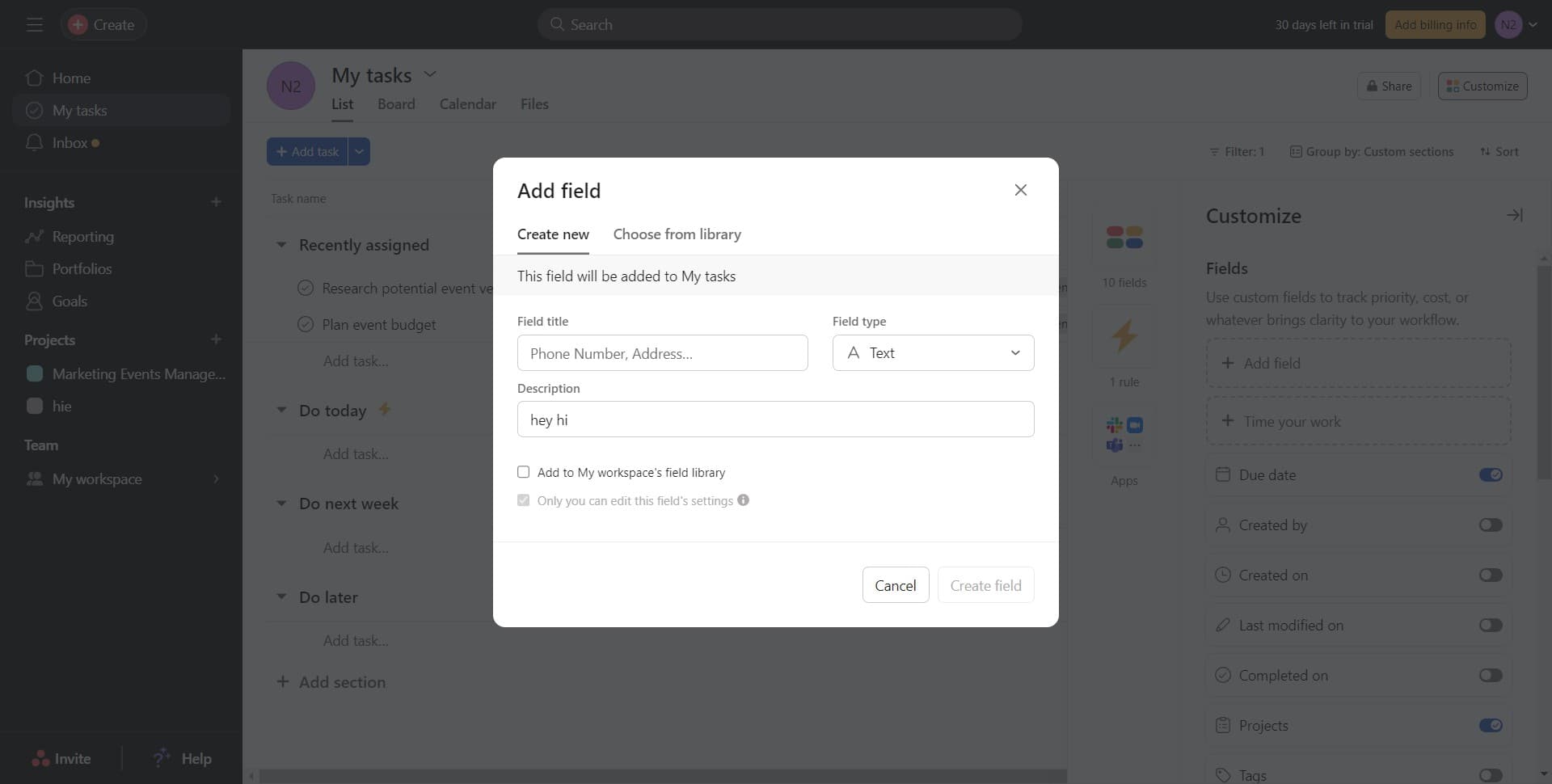
Enter description content
Type or paste the description content that will serve as a template for all future tasks created from this template. Include any instructions, context, or guidelines relevant to your workflow.
- 8
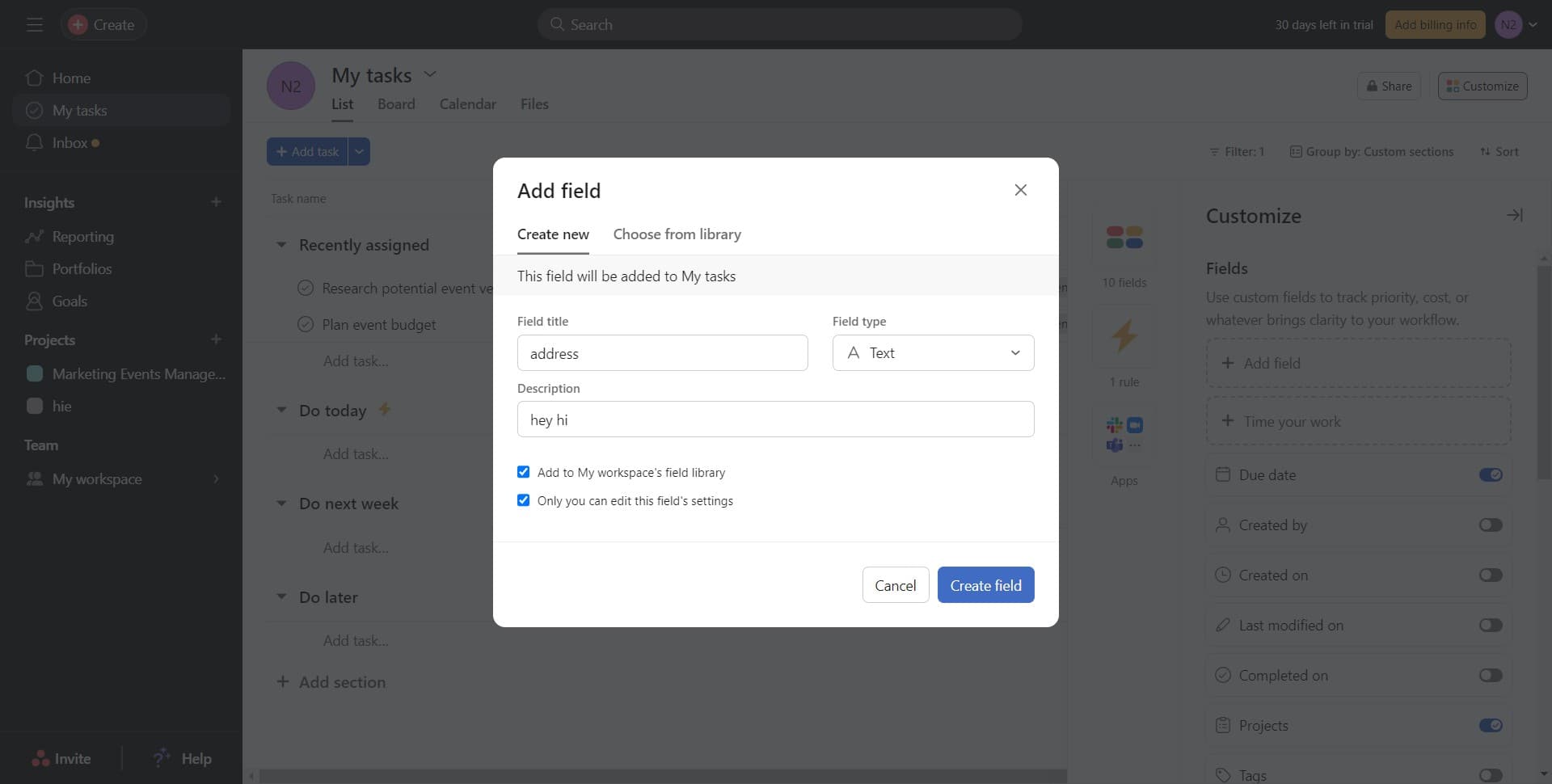
Click on Create field
Click 'Create field' to finalize and save your custom field configuration. Your template task now includes all the fields you've configured.
- 9
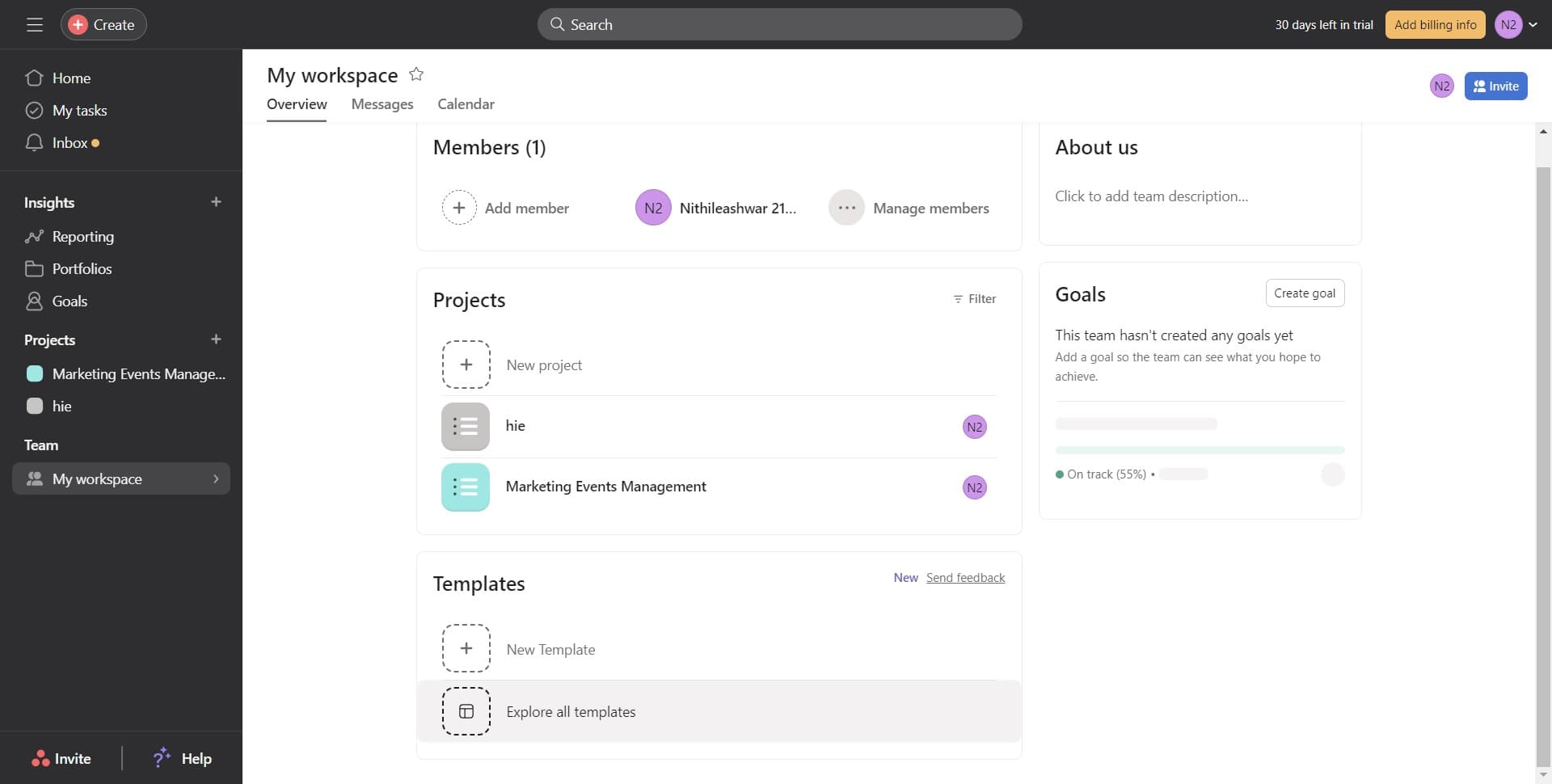
Click on My workspace
Navigate to 'My workspace' to access workspace-level settings where you can save and manage your template task across projects. This ensures your template is available to your entire team.
- 10
Save template configuration
Complete the template setup by confirming and saving your configuration at the workspace level. Your template task is now ready for use across your projects.
- 11
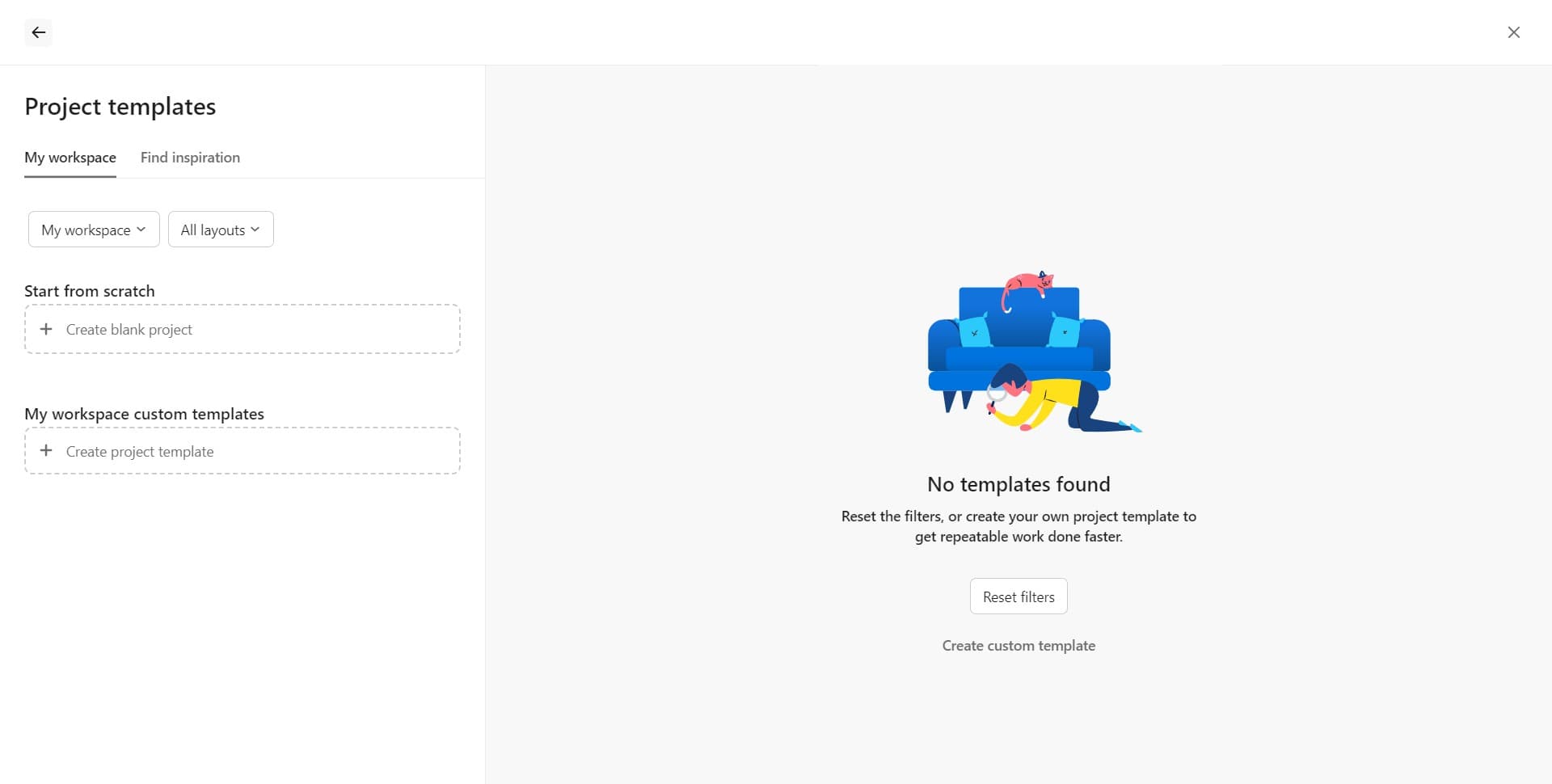
Verify template creation
Review your newly created template task to ensure all fields, descriptions, and customizations are correctly configured. Your template is now available for creating consistent tasks in future projects.
Frequently asked questions
Common questions about how to create a template task in asana.
Can I use the same template for multiple projects?
Yes, once you create a template task at the workspace level in Asana, it becomes available across all your projects. This allows you to maintain consistency in task structure and data collection regardless of which project you're working in.
What's the difference between single-select and text fields in a template?
Single-select fields provide a dropdown list of predefined options, making data entry consistent and easier. Text fields allow free-form input for any information that doesn't fit into set categories, such as detailed notes or descriptions.
Can I edit a template task after creating it?
Yes, you can modify template tasks at any time by accessing the customize panel and adjusting your fields, descriptions, or other settings. Changes to the template will apply to new tasks created from it, but existing tasks won't be retroactively updated.
Is there a limit to how many custom fields I can add to a template?
Asana allows you to add multiple custom fields to a template, but the optimal number depends on your team's needs and preferences. Adding too many fields can make task creation cumbersome, so focus on essential fields that directly support your workflow.
How do team members use a template task I've created?
Once a template is set up, team members can duplicate or use it when creating new tasks in projects where the template is available. Asana may also provide template suggestions when creating tasks, making it easy for your team to maintain consistency.