How to delete a task in Asana

Deleting tasks in Asana helps keep your project clean and organized by removing completed or unnecessary work items. Whether you're managing a large project or personal task list, knowing how to permanently remove tasks ensures your workspace stays current and focused.
Quick summary
In this tutorial, you'll learn how to delete a task in Asana by accessing your task list, locating the specific task, and permanently removing it from your workspace. By following these straightforward steps, you'll be able to manage your task inventory effectively.
Why this matters
Permanently deleting tasks prevents clutter in your project management system and ensures your team is always working with an accurate, up-to-date task list. This practice is essential for maintaining project clarity and preventing confusion about which items are still relevant.
Step-by-step guide
- 1
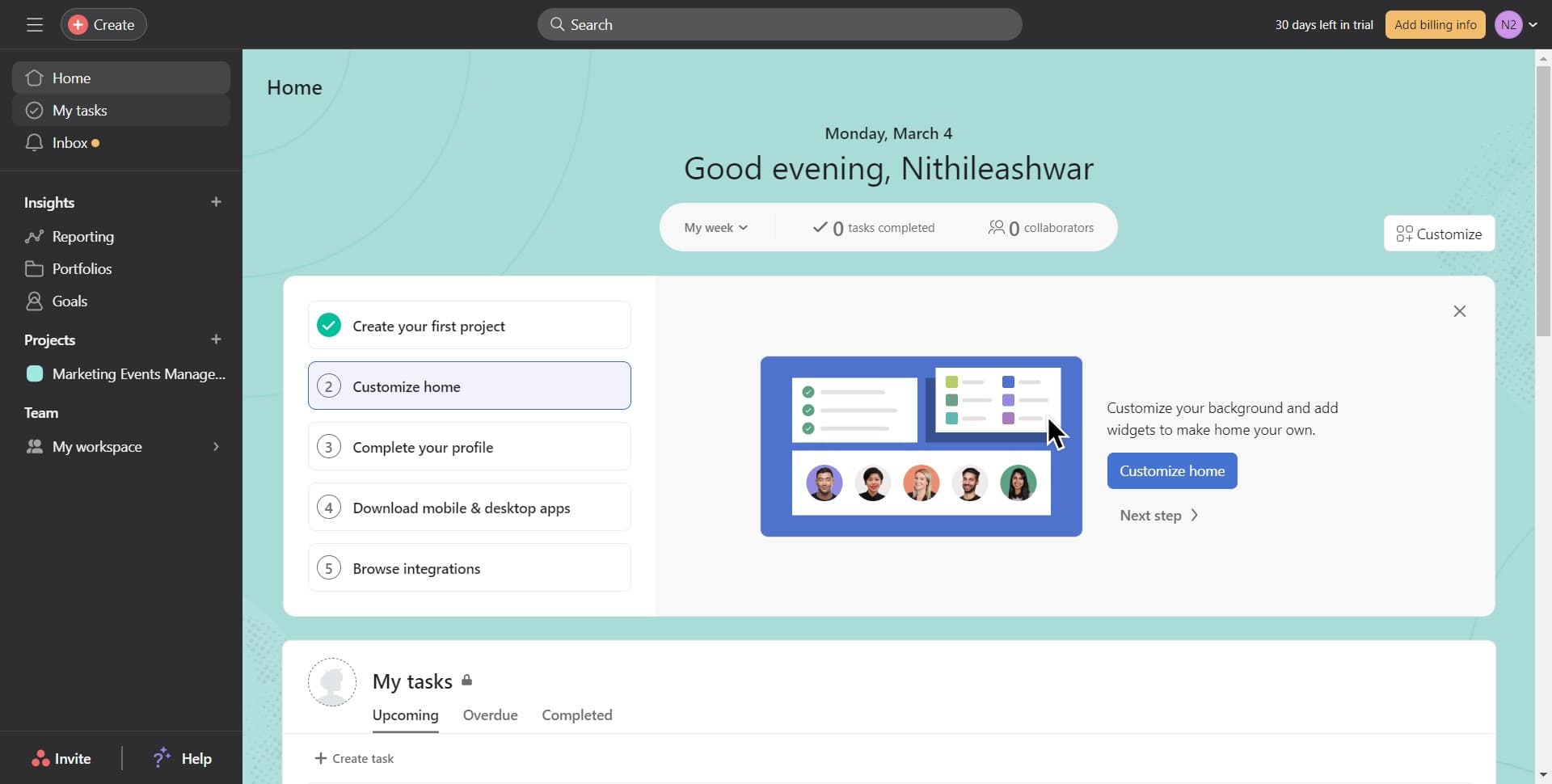
Open your task list
Navigate to 'My tasks' to view all tasks assigned to you. This is your central hub for managing personal and project-specific work items in Asana.
- 2
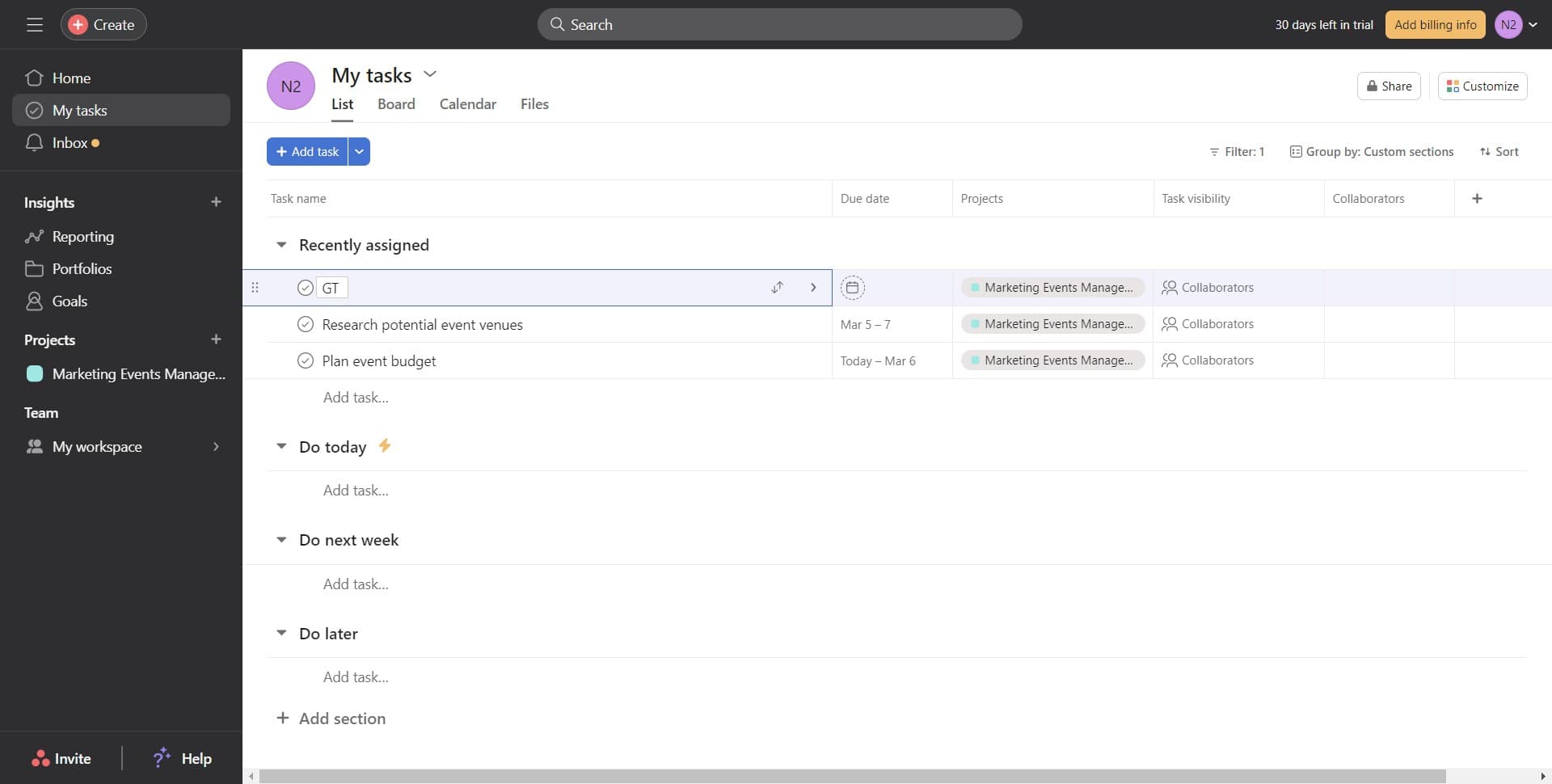
Locate the task to delete
Find the specific task you want to remove from your list. Identify it clearly before proceeding to the deletion options.
- 3
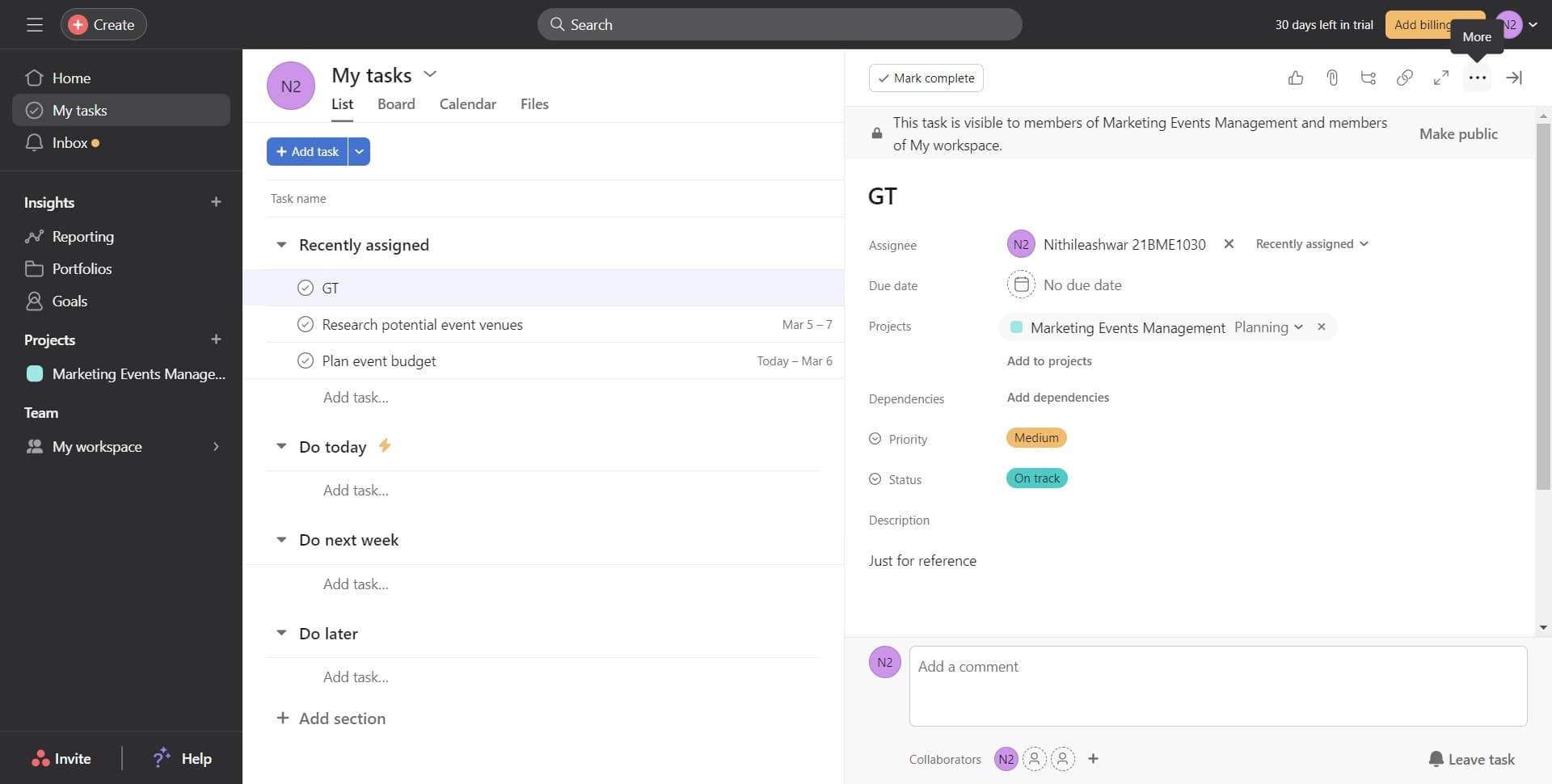
Access task options
Open the task's menu or options panel where you can view available actions. This will give you access to management features including deletion.
- 4
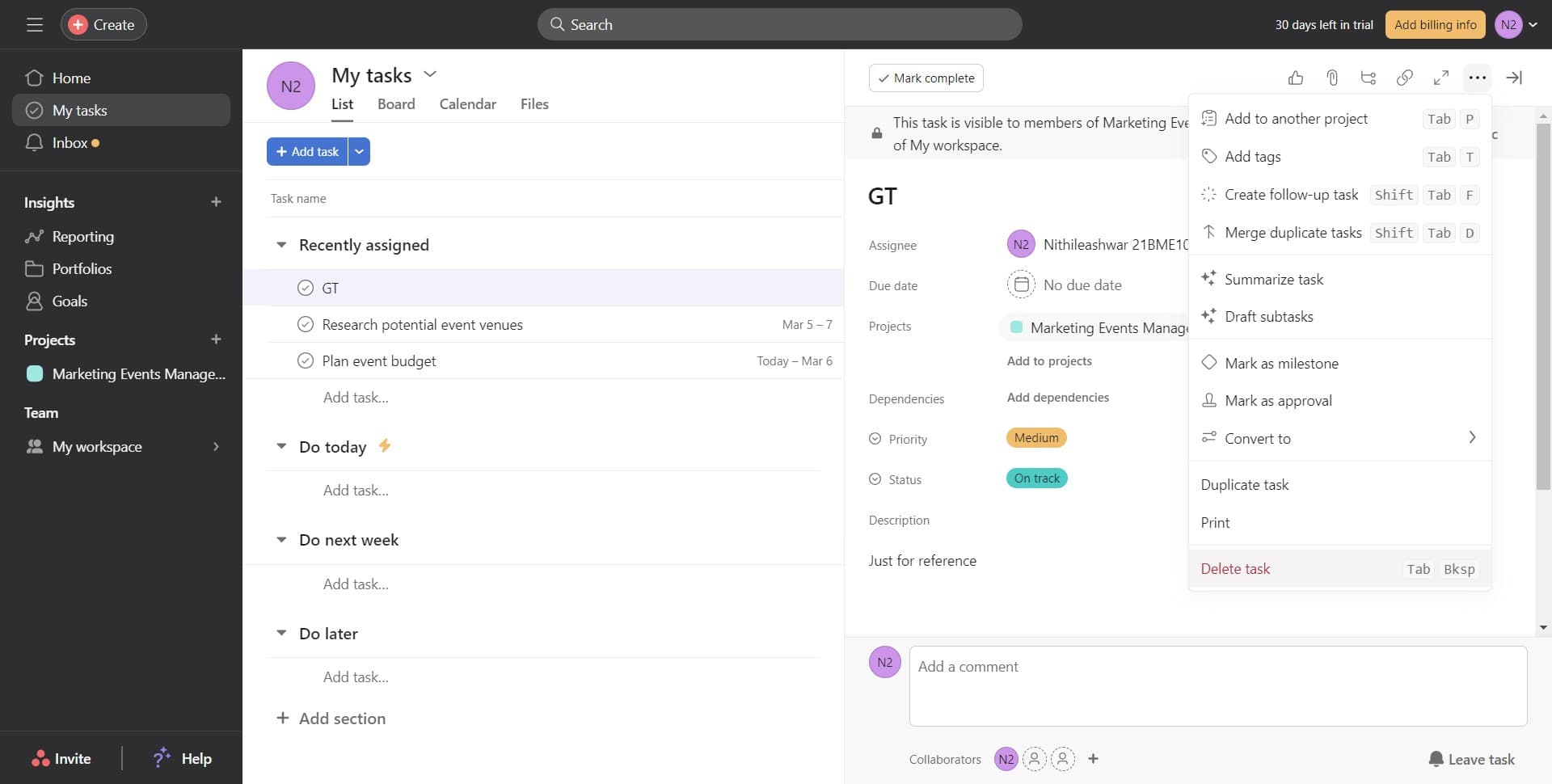
Select delete task option
Click on 'Delete task' from the available options. This initiates the deletion process for the selected task.
- 5
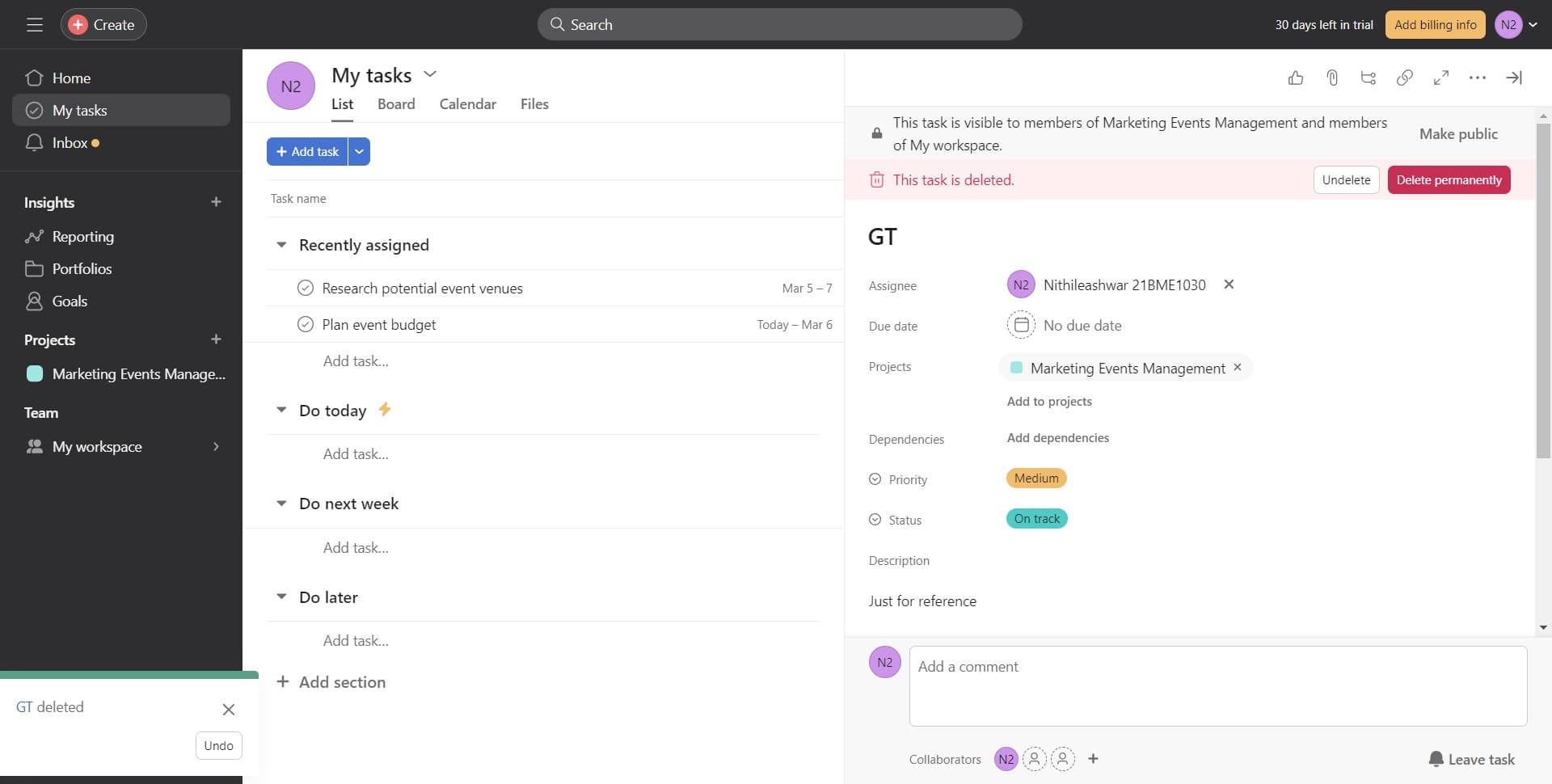
Choose permanent deletion
Click on 'Delete permanently' to confirm you want to remove the task entirely. This option ensures the task cannot be recovered from a trash or archive section.
- 6
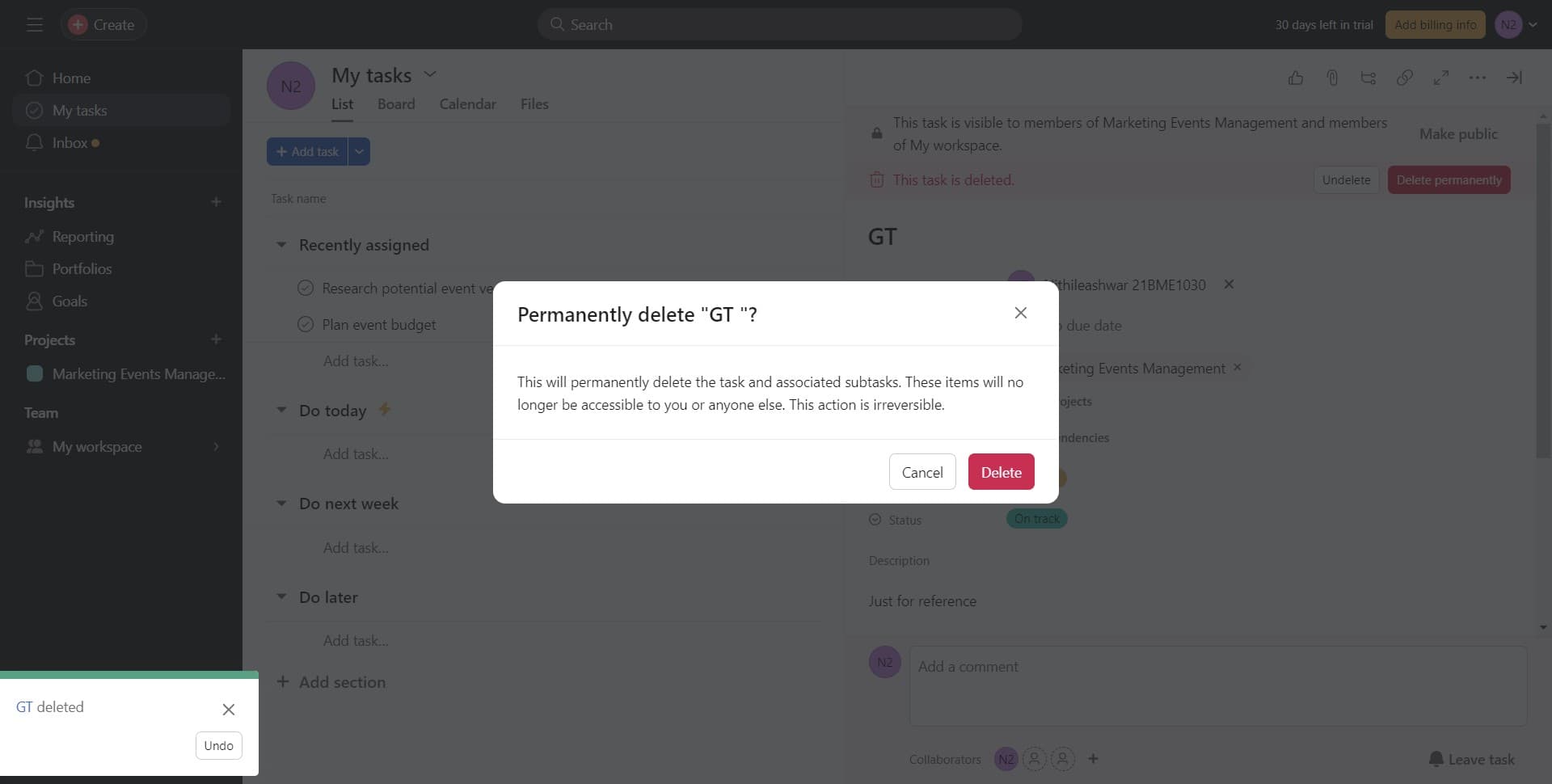
Confirm the deletion
Click on 'Delete' in the confirmation prompt to finalize the removal of the task. The task will now be permanently removed from your Asana workspace.
- 7
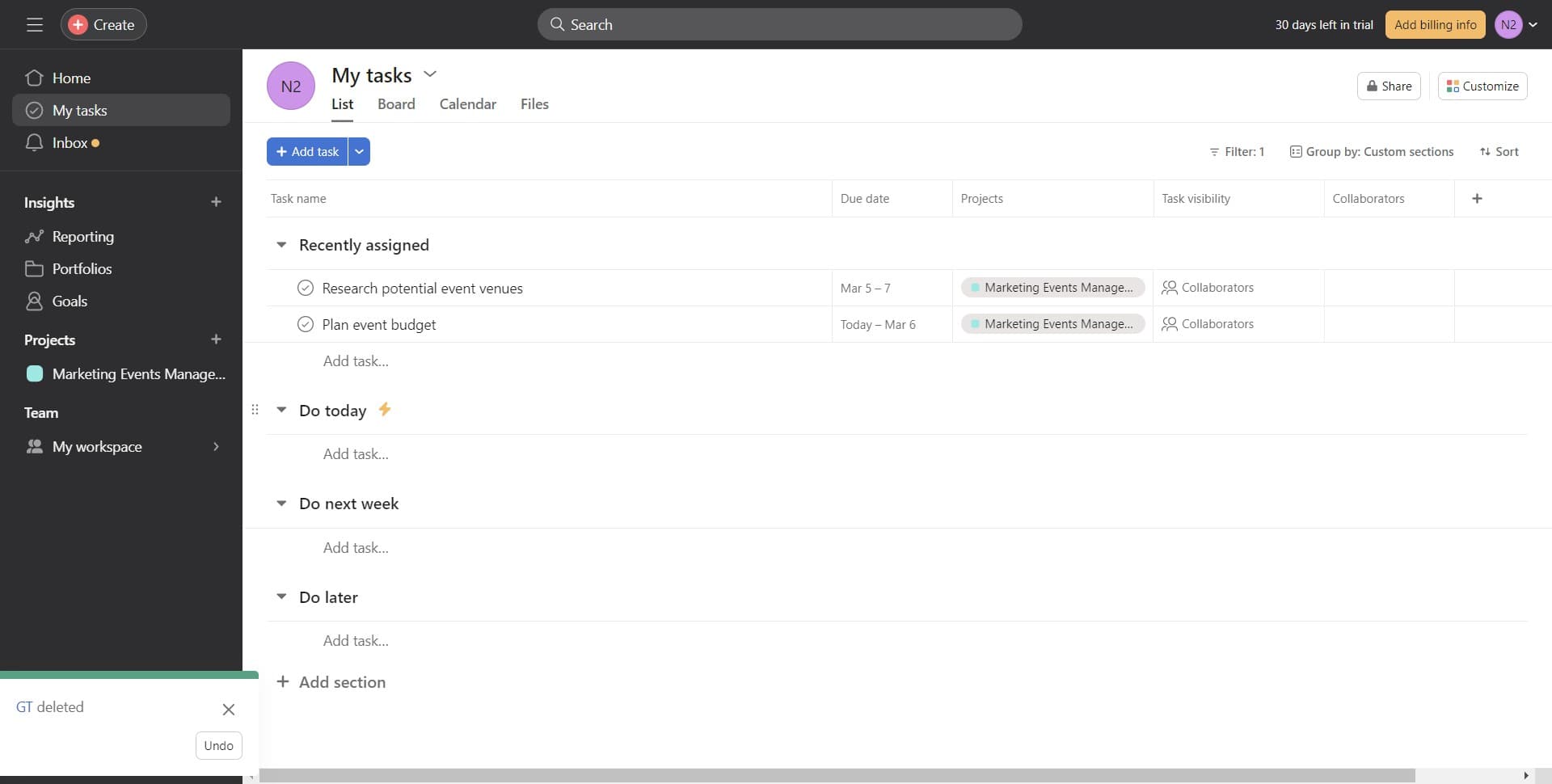
Return to your task list
Click on 'Do today' or navigate back to your active task list to confirm the deletion was successful. The deleted task should no longer appear in your workspace.
Frequently asked questions
Common questions about how to delete a task in asana.
Can I recover a task after permanently deleting it?
No, once you select 'Delete permanently' and confirm the deletion, the task cannot be recovered. If you need to retain task information, consider archiving instead of deleting. Always double-check before confirming permanent deletion.
What's the difference between deleting and archiving a task?
Deleting permanently removes the task from your Asana workspace entirely, while archiving stores it separately for reference without cluttering your active lists. Use archiving if you might need to reference the task later.
Will deleting a task affect my project timeline?
Deleting a task removes it from your project, which may affect your timeline if the task was a dependency for other work items. Make sure dependent tasks are updated or reassigned before deletion.
Can I delete multiple tasks at once?
Asana allows you to select multiple tasks and delete them together, though the exact method may vary depending on your workspace settings. Check your Asana version or contact your workspace administrator for multi-task deletion options.
What happens to comments and attachments when I delete a task?
All associated comments, attachments, and task history are permanently deleted along with the task. If you need to preserve this information, consider downloading or documenting it before deletion.