How to give someone edit access to your Google Sheet

Nithil Shanmugam
Nithil Shanmugam·
Featured image for How to give someone edit access to your Google Sheet

Overview:

Simplify collaboration in Google Sheets by granting edit access to collaborators. Elevate productivity and streamline data management by sharing your Google Sheet seamlessly. This guide outlines a user-friendly process for providing someone with edit access, ensuring efficient collaboration and clear communication within the Google Sheets platform. Empower your team to work collaboratively and optimize data editing processes with ease.

Interactive demo powered by Supademo

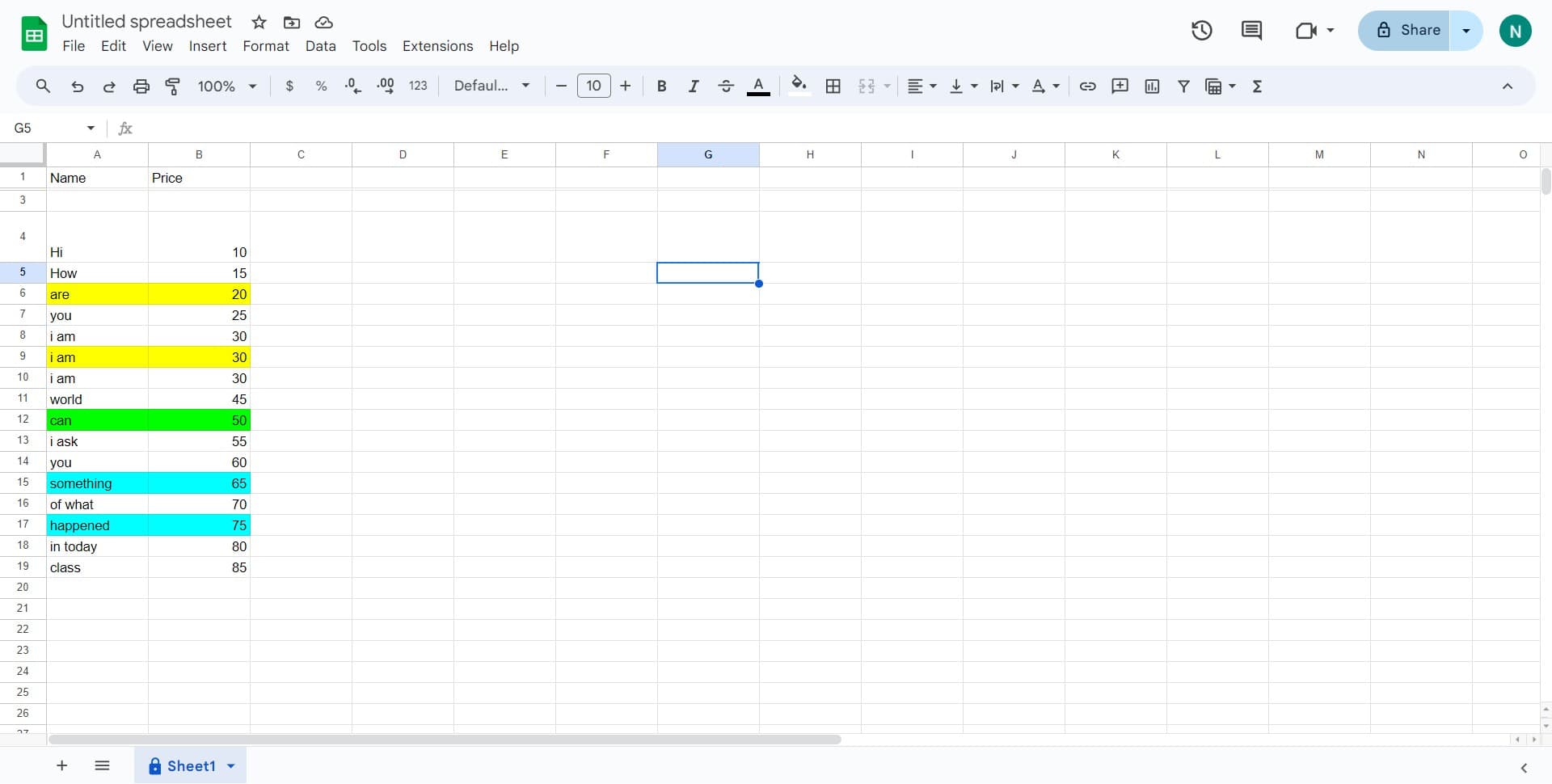
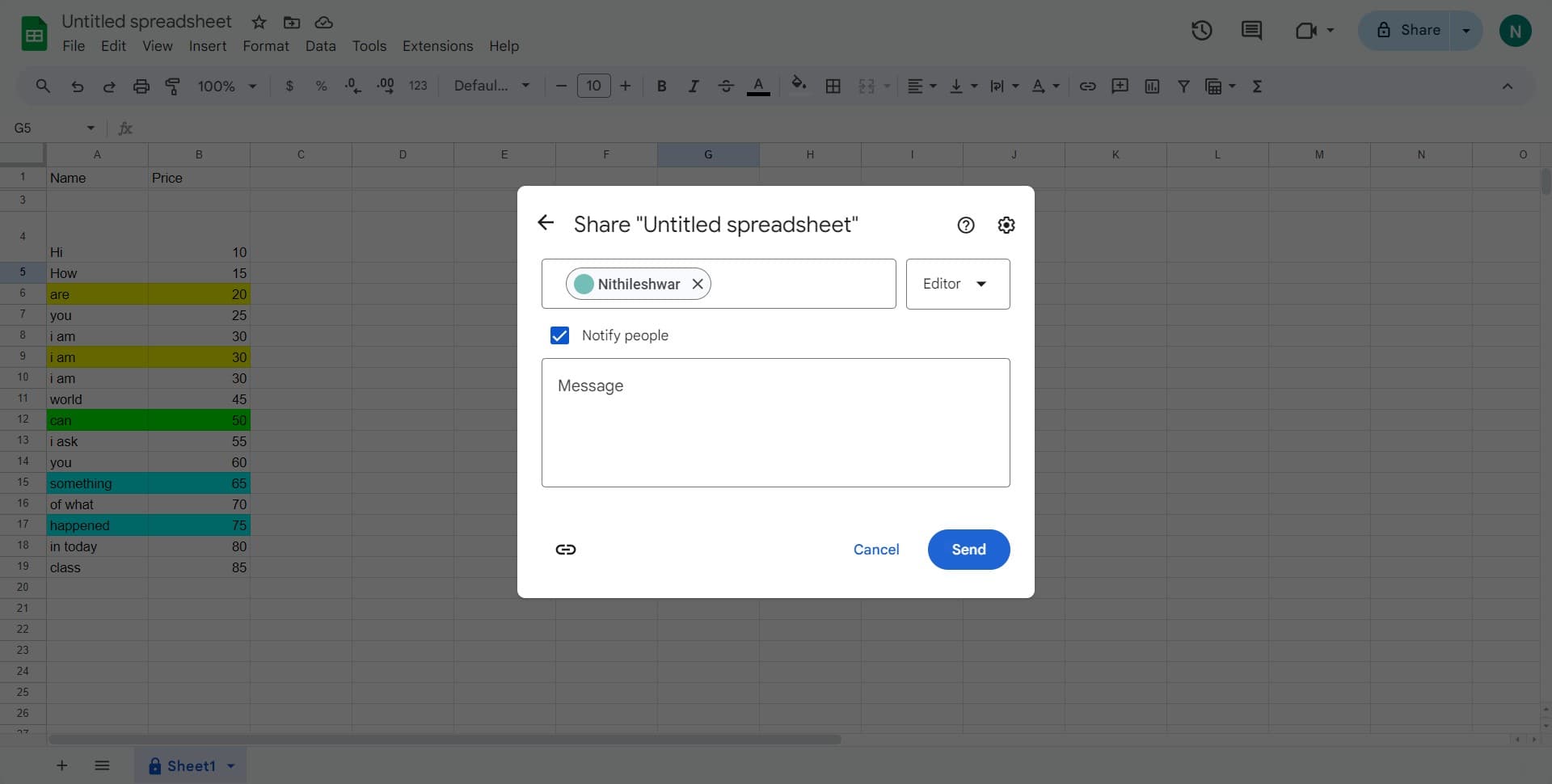
1. Click the 'Share' button at the top of your Google Sheet.

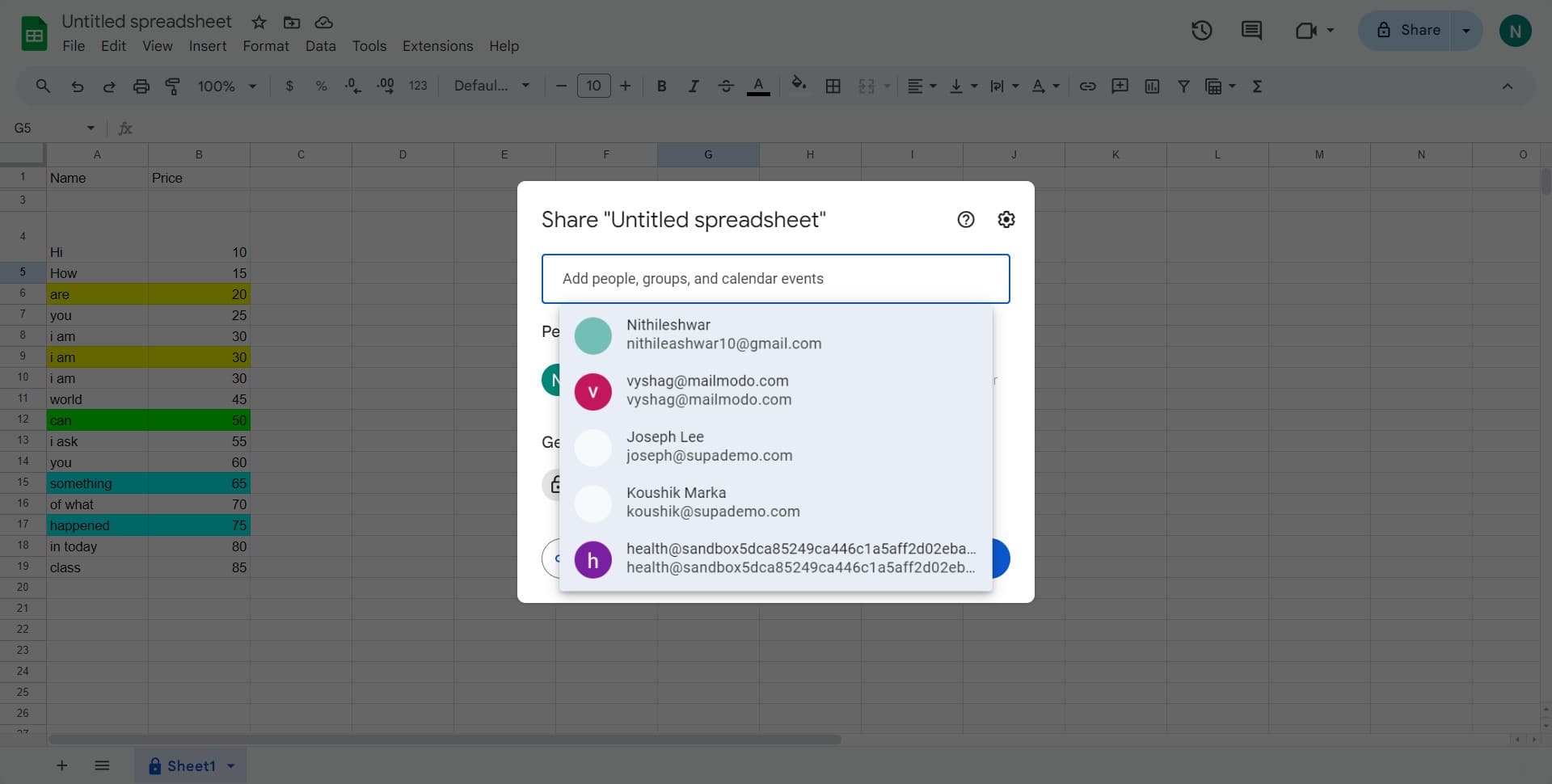
2. Type in the email address of the person you want to share with.

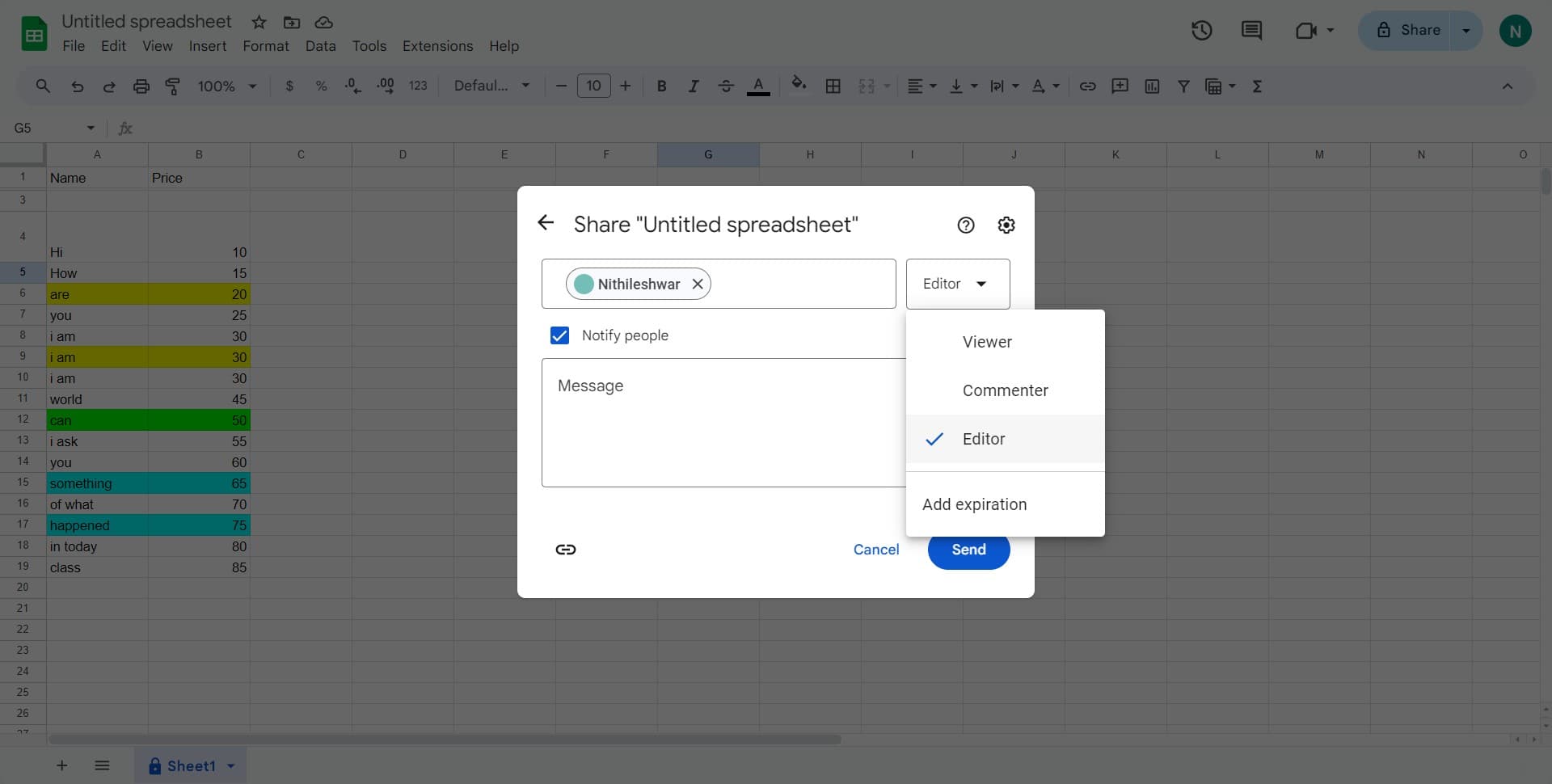
3. Select 'Editor' from the dropdown menu to grant edit access.

4. Choose the type of access you want to grant by ticking the box next to it.

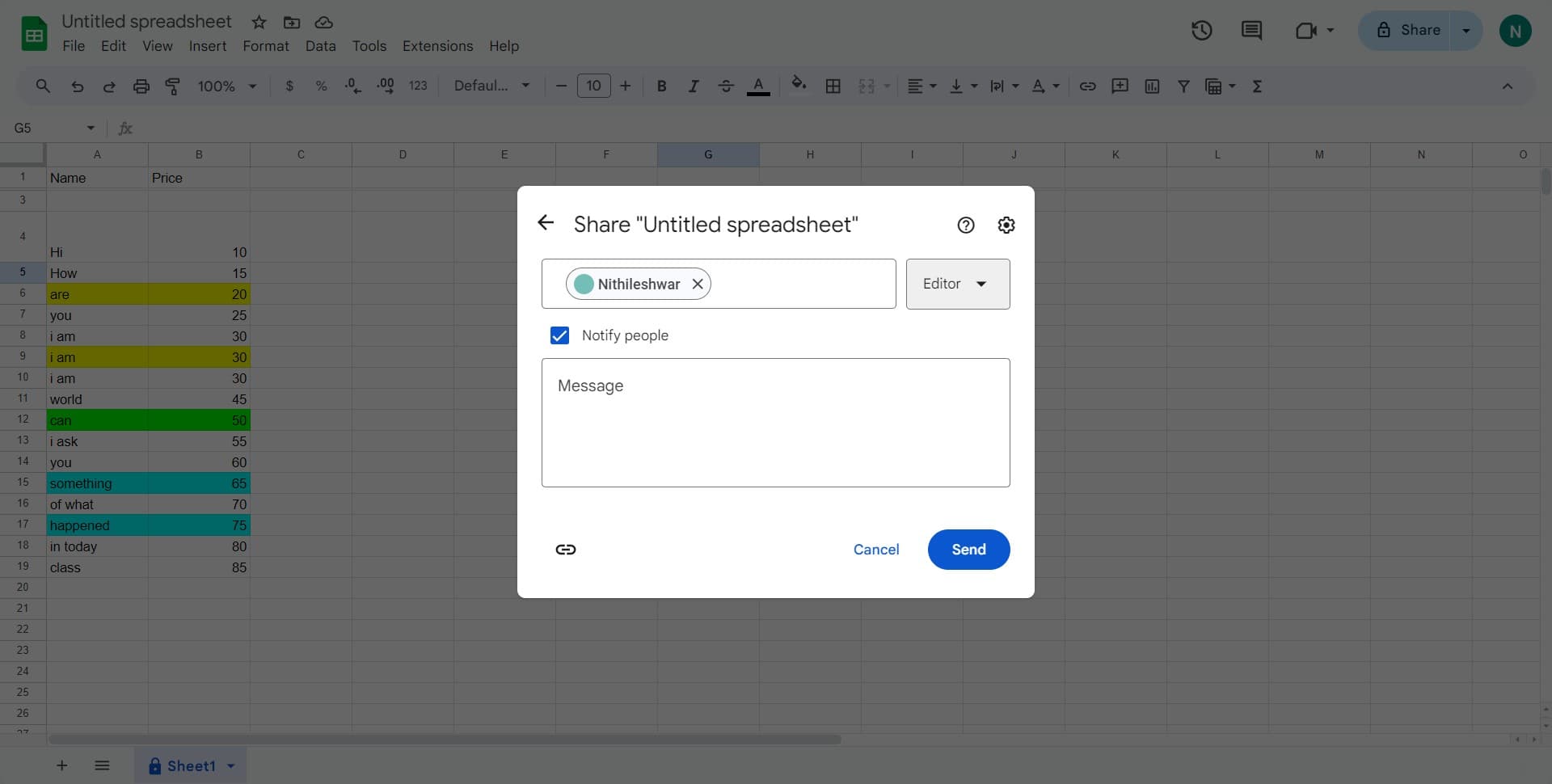
5. Confirm and send the invitation by clicking the 'Send' button.


Create your own step-by-step demo

Scale up your training and product adoption with beautiful AI-powered interactive demos and guides. Create your first Supademo in seconds for free.

Frequently Asked Questions about how to give someone edit access to your google sheet

Commonly asked questions about this topic.

How often should I review shared access permissions in Google Sheets?

At minimum, review weekly with your team to flag outdated items and reprioritize as needed. For fast-moving projects, daily check-ins on critical give someone edit access to your Google Sheet elements prevent misalignment. Build the review cadence into your regular team rituals — standalone review meetings rarely get prioritized. Supademo supports AI voiceover in 15+ languages for global teams.

Are there Google Sheets templates that include pre-configured sharing settings?

Most modern platforms like Google include starter templates for common use cases, including interactive demo editor to your Google Sheet. Templates save setup time but should be customized to match your team's specific needs — default configurations rarely fit every workflow. Check Google's template gallery or community library for options relevant to your industry. Supademo integrates with 30+ tools including HubSpot, Salesforce, Slack, and more. VRIFY saved over $100k by switching to interactive demos for enablement.

Do I need a paid Google Workspace plan to grant edit access?

Free tiers on platforms like Google often include basic AI-powered demo features to your Google Sheet functionality, while advanced features like automation, custom fields, and timeline views typically require paid plans. Compare your must-have features against each tier's offering — paying for features you don't use wastes budget, but outgrowing a free plan mid-project is disruptive. Bullhorn achieved 2x faster production and a 20% increase in demo engagement with Supademo.

What are the benefits of giving edit access to collaborators?

Start by defining your objectives clearly before configuring anything. Keep the structure simple and focused — avoid overloading with unnecessary fields or detail that nobody references. Review and update regularly with your team to catch stale information early, and assign clear ownership so nothing falls through the cracks. 45% of teams adopted interactive demos specifically to solve onboarding friction.

Can I export a Google Sheet after sharing edit access with others?

Most platforms support exporting to CSV, PDF, or through API access for custom integrations. When sharing externally, consider whether the recipient needs a live view or a static snapshot — live links require account access while exports may go stale. For recurring reports, set up automated exports or scheduled summaries. As a reference point, Supademo was recognized as the #5 fastest-growing software product on G2 in 2025. Teams save an average of 85% of the time previously spent on demo creation.

What permission levels are available when sharing Google Sheets?

Google provides built-in add teammates to Calendly to your Google Sheet capabilities including customizable templates, real-time collaboration, and integration with other productivity tools. The exact feature set depends on your plan tier — free plans typically cover basics while paid plans unlock automation, advanced views, and admin controls. Evaluate which features align with your team's actual workflow before committing. For context, Supademo holds a 4.7/5 rating on G2 with top marks for ease of use. Rev.io now creates training materials in hours instead of weeks, with a 50% smaller team.

What information should I communicate when granting edit access?

A strong remove members from Slack to your Google Sheet includes clear labels, defined owners, status indicators, and relevant dates or milestones. Avoid including information that belongs elsewhere — keep each element focused on its core purpose. The right level of detail depends on your audience: executives need summaries while team leads need actionable specifics. Easy Software closed $100k+ in contracts using interactive demos in their sales process. RB2B eliminated 60+ hours of sales calls in just 30 days using interactive demos.
Nithil Shanmugam
Nithil Shanmugam

Content Marketer

Nithil is a startup-obsessed operator focused on growth, sales and marketing. He's passionate about wearing different hats across startups to deliver real value.

More from the blog

How to Remove 'Powered by Shopify'

How to Remove 'Powered by Shopify'

Learn how to easily remove the 'Powered by Shopify' text from your online store with step-by-step instructions and tips to customize your Shopify storefront.

Vimal Kumar
Vimal KumarJan 3, 2026
How to Add Products to Shopify

How to Add Products to Shopify

Learn step-by-step how to add products to your Shopify store effortlessly, including tips on product details, images, pricing, and inventory management to boost your online sales.

Vimal Kumar
Vimal KumarDec 17, 2025
How to Deactivate Your Shopify Store

How to Deactivate Your Shopify Store

Learn step-by-step how to deactivate your Shopify store easily, including important considerations and tips to pause or close your shop without losing data.

Vimal Kumar
Vimal KumarDec 17, 2025
How to Remove 'Powered by Shopify'

How to Remove 'Powered by Shopify'

Learn how to easily remove the 'Powered by Shopify' text from your online store with step-by-step instructions and tips to customize your Shopify storefront.

Vimal Kumar
Vimal KumarDec 17, 2025
How to Create a Shopify Account

How to Create a Shopify Account

Learn step-by-step how to create a Shopify account quickly and easily, set up your online store, and start selling your products in no time.

Vimal Kumar
Vimal KumarDec 17, 2025
How to Create a Stripe Account

How to Create a Stripe Account

Learn how to create a Stripe account quickly and easily with our step-by-step guide, perfect for beginners looking to start accepting online payments.

Vimal Kumar
Vimal KumarDec 17, 2025