How to set a milestone in Asana

Milestones in Asana help you track major project achievements and deadlines at a glance. Setting a milestone marks a task as a significant checkpoint, making it easier for your team to visualize progress and stay aligned on key deliverables.
Quick summary
In this tutorial, you'll learn how to designate a task as a milestone in Asana. By following these steps, you'll be able to highlight important project checkpoints and improve visibility across your team.
Why this matters
Milestones serve as visual anchors in your project timeline, helping teams prioritize work and celebrate progress. They're particularly valuable for communicating project status to stakeholders and ensuring everyone understands which tasks represent critical success points.
Step-by-step guide
- 1
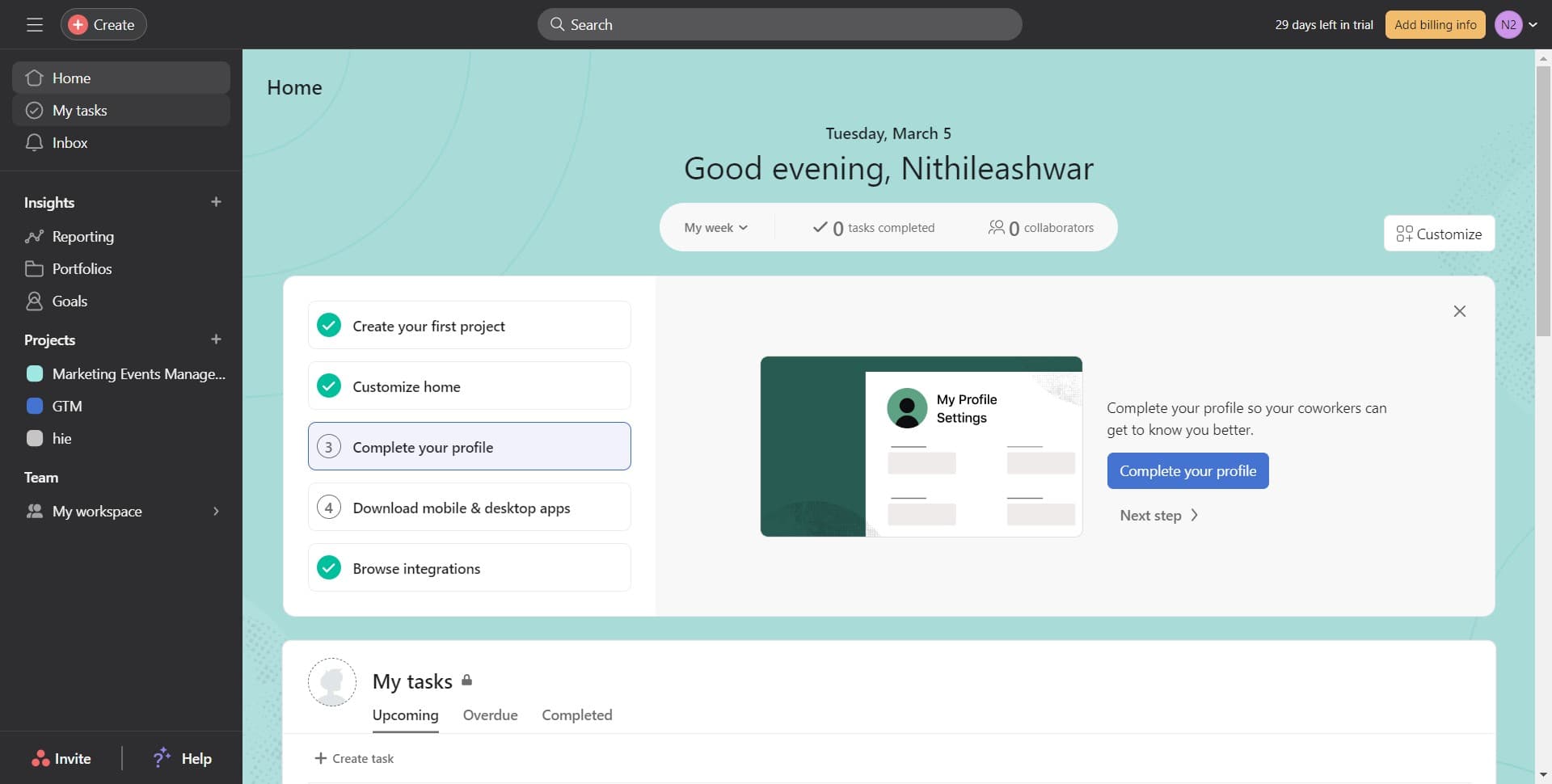
Open My Tasks
Start by clicking on 'My tasks' to access your personal task list. This is your centralized view of all work assigned to you across different projects.
- 2
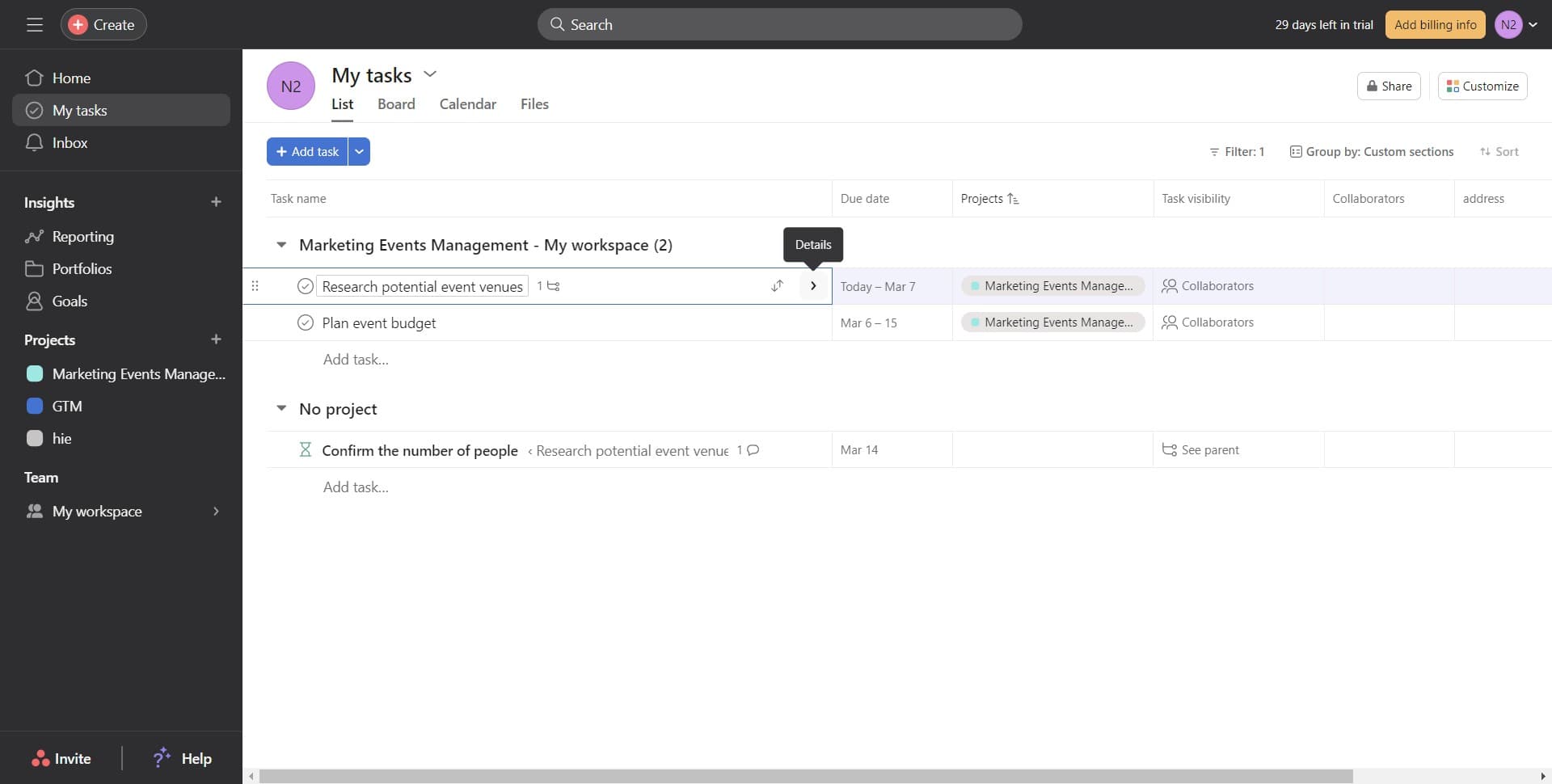
Select the target task
Click on the specific task you want to mark as a milestone. This task should represent a significant project checkpoint or deliverable.
- 3
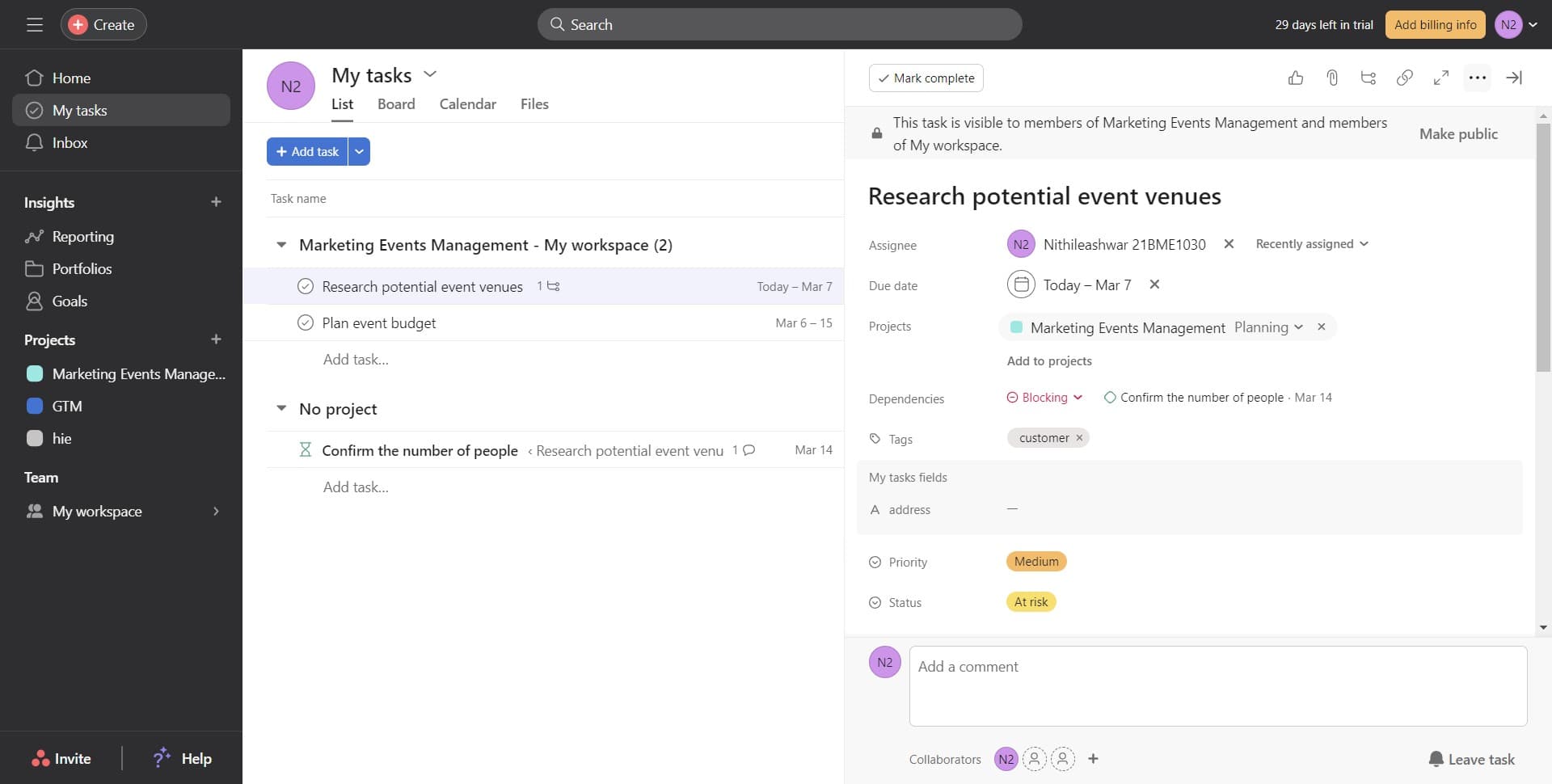
Open task details
Click to expand the full task details panel where you can access additional options and settings for the selected task.
- 4
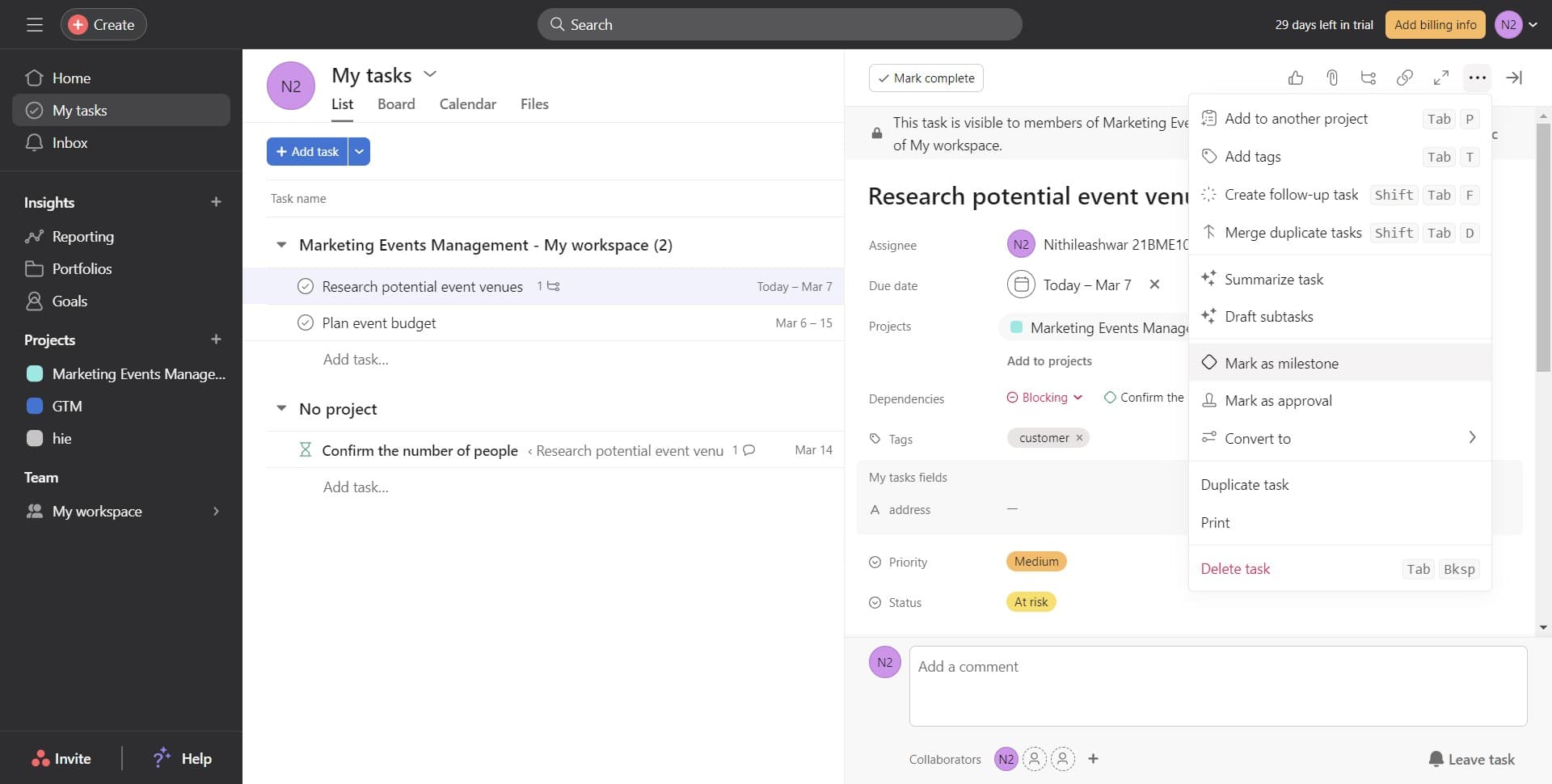
Mark as milestone
Click on the 'Mark as milestone' option to designate this task as a milestone. The task will now be flagged as a major checkpoint in your project.
- 5
Navigate to project overview
Click on 'Marketing Events Management' to view the project, then click on 'Overview' to see your milestones displayed in the project timeline and status view.
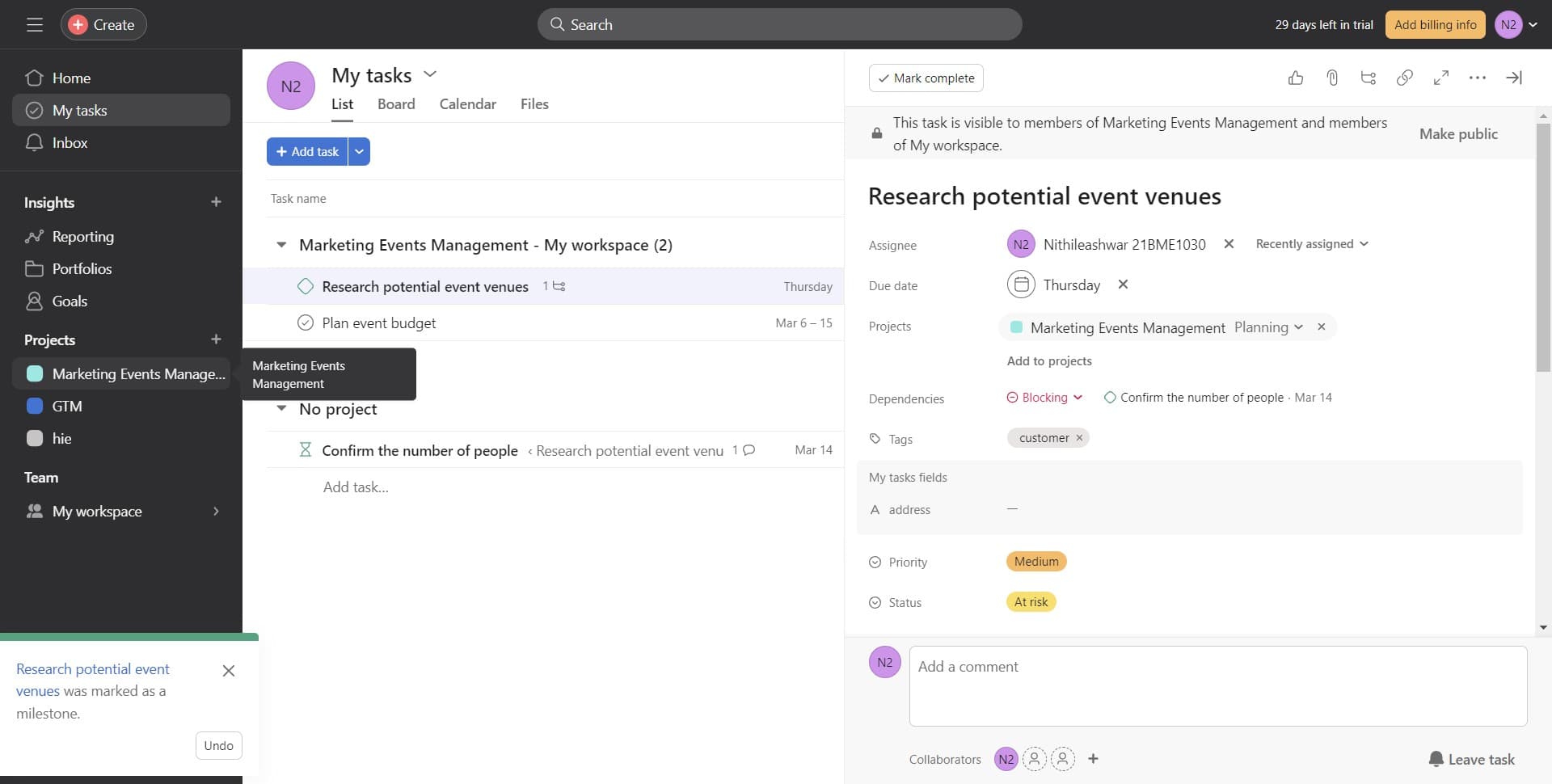
- 6
Explore milestone examples
Click on 'Show examples' to view sample milestones and understand how they appear in your project dashboard, helping you visualize how milestones organize your workflow.
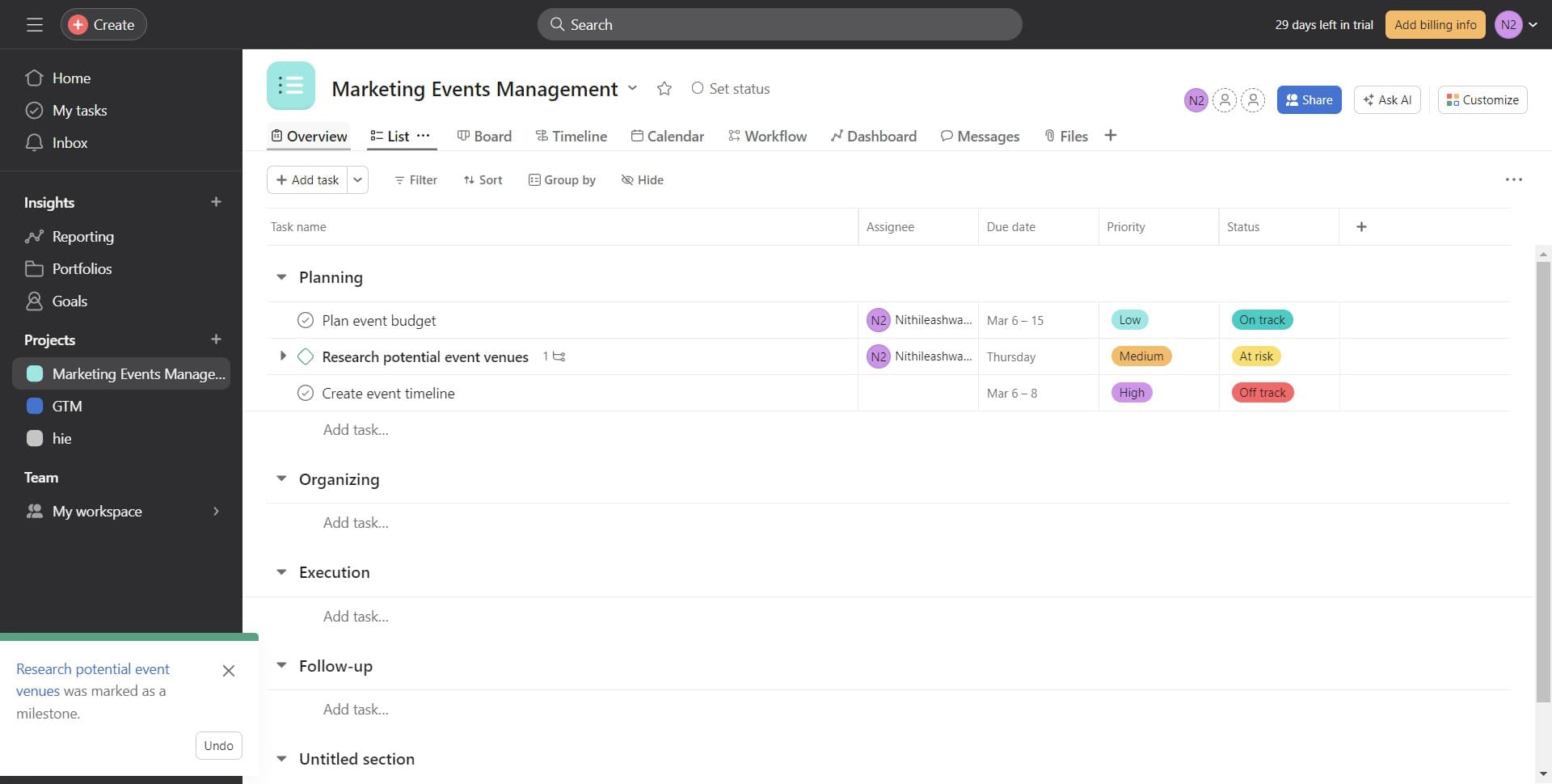
Frequently asked questions
Common questions about how to set a milestone in asana.
Can I convert a milestone back to a regular task?
Yes, you can remove the milestone designation from any task at any time. Simply open the task details and click the 'Mark as milestone' option again to toggle it off. The task will revert to a standard task without losing any of its data or attachments.
How many milestones should I set per project?
There's no strict limit, but best practice is to set 3-8 milestones per project depending on its duration and complexity. Milestones work best when they represent truly significant checkpoints rather than every task, keeping focus on what matters most.
Will my team members see the milestones I create?
Yes, all milestones are visible to everyone with access to the project. This makes them valuable for team communication and project transparency, as all team members can see key project dates and deliverables at a glance.
Can I set milestone dates or dependencies?
Milestones in Asana inherit the due date from the task itself. You set the due date when creating or editing the task, and that date automatically applies to the milestone. Dependencies work with milestones the same way they do with regular tasks.
What's the difference between milestones and project sections?
Milestones highlight individual important tasks across your project, while sections organize tasks into logical groups or phases. You can use both together: organize tasks into sections and mark key tasks within those sections as milestones for added emphasis on critical deliverables.