How to Connect Apollo to Zapier

Connecting Apollo to Zapier lets you automate workflows between Apollo and thousands of other apps. This tutorial covers the full setup process, from getting your Apollo API key to creating your first Zap with Apollo as a trigger.
Quick summary
In this tutorial, we'll explore how to connect Apollo to Zapier for automated workflows. You'll copy your API key from Apollo's admin settings, create a new Zap in Zapier, authenticate using your API key, and set up a trigger event to kick off your first automation.
Why this matters
Manual data entry between tools wastes time and introduces errors. By connecting Apollo to Zapier, you can automatically sync new contacts to your CRM, trigger follow-up tasks when leads are added, or push Apollo data to any app in the Zapier ecosystem without writing code.
Step-by-step guide
- 1
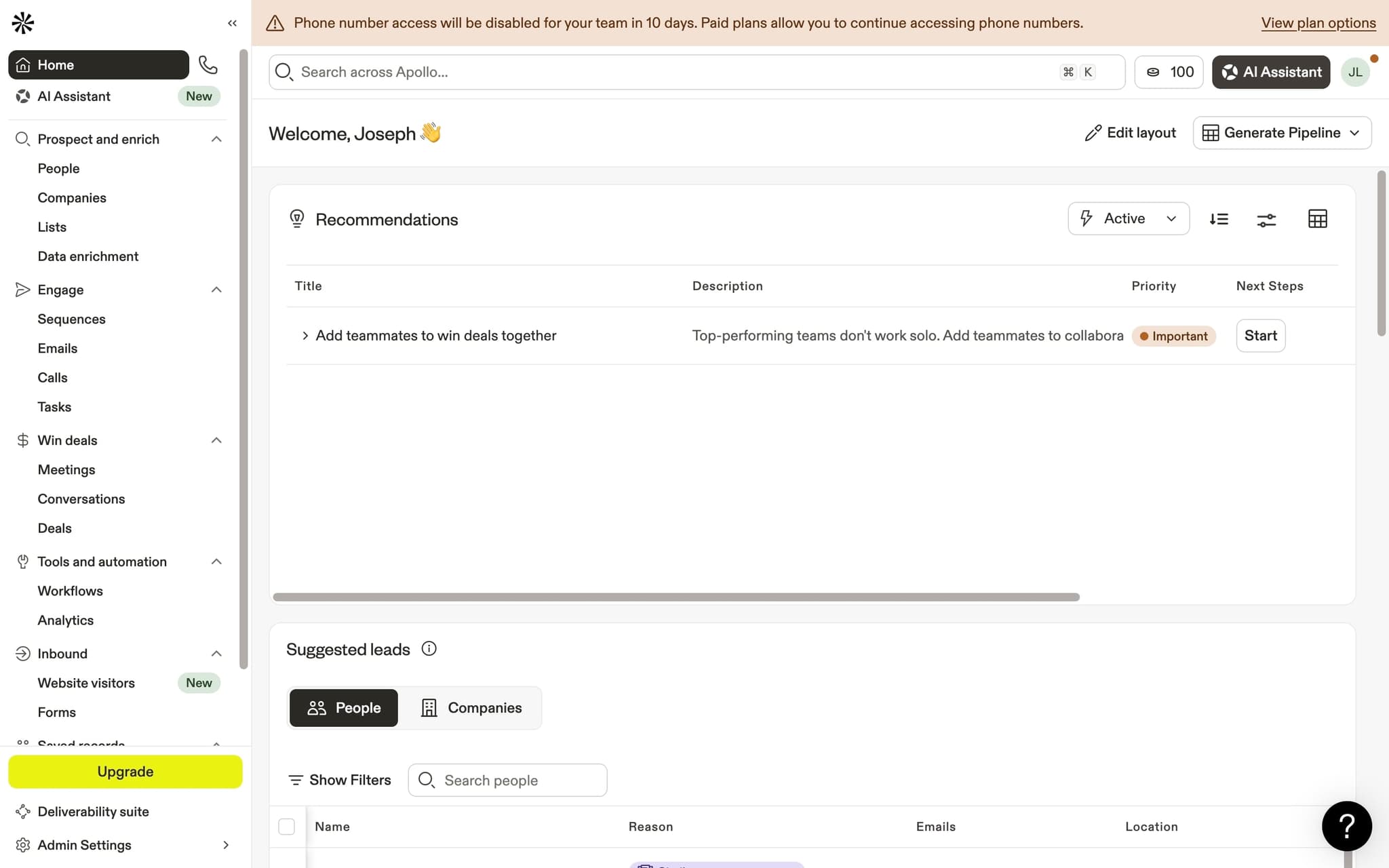
Log in to your Apollo dashboard
Start by opening Apollo.io and signing in to your account. You'll need admin access to reach the settings page where API keys are managed.
- 2
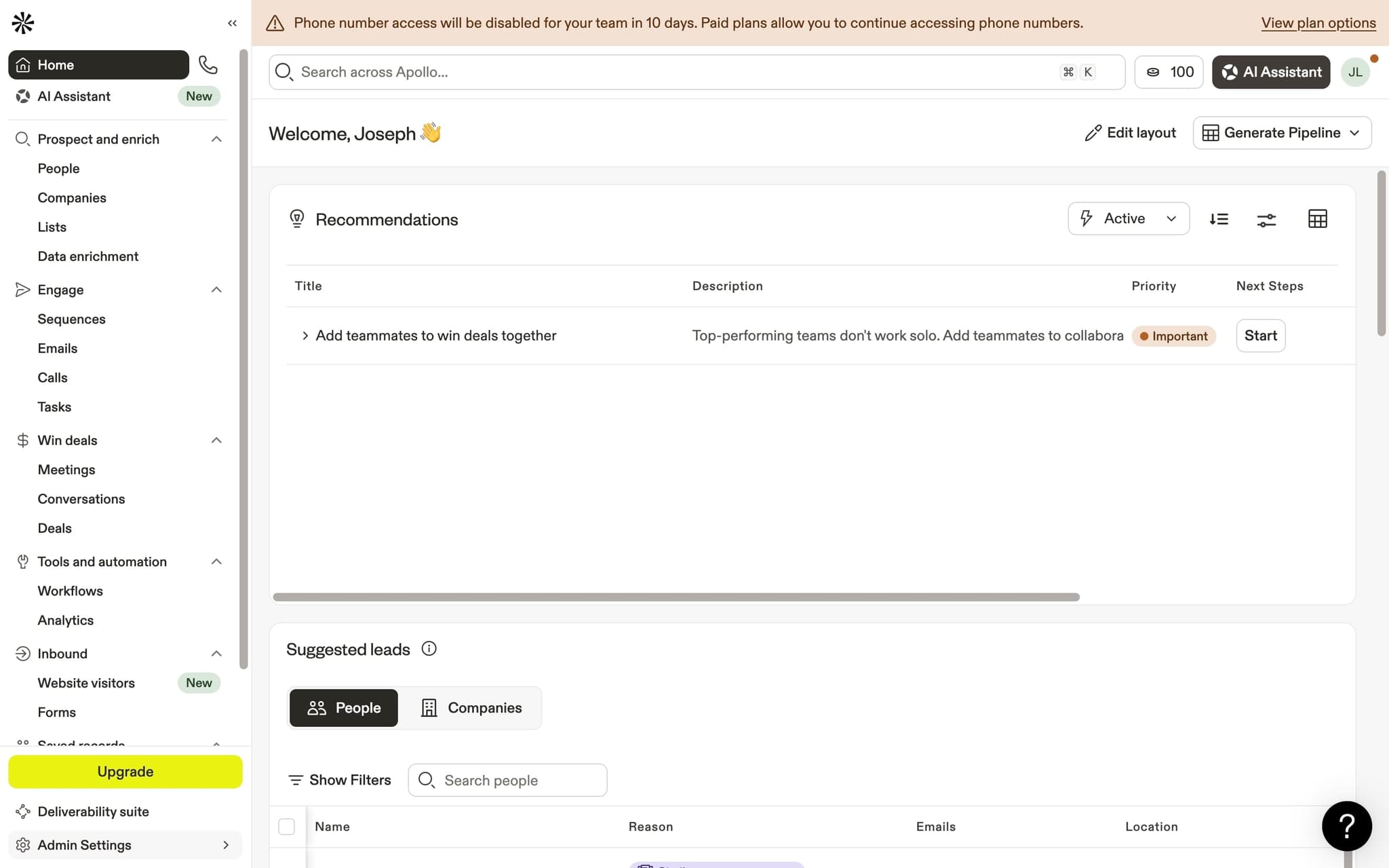
Open Admin Settings
Click on Admin Settings in the left sidebar. This section contains account-level configuration options including integrations, team management, and API access.
- 3
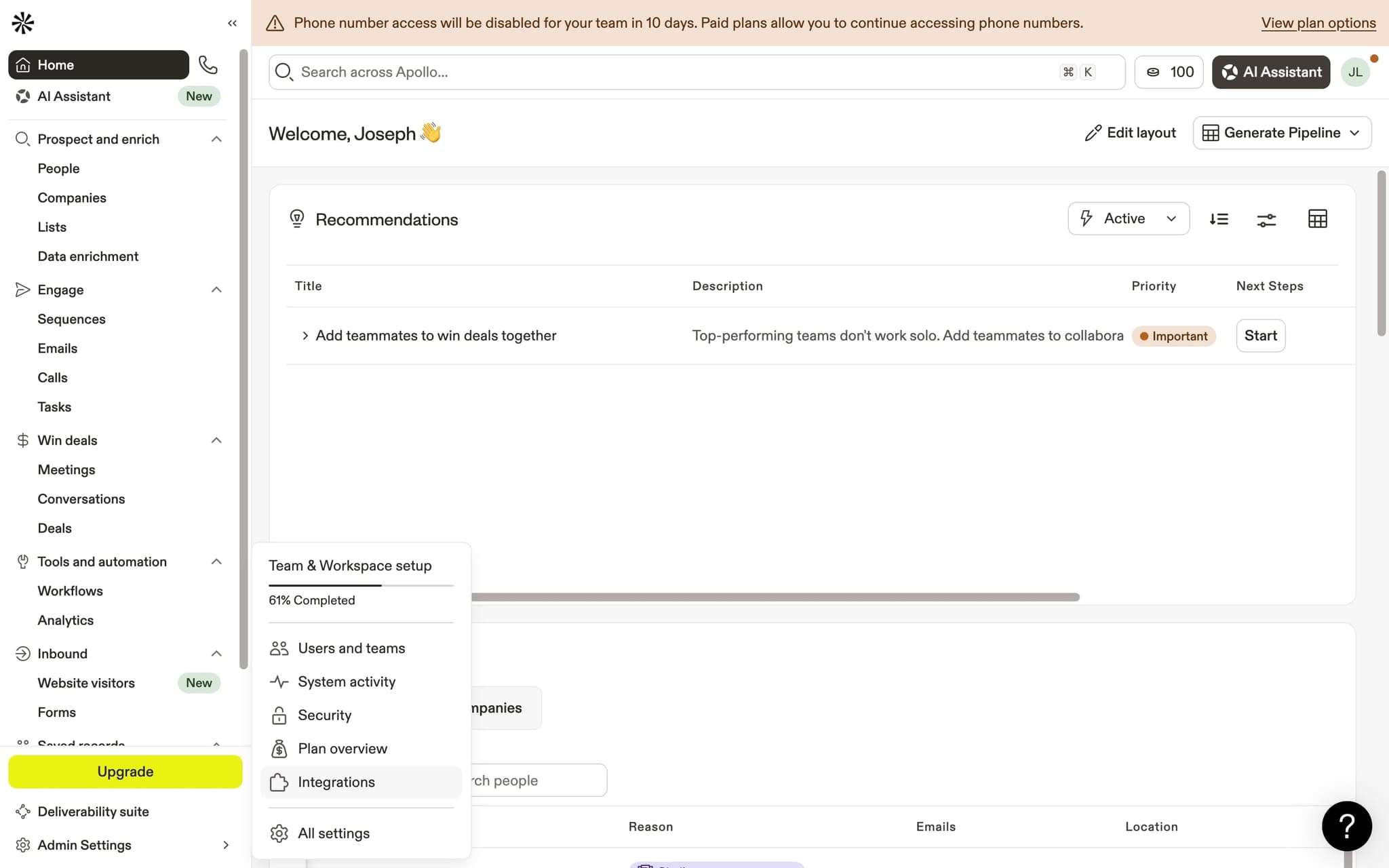
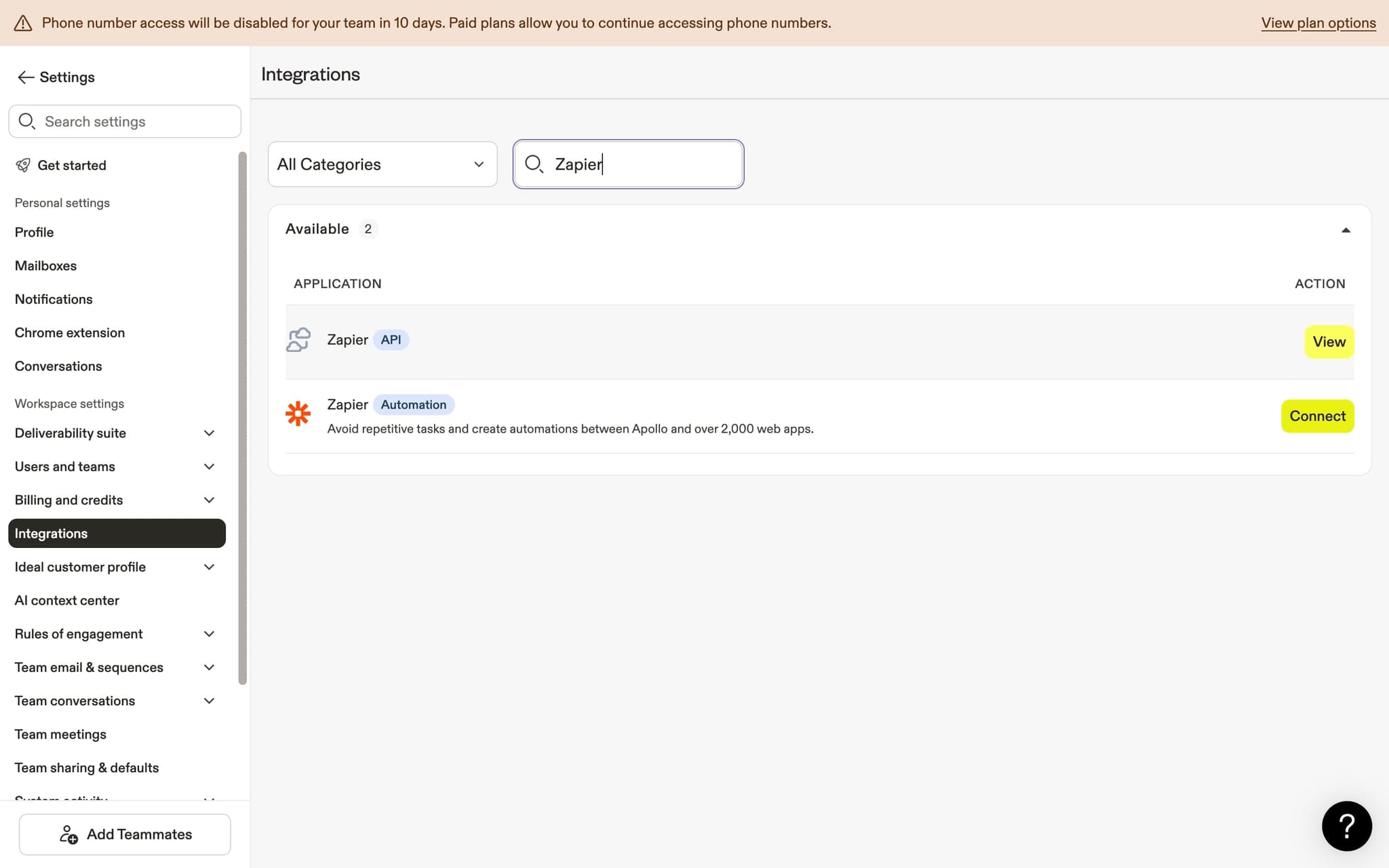
Navigate to Integrations
Click Integrations to see the list of available third-party connections. Apollo supports direct integrations with several CRMs and tools, plus API-based connections through platforms like Zapier.
- 4
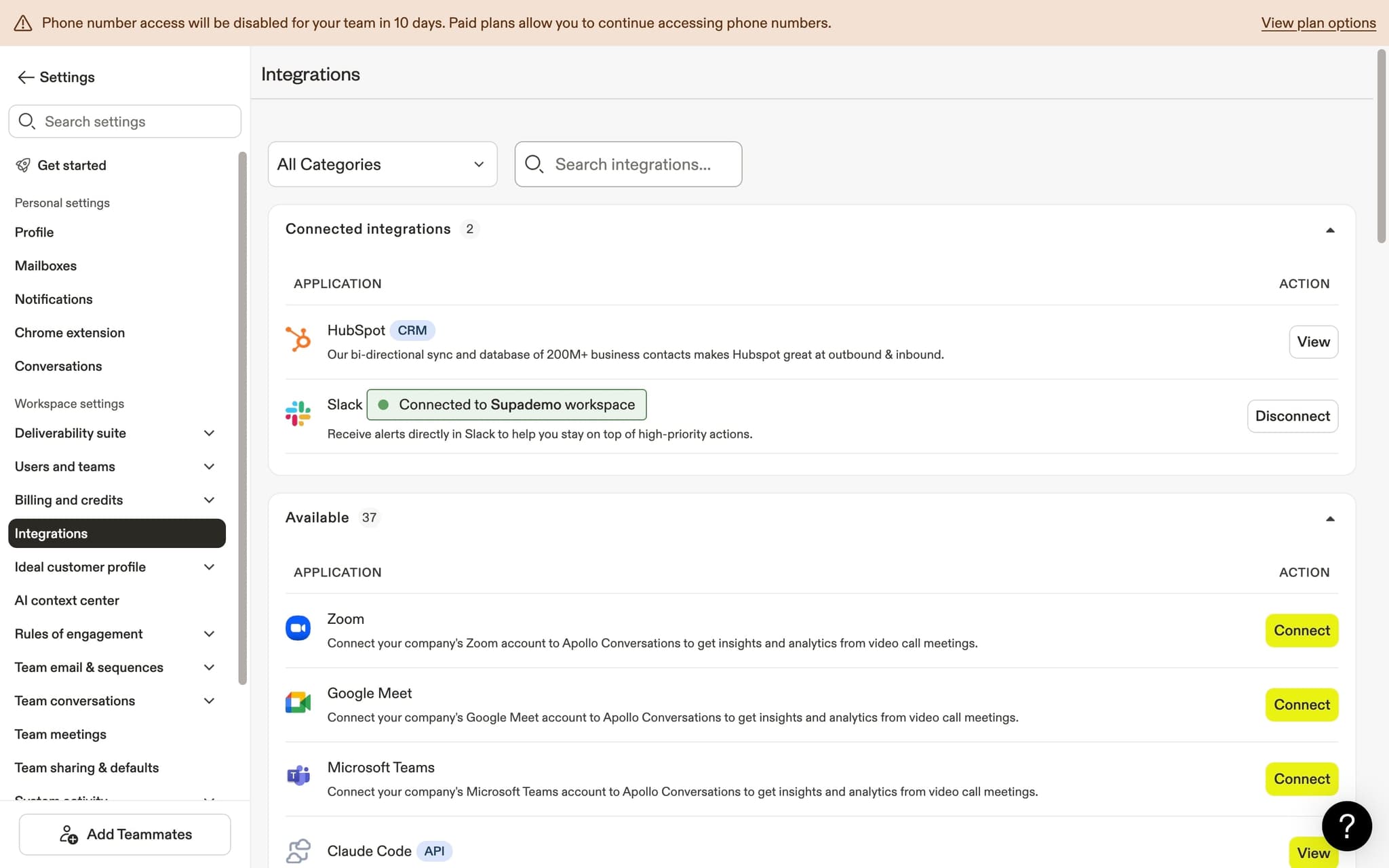
Search for Zapier
Use the search box to filter the integrations list and find Zapier. This will surface the Zapier integration card where you can access your API credentials.
- 5
Click View to open API details
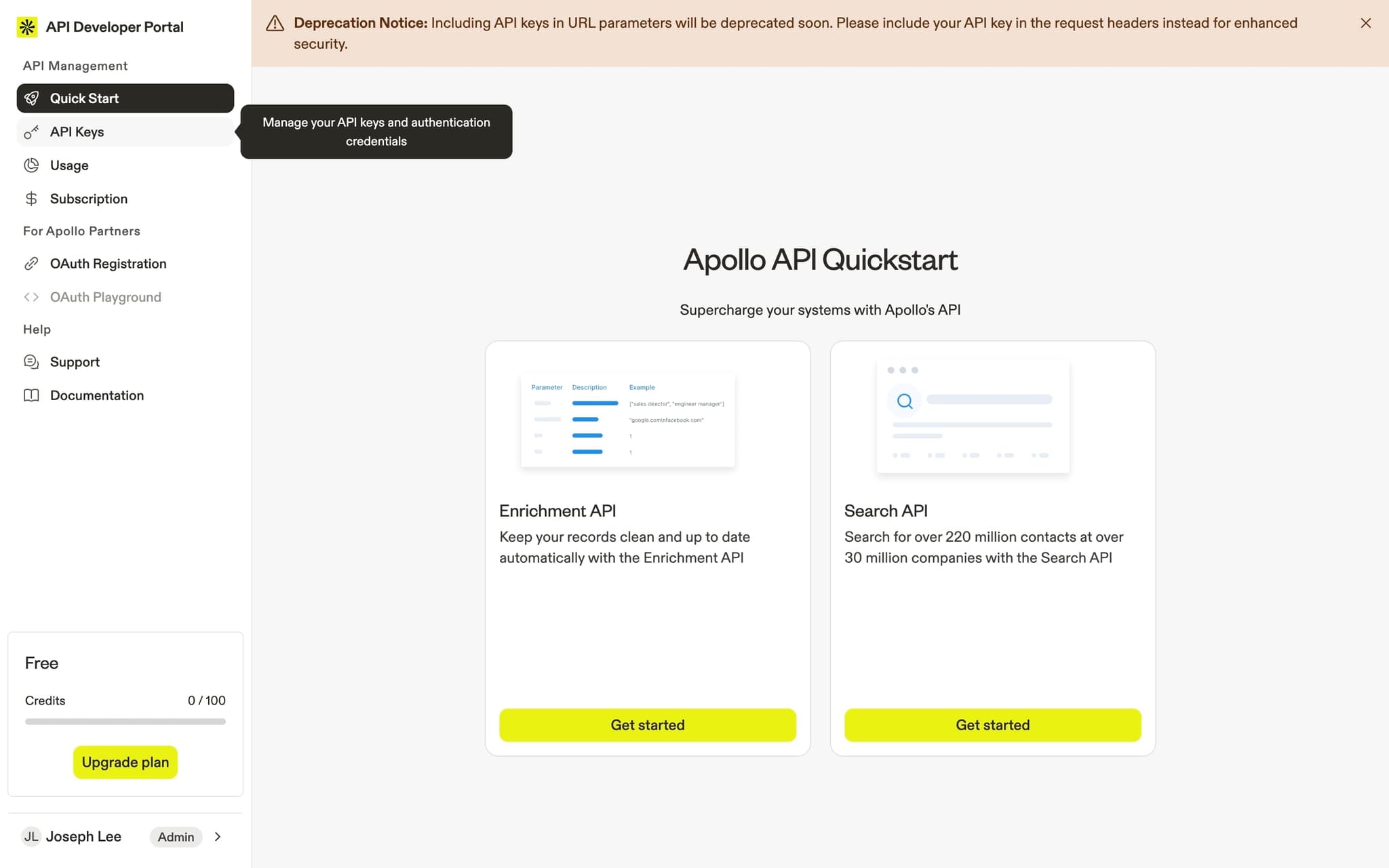
Click the View button on the Zapier integration card. This redirects you to the Apollo API Developer Portal where you can manage your API keys and review documentation.
- 6
Go to API Keys
In the developer portal, click on API Keys to manage your authentication credentials. You'll need to copy an API key to paste into Zapier during the connection setup.
- 7
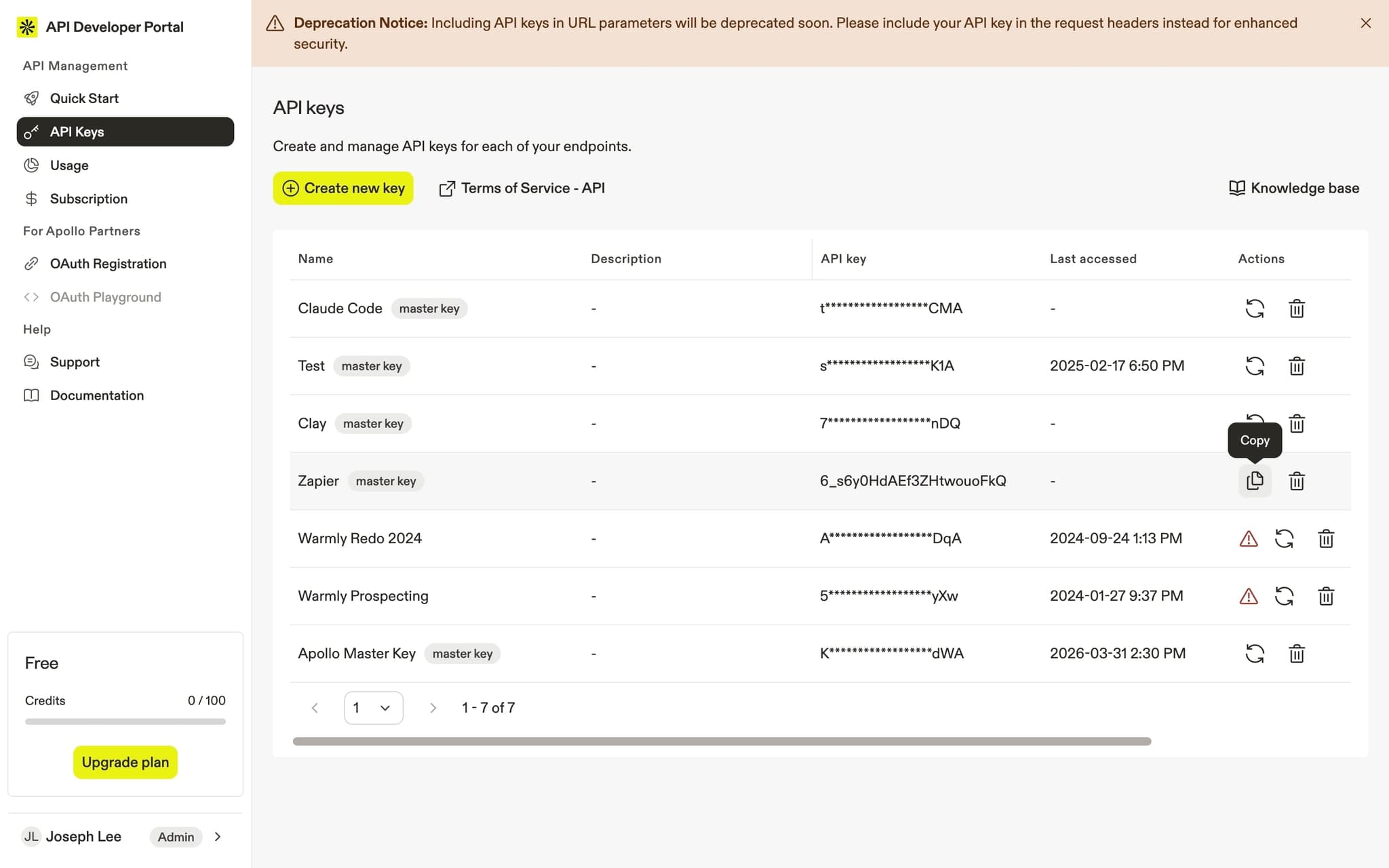
Copy your API key
Click the copy button next to your API key to save it to your clipboard. Keep this key secure since it grants access to your Apollo account data. You'll paste it into Zapier in the next few steps.
- 8
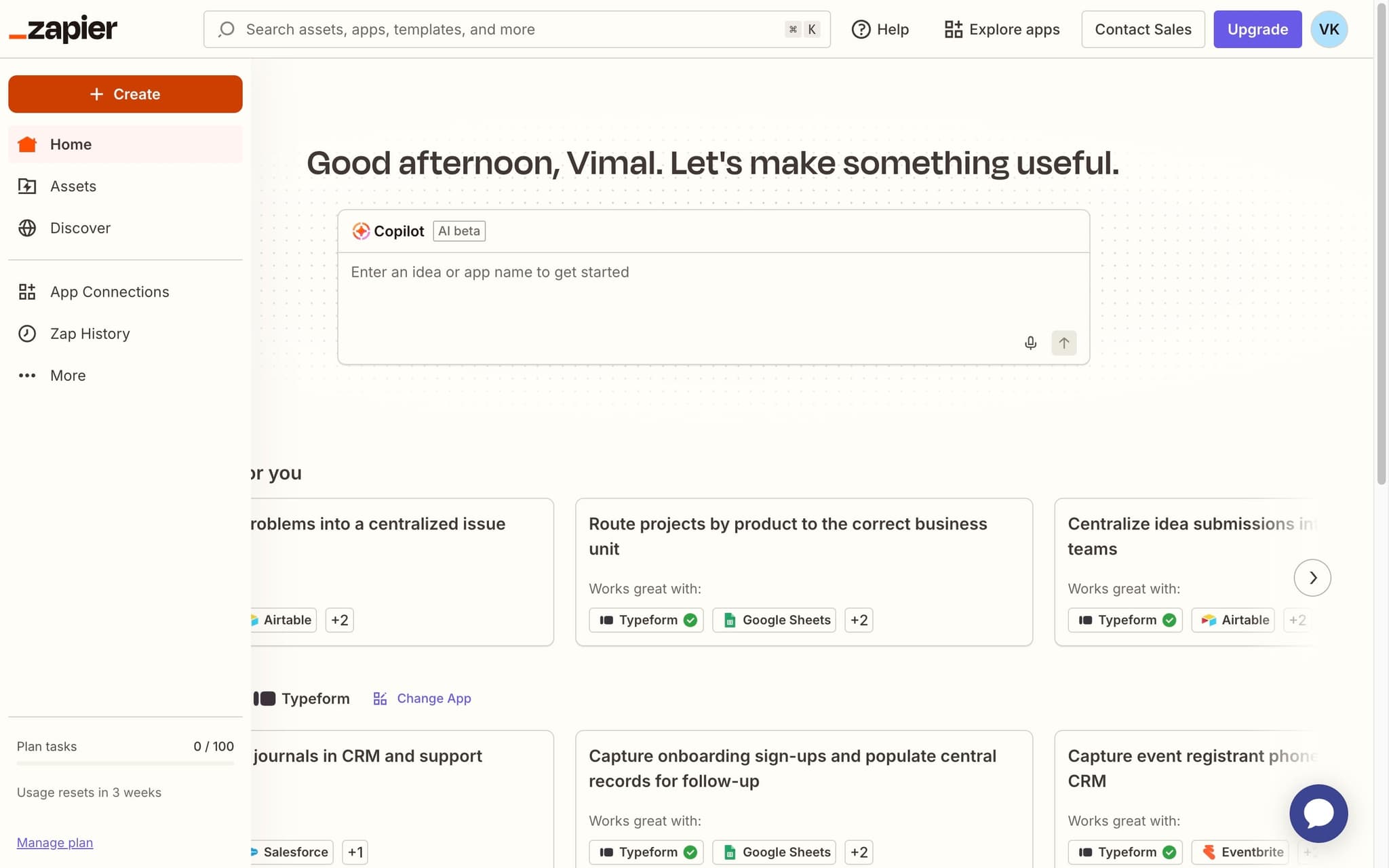
Log in to Zapier and create a new Zap
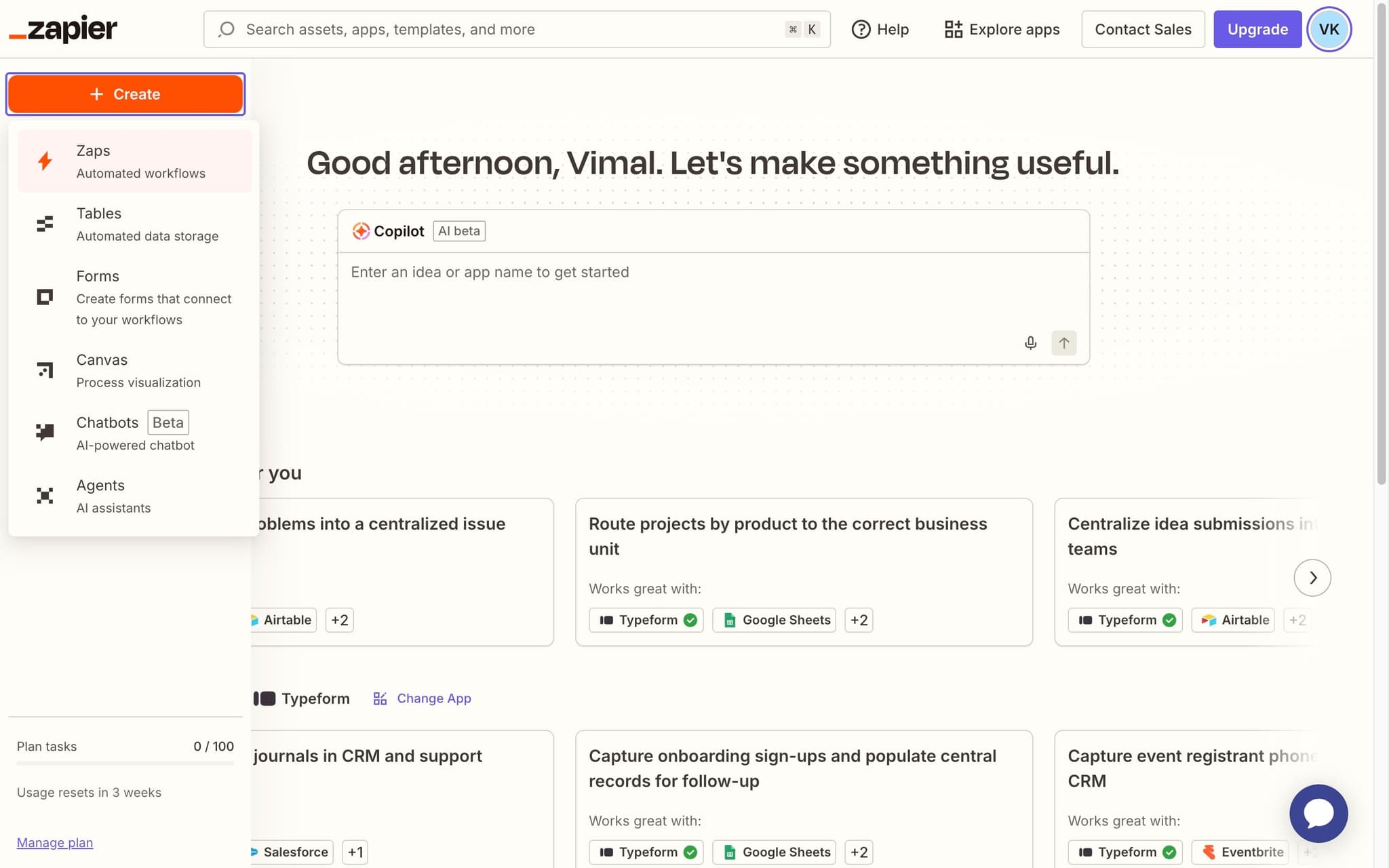
Switch to Zapier and sign in to your account. Click the Create button to start building a new automated workflow (Zap) that will connect Apollo with your other tools.
- 9
Click Zaps
Select Zaps from the creation options. A Zap is an automated workflow that connects two or more apps through a trigger and one or more actions.
- 10
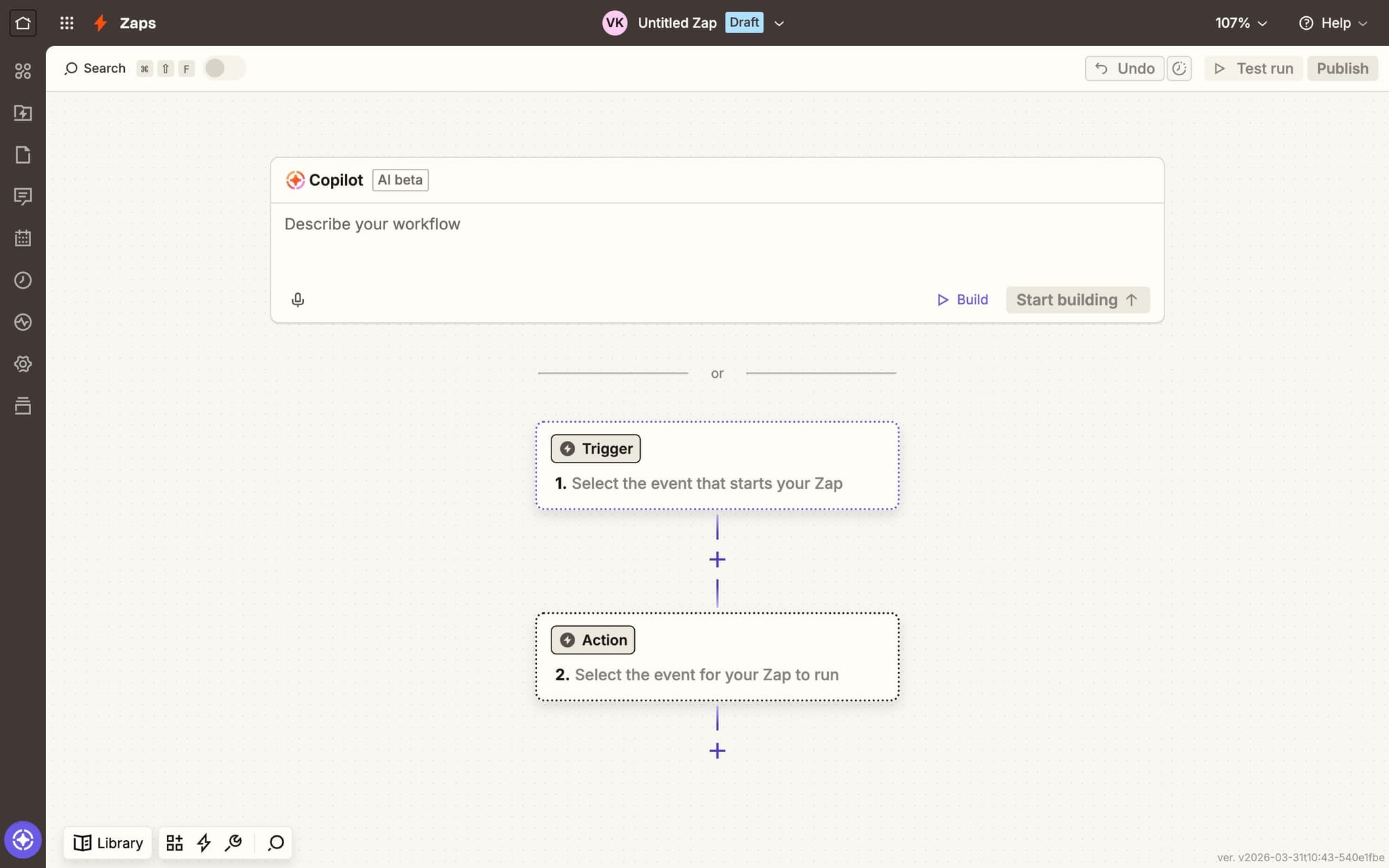
Click the Trigger button
Click the Trigger button to start configuring what event will kick off your Zap. The trigger is the event that starts the automation running each time it occurs.
- 11
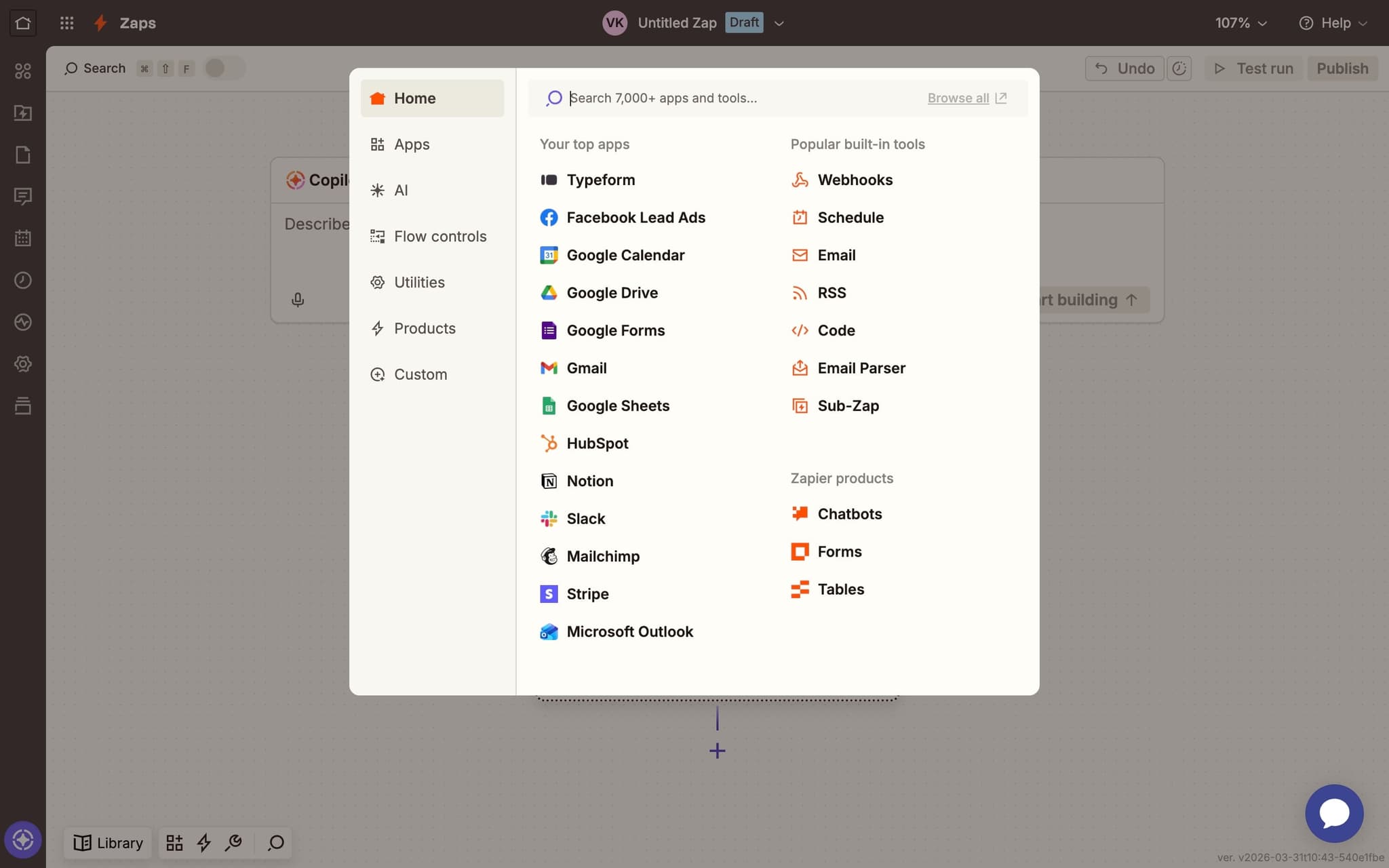
Search for Apollo
In the app search field, type 'Apollo' to find the Apollo.io integration. Zapier supports thousands of apps, so searching is the fastest way to locate the one you need.
- 12
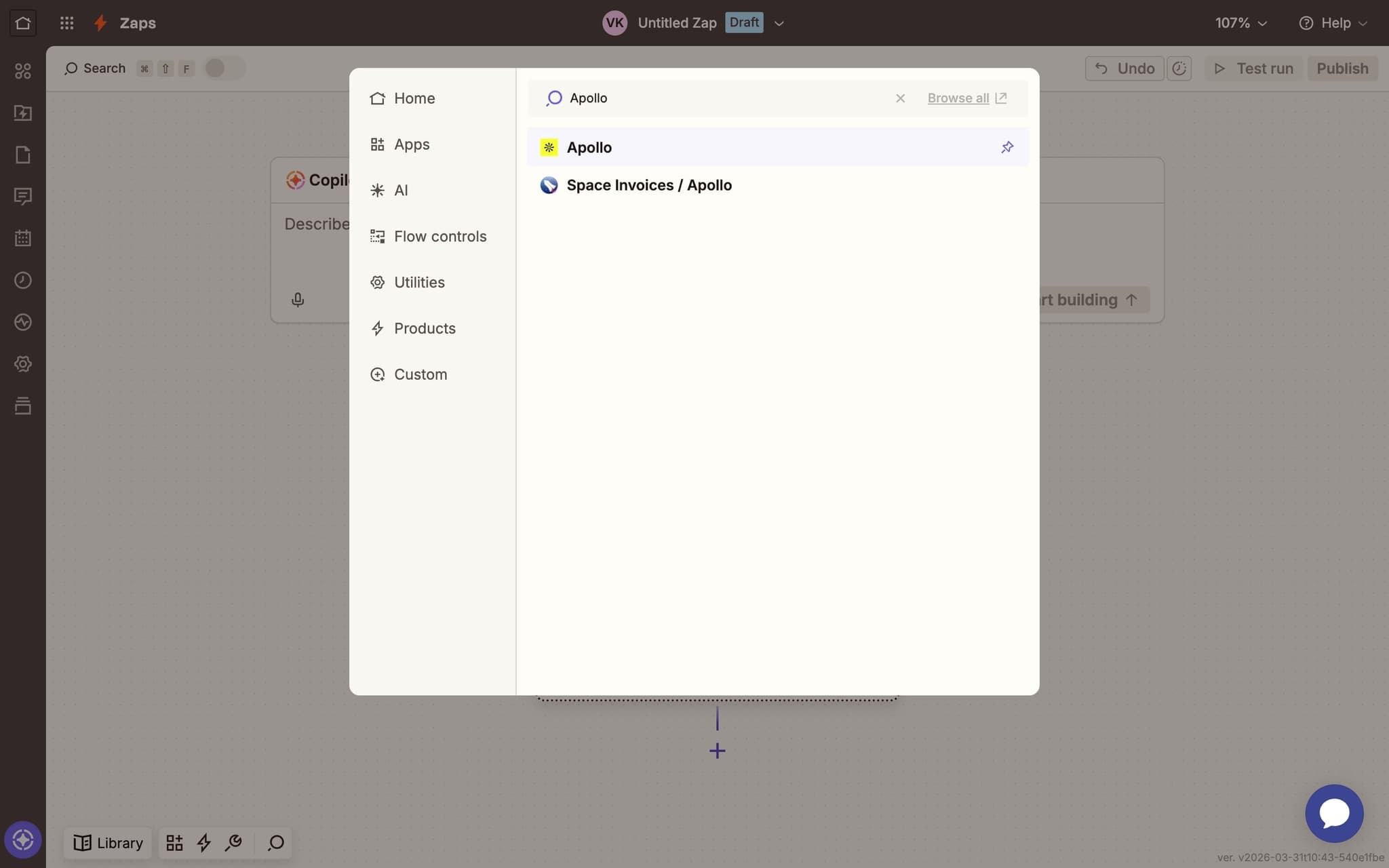
Select Apollo as the trigger app
Click on Apollo from the search results to select it as your trigger app. Zapier will then prompt you to choose which specific Apollo event should trigger your workflow.
- 13
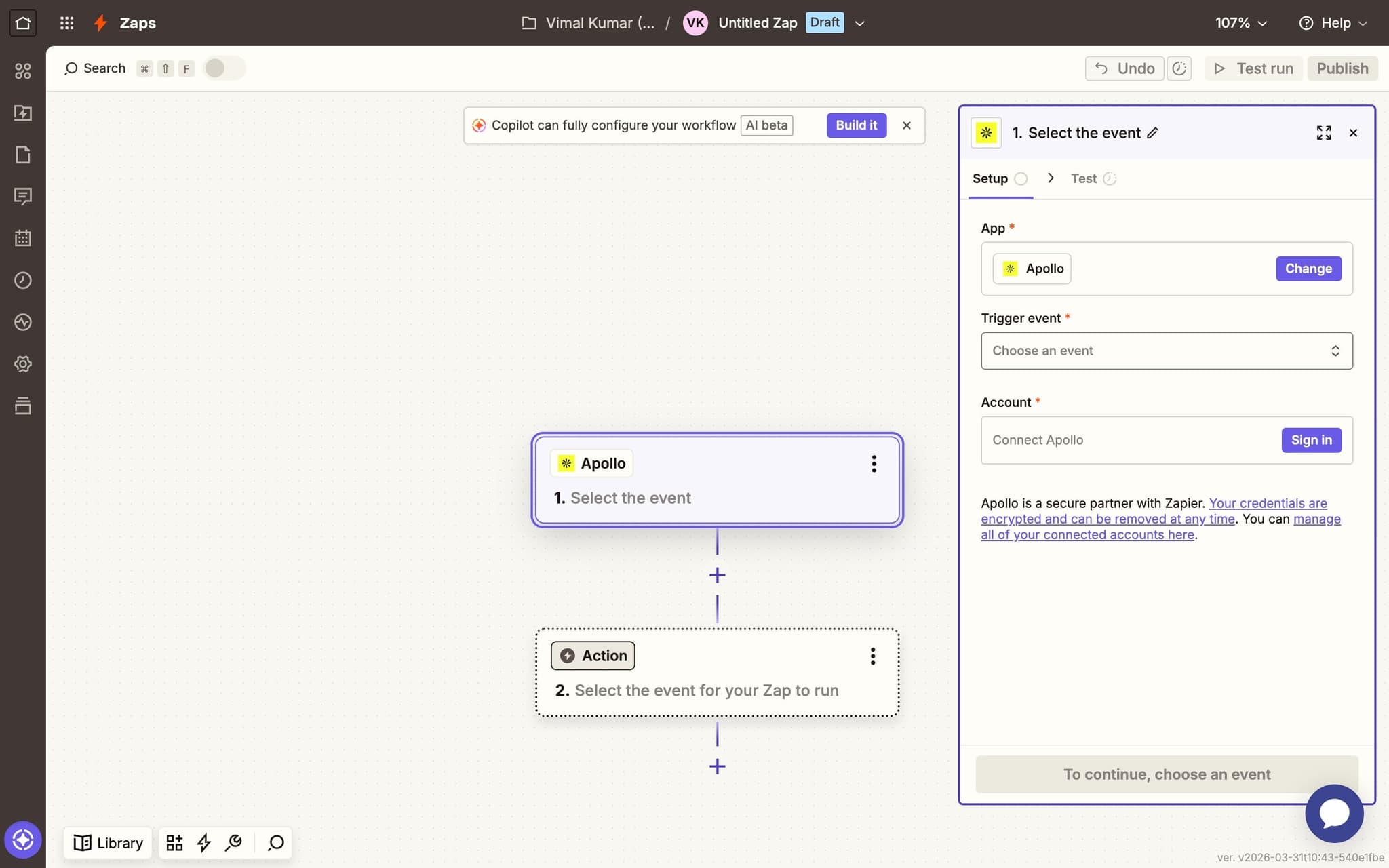
Choose a trigger event
Click the 'Choose an event' dropdown to see the available Apollo trigger events. Options typically include New Account, New Contact, Updated Contact, and other data change events.
- 14
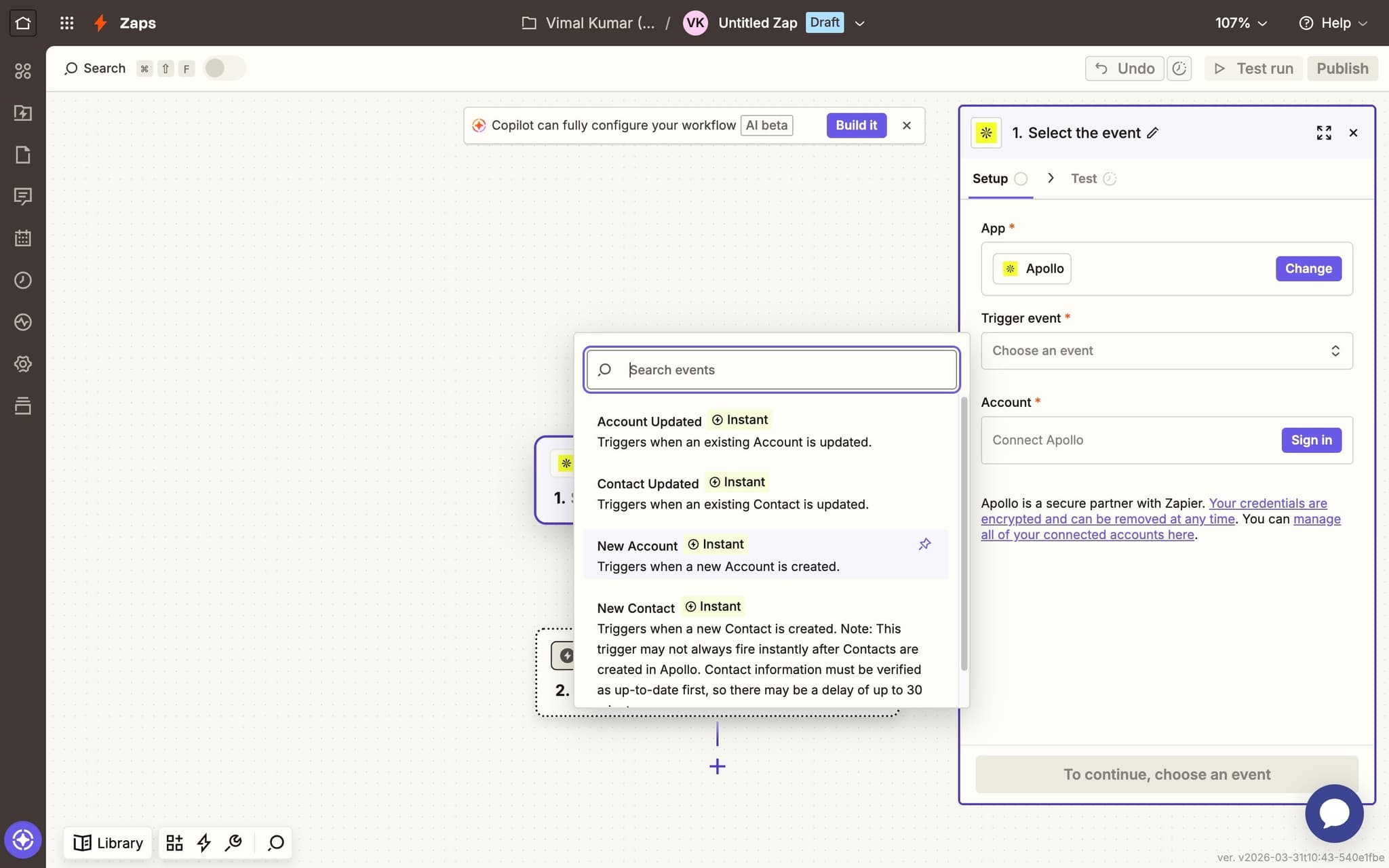
Select New Account as the trigger
Click New Account to use this as your trigger event. This means your Zap will run automatically every time a new account is created in Apollo. Choose the event that best matches your automation goal.
- 15
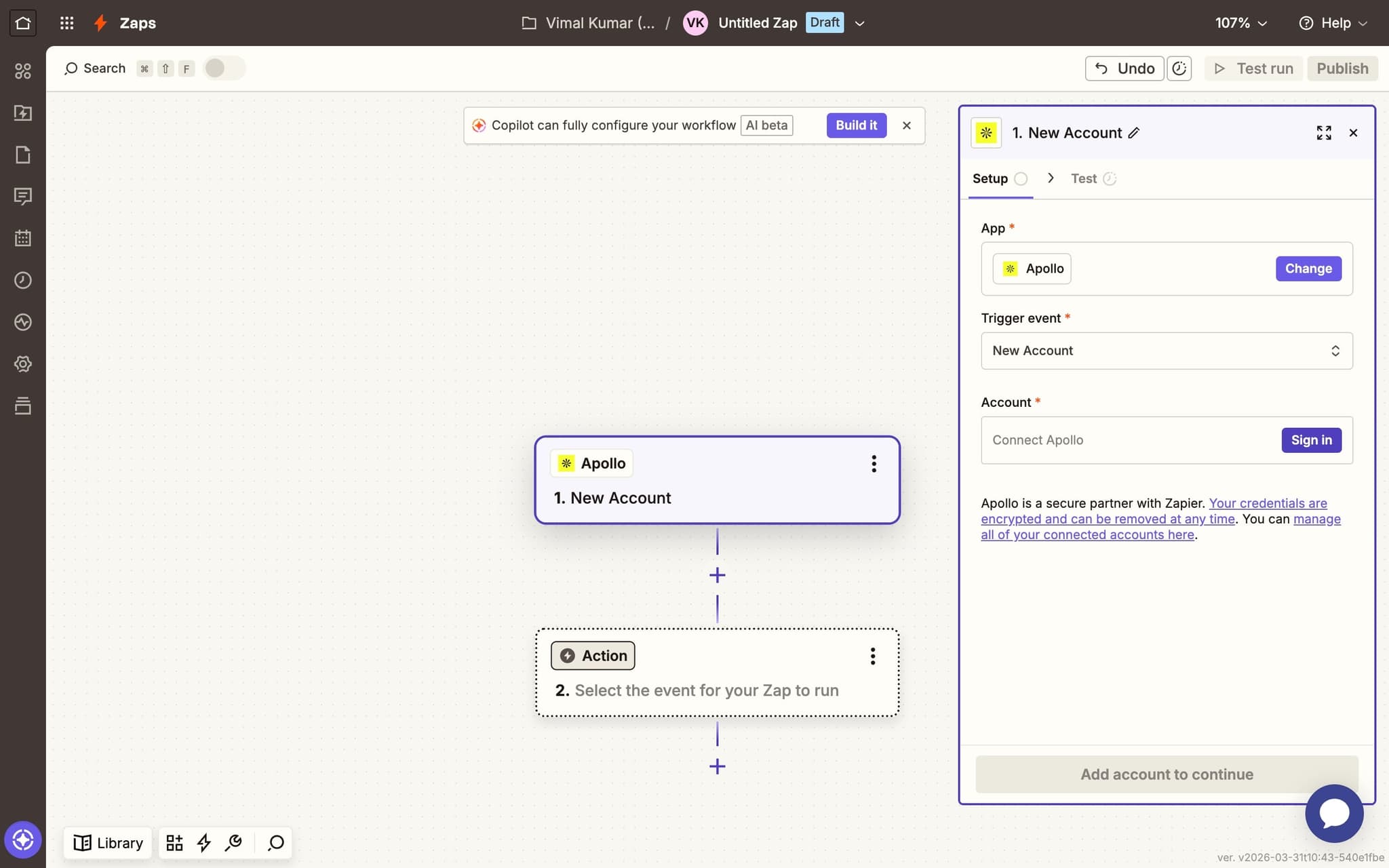
Click Sign in to connect Apollo
Click the Sign in button to authenticate your Apollo account with Zapier. This is where you'll use the API key you copied earlier to establish the connection between the two platforms.
- 16
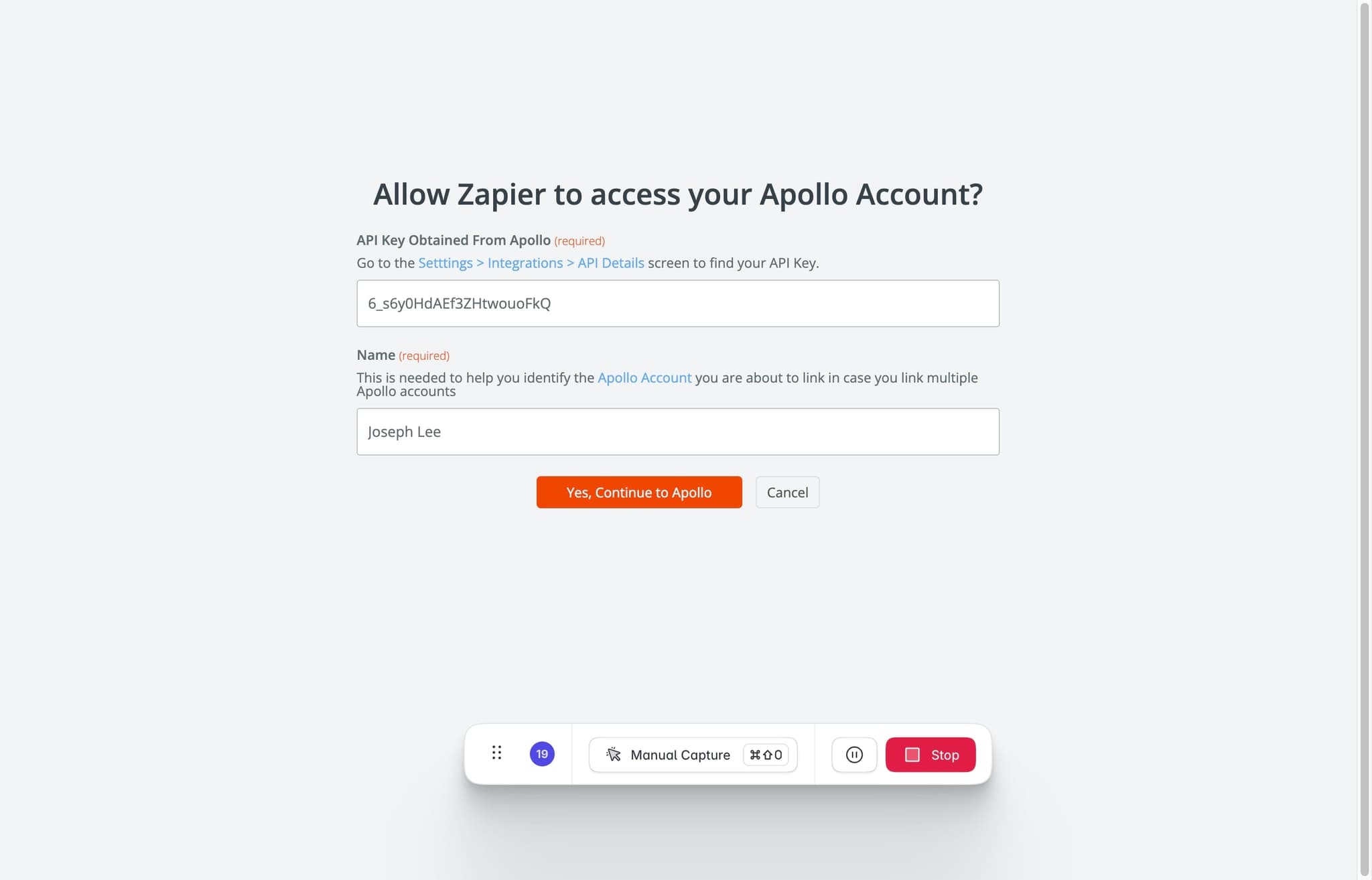
Paste your API key and authenticate
Paste the API key you copied from Apollo into the key field. Enter your account name for reference, then click 'Yes, continue to Apollo' to authorize the connection. Zapier will verify the key is valid.
- 17
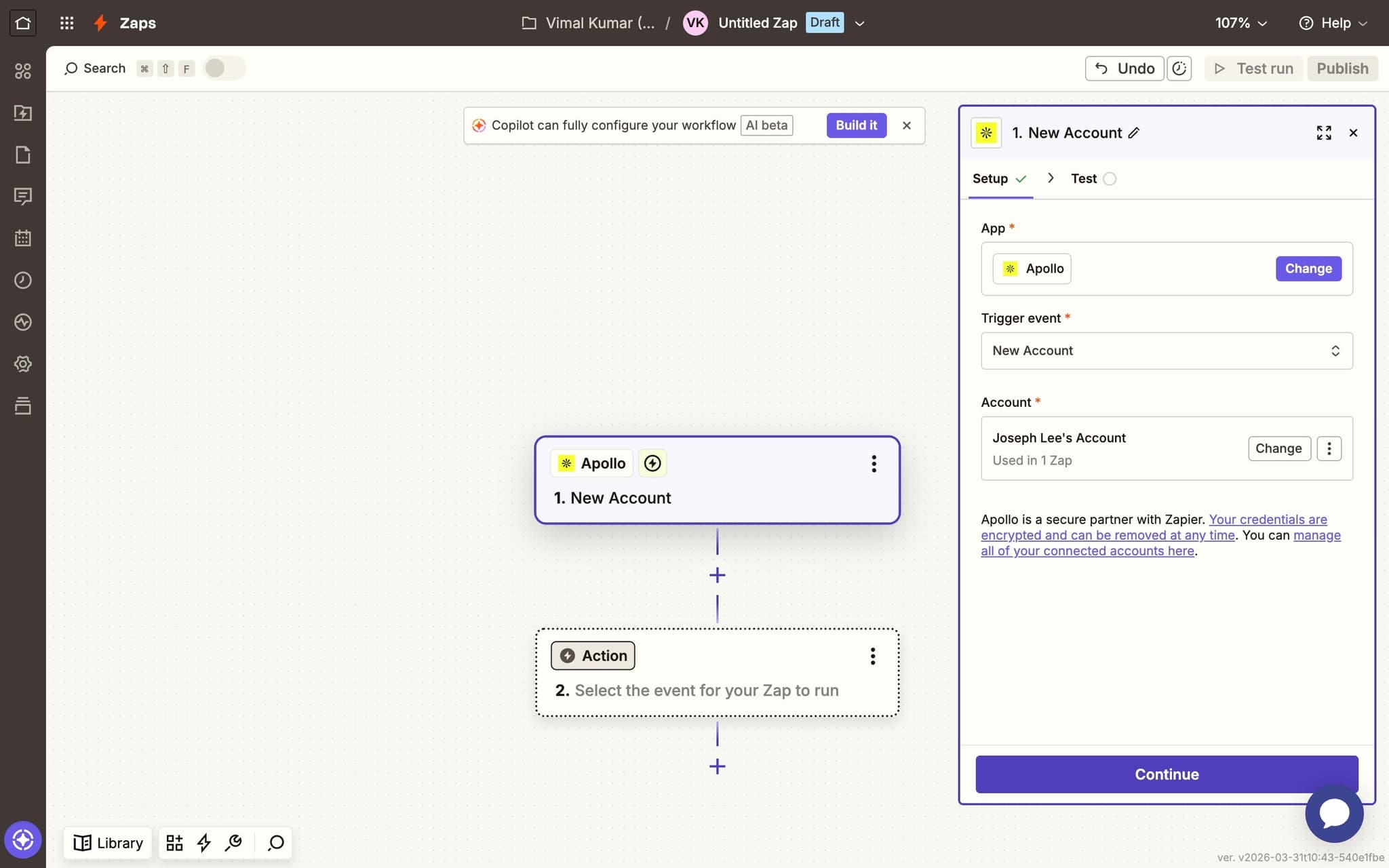
Click Continue
After successful authentication, click Continue to move to the next step of your Zap configuration. You're now ready to test the trigger and set up the action step.
- 18
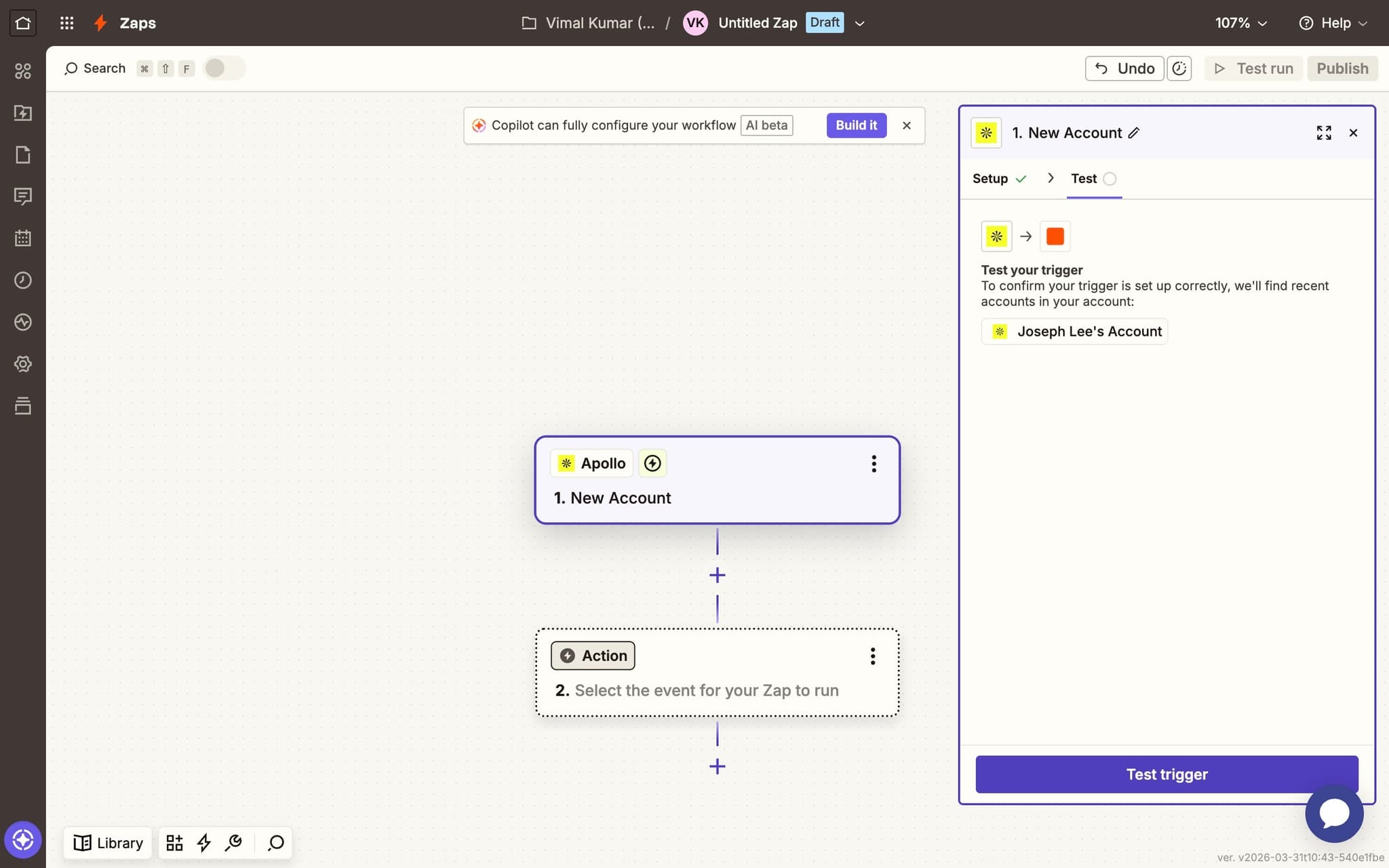
Test your trigger
Click Test trigger to verify that Zapier can pull sample data from your Apollo account. A successful test will display recent account data from Apollo, confirming the connection is working properly. You can then proceed to add action steps to complete your Zap.
Frequently asked questions
Common questions about how to connect apollo to zapier.
Apollo exposes triggers such as New Contact Added, New Sequence Finished, and Email Opened, among others. The full list appears inside Zapier once you authorise the Apollo app with your API key. You can combine Apollo triggers with any downstream Zapier action, including CRM updates, Slack messages, and spreadsheet logging.
Yes. Apollo requires a paid plan with API access to connect to Zapier, because the integration relies on authenticated API calls. Free plan users will see an authentication error when attempting to authorise the Zapier app. The minimum supported plan is usually Basic, but the exact tier depends on current Apollo packaging.
Authentication errors usually mean the Apollo API key has been rotated, or the Apollo user running the Zap lacks the admin permission required for API access. Regenerate the key inside Apollo settings and paste the new value into the Zapier connection to fix the error. Zapier does not refresh Apollo credentials automatically.
Yes. A common Zap pattern uses an Apollo trigger followed by a HubSpot or Salesforce Create Contact action. Field mapping inside Zapier lets you keep owner, lifecycle stage, and custom properties in sync between the two systems. This setup is often used to route new Apollo leads straight into an existing CRM pipeline, and based on Supademo's State of Interactive Demos 2026 report, 78% of teams now use interactive demos across two or more use cases, so the same multi-tool documentation pattern shows up across most modern revenue stacks.
Written SOPs go stale every time Apollo or Zapier ships a UI update, which is why reps end up pinging sales ops with the same questions every week. An SOP generator captures each click across Apollo, Zapier, and the destination CRM, and produces a living document that updates as the workflow evolves, so reps self serve instead of opening a ticket. As Fredo Tan, Head of Growth at Supademo, puts it: "The sales ops teams winning right now are treating rep enablement like a growth channel, not a support cost."
The biggest ticket reductions come from pairing automations with interactive adoption guides at each customer lifecycle stage. This overview of the customer success lifecycle shows where to place in product education for maximum impact on adoption and retention.