Onboarding Snapshot
Activation Event
First Loom video recorded and shared
Time-to-Value
Fast — Chrome extension install is the only prerequisite before first recording
Primary Strength
Role-based personalization feeds into workspace content, making setup feel purposeful in retrospect
Primary Risk
Chrome extension install is a required friction step that some users may defer or skip
Overview
Loom makes three decisions that most screen recording tools don't. It forks the entry path to serve users at different levels of readiness. It uses role data to personalize workspace content rather than just feed analytics. And it times the upgrade CTA to arrive after the Activation Event, not before it.
What Should You Steal?
Swipe through actionable takeaways from this onboarding flow.
How Loom Personalizes Onboarding by Job-to-Be-Done
The role question during setup pays off visibly inside the workspace.
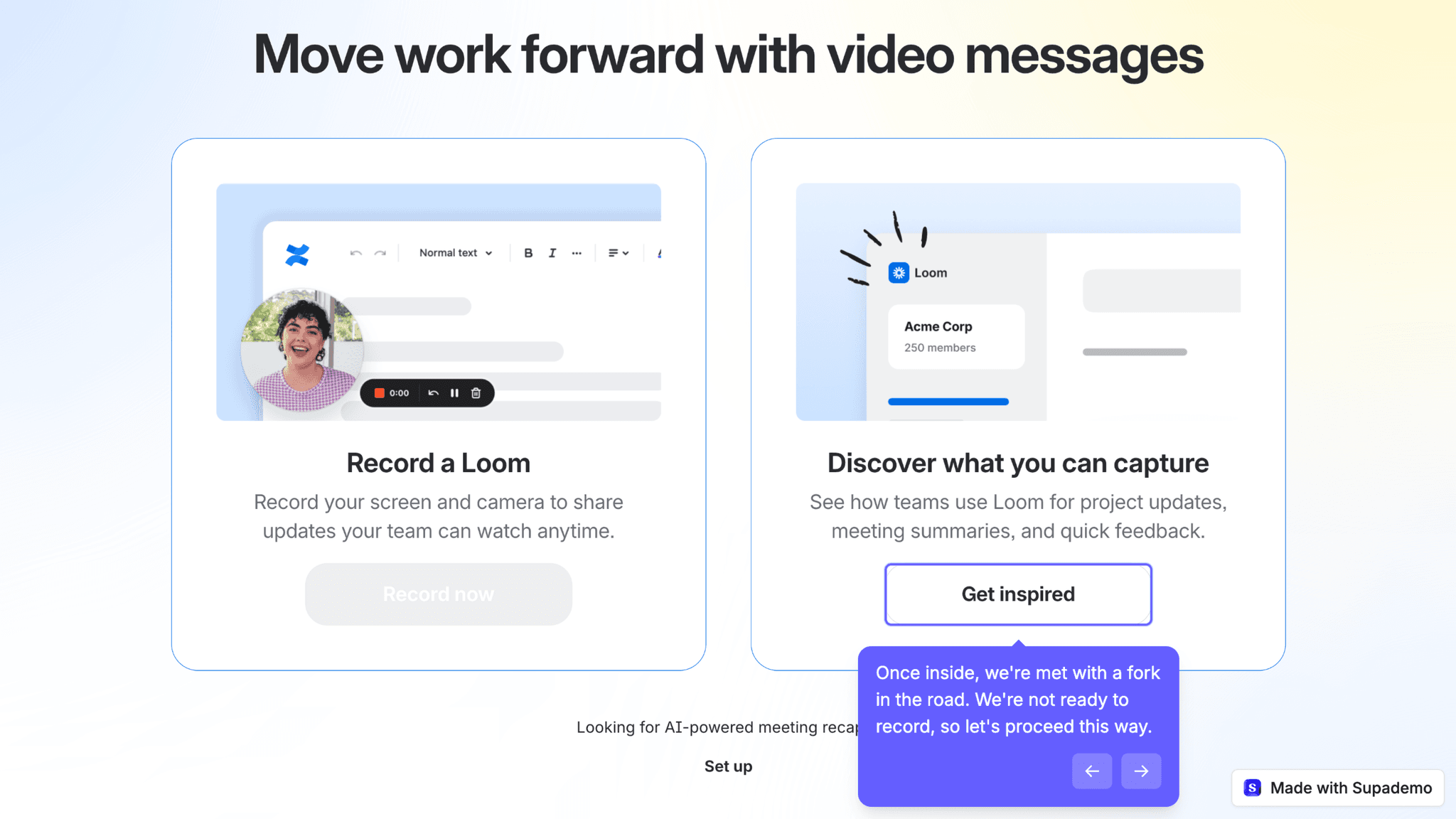
After Google sign-in and workspace creation, Loom presents a fork: record now, or get inspired first. Choosing "get inspired" opens a 3-step setup covering use case, role, and calendar. That role selection isn't segmentation for its own sake — it reappears as a personalized inspiration video showing how teams in that function use Loom. The question that felt like overhead turns out to be content curation.
How Loom Personalizes Onboarding by Job-to-Be-Done
The 3-step progress bar makes setup feel bounded.
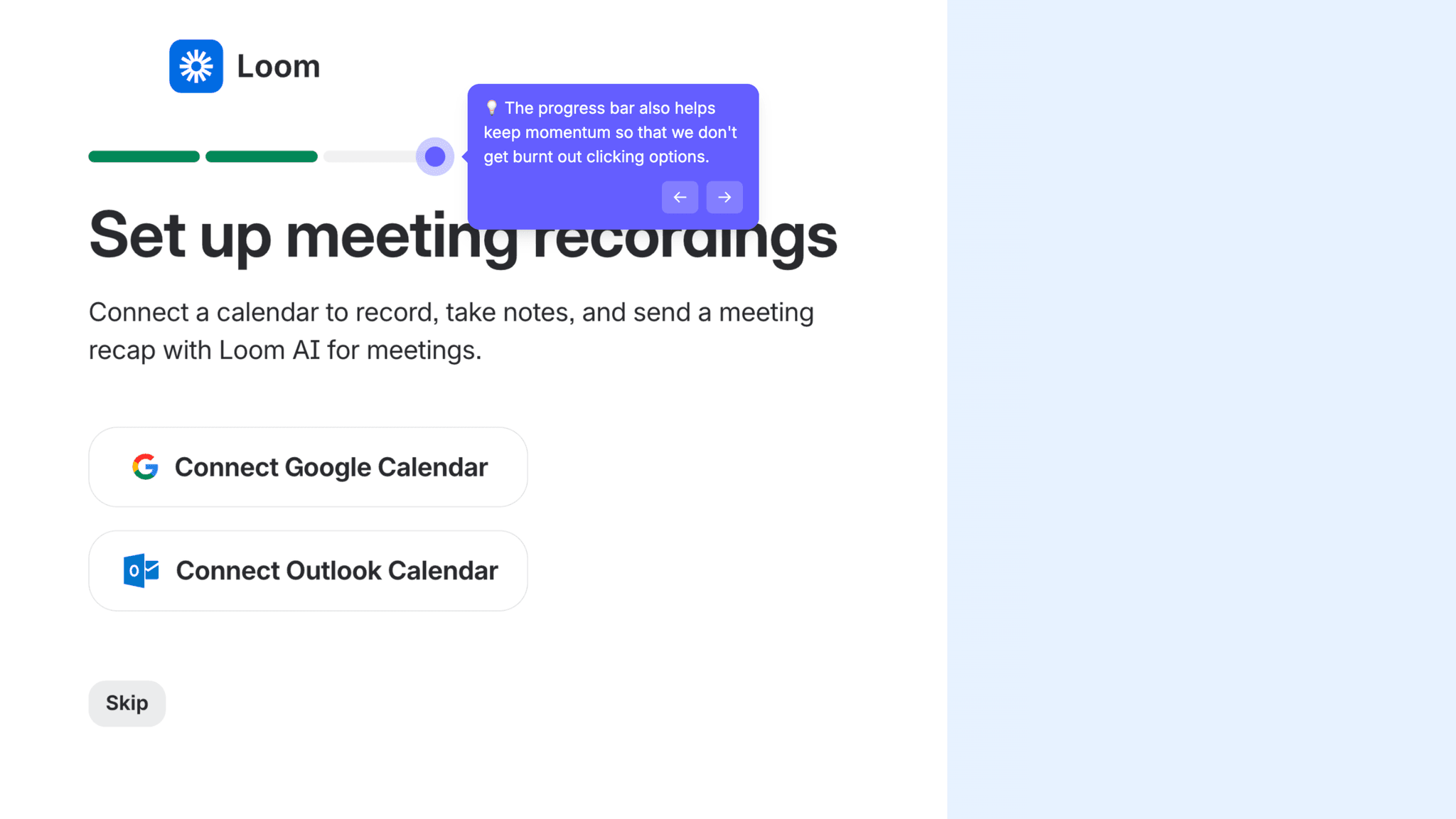
"Step 1 of 3" tells me exactly where I am and how much is left. A question with a visible endpoint lands differently than one with no finish line. The progressive disclosure, personal vs. work first, then role, then calendar, keeps each step light while maintaining forward motion.
How Loom Reduces Decisions Early
The Chrome extension install is framed as an unlock, not an obstacle.
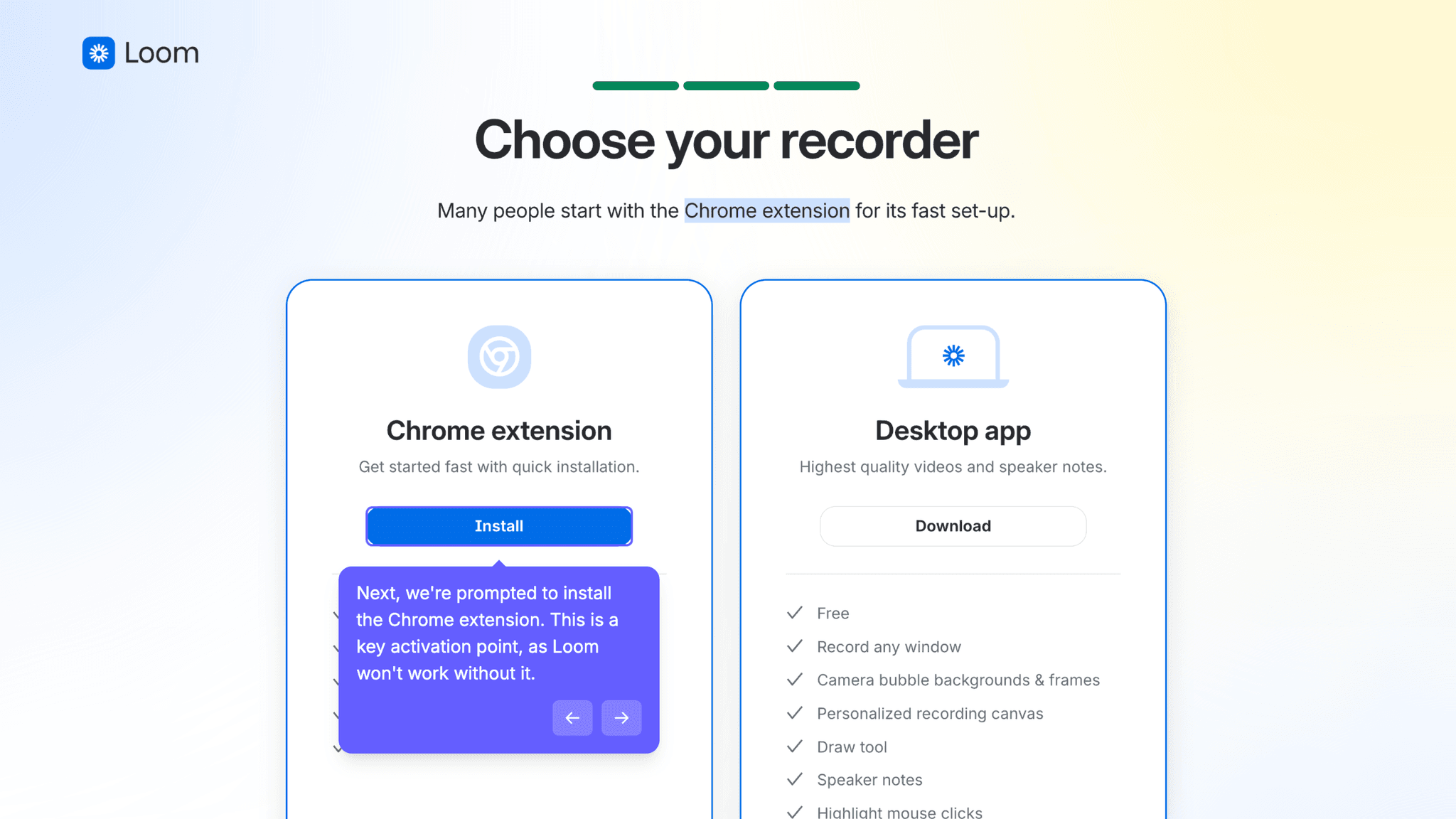
Loom can't record without it. Rather than surfacing this late or apologetically, the onboarding guides directly to installation as the obvious next step. "Install to unlock" rather than "install before you can continue" — a small framing difference with real consequences for how the requirement lands.
Onboarding Tactics That Work
Role selection during setup directly personalizes workspace content
3-step progress bar with visible endpoint reduces setup abandonment
Fork between "record now" and "get inspired" serves different user intents simultaneously
Upgrade CTA appears after first video is recorded — correctly timed post-activation
Where There's Friction
Chrome extension install required before first recording — some users may defer
Calendar connection adds a step between setup and recording for some users
Users who choose "record now" skip role-based personalization entirely
When Is the In-App Activation Moment?
The Activation Event in Loom is recording a first video and sharing it. The moment a user has sent a Loom instead of writing an email or scheduling a meeting.
Getting there is fast for users who follow the "get inspired" path. The flow moves through:
The Chrome extension is the only technically demanding step. Loom handles it by positioning installation as the obvious prerequisite rather than an interruption — and it reads that way.
The personalization payoff in the workspace is the most underrated moment in the flow.
When I enter the workspace after the role setup, there's a video waiting showing how marketing teams use Loom — because that's the role I selected. That moment recontextualizes everything that came before it. What felt like data collection during onboarding reveals itself as content curation inside the product. Few tools close that loop.
The upgrade CTA timing is the sharpest commercial decision in this gallery.
After recording my first video, Loom surfaces a 14-day trial offer with a clear list of AI features. By that point, I've reached my Activation Event. The ask arrives after value realization — exactly when it should, and not a step earlier.
After activation, the workspace has templates, inspiration content, and an upgrade prompt that's visible but not blocking. The habit loop starts from the first session.
The Bottom Line on Loom's Onboarding
Loom makes three decisions that most screen recording tools don't. It forks the entry path to serve users at different levels of readiness. It uses role data to personalize workspace content rather than just feed analytics. And it times the upgrade CTA to arrive after the Activation Event, not before it.
Most products surface upgrade prompts during onboarding, before value is demonstrated. Loom waits until after the first recording. That discipline is harder than it looks — and it's why the ask lands.
Steal the deferred personalization payoff. If your onboarding asks role or use-case questions, use the answers to deliver something specific inside the product the user can see. The question stops feeling like overhead and starts feeling like setup.
FAQs
Common questions about Loom's onboarding flow and what makes it effective.
How does Loom onboard new users?
Loom's onboarding begins with Google sign-in and workspace creation, then offers a fork: record immediately or get inspired first. Users who choose "get inspired" complete a 3-step setup covering use case, role, and calendar connection before installing the Chrome extension and entering the workspace. The Activation Event, recording and sharing a first video, happens within the session for users who install the extension.
What makes Loom's onboarding experience stand out?
Two decisions. The role question during setup directly feeds a personalized inspiration video in the workspace, making data collection feel purposeful rather than administrative. And the upgrade CTA appears after the first recording, not before it. Both show a clear understanding of where users need to be before certain asks make sense.
How long does it take to reach value in Loom?
Fast. The Chrome extension install is the only technically demanding prerequisite. Users who follow the guided setup path move through sign-in, workspace creation, role segmentation, and extension install in a single session. The Activation Event, recording and sharing a first video, typically happens in that same session.
How does Loom's onboarding compare to other SaaS tools?
Loom's role-based personalization payoff is most similar to Fathom's onboarding, which also uses setup data to configure the product rather than just collect it. The Chrome extension install as a required prerequisite puts Loom alongside Supercut, which also requires a download before recording — both handle it by framing installation as a natural unlock. The upgrade CTA timing outperforms Synthesia and VEED, which surface pricing before activation is complete.