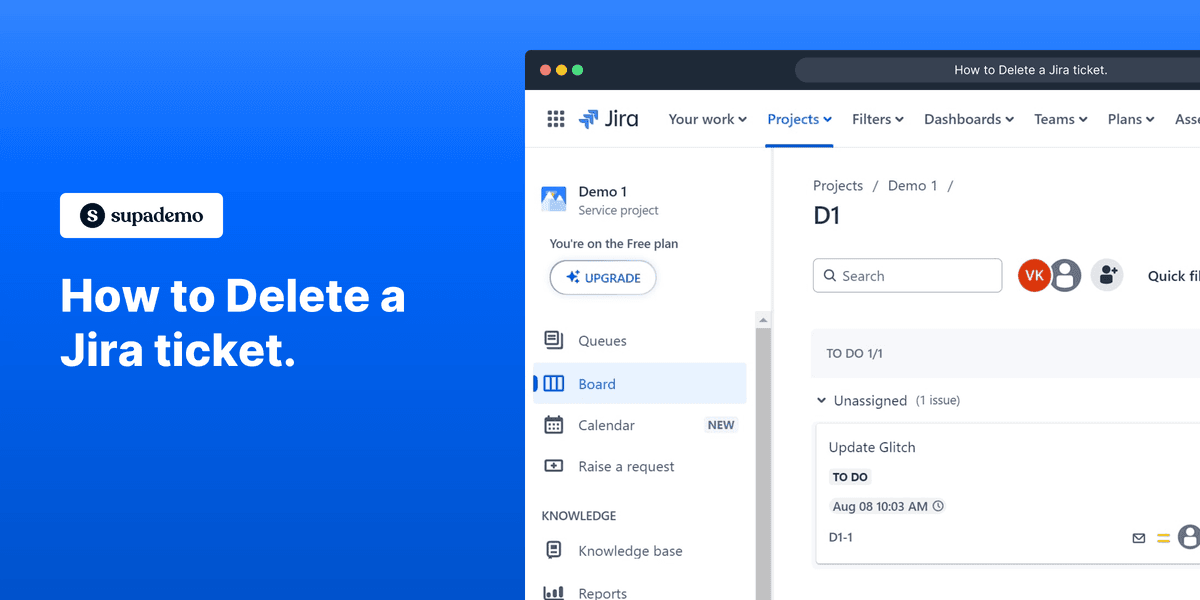
How to Delete a Jira ticket.

Vimal Kumar
Vimal Kumar·
How to Delete a Jira ticket.
Interactive demo powered by Supademo

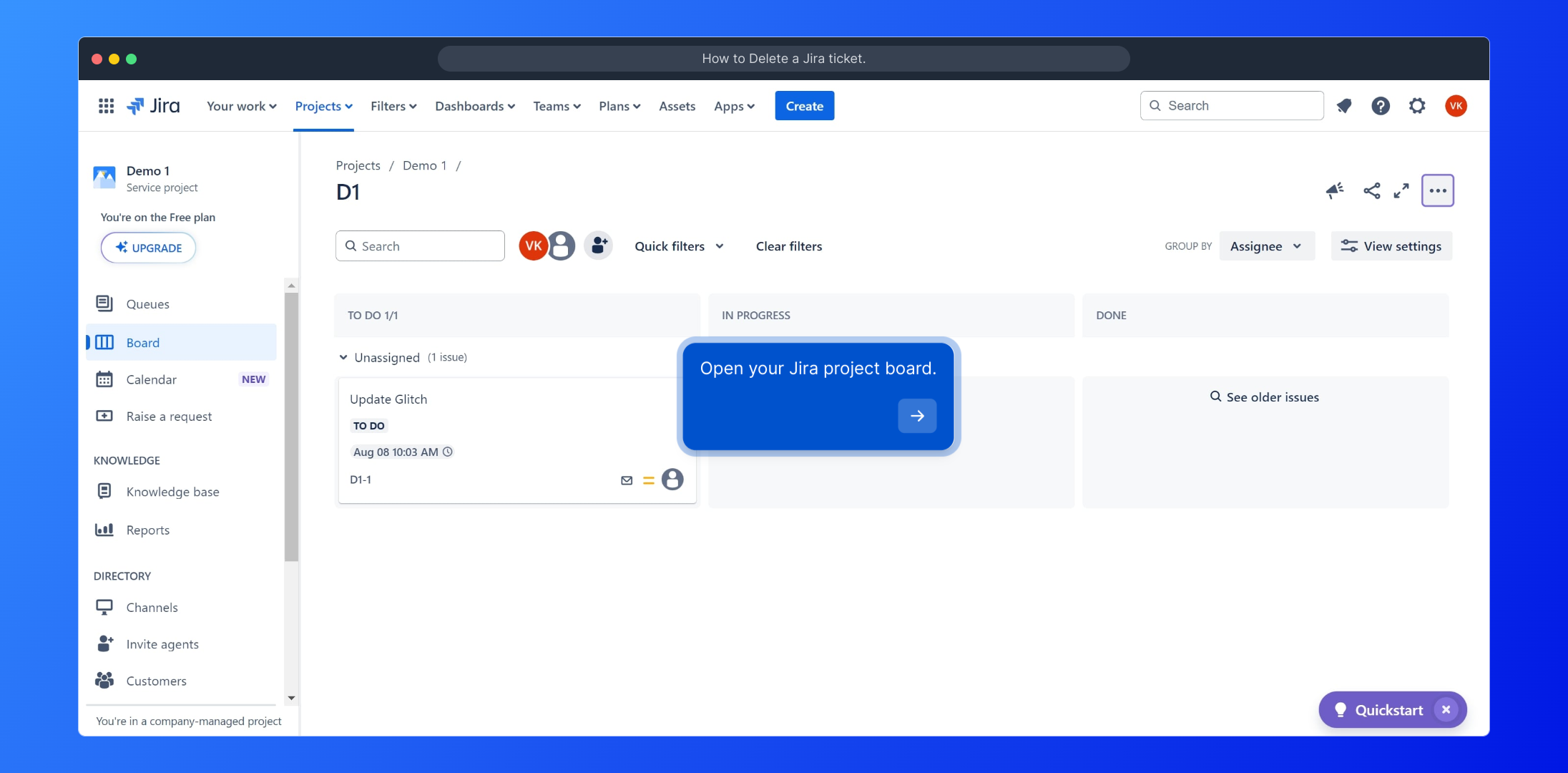
1. Open your Jira project board.

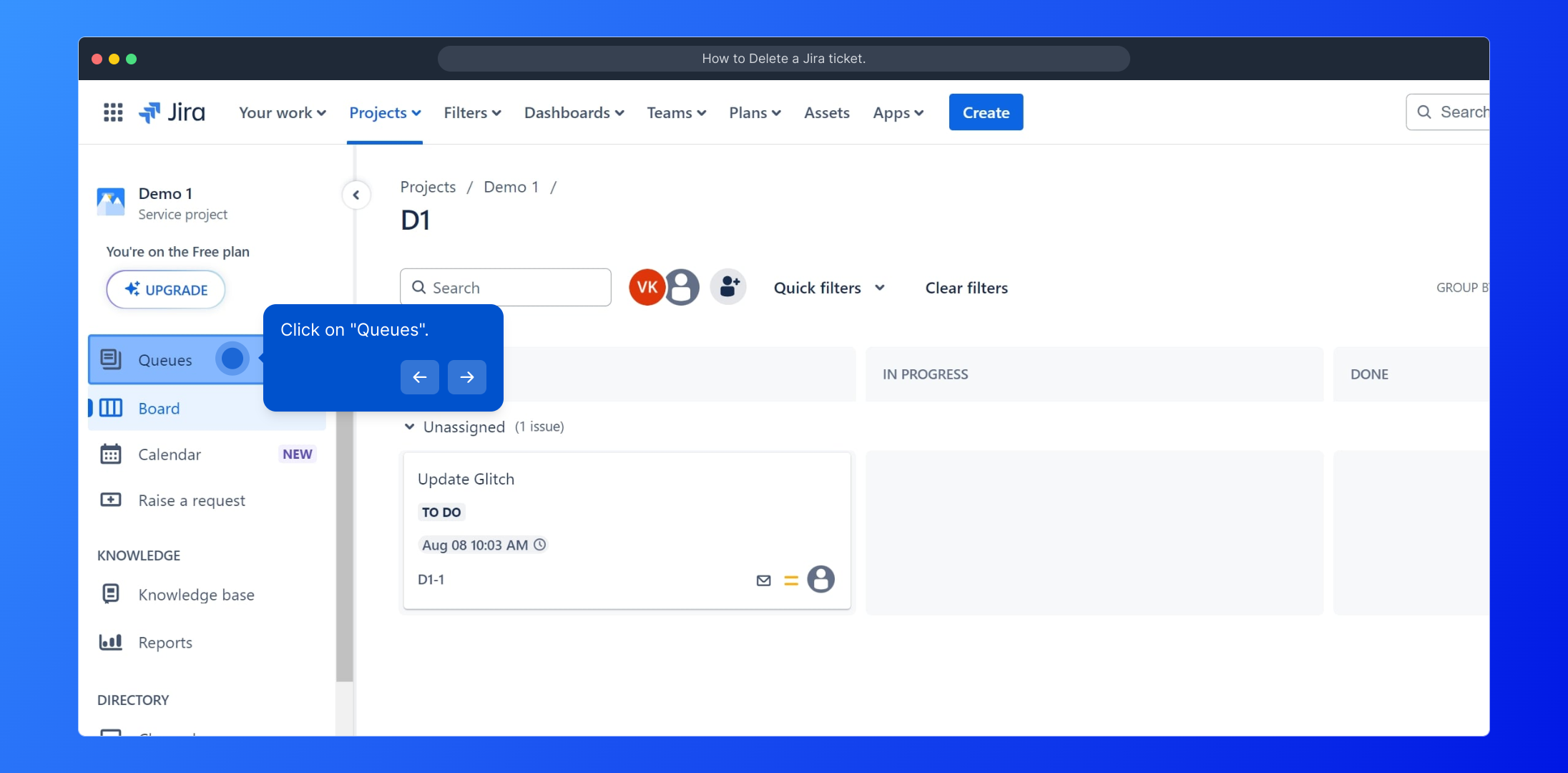
2. Click on "Queues".

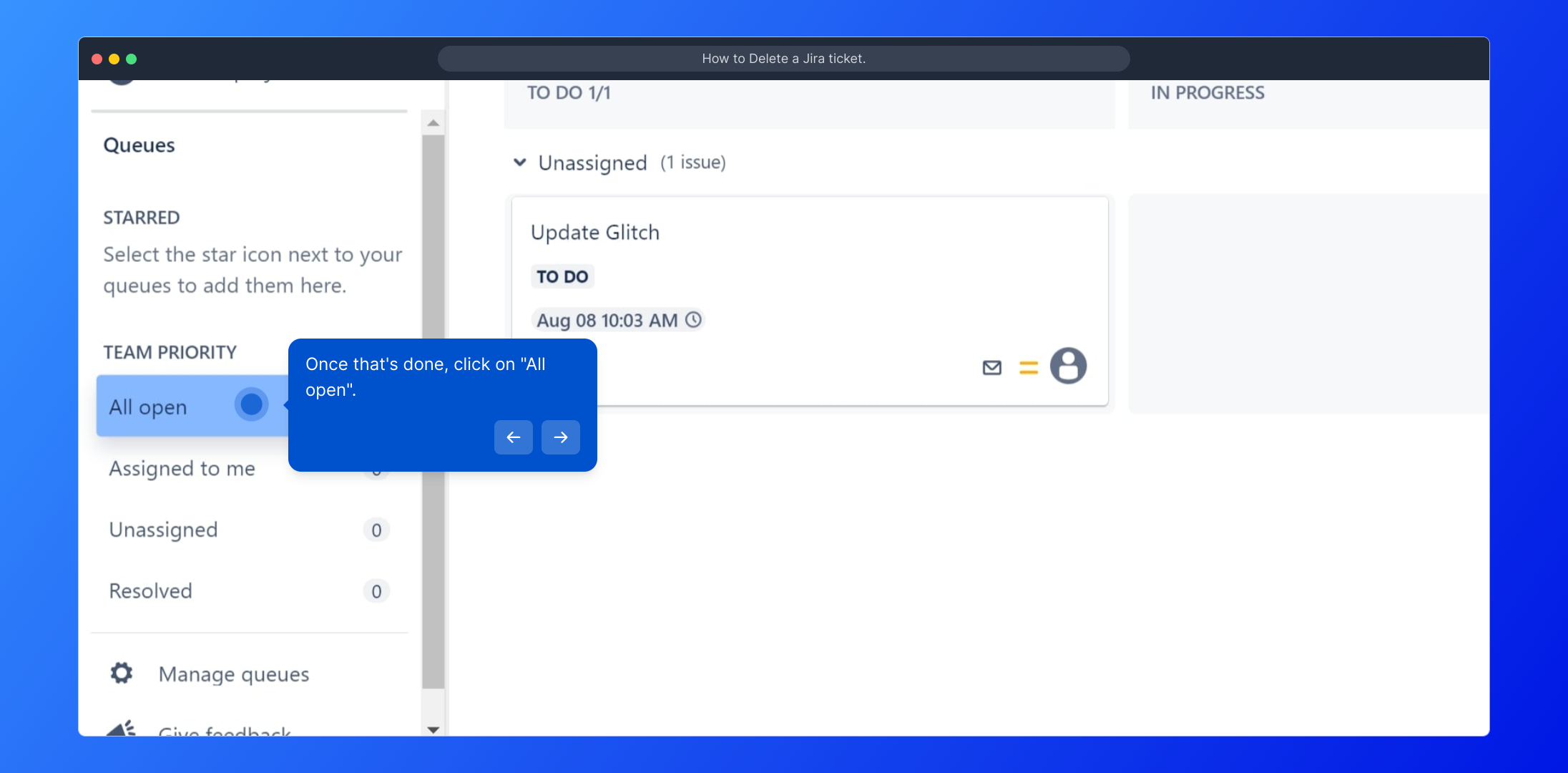
3. Once that's done, click on "All open".

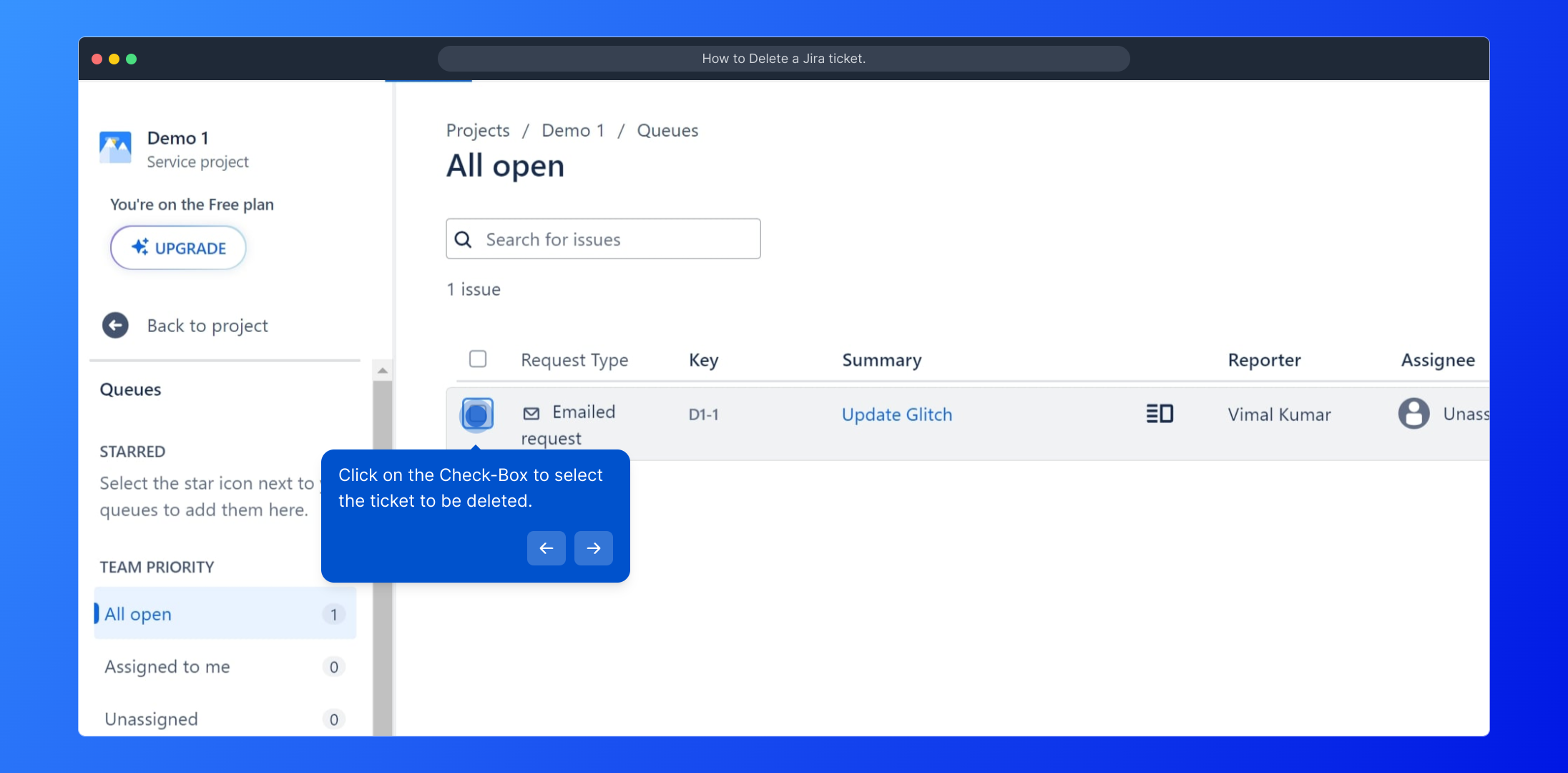
4. Click on the Check-Box to select the ticket to be deleted.

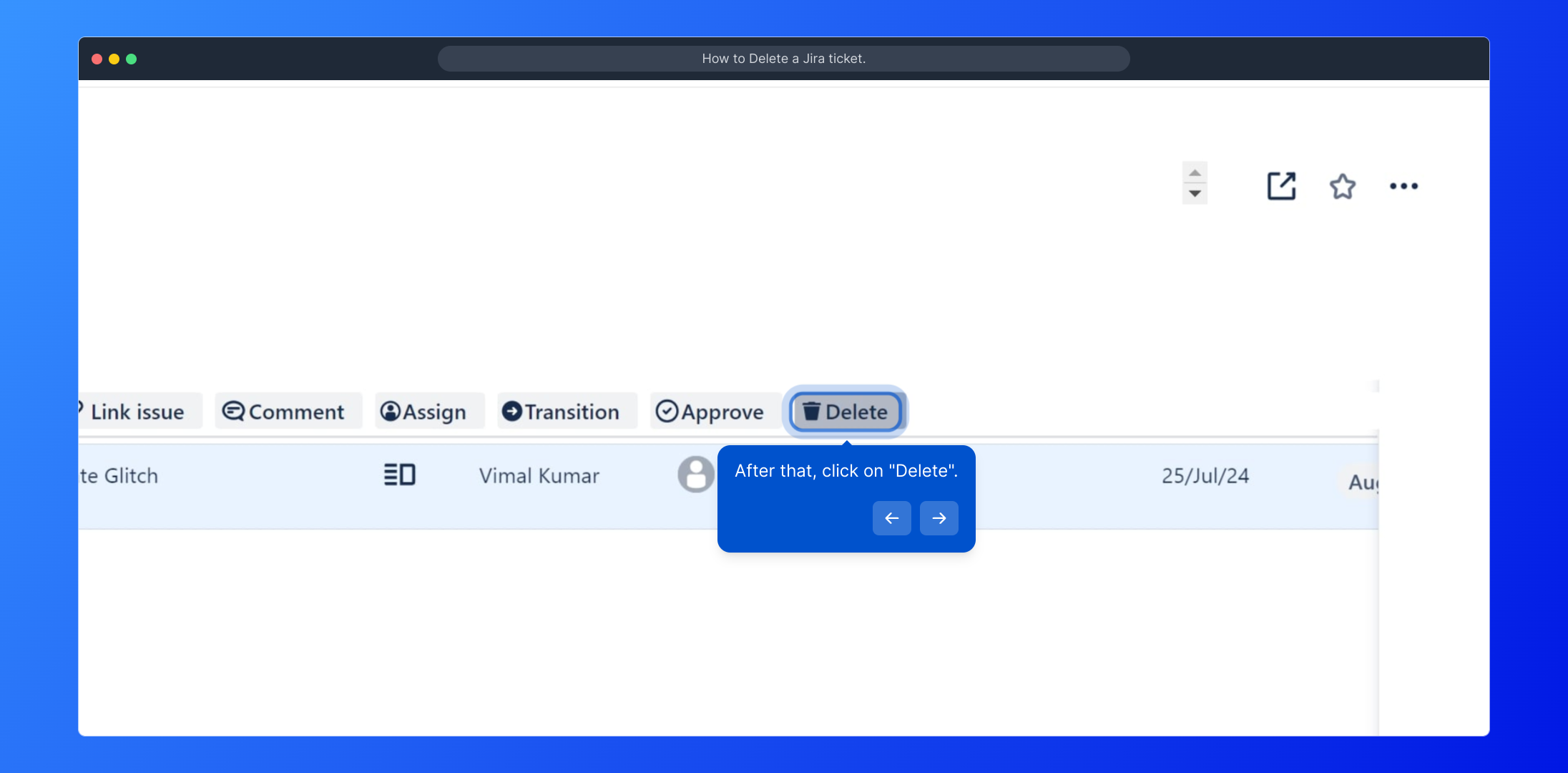
5. After that, click on "Delete".

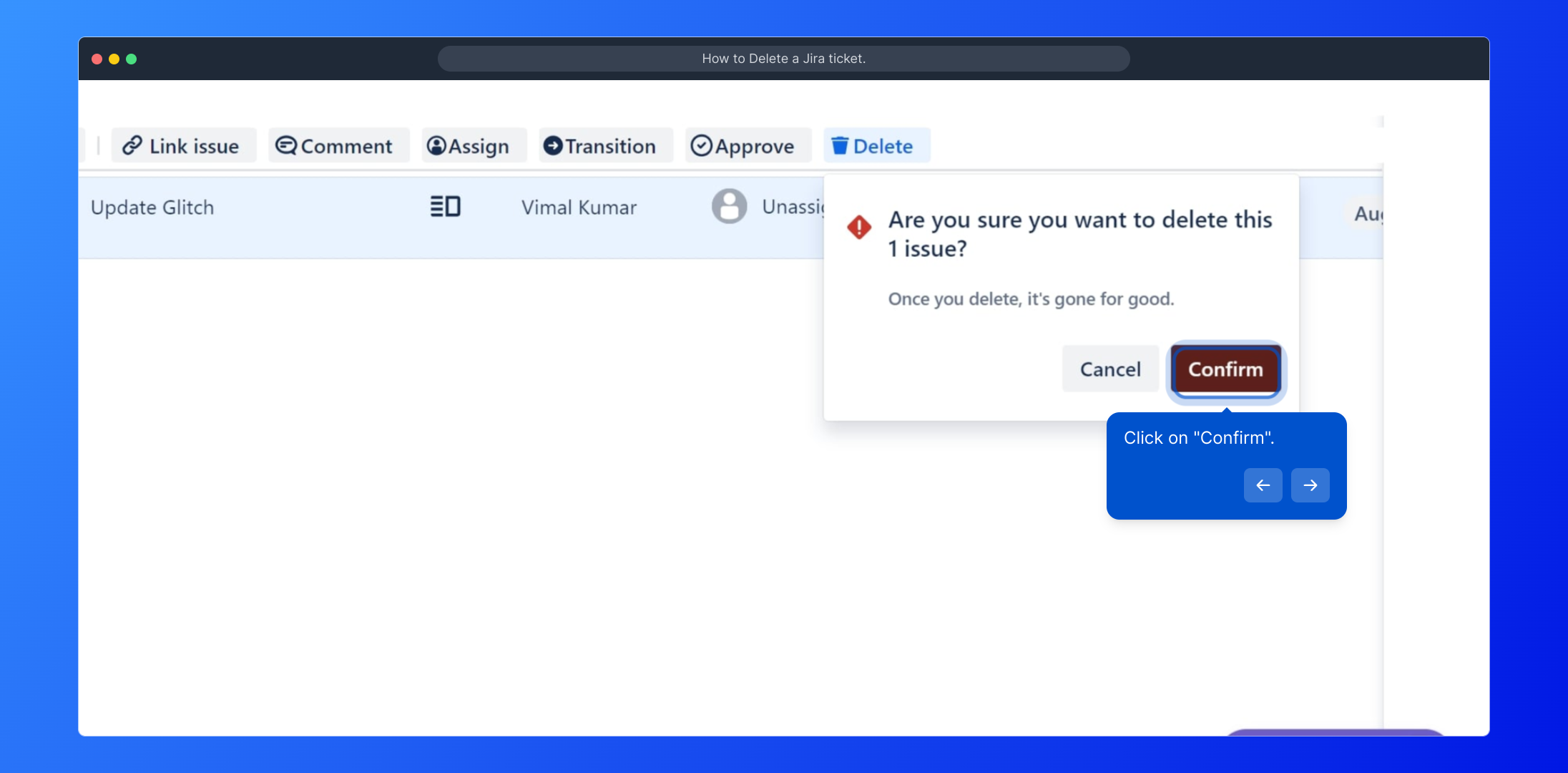
6. Click on "Confirm".

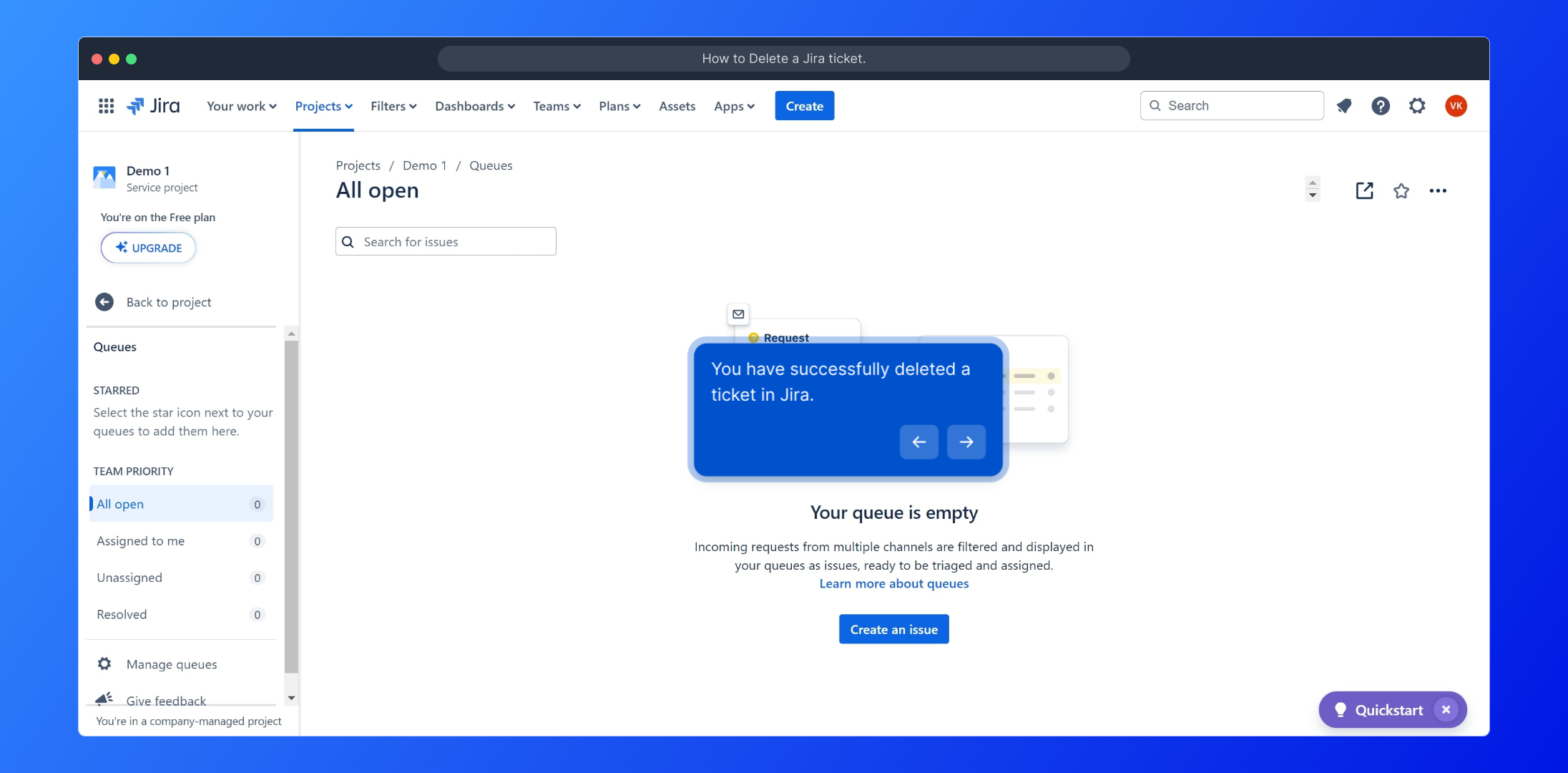
7. You have successfully deleted a ticket in Jira.

8. Create a Supademo in seconds

This interactive demo/guided walkthrough on How to Delete a Jira ticket. was created using Supademo.


How to Delete a Jira ticket. : Step-by-Step Guide

Start by navigating to your Jira project and opening the main project board where all your issues and tickets are displayed. This is the central place to manage your workflow.
1

From the project board, look for the "Queues" tab in the sidebar or navigation menu. Clicking on "Queues" will organize your tickets and help you find specific groups of issues more easily.
2

Within the Queues section, select "All open" to view every ticket that is currently active and unresolved. This view gives you a comprehensive list of tickets that might need your attention.
3

Next, find the specific ticket you want to remove and click the checkbox next to it. Selecting the ticket is essential before you can take any further action like deletion.
4

After selecting the ticket, look for the "Delete" option in the action menu or toolbar. Clicking this will initiate the process to permanently remove the selected ticket from your project.
5

A confirmation prompt will appear to ensure you want to delete the ticket. Click "Confirm" to finalize the deletion and keep your project board clean.
6

Once confirmed, the ticket will be successfully deleted, and you’ll see it removed from your list. This helps maintain an organized and up-to-date project board.
7

Lastly, if you want to quickly create new demos or tutorials like this one, you can use Supademo to build them effortlessly in just a few moments.
8

Create your own interactive demos in < 5 mins with Supademo

You can create your own interactive product demo in minutes using Supademo. Drive growth, scale enablement, and supercharge product-led onboarding with Supademo. Sign up for free here with no credit card required.


FAQs

Commonly asked questions about this topic.

Can all users delete Jira tickets?

Not all users have permission to delete tickets. Typically, only Jira administrators or users with specific project permissions can delete issues. If you cannot delete a ticket, check your user permissions or contact your Jira admin.

What happens after a Jira ticket is deleted?

Once deleted, a Jira ticket is permanently removed from the project and cannot be recovered through the Jira interface. Be sure to confirm deletion because the action is irreversible unless you have backups or audit logs managed externally.

Can deleted Jira tickets be restored?

Jira does not provide a native feature to restore deleted tickets. To recover a deleted issue, you must rely on Jira backups or data restoration from your system administrator, if available.

Why can’t I see the "Delete" option on my ticket?

If the "Delete" option is missing, it’s likely due to insufficient permissions or project settings restricting ticket deletion. Check with your Jira administrator to gain the necessary rights or verify your project’s issue security schemes.

Is deleting tickets the best way to manage them?

Deleting tickets should be done cautiously. Often, it’s better to close or resolve tickets to maintain history and audit trails. Use deletion mainly for duplicates or invalid issues to keep the project clean.

How do I delete multiple tickets at once in Jira?

You can select multiple tickets from the issue navigator or queues by using checkboxes, then apply bulk actions to delete them if you have the proper permissions. Bulk deletion should be handled carefully to avoid accidental loss.

Do Jira admins have different deletion capabilities?

Yes, Jira administrators generally have broader permissions, including deleting any issue across projects. They can also manage permission schemes that control ticket deletion rights for other roles.

Can deleting tickets affect linked issues?

Deleting a ticket removes it entirely, impacting any linked or dependent issues. Links will break or show errors, so review related issues before deletion to avoid data inconsistencies.

Is there an audit trail for deleted Jira tickets?

Jira’s default setup does not audit deleted tickets, but some enterprise setups with plugins or audit logging tools may record deletions. Check your Jira configuration and plugins for audit capabilities.

How can I prevent accidental deletion of Jira tickets?

To avoid accidental deletions, restrict delete permissions to trusted users only, enable confirmation dialogs, and educate teams on proper issue management. Using workflows to close rather than delete tickets helps preserve data integrity.
Vimal Kumar
Vimal Kumar

Product Operations Associate

Vimal Kumar helps build and grow Supademo’s team and GTM efforts, with a focus on figuring out growth levers and improving product traction.


More from the blog

How to Remove 'Powered by Shopify'

How to Remove 'Powered by Shopify'

Learn how to easily remove the 'Powered by Shopify' text from your online store with step-by-step instructions and tips to customize your Shopify storefront.

Vimal Kumar
Vimal KumarJan 3, 2026
How to Add Products to Shopify

How to Add Products to Shopify

Learn step-by-step how to add products to your Shopify store effortlessly, including tips on product details, images, pricing, and inventory management to boost your online sales.

Vimal Kumar
Vimal KumarDec 17, 2025
How to Deactivate Your Shopify Store

How to Deactivate Your Shopify Store

Learn step-by-step how to deactivate your Shopify store easily, including important considerations and tips to pause or close your shop without losing data.

Vimal Kumar
Vimal KumarDec 17, 2025
How to Remove 'Powered by Shopify'

How to Remove 'Powered by Shopify'

Learn how to easily remove the 'Powered by Shopify' text from your online store with step-by-step instructions and tips to customize your Shopify storefront.

Vimal Kumar
Vimal KumarDec 17, 2025
How to Create a Shopify Account

How to Create a Shopify Account

Learn step-by-step how to create a Shopify account quickly and easily, set up your online store, and start selling your products in no time.

Vimal Kumar
Vimal KumarDec 17, 2025
How to Create a Stripe Account

How to Create a Stripe Account

Learn how to create a Stripe account quickly and easily with our step-by-step guide, perfect for beginners looking to start accepting online payments.

Vimal Kumar
Vimal KumarDec 17, 2025


