
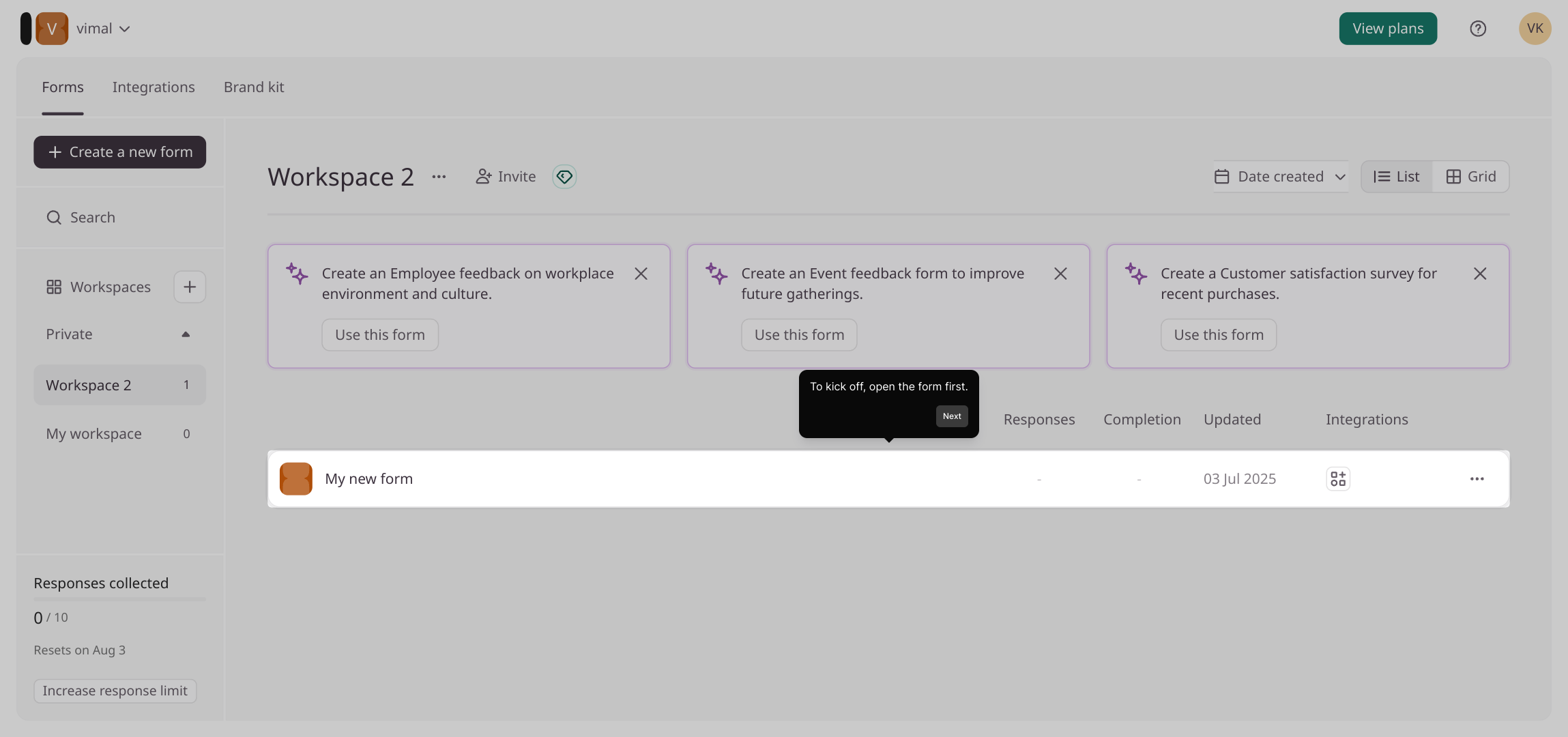
1. To kick off, open the form first.
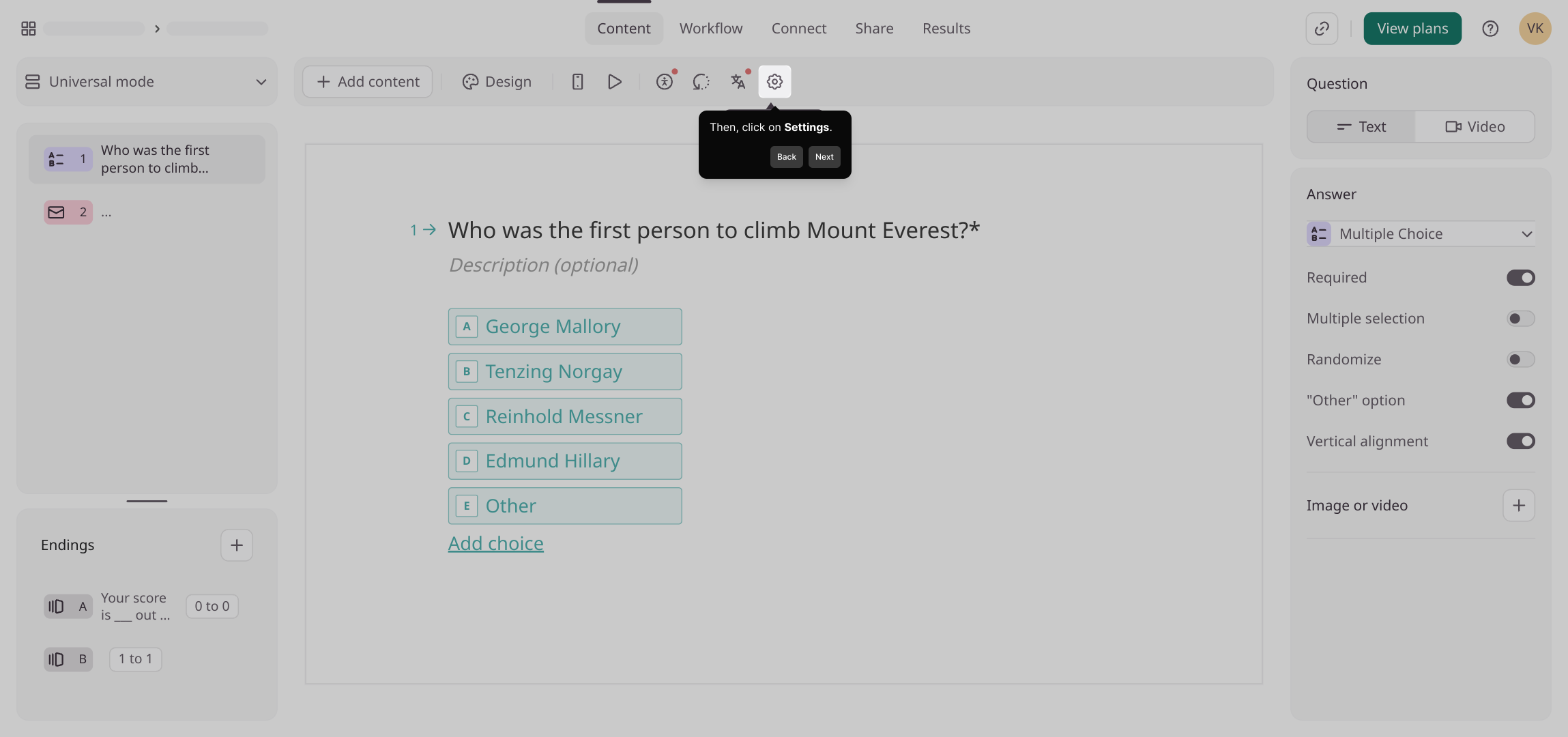
2. Then, click on Settings.
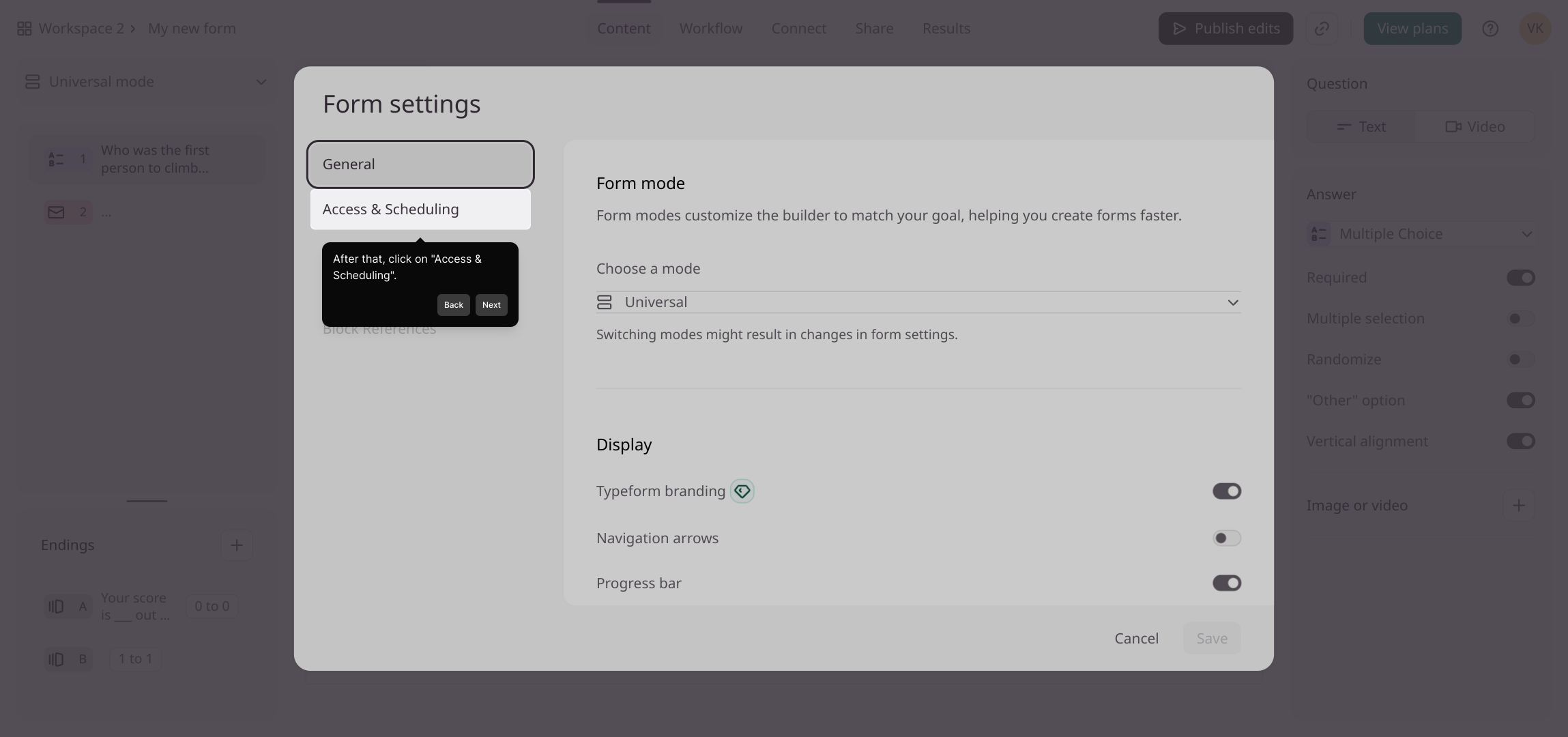
3. After that, click on "Access & Scheduling".
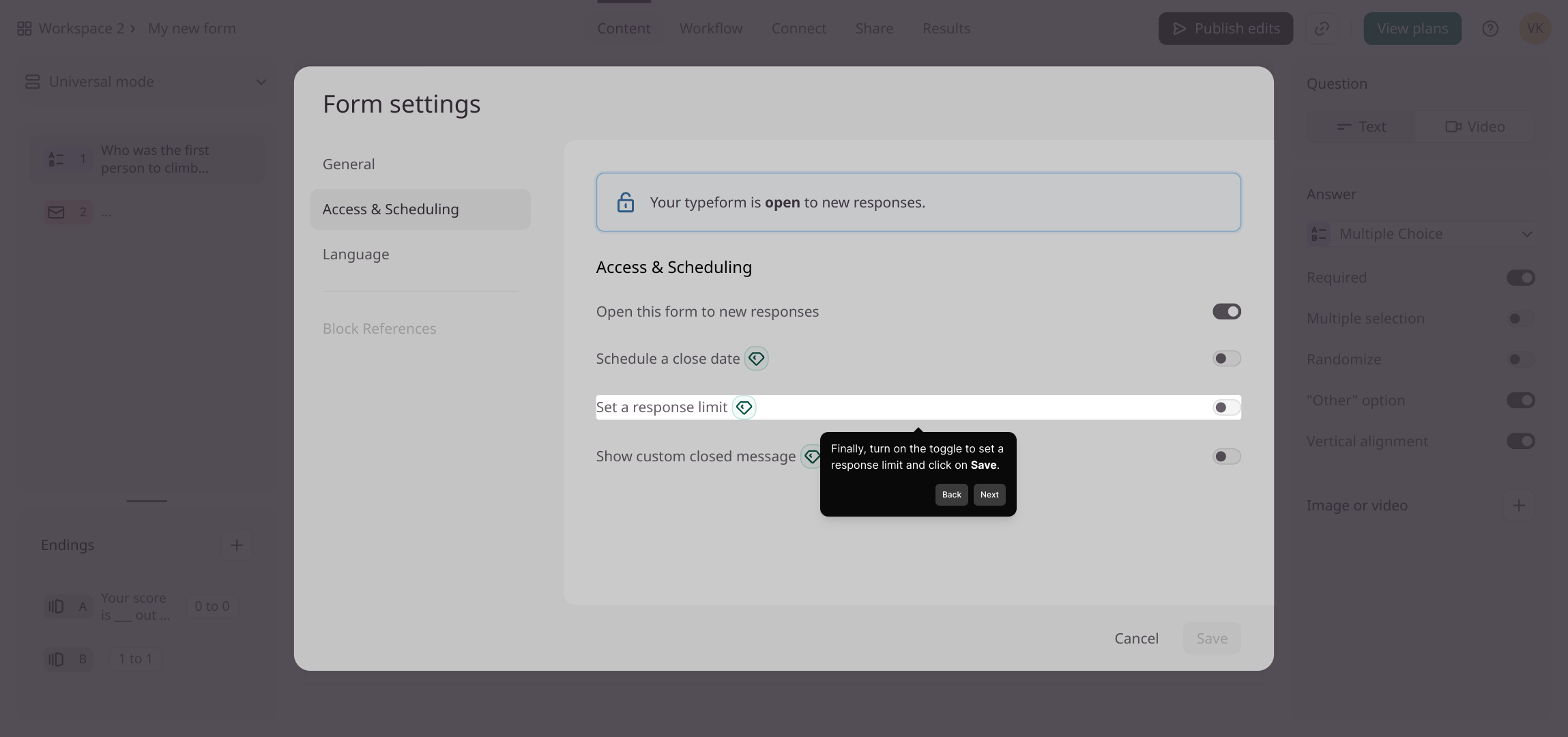
4. Finally, turn on the toggle to set a response limit and click on Save.
5. Create a Supademo in seconds
This interactive demo/guided walkthrough on How to Limit Responses in Typeform was created using Supademo.
How to Limit Responses in Typeform : Step-by-Step Guide
To get started, locate and open the form you want to customize. This is the initial step where you’ll make all your adjustments, so having the form open is essential.
Next, navigate to the form’s Settings tab. This area holds all the key configuration options you’ll need to tailor your form’s behavior.
Within Settings, find and select the Access & Scheduling section. This part controls who can access your form and any scheduling limits you want to set.
Here, activate the toggle to enable response limits. This lets you control how many submissions your form can receive. Once set, be sure to click Save to apply these changes.
With these settings in place, you’re ready to create your Supademo quickly and efficiently. Enjoy the process and watch your demo come to life!

Create your own interactive demos in < 5 mins with Supademo
You can create your own interactive product demo in minutes using Supademo. Drive growth, scale enablement, and supercharge product-led onboarding with Supademo. Sign up for free here with no credit card required.
FAQs
Commonly asked questions about this topic.
What is response limiting in Typeform?
Where can I find the option to limit responses in Typeform?
Can I set different limits for different time periods?
What happens when the response limit is reached?
Can I edit the response limit after setting it?
Is there a way to notify me when the response limit is close?
Will limiting responses affect my form’s analytics?
Does response limiting work on all Typeform plans?
Can I limit responses for individual questions?
How do I re-enable my form after reaching the response limit?

Product Operations Associate
Vimal Kumar helps build and grow Supademo’s team and GTM efforts, with a focus on figuring out growth levers and improving product traction.




