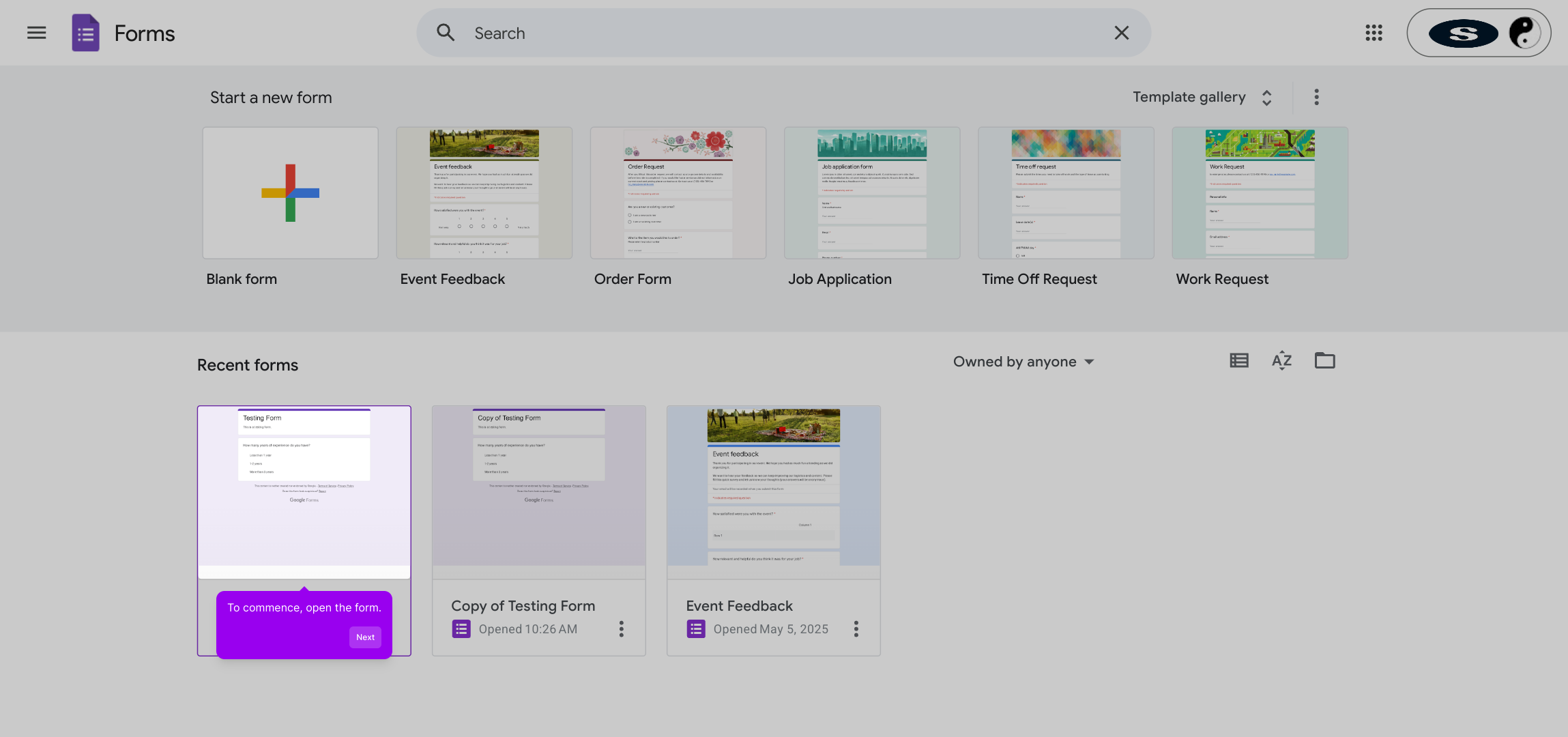
1. To commence, open the form.
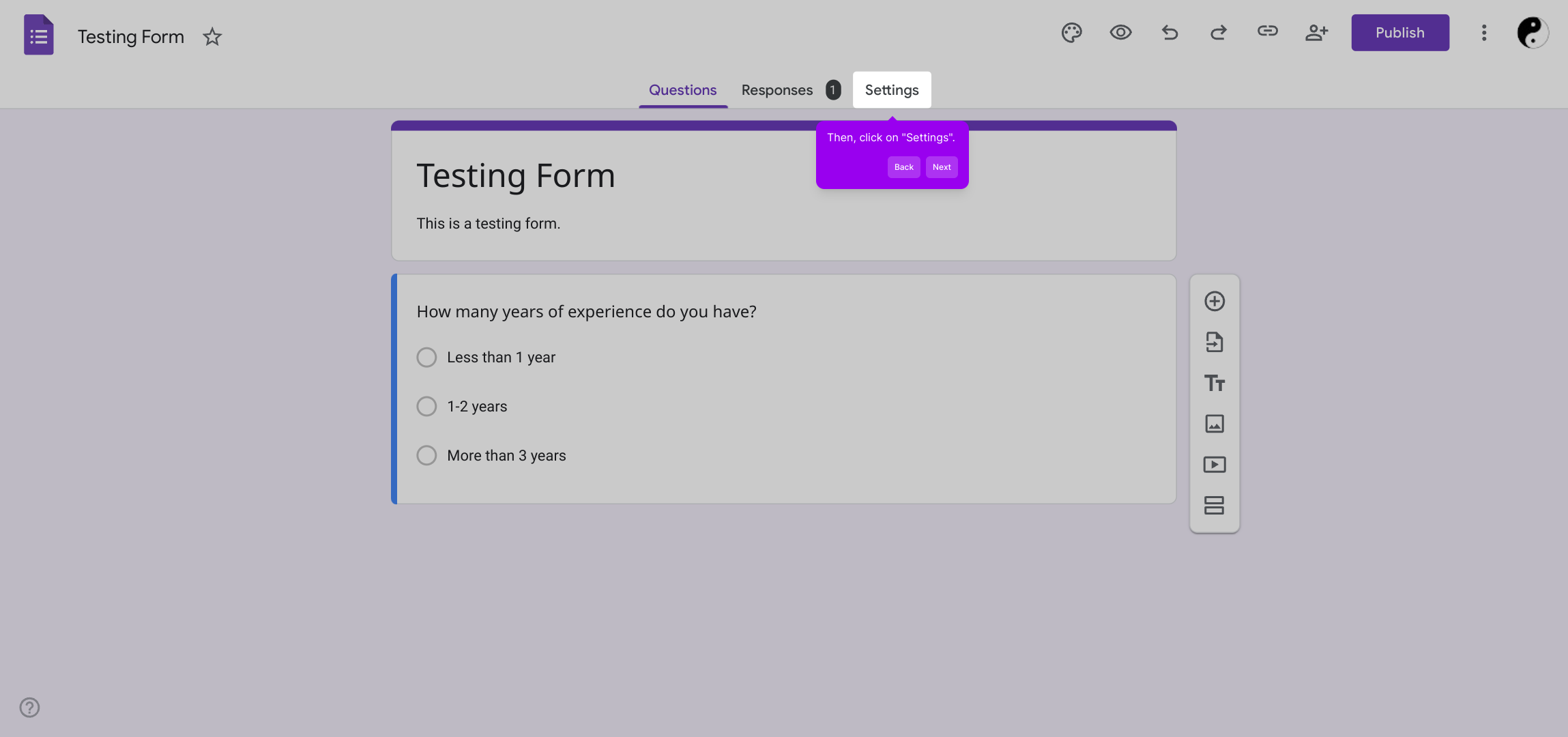
2. Then, click on "Settings".
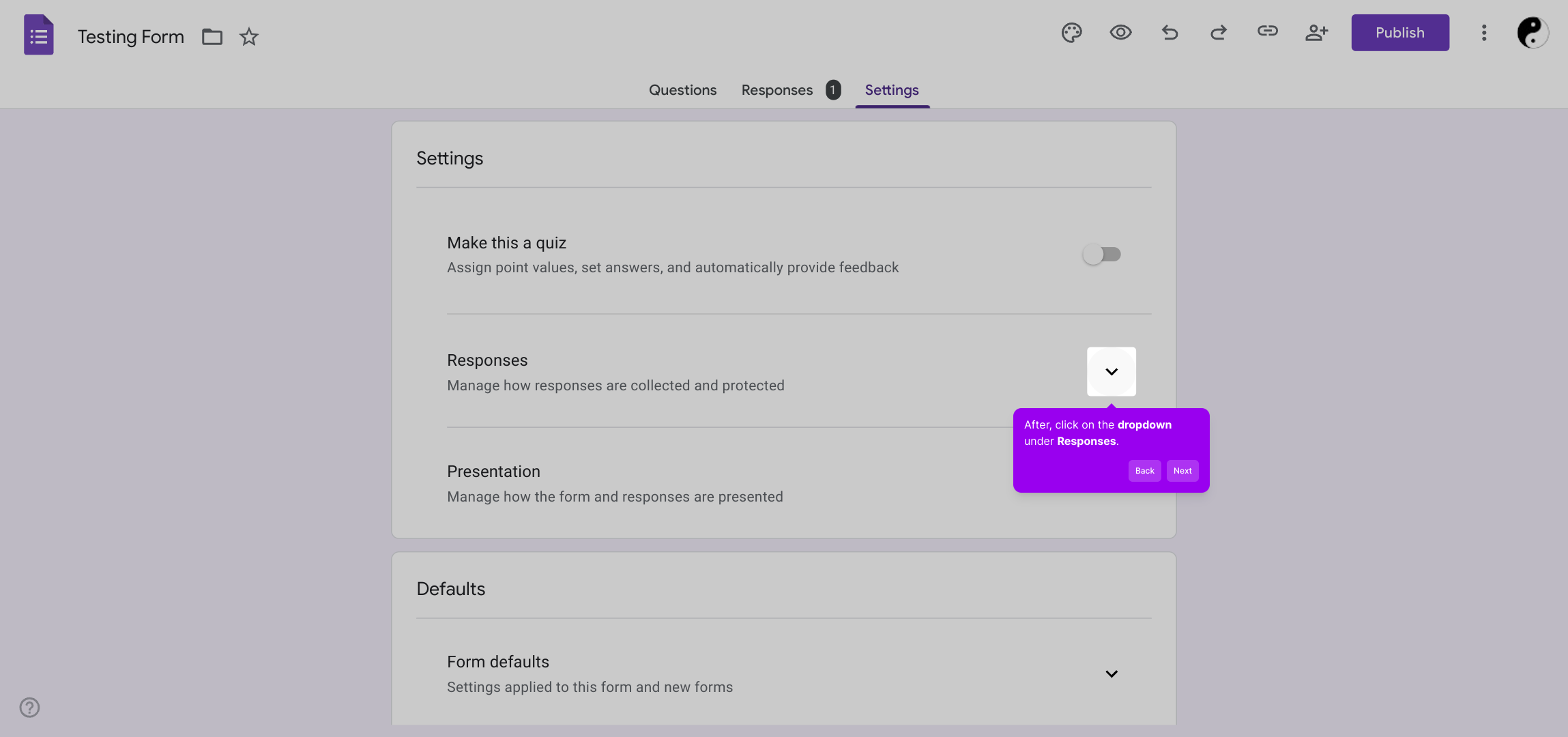
3. After, click on the dropdown under Responses.
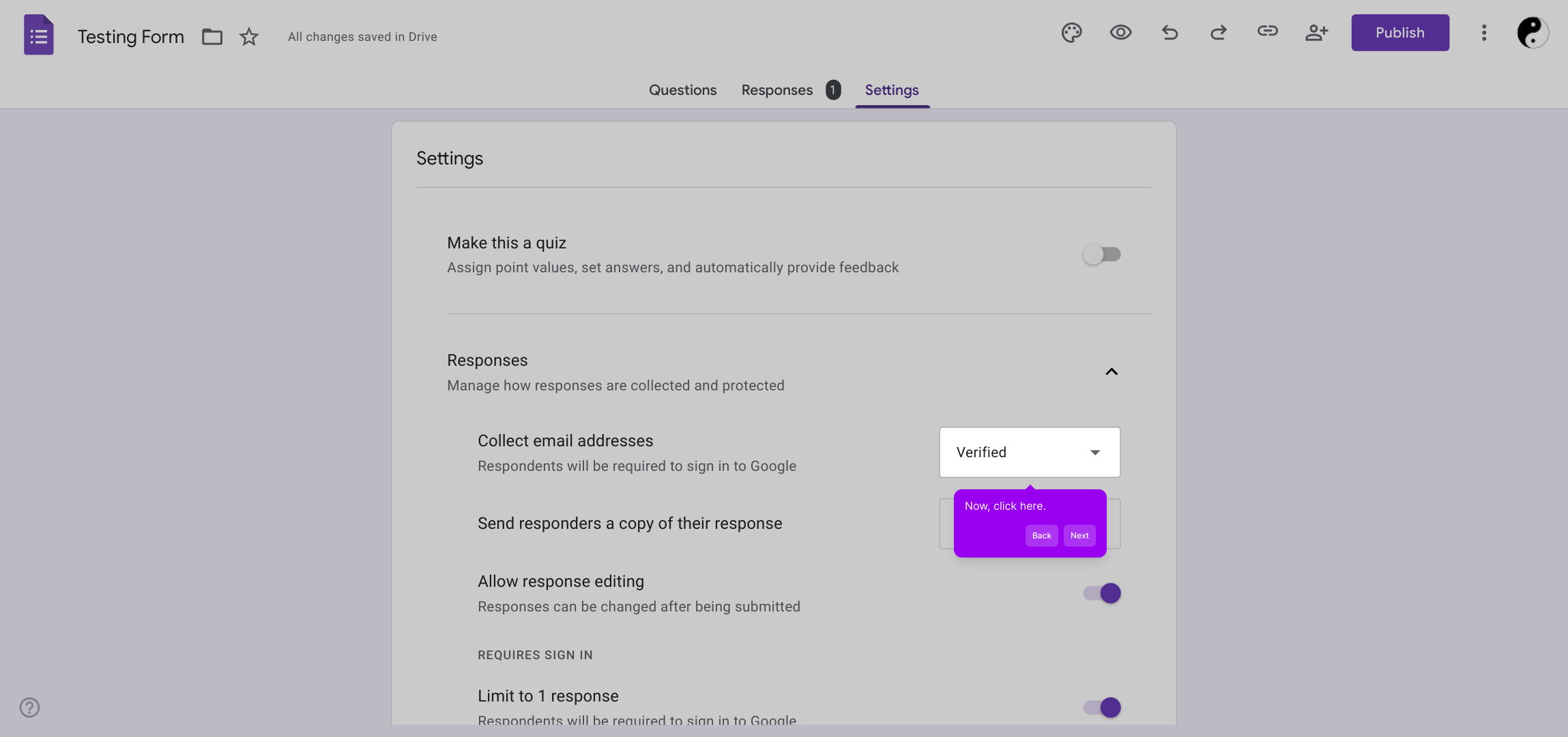
4. Now, click here.
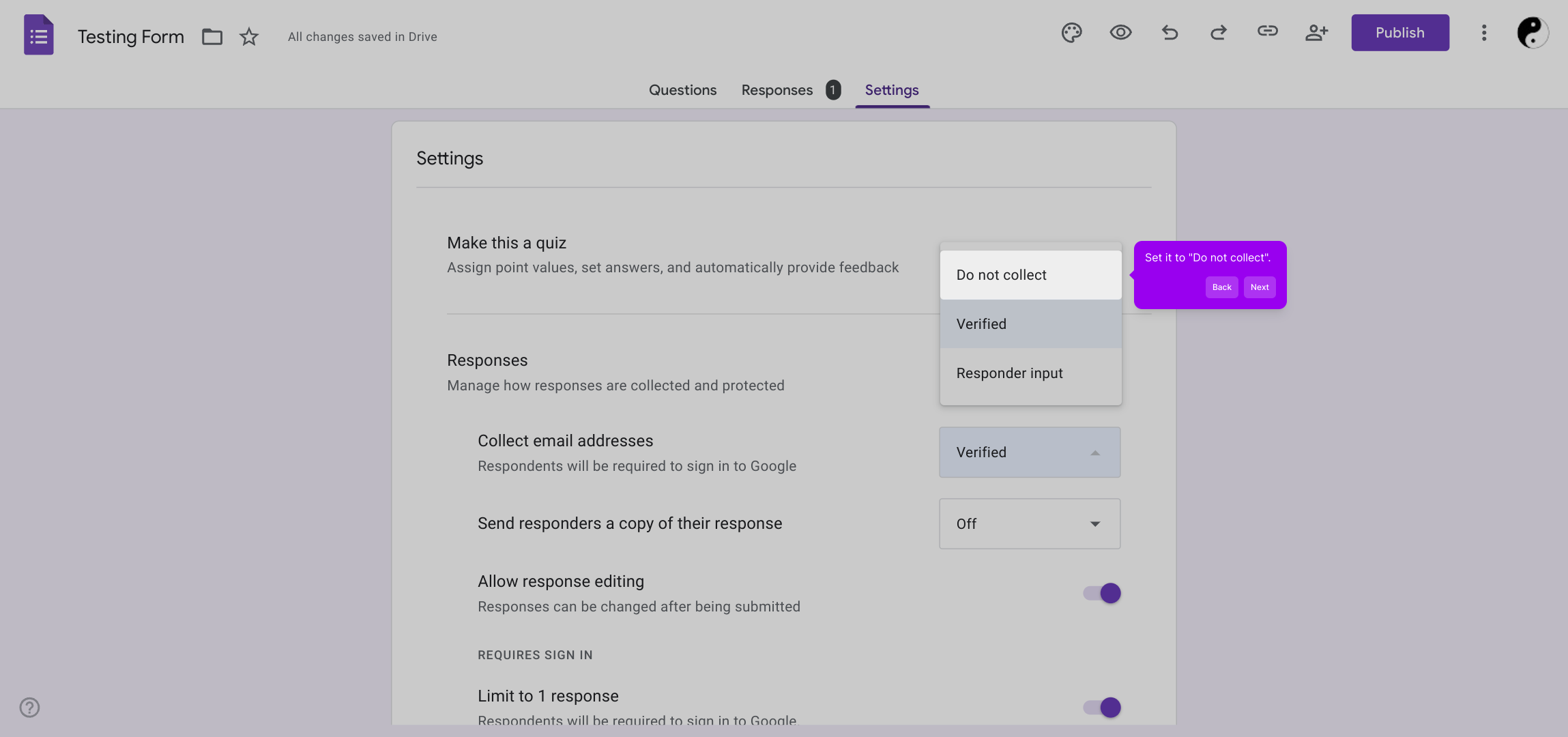
5. Set it to "Do not collect".
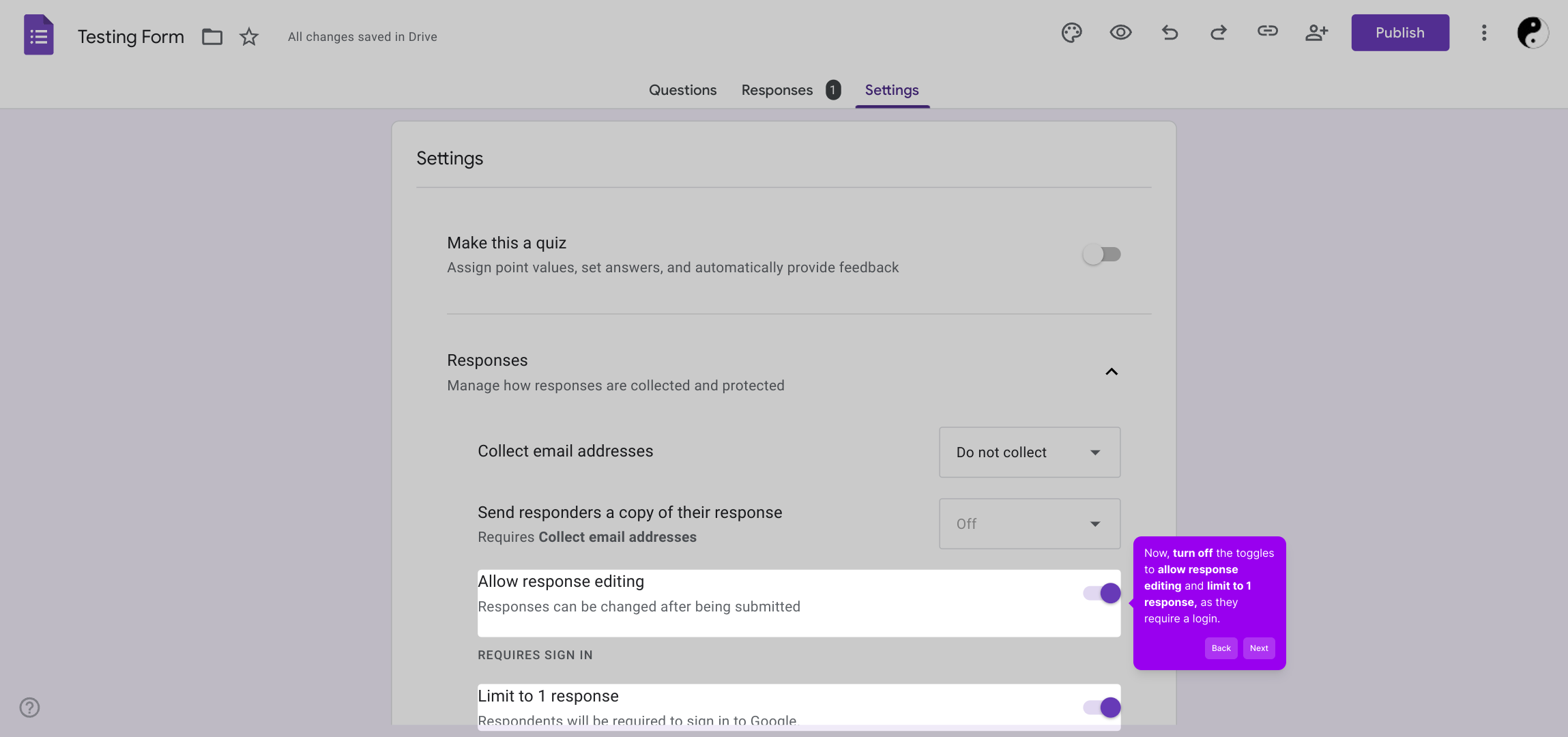
6. Now, turn off the toggles to allow response editing and limit to 1 response, as they require a login.
7. Create a Supademo in seconds
This interactive demo/guided walkthrough on How to Make a Google Form Anonymous was created using Supademo.
How to Make a Google Form Anonymous : Step-by-Step Guide
Begin by opening the form you want to adjust. This will allow you to access all the customization options available.
Next, look for the "Settings" option within the form interface. Clicking here will take you to the area where you can manage form behaviors and preferences.
Within the Settings menu, locate the Responses section. Click on the dropdown menu found there to explore response-related options available to you.
At this point, focus on the specific setting highlighted here. Clicking on it will reveal further choices connected to collecting respondents’ information.
Change the selection to "Do not collect" to ensure that the form does not automatically gather email addresses or other personal data from respondents.
Finally, switch off the toggles for allowing response edits and limiting submissions to one per user. These options require a login and disabling them streamlines access for all respondents.
With these settings configured, your Supademo form is ready for quick creation and smooth operation, tailored to your preferences.
Create your own interactive demos in < 5 mins with Supademo
You can create your own interactive product demo in minutes using Supademo. Drive growth, scale enablement, and supercharge product-led onboarding with Supademo. Sign up for free here with no credit card required.
FAQs
Commonly asked questions about this topic.
Can Google Forms be completely anonymous?
How do I disable email collection in Google Forms?
Why should I turn off "Limit to 1 response"?
Does allowing response editing affect anonymity?
Can I track IP addresses on Google Forms?
What happens if I add an email question to my form?
Is anonymity maintained if I share the form link publicly?
Can responses be edited or deleted once submitted?
Are there alternatives to Google Forms for anonymous surveys?
How can I ensure data privacy when collecting anonymous responses?

Product Operations Associate
Vimal Kumar helps build and grow Supademo’s team and GTM efforts, with a focus on figuring out growth levers and improving product traction.




