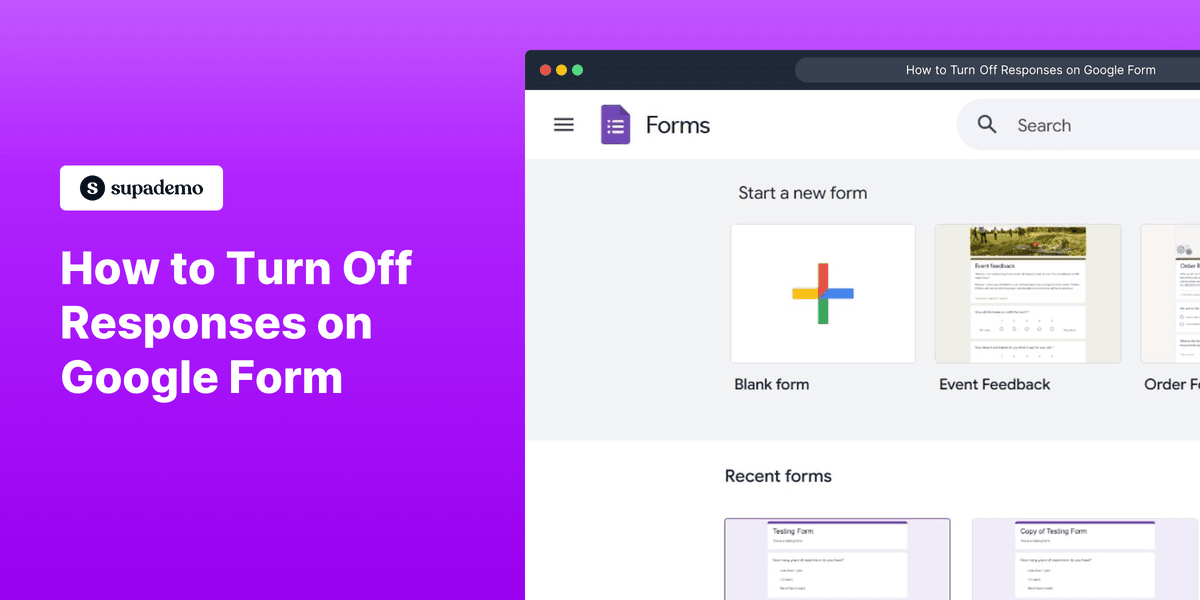
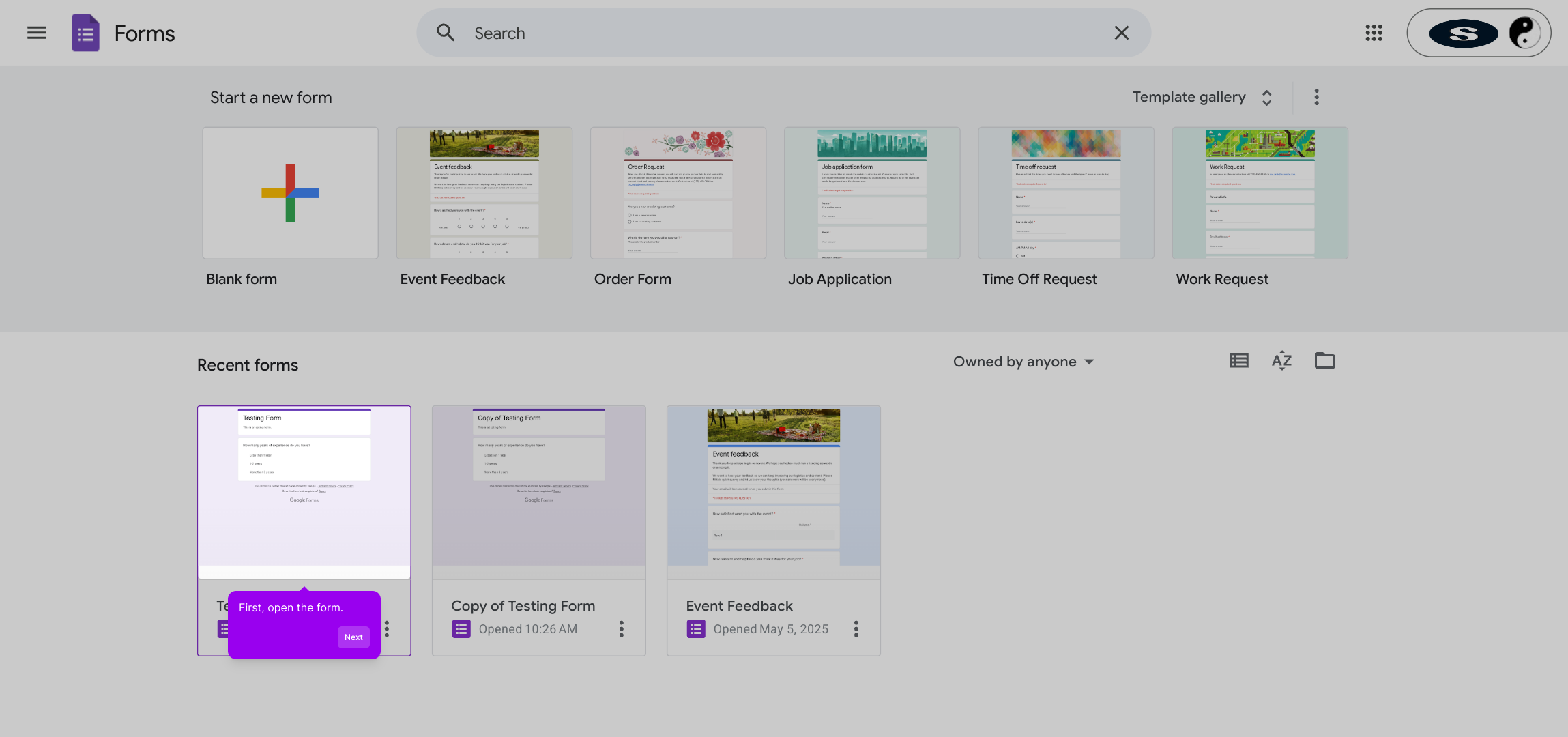
1. First, open the form.
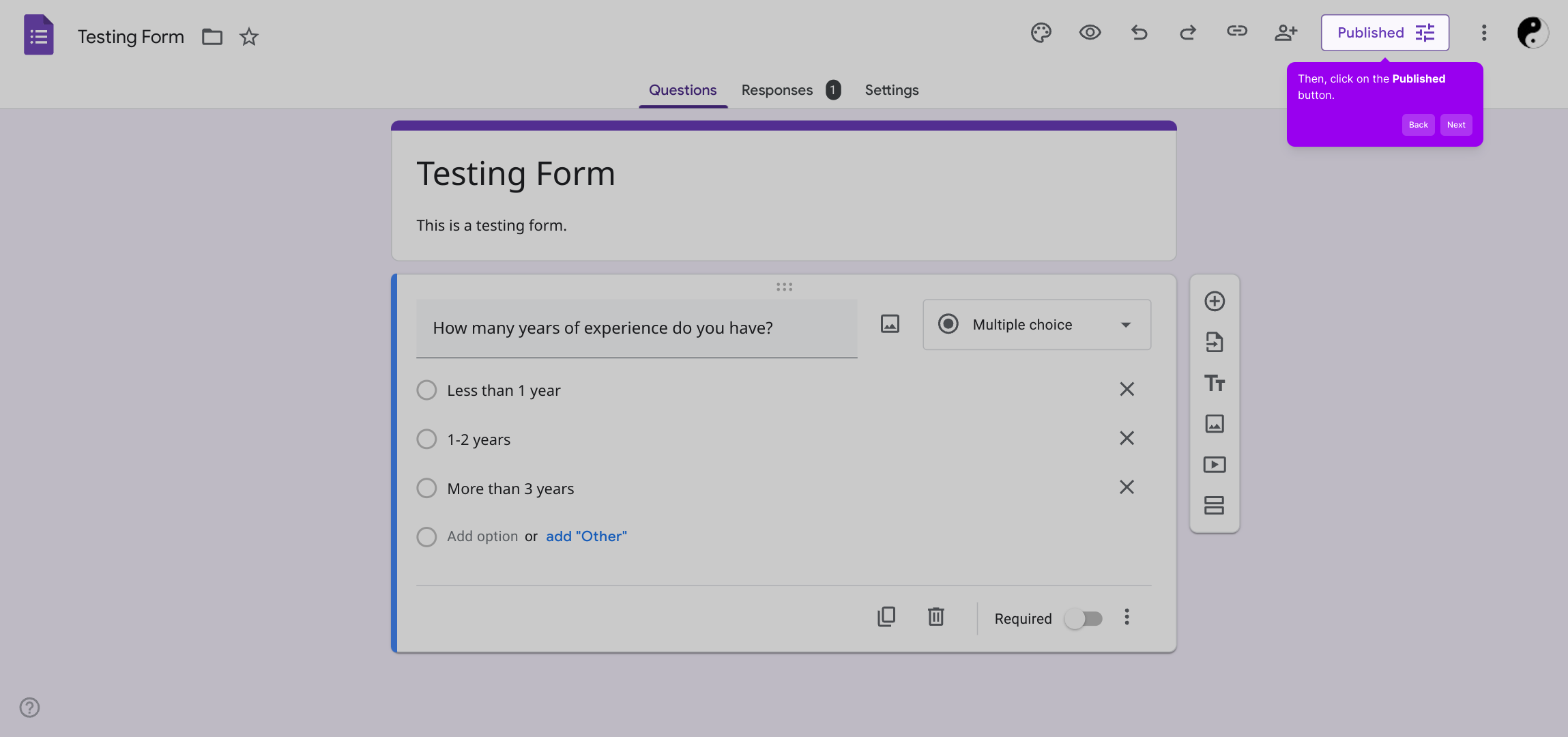
2. Then, click on the Published button.
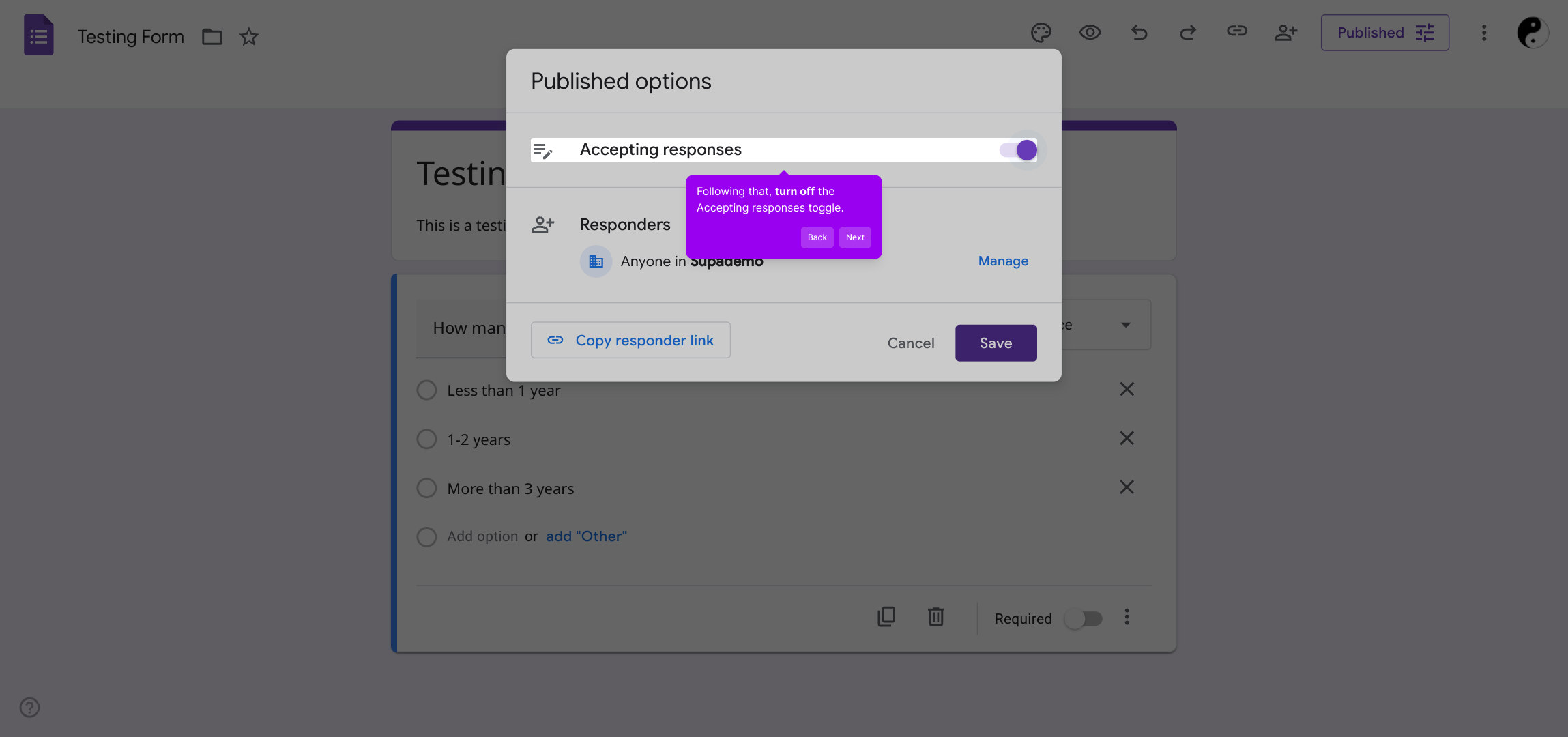
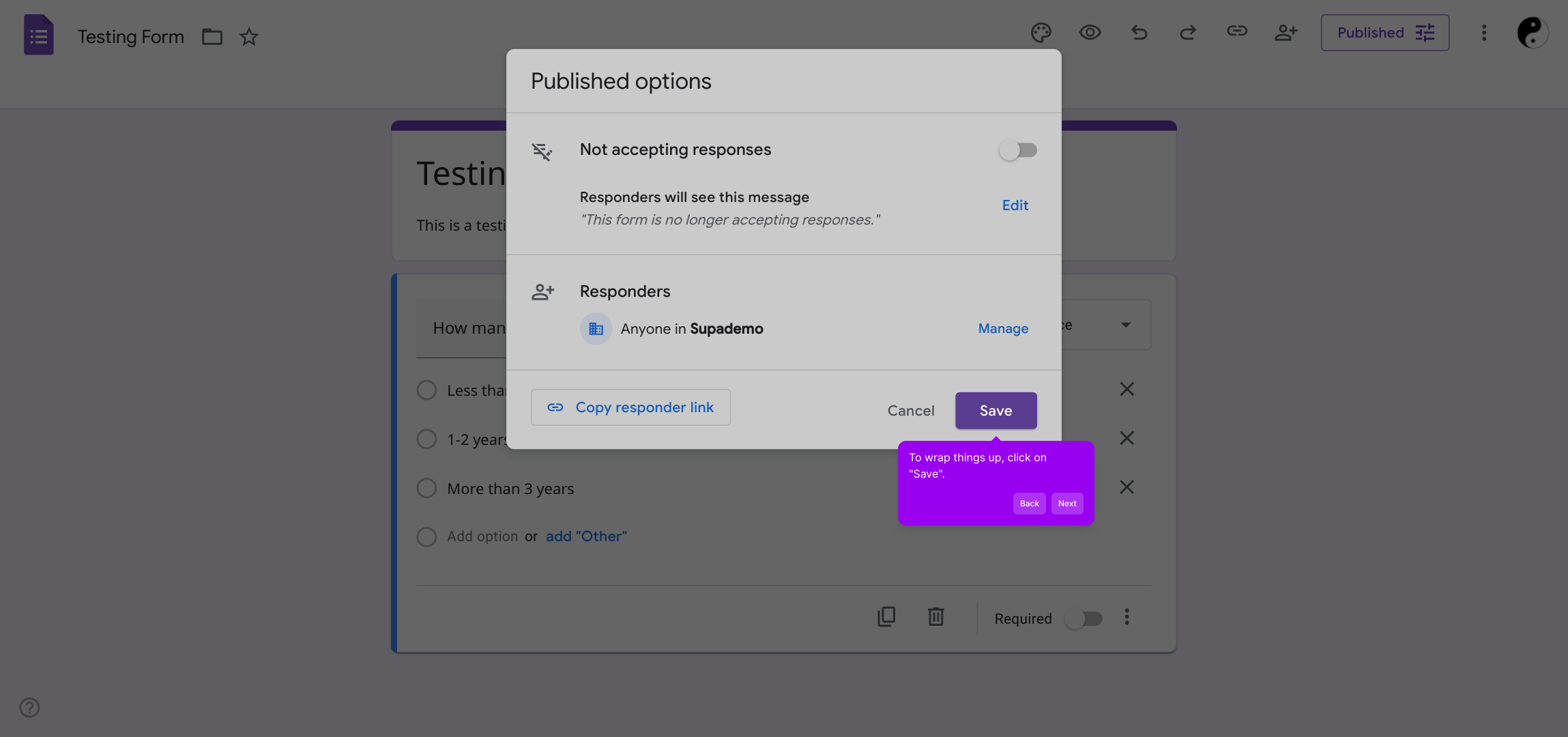
3. Following that, turn off the Accepting responses toggle.
4. To wrap things up, click on "Save".
5. Create a Supademo in seconds
This interactive demo/guided walkthrough on How to Turn Off Responses on Google Form was created using Supademo.
How to Turn Off Responses on Google Form : Step-by-Step Guide
Begin by navigating to the form you want to manage. This is your starting point for making any adjustments or updates.
Next, find and select the Published button within the form’s settings. This button controls whether your form is currently accessible to respondents.
Once you’re in the publishing options, look for the toggle labeled “Accepting responses.” Switch this off to pause new submissions without deleting the form itself.
After making these changes, be sure to save your settings by clicking the "Save" button. This step ensures your form status is updated correctly.
With these settings configured, your Supademo is ready to use. Enjoy creating powerful forms quickly and easily.
Create your own interactive demos in < 5 mins with Supademo
You can create your own interactive product demo in minutes using Supademo. Drive growth, scale enablement, and supercharge product-led onboarding with Supademo. Sign up for free here with no credit card required.
FAQs
Commonly asked questions about this topic.
How do I stop receiving responses on a Google Form?
Can I reopen my Google Form to accept responses after turning it off?
Will turning off responses delete existing answers?
Is there a notification sent to respondents when responses are turned off?
Can I customize the message shown when the form is closed?
Does turning off responses affect form editing or sharing?
How can I find the Published button in Google Forms?
Is it possible to schedule turning off responses automatically?
What happens to linked Sheets when responses are turned off?
Can I still collect responses from collaborators if accepting responses is off?

Product Operations Associate
Vimal Kumar helps build and grow Supademo’s team and GTM efforts, with a focus on figuring out growth levers and improving product traction.




