
1. First off, click on "settings".
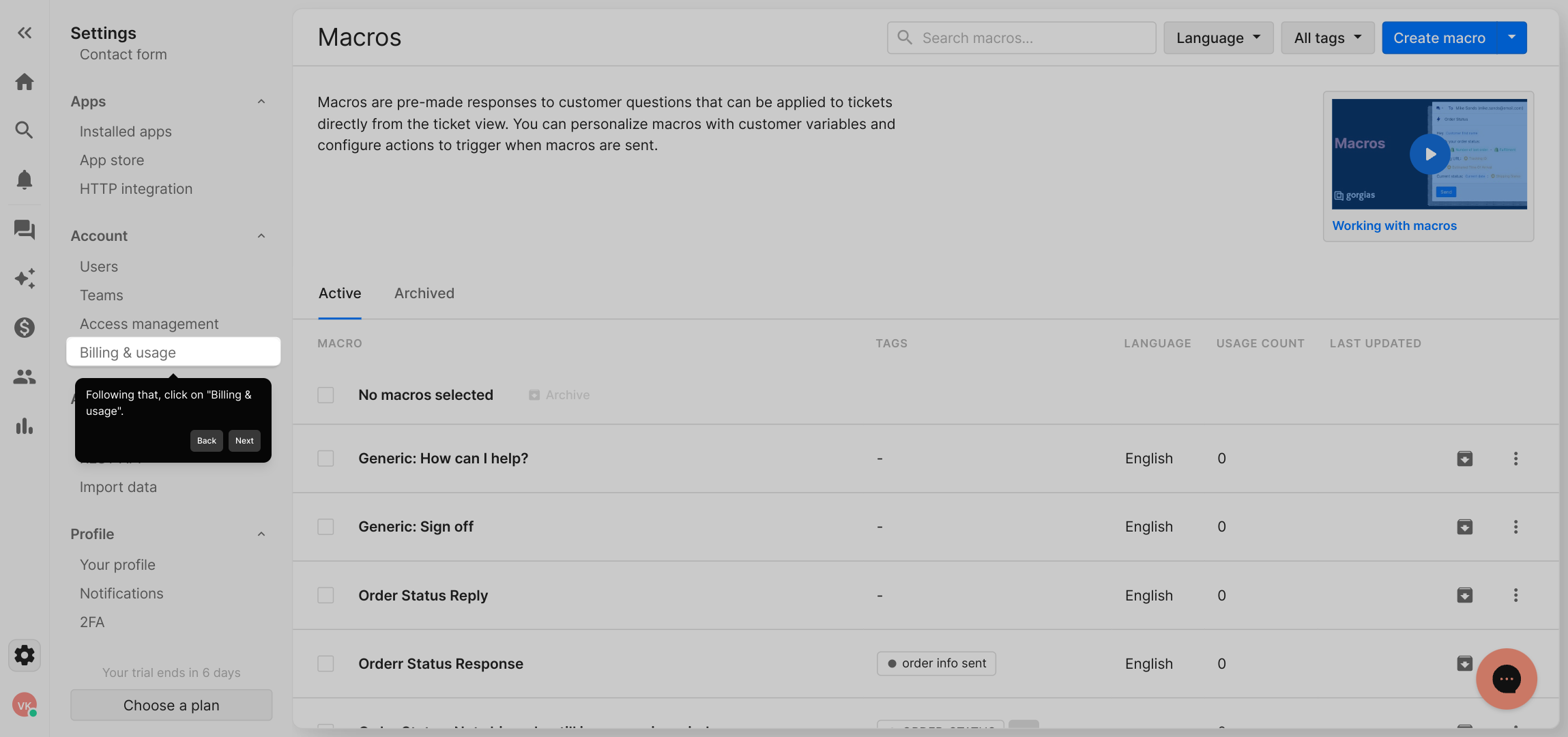
2. Following that, click on "Billing & usage".
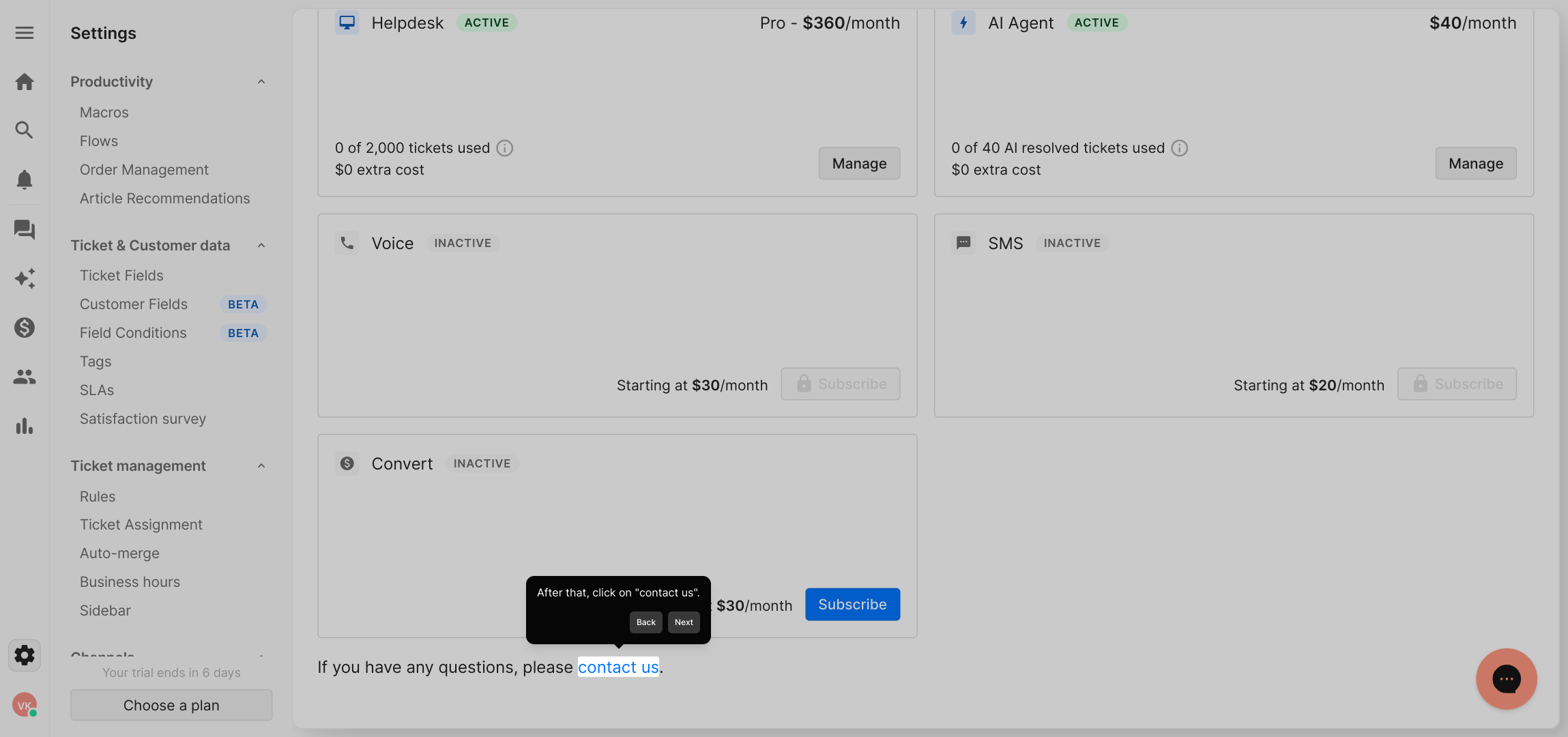
3. After that, click on "contact us".
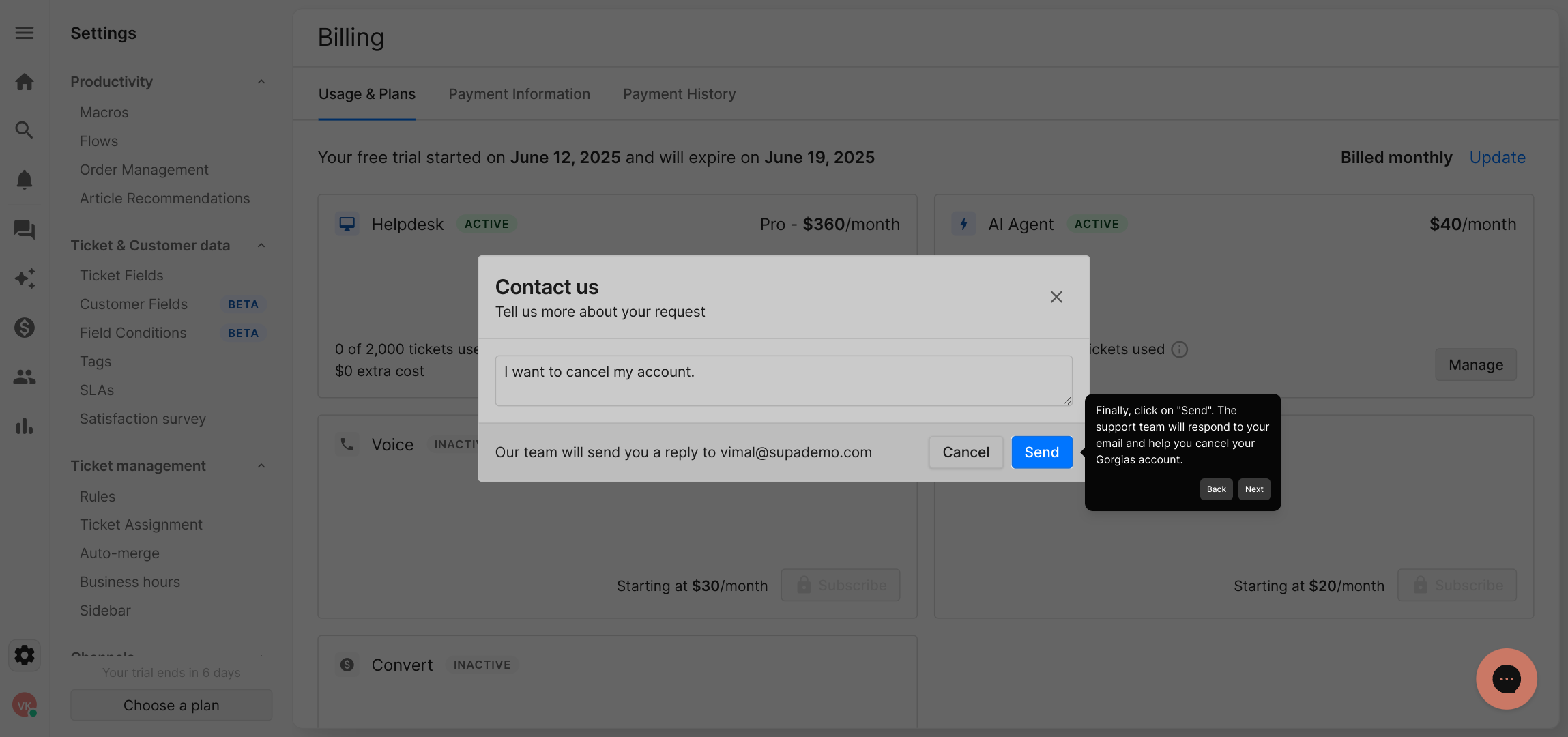
4. After that, write a message to the Gorgias support team asking for an account cancellation.
5. Finally, click on "Send". The support team will respond to your email and help you cancel your Gorgias account.
6. Create a Supademo in seconds
This interactive demo/guided walkthrough on How to Cancel the Gorgias Account was created using Supademo.
How to Cancel the Gorgias Account : Step-by-Step Guide
Begin by navigating to your account’s main dashboard, then locate and open the "Settings" menu where you can manage your preferences and configurations.
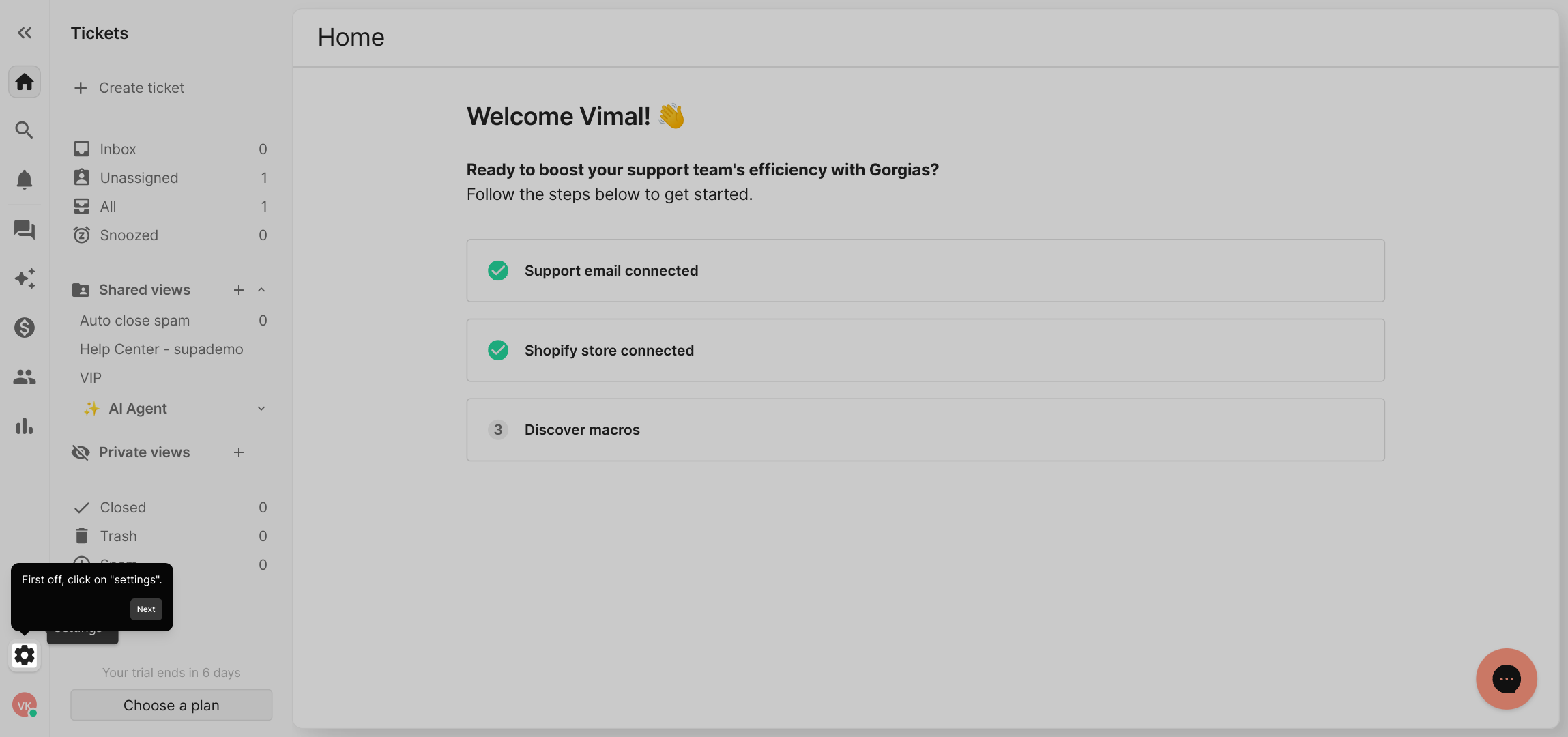
Next, within the settings area, find and select the "Billing & usage" section. This page provides insight into your current subscription details and payment information.
From there, look for the "Contact us" option. This is where you can reach out to the support team directly for assistance with any account-related requests.
Once on the contact page, compose a clear message explaining that you would like to cancel your Gorgias account. Providing as much detail as possible helps the support team process your request efficiently.
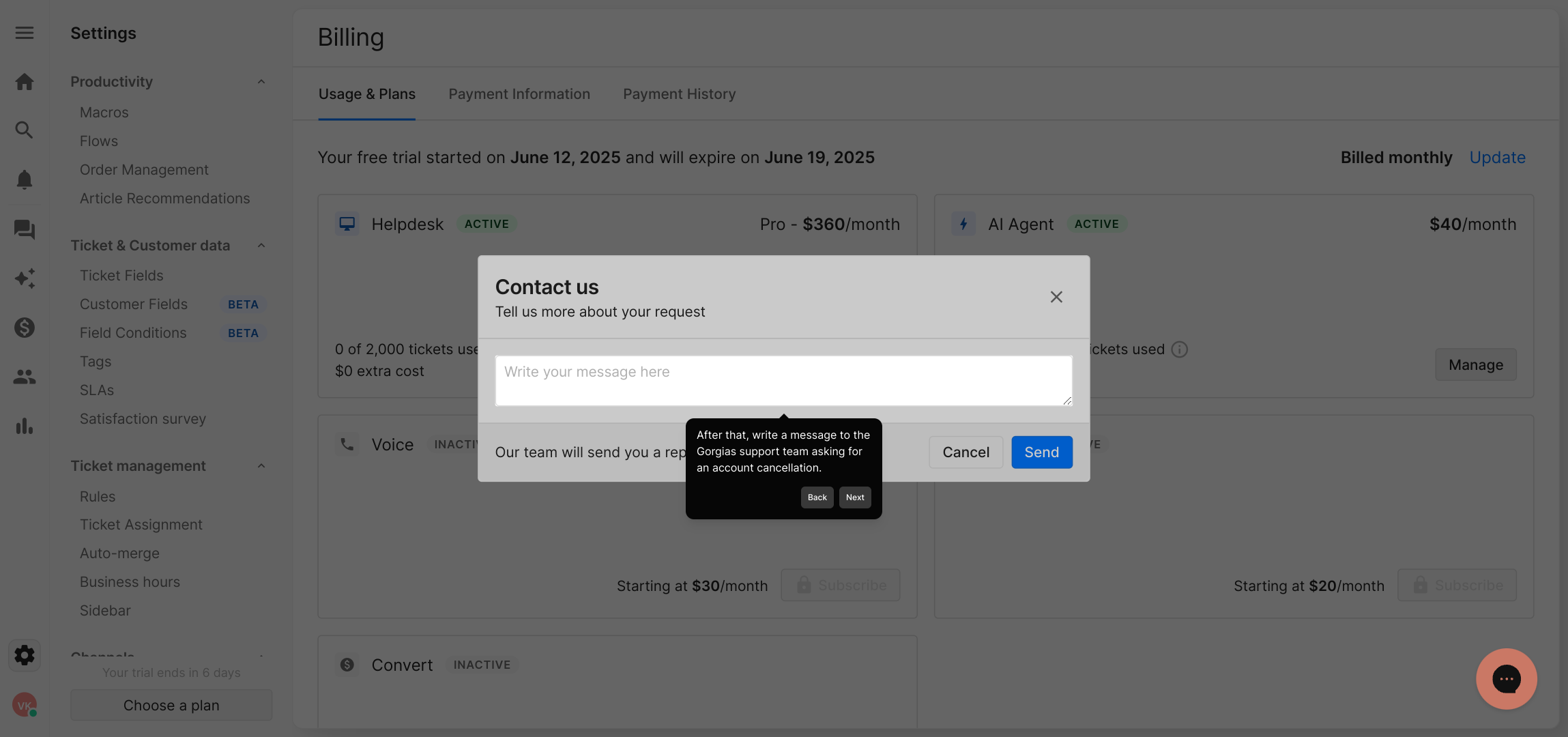
After writing your message, press the "Send" button to submit your request. The support team will review your email and get back to you to guide you through the cancellation process.
If you want to try an alternative, you can quickly create a Supademo account in just seconds to explore similar features and benefits.
Create your own interactive demos in < 5 mins with Supademo
You can create your own interactive product demo in minutes using Supademo. Drive growth, scale enablement, and supercharge product-led onboarding with Supademo. Sign up for free here with no credit card required.
FAQs
Commonly asked questions about this topic.
How do I request cancellation of my Gorgias account?
Will I lose my data after cancelling my Gorgias account?
Is there a way to cancel Gorgias directly without contacting support?
What happens to my subscription billing after canceling Gorgias?
Can I reactivate my Gorgias account after cancellation?
Are there any cancellation fees or penalties with Gorgias?
How long does it take to process a cancellation request?
Can I downgrade my Gorgias plan instead of canceling?
What details should I include in my cancellation request?
Is there a confirmation email after canceling my Gorgias account?

Product Operations Associate
Vimal Kumar helps build and grow Supademo’s team and GTM efforts, with a focus on figuring out growth levers and improving product traction.


