
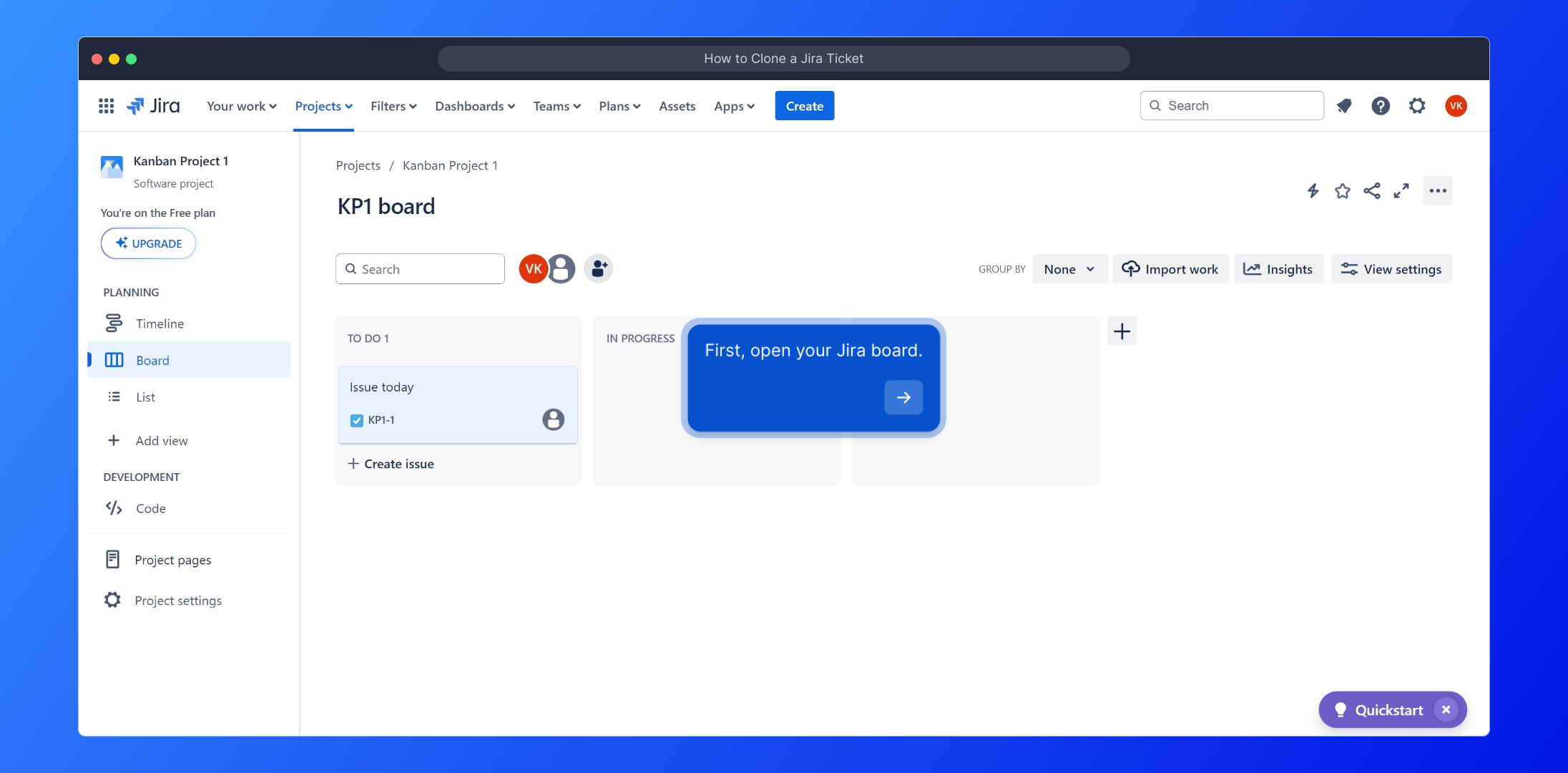
1. First, open your Jira board.
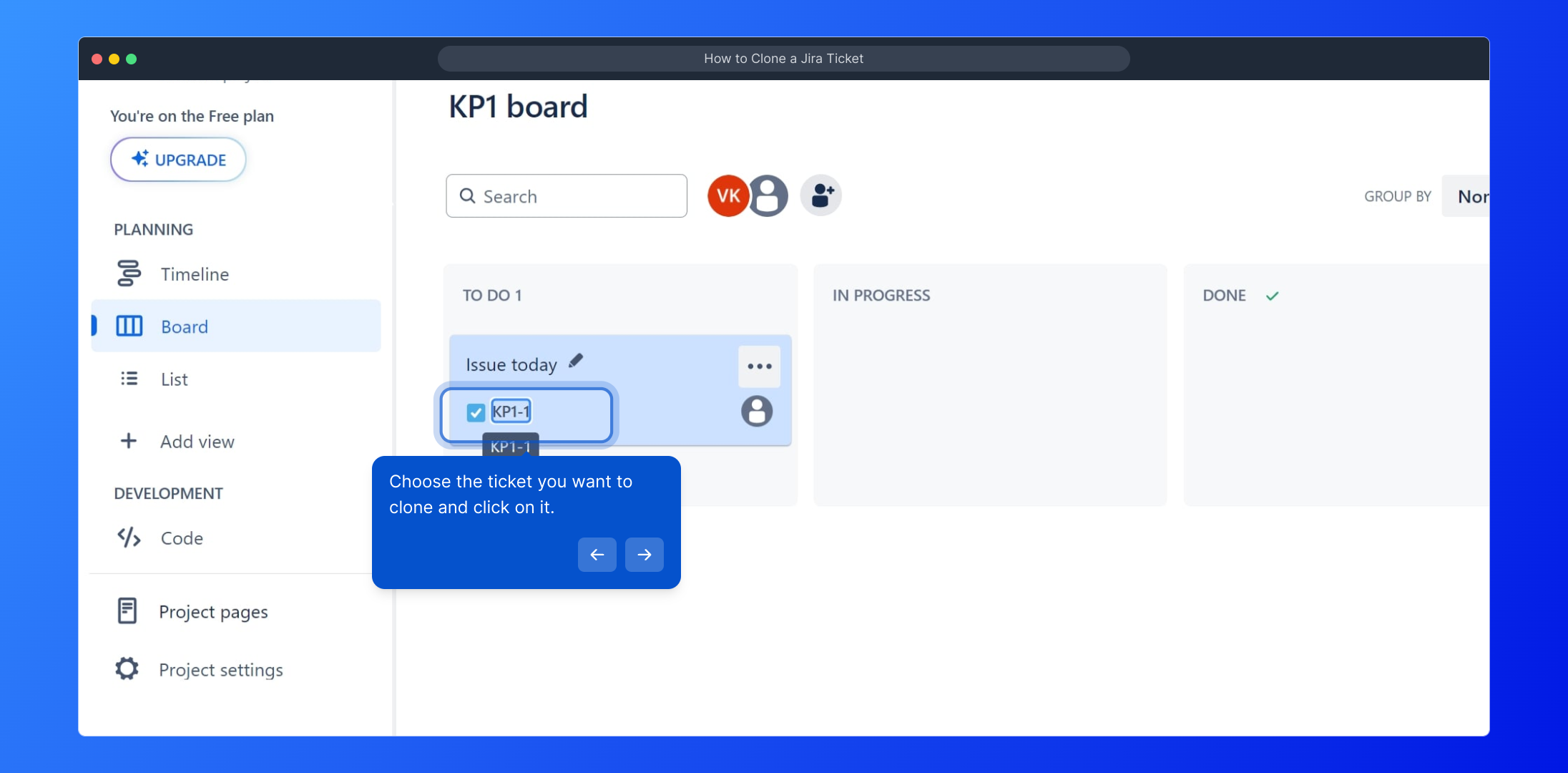
2. Choose the ticket you want to clone and click on it.
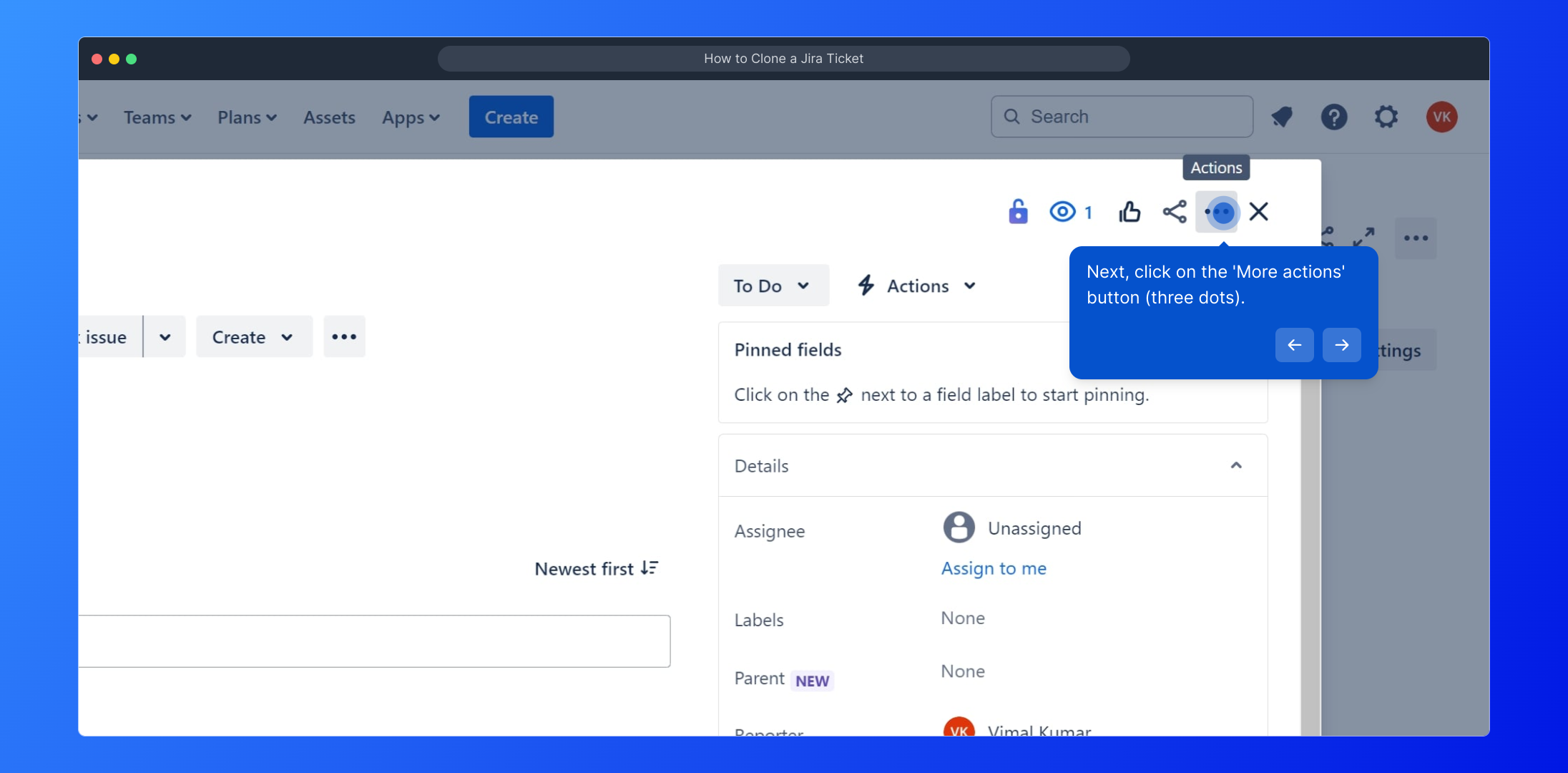
3. Next, click on the 'More actions' button (three dots).
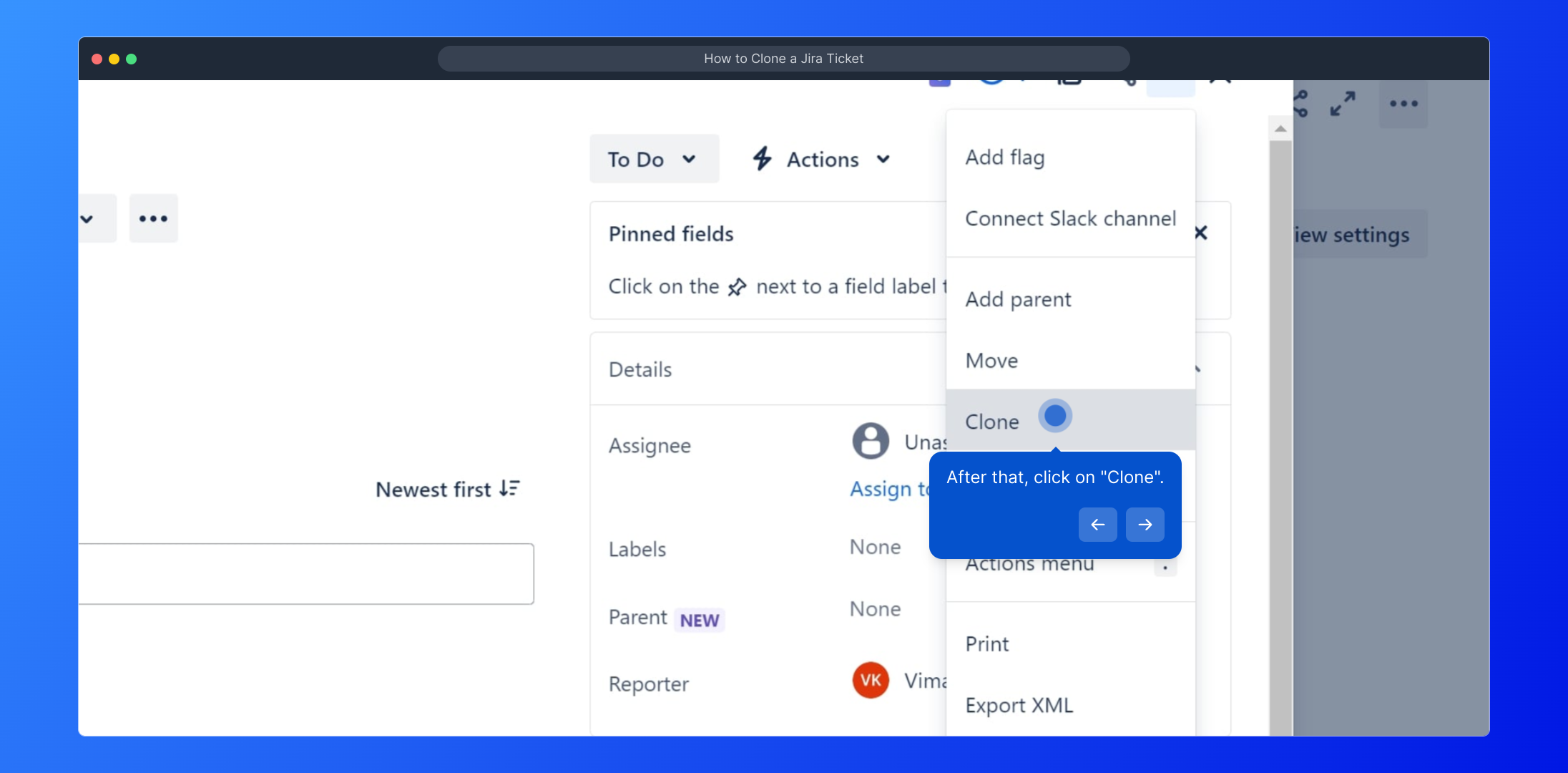
4. After that, click on "Clone".
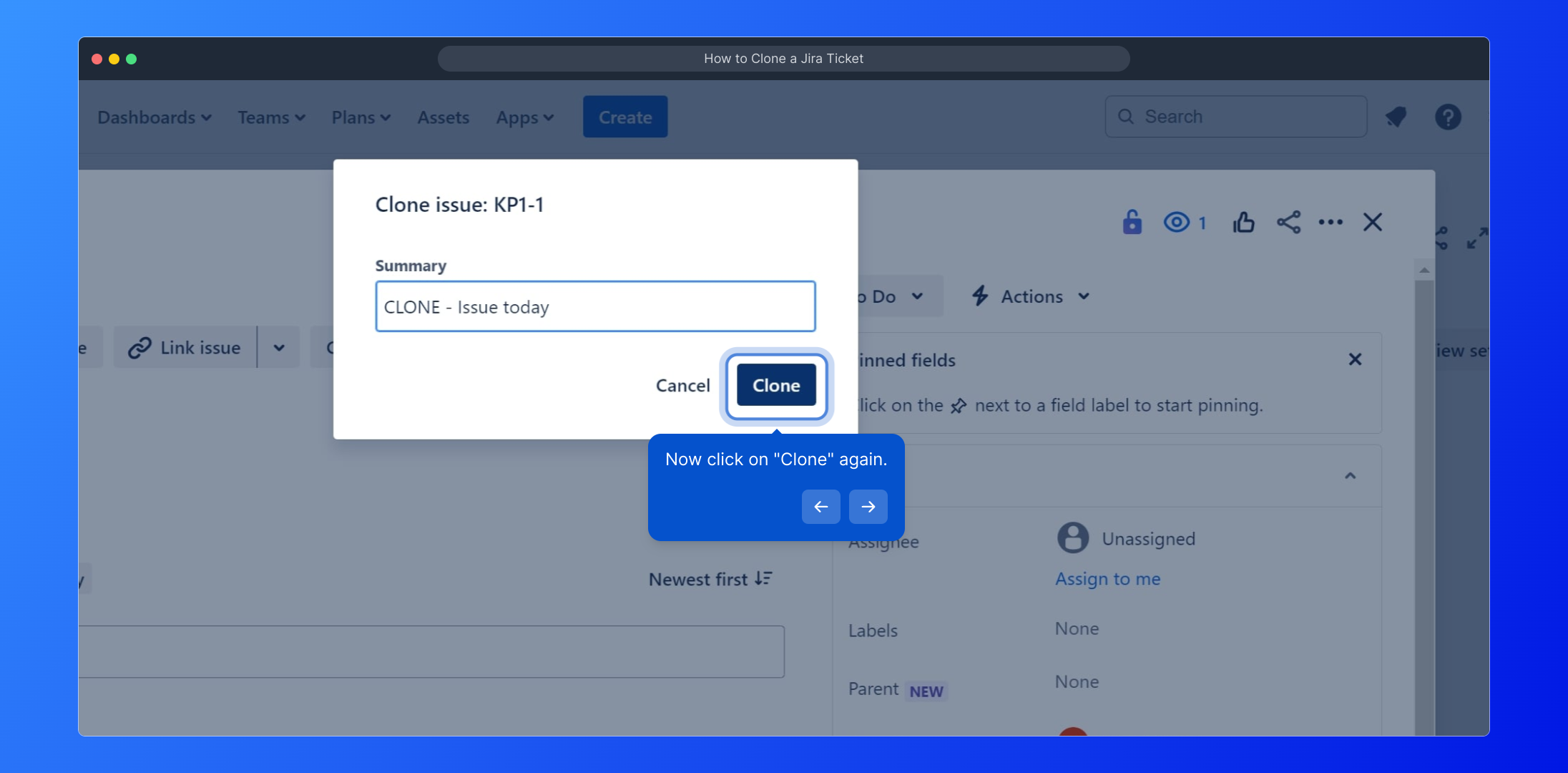
5. Now click on "Clone" again.
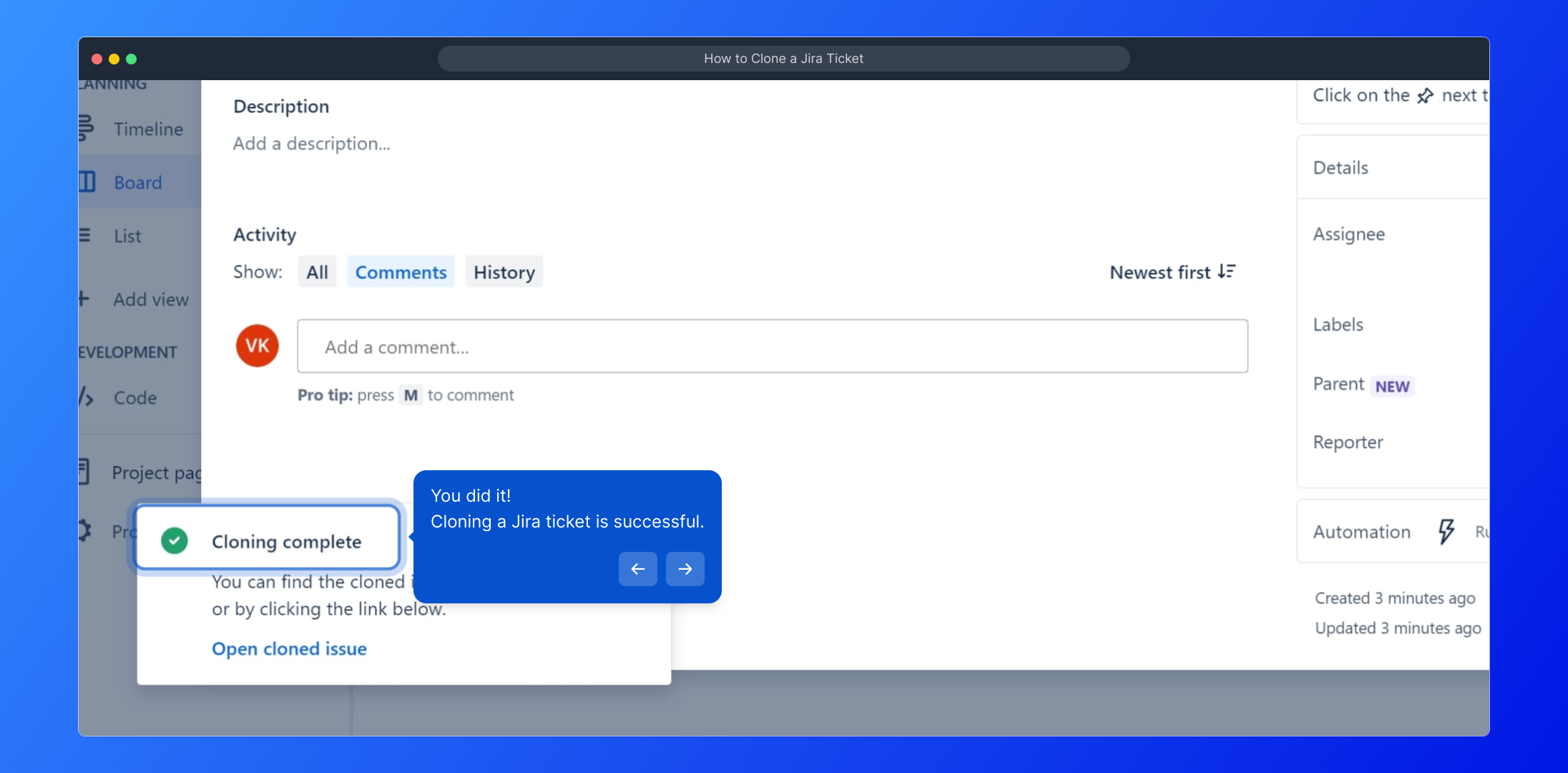
6. You did it!
Cloning a Jira ticket is successful.
7. Enjoyed the guided demo?
This interactive demo on How to Clone a Jira Ticket was created using Supademo.
How to Clone a Jira Ticket : Step-by-Step Guide
To begin, access your Jira board where all your project issues and tasks are organized. This is the starting point to find the ticket you want to duplicate.
Browse through your list of tickets and select the specific issue you wish to create a copy of. Clicking on it will open the detailed view.
Once inside the ticket view, locate the 'More actions' menu represented by the three dots icon. This menu contains several additional options that aren't immediately visible.
From the options that appear, find and select "Clone." This option lets you make an exact copy of the ticket, which is useful for repeating similar tasks or issues.
A confirmation dialog will appear next. To proceed with creating the duplicate ticket, click "Clone" once more to finalize the action.
That’s it! You have successfully cloned your Jira ticket. The new ticket will appear just like the original, ready to be edited or assigned as needed.
Did you find this step-by-step walkthrough helpful? We hope this guided demo made the cloning process clear and simple for you.
Create your own interactive demos in < 5 mins with Supademo
You can create your own interactive product demo in minutes using Supademo. Drive growth, scale enablement, and supercharge product-led onboarding with Supademo. Sign up for free here with no credit card required.
FAQs
Commonly asked questions about this topic.
What does cloning a Jira ticket mean?
Can I clone Jira tickets across different projects?
Will the cloned ticket retain all original field values?
Is it possible to edit the cloned ticket before saving?
Do I need special permissions to clone a Jira ticket?
Does cloning a ticket also copy its sub-tasks?
How do I find the 'More actions' menu in Jira tickets?
Can cloning help speed up repetitive task creation?
What happens if I clone a ticket with attachments?
Is cloning a ticket the same as creating a linked issue?

Product Operations Associate
Vimal Kumar helps build and grow Supademo’s team and GTM efforts, with a focus on figuring out growth levers and improving product traction.


