How to Close a Typeform Survey

Closing a Typeform survey properly ensures that respondents can no longer submit new responses and helps you move forward with data analysis. This guide walks you through the process of closing your survey in Typeform, whether you've reached your response goal or simply want to stop collecting data.
Quick summary
In this tutorial, you'll learn how to close a Typeform survey in just a few steps. By the end, you'll understand how to disable further submissions and what options are available for managing your closed form.
Why this matters
Closing a survey at the right time is important for data integrity and analysis. It prevents accidental or spam submissions after you've finished your research phase, ensures your dataset is complete and finalized, and allows you to focus on reviewing and analyzing the responses you've collected.
Step-by-step guide
- 1
Navigate to your Typeform workspace
Log in to your Typeform account and locate the survey you want to close. You'll see a list of all your forms in your workspace dashboard.
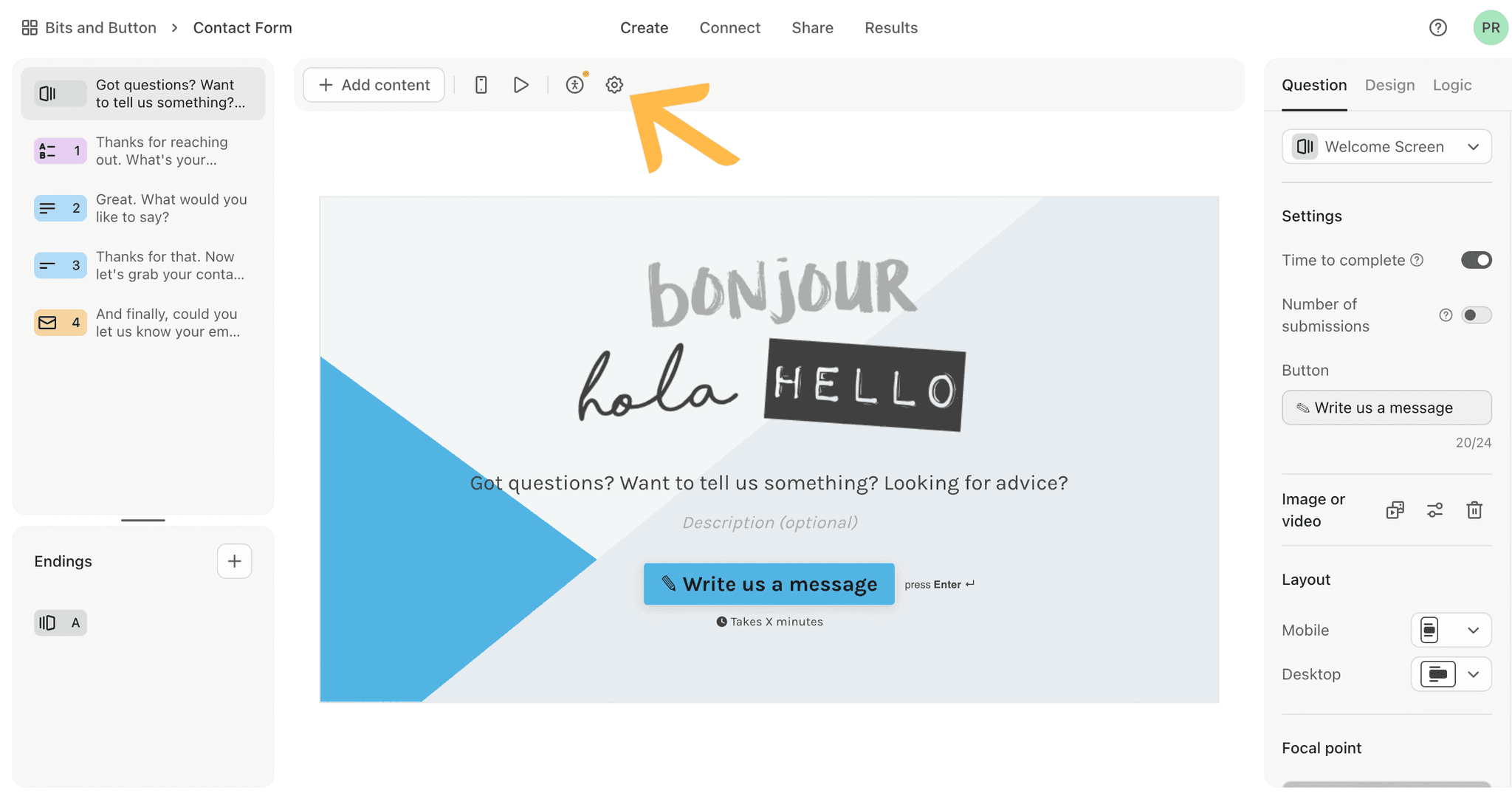
- 2
Select the survey to close
Click on the survey title or thumbnail to open it. This will take you to the form's main view where you can access settings and status options.
- 3
Access the form settings menu
Look for the settings or menu icon, typically represented by three dots or a gear icon. Click it to reveal options for managing your form's status and behavior.
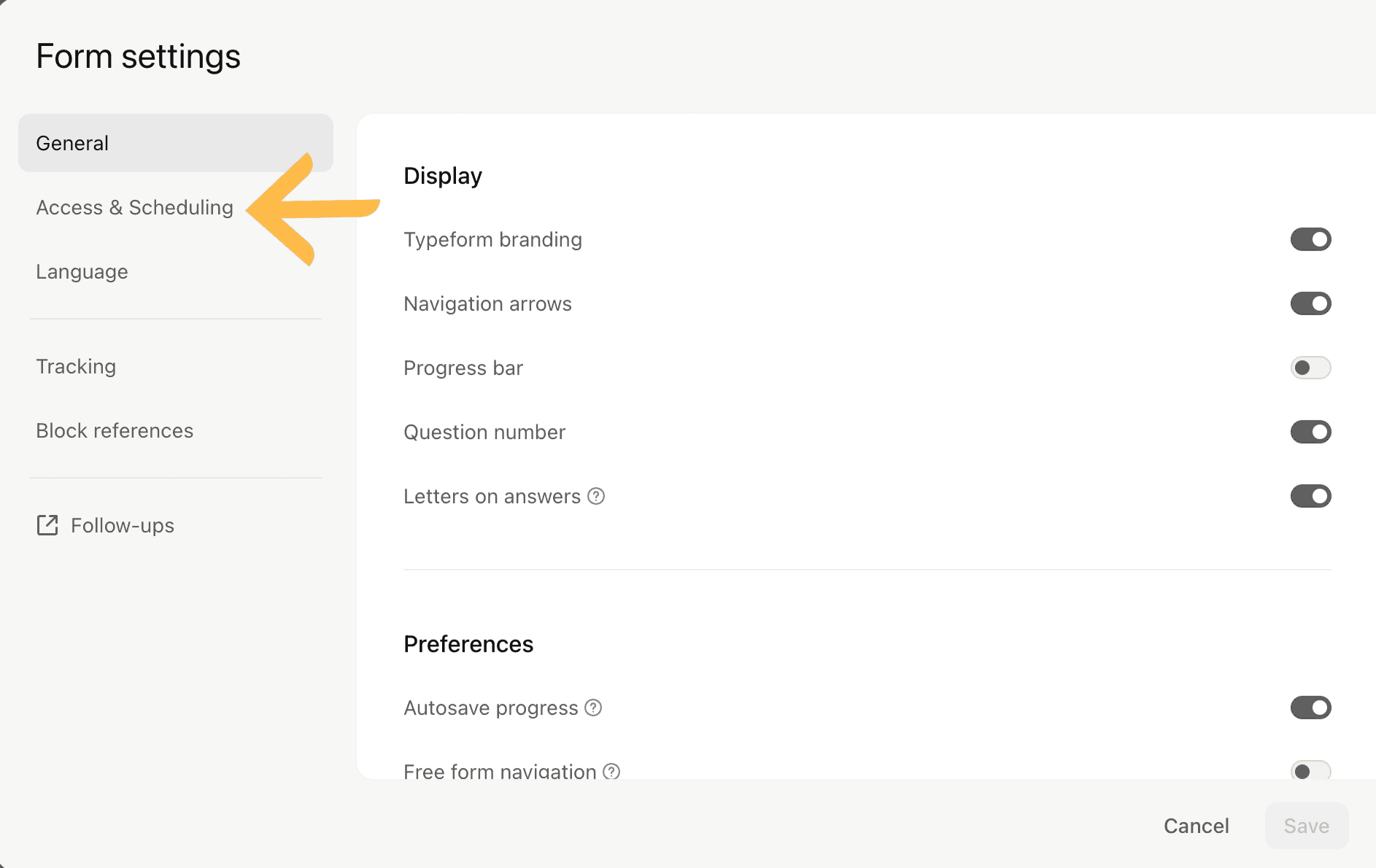
- 4
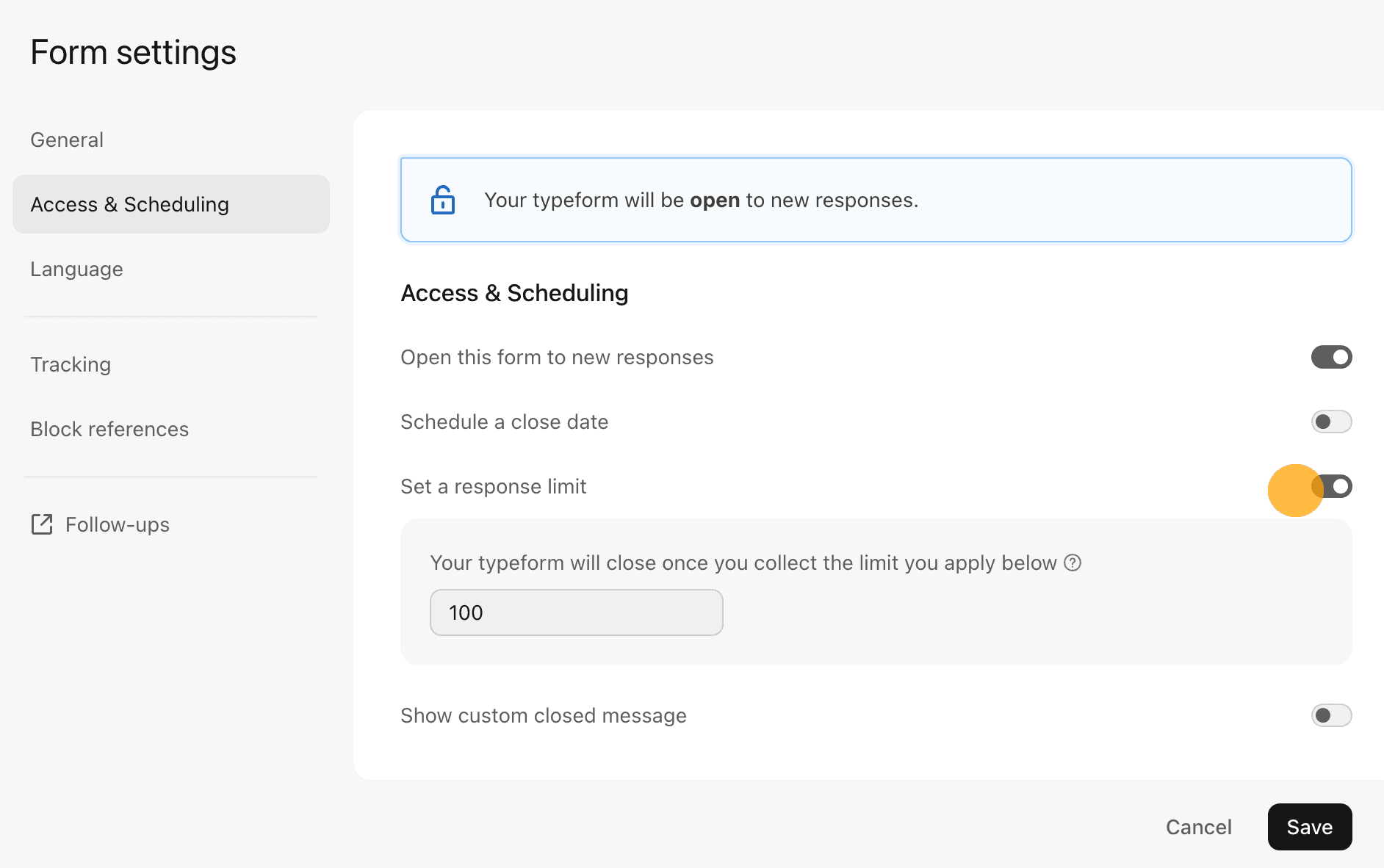
Close the form from settings
Find and select the option to close or disable the form. Confirm your action when prompted, and your survey will immediately stop accepting new responses.
Frequently asked questions
Common questions about how to close a typeform survey.
Can I reopen a closed Typeform survey?
Yes, you can reopen a closed survey at any time by returning to the form settings and selecting the option to reopen or enable submissions. All your existing responses will remain intact, and new respondents can submit answers again.
What happens to responses after I close a survey?
Your existing responses are preserved and remain accessible for analysis. Closing the form only prevents new submissions; it does not delete or modify any data you've already collected.
Do respondents see a message when they try to access a closed survey?
Yes, respondents who attempt to access a closed survey will typically see a message indicating that the form is no longer accepting responses. You can customize this message in your Typeform settings.
Is there a difference between closing and deleting a Typeform survey?
Closing a survey stops new submissions but keeps the form and all responses available. Deleting a survey removes it entirely from your account, which is permanent and cannot be undone. Choose closing if you may want to reference the form later.
Can I set an automatic close date for my survey?
Typeform offers scheduling options that allow you to set an end date for your survey. You can configure this in the form settings to have the survey automatically close at a specific date and time without manual intervention.