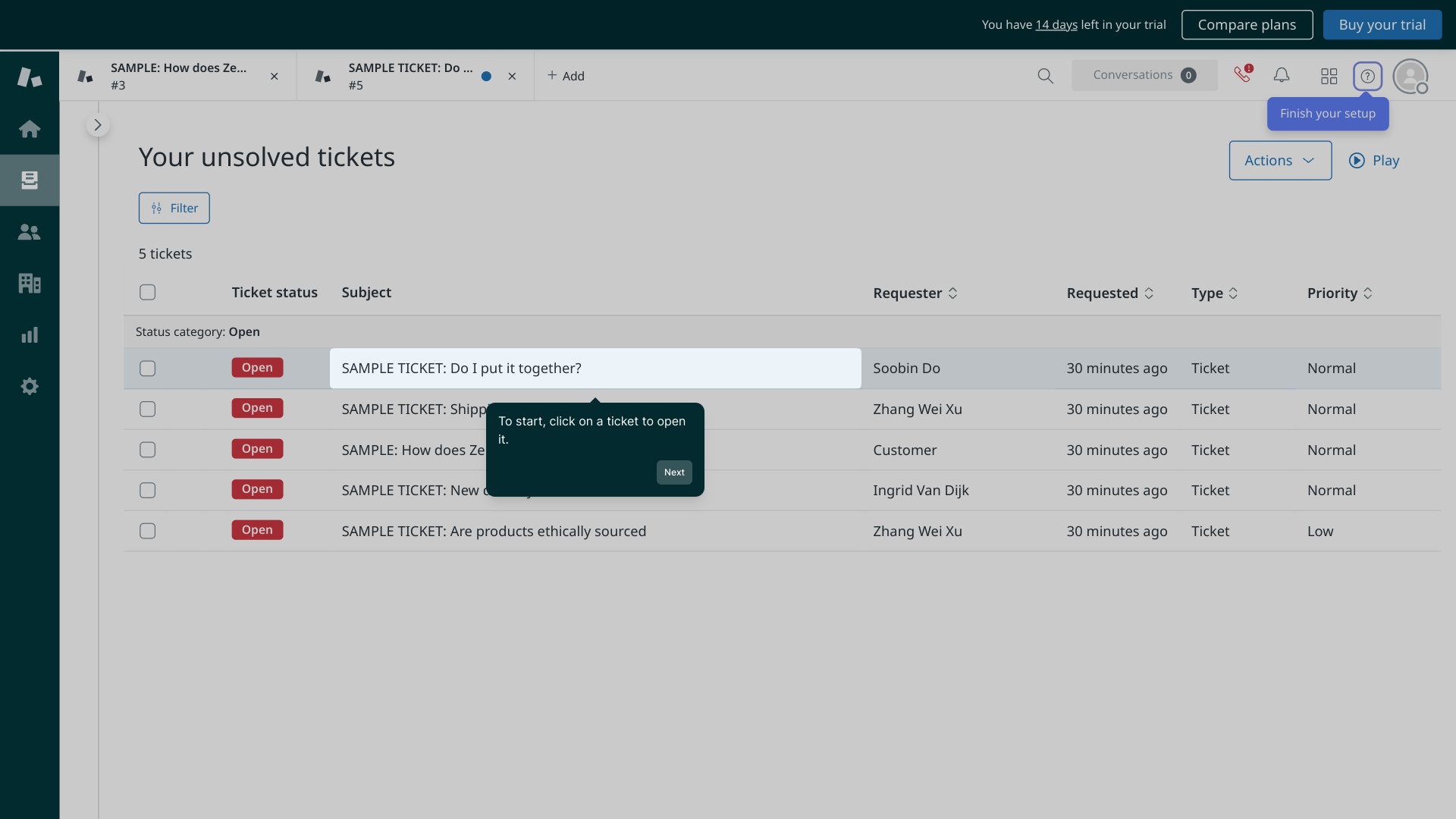
1. To start, click on a ticket to open it.
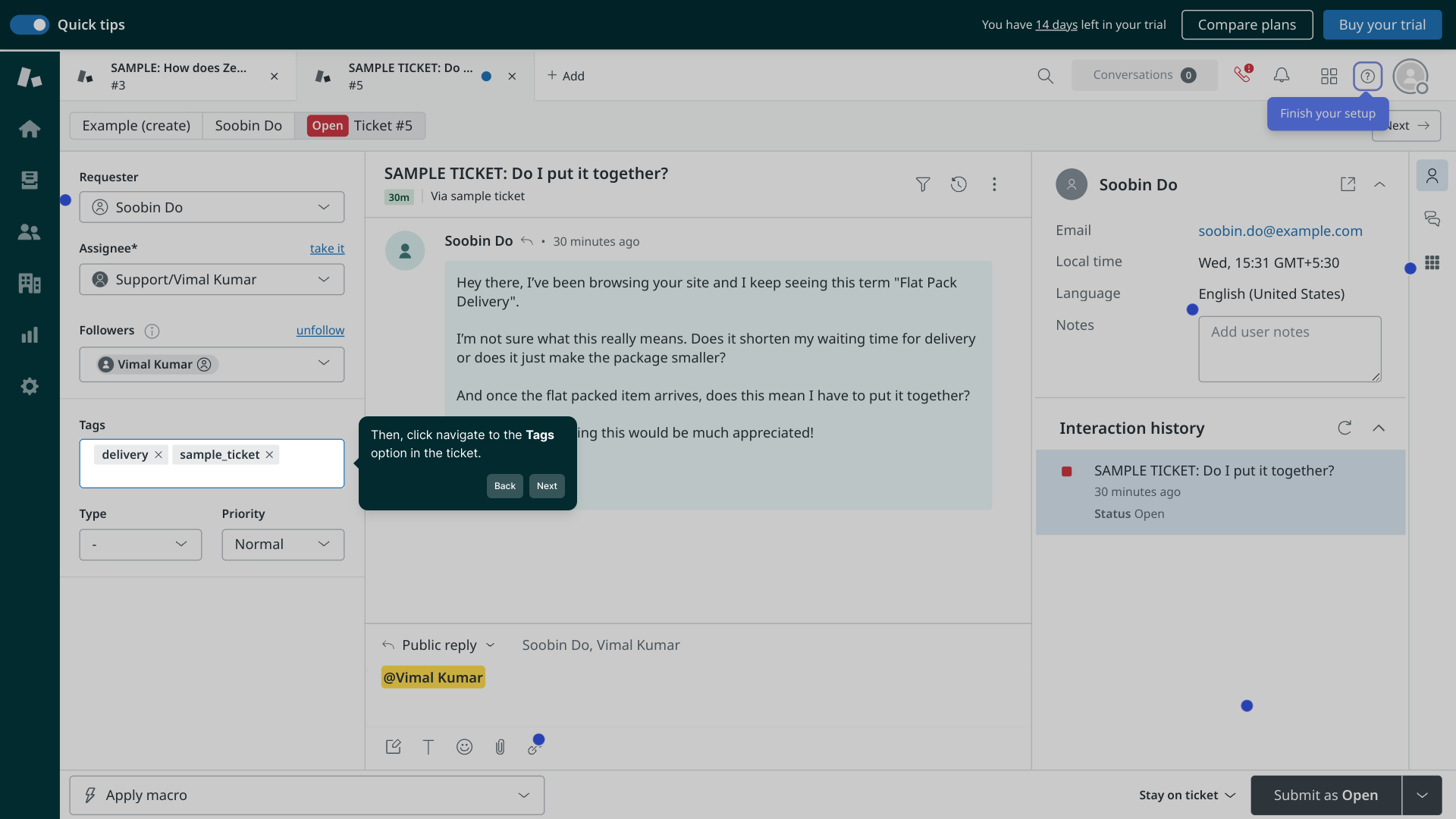
2. Then, click navigate to the Tags option in the ticket.
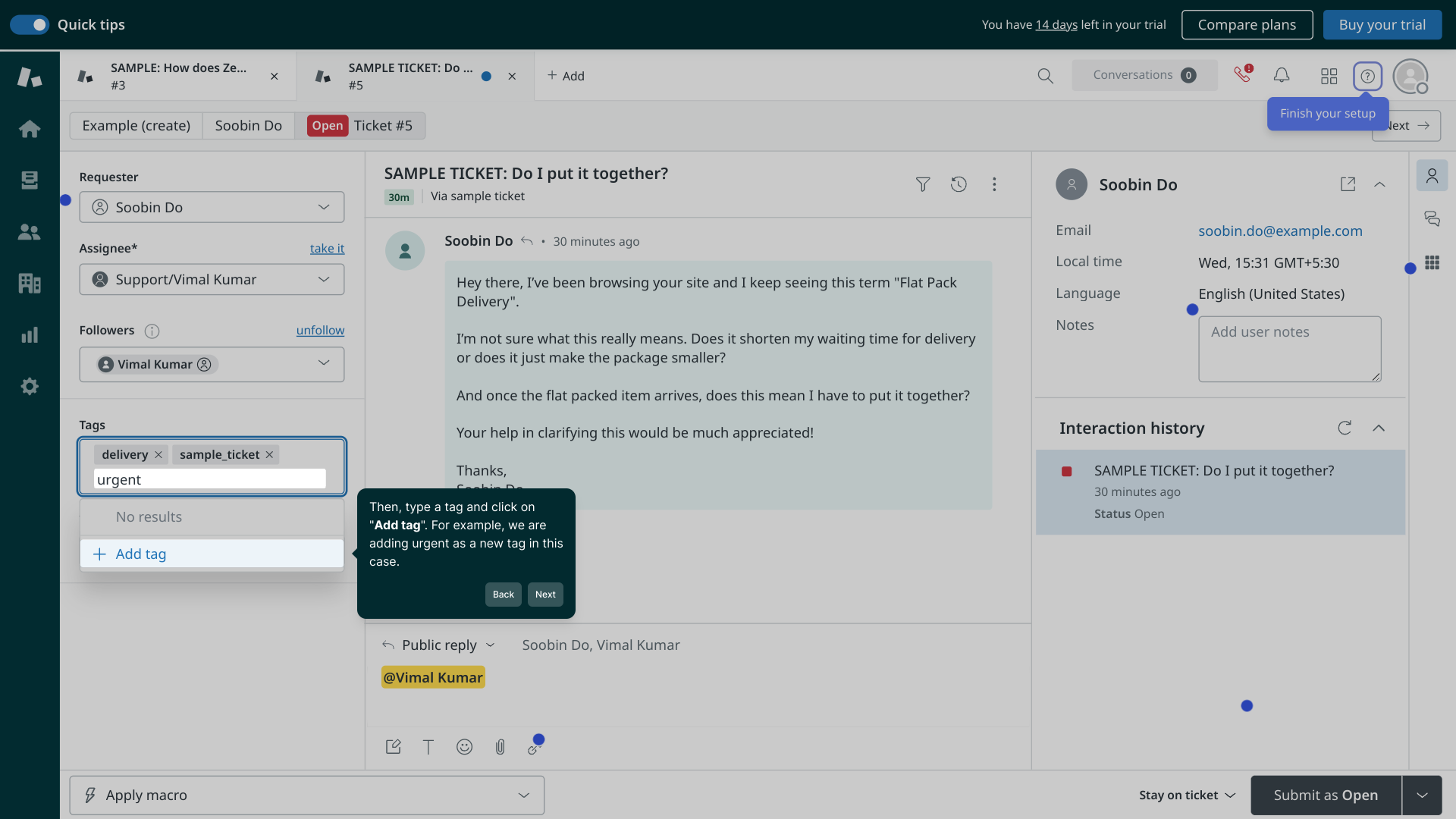
3. Then, type a tag and click on "Add tag". For example, we are adding urgent as a new tag in this case.
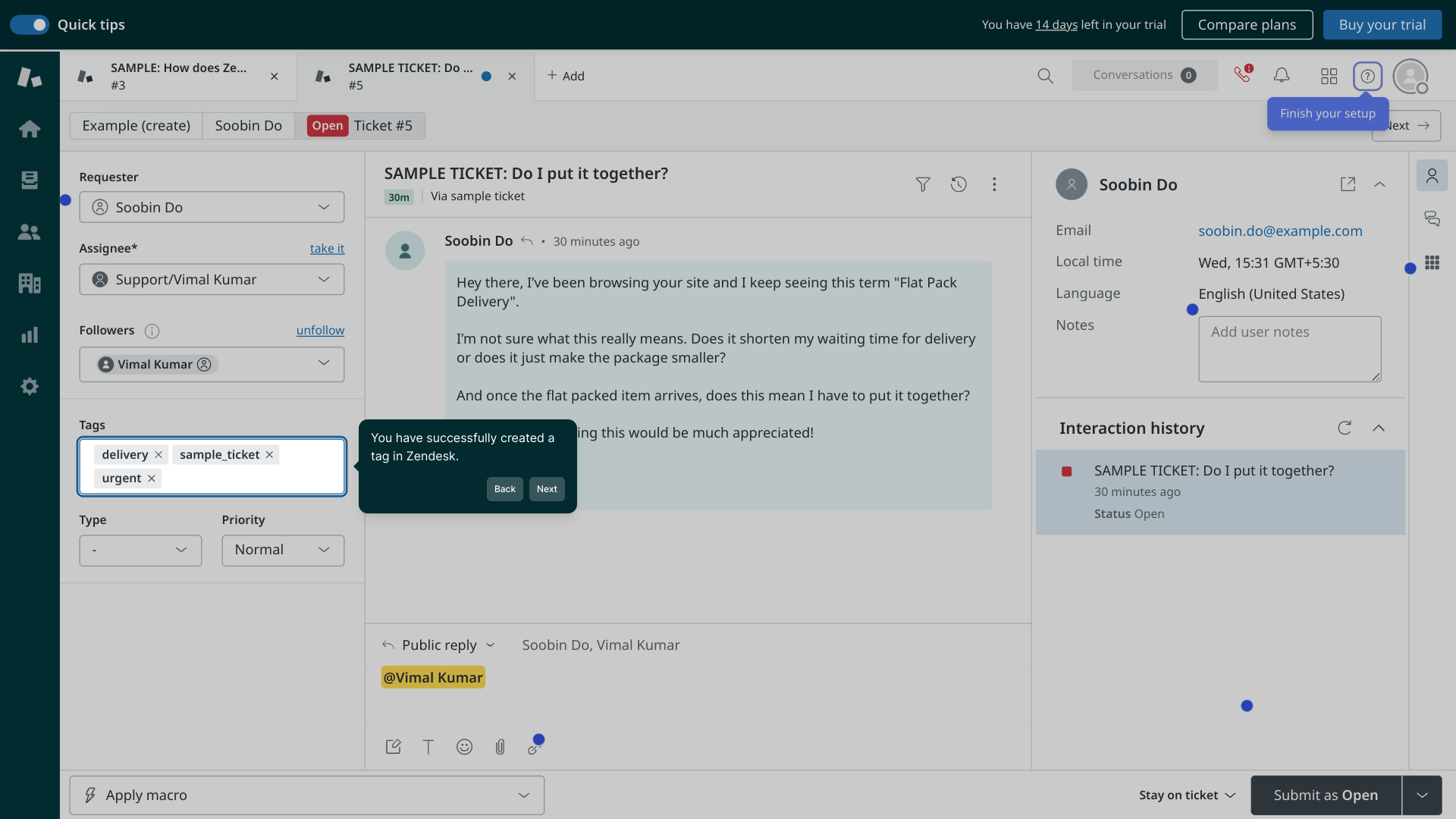
4. You have successfully created a tag in Zendesk.
5. Create a Supademo in seconds
This interactive demo/guided walkthrough on How to Create a Tag in Zendesk was created using Supademo.
How to Create a Tag in Zendesk: Step-by-Step Guide
Begin by selecting the ticket you'd like to work with from your Zendesk dashboard. Opening the ticket will allow you to view all its details and manage its settings.
Once inside the ticket, look for the Tags section in the sidebar or menu options. This area lets you organize and categorize the ticket for easier tracking and filtering.
In the tags field, enter a descriptive label that fits your ticket’s priority or category, such as “urgent.” After typing your tag, click the Add tag button to attach it to the ticket. This helps your team quickly identify its status or topic.
With the tag added, you’ve successfully enhanced the ticket’s organization within Zendesk. This makes future searches and reporting more efficient for your support team.
Now you’re all set! You can quickly create detailed demos like this one with Supademo to showcase your workflows or guide others.
Create your own interactive demos in < 5 mins with Supademo
You can create your own interactive product demo in minutes using Supademo. Drive growth, scale enablement, and supercharge product-led onboarding with Supademo. Sign up for free here with no credit card required.
FAQs
Commonly asked questions about this topic.
What is a tag in Zendesk and why should I use it?
How do I create a tag in Zendesk?
Can I add multiple tags to a single ticket?
Are tags case-sensitive in Zendesk?
Can I remove or edit tags after adding them?
Do tags affect ticket automation and workflows?
Is there a limit to how many tags I can use in Zendesk?
Can I create tags programmatically or via API in Zendesk?
How do I use tags to filter tickets in Zendesk views?
Are tags visible to customers or only internal agents?

Product Operations Associate
Vimal Kumar helps build and grow Supademo’s team and GTM efforts, with a focus on figuring out growth levers and improving product traction.