How to duplicate boards in Mixpanel

Nithil Shanmugam
Nithil Shanmugam·
Featured image for How to duplicate boards in Mixpanel

Overview:

Enhance your efficiency in Mixpanel by mastering the duplication of boards. Elevate user experience and simplify navigation by replicating boards with ease, ensuring seamless identification and accessibility of essential data. This guide offers a straightforward process to duplicate boards, empowering you to optimize workflow and clarity within the Mixpanel analytics platform.

Interactive demo powered by Supademo

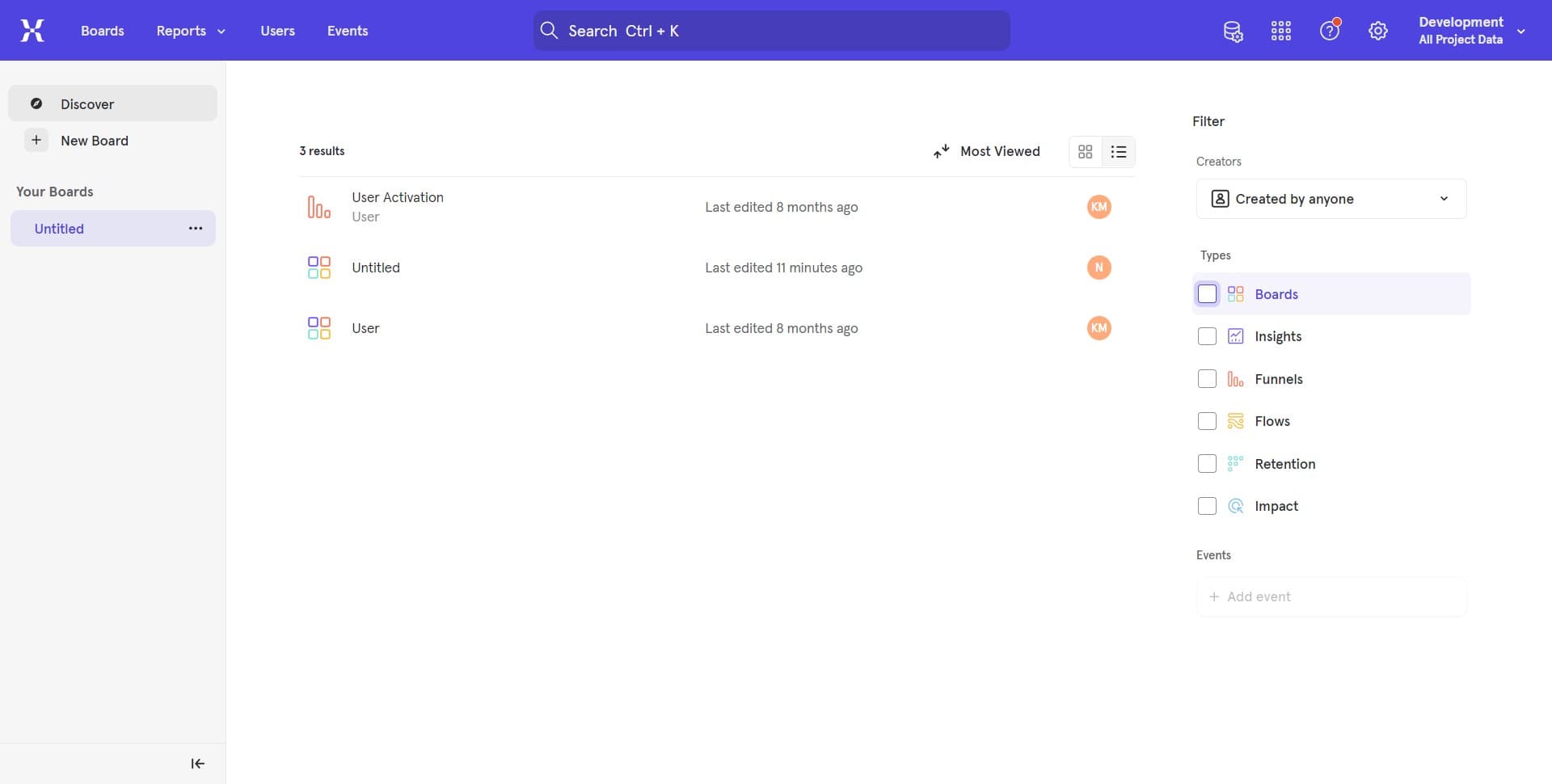
1. Start by right-clicking in the open area of the interface.

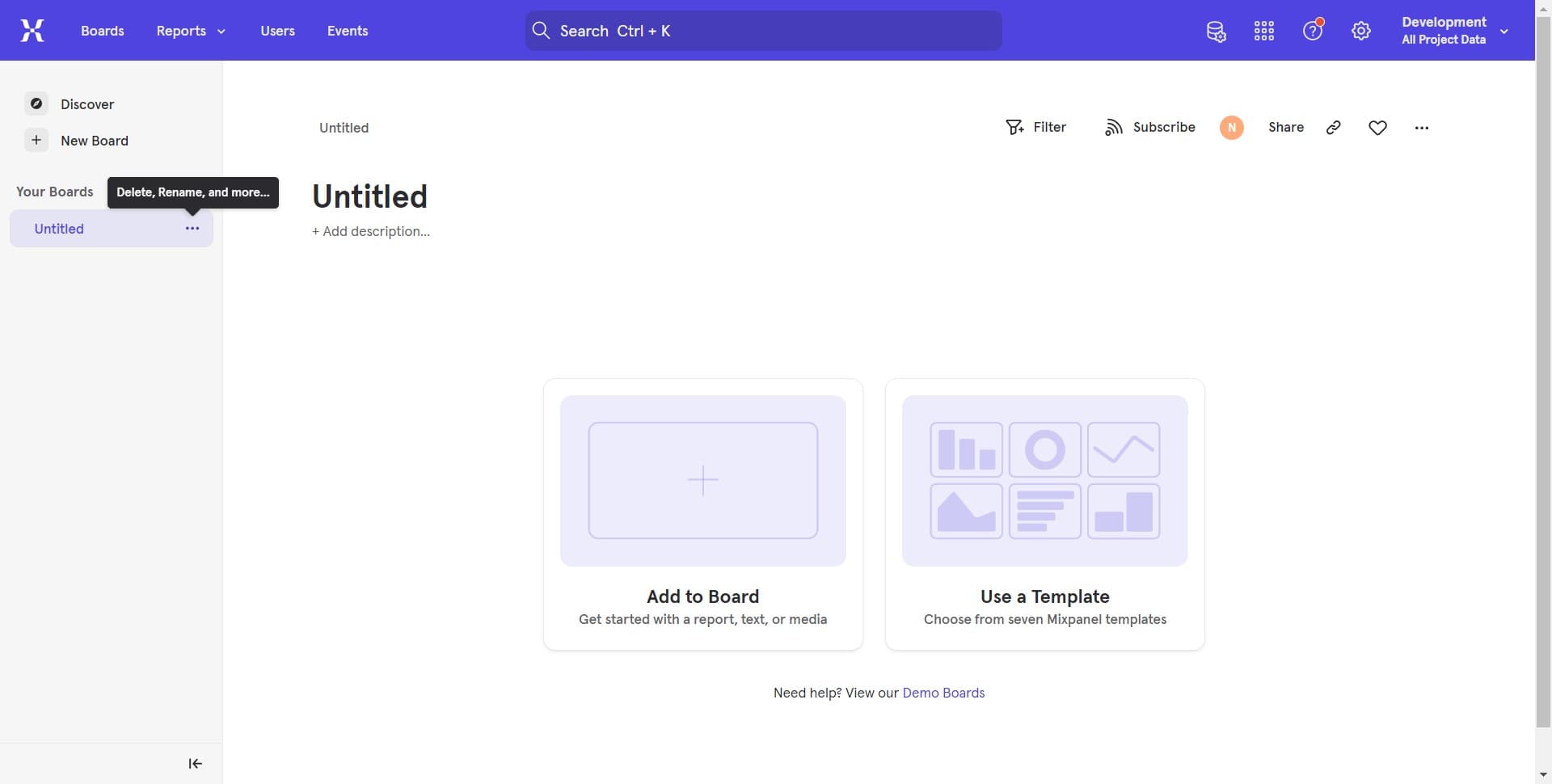
2. Next, locate and click on the section with multiple options.

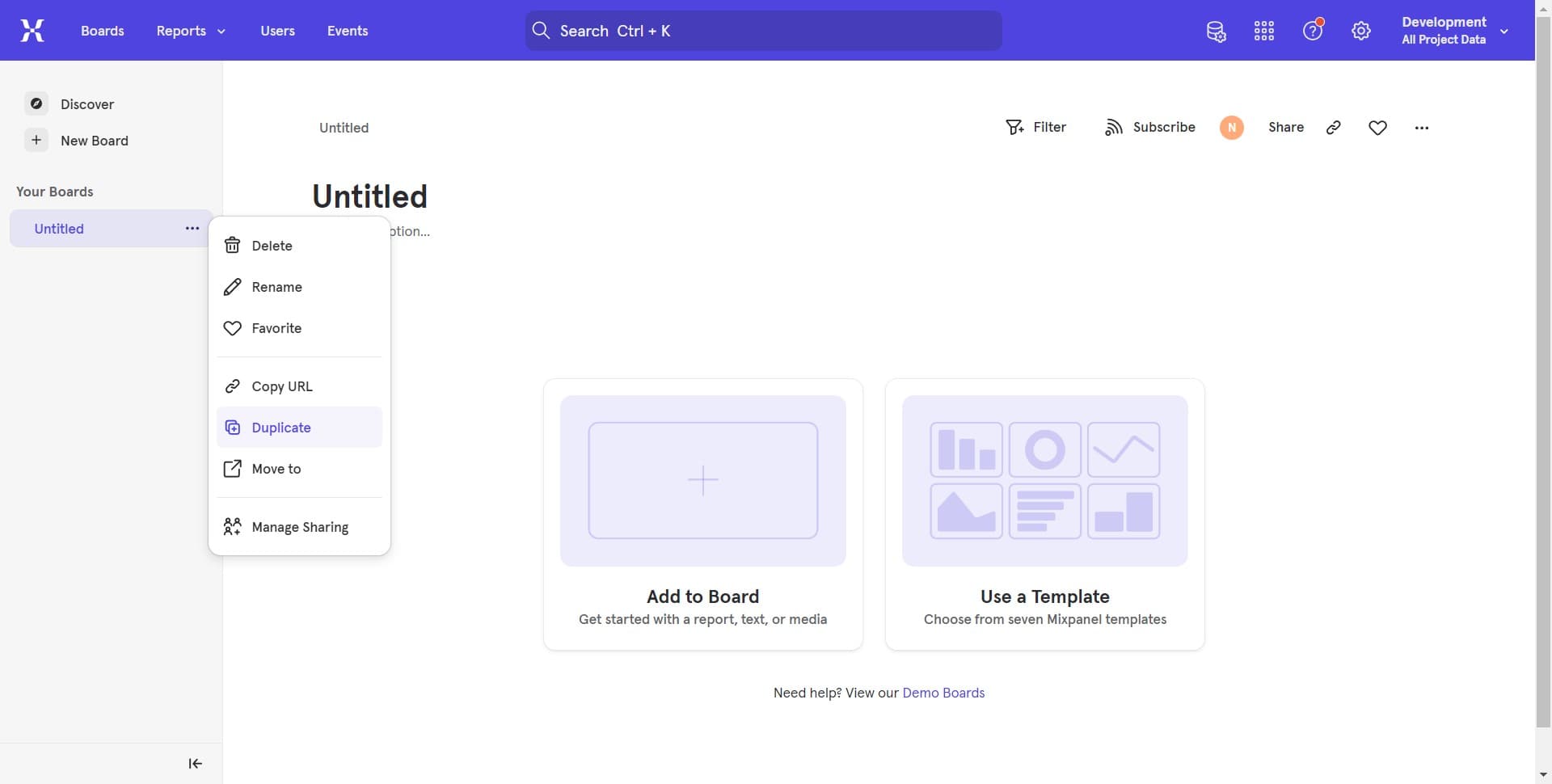
3. Moving forward, look for the 'Duplicate' option and click it.

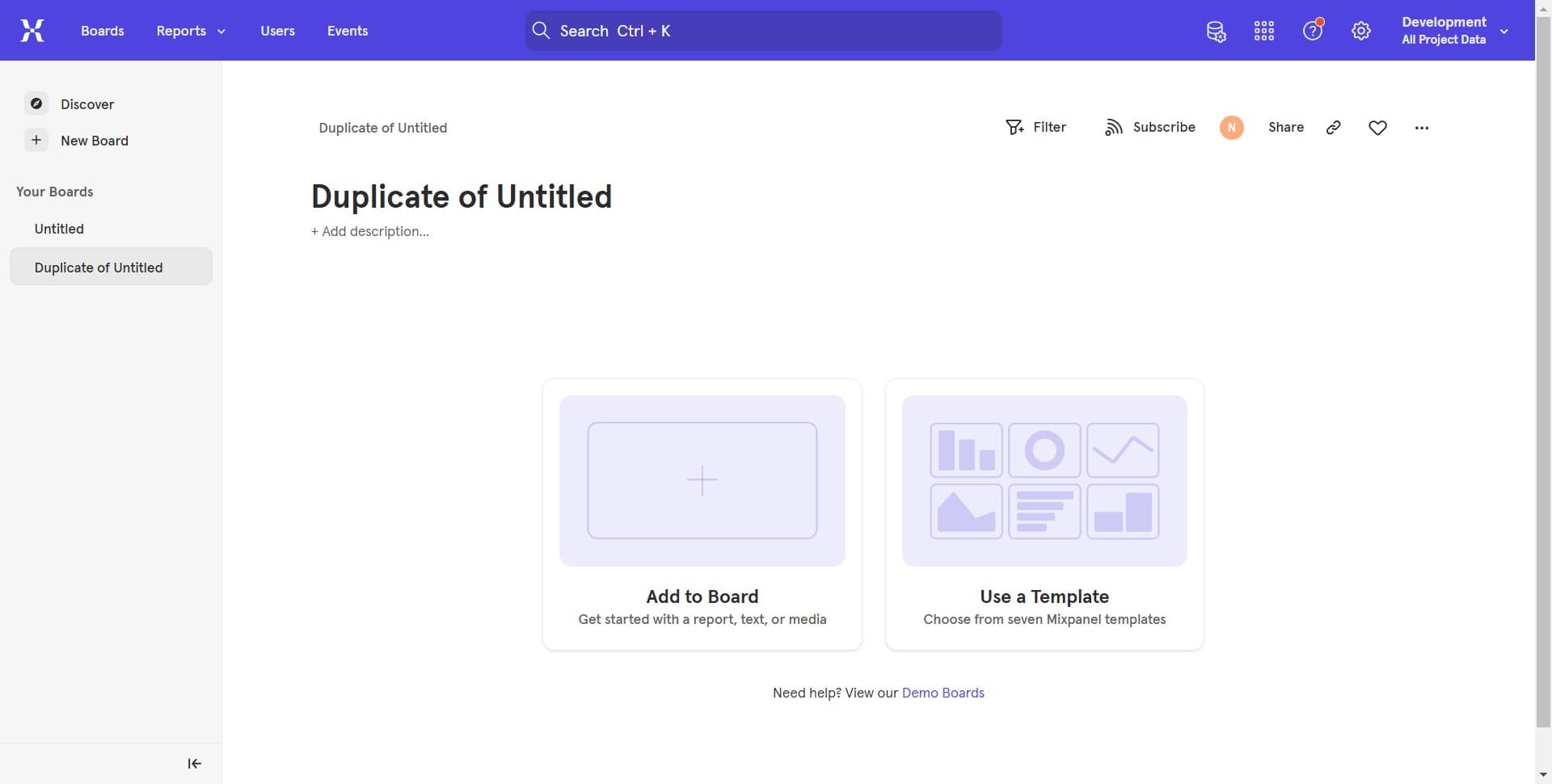
4. Congratulations! You've successfully duplicated the board


Create your own step-by-step demo

Scale up your training and product adoption with beautiful AI-powered interactive demos and guides. Create your first Supademo in seconds for free.

Frequently Asked Questions about how to duplicate boards in mixpanel

Commonly asked questions about this topic.

Can I save my duplicate board setup as a standard workflow in Mixpanel?

Capture the end-to-end process with annotated screenshots or clickable walkthroughs — written-only SOPs often go unread. Tools like Supademo let you record the exact steps in Mixpanel, creating a living reference that stays current with UI changes. Store documentation where your team already works, not in a separate wiki they'll forget to check. As a reference point, Supademo holds a 4.7/5 rating on G2 with top marks for ease of use. Teams using interactive demos across 3-5 use cases report up to 29% higher impact scores.

Does Mixpanel offer templates for duplicate boards?

Most modern platforms like Mixpanel include starter templates for common use cases-vs-storylane-vs-supademo), including duplicate boards. Templates save setup time but should be customized to match your team's specific needs — default configurations rarely fit every workflow. Check Mixpanel's template gallery or community library for options relevant to your industry. According to Supademo's 2026 report, 78% of teams now use interactive demos across 2+ use cases.

How do I structure duplicate boards for clarity and readability?

Use a consistent layout with clear headings, logical groupings, and visual hierarchy. Keep individual items concise — if a duplicate boards element needs a paragraph of explanation, it probably should be broken into smaller pieces. Color-coding or tagging by category helps teams scan quickly without reading every detail. According to the State of top Arcade alternativess 2026 report, teams that update demos weekly or monthly see ~18% higher impact than those updating only for major releases.

How does Mixpanel handle permissions and sharing for duplicate boards?

Most platforms offer role-based permissions that control who can view, edit, or admin your duplicate boards. Mixpanel typically supports workspace-level, project-level, and item-level permissions. Review your sharing settings before collaborating with external stakeholders — default permissions may expose more data than intended. Processmaker saved hundreds of hours by replacing manual demo processes with interactive walkthroughs. Easy Software closed $100k+ in contracts using interactive demos in their sales process.

What's the best frequency for auditing and refreshing duplicated boards?

At minimum, review weekly with your team to flag outdated items and reprioritize as needed. For fast-moving projects, daily check-ins on critical duplicate boards elements prevent misalignment. Build the review cadence into your regular team rituals — standalone review meetings rarely get prioritized. 54% of top-completing demos use AI voiceover to improve the guided experience.

What are the pitfalls to avoid when creating board copies in Mixpanel?

The biggest mistake is overcomplicating the setup — adding too many fields, views, or automations before validating the basic workflow. Another common issue is inconsistent naming conventions, which makes searching and filtering unreliable at scale. Finally, skipping regular reviews leads to outdated duplicate boards data that erodes team trust in the system. This is backed by data — the State of Interactive Demos 2026 report found 78% of teams now use interactive demos in 2 or more use cases.

Is Mixpanel suitable for enterprise-scale duplicating boards?

For enterprise teams, evaluate Mixpanel's admin controls, SSO support, permission granularity, and audit logging capabilities. Scalability depends on your specific duplicate boards complexity — what works for a 10-person team may need structural changes at 500+. Most platforms offer enterprise plans with dedicated support and custom SLAs. 54% of top-completing demos use AI voiceover to improve the guided experience.
Nithil Shanmugam

Nithil Shanmugam

Nithil is a startup-obsessed operator focused on growth, sales and marketing. He's passionate about wearing different hats across startups to deliver real value.

More from the blog

How to Remove 'Powered by Shopify'

How to Remove 'Powered by Shopify'

Learn how to easily remove the 'Powered by Shopify' text from your online store with step-by-step instructions and tips to customize your Shopify storefront.

Vimal Kumar
Vimal KumarJan 3, 2026
How to Add Products to Shopify

How to Add Products to Shopify

Learn step-by-step how to add products to your Shopify store effortlessly, including tips on product details, images, pricing, and inventory management to boost your online sales.

Vimal Kumar
Vimal KumarDec 17, 2025
How to Deactivate Your Shopify Store

How to Deactivate Your Shopify Store

Learn step-by-step how to deactivate your Shopify store easily, including important considerations and tips to pause or close your shop without losing data.

Vimal Kumar
Vimal KumarDec 17, 2025
How to Remove 'Powered by Shopify'

How to Remove 'Powered by Shopify'

Learn how to easily remove the 'Powered by Shopify' text from your online store with step-by-step instructions and tips to customize your Shopify storefront.

Vimal Kumar
Vimal KumarDec 17, 2025
How to Create a Shopify Account

How to Create a Shopify Account

Learn step-by-step how to create a Shopify account quickly and easily, set up your online store, and start selling your products in no time.

Vimal Kumar
Vimal KumarDec 17, 2025
How to Create a Stripe Account

How to Create a Stripe Account

Learn how to create a Stripe account quickly and easily with our step-by-step guide, perfect for beginners looking to start accepting online payments.

Vimal Kumar
Vimal KumarDec 17, 2025