How to reset password in Hive

Forgetting your Hive password can happen to anyone, but resetting it is a straightforward process that takes just a few minutes. This tutorial walks you through the exact steps to regain access to your account securely.
Quick summary
In this tutorial, you'll learn how to reset your Hive password by navigating to your profile settings and updating your credentials. By following these simple steps, you'll be back to your account in no time.
Why this matters
Regularly updating your password or recovering access to your account is essential for maintaining security and protecting your sensitive information in Hive. A quick password reset ensures you can regain control of your account whenever needed without contacting support.
Step-by-step guide
- 1
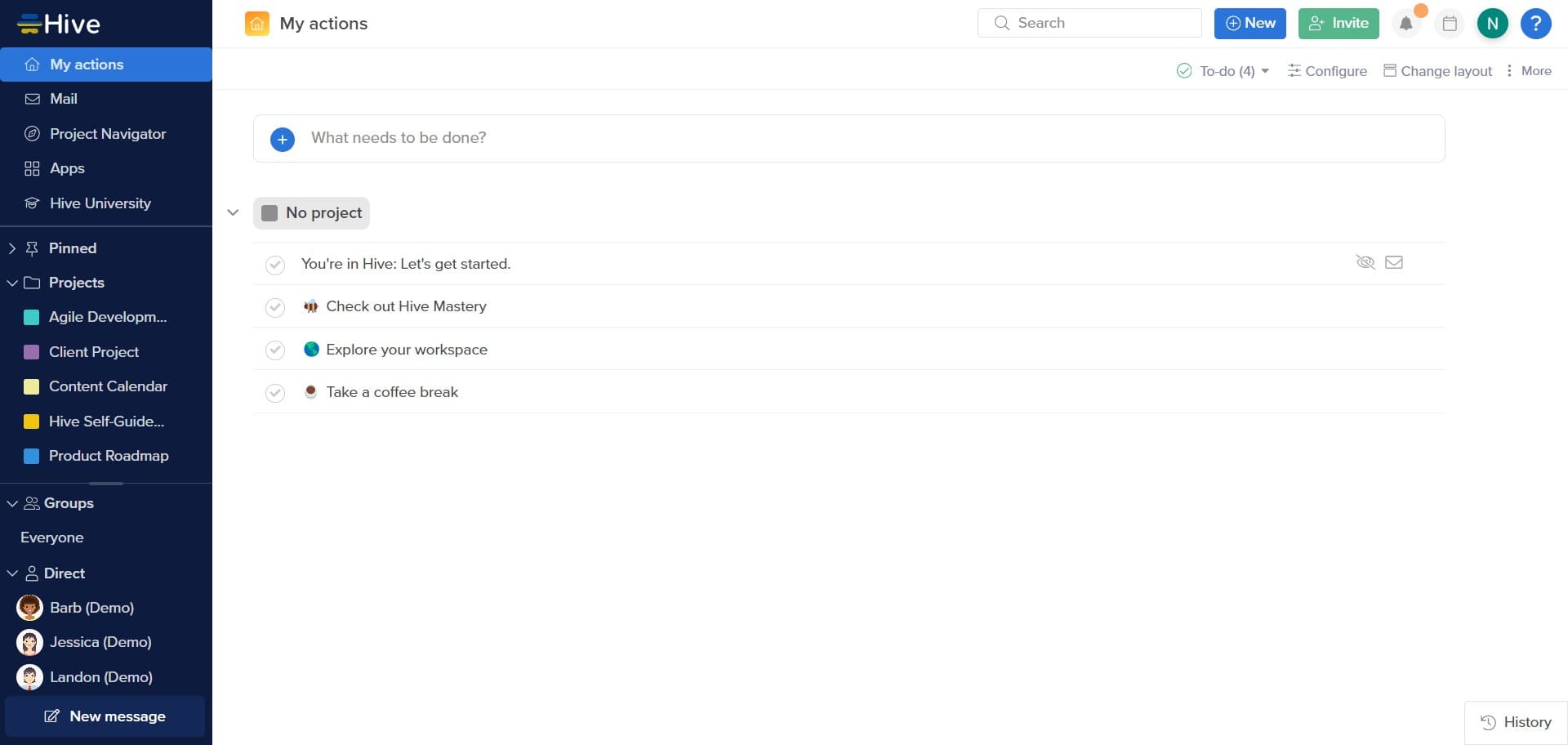
Click the account access button
Locate and click the designated button to begin the password reset process. This action will open the menu where you can manage your account settings.
- 2
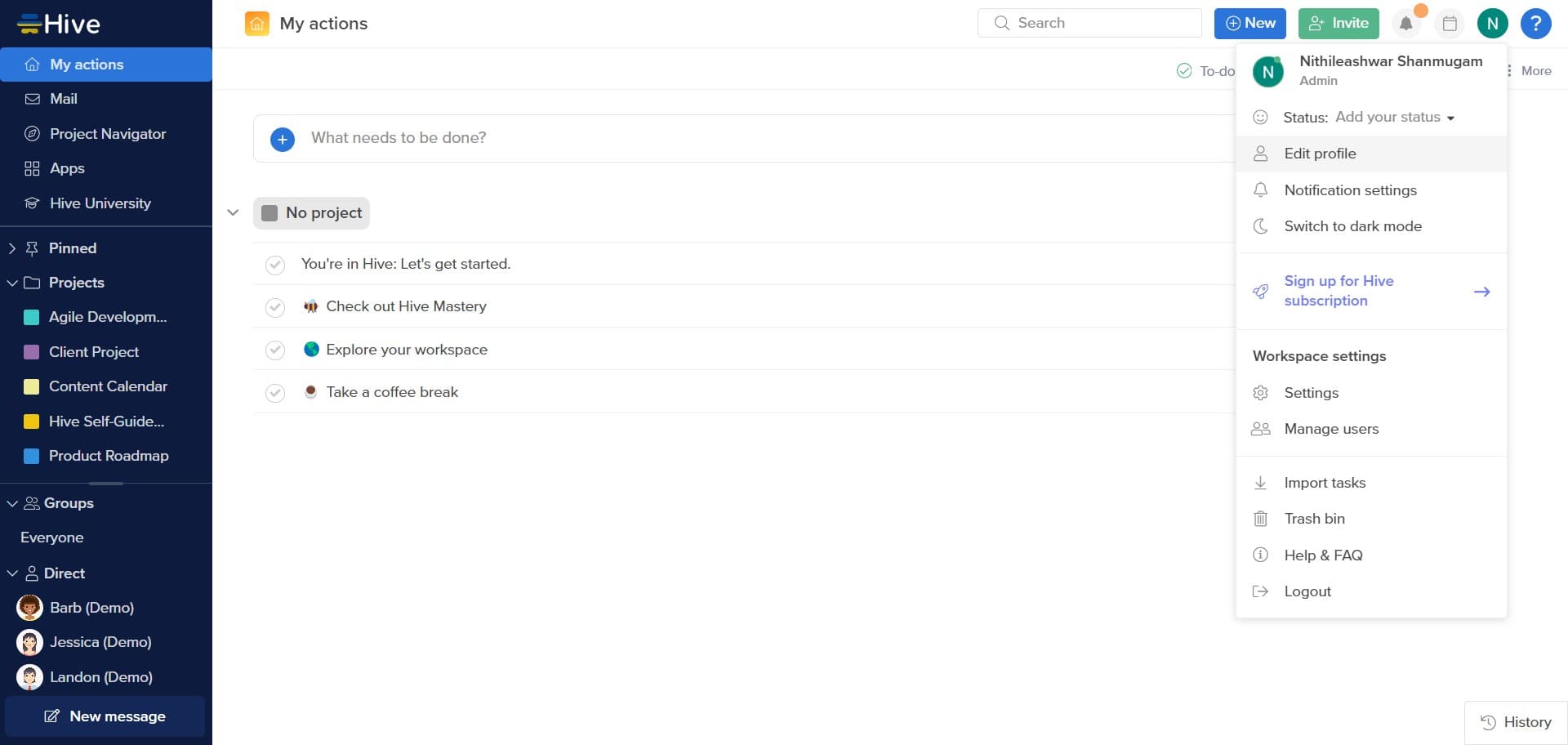
Click on Edit profile
Select the 'Edit profile' option from the menu that appears. You'll now be in your profile management area where account-related settings are stored.
- 3
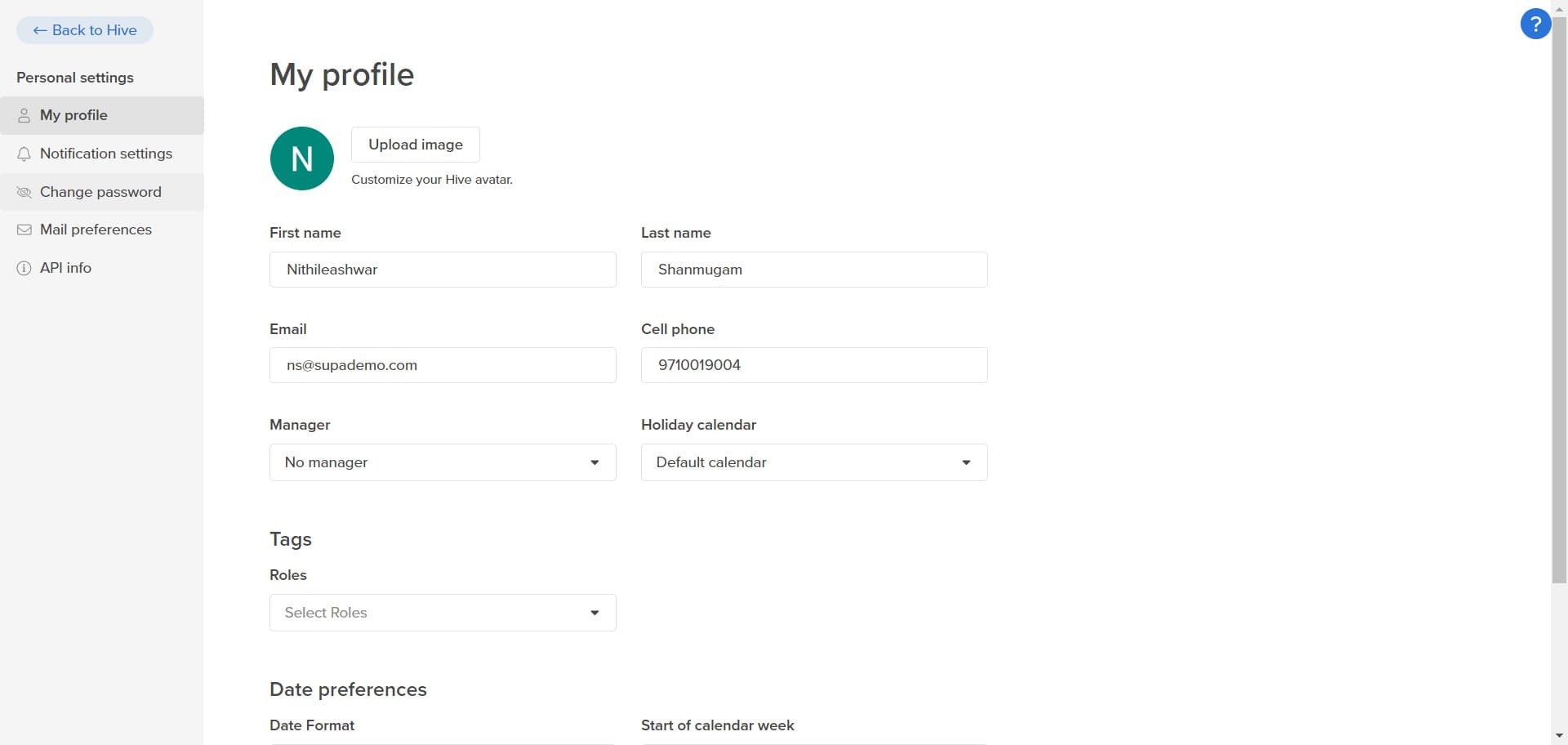
Click on Change password
Find and click the 'Change password' option in your profile settings. This will open a form where you can enter your current and new password information.
- 4
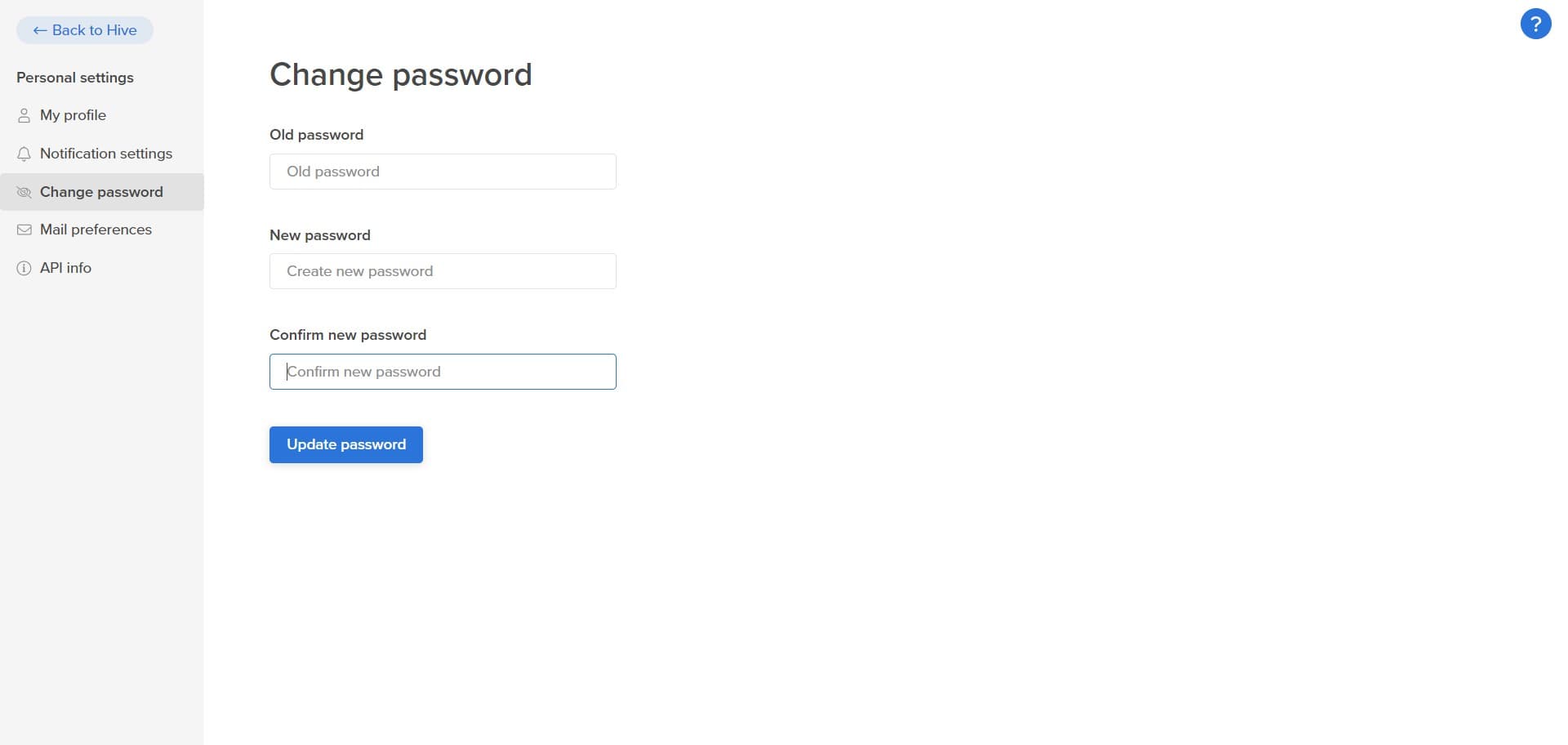
Click on Update password
After entering your new password details, click 'Update password' to confirm the change. Your password will be updated immediately, and you may need to log in again with your new credentials.
Frequently asked questions
Common questions about how to reset password in hive.
How often should I reset my Hive password?
There's no strict requirement, but security experts recommend changing your password every 90 days or immediately if you suspect unauthorized access. You should also update your password if you've shared it with anyone or used it on another platform.
What if I forget my current password while resetting?
If you can't remember your current password, look for a 'Forgot password' option on the login page rather than trying to reset from within your profile. This will guide you through account recovery using your email or phone verification.
Can I use the same password I used before?
Most secure systems, including Hive, prevent you from reusing your most recent passwords for security reasons. Try creating a new password that's different from your last few passwords to ensure it's accepted.
Will resetting my password log me out of other sessions?
Yes, changing your password typically logs you out of all active sessions for security purposes. You'll need to log back in on any devices where you use Hive with your new password.
What makes a strong password for Hive?
A strong password should be at least 12 characters long and include uppercase letters, lowercase letters, numbers, and special symbols. Avoid using personal information, dictionary words, or predictable patterns to maximize your account security.