Onboarding Snapshot
Activation Event
First structured workspace page created or AI-generated
Time-to-Value
~3–6 minutes, template or AI-assisted
Primary Strength
Intent-based personalization narrows the workspace before user sees it
Primary Risk
Expansion prompts (Calendar, desktop app) appear before First Strike
Overview
Notion's onboarding doesn't try to simplify a complex product. It organizes the complexity so users always know what to do next. The intent question, the checklist, and the AI-generated starter page each solve a different version of the same problem: reducing the number of decisions between signup and first value.
What Should You Steal?
Swipe through actionable takeaways from this onboarding flow.
How Notion Personalizes Onboarding by Job-to-Be-Done
The opening question does real filtering work.
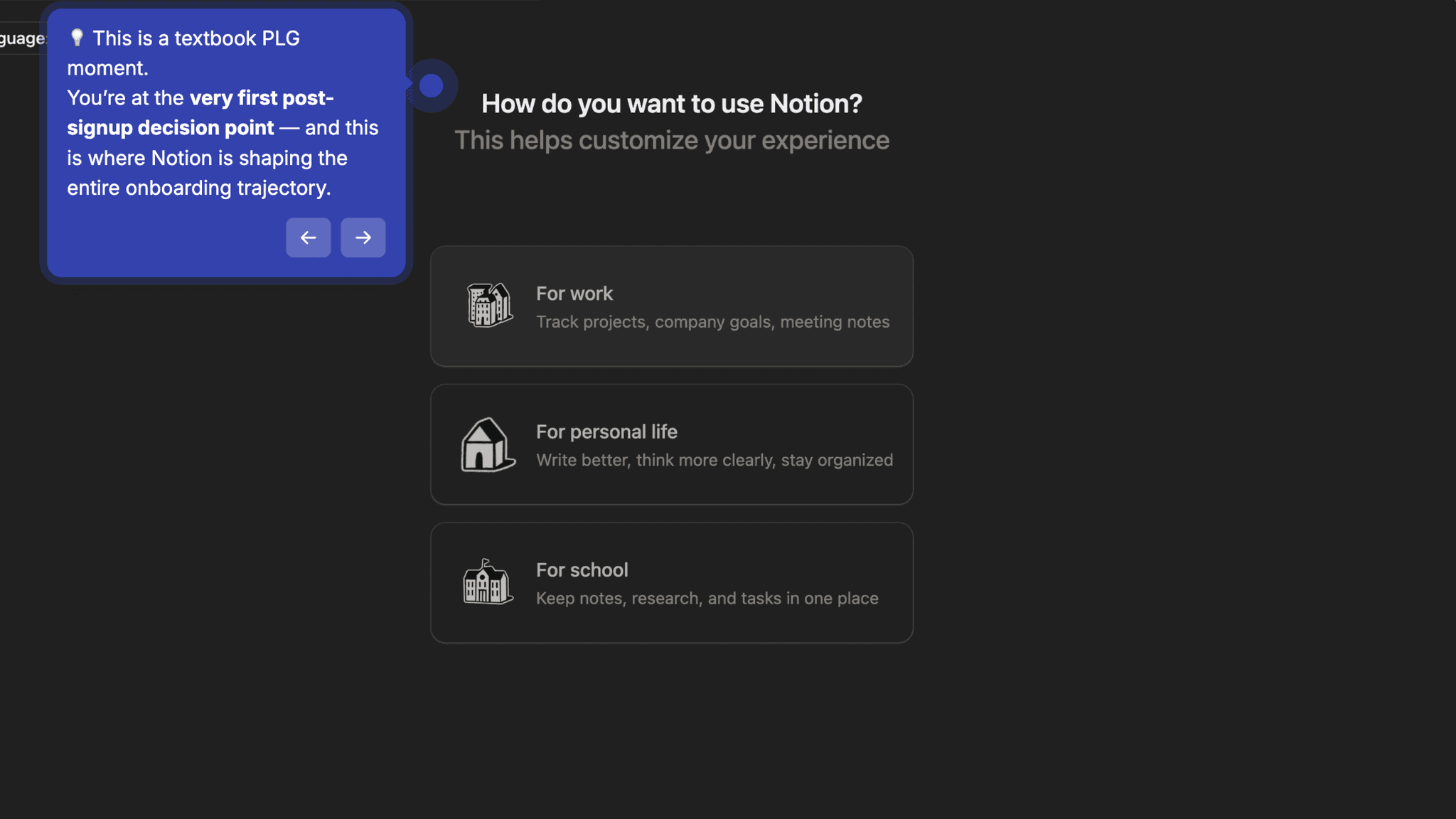
Before showing me anything, Notion asks: "How do you want to use Notion?" Work, Personal, or School. That's it. The answer shapes which templates surface, which starter workflows appear, and what the default workspace looks like. By the time I land on the dashboard, it already reflects what I said I was here to do. The blank-canvas problem doesn't disappear — it just feels smaller than it would have otherwise.
How Notion Uses Product Bumpers
The onboarding checklist answers "what do I do next?" before the user has to ask.
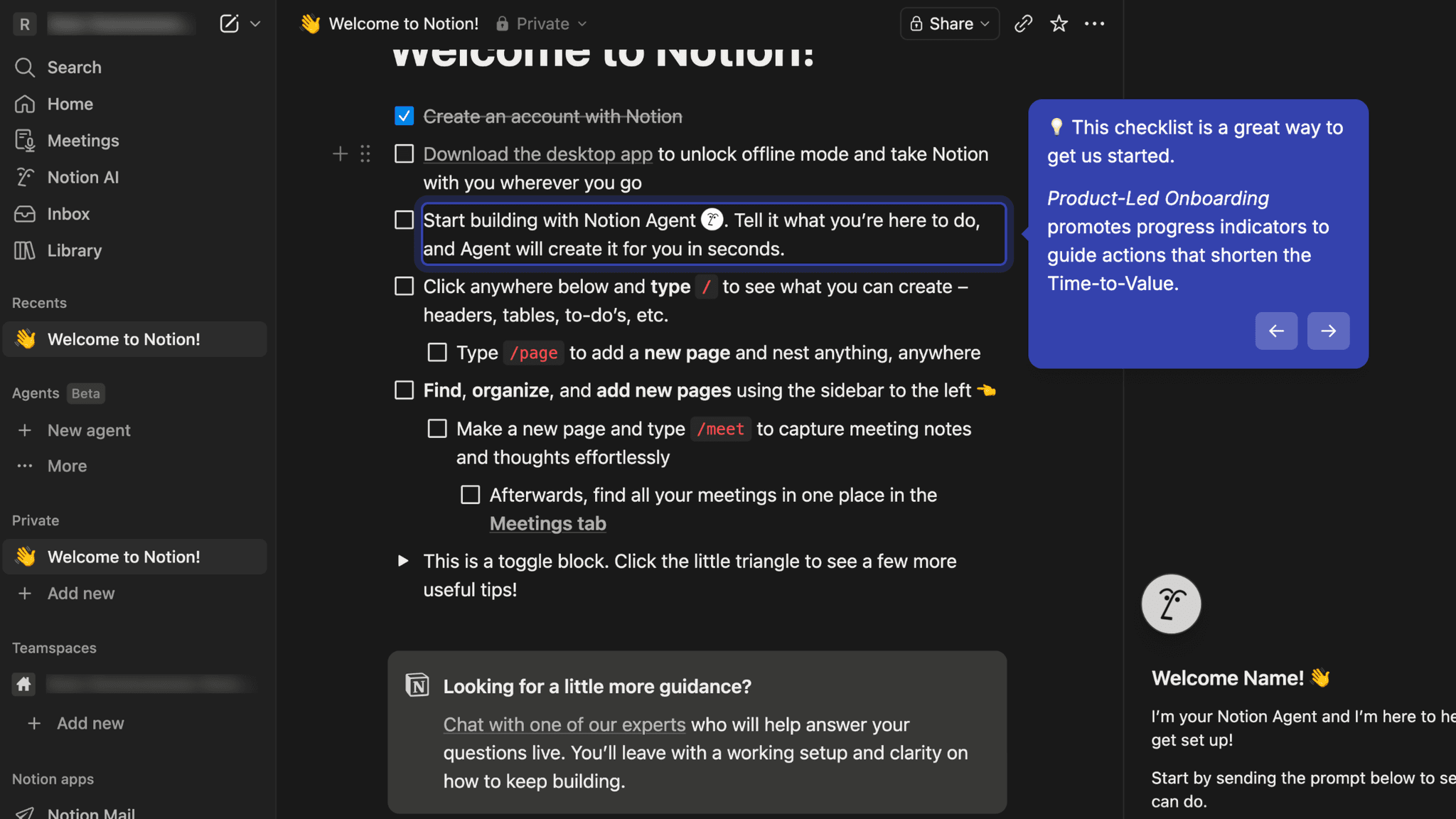
Inside the workspace, Notion surfaces a checklist of suggested next actions. For a tool with Notion's surface area, this is the right call — it doesn't try to teach the whole product, it narrows the path to the first meaningful moment. Visible progress creates forward pull. A checklist with one item checked feels different from an empty page with no indication of where to start.
How Notion Uses Product Bumpers
AI-generated starter pages shift setup from a task into a reaction.
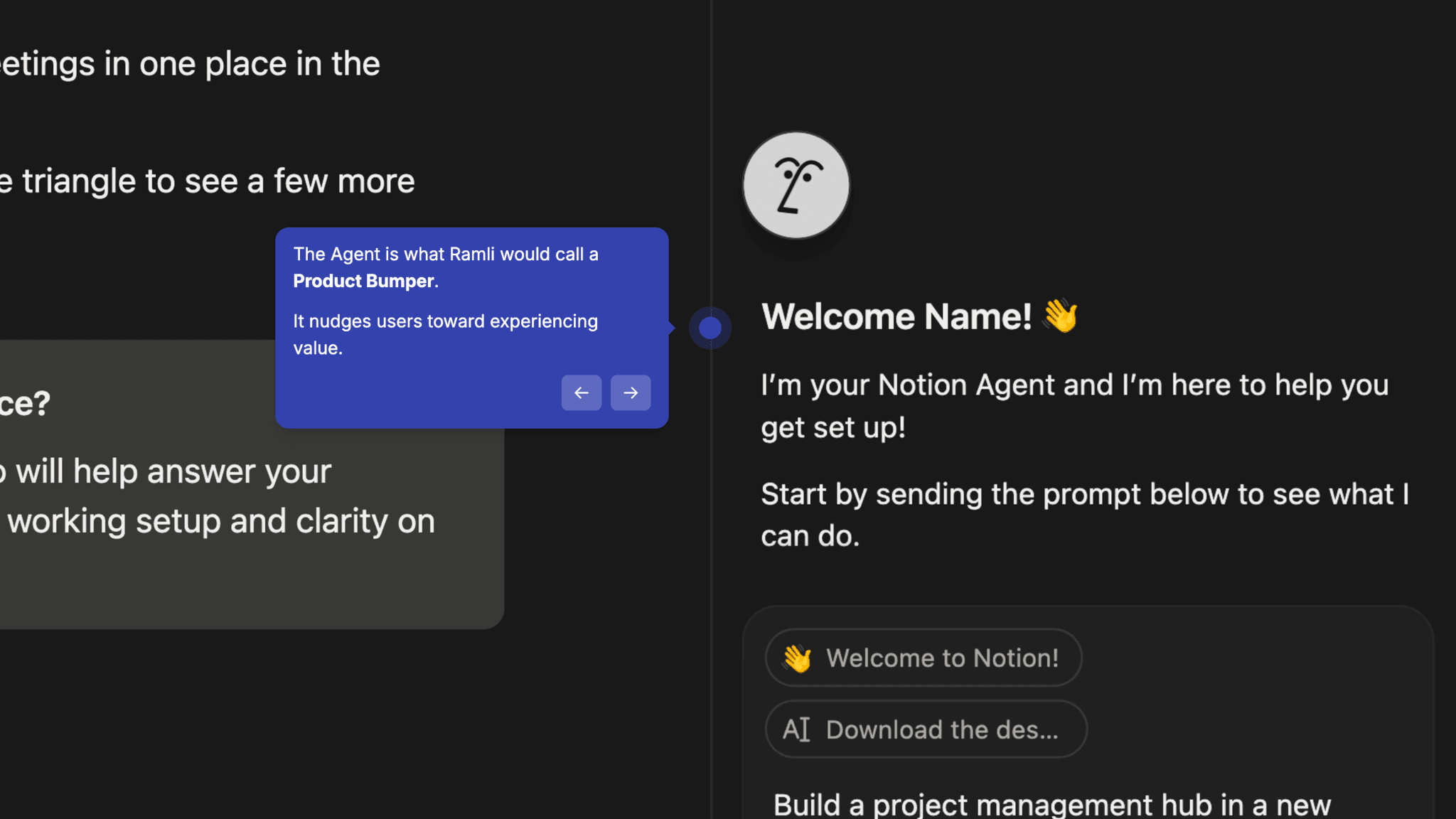
Rather than asking me to build a database or structure a project from scratch, Notion can generate a pre-filled, functional workspace page. The Moment of Value Realization often lands here — when the page that appears already looks like what I was trying to make. That shift from "I need to build this" to "I can start from this" is not a small thing.
How Notion Uses Product Bumpers
Post-activation scaffolding keeps the product guiding after First Strike.
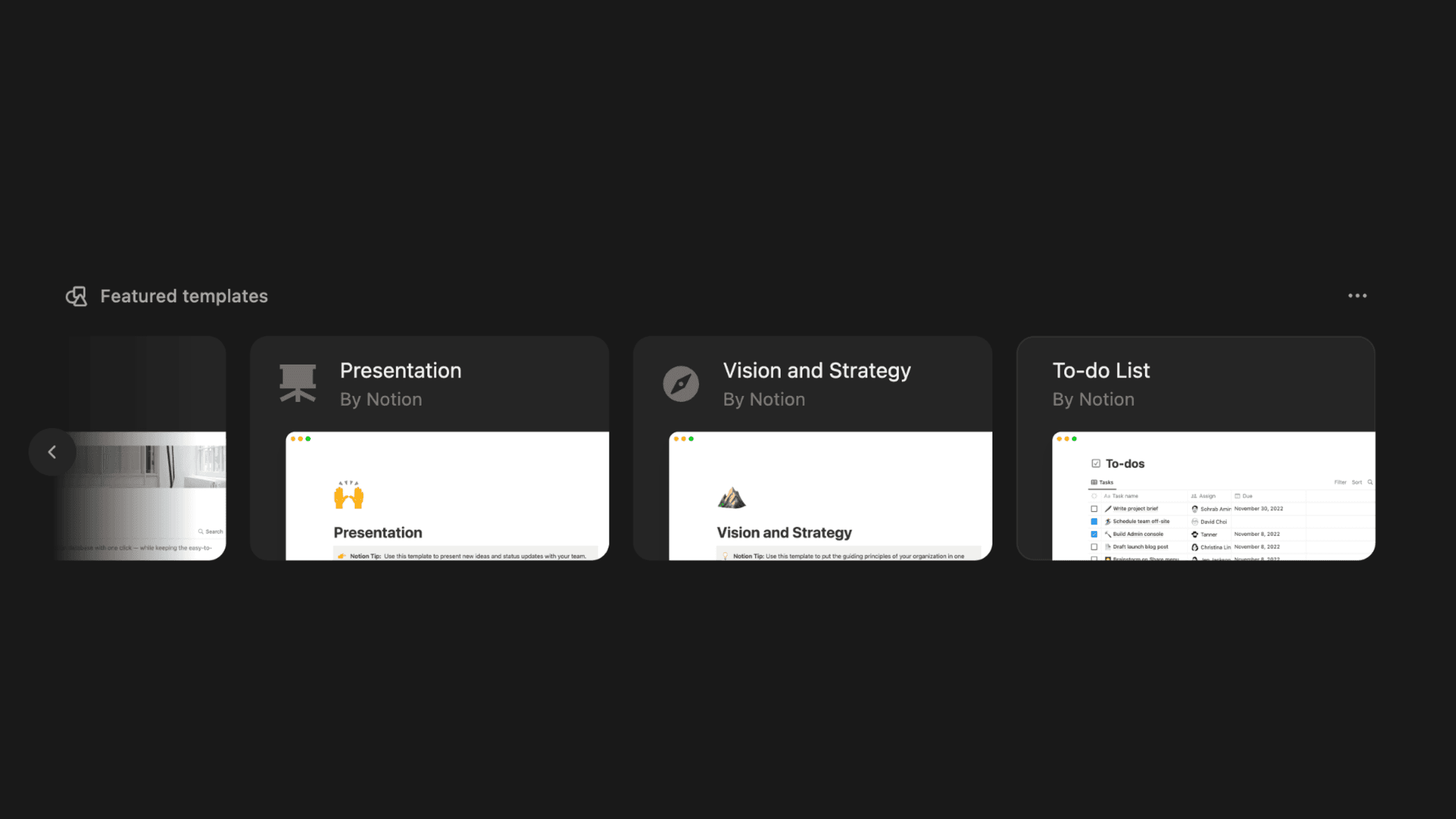
Once the first usable page exists, Notion surfaces featured templates, learning guides, and additional use-case suggestions. Most onboarding flows stop at activation. Notion doesn't. The checklist and suggestion layer continues past First Strike, nudging toward a second value moment before the user has a chance to drift.
Onboarding Tactics That Work
Single intent question filters workspace before user arrives
Onboarding checklist narrows next action in a high-complexity tool
AI-generated starter page shifts user from building to reacting
Post-First Strike scaffolding supports adoption, not just activation
Where There's Friction
Calendar and desktop app prompts appear before full activation is complete
Unlimited template variety can slow the decision to start for exploratory users
Expansion prompts dilute Time-to-Value even when activation is near
When Is the In-App Activation Moment?
The Activation Event in Notion is creating or receiving a functional, structured workspace page that matches what the user said they were there to do. That's the moment the product stops feeling like setup.
Getting there takes 3–6 minutes. The path runs through the intent question, authentication, the dashboard with its checklist and template suggestions, and then a first page — built manually, pulled from a template, or AI-generated. The AI path is the fastest. From the segmentation question to a pre-filled, usable page is under five minutes with almost no decisions required.
Progress toward that moment is visible throughout. The checklist tracks completion, and each item checked creates a small forward pull. For a product with this much surface area, that matters. Without it, Notion could easily feel like a tool with no natural place to start.
The friction worth naming is the expansion prompt layer. Before I've fully activated, Notion surfaces Calendar setup, a desktop app download, and meeting scheduling prompts. These aren't wrong features to introduce. They support long-term habit formation. But they land slightly early, adding steps between intent and First Strike that don't move activation forward.
After first page creation, the system keeps going. Templates, learning guides, and additional use cases appear to push from activation toward adoption. Most PLG products go quiet here and rely on the user to return. Notion doesn't make that assumption.
The Bottom Line on Notion's Onboarding
Notion's onboarding doesn't try to simplify a complex product. It organizes the complexity so users always know what to do next. The intent question, the checklist, and the AI-generated starter page each solve a different version of the same problem: reducing the number of decisions between signup and first value.
The honest critique is timing. Calendar, desktop app, meeting integrations — these are retention features, not activation features. Surfacing them before First Strike adds friction at exactly the moment the user is closest to landing on something useful. It's a calculated tradeoff toward long-term habit formation, and it probably works, but it costs something in the short run.
Steal the post-activation scaffolding. Most products stop guiding at First Strike and trust the output to carry the user forward. Notion keeps the checklist and suggestion layer running after the first page is built, which means users who activate are nudged toward a second value moment before the product goes quiet.
FAQs
Common questions about Notion's onboarding flow and what makes it effective.
How does Notion onboard new users?
Notion starts with a single intent question, Work, Personal, or School, before landing users in a tailored workspace with an onboarding checklist and template suggestions. AI can generate a pre-filled starter page, compressing setup significantly. The Activation Event, creating or receiving a functional workspace page, typically takes 3–6 minutes from signup.
What makes Notion's onboarding experience stand out?
The combination of intent-based personalization and post-activation scaffolding sets Notion apart. The workspace is filtered before the user arrives, so the blank-canvas problem is smaller from the start. After First Strike, Notion keeps guiding — templates, learning resources, and use-case suggestions continue to appear rather than leaving the user to figure out the next step on their own.
How long does it take to reach value in Notion?
From signup to a functional workspace page takes approximately 3–6 minutes. The AI-assisted path is faster, with a pre-filled page appearing in under five minutes and minimal decisions required. The expansion prompts, Calendar and desktop app, add some steps between intent and First Strike — that's the main source of friction in an otherwise efficient flow.
How does Notion's onboarding compare to other SaaS tools?
Notion's checklist-and-AI approach is more structured than Canva's onboarding, which relies on template browsing without an explicit progress indicator. The post-activation scaffolding puts Notion closer to beehiiv, which also uses phased walkthroughs to guide users past First Strike. Where Notion differs is the AI-generated starting point — most tools still ask users to build from scratch rather than giving them something to react to.