
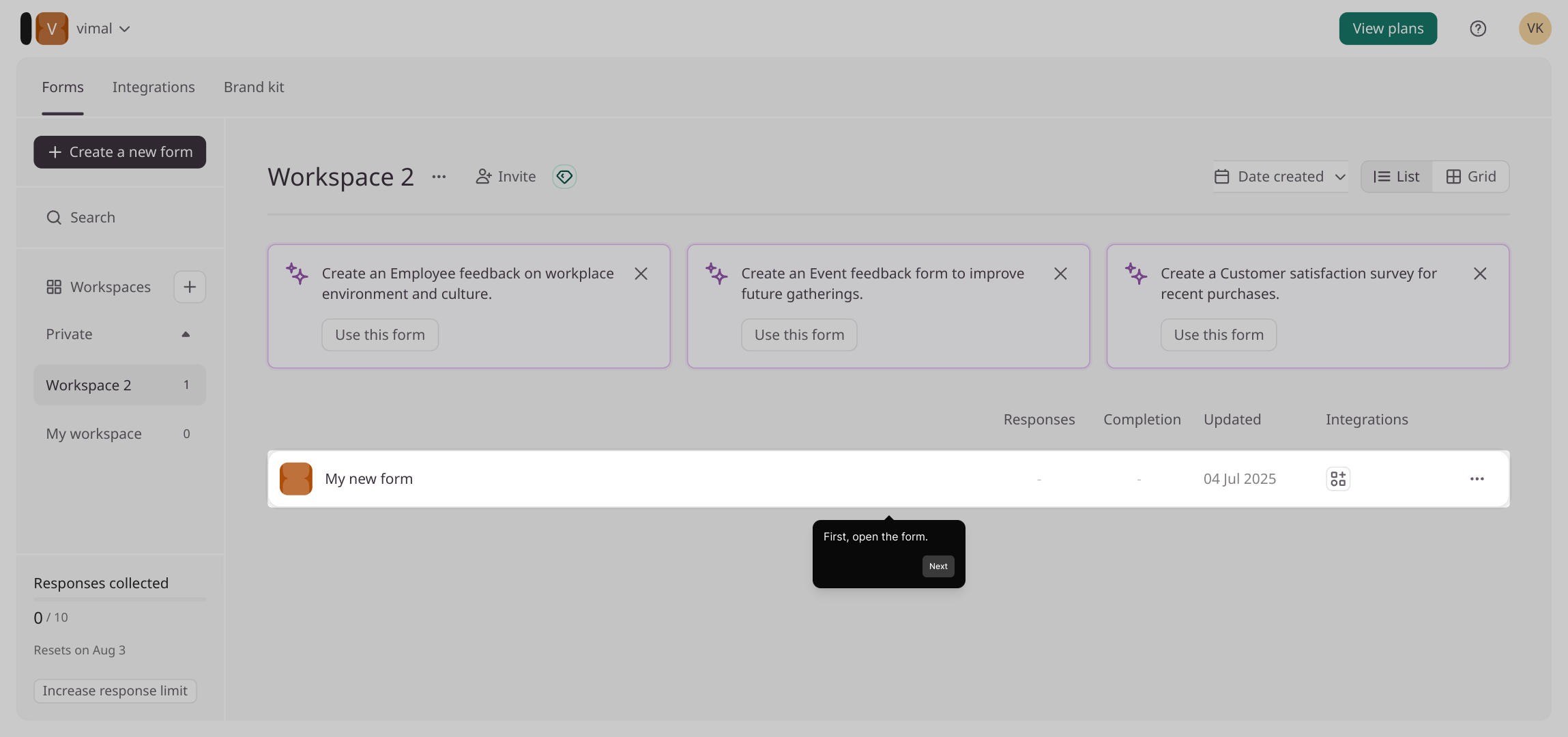
1. First, open the form.
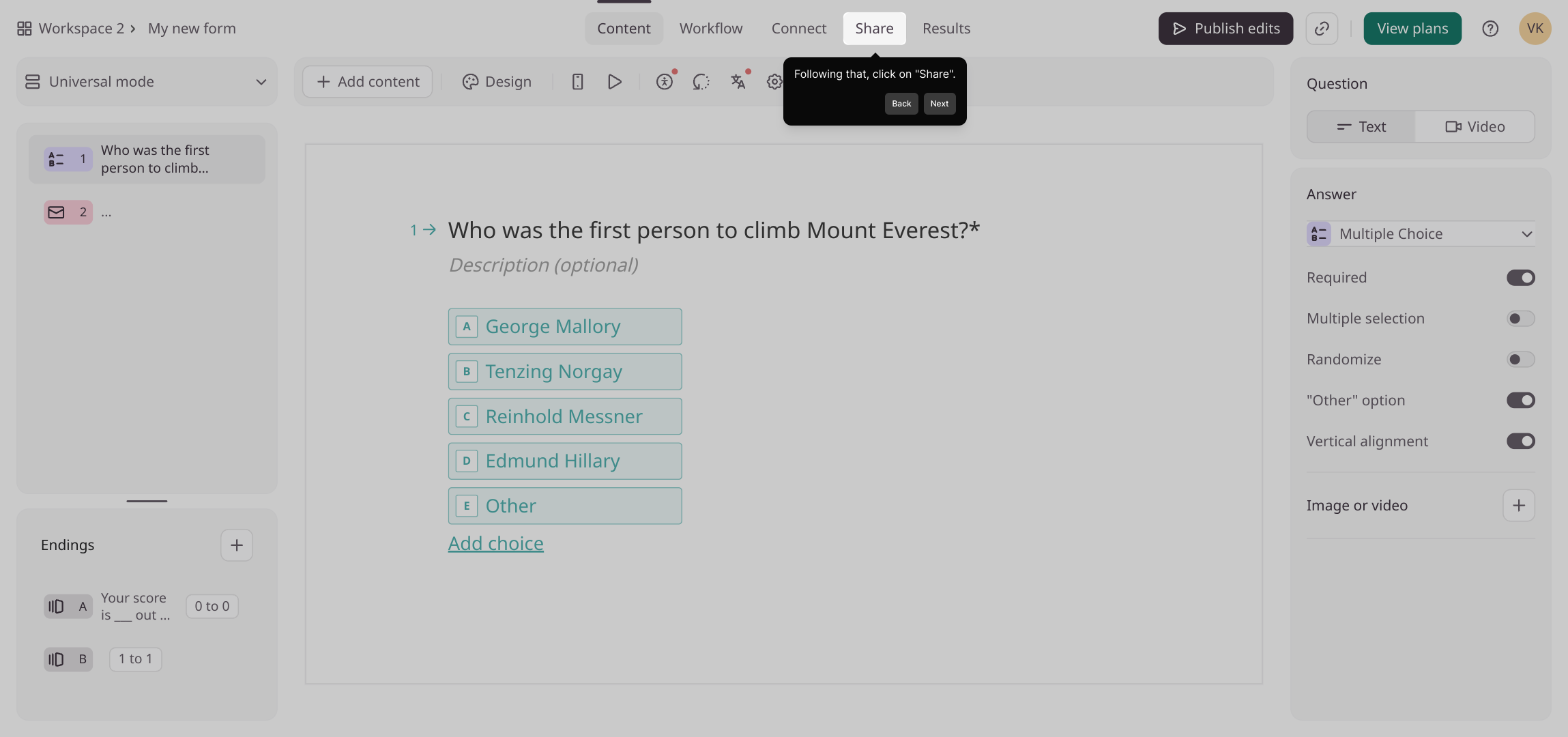
2. Following that, click on "Share".
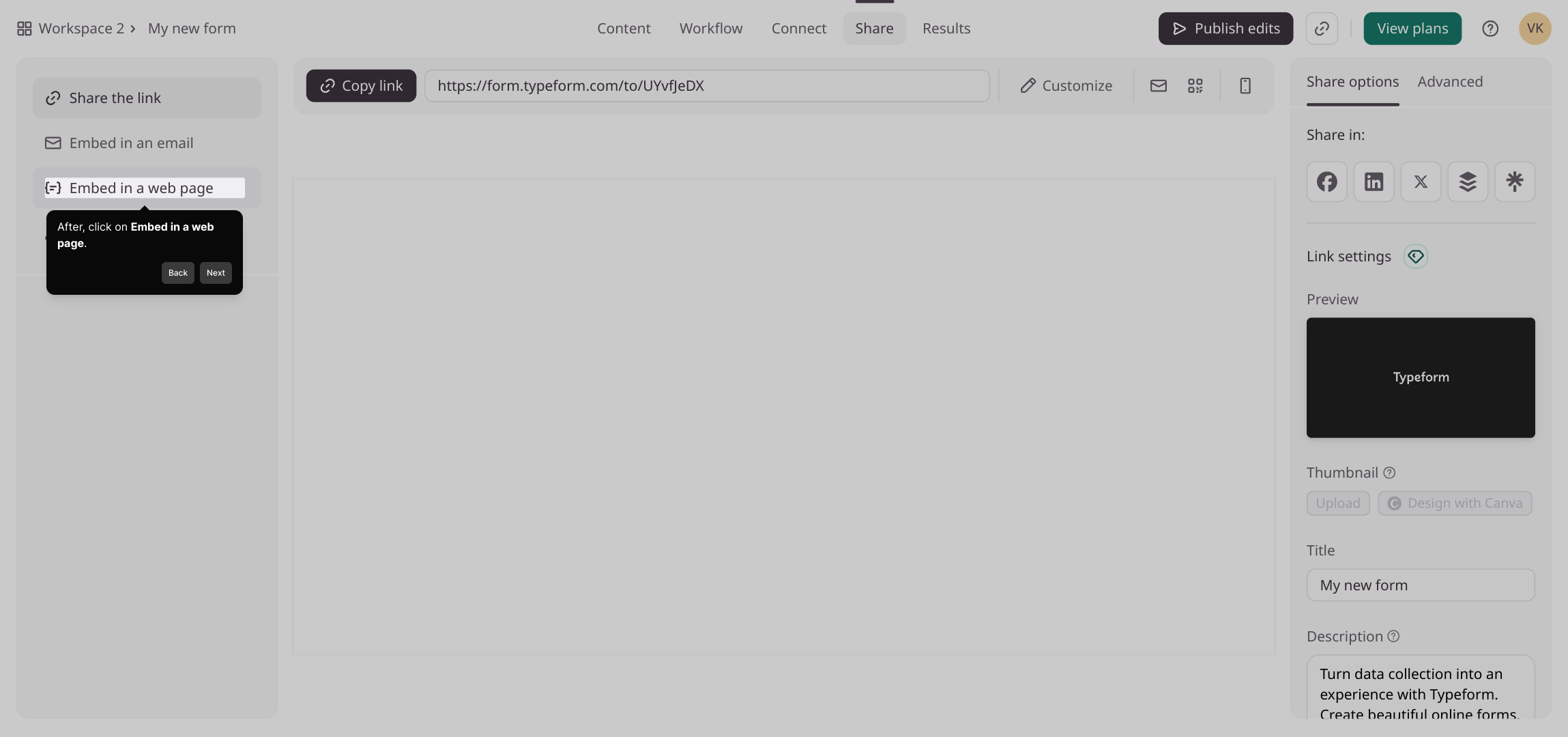
3. After, click on Embed in a web page.
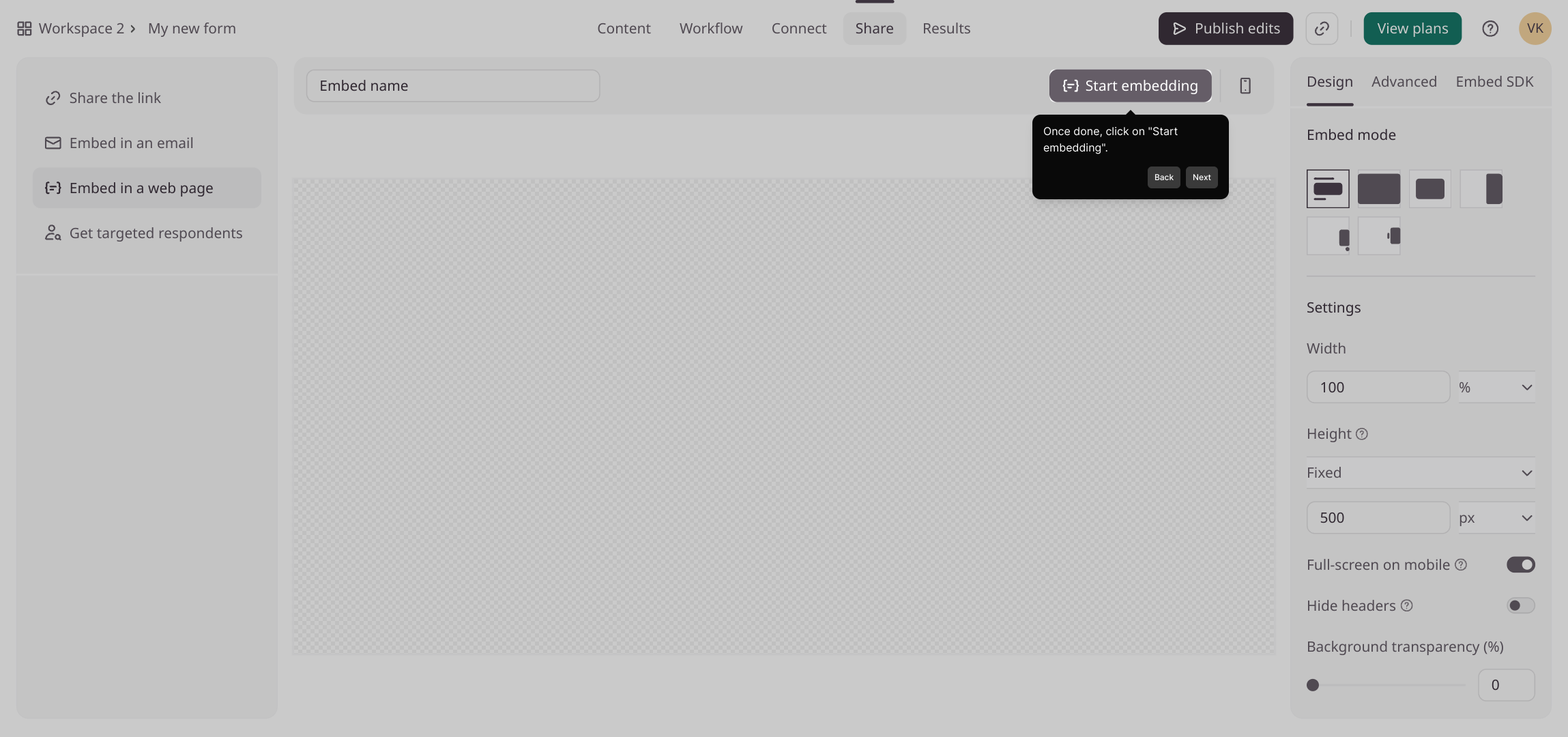
4. Then, configure the embed design and settings as per your needs.
5. Once done, click on "Start embedding".
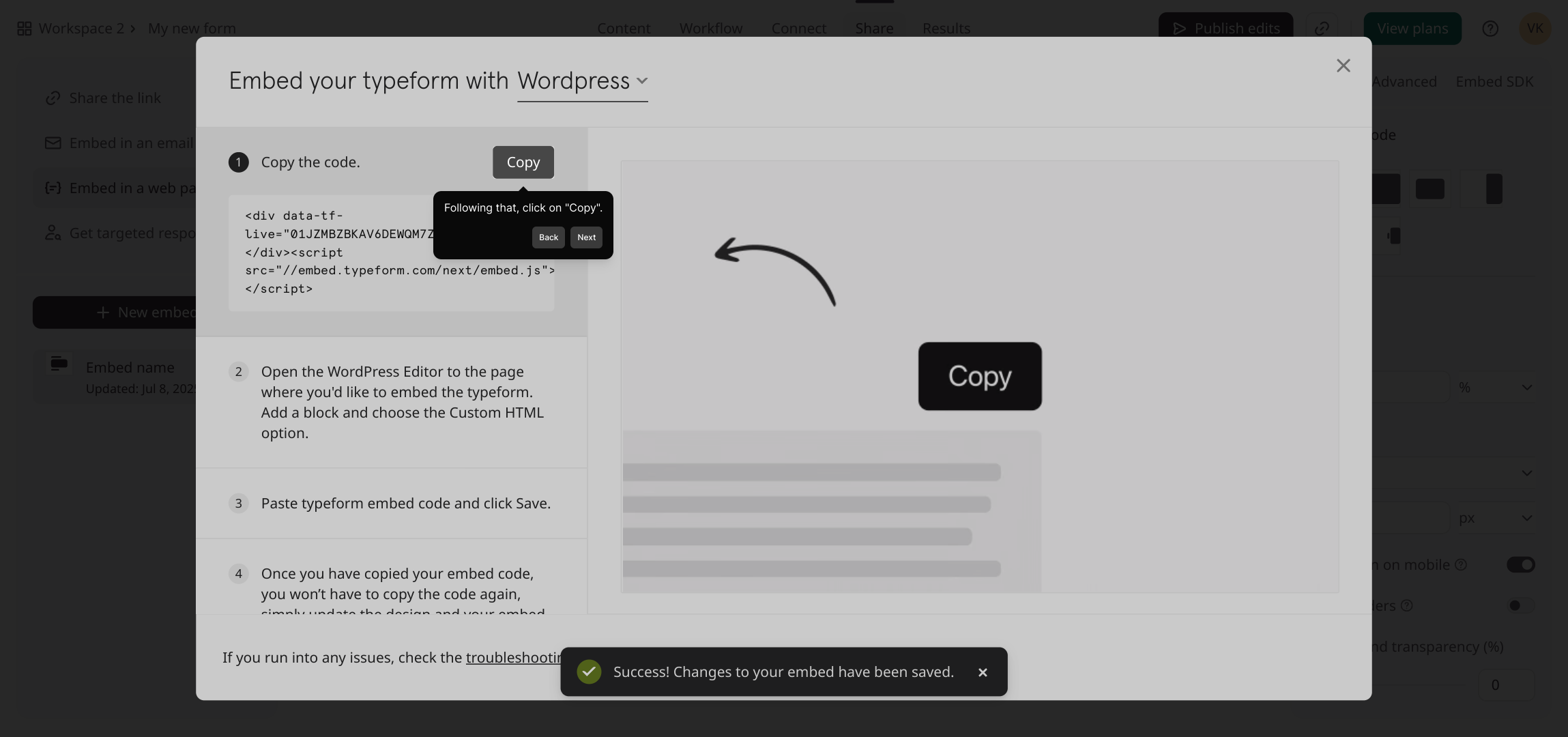
6. Following that, click on "Copy".
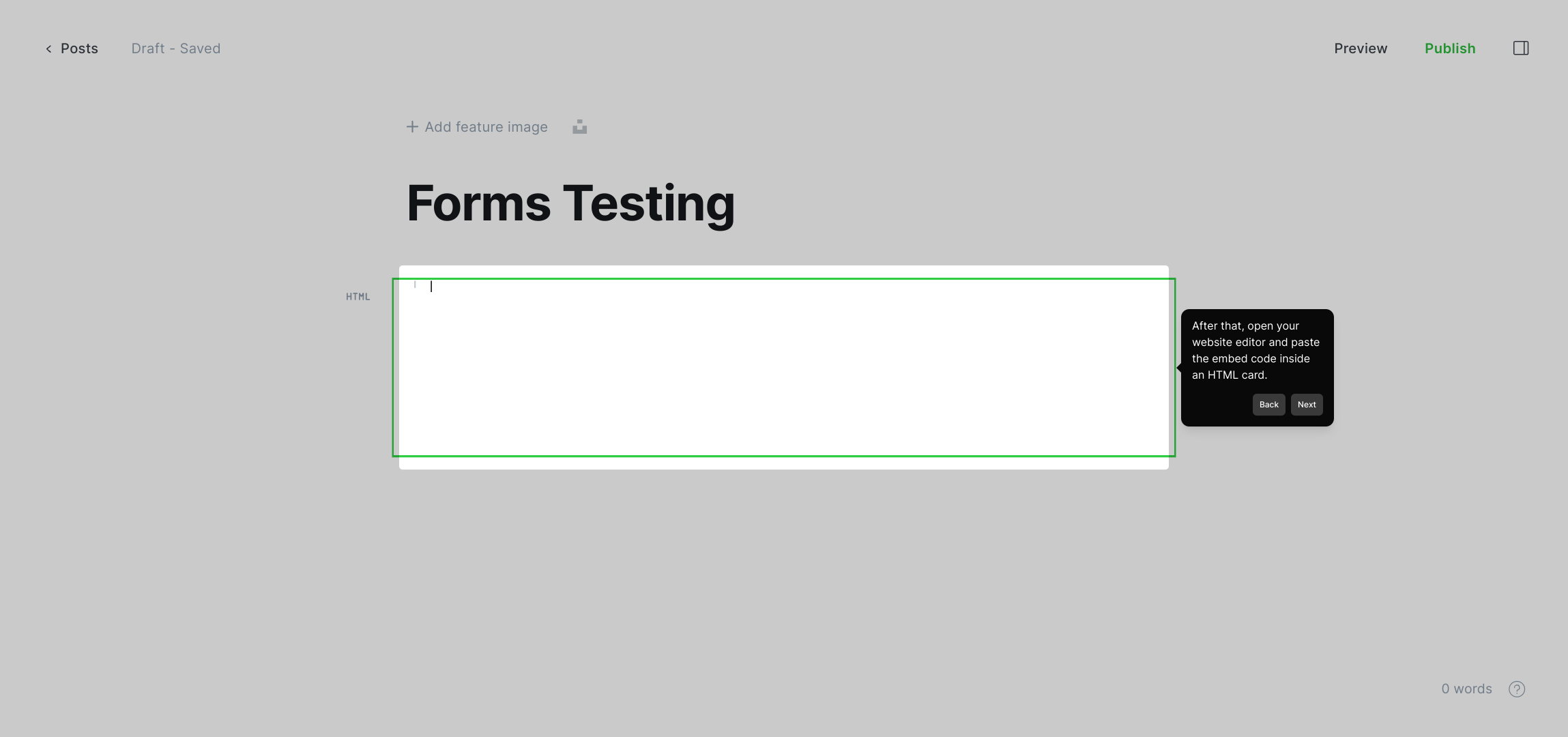
7. After that, open your website editor and paste the embed code inside an HTML card.
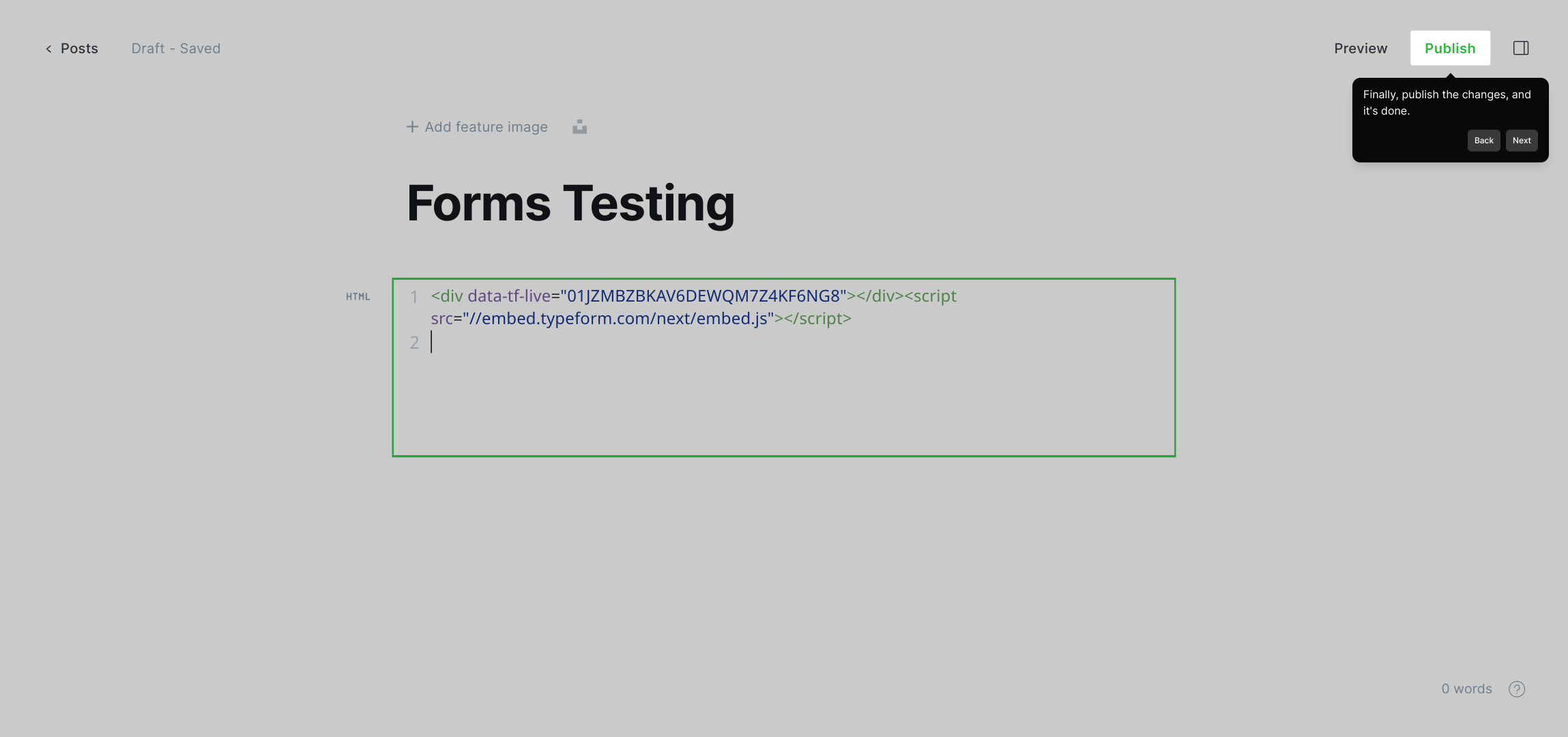
8. Finally, publish the changes, and it's done.
9. Create a Supademo in seconds
This interactive demo/guided walkthrough on How to Embed Typeform in a Website was created using Supademo.
How to Embed Typeform in a Website : Step-by-Step Guide
To get started, locate and open the form you want to work with in your Supademo dashboard. This will bring you to the workspace where you can begin managing your content.
Next, look for the “Share” option within the form’s interface. Clicking this will open the sharing settings, allowing you to control how your form can be accessed or embedded.
Once the sharing panel appears, select the option labeled Embed in a web page. This feature enables you to seamlessly insert your form into your own website or online platform.
Here you can customize how the embedded form looks and behaves. Adjust the design elements and settings to match your site’s style and ensure the best user experience.
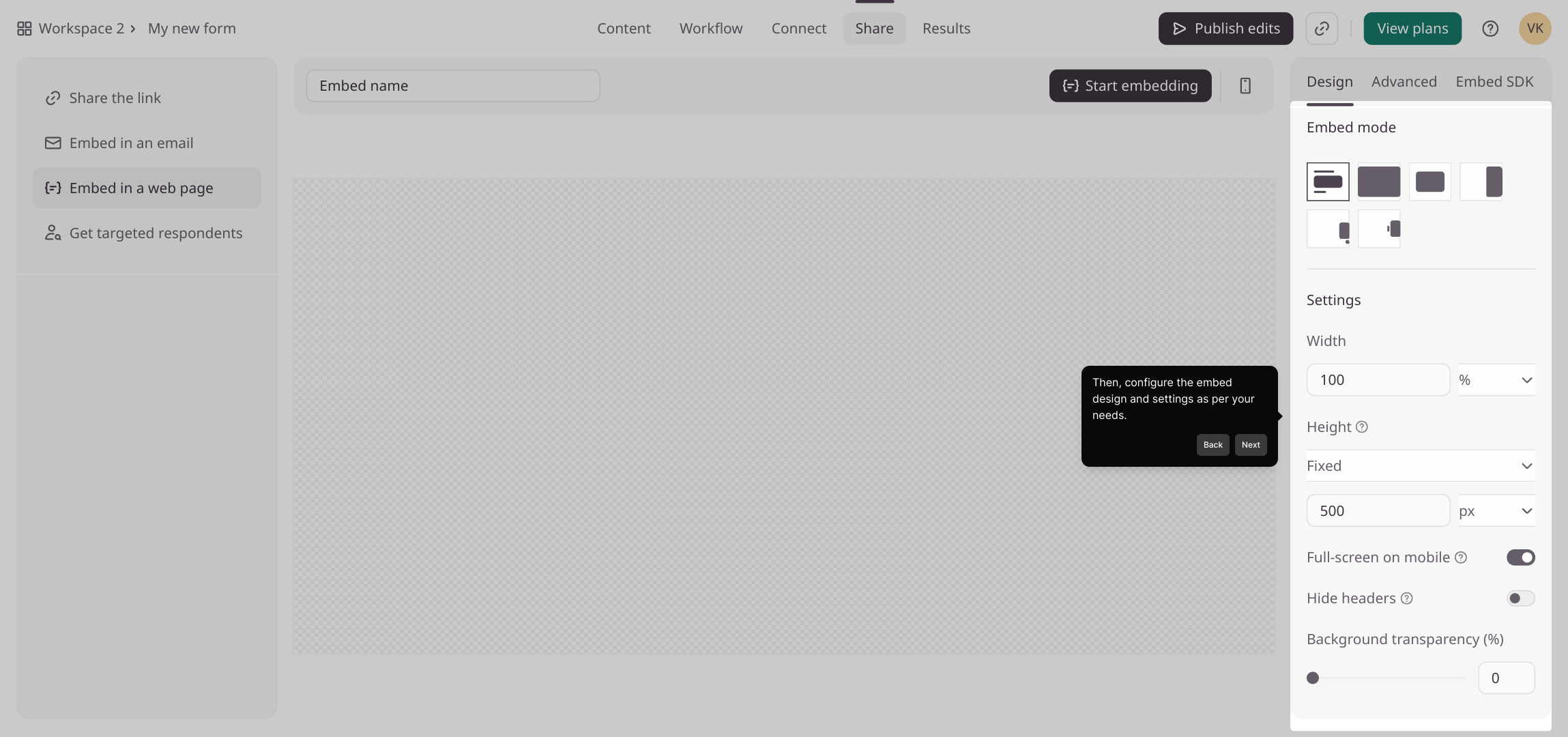
When you’re happy with your embed configuration, click the “Start embedding” button to generate the embed code for your form. This step prepares everything for integration.
In the next view, you’ll see the embed code ready for use. Click the “Copy” button to save this code to your clipboard—it’s what you’ll add to your website’s HTML.
Head over to your website editor and find the section where you can add custom HTML or embed content. Paste the copied code here to embed your form directly into the page.
Once the embed code is in place, publish or update your website to make the form live. Visitors will now be able to interact with your embedded form seamlessly.
And that’s it—you’ve successfully created and embedded your Supademo form! Enjoy the smooth integration and the new ways to engage your audience.

Create your own interactive demos in < 5 mins with Supademo
You can create your own interactive product demo in minutes using Supademo. Drive growth, scale enablement, and supercharge product-led onboarding with Supademo. Sign up for free here with no credit card required.
FAQs
Commonly asked questions about this topic.
What is Typeform?
How do I get the embed code from Typeform?
Can I customize the appearance of the embedded Typeform?
Is it possible to embed Typeform on any website?
What should I do if the Typeform doesn’t display correctly after embedding?
Can I embed multiple Typeforms on one webpage?
Do I need to republish my website after embedding the Typeform?
What is Supademo and how does it help with embedding?
Can I track Typeform submissions if the form is embedded?
Is embedding Typeform mobile-friendly?

Product Operations Associate
Vimal Kumar helps build and grow Supademo’s team and GTM efforts, with a focus on figuring out growth levers and improving product traction.




