
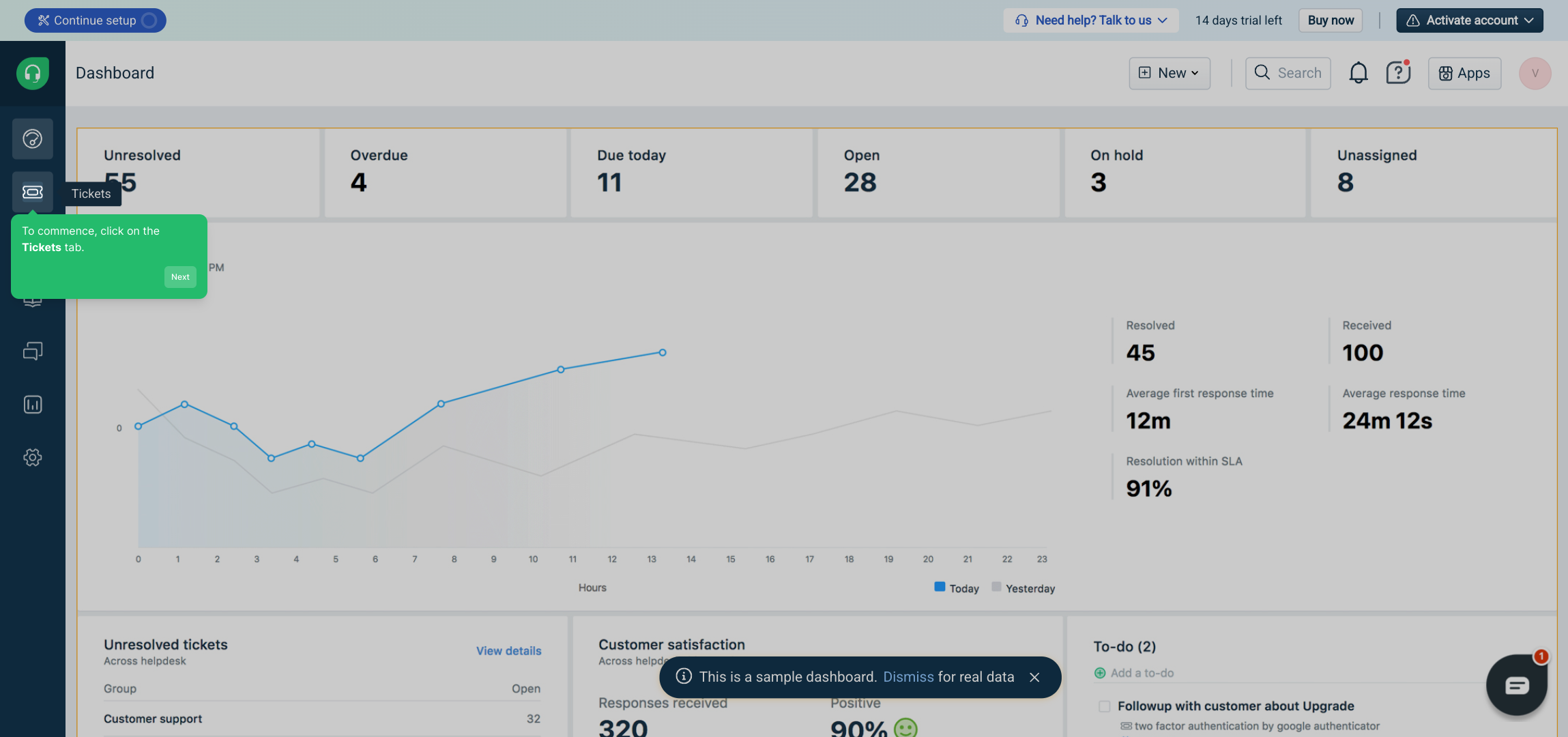
1. To commence, click on the Tickets tab.
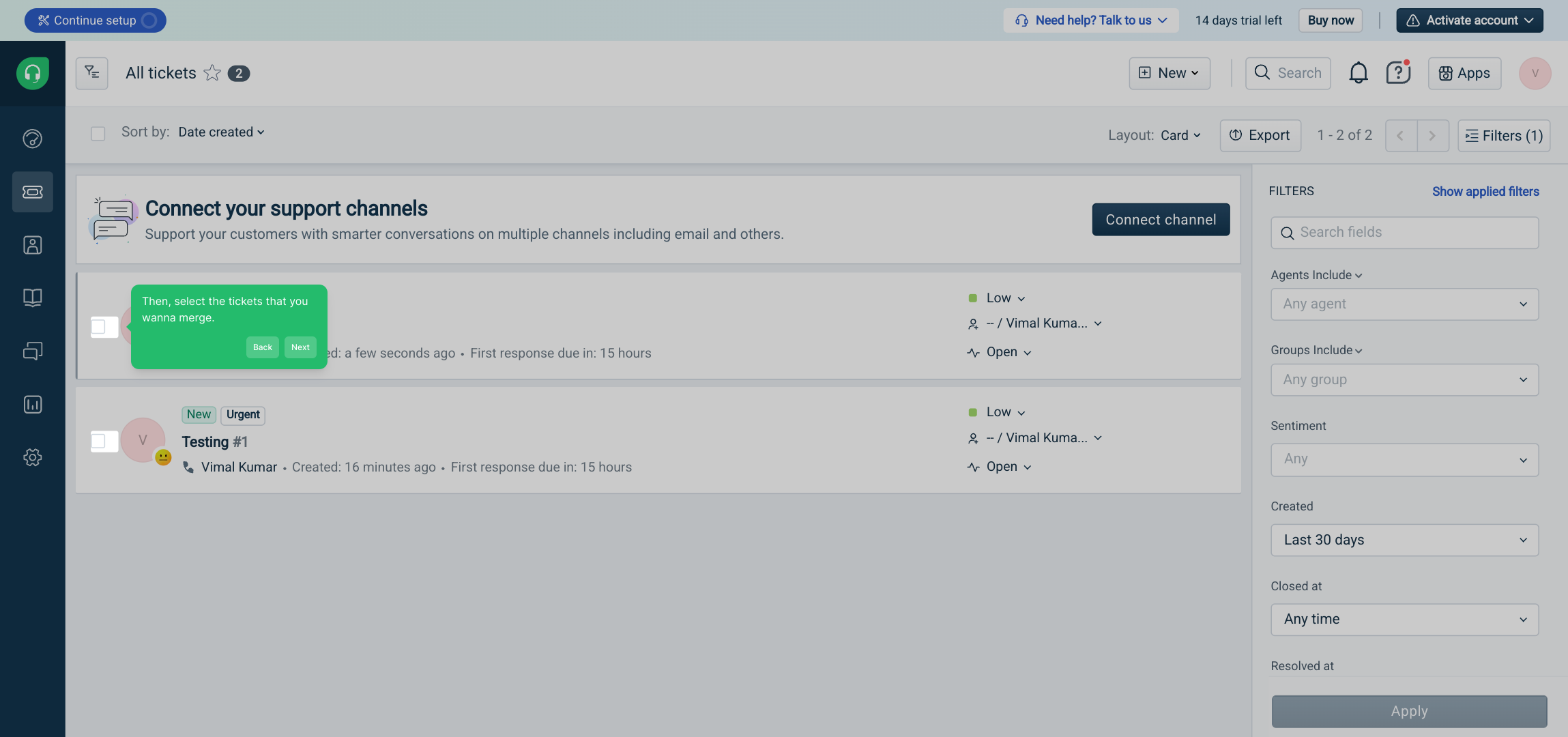
2. Then, select the tickets that you wanna merge.
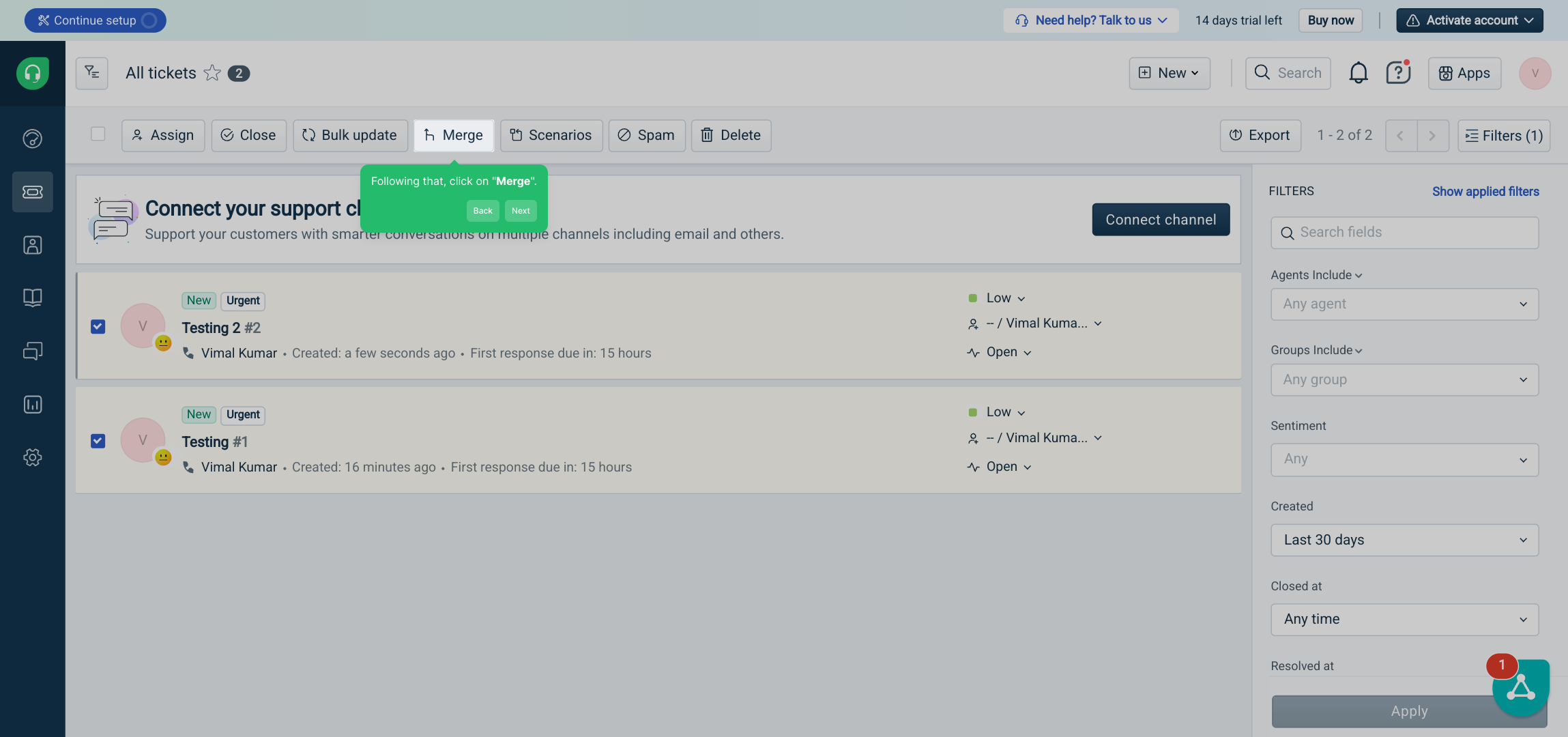
3. Following that, click on "Merge".
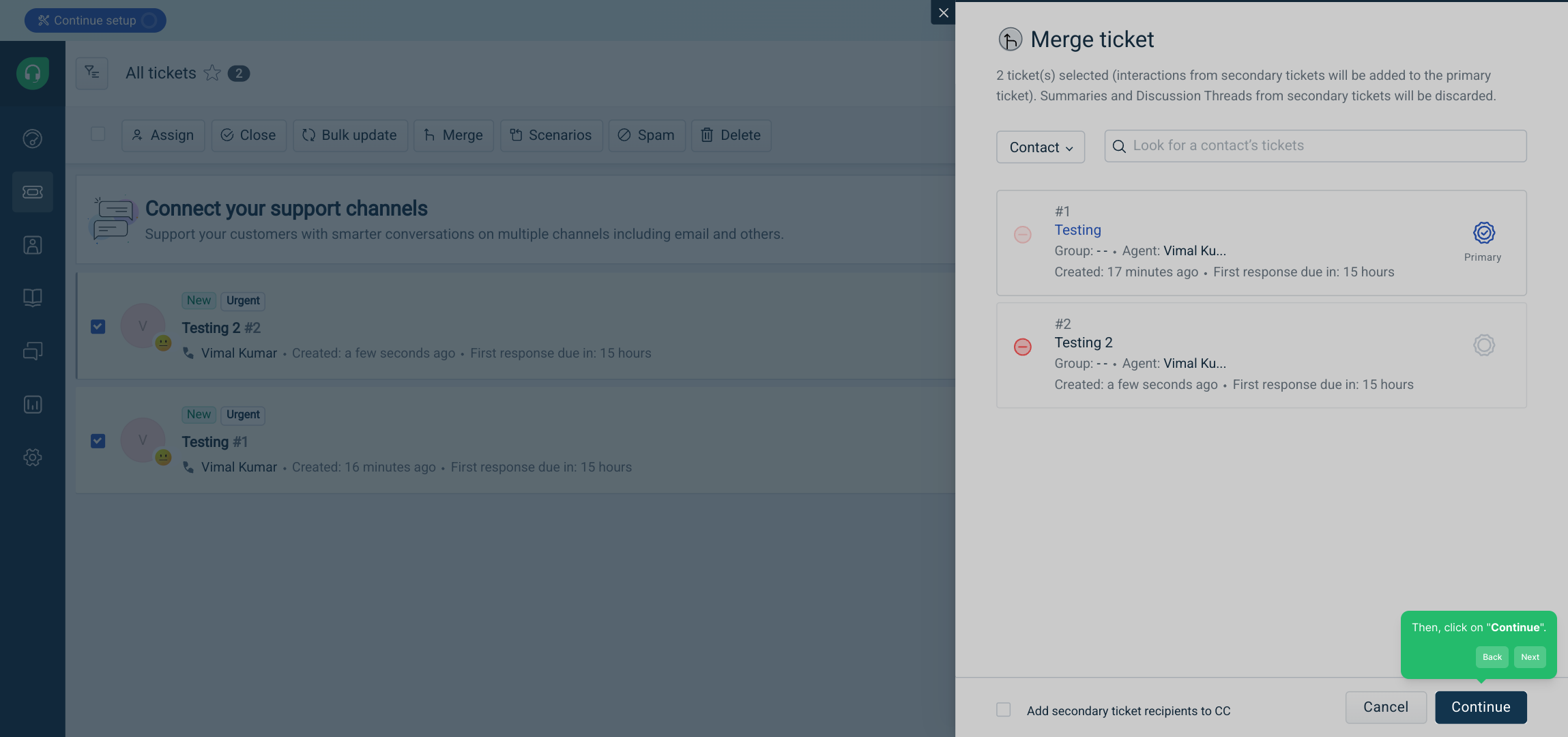
4. Then, click on "Continue".
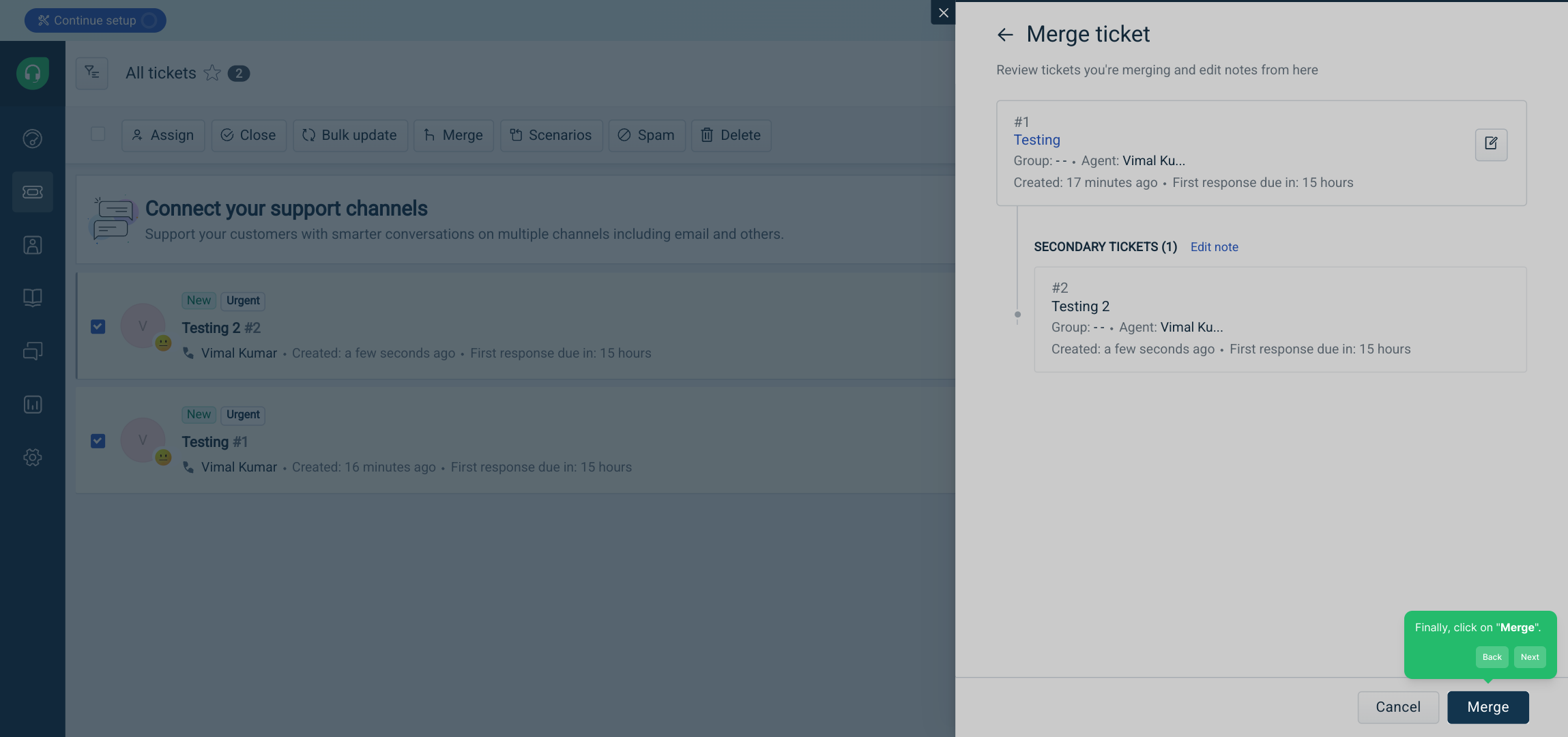
5. Finally, click on "Merge".
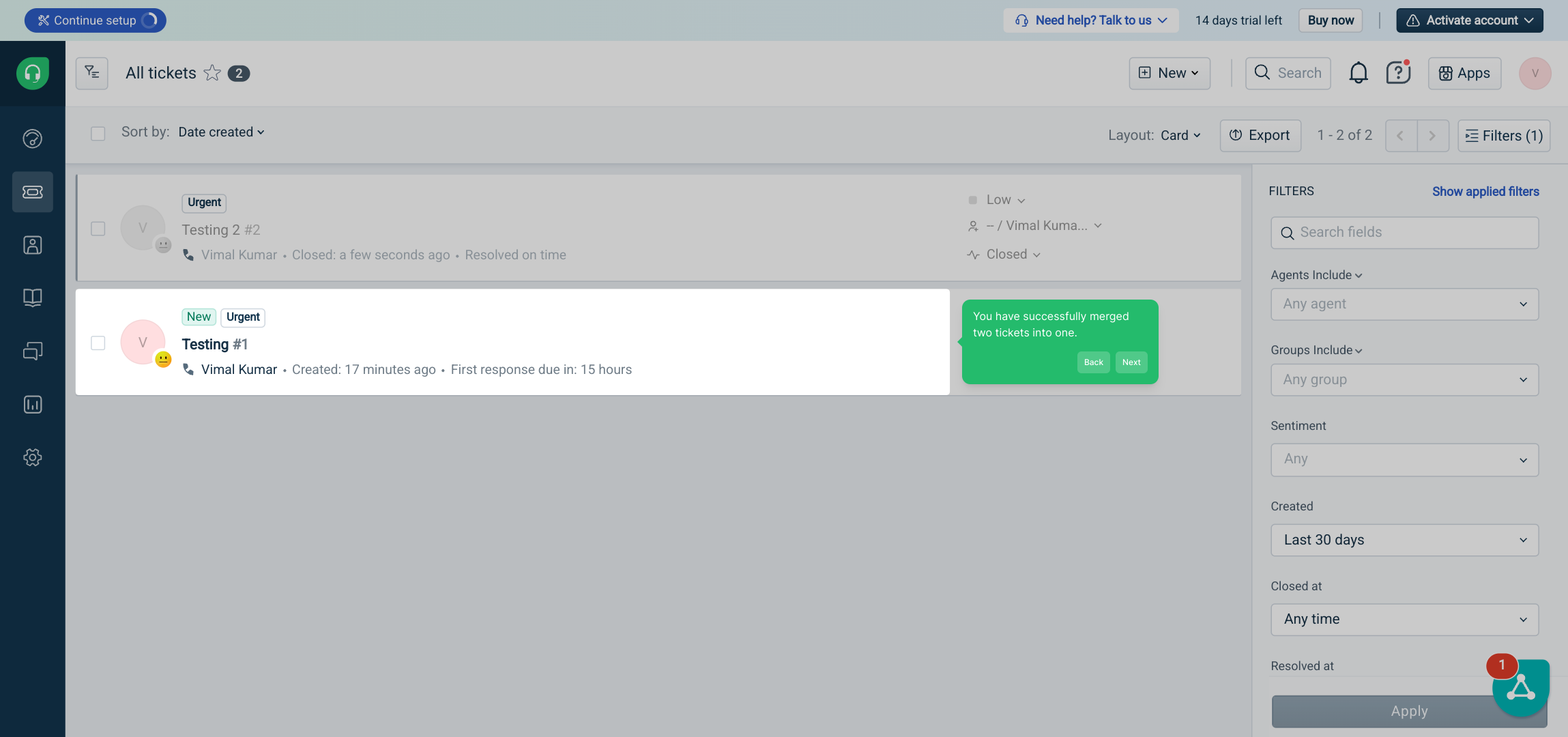
6. You have successfully merged two tickets into one.
7. Create a Supademo in seconds
This interactive demo/guided walkthrough on How to Merge Tickets in Freshdesk was created using Supademo.
How to Merge Tickets in Freshdesk: Step-by-Step Guide
Begin by navigating to your dashboard and clicking on the Tickets tab. This section lists all your active and pending tickets, making it the perfect starting point to manage your requests effectively.
Next, browse through the list and identify the tickets that are related or duplicates. Select these tickets by ticking the checkboxes beside each, preparing them to be combined for streamlined handling.
Once your tickets are selected, locate and press the Merge button. This action initiates the process of consolidating the selected tickets into a single, unified record.
After clicking merge, you will see a confirmation prompt. Click the Continue button to confirm that you want to proceed with combining these tickets.
To finalize the merge, simply click on the Merge button once more. This confirms your decision and completes the merging process efficiently.
Congratulations! You’ve successfully combined two tickets into one, simplifying your workflow and making it easier to track related issues in a single place.
Now you’re set to create a new Supademo in just moments—quick, intuitive, and designed to help you showcase your work with ease.
Create your own interactive demos in < 5 mins with Supademo
You can create your own interactive product demo in minutes using Supademo. Drive growth, scale enablement, and supercharge product-led onboarding with Supademo. Sign up for free here with no credit card required.
FAQs
Commonly asked questions about this topic.
What does merging tickets in Freshdesk mean?
Can I merge more than two tickets at once in Freshdesk?
Will merging tickets affect ticket IDs in Freshdesk?
Are there any restrictions when merging tickets in Freshdesk?
What happens to customer replies after merging tickets?
Can I undo a ticket merge in Freshdesk?
Does merging tickets affect SLA and priority settings?
Can I merge tickets from different customers?
Do merged tickets keep their original attachments?
Who can merge tickets in Freshdesk?

Vimal Kumar
Product Operations Associate
Vimal Kumar helps build and grow Supademo’s team and GTM efforts, with a focus on figuring out growth levers and improving product traction.