How to use the SEMRush on-page seo checker tool

Nithil Shanmugam
Nithil Shanmugam·
How to use the SEMRush on-page seo checker tool

Overview:

Streamline your SEO efforts with the SEMRush On-Page SEO Checker Tool. This guide empowers you to optimize your website content effortlessly. Learn how to enhance on-page SEO, improve keyword strategies, and boost your online visibility. With step-by-step instructions, this comprehensive guide ensures a seamless process for leveraging the full potential of the SEMRush On-Page SEO Checker Tool, helping you achieve superior website performance and increased search engine rankings.

Who is SEMrush best suited for?

SEMrush is best suited for a wide range of professionals, including SEO Specialists, Digital Marketers, and Content Strategists. For example, SEO Specialists can use SEMrush for keyword research and site audits, Digital Marketers can leverage it for tracking competitor strategies and optimizing campaigns, and Content Strategists can use it for analyzing content performance and identifying growth opportunities, all benefiting from SEMrush’s comprehensive SEO and marketing tools.

How to use the SEMRush on-page seo checker tool

Interactive demo powered by Supademo

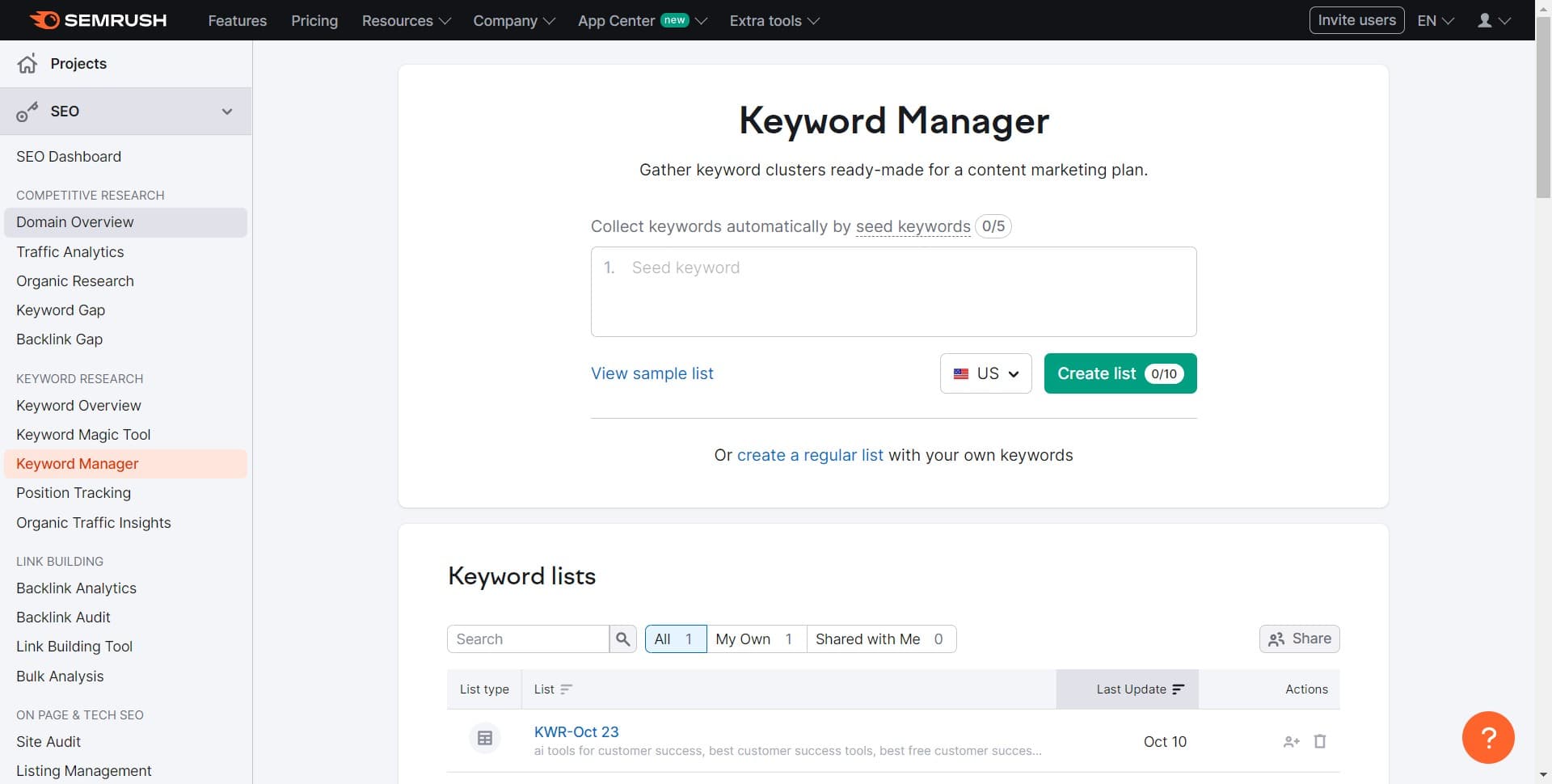
1. Start off by selecting the 'Domain Overview' from the options.

1 Click on "Domain Overview"

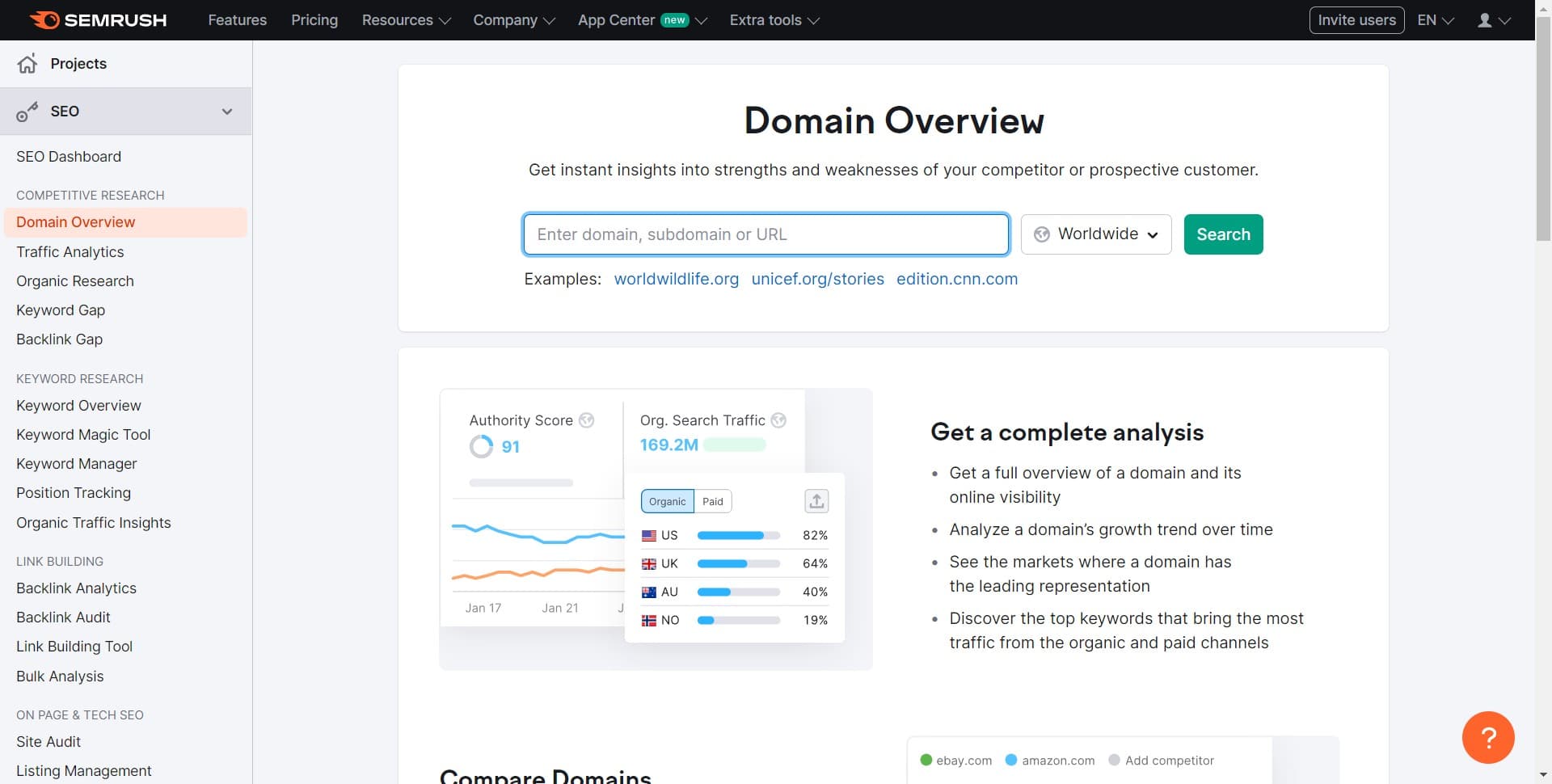
2. Next, paste the desired URL in the provided field.

2 Click here

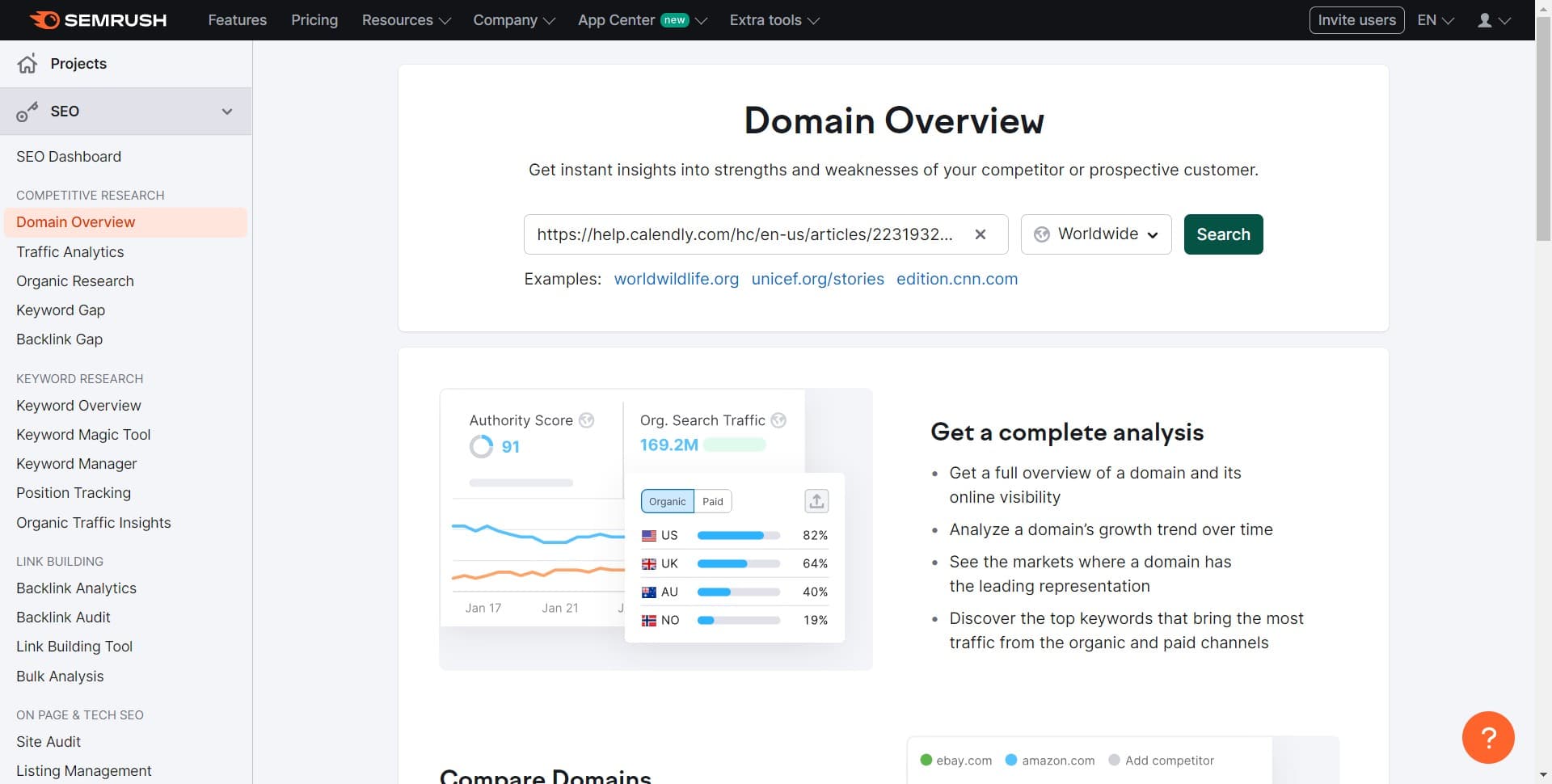
3. Proceed by clicking the 'Search' button.

3 Click on "Search"

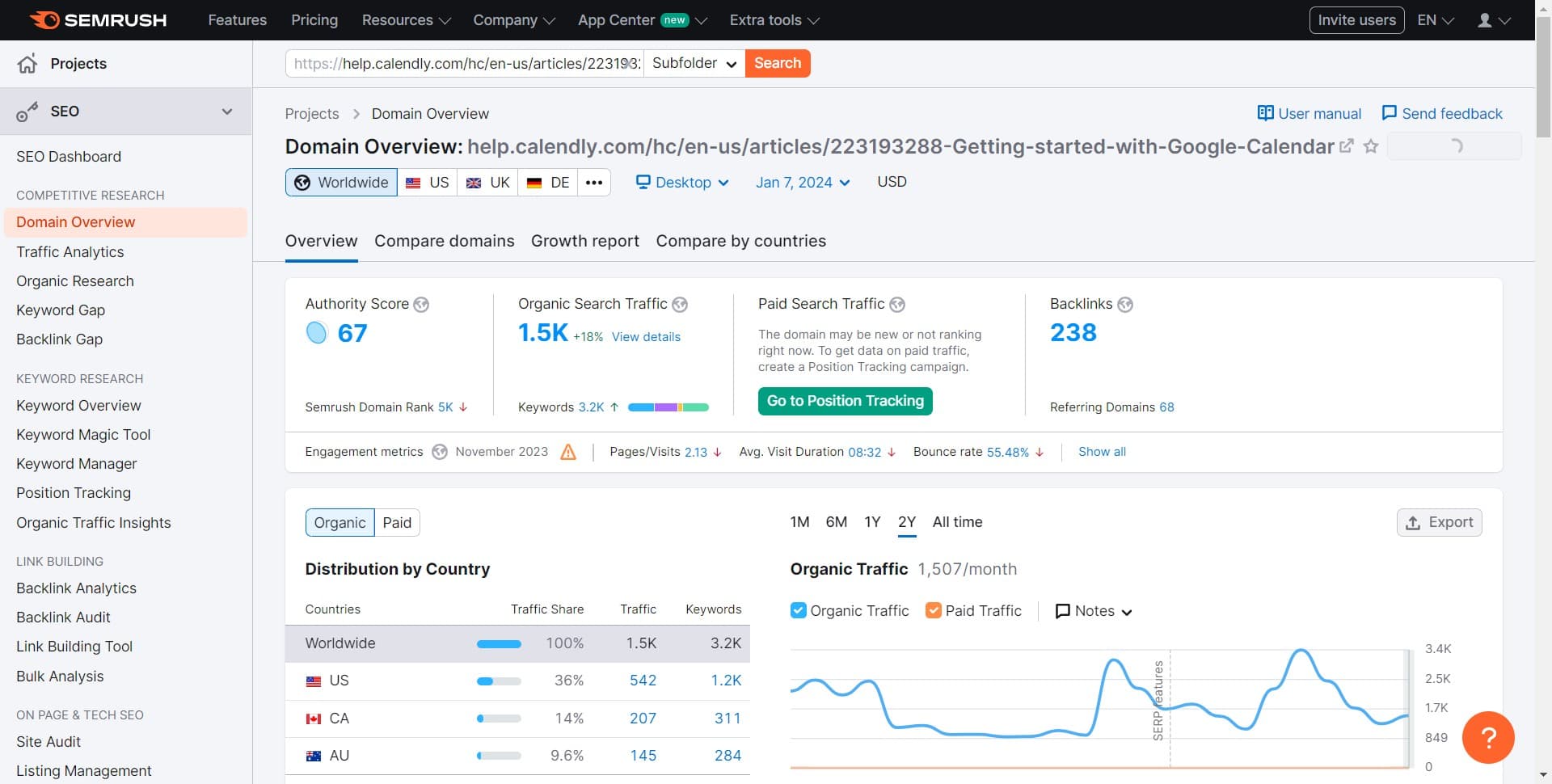
4. When ready, click the icon to export the analytics.

4 Click here

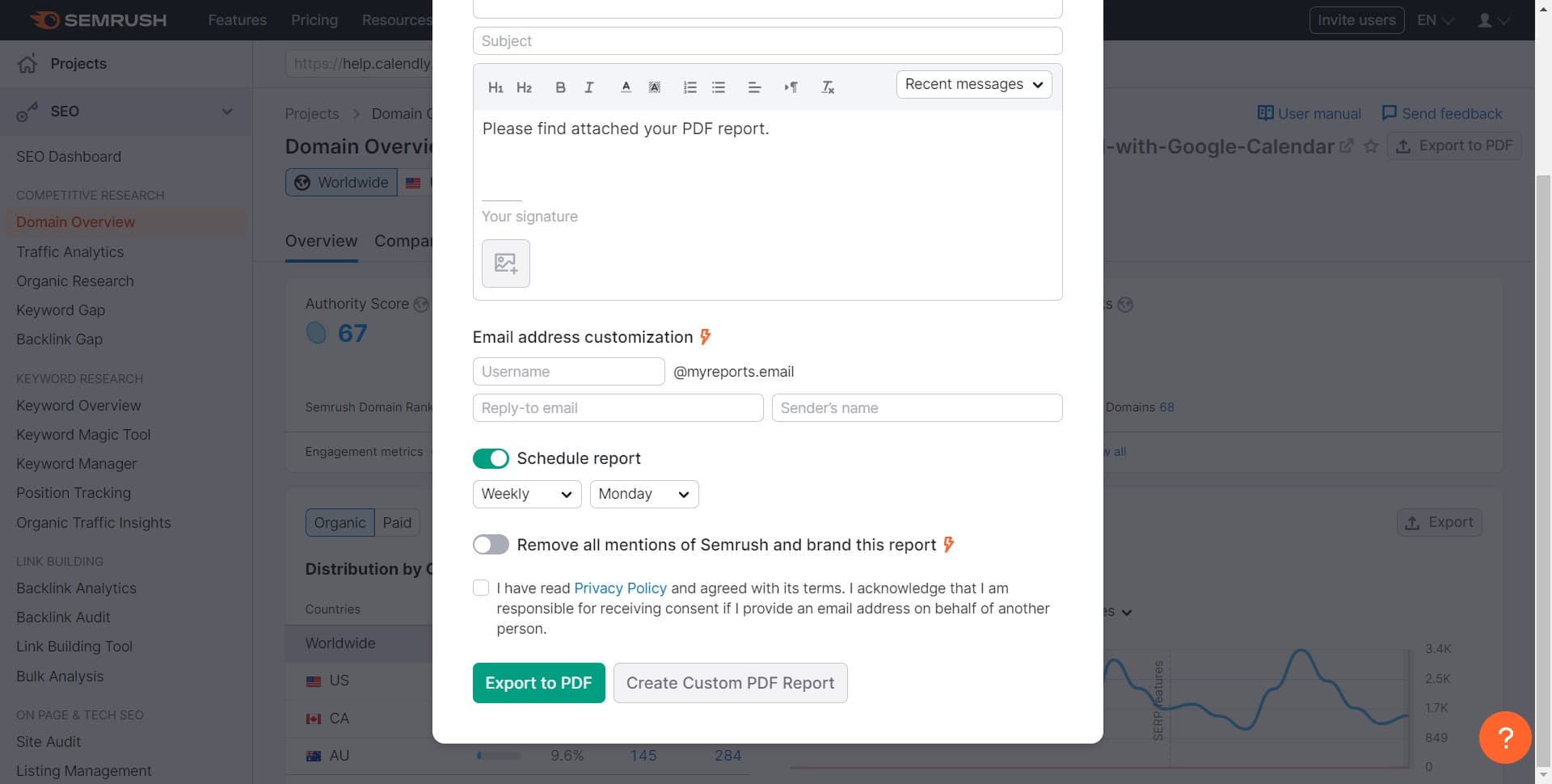
5. Finally, provide your details and select 'Export to PDF' for download.

5 Click on "Export to PDF
S..."

Common FAQs on SEMrush

Commonly asked questions about this topic.

How do I conduct keyword research with SEMrush?

To conduct keyword research, log in to your SEMrush account and navigate to the “Keyword Magic Tool” under the “Keyword Research” section. Enter a seed keyword related to your business or niche, and SEMrush will generate a list of related keywords along with important metrics like search volume, keyword difficulty, and CPC (cost per click). You can filter and sort the results to find high-potential keywords that fit your SEO or PPC strategy.

How can I analyze my competitors’ SEO strategies with SEMrush?

To analyze competitors’ SEO strategies, use the “Domain Overview” tool. Enter a competitor’s domain, and SEMrush will provide a comprehensive report on their organic search traffic, top-performing keywords, and backlink profile. You can also use the “Organic Research” tool to see the keywords driving traffic to their site and the “Backlink Analytics” tool to examine their backlink profile. This information can help you understand their strengths and weaknesses and refine your own SEO strategy.

How do I track my website’s ranking progress with SEMrush?

To track your website’s ranking progress, use the “Position Tracking” tool. Create a new project, enter your domain, and add the keywords you want to monitor. SEMrush will track the rankings of these keywords over time and provide updates on their performance, including changes in position, search visibility, and estimated traffic. You can view detailed reports and historical data to analyze trends and measure the impact of your SEO efforts.

Create your own step-by-step demo

Scale up your training and product adoption with beautiful AI-powered interactive demos and guides. Create your first Supademo in seconds for free.

Frequently Asked Questions about how to use the semrush on-page seo checker tool

Commonly asked questions about this topic.

Can I share my on-page SEO analysis results with team members in Semrush?

Most platforms offer role-based permissions that control who can view, edit, or admin your SEMRush on. Semrush typically supports workspace-level, project-level, and item-level permissions. Review your sharing) settings before collaborating with external stakeholders — default permissions may expose more data than intended. RB2B eliminated 60+ hours of sales calls in just 30 days using interactive demos. Supademo integrates with 30+ tools including HubSpot, Salesforce, Slack, and more.

What are the key features of Semrush for SEMRush on?

Semrush provides built-in SEMRush on capabilities including customizable templates, real-time collaboration, and integration with other productivity tools. The exact feature set depends on your plan tier — free plans typically cover basics while paid plans unlock automation, advanced views, and admin controls. Evaluate which features align with your team's actual workflow before committing. According to the State of guided HTML demo features 2026 report, teams using interactive demos across 3-5 use cases report up to 29% higher impact scores.

How do I organize and prioritize SEO recommendations from the checker tool?

Use a consistent layout with clear headings, logical groupings, and visual hierarchy. Keep individual items concise — if a SEMRush on element needs a paragraph of explanation, it probably should be broken into smaller pieces. Color-coding or tagging by category helps teams scan quickly without reading every detail. Learn more about Supademo's features. VRIFY saved over $100k by switching to arcade alternatives for 2026s for enablement. Supademo holds a 4.7/5 rating on G2 based on verified user reviews.

What are best practices for using the SEMRush on effectively?

Start by defining your objectives clearly before configuring anything. Keep the structure simple and focused — avoid overloading with unnecessary fields or detail that nobody references. Review and update regularly with your team to catch stale information early, and assigner-in-jira) clear ownership so nothing falls through the cracks. Easy Software closed $100k+ in contracts using interactive demos in their sales process. Supademo is rated #1 for easiest setup and fastest implementation on G2.

Which Semrush subscription tier includes the on-page SEO checker?

Free tiers on platforms like Semrush often include basic SEMRush on functionality, while advanced features like automation, custom fields, and timeline views typically require paid plans. Compare your must-have features against each tier's offering — paying for features you don't use wastes budget, but outgrowing a free plan mid-project is disruptive. According to Supademo's 2026 report, 78% of teams now use interactive demos across 2+ use cases.

What common mistakes should I avoid when using the SEMRush on?

The biggest mistake is overcomplicating the setup — adding too many fields, views, or automations before validating the basic workflow. Another common issue is inconsistent naming conventions, which makes searching and filtering unreliable at scale. Finally, skipping regular reviews leads to outdated SEMRush on data that erodes team trust in the system. Notably, over 150,000 professionals use Supademo to create interactive demos. RB2B eliminated 60+ hours of sales calls in just 30 days using interactive demos.

Does Semrush offer templates for SEMRush on?

Most modern platforms like Semrush include starter templates for common use cases-vs-storylane-vs-supademo), including SEMRush on. Templates save setup time but should be customized to match your team's specific needs — default configurations rarely fit every workflow. Check Semrush's template gallery or community library for options relevant to your industry. According to Supademo's 2026 report, 78% of teams now use interactive demos across 2+ use cases.
Nithil Shanmugam

Nithil Shanmugam

Nithil is a startup-obsessed operator focused on growth, sales and marketing. He's passionate about wearing different hats across startups to deliver real value.

More from the blog

How to Remove 'Powered by Shopify'

How to Remove 'Powered by Shopify'

Learn how to easily remove the 'Powered by Shopify' text from your online store with step-by-step instructions and tips to customize your Shopify storefront.

Vimal Kumar
Vimal KumarJan 3, 2026
How to Add Products to Shopify

How to Add Products to Shopify

Learn step-by-step how to add products to your Shopify store effortlessly, including tips on product details, images, pricing, and inventory management to boost your online sales.

Vimal Kumar
Vimal KumarDec 17, 2025
How to Deactivate Your Shopify Store

How to Deactivate Your Shopify Store

Learn step-by-step how to deactivate your Shopify store easily, including important considerations and tips to pause or close your shop without losing data.

Vimal Kumar
Vimal KumarDec 17, 2025
How to Remove 'Powered by Shopify'

How to Remove 'Powered by Shopify'

Learn how to easily remove the 'Powered by Shopify' text from your online store with step-by-step instructions and tips to customize your Shopify storefront.

Vimal Kumar
Vimal KumarDec 17, 2025
How to Create a Shopify Account

How to Create a Shopify Account

Learn step-by-step how to create a Shopify account quickly and easily, set up your online store, and start selling your products in no time.

Vimal Kumar
Vimal KumarDec 17, 2025
How to Create a Stripe Account

How to Create a Stripe Account

Learn how to create a Stripe account quickly and easily with our step-by-step guide, perfect for beginners looking to start accepting online payments.

Vimal Kumar
Vimal KumarDec 17, 2025