Onboarding Snapshot
Activation Event
First email campaign launched and live
Time-to-Value
Moderate — technical email infrastructure setup precedes campaign creation
Primary Strength
Guided path through complex email account setup reduces friction at the hardest step
Primary Risk
Opening product tour leads with features, not outcomes — delays momentum toward activation
Overview
Instantly takes a genuinely complex infrastructure setup — email domains, account warming, deliverability configuration — and makes it manageable. The pre-warmed email path, the sequenced campaign flow, and the launch confirmation all show thoughtful design around a technical product that could easily overwhelm a new user.
What Should You Steal?
Swipe through actionable takeaways from this onboarding flow.
How Instantly Reduces Decisions Early
The pre-warmed email account path removes the hardest infrastructure decision.
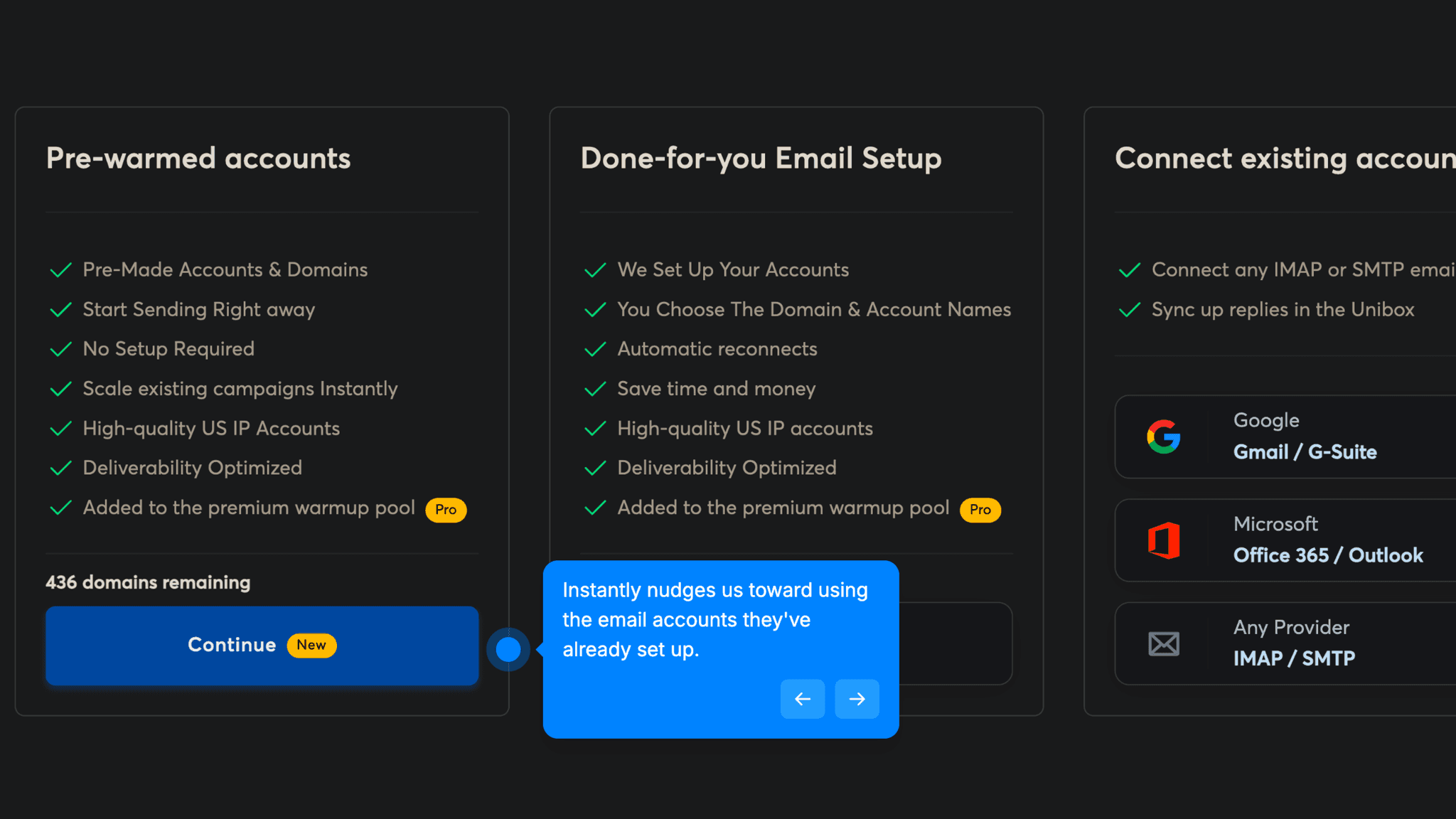
Setting up email accounts for cold outreach is genuinely complex — which domains to use, how to warm them, how to avoid deliverability issues. Instantly offers three options: pre-warmed accounts (done-for-you), a managed setup service, or connecting existing accounts. The pre-warmed option is highlighted with a distinct CTA color and labeled "new." It's the fastest route to First Strike, and that label makes it easy to find.
How Instantly Uses Product Bumpers
The post-purchase campaign setup flow guides each next step with a clear prompt.
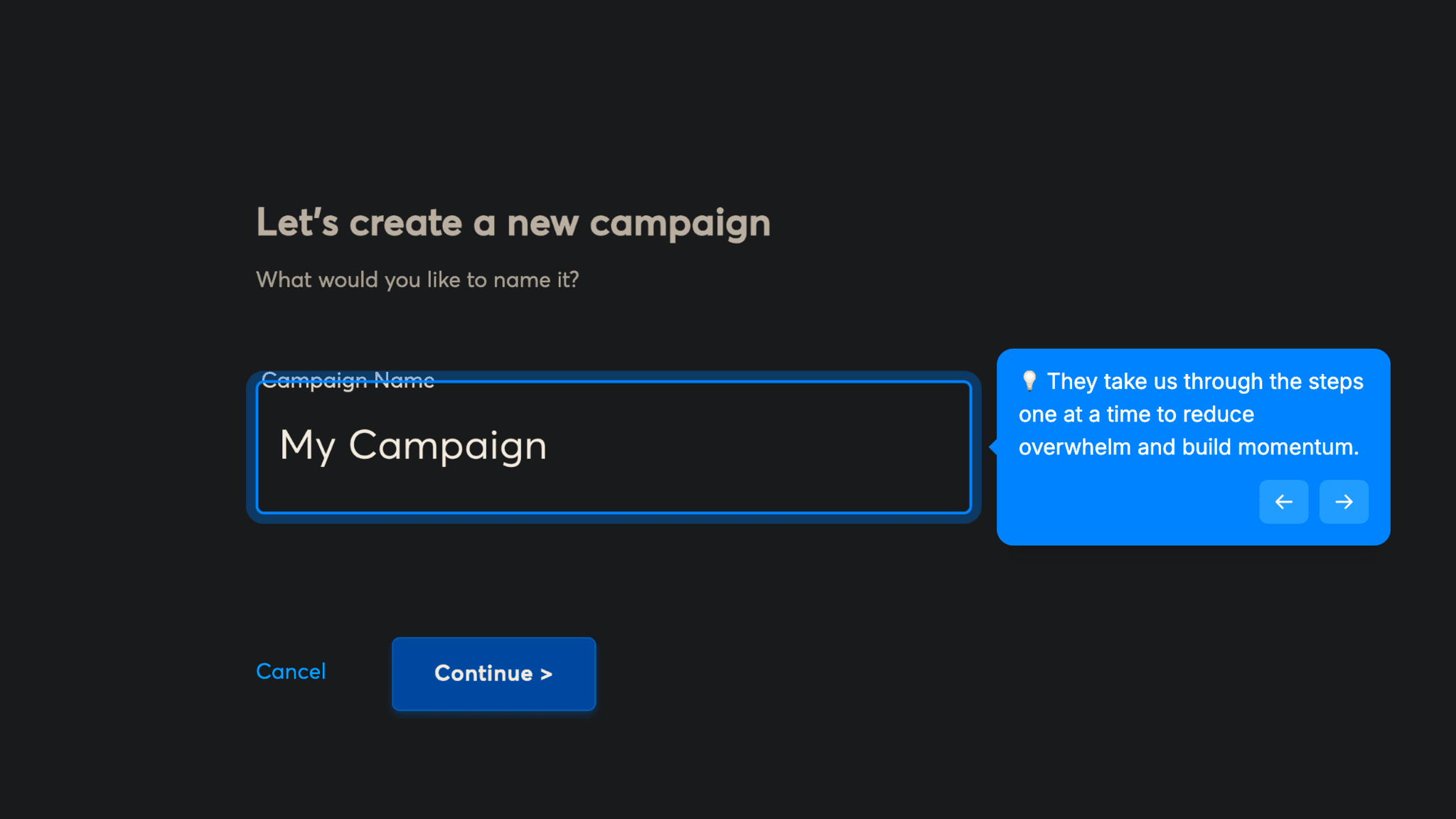
After purchasing email accounts, Instantly sequences the campaign creation flow: name the campaign, add leads, write the sequence, configure settings. Each step presents the natural next action. I never have to navigate the dashboard to find where to go next.
How Instantly Uses Product Bumpers
Before the campaign goes live, Instantly asks:
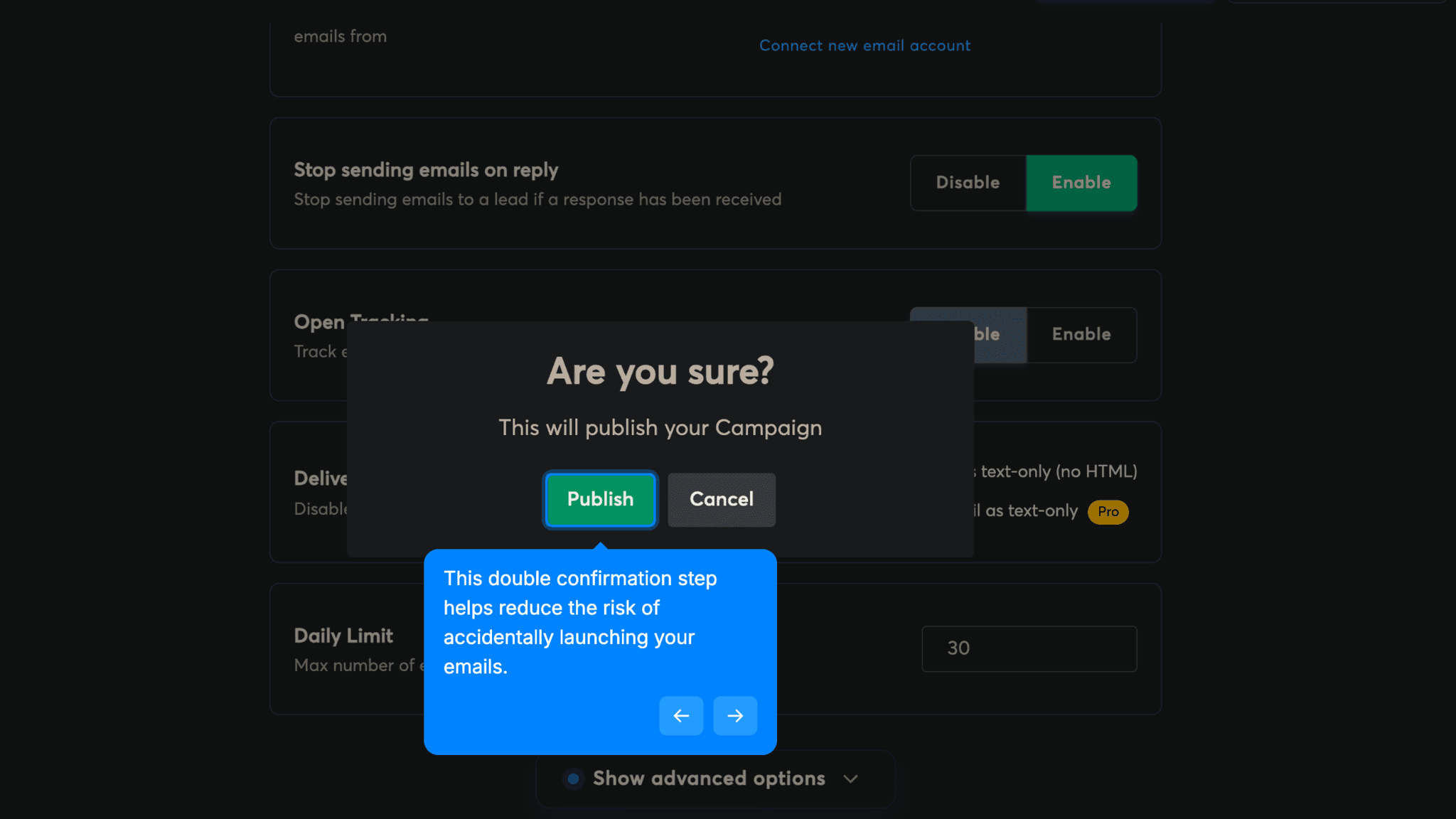
"Are you sure? By clicking publish, this will publish your campaign." For a product where accidentally sending emails to the wrong list is a real risk, that confirmation step protects users at the highest-stakes moment in the flow.
Onboarding Tactics That Work
Pre-warmed email option surfaces the fastest path to First Strike with a distinct CTA
Cart-building mechanic for email selection creates accumulation momentum
Campaign setup flow sequences each next step with a clear prompt
Double opt-in at launch prevents accidental campaign sends
Where There's Friction
Product tour leads with feature descriptions, not activation outcomes
Empty sequence editor screen has no guidance on what to write or how to start
Campaign settings page lacks contextual tips to keep momentum through configuration
Technical email infrastructure setup is unavoidable complexity before any sending
When Is the In-App Activation Moment?
The Activation Event in Instantly is launching a first email campaign — outbound emails scheduled, configured, and live.
Getting there involves more steps than most tools in this gallery. The path includes:
The technical setup is unavoidable. Cold email outreach requires real infrastructure — warmed domains, sender configuration, deliverability settings. Instantly can't compress that without compromising what the product does. What it can do is guide users through it. Mostly, it does.
The product tour is the biggest missed opportunity in the flow.
The tour walks through all nine sidebar items and explains what each feature does. That's the wrong starting point. Users don't care about features they haven't used yet. They want to know how to get to their first send. A tour that opened with "here's your first step, and here's why it matters" would do more for activation than nine feature explanations.
The empty sequence editor is the other gap.
After adding leads, the campaign sequence screen is blank. No prompt, no example, no template. For users new to cold outreach, that's exactly the moment they'll stall. The same guidance pattern that opens the product tour would keep momentum going at the most critical writing step in the flow.
After the sequence is written and settings configured, the launch confirmation works well. The double opt-in gives users a clean moment to confirm before anything goes live.
The Bottom Line on Instantly's Onboarding
Instantly takes a genuinely complex infrastructure setup — email domains, account warming, deliverability configuration — and makes it manageable. The pre-warmed email path, the sequenced campaign flow, and the launch confirmation all show thoughtful design around a technical product that could easily overwhelm a new user.
Where it falls short:
The product is harder to activate than most tools here, and that's inherent to what it does. The gap isn't the complexity. It's that the tour spends time explaining the map when it should be pointing at the destination.
Steal the pre-warmed option framing. If your product has a technically complex setup step, offer a done-for-you path alongside the DIY option, highlight it clearly, and make it the obvious default. Most users will take the easier path if you make it easy to see.
FAQs
Common questions about Instantly's onboarding flow and what makes it effective.
How does Instantly onboard new users?
Instantly's onboarding begins with Google sign-in and a direct dashboard drop-in, followed by a 9-step product tour covering the platform's main features. Users are then guided to add email accounts — via pre-warmed accounts, a managed setup, or existing accounts — before moving into campaign creation: name, leads, email sequence, send settings, and launch. The Activation Event is a first campaign launched.
What makes Instantly's onboarding experience stand out?
The pre-warmed email account path is the standout decision. Email infrastructure for cold outreach is genuinely complex, and offering a done-for-you option with a highlighted CTA removes the most demanding decision from the activation path. The cart-building mechanic for email account selection also creates a sense of progress before the purchase step — users arrive at checkout having already made several small choices.
How long does it take to reach value in Instantly?
Longer than most tools in this gallery, because email account setup is a necessary prerequisite to campaign creation. Users who follow the pre-warmed account path will move through setup fastest. But there is unavoidable time between signup and first campaign launch — cold email outreach requires infrastructure that can't be skipped.
How does Instantly's onboarding compare to other SaaS tools?
Instantly's required infrastructure setup makes it structurally unlike most tools in this gallery. The closest comparison is Fathom, which also has a necessary configuration step before the product delivers value, and handles it by making that step skippable or guided. The sequenced campaign setup flow is closest in spirit to Airtable's onboarding, which also presents a clear next-action prompt at each stage rather than leaving users to navigate freely.