Onboarding Snapshot
Activation Event
First AI-generated workspace built and ready to use
Time-to-Value
Fast — AI builds the first workspace within the onboarding session
Primary Strength
Omni AI assistant eliminates blank-canvas setup by generating a personalized workspace from user data
Primary Risk
14-day trial clock visible from first login may create pressure before value is fully realized
Overview
Airtable solves the blank-canvas problem more completely than almost any tool in this gallery.
What Should You Steal?
Swipe through actionable takeaways from this onboarding flow.
How Airtable Personalizes Onboarding by Job-to-Be-Done
Omni's chat interface makes demographic data collection feel like configuration, not a form.
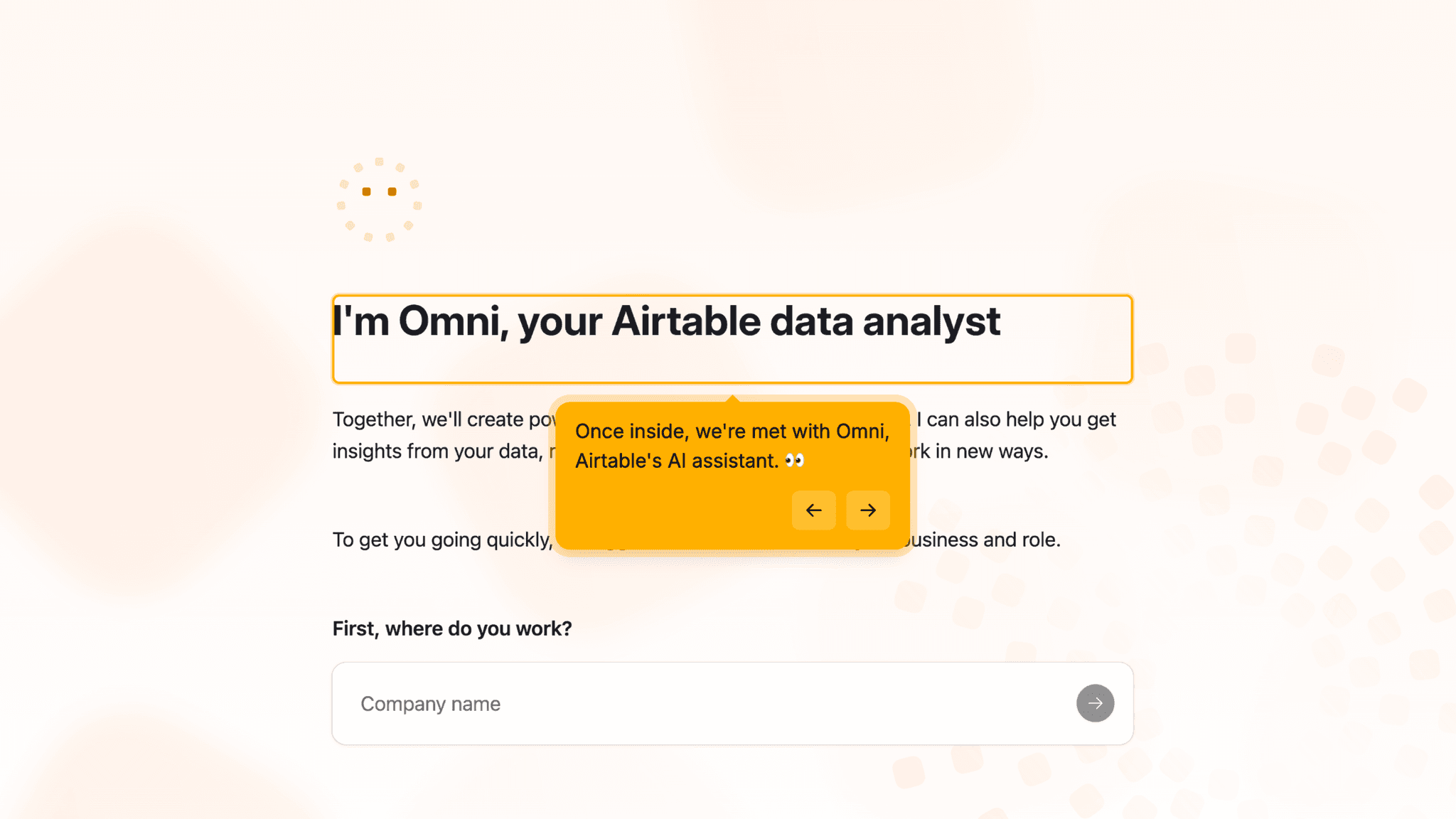
After Google sign-in, Omni — Airtable's AI assistant — kicks off setup through a conversational interface. One question at a time: where you work, what industry you're in, what team you're on. The format mirrors the AI chat interactions people are already comfortable with, so each question feels like a natural exchange rather than a data-capture step.
How Airtable Personalizes Onboarding by Job-to-Be-Done
The curated workspace prompt is where the onboarding earns its keep.
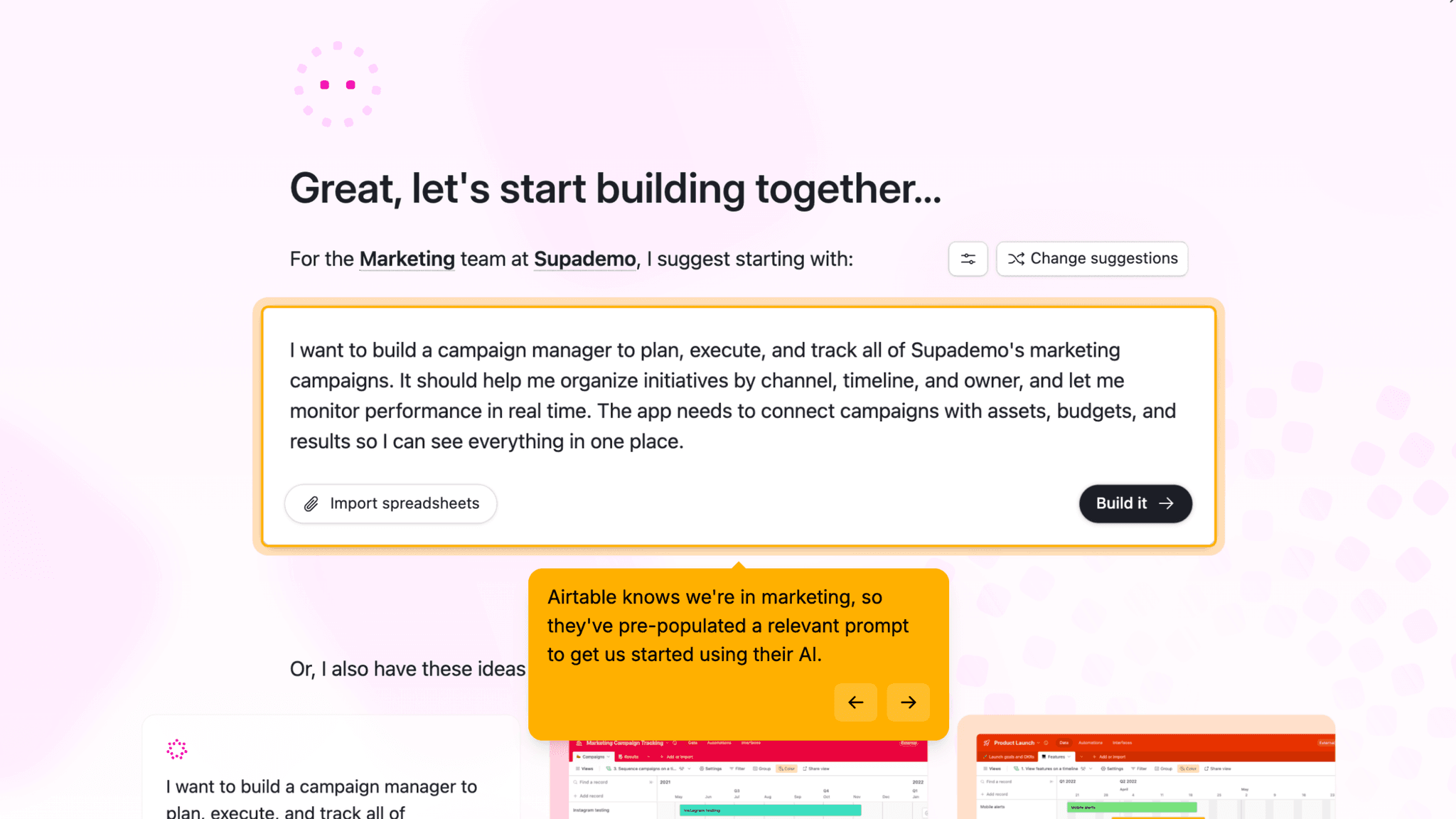
On the main dashboard, Omni says: "For the marketing team at Supademo, I suggest starting with..." — and offers a pre-written prompt using the company name and team function I gave it during setup. Instead of a blank canvas, I'm looking at a starting point built from my own data. One click on "Build it" and Airtable gets to work.
How Airtable Uses Product Bumpers
The AI build-out is visible in real time, and that visibility is the point.
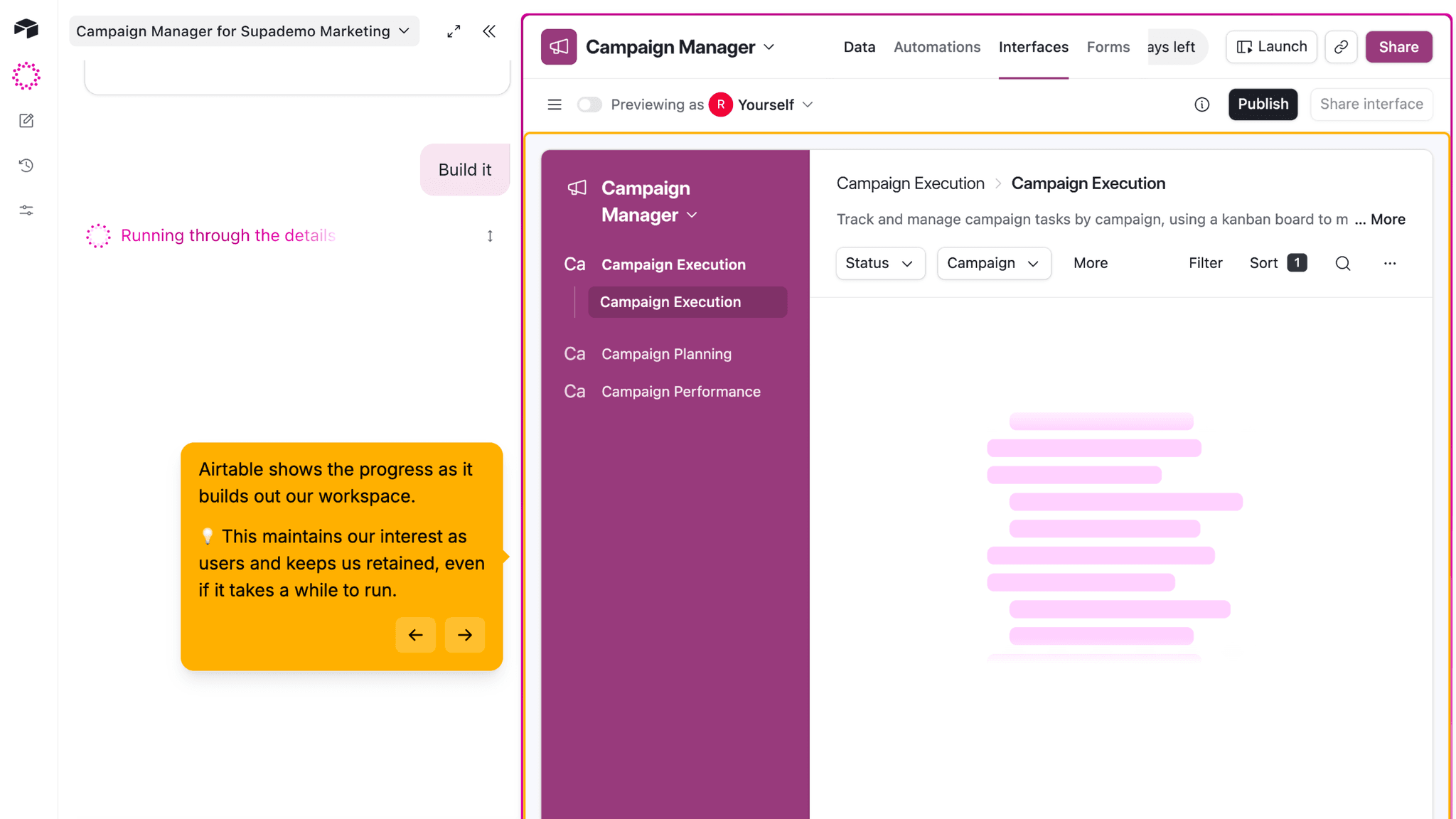
After confirming the workspace prompt, a panel opens on the right and sections begin populating automatically — a campaign manager, assembled live while I watch. The tool's capability isn't explained. It's demonstrated, at the moment it matters most.
How Airtable Uses Product Bumpers
Templates and pre-built prompts provide a structured fallback.
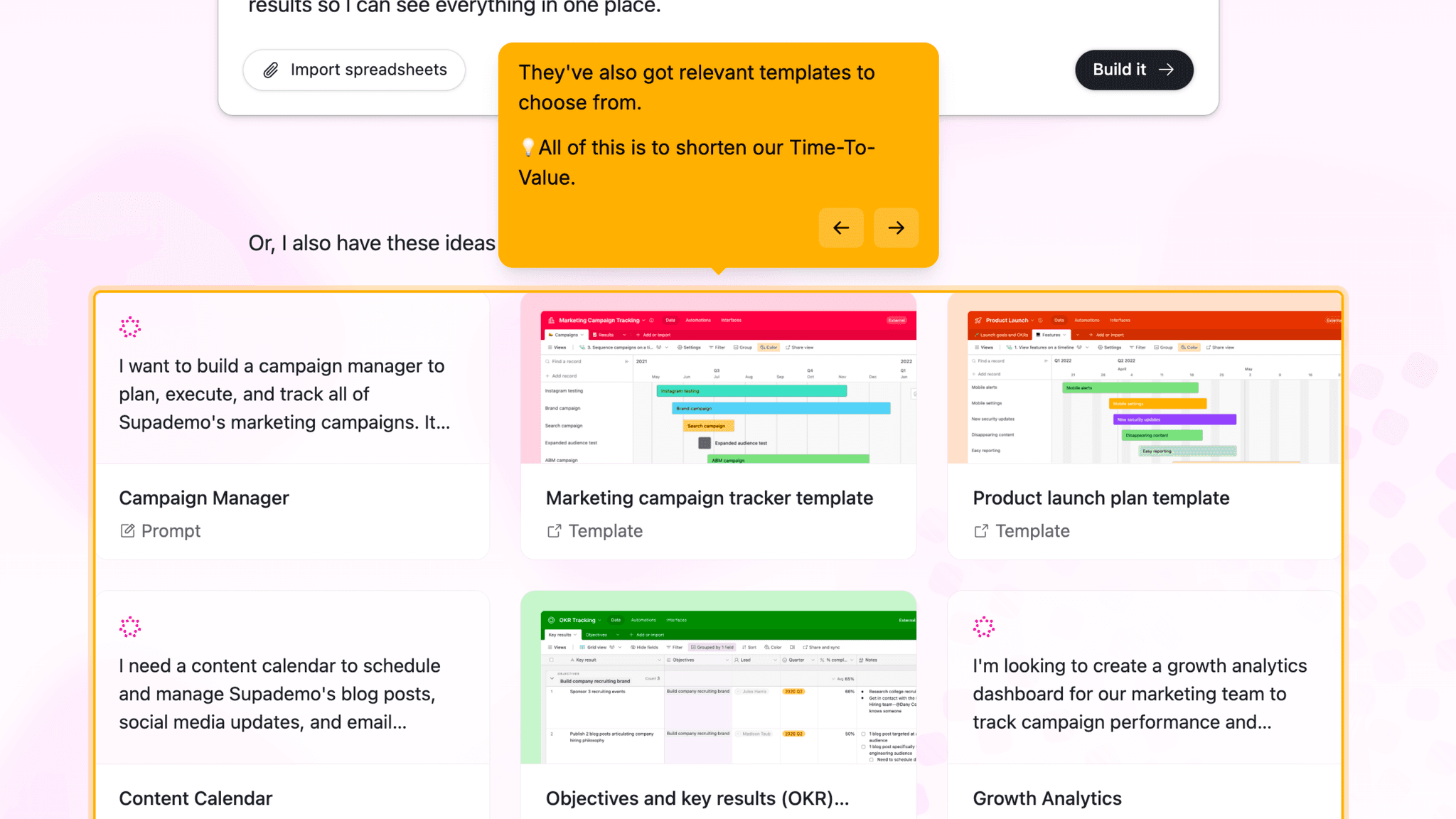
Below the curated prompt, Airtable surfaces templated options and workspaces others have built. These aren't the primary path — the curated prompt is — but they mean users who want to browse rather than accept the AI suggestion still have something concrete to work from.
Onboarding Tactics That Work
Omni AI chat collects firmographic data through progressive disclosure without feeling like a form
Curated workspace prompt uses user's own company and team data to personalize the first suggestion
Real-time AI build-out makes the Aha Moment visible and tangible
Templates and pre-built prompts give structured fallback options for users who skip the curated path
Where There's Friction
14-day trial timer visible from first login may create pressure before full activation
Clarifying questions before build starts add steps between intent and workspace creation
Users who want to explore freely may find the AI-first path directive
When Is the In-App Activation Moment?
The Activation Event in Airtable is building a first workspace — the moment a functional project structure exists, shaped by the user's own inputs, and ready to use.
The path to get there is short. Omni's chat-based setup, the main dashboard with its curated prompt, a brief clarifying exchange, and then the live build. No blank canvas anywhere in the sequence.
The live build matters more than it might seem.
Watching sections populate in real time isn't just visual feedback — it's the product demonstrating its capability while it uses it. The Aha Moment isn't "I built something." It's "it built something for me, using what I told it, and it's right."
The clarifying questions before the build start are necessary — without them, the workspace would be generic — but they do add steps between "I clicked Build it" and "the workspace is ready." For a flow this close to activation, that gap is worth watching.
The 14-day trial timer is visible from first login. It doesn't block anything. Once the first workspace appears, the timer reads more like a reminder than a threat. But it sits alongside the activation experience rather than arriving after it, which introduces commercial awareness slightly earlier than ideal.
The Bottom Line on Airtable's Onboarding
Airtable solves the blank-canvas problem more completely than almost any tool in this gallery.
Omni's progressive disclosure setup and the curated workspace prompt mean users arrive at a working project faster, and with more context, than any manual setup path could provide. The workspace isn't generic. It reflects what the user actually said during onboarding.
The curated prompt is the sharpest decision in the flow. It's not a generic suggestion. It's a suggestion that proves the product was paying attention.
Steal the personalized first prompt. If your product asks setup questions, use the answers to generate a starting point that reflects what the user told you. A suggestion built from their data is worth ten generic templates.
FAQs
Common questions about Airtable's onboarding flow and what makes it effective.
How does Airtable onboard new users?
Airtable's onboarding begins with Google sign-in, then hands setup to Omni, its AI assistant. Omni collects company, industry, and team information through a chat interface before depositing users on the main dashboard. There, it offers a curated workspace prompt built from their inputs. The user clicks "Build it," answers a few clarifying questions, and watches Omni generate a working workspace in real time. The Activation Event, a first AI-built workspace, happens within the onboarding session.
What makes Airtable's onboarding experience stand out?
The curated workspace prompt is the defining pattern. Omni uses the company name and team function the user provided during setup to suggest a specific starting workspace — not a generic template, but a recommendation that shows the product was listening. The real-time build-out reinforces this: users watch the workspace populate in front of them, which makes the AI capability tangible in a way that a feature list never could.
How long does it take to reach value in Airtable?
Fast. The first workspace is built within the onboarding session itself. The Omni setup questions, the curated prompt, the clarifying exchange, and the live build-out all happen in sequence without leaving the product. There's no deferred activation. By the end of onboarding, users have a functional workspace shaped by their own inputs.
How does Airtable's onboarding compare to other SaaS tools?
Airtable's AI-generated starting point is closest to Notion's onboarding, which also uses AI to reduce blank-canvas setup. Airtable goes further by using the user's firmographic data to personalize the suggestion before the workspace is built. The progressive disclosure setup through Omni mirrors Fathom's approach — both collect segmentation data in a format that feels like configuration rather than a form.