How to add a goal in Asana

Goals in Asana help teams align on objectives and track progress toward key outcomes. This tutorial walks you through the process of creating a new goal, from initialization to setting its status.
Quick summary
In this tutorial, you'll learn how to add a goal in Asana by navigating to the Goals section, creating a new goal, entering goal details, and marking it as on track. By the end, you'll be able to establish clear objectives within your Asana workspace.
Why this matters
Setting goals in Asana ensures that your team has transparent, measurable objectives tied to their work. Goals create accountability and help teams prioritize tasks that matter most to business outcomes. Without goals, teams may lose sight of broader objectives amid daily task management.
Step-by-step guide
- 1
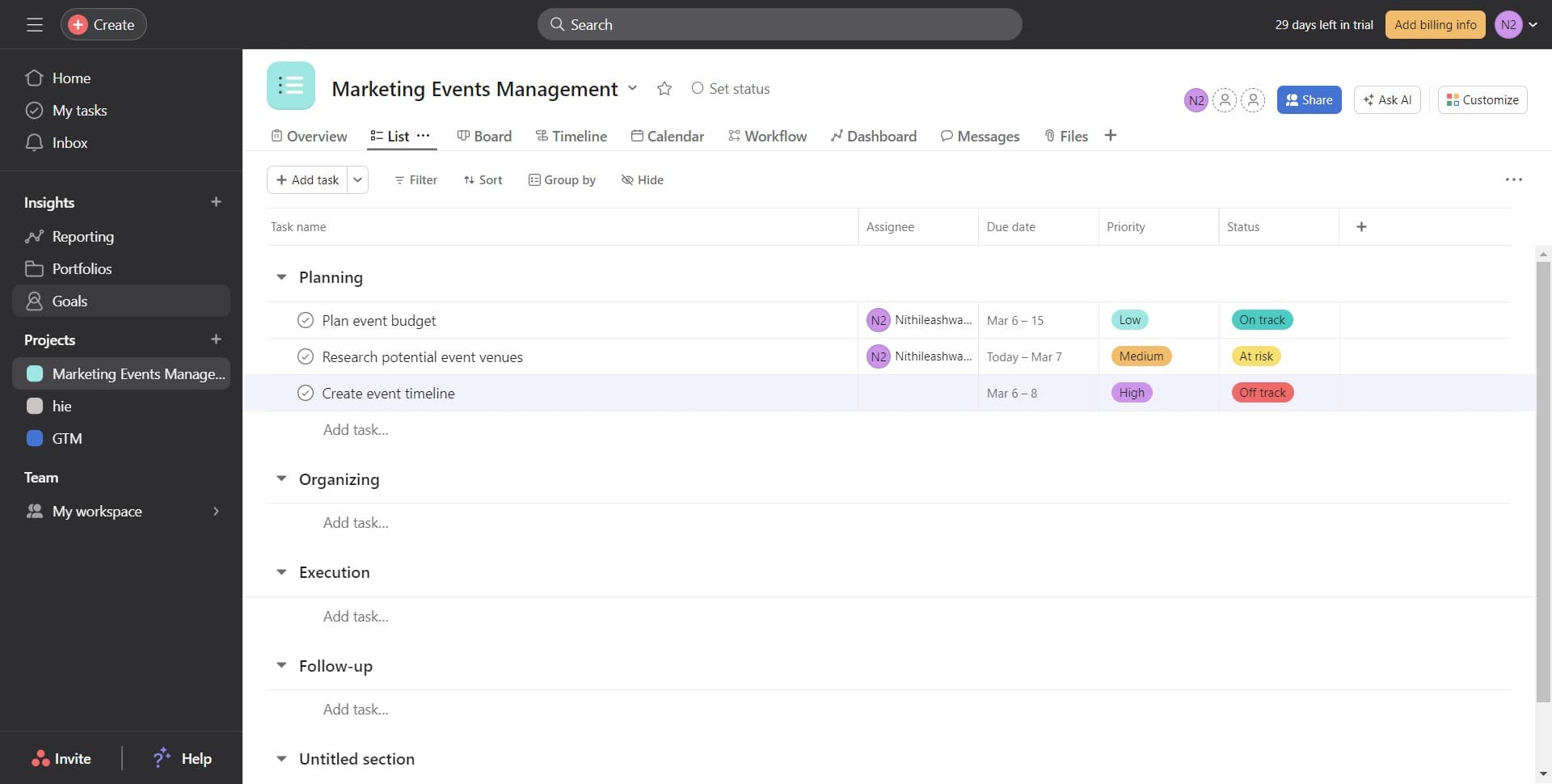
Navigate to Goals
Click on the 'Goals' section in Asana to access the goals management interface. This is where you'll manage all team and project objectives.
- 2
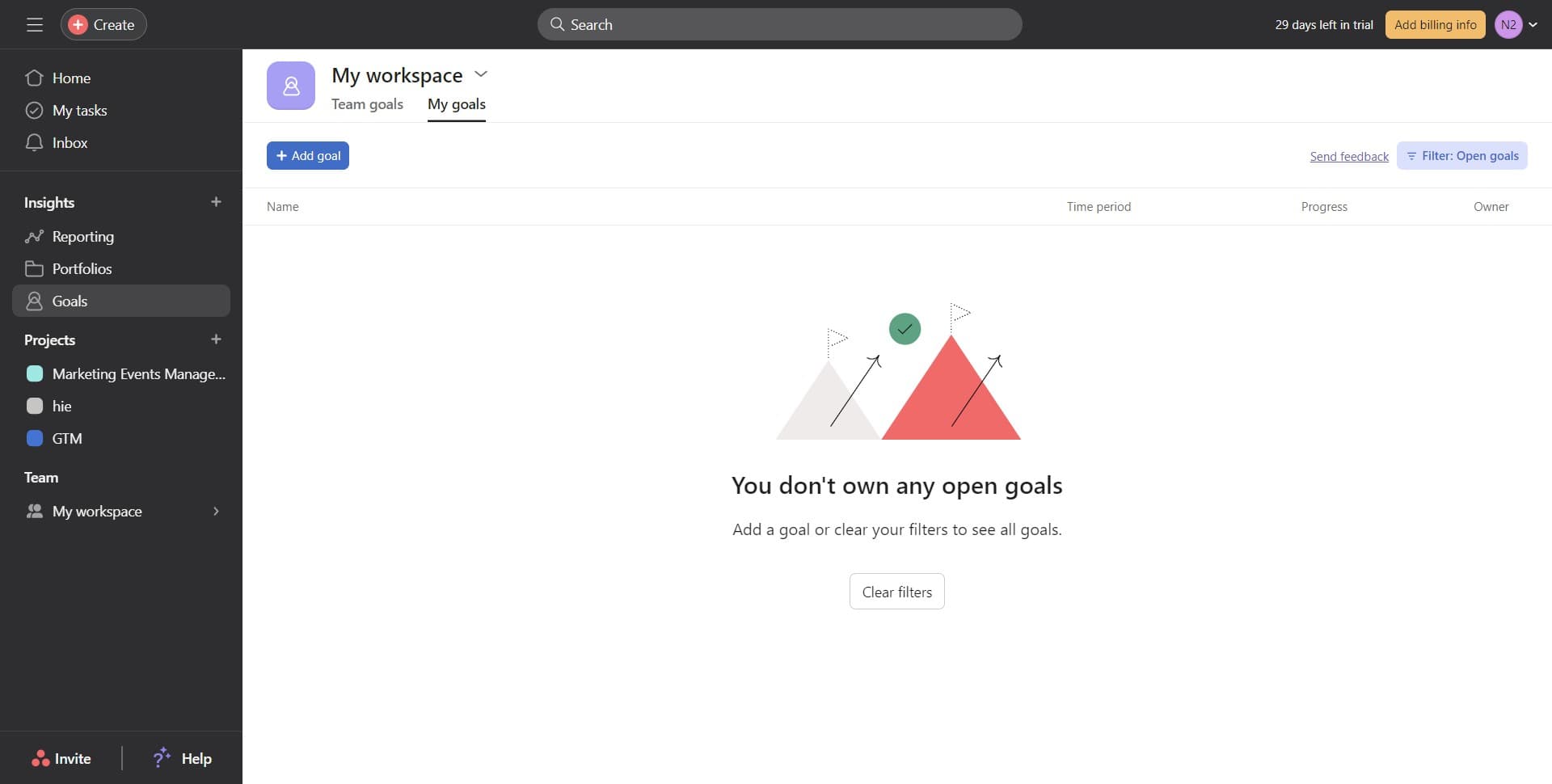
Click Add goal
Select the 'Add goal' button to initiate the creation of a new goal. This opens the goal creation form where you'll define your objective.
- 3
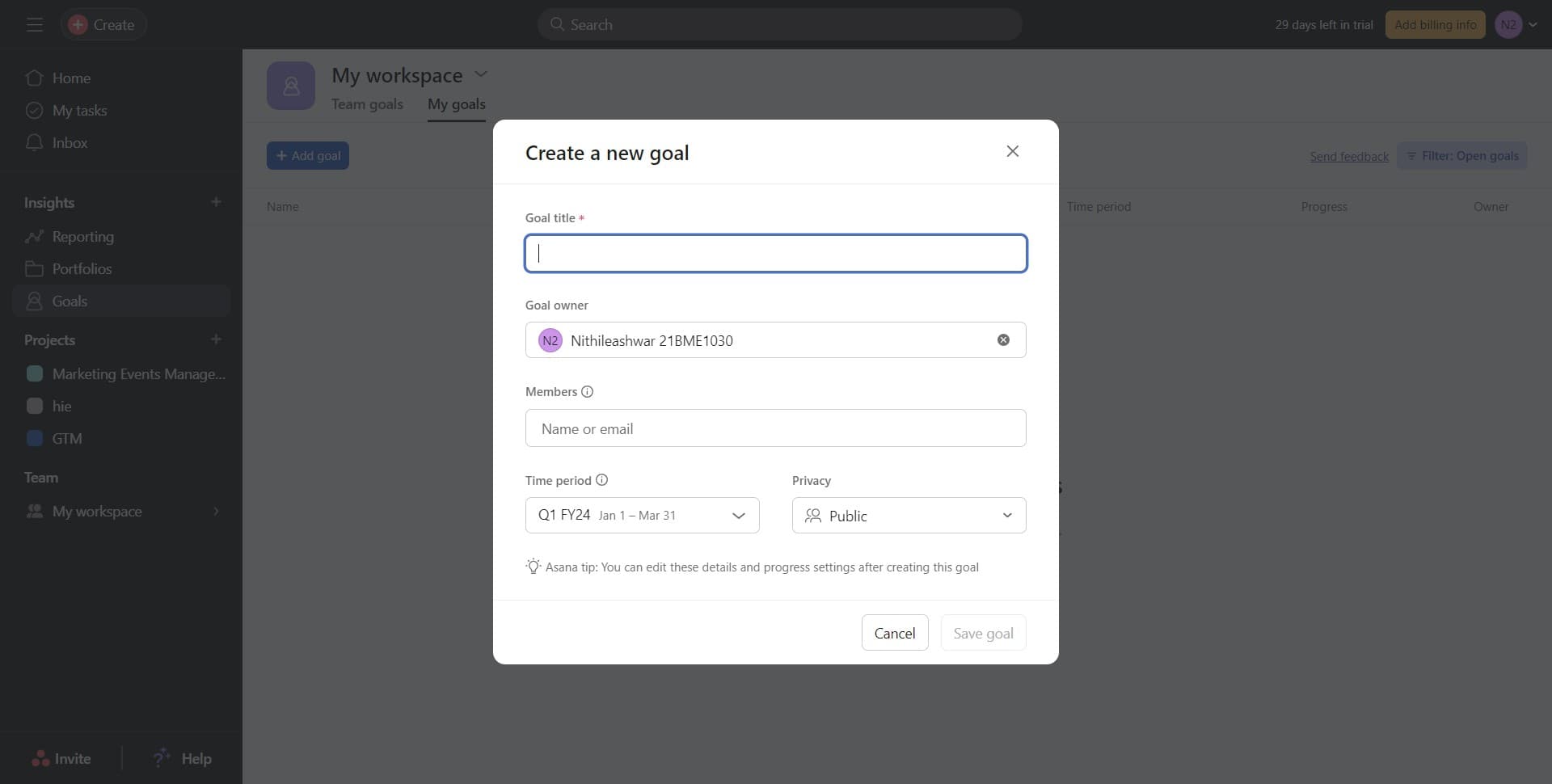
Enter goal details
Fill in the relevant information for your goal, such as the goal name, description, and any other required fields. Make sure your goal is specific and measurable so progress can be tracked effectively.
- 4
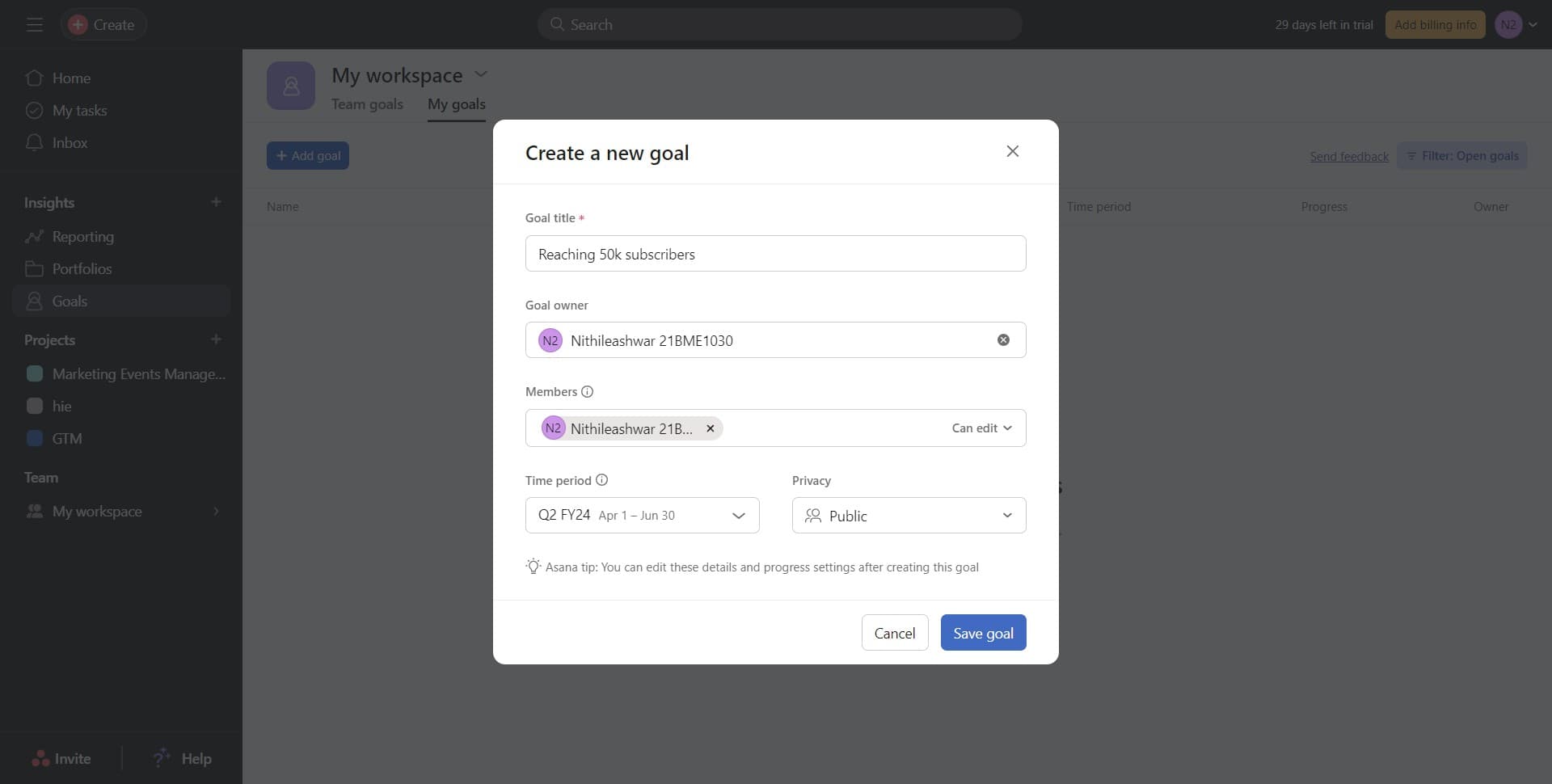
Save the goal
Click the 'Save goal' button to confirm and store your new goal in Asana. Your goal will now be visible in the Goals section and can be linked to projects and tasks.
- 5
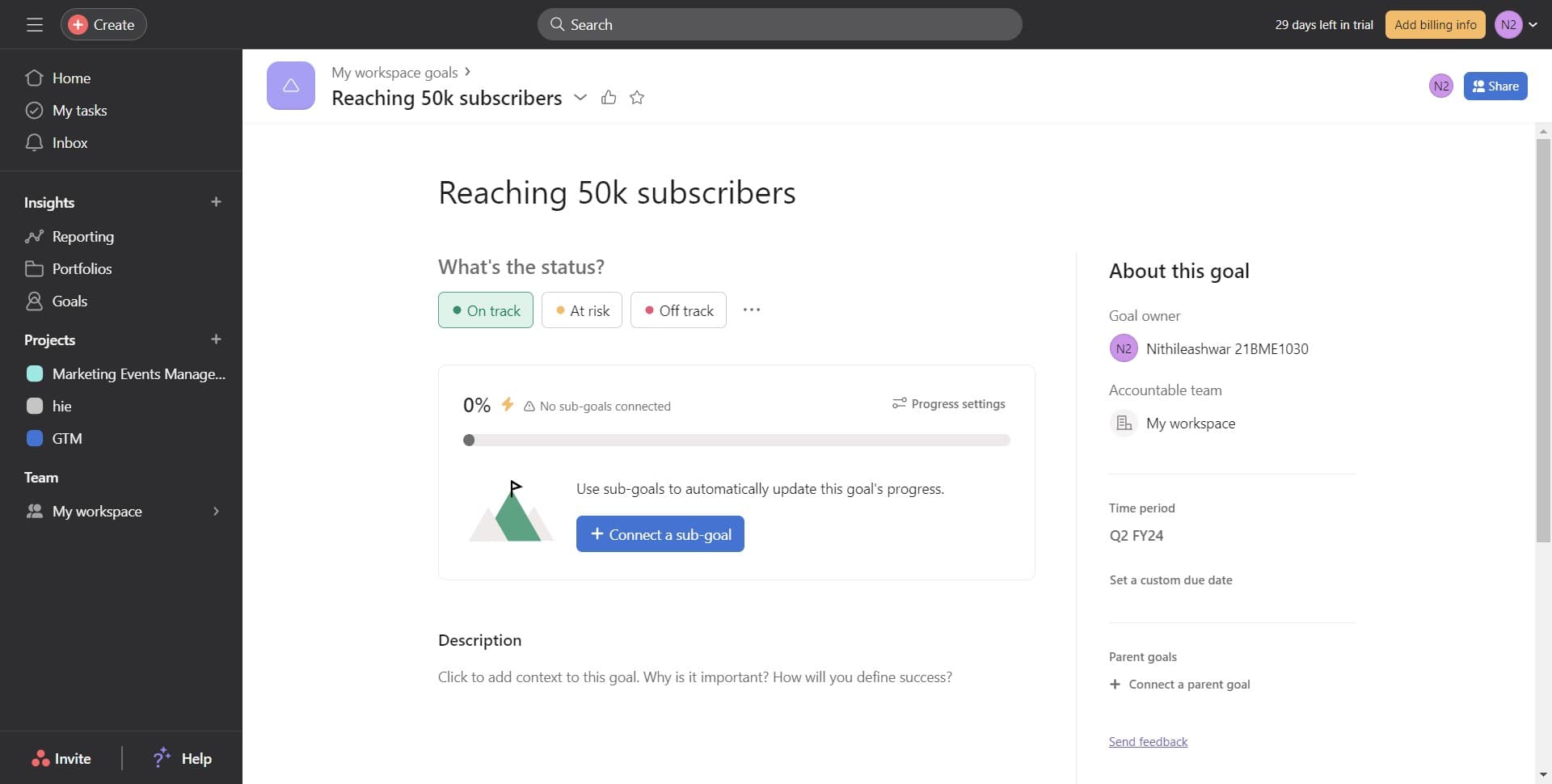
Set status to On track
Click on 'On track' to set the initial status of your goal, indicating that progress is moving as expected. You can update this status later as circumstances change.
Frequently asked questions
Common questions about how to add a goal in asana.
Yes, Asana allows you to connect a single goal to multiple projects and tasks. This helps ensure that work across different areas of your organization contributes to the same objective. You can manage these connections in the goal details after creating it.
Asana provides several goal status options including On track, At risk, and Off track. These statuses help teams quickly assess progress and identify goals that need attention or adjustment.
Goal status should be updated regularly, typically weekly or bi-weekly, depending on your team's cadence. Regular updates keep stakeholders informed and help identify issues before they become critical. Most teams review goals during their standard check-in meetings.
Yes, you can assign due dates and target completion dates to goals in Asana. This helps establish clear timelines and creates urgency around achieving objectives. Target dates also enable better tracking of goal progress over time.
Goal visibility and editing permissions depend on your workspace and project settings. Typically, team members with access to a project can view its goals, while project owners or managers can edit them. Check your team's permission settings to control who can create and modify goals.