How to add subtasks in Asana

Subtasks in Asana help you break down complex projects into smaller, manageable pieces of work. This guide walks you through the process of adding subtasks to your tasks, enabling better organization and clearer progress tracking.
Quick summary
In this tutorial, you'll learn how to create subtasks in Asana, assign them within your task hierarchy, and set dependencies to establish clear relationships between work items. By the end, you'll be able to structure your projects with greater granularity and improve team accountability.
Why this matters
Breaking tasks into subtasks prevents work from falling through the cracks and gives team members clarity on exactly what needs to be completed. Dependencies ensure that tasks are completed in the right order, reducing bottlenecks and keeping projects on track.
Step-by-step guide
- 1
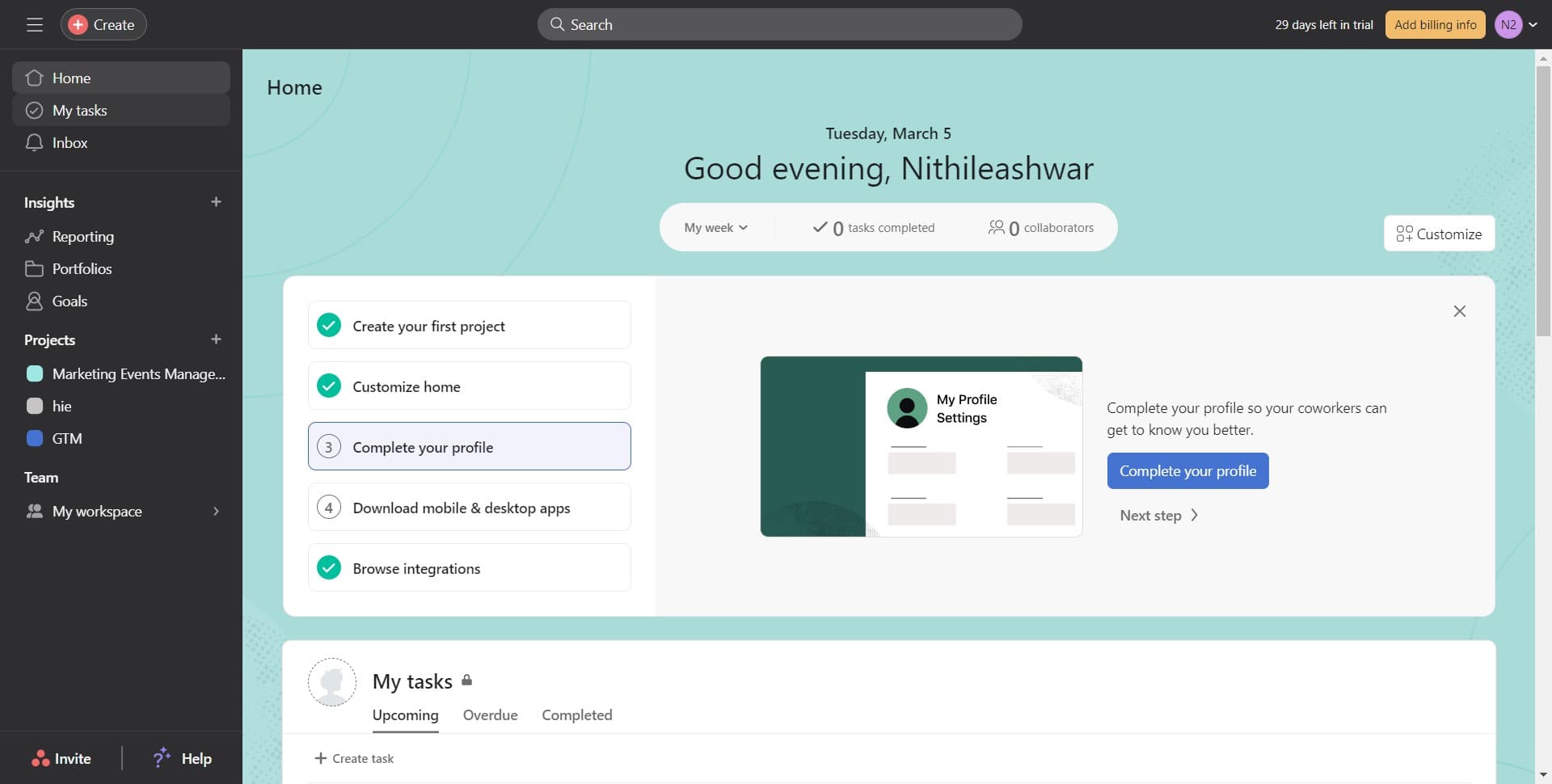
Access your task list
Click on "My tasks" to view all your assigned work items. This is your starting point for managing individual tasks and their subtasks.
- 2
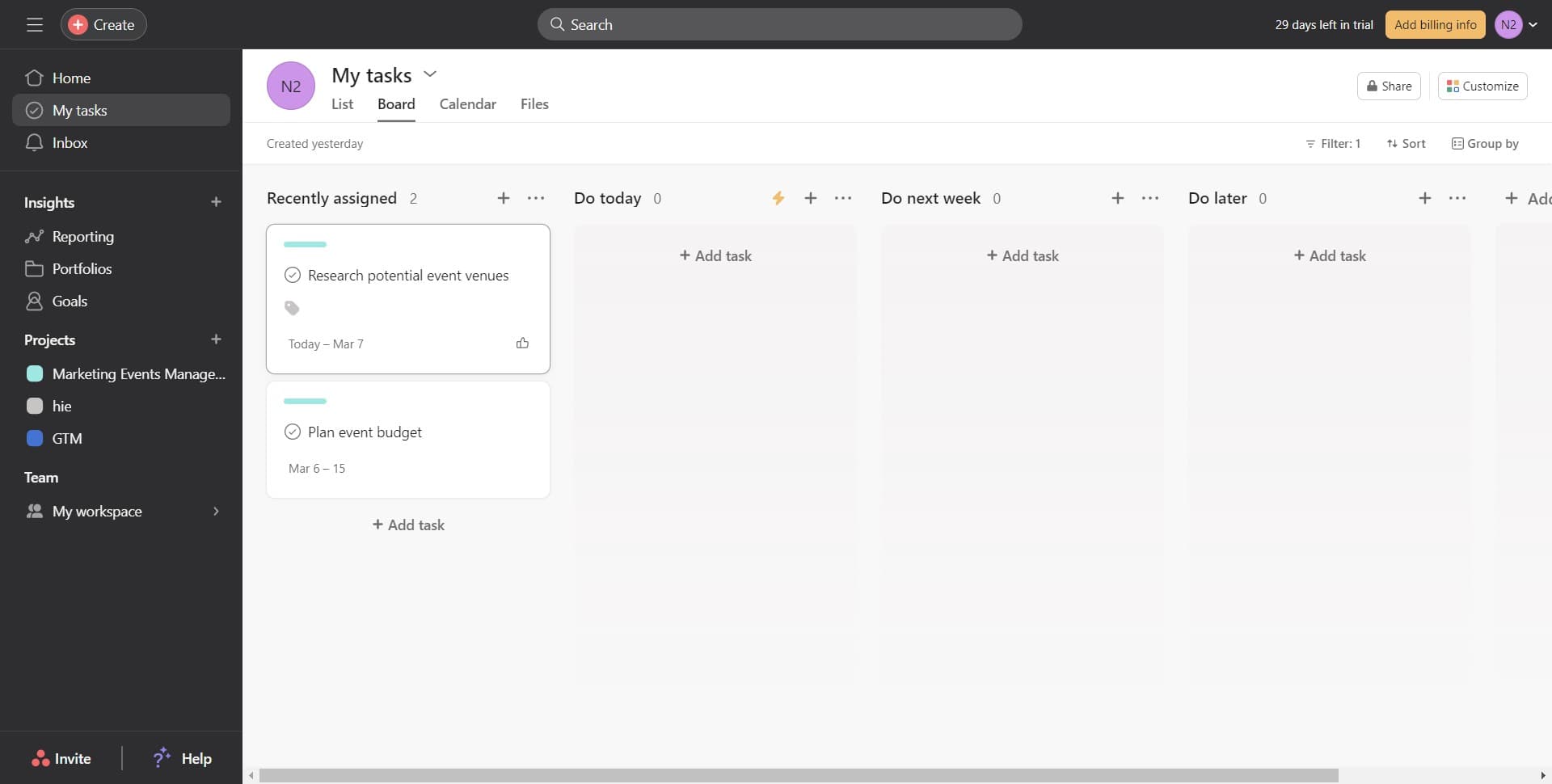
Select the task to edit
Click on "Research potential event venues" to open the task details. This task will serve as the parent task where you'll add subtasks.
- 3
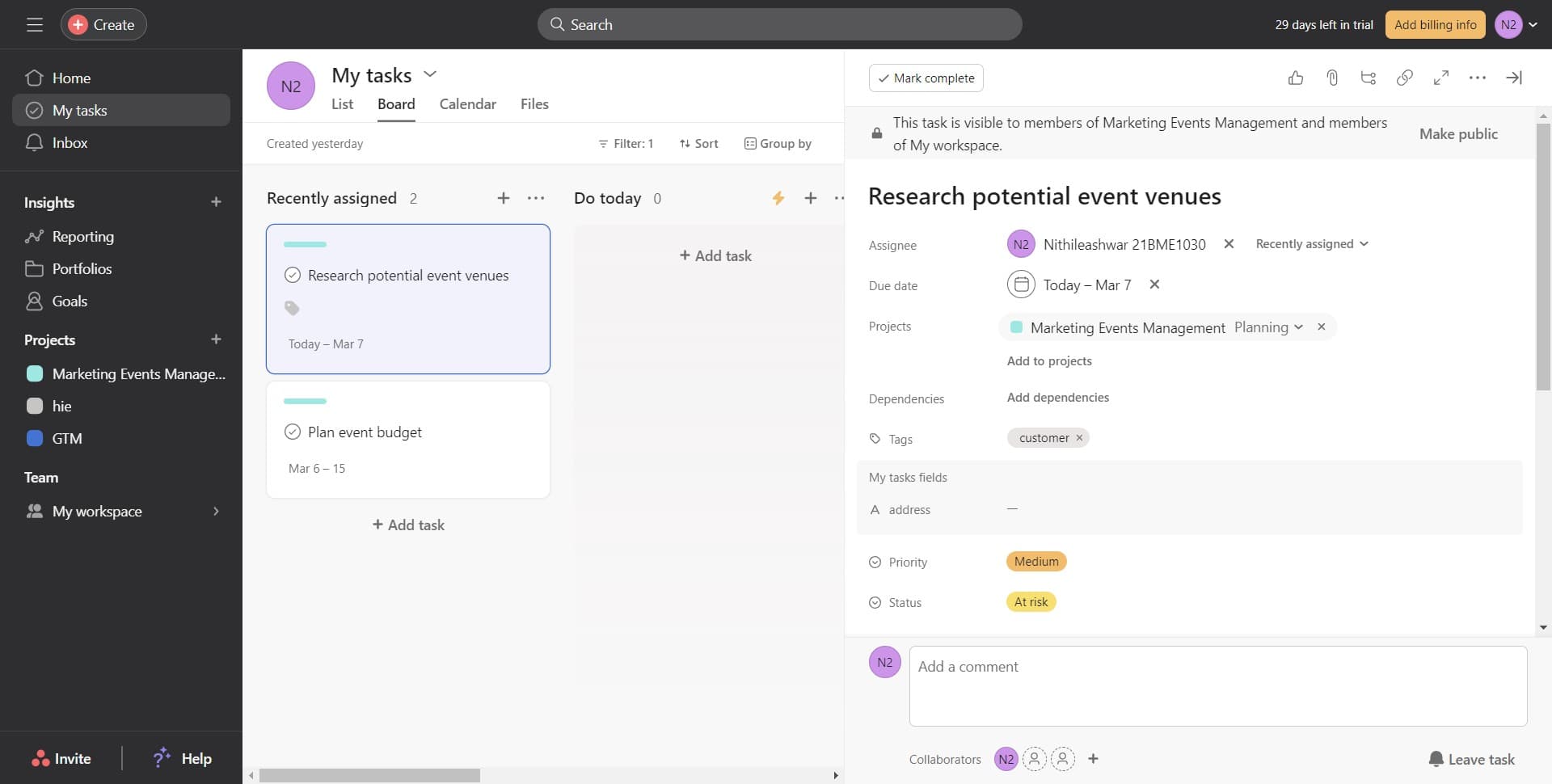
Navigate to the subtask section
Click on "customer" to access the relevant section or filter within the task. This ensures you're working in the correct context for your subtasks.
- 4
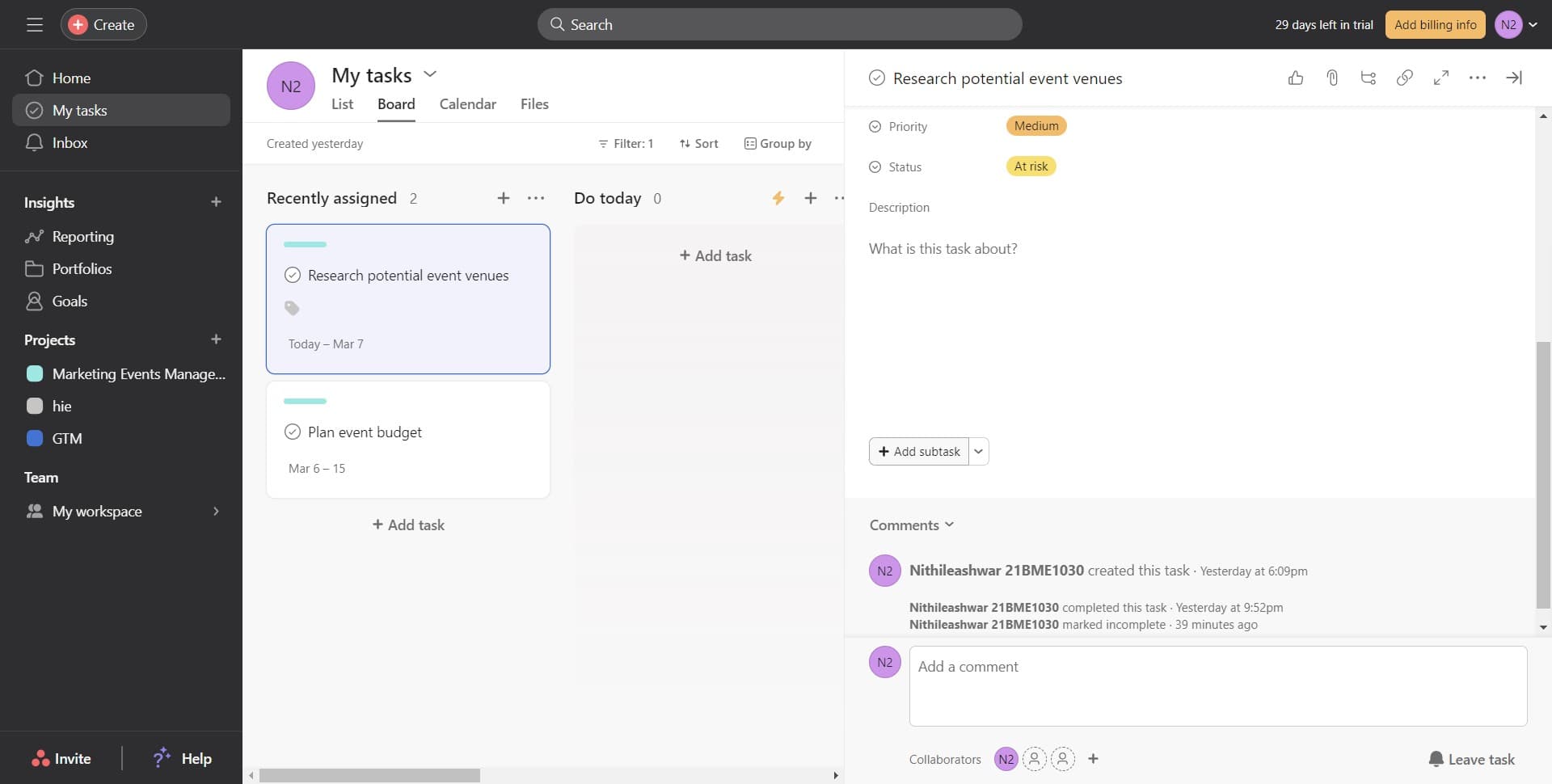
Create a new subtask
Click on "Add subtask" to create a new subtask under the parent task. A new field will appear where you can enter the subtask name.
- 5
Enter the subtask name
Click in the subtask field and type the name of your new subtask. Be descriptive so team members understand what needs to be accomplished.
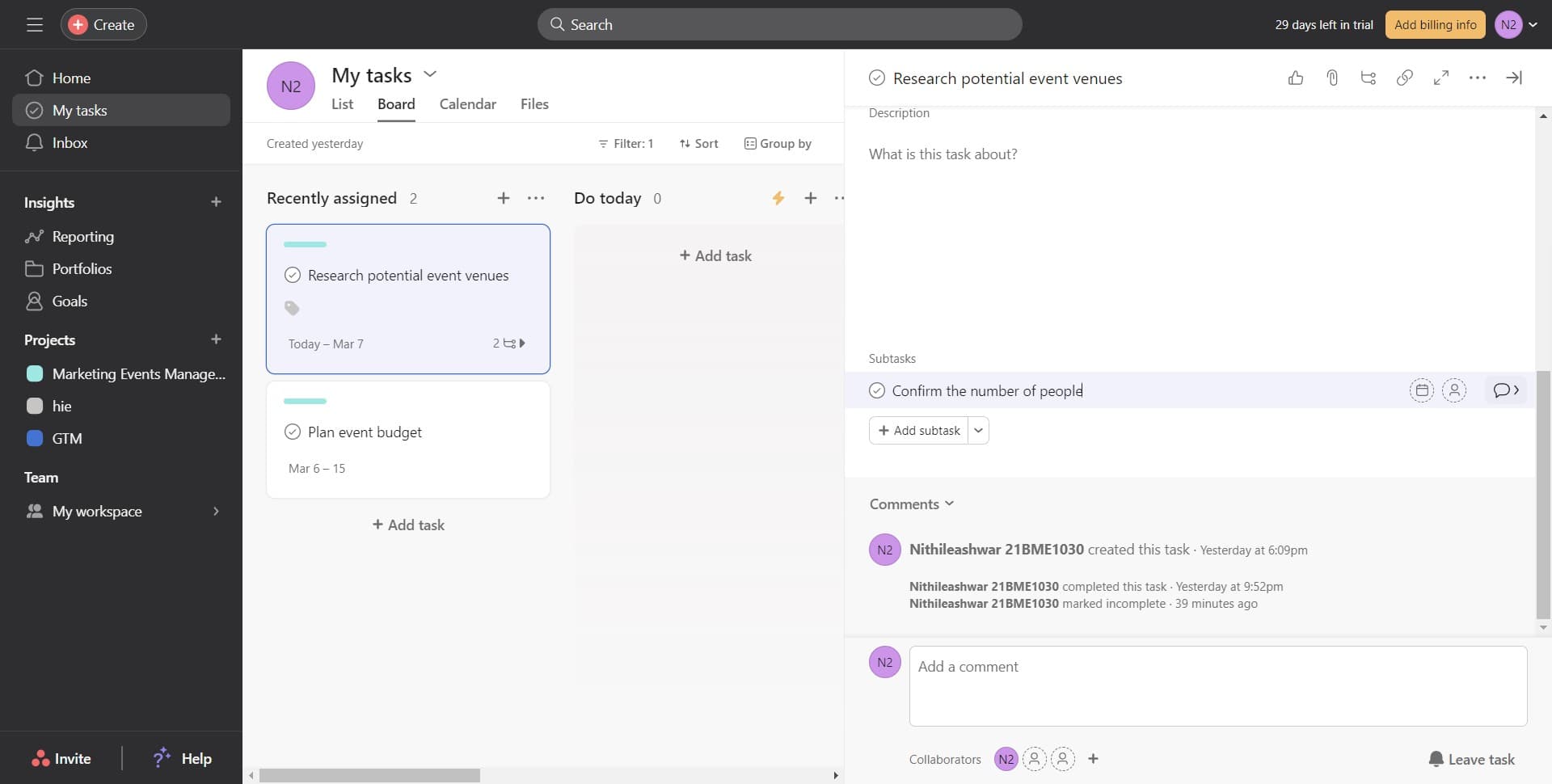
- 6
Confirm the subtask creation
Press Enter or click the confirmation button to save your newly created subtask. It will now appear as a child item under the parent task.
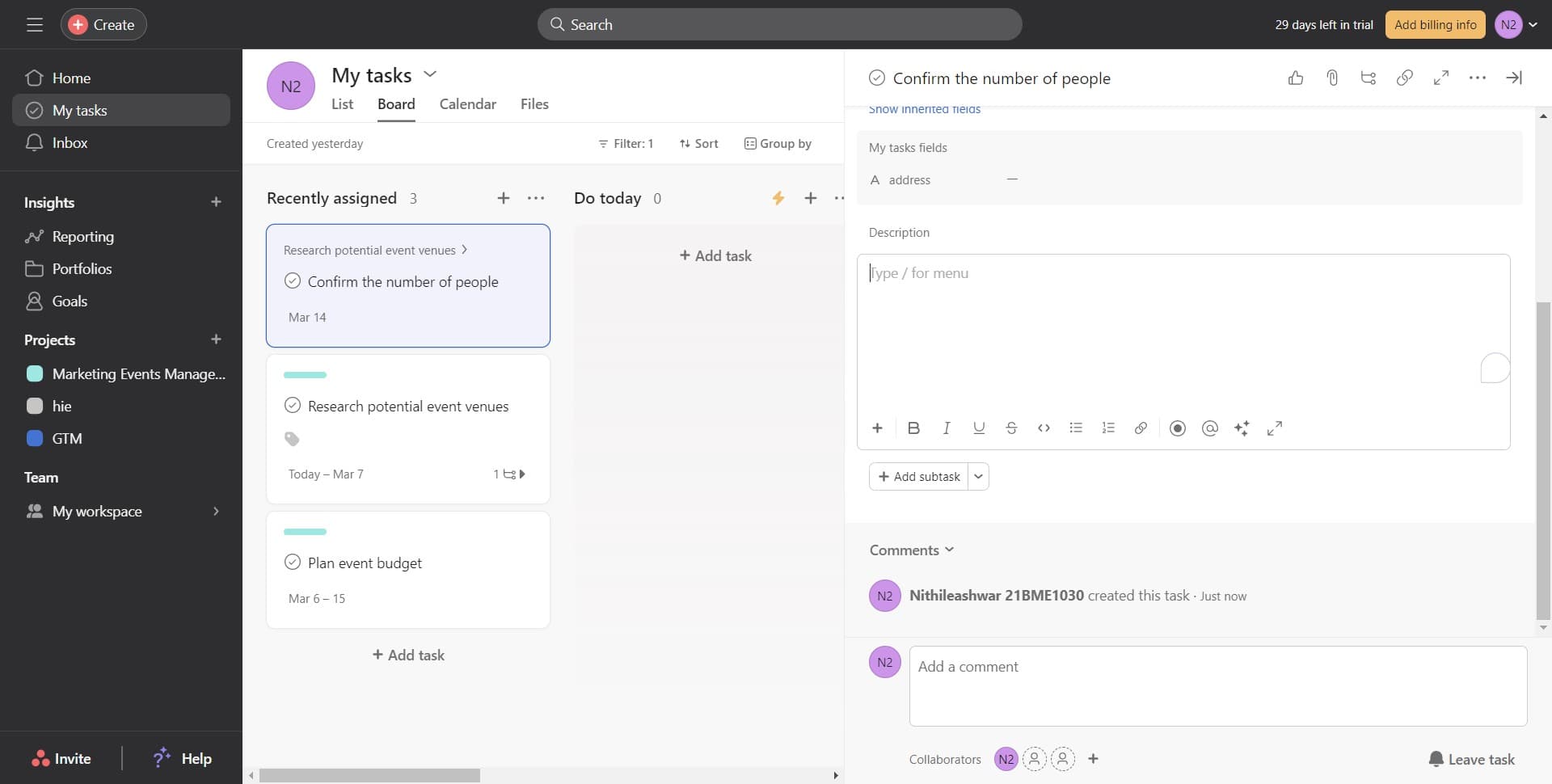
- 7
Set task dependencies
Click on "Add dependencies" to establish relationships between tasks. This ensures subtasks are completed in the correct sequence.
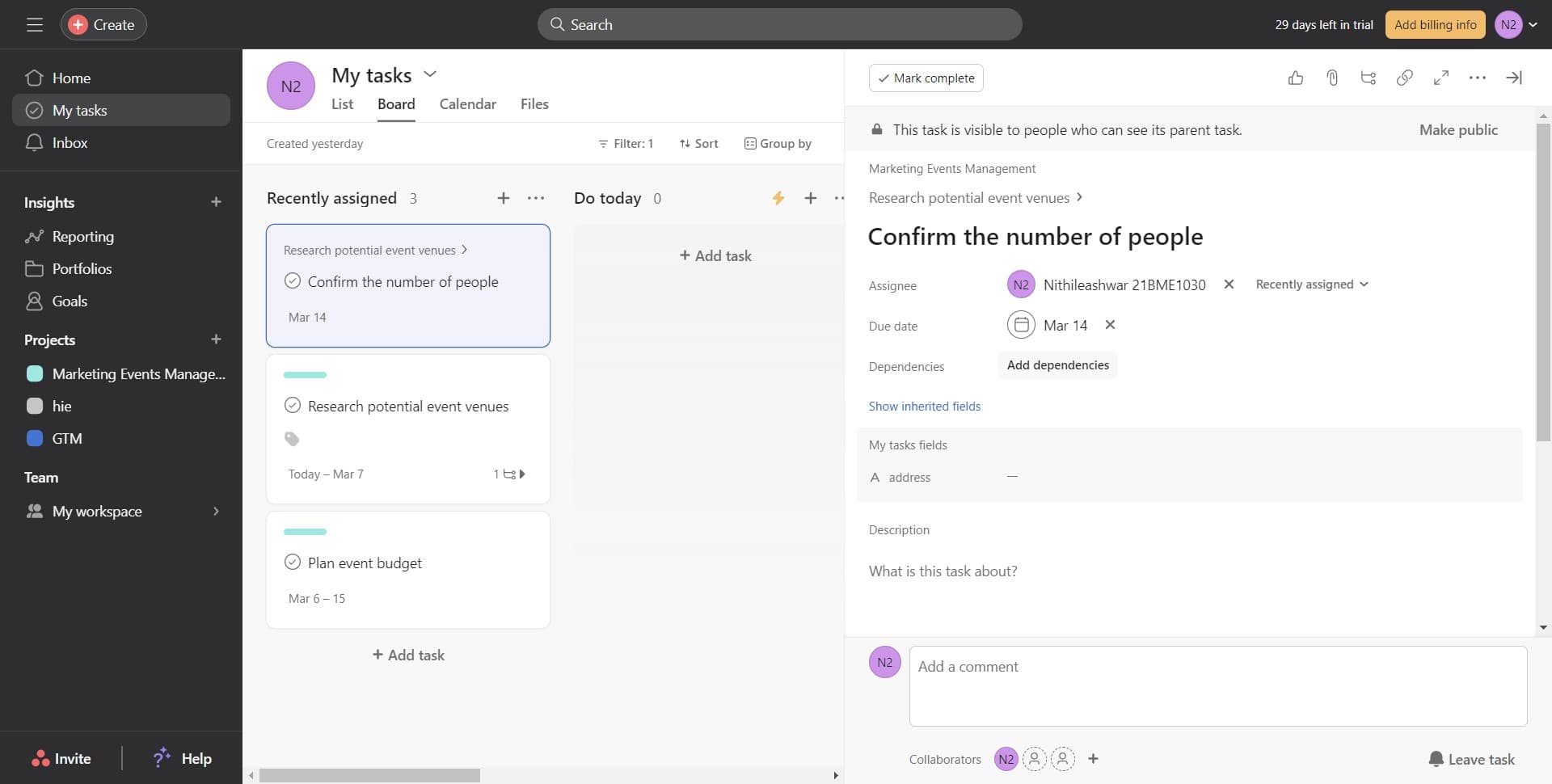
- 8
Link the parent task
Click on "Research potential event venues" to set it as a dependency for your subtask. This indicates that the subtask is related to or dependent on the completion of the parent task.
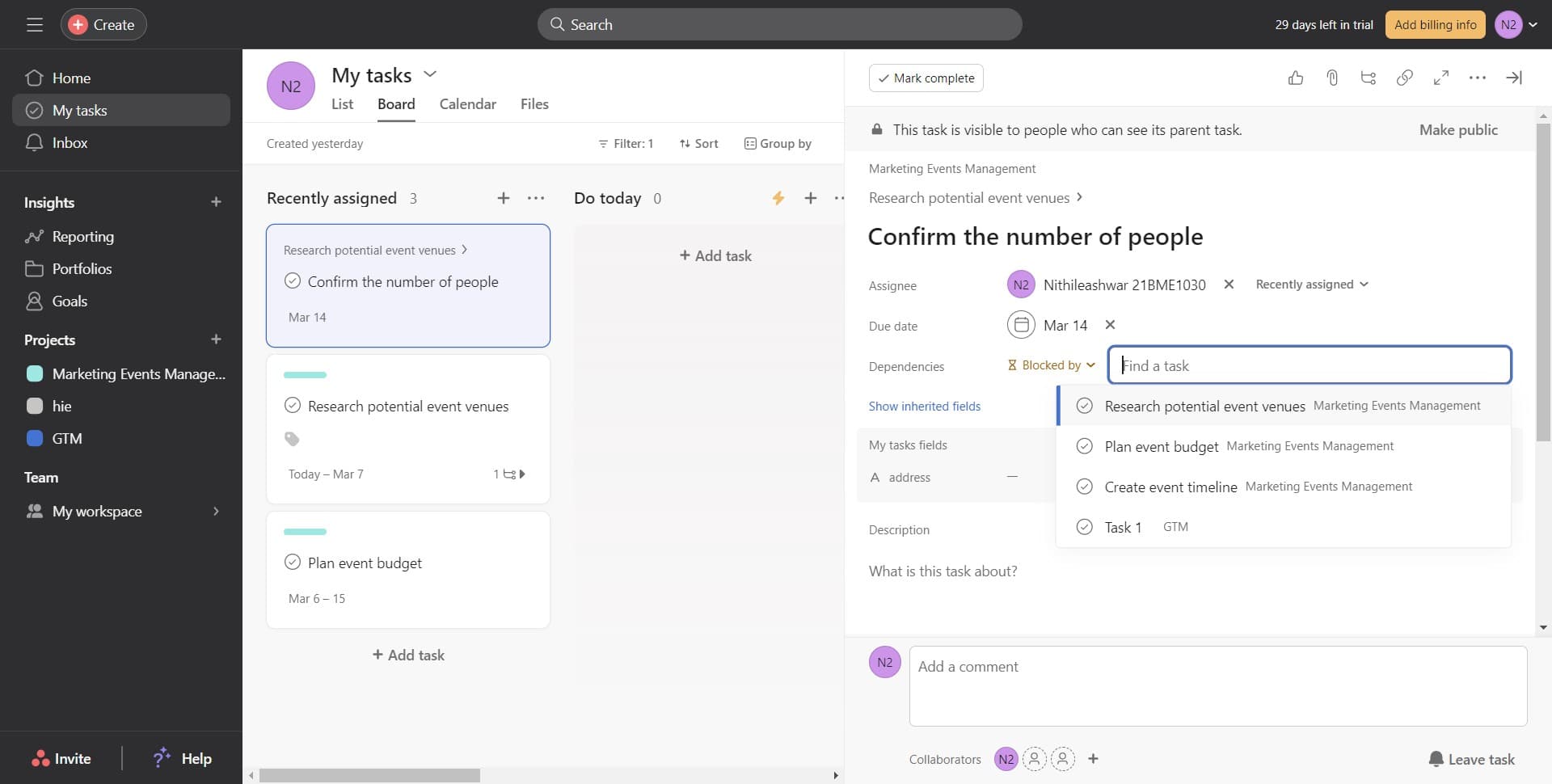
Frequently asked questions
Common questions about how to add subtasks in asana.
Asana allows you to nest subtasks, but there are practical limits to how deep the hierarchy should go. Generally, it's best to keep your structure to 2-3 levels to maintain clarity and avoid overwhelming your team.
When you click on a subtask, you can assign it to a specific team member using the assignee field. This ensures the right person knows they're responsible for completing that piece of work.
Subtasks break a single task into smaller components that together complete one larger task. Dependencies link separate tasks to show that one must be completed before another can start. They serve different organizational purposes and can be used together.
Subtasks don't automatically affect your project timeline unless you assign them specific dates. You can set individual due dates for subtasks to control workflow and ensure the parent task is completed on schedule.
Asana displays subtask completion status on the parent task, showing you how many subtasks are complete versus pending. You can also view subtask progress in list view, board view, and timeline view depending on your project setup.