How to integrate your CRM to Apollo.io

Integrating your CRM with Apollo.io unlocks powerful data enrichment capabilities that streamline your sales workflow. This guide walks you through connecting your CRM in just a few clicks, enabling seamless data synchronization between Apollo.io and your existing customer database.
Quick summary
In this tutorial, you'll learn how to navigate Apollo.io's data enrichment features and connect your CRM platform. By the end, your CRM will be fully integrated with Apollo.io, allowing you to enrich contacts and accounts directly from the platform.
Why this matters
Connecting your CRM to Apollo.io eliminates manual data entry and ensures your customer information stays current across both systems. This integration enables your sales team to access enriched, verified contact data in real-time without switching between tools, improving efficiency and data accuracy.
Step-by-step guide
- 1
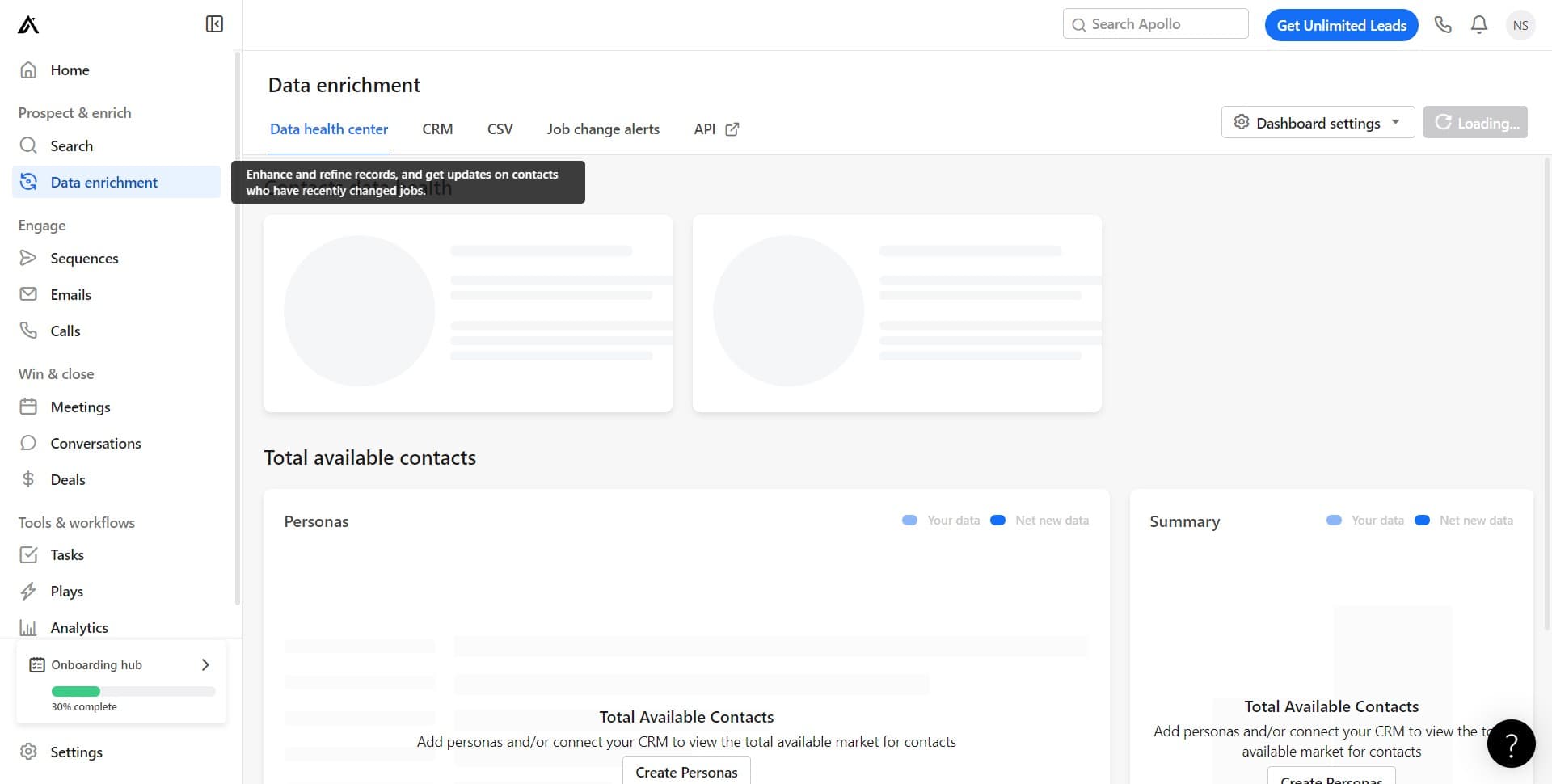
Open Data enrichment menu
Log in to your Apollo.io account and locate the Data enrichment option in the main navigation. Click on it to access the data enrichment suite where CRM integration options are available.
- 2
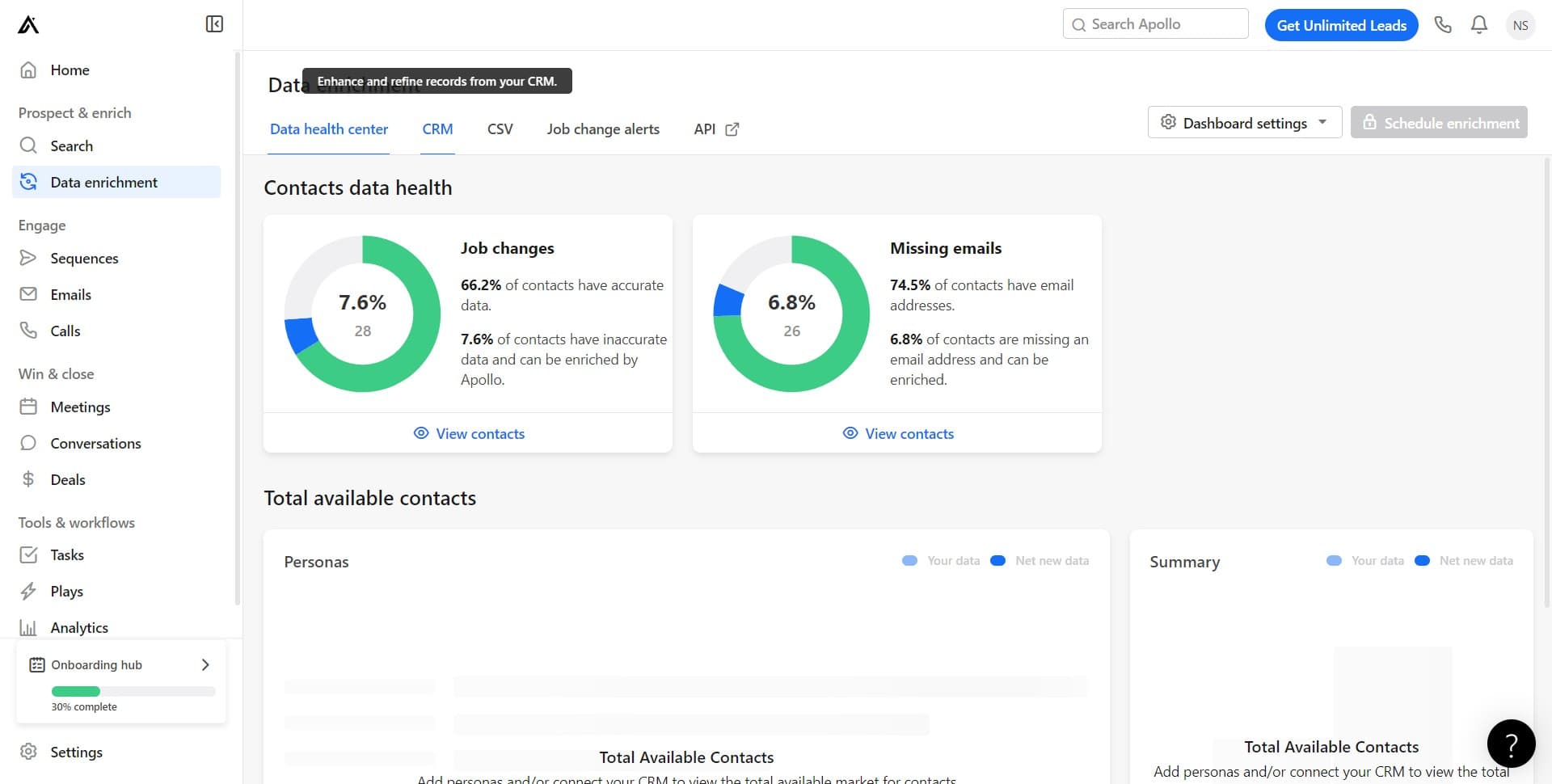
Select CRM integration option
In the Data enrichment section, you'll see a CRM option. Click on it to view the available CRM platforms and integration details that Apollo.io supports.
- 3
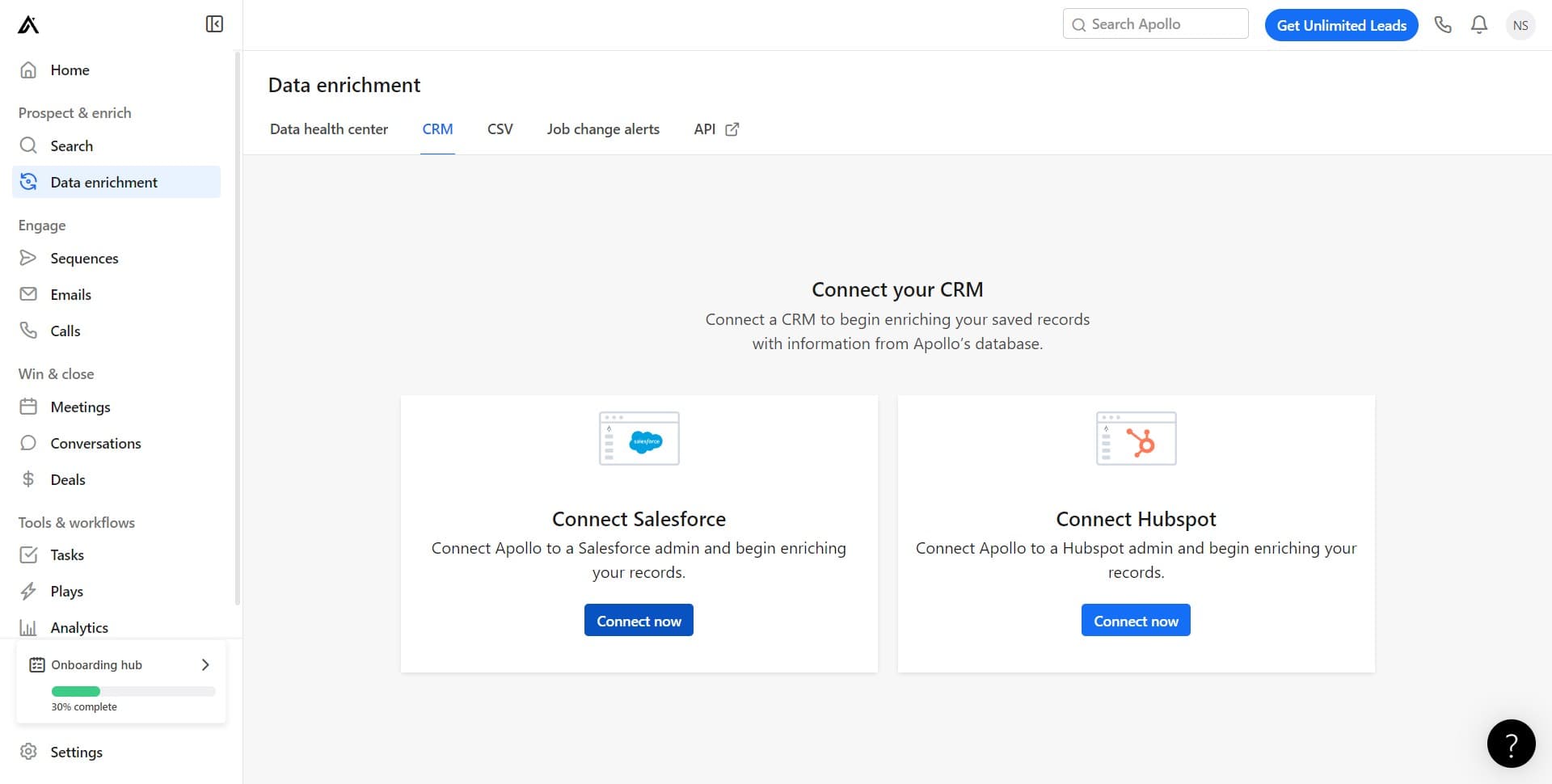
Click Connect now button
Click the Connect now button to begin the CRM integration process. You'll be guided through authentication steps to authorize Apollo.io to access your CRM data securely.
Frequently asked questions
Common questions about how to integrate your crm to apollo.io.
Which CRM platforms does Apollo.io support?
Apollo.io supports integration with major CRM platforms including Salesforce, HubSpot, Pipedrive, and others. Check the CRM selection screen in Apollo.io to see the complete list of supported integrations available for your use case.
What data will sync between my CRM and Apollo.io?
When integrated, Apollo.io enriches your existing CRM contacts with verified email addresses, phone numbers, company information, and other business intelligence. The specific data fields that sync depend on your CRM platform and Apollo.io's integration settings.
Is my CRM data secure when connected to Apollo.io?
Yes, Apollo.io uses enterprise-grade security protocols and OAuth authentication to protect your data. Your CRM credentials are not stored directly in Apollo.io, and the connection follows industry security standards for safe data transfer.
Can I disconnect my CRM from Apollo.io later?
Yes, you can disconnect your CRM integration at any time through the Data enrichment settings. Simply access the CRM integration section and select the disconnect option to revoke Apollo.io's access to your CRM.
How long does the CRM integration process take?
The initial connection typically takes just a few minutes, depending on your CRM platform. After authentication, Apollo.io will begin syncing your contact data, and initial synchronization may take longer depending on the size of your database.