How to search for leads in Apollo.io

Apollo.io offers powerful search capabilities to help you find and qualify leads that match your ideal customer profile. This guide walks you through the search process, including how to apply advanced filters like time zone and email status to narrow down your prospects. By mastering Apollo's search features, you'll save time and focus on the leads most likely to convert.
Quick summary
In this tutorial, you'll learn how to initiate a lead search in Apollo.io and apply targeted filters to refine your results. You'll discover how to use list selection, time zone filtering, and email status criteria to build a highly qualified prospect list. These techniques will help you identify and prioritize the best opportunities for your sales outreach.
Why this matters
Searching for leads efficiently is critical to any sales strategy. Rather than manually sorting through thousands of prospects, Apollo's advanced filters allow you to target specific geographies, contact statuses, and other attributes that correlate with conversion likelihood. A well-refined search ensures your team spends time engaging with genuinely qualified leads rather than unqualified contacts.
Step-by-step guide
- 1
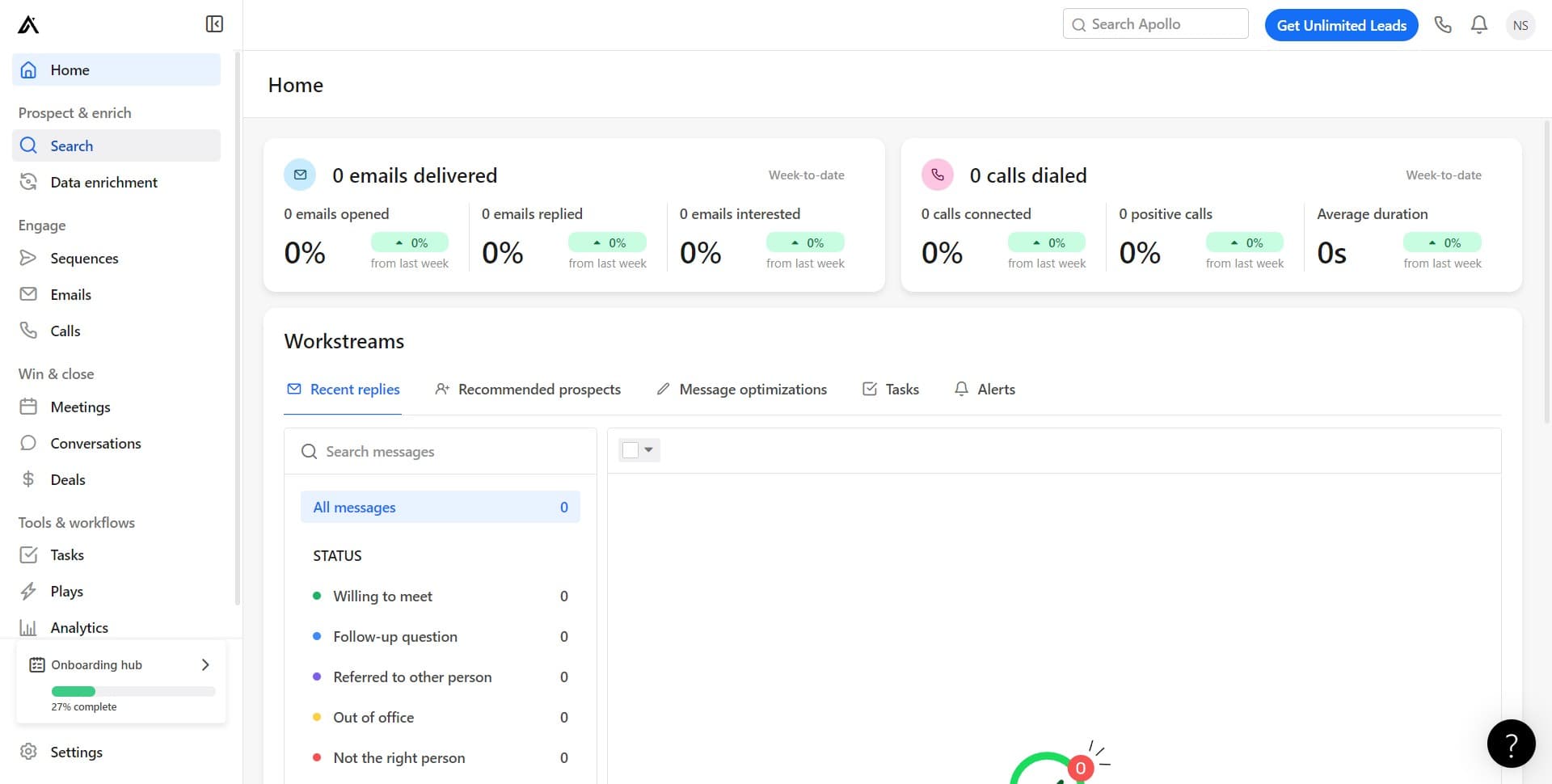
Click on Search
Start by navigating to the Search section in Apollo.io. This is your entry point to the lead discovery and filtering interface where you'll build your prospect list.
- 2
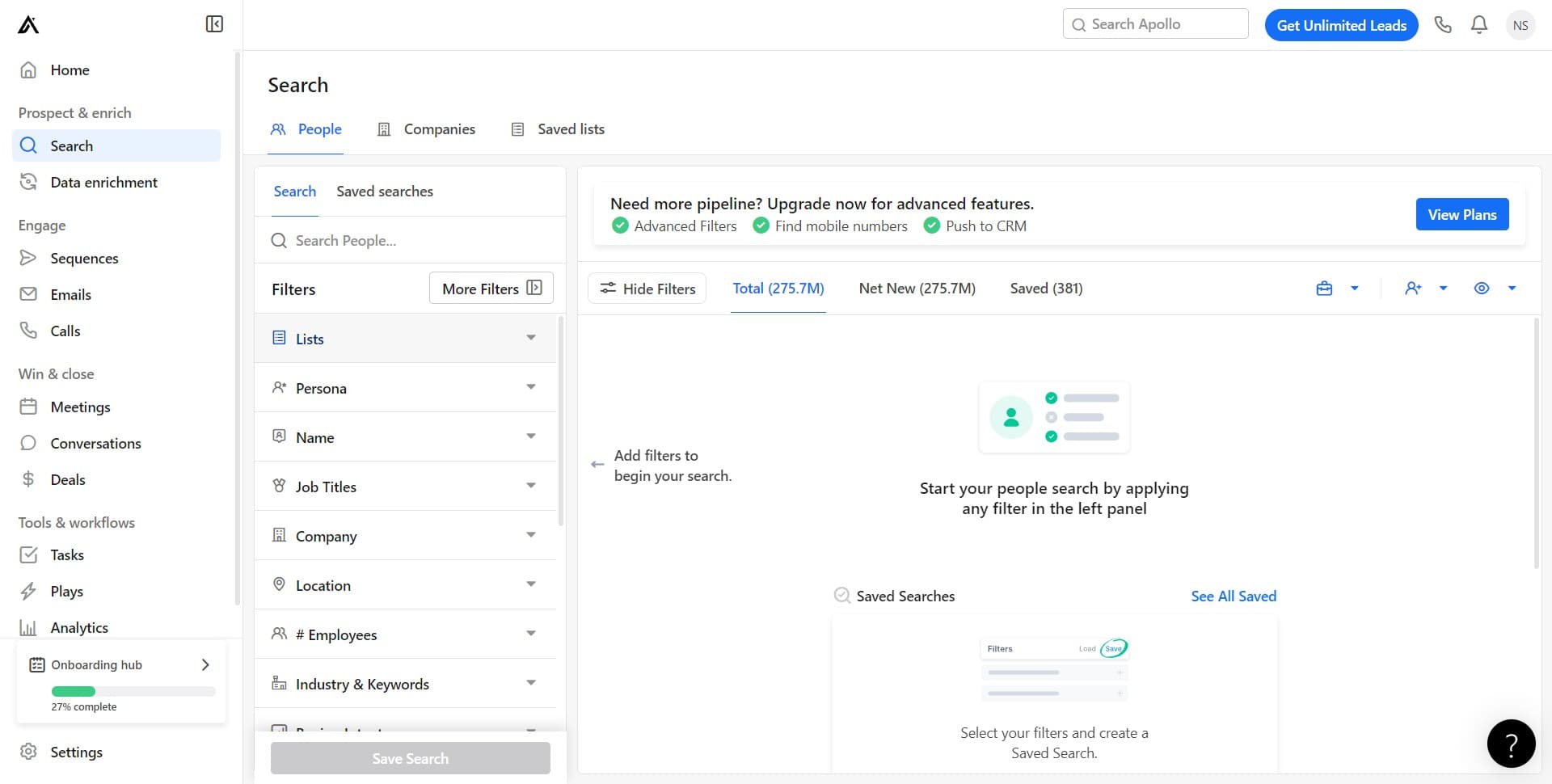
Select your search parameters
Configure your initial search settings to define the scope of your lead hunt. This step establishes the foundation for the filters you'll apply next.
- 3
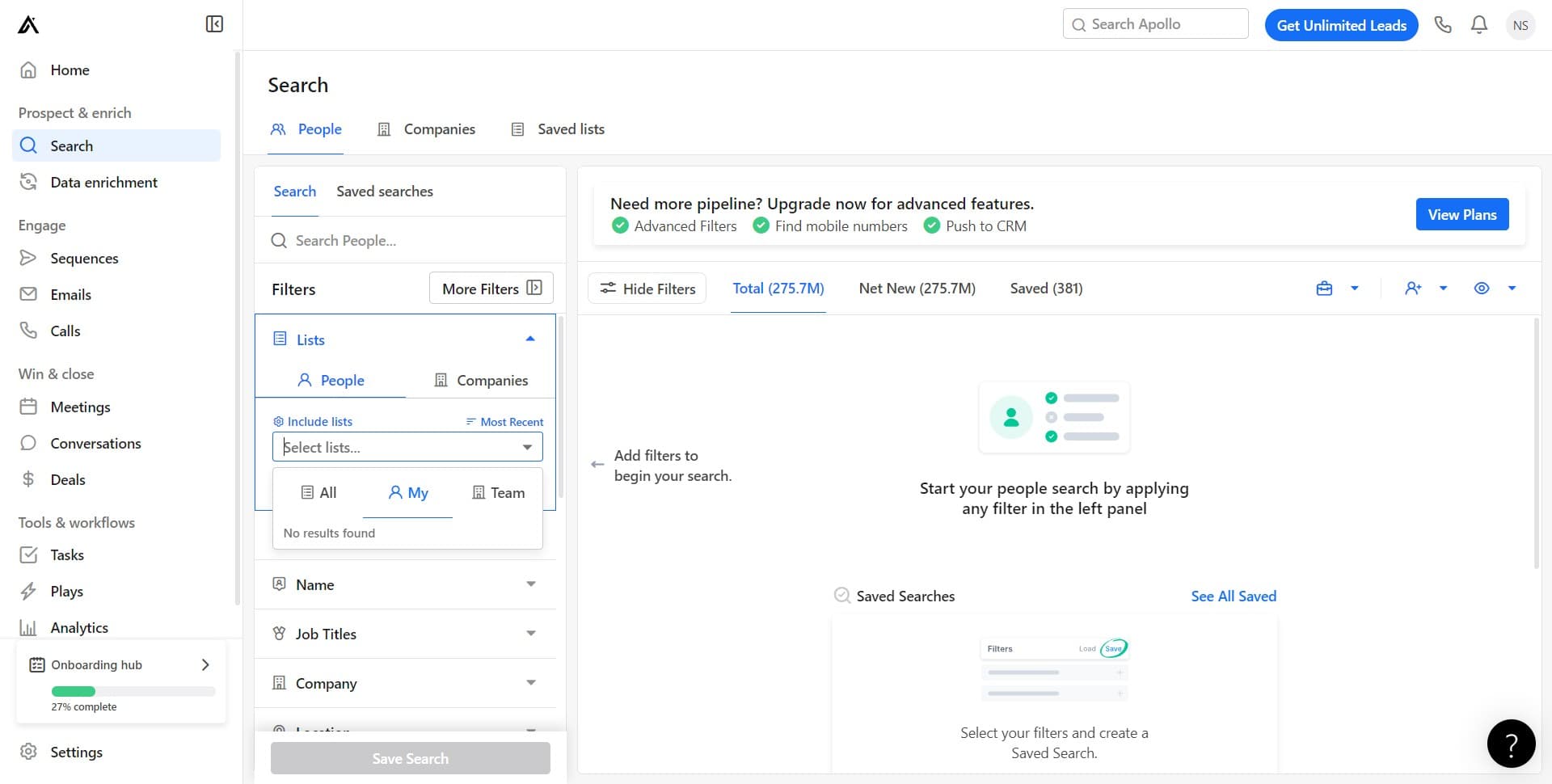
Select lists to search
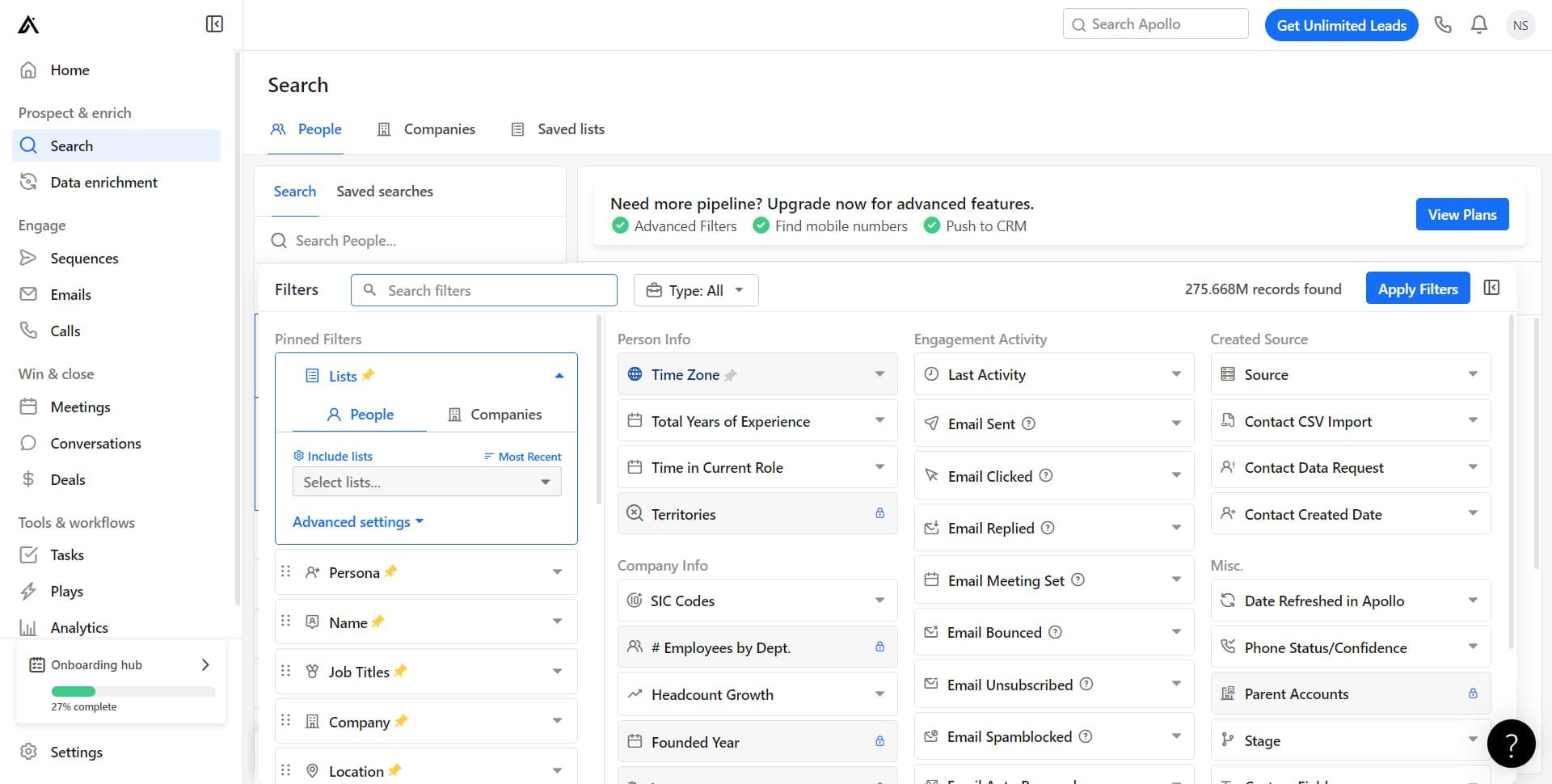
Click on 'Select lists...' to choose which saved lists or account groups you want to search within. This helps you focus your search on relevant segments of your database.
- 4
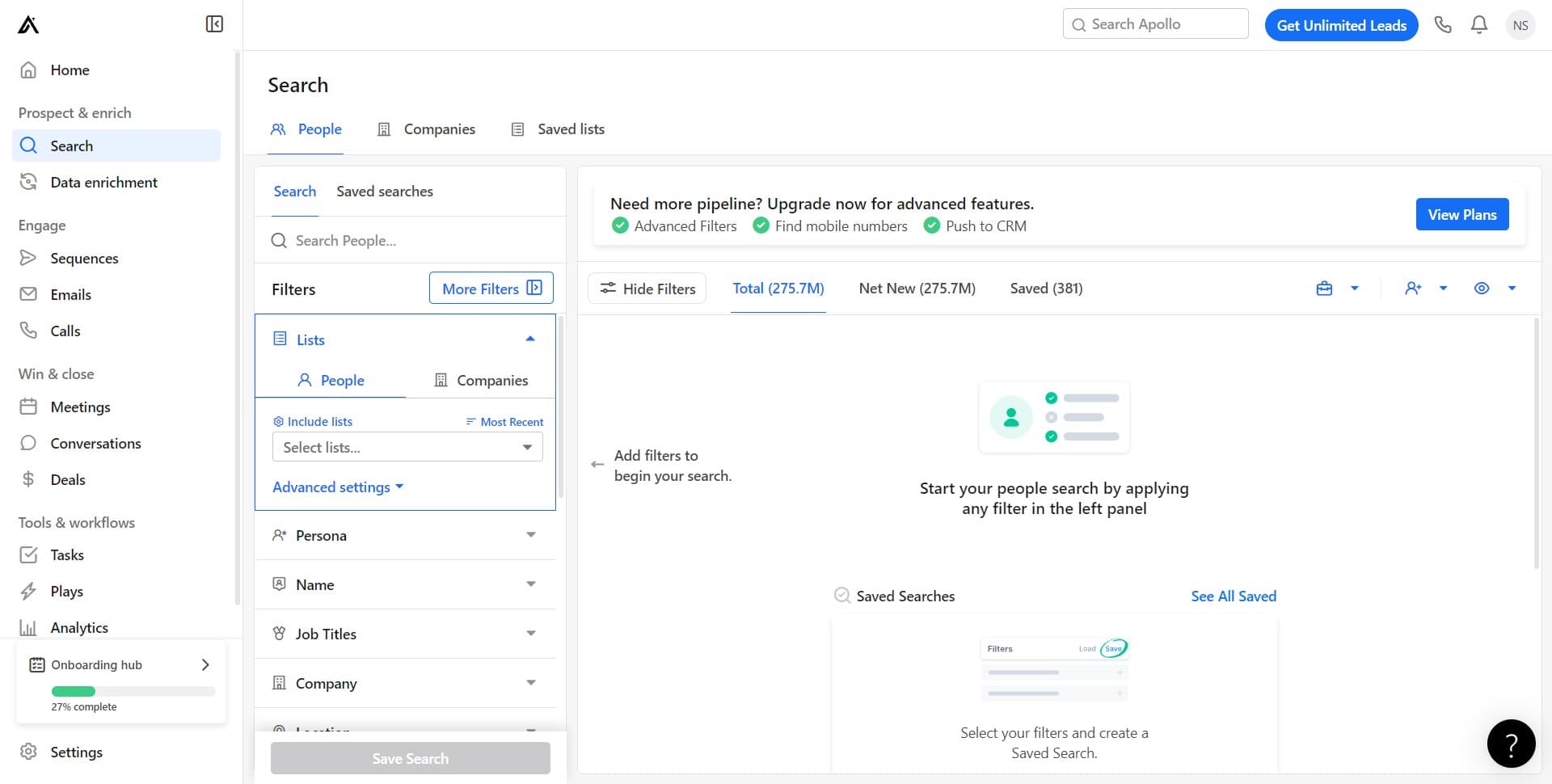
Access advanced filtering options
Click on 'More Filters' to expand the full range of filtering criteria available. This unlocks additional options beyond basic search parameters, including demographic and behavioral attributes.
- 5
Filter by time zone
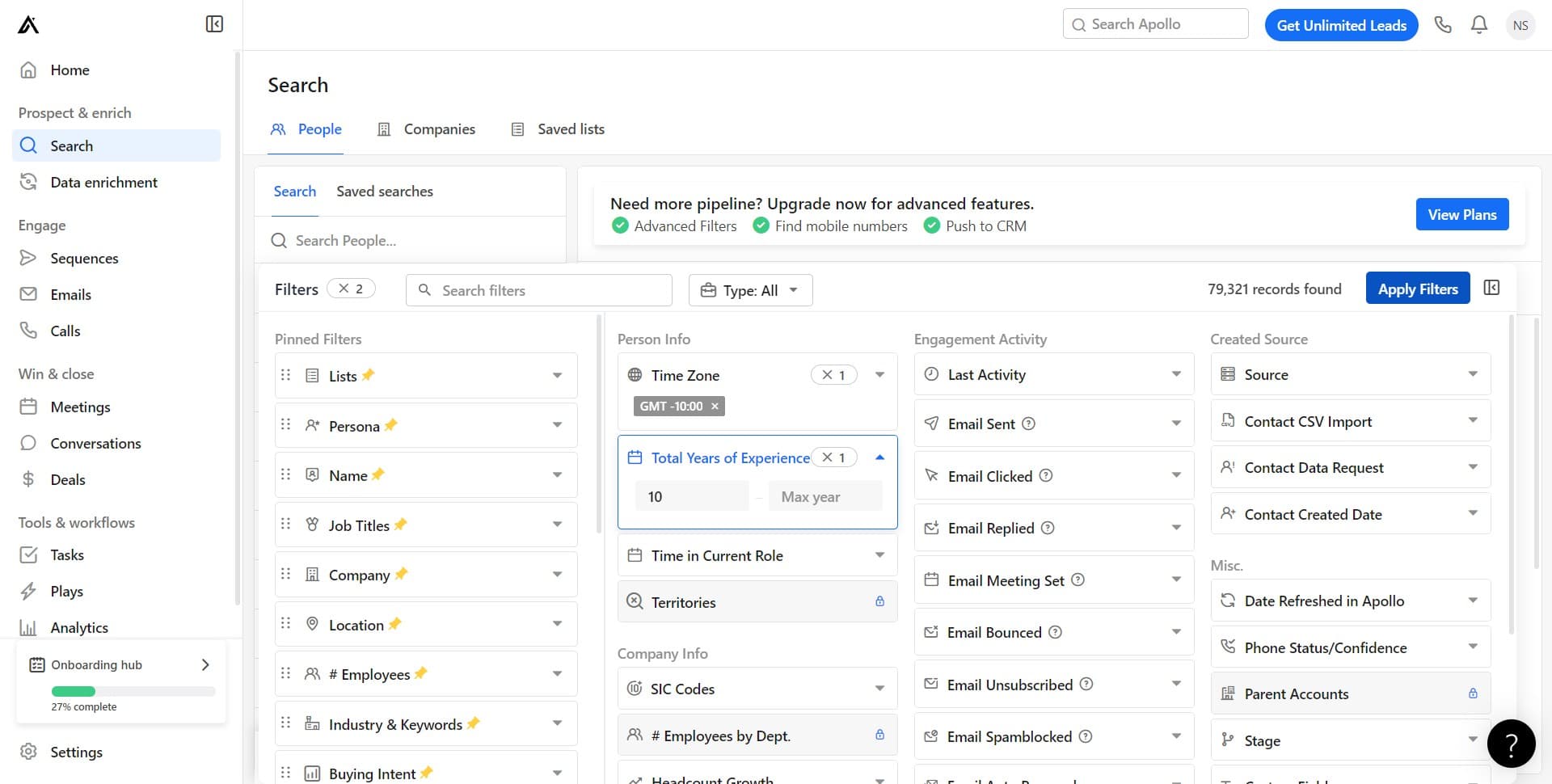
Click on 'Time Zone' to add geographic targeting to your search. Filtering by time zone ensures you're focusing on prospects in regions that align with your sales team's working hours and market strategy.
- 6
Apply your filters
Click on 'Apply Filters' to execute your search with all the criteria you've configured. Apollo will now generate a refined list of leads matching your specifications.
- 7
Filter by email status
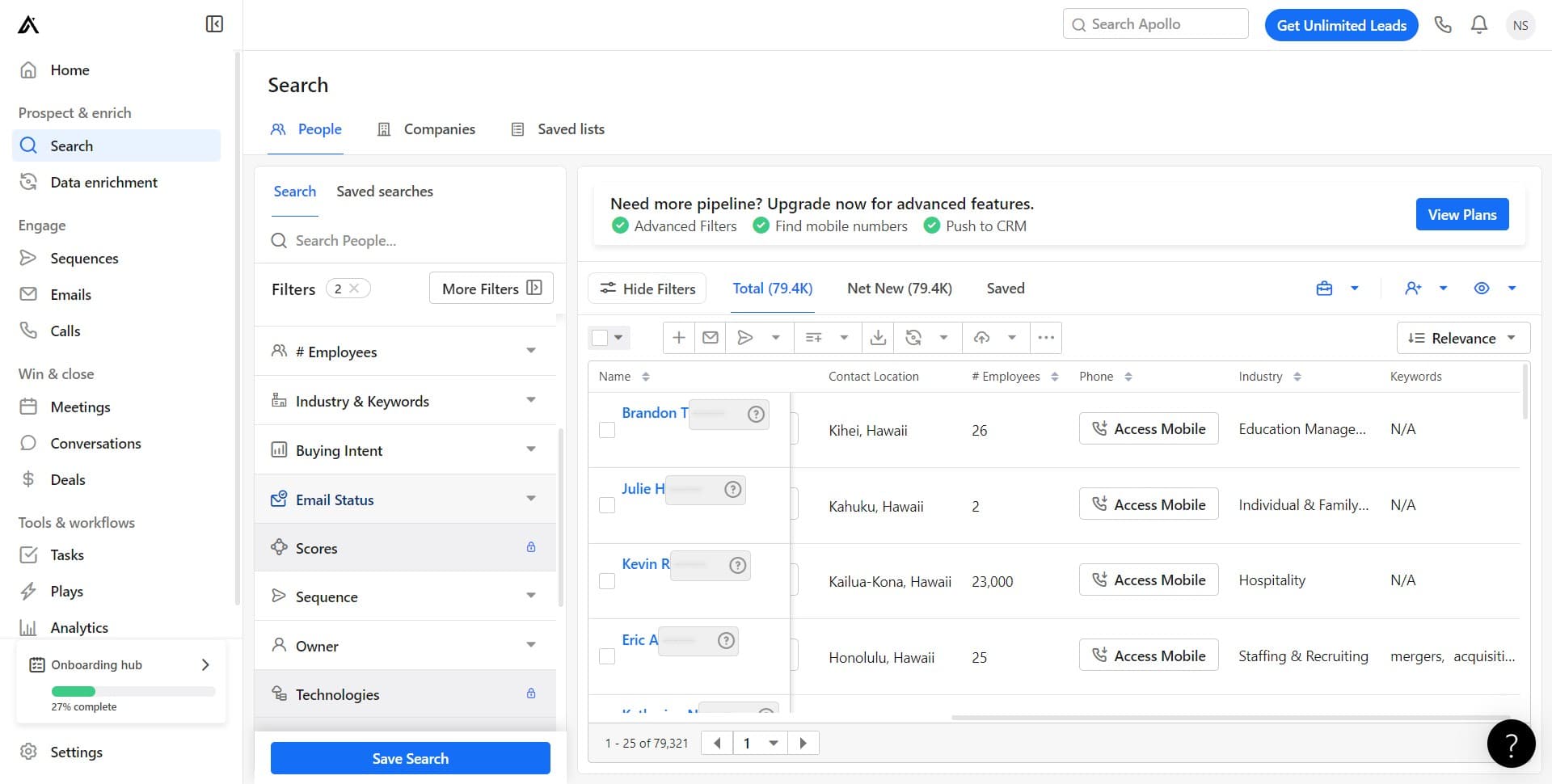
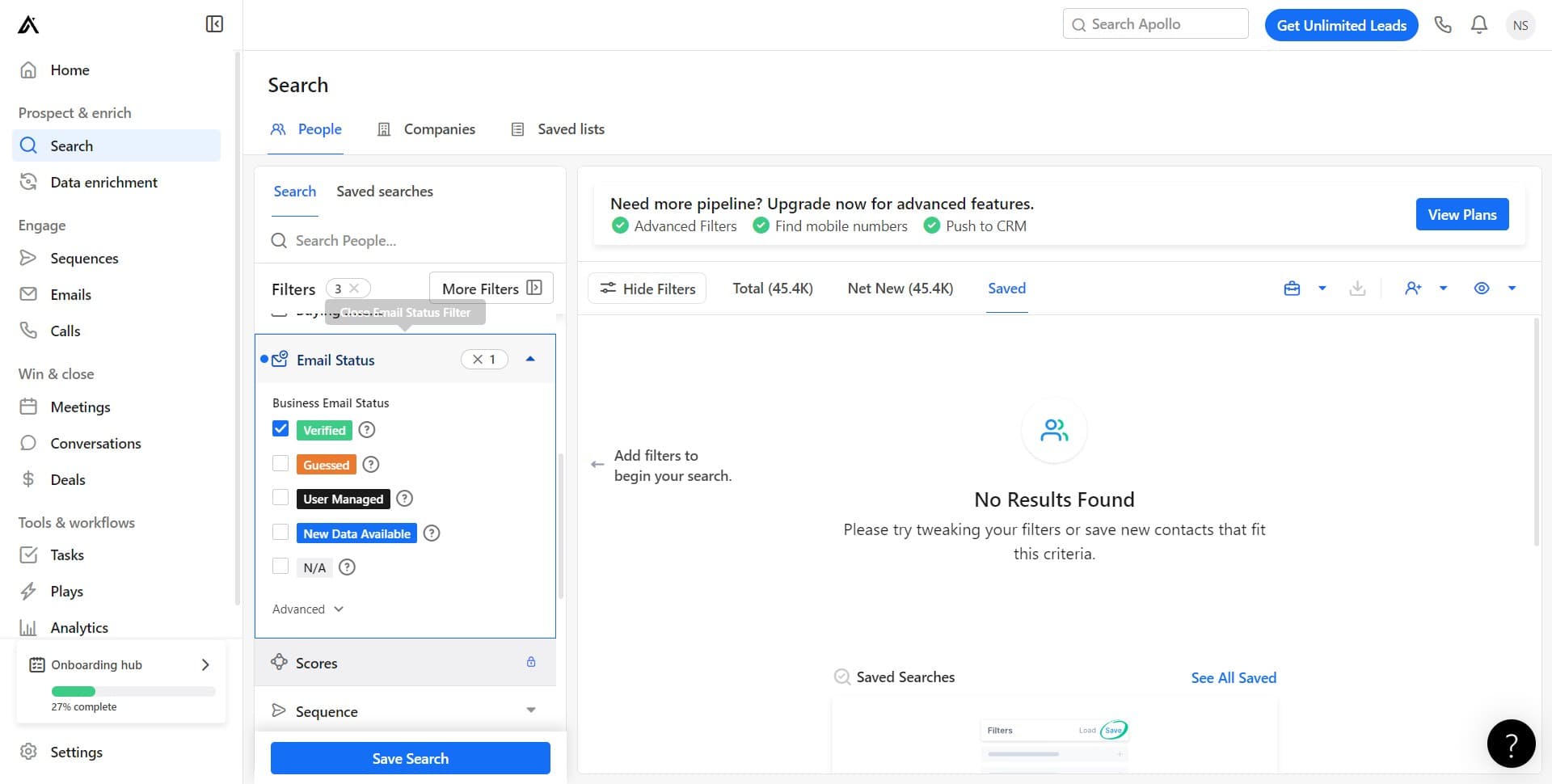
Click on 'Email Status' to add contact quality criteria to your search. This allows you to target leads based on whether their email addresses are verified, bounced, or active.
- 8
Confirm email status selection
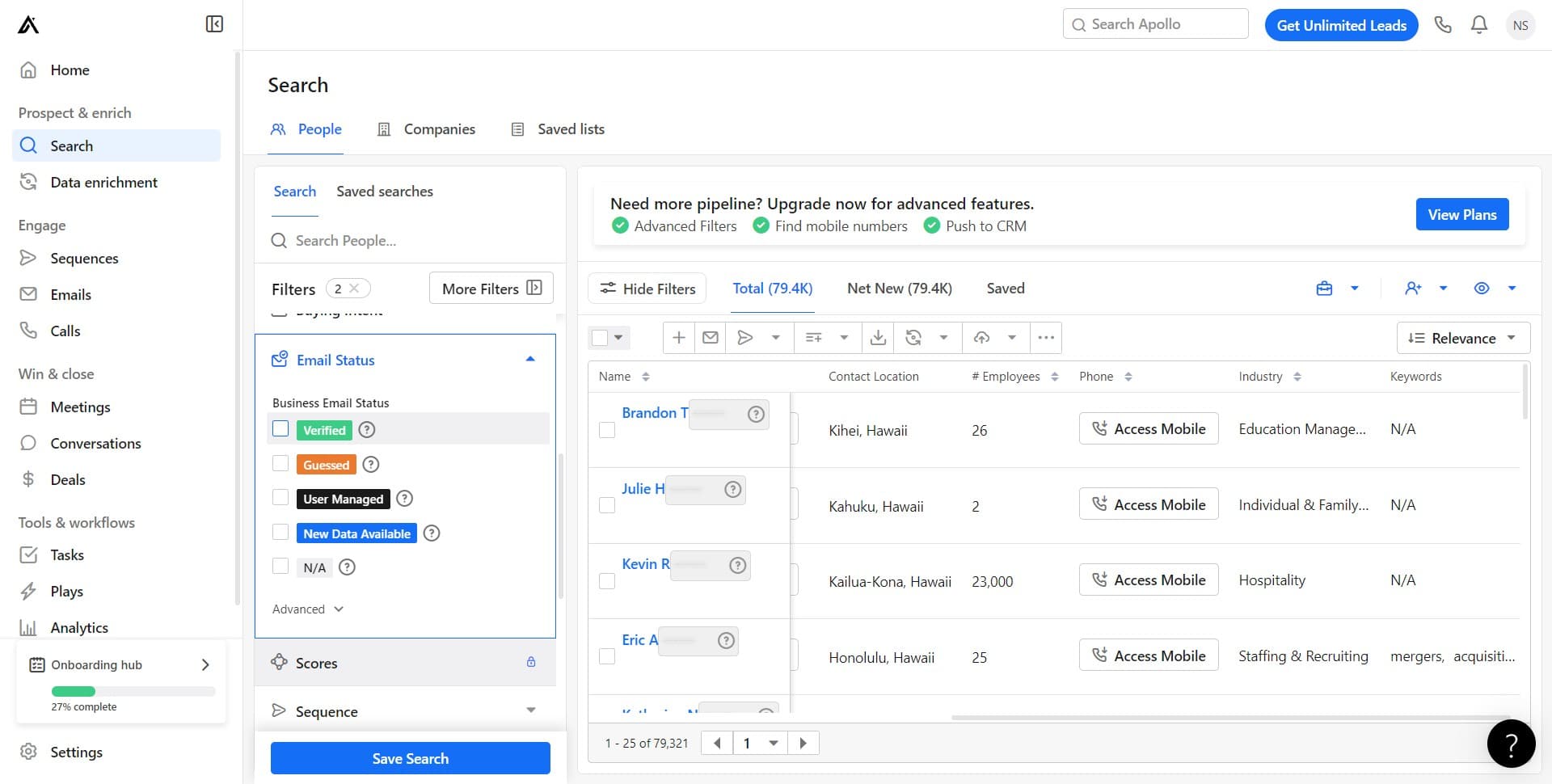
Select your preferred email status criteria from the available options. This ensures you're contacting prospects with valid, deliverable email addresses.
- 9
Finalize your search results
Complete your filter configuration to view the final list of leads matching all your criteria. You're now ready to review, segment, or export your qualified prospects for outreach.
Frequently asked questions
Common questions about how to search for leads in apollo.io.
Can I save my search filters for future use?
Yes, Apollo.io allows you to save your filter combinations as reusable searches. After configuring your filters, look for a 'Save Search' or similar option to store this configuration for quick access on future prospecting campaigns.
What email statuses should I prioritize when searching?
Prioritize leads with verified or active email statuses to maximize deliverability and response rates. Avoid prospects with bounced or invalid email addresses, as these will result in wasted outreach efforts and damage your sender reputation.
How do I export my search results?
Once you've refined your lead list, Apollo typically provides export options in CSV or other formats. Look for an 'Export' button near your search results to download the list for use in your CRM, email platform, or other tools.
Can I combine multiple filters in a single search?
Absolutely. Apollo allows you to stack multiple filters together to create highly specific searches. You can combine time zone, email status, lists, and many other criteria simultaneously to identify your most ideal prospects.
How often should I refresh my lead searches?
It's best practice to refresh your searches regularly, ideally weekly or monthly depending on your sales cycle. Regular searches capture new prospects entering Apollo's database and ensure your list remains current and relevant for outreach.