How to share a Notion page with others

Sharing Notion pages with others is essential for collaboration, whether you're working with a team, sharing documentation, or gathering feedback. This guide walks you through the sharing process so you can control who has access to your pages and what permissions they receive.
Quick summary
In this tutorial, you'll learn how to share a Notion page with colleagues, clients, or team members. You'll discover how to access the share settings, invite specific people, and manage their access levels to ensure your content is shared securely and effectively.
Why this matters
Sharing Notion pages enables seamless team collaboration and ensures everyone has access to the information they need. Proper sharing management protects your content while allowing the right people to view, comment, or edit your work based on their role.
Step-by-step guide
- 1
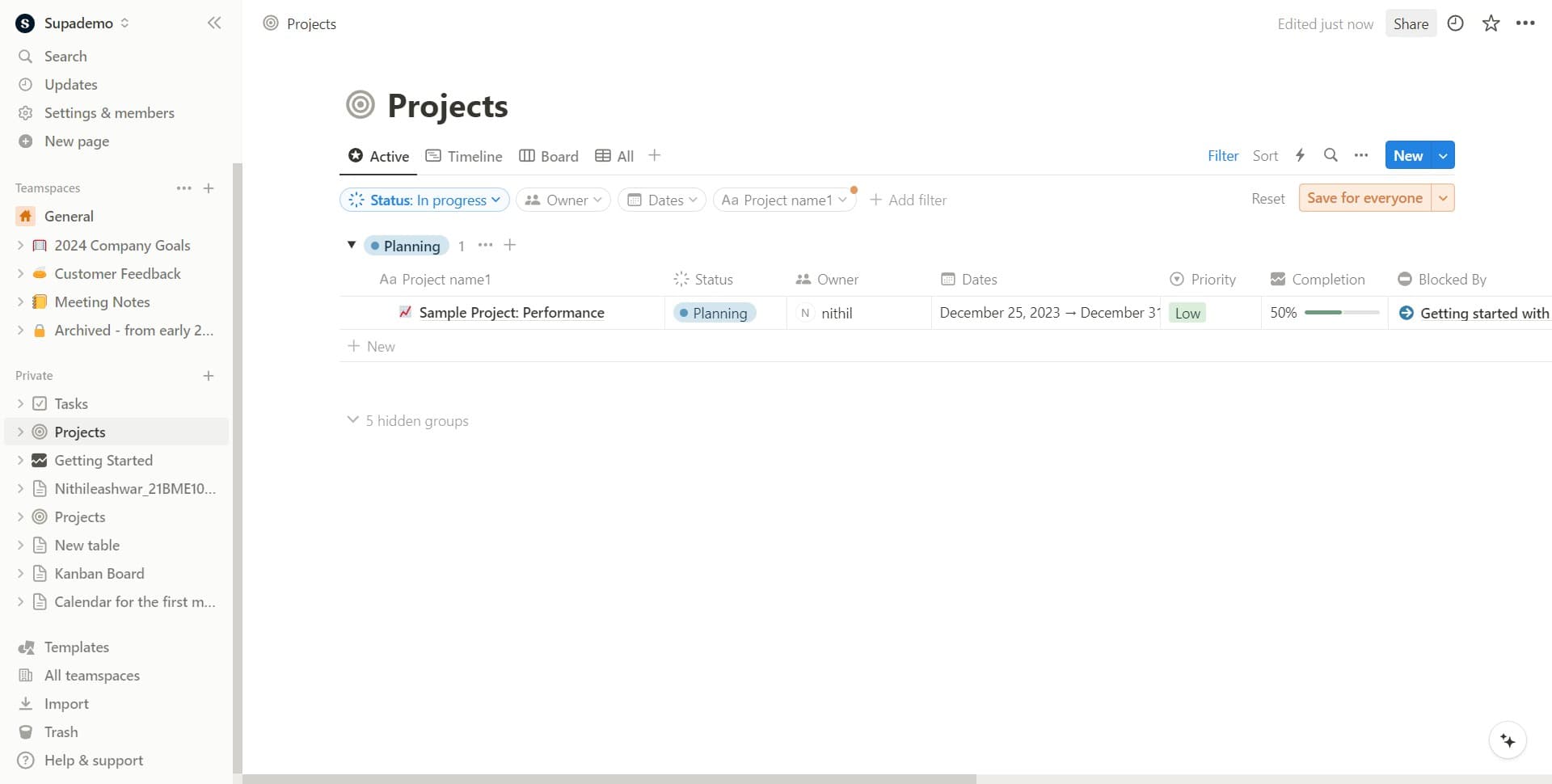
Click on Share
Locate and click the Share button, typically found in the top-right corner of your Notion page. This opens the sharing panel where you can manage access to your page.
- 2
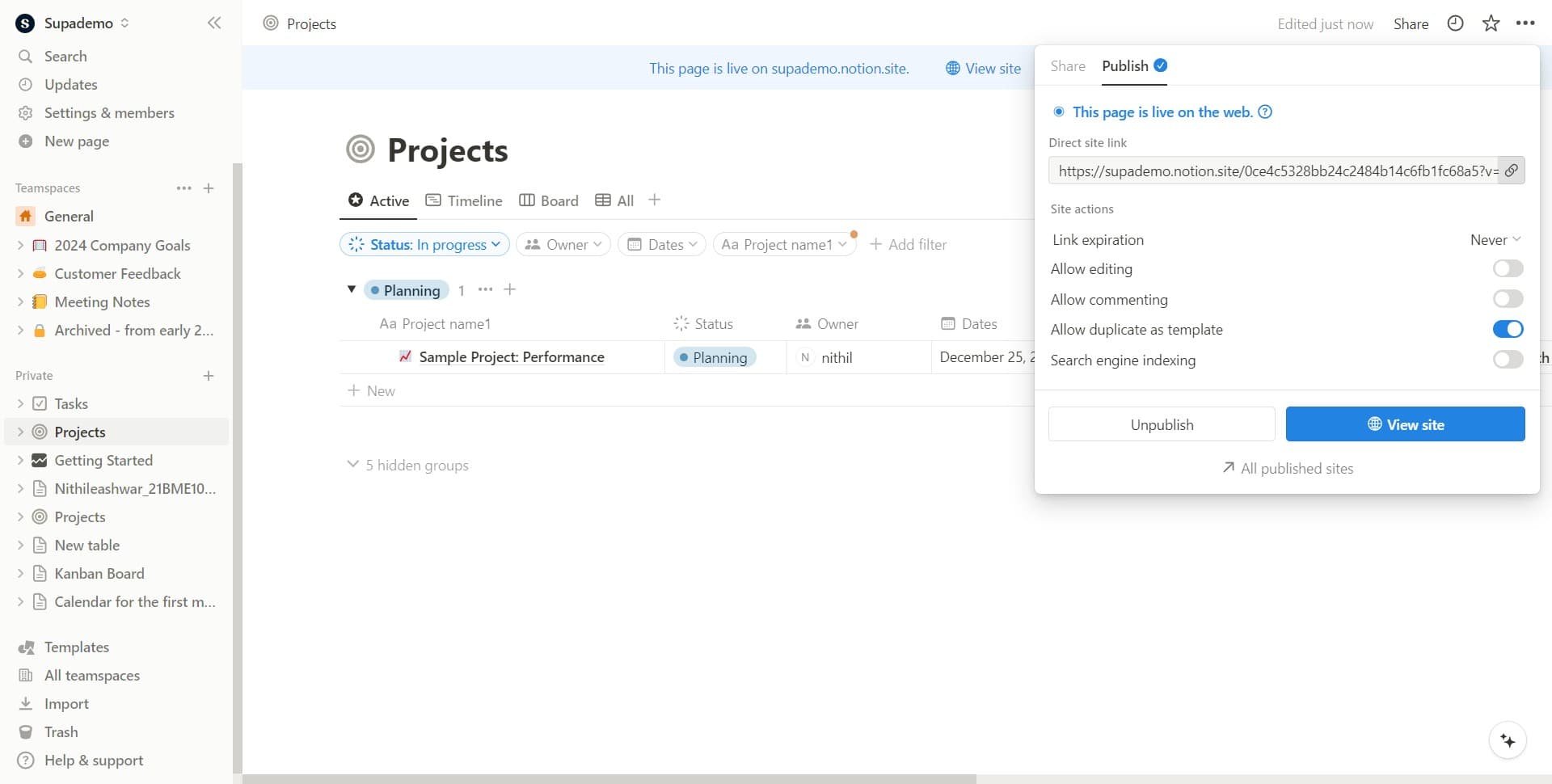
Select sharing options
In the sharing panel that appears, you'll see options to invite people by email or generate a shareable link. Choose the method that best fits your needs.
- 3
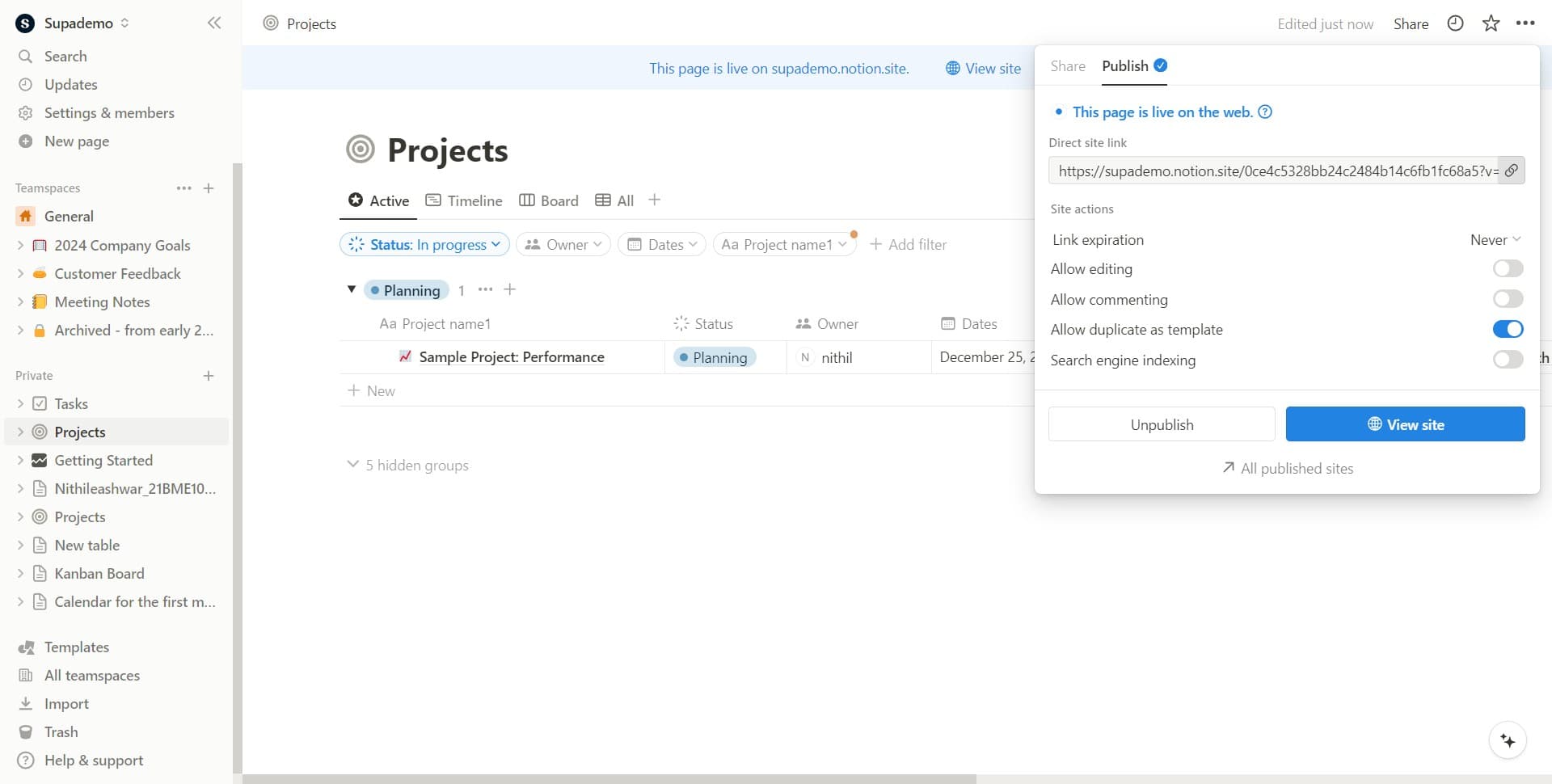
Configure access permissions
Set the appropriate permission level for your shared page, such as view-only, comment, or edit access. Confirm your settings to apply the sharing preferences.
Frequently asked questions
Common questions about how to share a notion page with others.
Can I share a Notion page with someone who doesn't have a Notion account?
Yes, you can generate a public shareable link that anyone can access without a Notion account. You can also invite specific people by email, and they'll receive an invitation to join.
What permission levels are available when sharing?
Notion typically offers view-only (read access), comment (can view and add comments), and edit (full editing access) permissions. You can adjust these based on how much control you want to give each person.
How do I stop sharing a page with someone?
Go back to the Share panel and find the person's name in the shared users list. Click the remove or delete option next to their name to revoke their access immediately.
Can I share a single page without sharing the entire workspace?
Yes, sharing a specific page doesn't automatically grant access to your entire workspace. Only the page you explicitly share will be accessible to the people you invite.
What happens if I change a page's permissions after sharing?
Any permission changes you make apply immediately to all people who have access to that page. For example, if you change someone from edit to view-only, they'll lose editing privileges right away.