How to create a new segment on Customer.io

Customer.io segments allow you to organize and target specific groups of customers based on their behavior and data attributes. Creating a data-driven segment enables you to build highly personalized communication campaigns tailored to customer actions and characteristics.
Quick summary
In this tutorial, you'll learn how to create a new data-driven segment in Customer.io from start to finish. By following these steps, you'll be able to define segment criteria and save your configuration for use in targeted campaigns.
Why this matters
Segmentation is critical for effective customer communication because it allows you to deliver relevant messages to the right audience at the right time. Data-driven segments automatically update based on customer behavior, ensuring your campaigns always reach the most qualified prospects.
Step-by-step guide
- 1
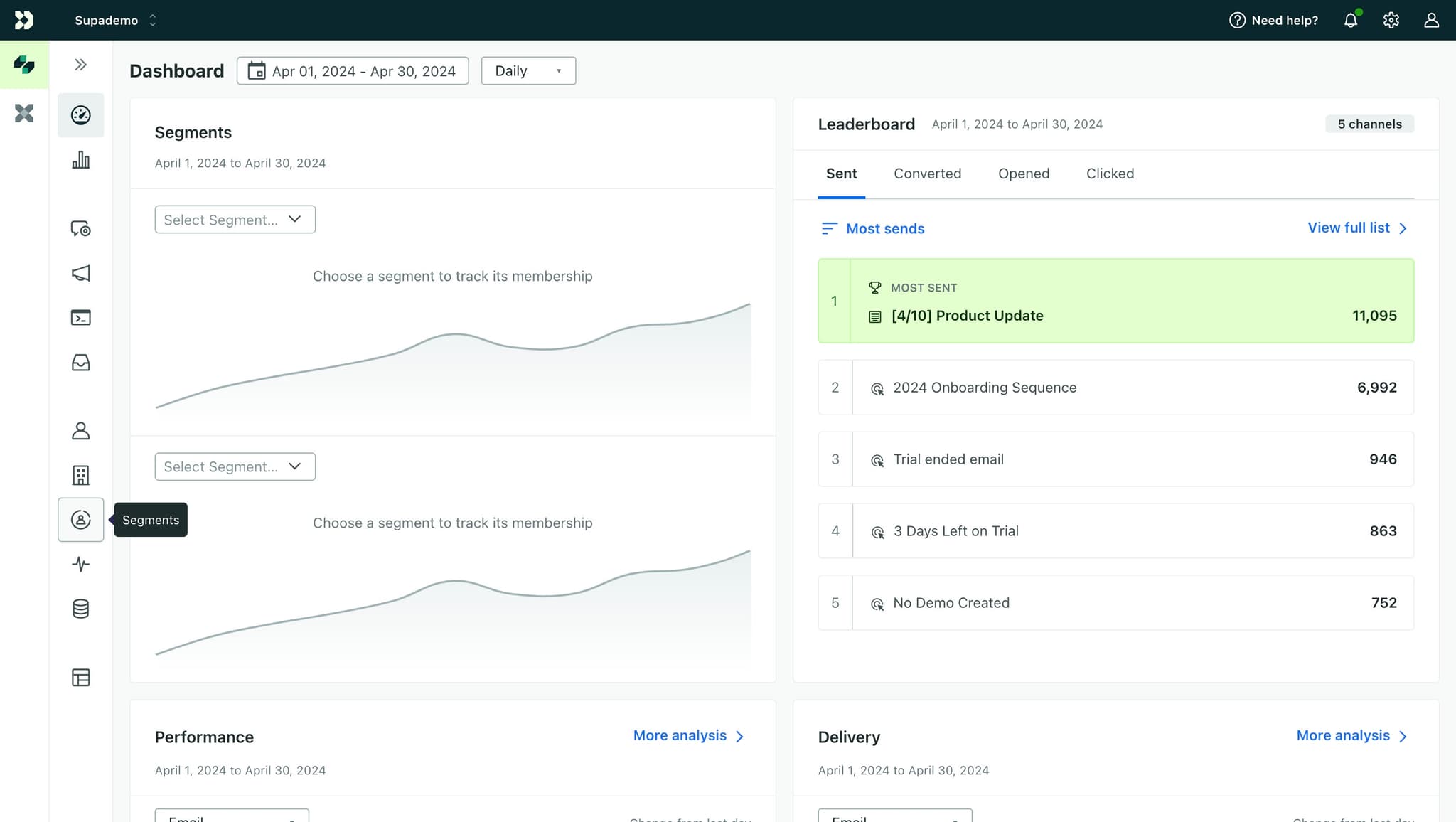
Navigate to the segments section
Click here to access the segments management area in Customer.io. This is your starting point for creating and managing all customer segments.
- 2
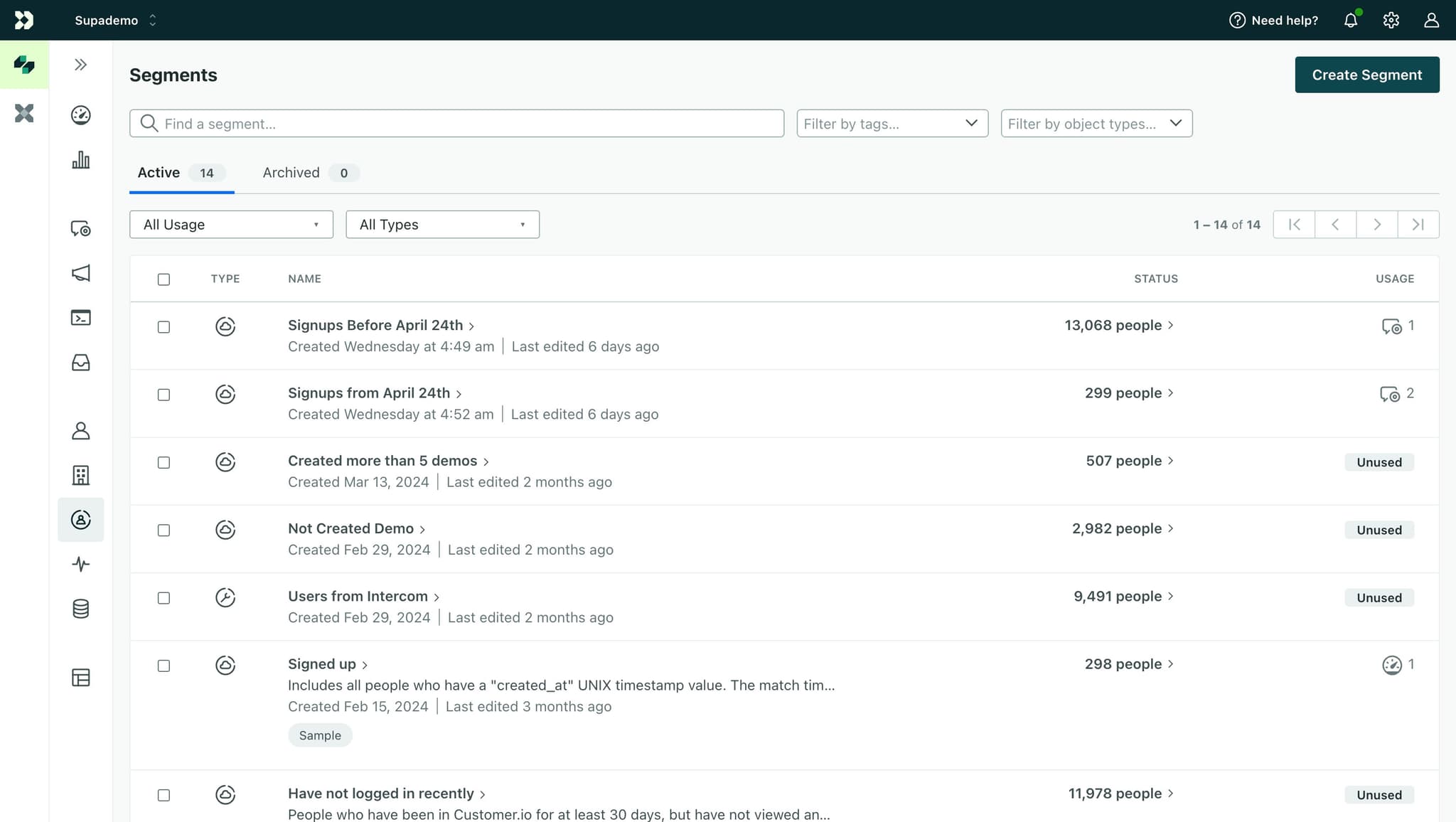
Click on Create Segment
Select the 'Create Segment' button to begin the segment creation process. This will open a dialog or form where you can define your new segment.
- 3
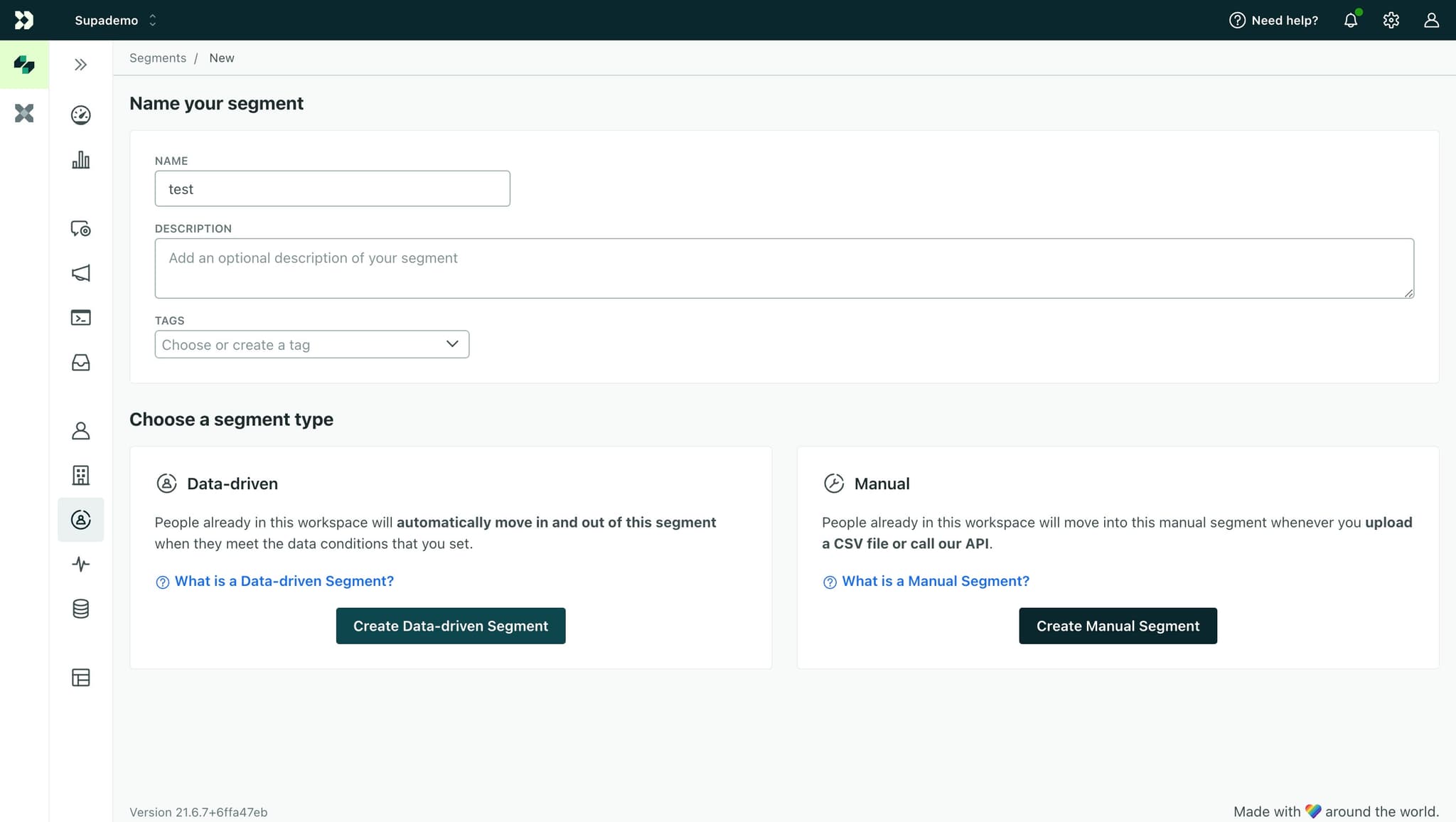
Click on Create Data-driven Segment
Choose 'Create Data-driven Segment' to build a segment based on customer data and behavior rules. This option allows you to set dynamic criteria that automatically add or remove customers based on their actions.
- 4
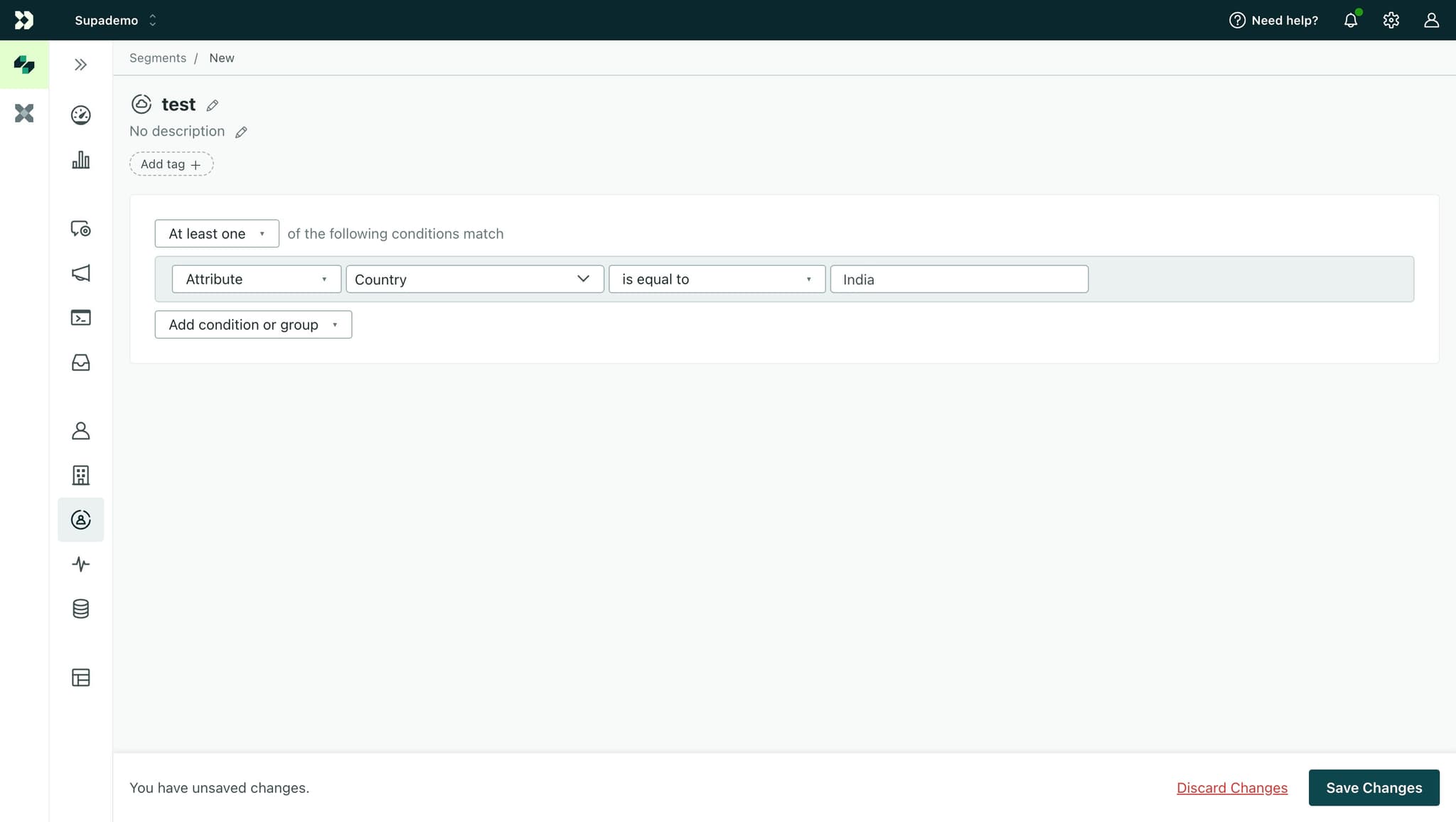
Save your segment configuration
Click 'Save Changes' to finalize your new segment. Your segment is now active and ready to use in customer campaigns and workflows.
Frequently asked questions
Common questions about how to create a new segment on customer.io.
A data-driven segment automatically updates based on real-time customer behavior and data attributes, while a static segment is created once and requires manual updates. Data-driven segments are ideal for dynamic campaigns because they continuously evolve as customers take new actions or meet different criteria.
Yes, you can edit existing segments at any time by returning to the segments section and selecting the segment you want to modify. Changes take effect immediately and apply to all future communications using that segment.
Customers matching your segment criteria typically appear within minutes of creation. However, the exact timing depends on your segment's complexity and the volume of customer data being evaluated.
Yes, data-driven segments support multiple criteria and conditions. You can combine behavioral triggers, attributes, and custom events to create highly specific audience groups that match your campaign needs.
If you delete a segment being used in an active campaign, the campaign will no longer send to that audience segment. It's recommended to deactivate segments instead of deleting them if you might need them again.