How to integrate tools in Totango

Integrating tools in Totango enables you to connect your existing applications and streamline data flow across your customer success platform. This guide walks you through accessing Totango's integration capabilities and exploring available connectors to enhance your workflow.
Quick summary
In this tutorial, you'll learn how to navigate to Totango's integration settings and access the Customer Data Hub where available connectors are managed. By following these steps, you'll be able to explore and configure tool integrations to support your customer success operations.
Why this matters
Tool integration in Totango is critical for maintaining a unified view of customer data and automating processes across your tech stack. By connecting support, ticketing, and other systems, you eliminate manual data entry and ensure your customer success team has real-time information at their fingertips.
Step-by-step guide
- 1
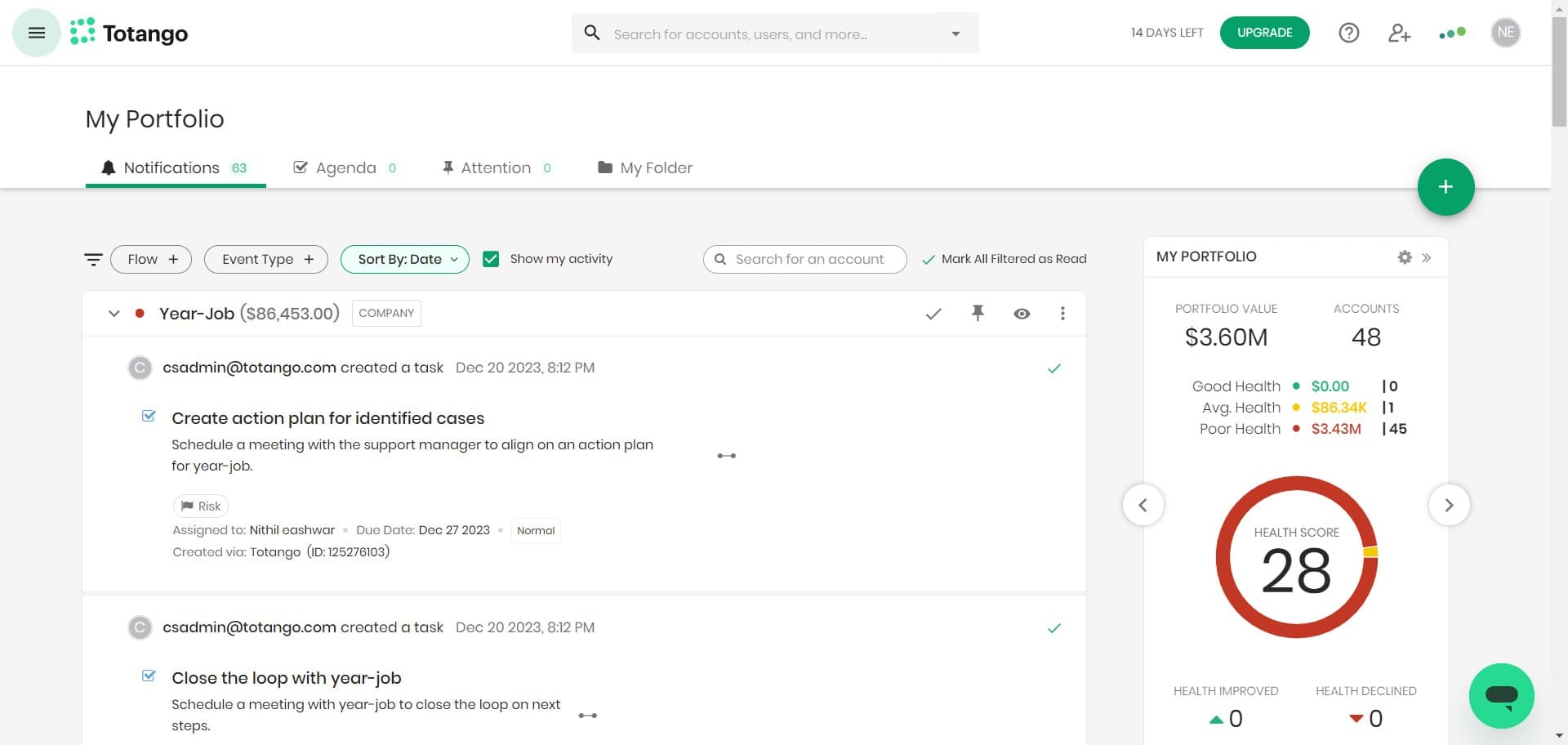
Start from the main interface
Begin by locating and clicking the designated entry point on your Totango dashboard. This initiates the navigation sequence to access your integration settings.
- 2
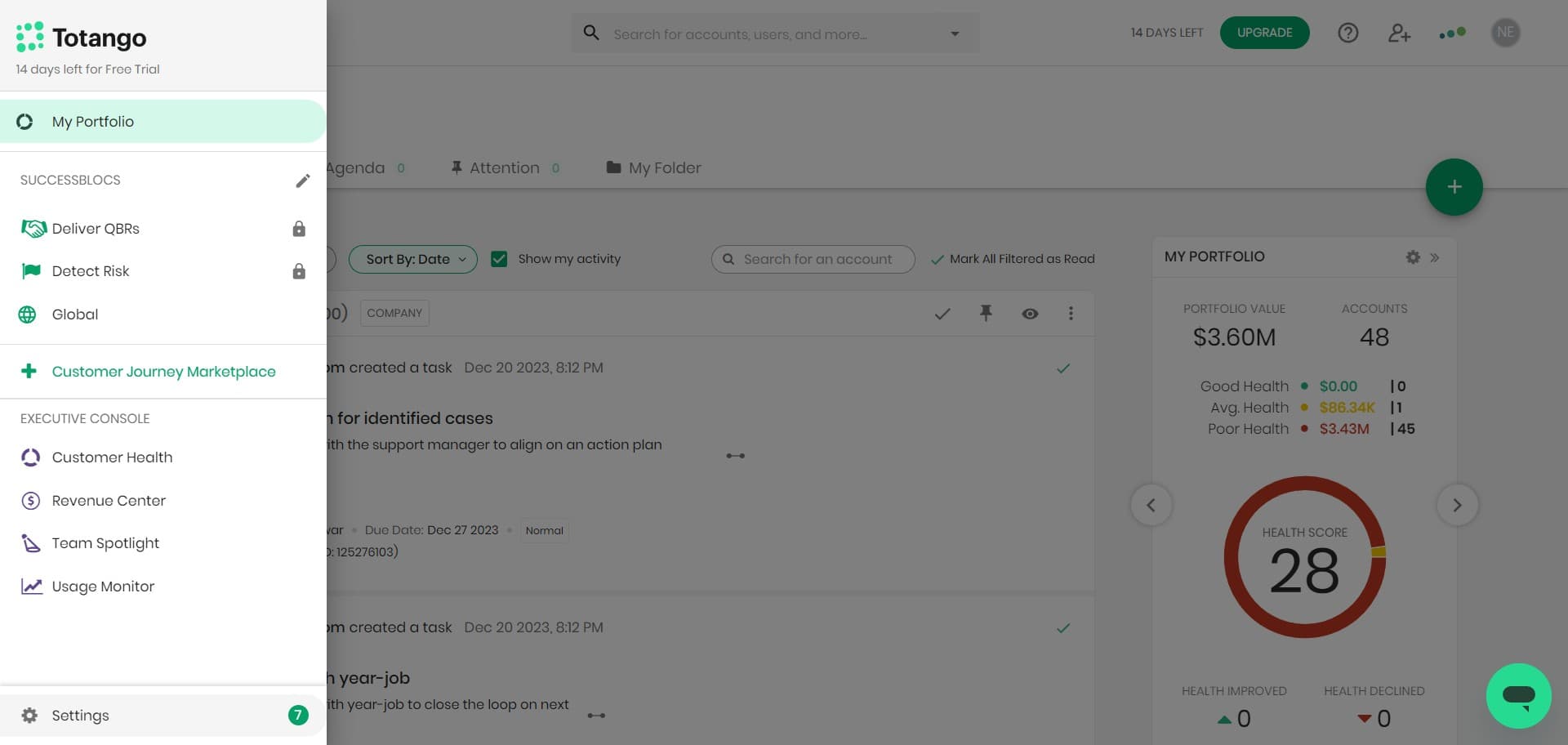
Open the Settings menu
Click on 'Settings' to access Totango's configuration options. This menu provides access to all platform customization and integration features.
- 3
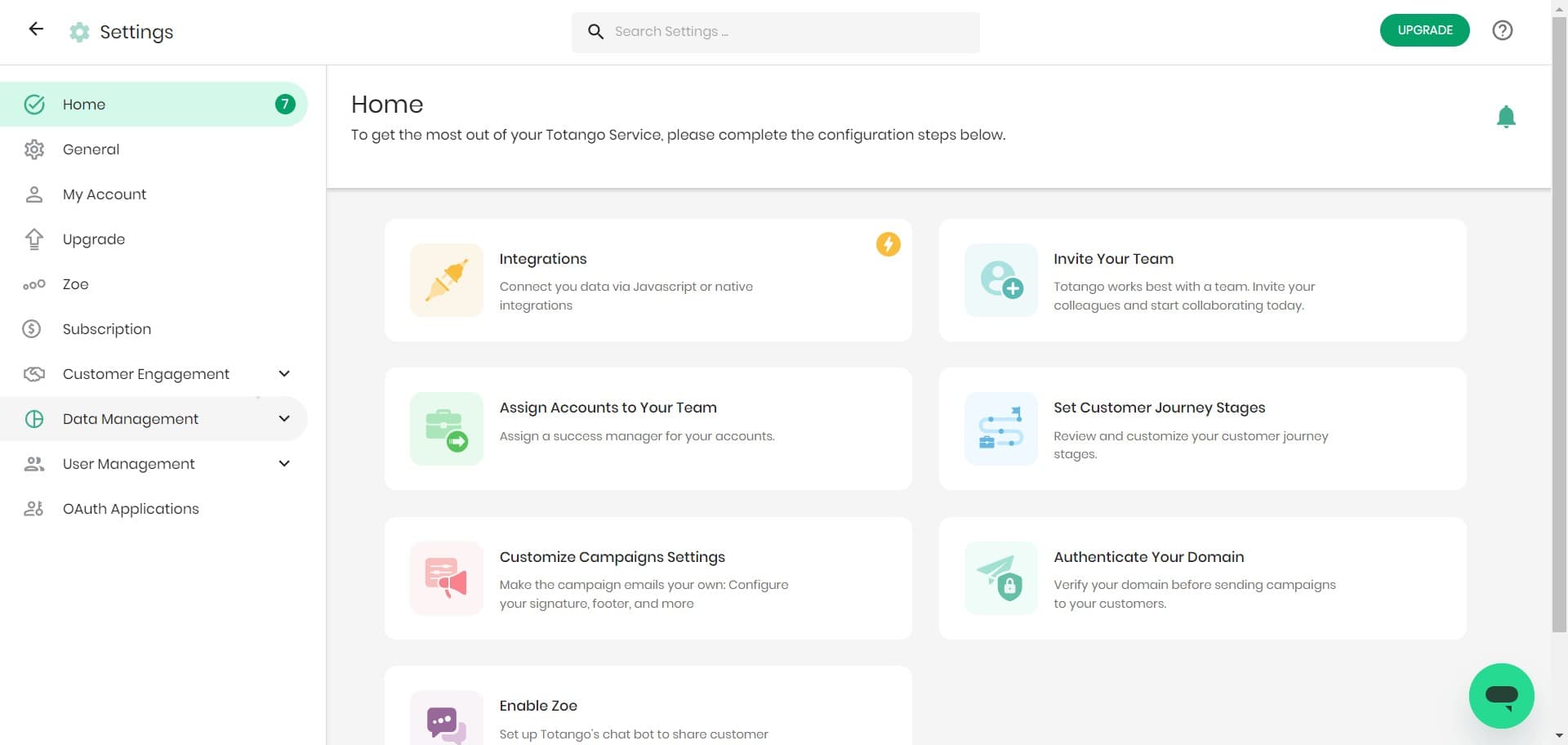
Navigate to Data Management
Click on 'Data Management' within the Settings menu. This section contains all tools related to managing your customer data and integrations.
- 4
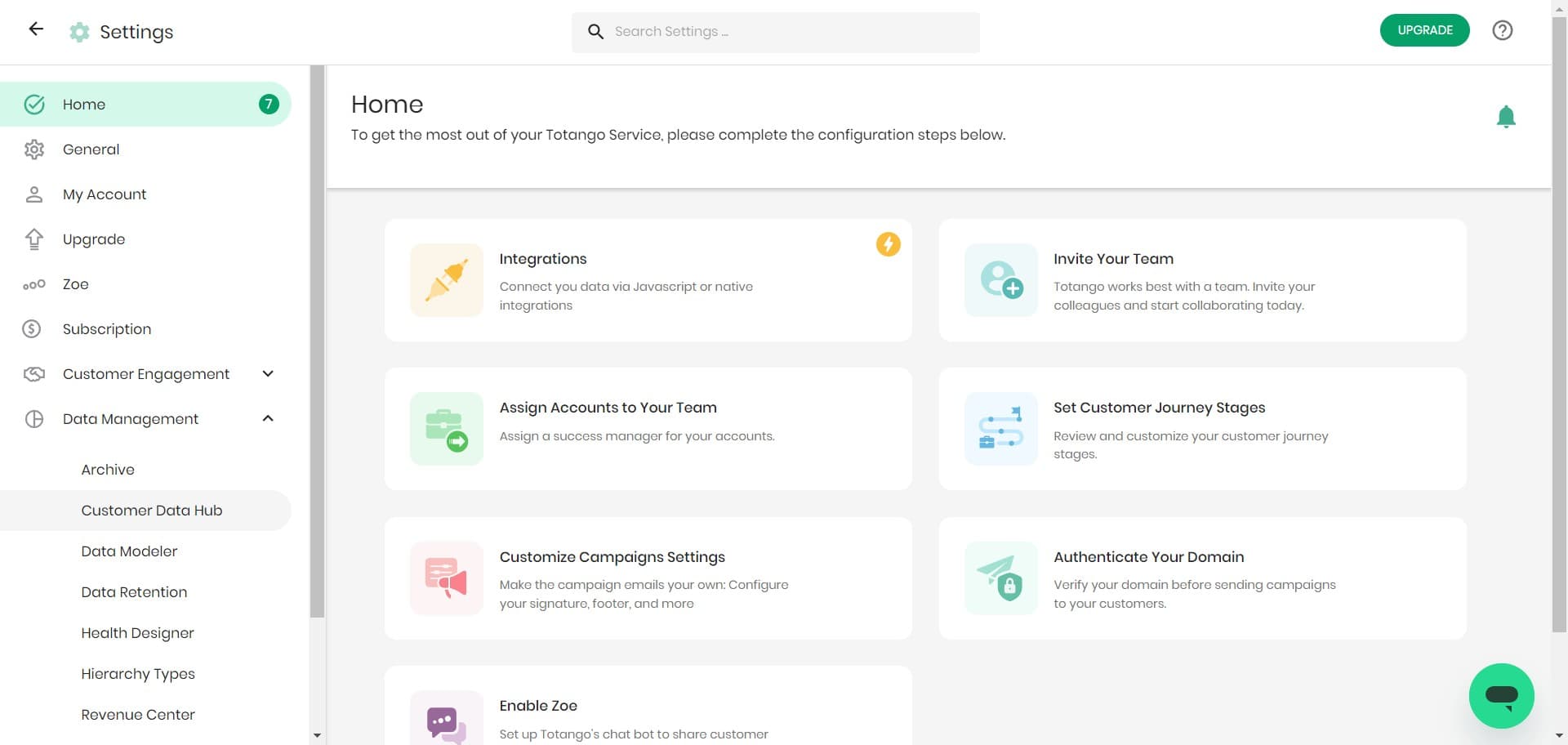
Access Customer Data Hub
Click on 'Customer Data Hub' to view Totango's centralized integration management interface. This is where you can see all available and connected integrations for your account.
- 5
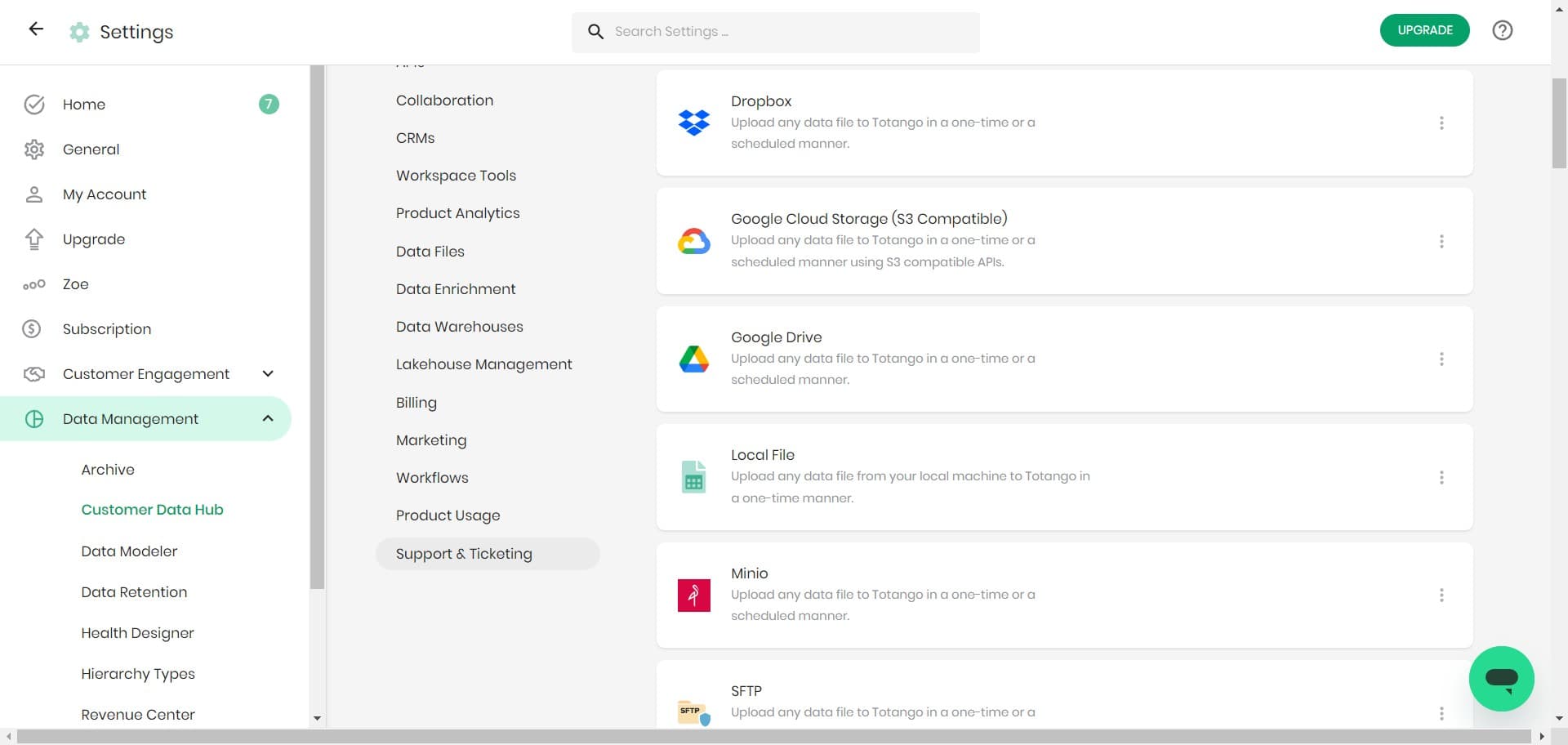
Select Support & Ticketing
Click on 'Support & Ticketing' to view integrations specific to support and ticketing tools. This category shows connectors relevant to your support operations.
- 6
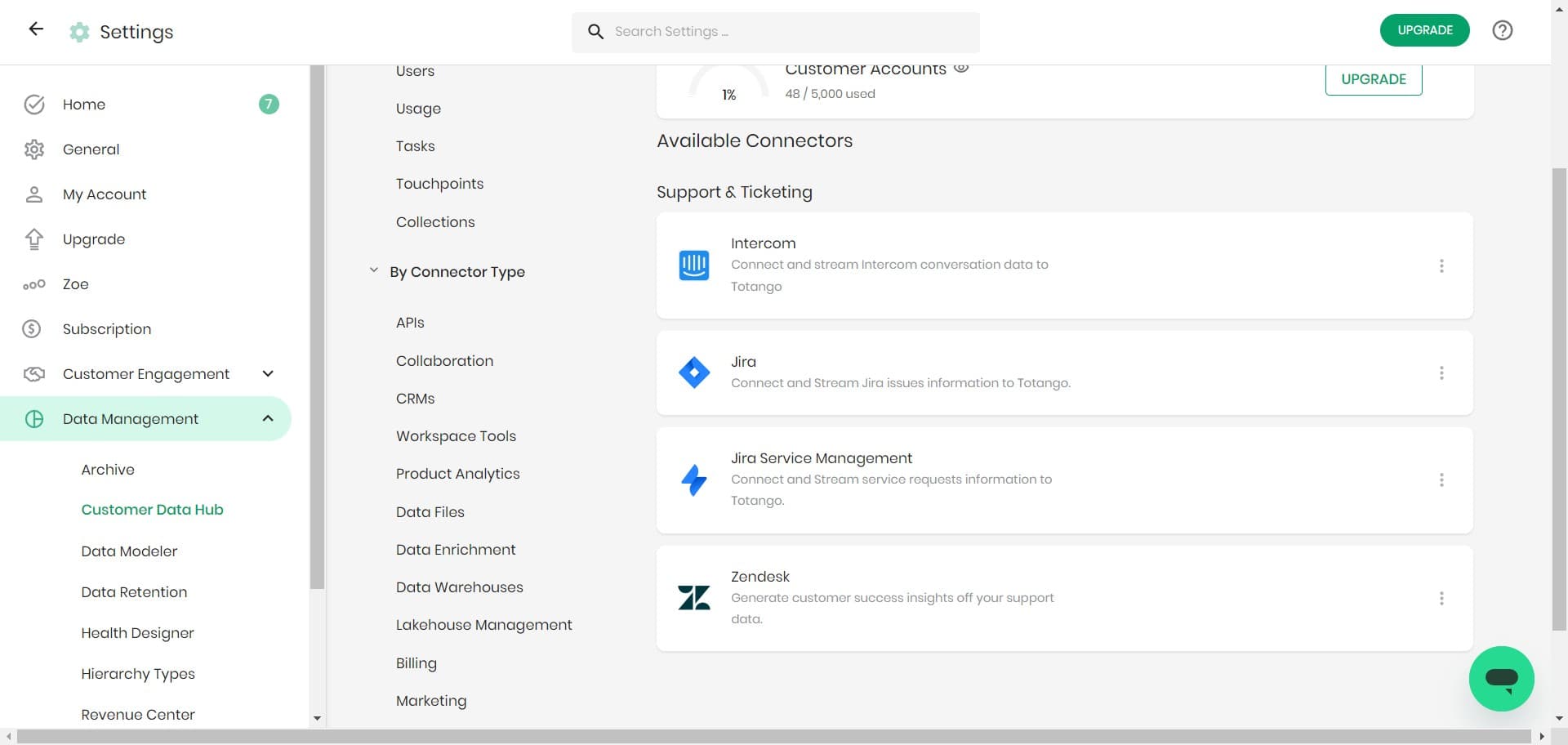
View available connectors
Click on 'Available Conne...' to see the full list of support and ticketing tools you can integrate with Totango. From here, you can select and configure specific connectors for your organization.
Frequently asked questions
Common questions about how to integrate tools in totango.
Totango supports integrations across multiple categories including Support & Ticketing, CRM, Marketing Automation, Analytics, and Communication tools. The Customer Data Hub displays all available connectors organized by category, making it easy to find relevant integrations for your tech stack.
All integration settings are centralized in the Customer Data Hub, which you access through Settings > Data Management > Customer Data Hub. This dashboard provides a complete view of available integrations and your active connections.
Yes, Totango allows you to integrate multiple tools within the same category, depending on your subscription plan and configuration. This enables you to unify data from different support systems into a single customer view.
Once you select a connector, you'll typically be prompted to authenticate with that tool and configure field mappings to determine how data flows between Totango and the integrated application. Setup steps vary by tool but are guided within the integration wizard.
After setting up an integration, you can verify it's working by checking data sync status in the Customer Data Hub and confirming that data from the integrated tool appears in your Totango records. Most integrations also provide sync logs and status indicators for troubleshooting.