How to embed Supademo on Gitbook

Justin James
Justin James·
Featured image for How to embed Supademo on Gitbook

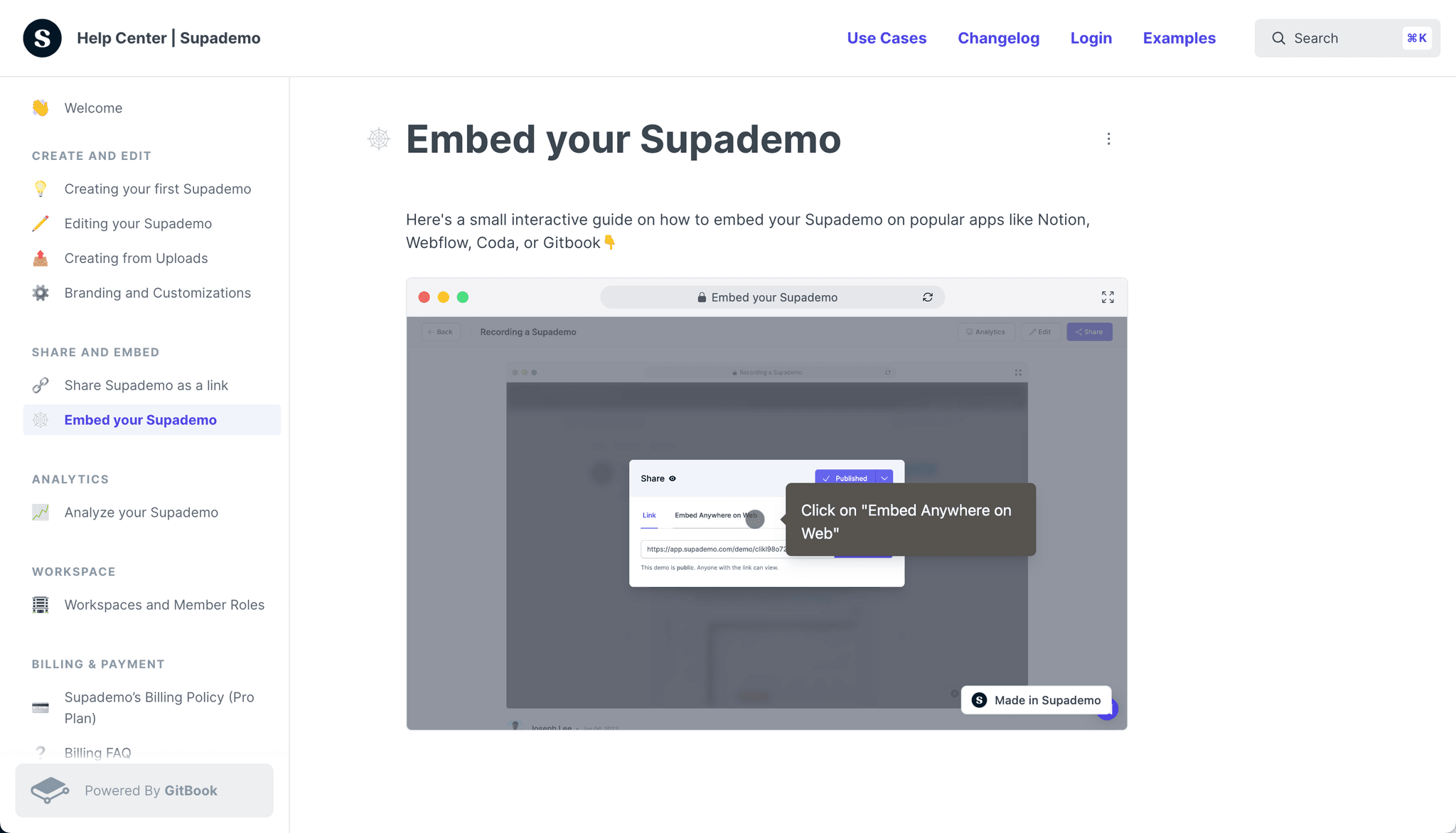
Interactive Supademo

Interactive demo powered by Supademo

Level up your GitBook documentation by effortlessly embedding Supademo, delivering interactive demos that engage readers and provide hands-on learning experiences.

Step-by-step Guide

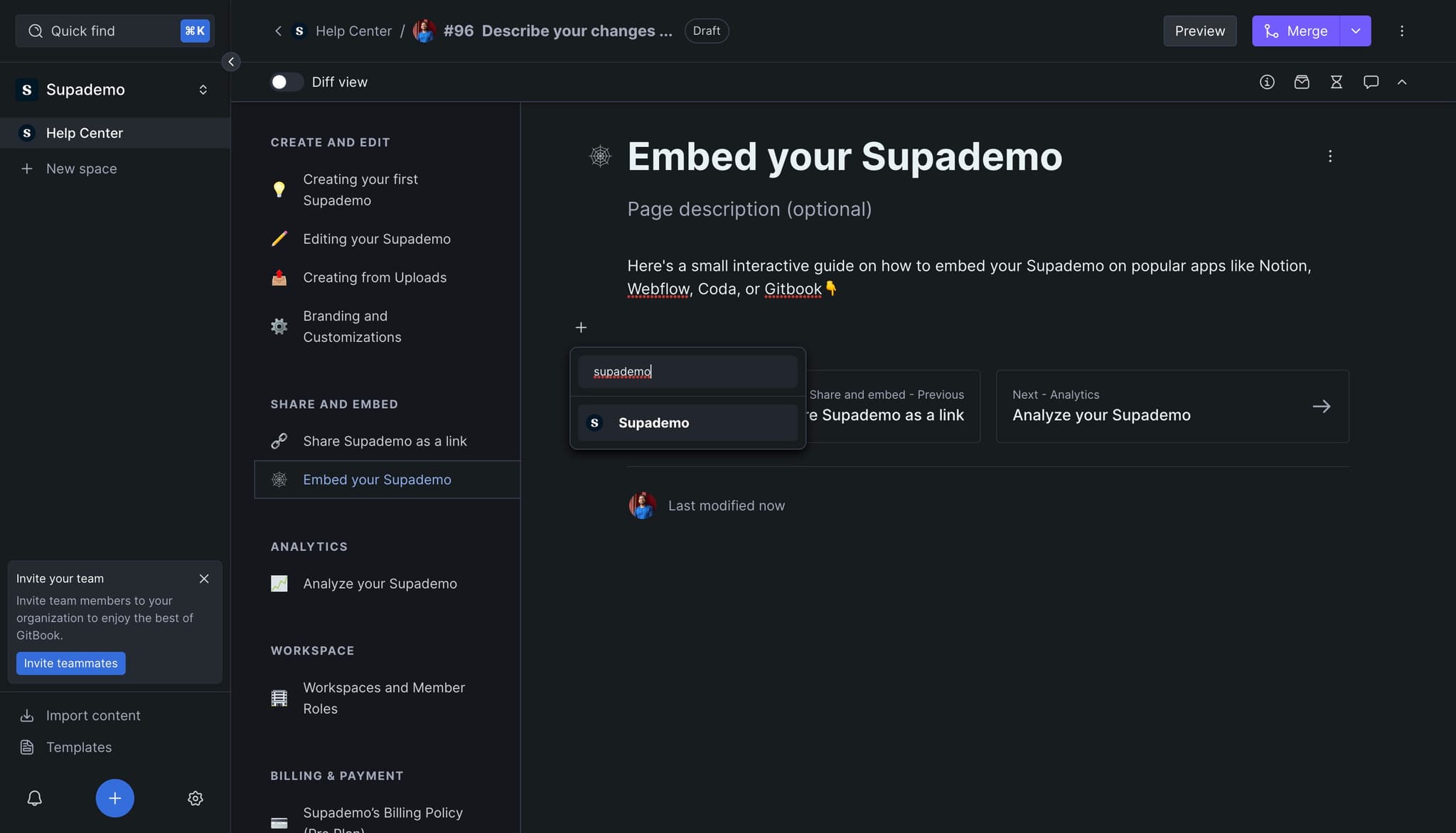
1) Click "+" on the page you want to embed Supademo. Then, click on "Supademo"

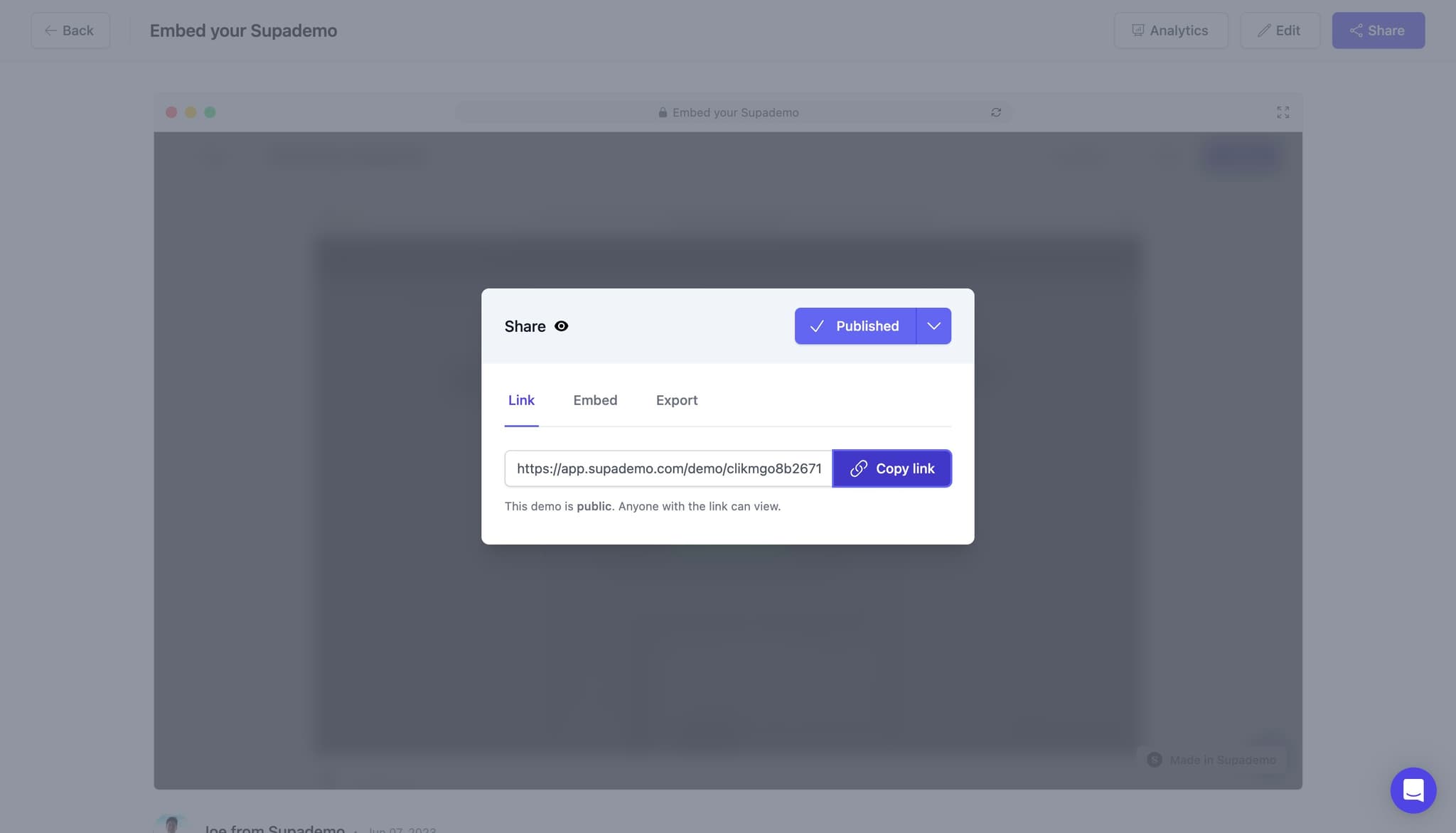
2) Grab the URL of the Supademo you would like to embed. Let's click on "Copy link"

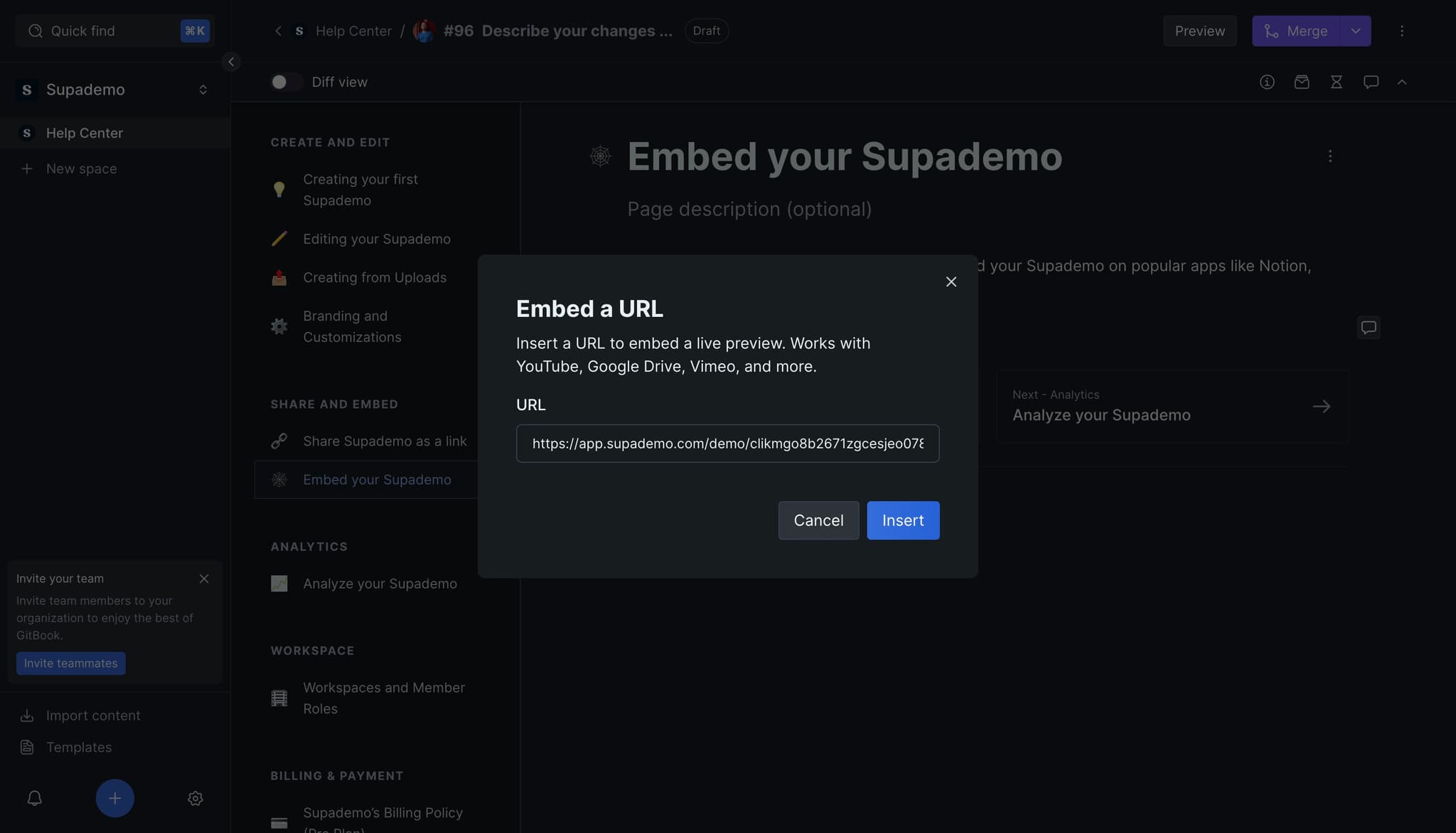
3) First, insert the link

4) Click on "Merge" to save.

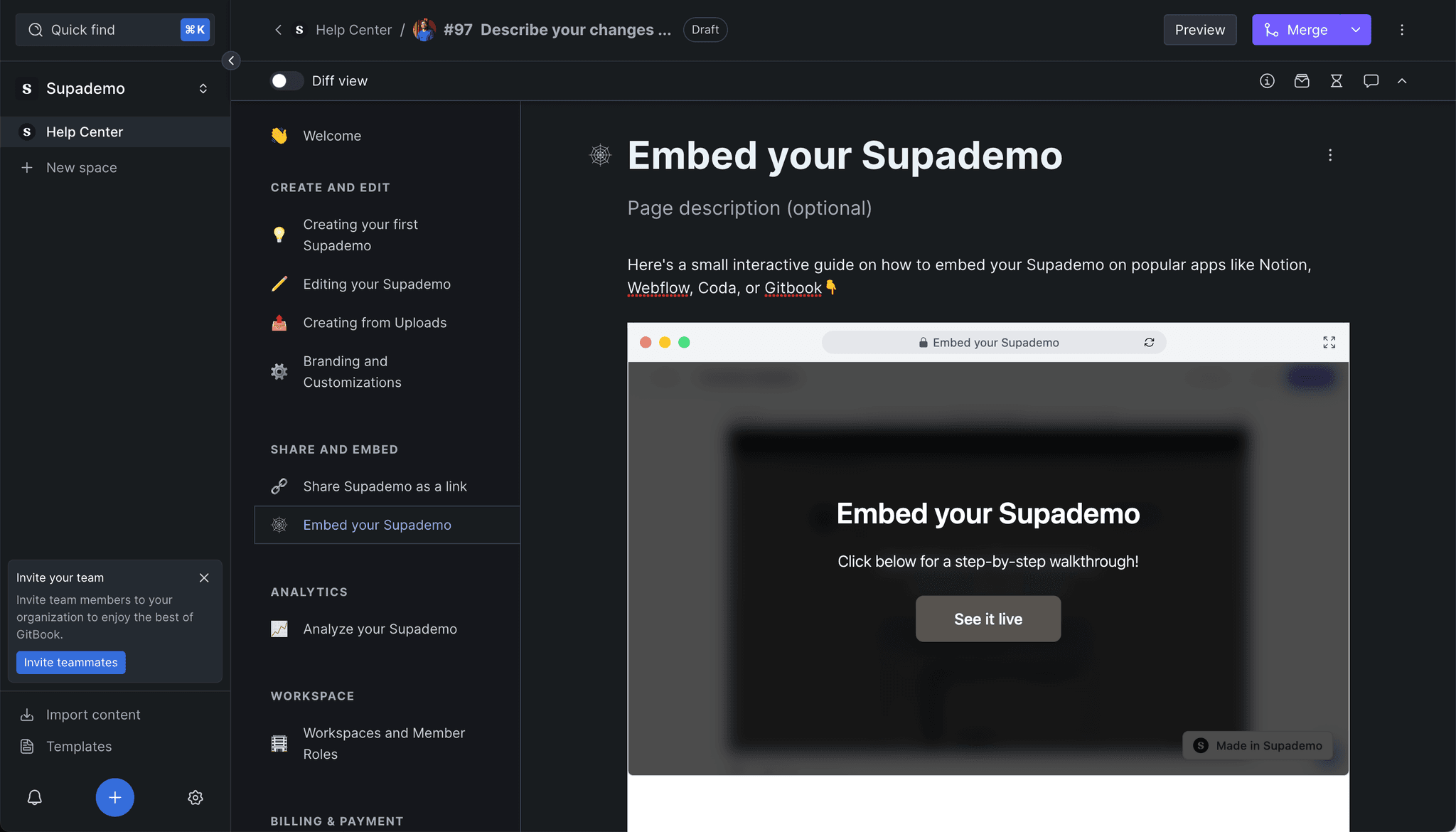
5) Your Supademo has been embedded!

Frequently Asked Questions about how to embed supademo on gitbook

Commonly asked questions about this topic.

How can I automate the embedding process when adding Supademo to Gitbook?

Many project management and productivity tools, including Gitbook, support workflow automation for repetitive tasks. Common automations include status updates, notifications, recurring task creation, and approval flows. Start with simple automations and expand gradually — over-automating early can create maintenance headaches. As a reference point, Supademo offers 30+ integrations with tools like HubSpot, Intercom, Notion, and more. RB2B eliminated 60+ hours of sales calls in just 30 days using interactive demos.

What embedding mistakes should I avoid when integrating Supademo into Gitbook?

The biggest mistake is overcomplicating the setup — adding too many fields, views, or automations before validating the basic workflow. Another common issue is inconsistent naming conventions, which makes searching and filtering unreliable at scale. Finally, skipping regular reviews leads to outdated supademo data that erodes team trust in the system. Data supports this approach: the State of guided HTML demo features 2026 report shows top-performing demos average 10-12 steps with 15-18 word hotspots and achieve 80%+ completion rates.

Does Gitbook provide built-in templates for embedding interactive demos?

Most modern platforms like Gitbook include starter templates for common use cases, including supademo. Templates save setup time but should be customized to match your team's specific needs — default configurations rarely fit every workflow. Check Gitbook's template gallery or community library for options relevant to your industry. 54% of top-completing demos use AI voiceover to improve the guided experience.

What are the best practices for embedding Supademo demos in Gitbook pages?

Start by defining your objectives clearly before configuring anything. Keep the structure simple and focused — avoid overloading with unnecessary fields or detail that nobody references. Review and update regularly with your team to catch stale information early, and assign clear ownership so nothing falls through the cracks. Teams that update demos weekly or monthly see ~18% higher impact scores.

How do I manage permissions and control sharing for embedded Supademo content?

Most platforms offer role-based permissions that control who can view, edit, or admin your supademo. Gitbook typically supports workspace-level, project-level, and item-level permissions. Review your sharing settings before collaborating with external stakeholders — default permissions may expose more data than intended. Supademo integrates with 30+ tools including HubSpot, Salesforce, Slack, and more. Supademo integrates with 30+ tools including HubSpot, Salesforce, Slack, and more. Companies using Arcade alternatives for 2026s report an average 28% reduction in customer acquisition cost.

Which Supademo features work best when embedding in Gitbook documentation?

A strong supademo includes clear labels, defined owners, status indicators, and relevant dates or milestones. Avoid including information that belongs elsewhere — keep each element focused on its core purpose. The right level of detail depends on your audience: executives need summaries while team leads need actionable specifics. 54% of top-completing demos use AI voiceover to improve the guided experience.

How can I collaborate with team members while creating Supademo content in Gitbook?

Gitbook supports real-time collaboration where multiple team members can view and edit simultaneously. Features like commenting, @mentions, and activity logs help keep communication in context. Set clear editing permissions — having too many editors without structure leads to version conflicts and confusion. In practice, Bullhorn achieved 2x faster production speed and a 20% increase in demo engagement.
Justin James

Justin James

Justin is a growth intern focused on content generation and marketing. He's passionate about making an impact across various startup roles.

More from the blog

How to Remove 'Powered by Shopify'

How to Remove 'Powered by Shopify'

Learn how to easily remove the 'Powered by Shopify' text from your online store with step-by-step instructions and tips to customize your Shopify storefront.

Vimal Kumar
Vimal KumarJan 3, 2026
How to Add Products to Shopify

How to Add Products to Shopify

Learn step-by-step how to add products to your Shopify store effortlessly, including tips on product details, images, pricing, and inventory management to boost your online sales.

Vimal Kumar
Vimal KumarDec 17, 2025
How to Deactivate Your Shopify Store

How to Deactivate Your Shopify Store

Learn step-by-step how to deactivate your Shopify store easily, including important considerations and tips to pause or close your shop without losing data.

Vimal Kumar
Vimal KumarDec 17, 2025
How to Remove 'Powered by Shopify'

How to Remove 'Powered by Shopify'

Learn how to easily remove the 'Powered by Shopify' text from your online store with step-by-step instructions and tips to customize your Shopify storefront.

Vimal Kumar
Vimal KumarDec 17, 2025
How to Create a Shopify Account

How to Create a Shopify Account

Learn step-by-step how to create a Shopify account quickly and easily, set up your online store, and start selling your products in no time.

Vimal Kumar
Vimal KumarDec 17, 2025
How to Create a Stripe Account

How to Create a Stripe Account

Learn how to create a Stripe account quickly and easily with our step-by-step guide, perfect for beginners looking to start accepting online payments.

Vimal Kumar
Vimal KumarDec 17, 2025