How to add formulas to fields in Airtable

Nithil Shanmugam
Nithil Shanmugam·
Featured image for How to add formulas to fields in Airtable

Overview:

Streamline your workflow in Airtable by mastering the art of joining field values. Elevate your data organization with this guide, offering a seamless process to concatenate field values effectively. Enhance your database management within Airtable, ensuring efficiency and clarity in handling and presenting information. Improve your overall user experience by unlocking the potential of joining field values with this comprehensive guide.

Interactive demo powered by Supademo

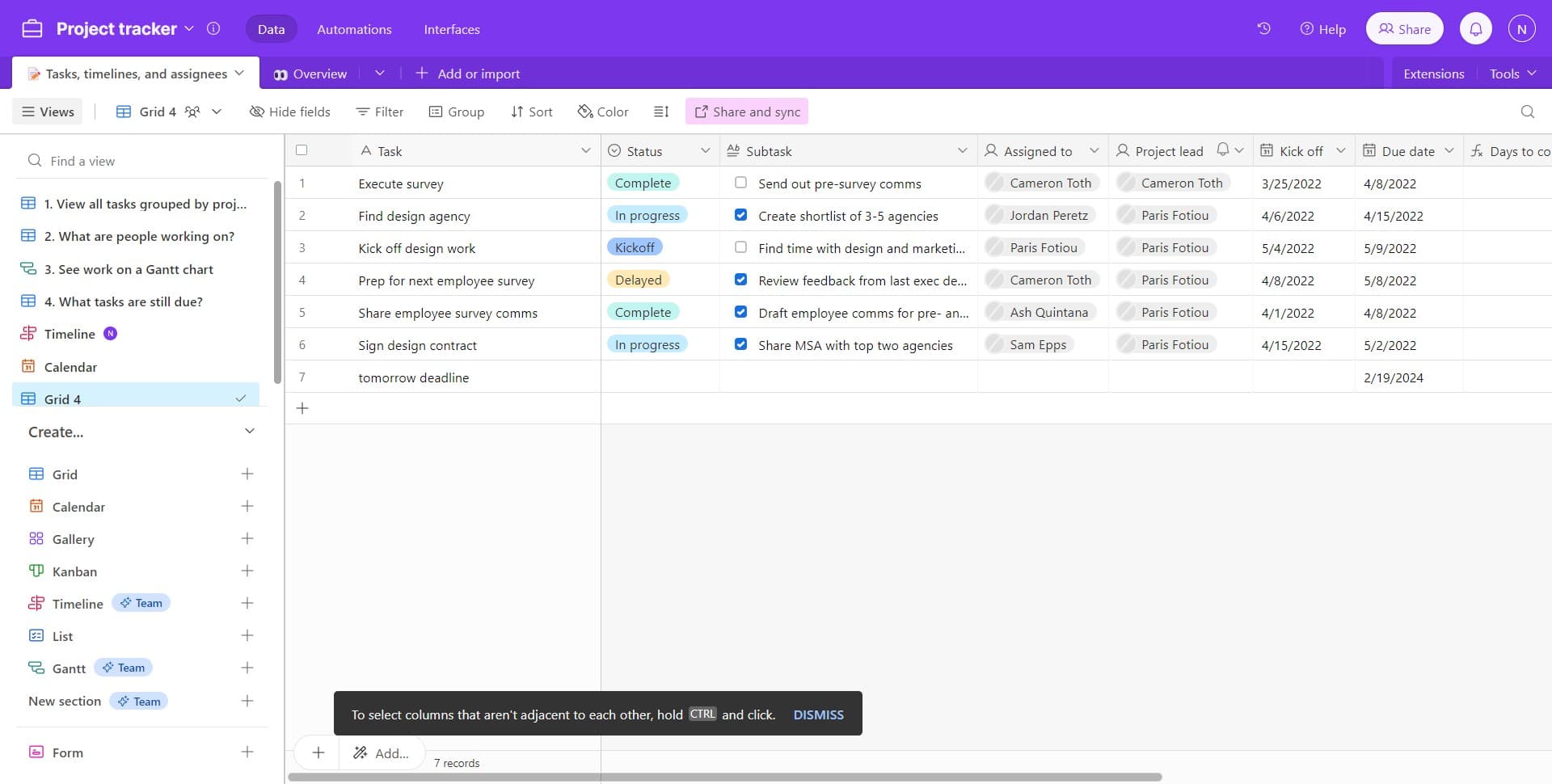
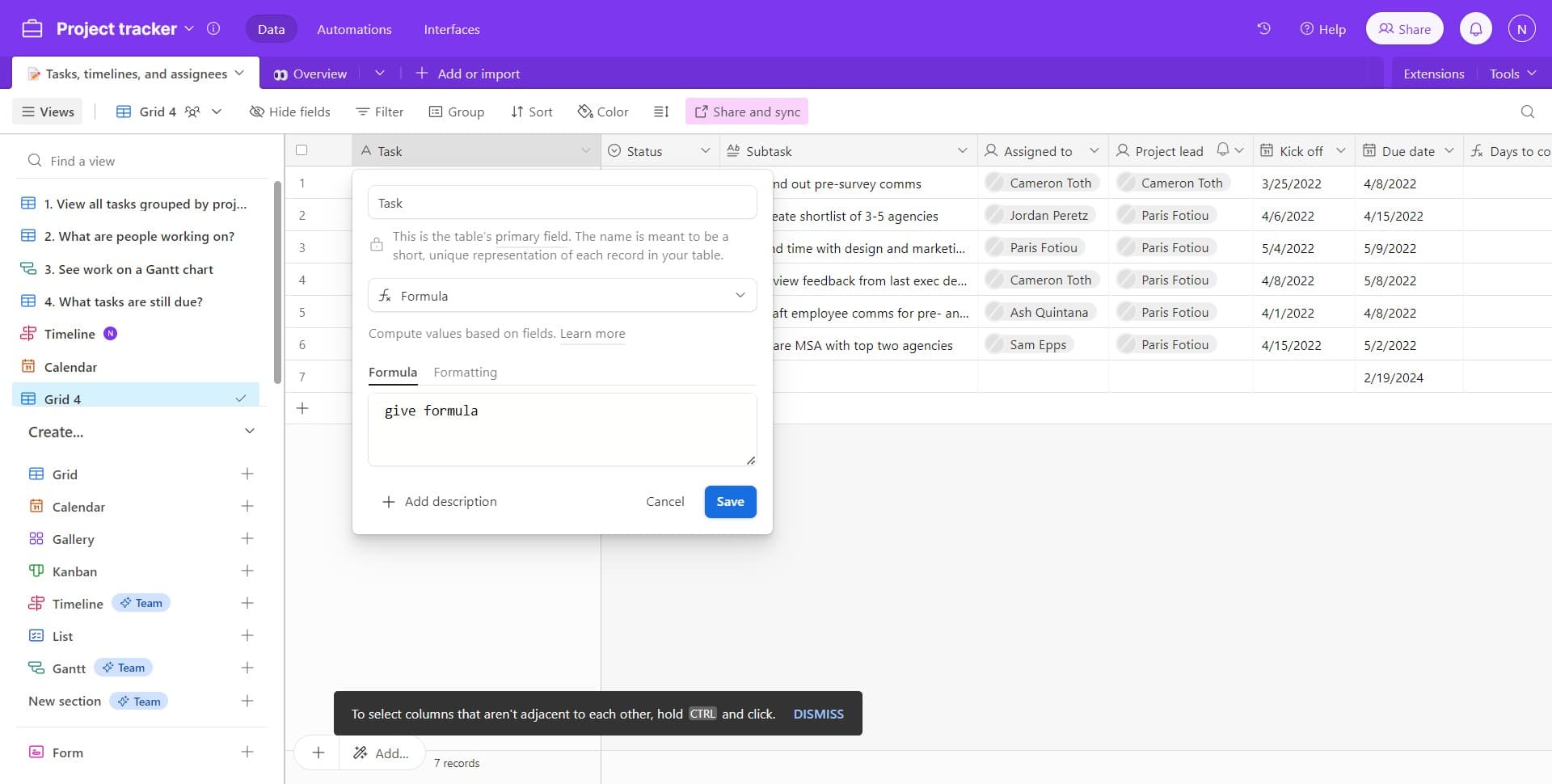
1. Start by clicking on your preferred primary field.

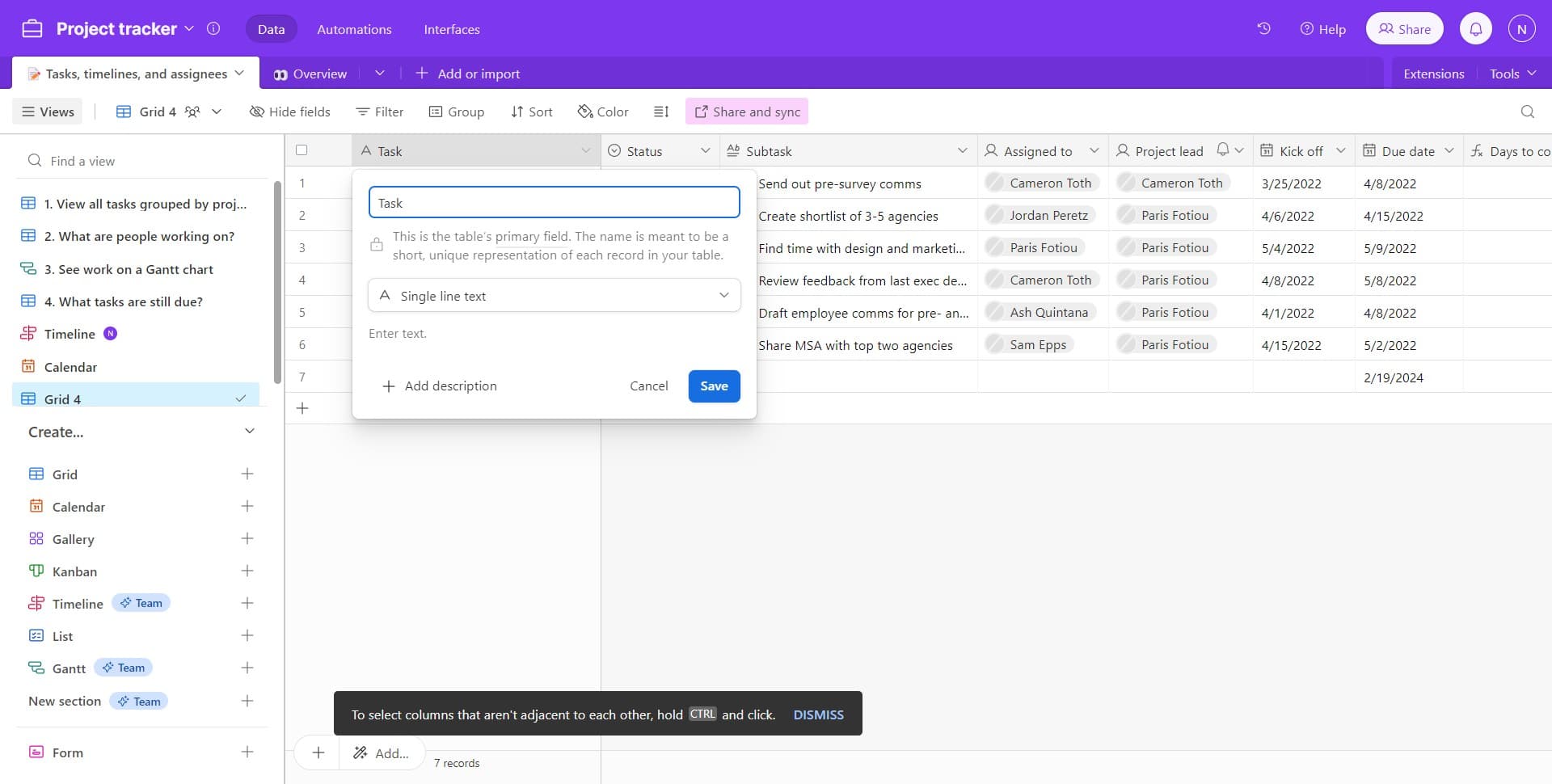
2. Next, proceed to select the field type.

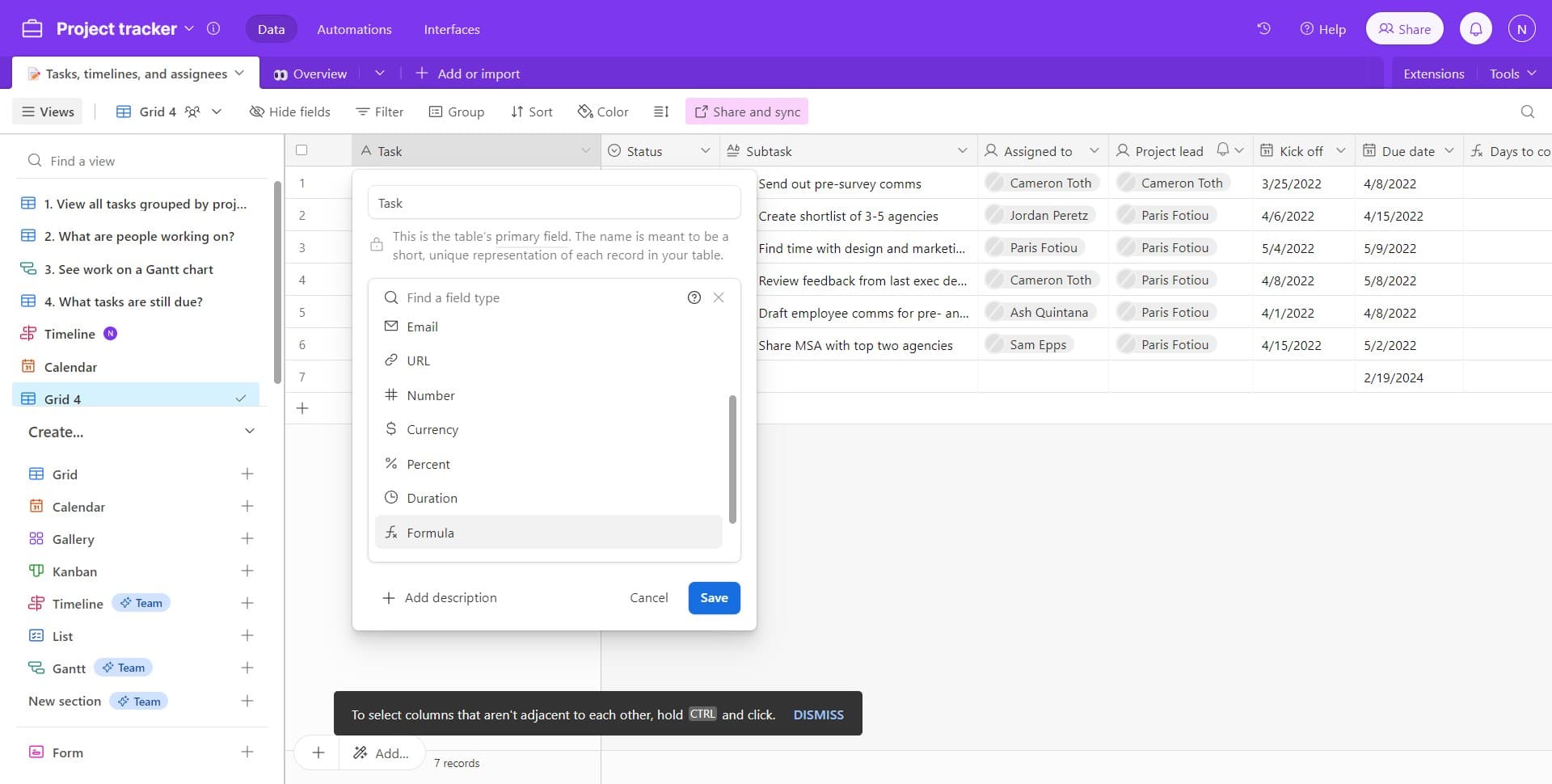
3. Choose the 'Formula' option from the available formats.

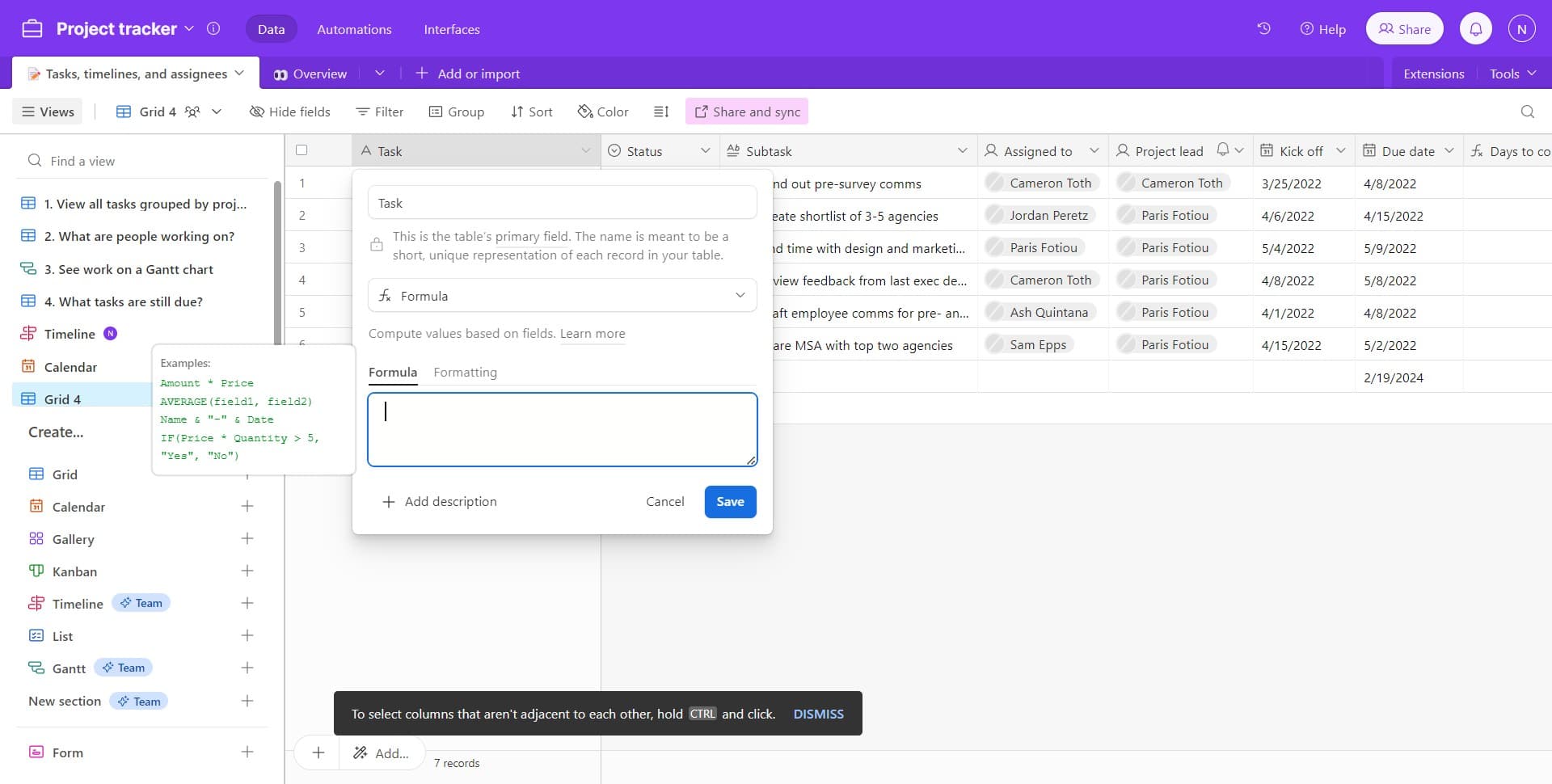
4. Now, provide the necessary input as required by the formula.

5. Lastly, make sure to save your work.


Create your own step-by-step demo

Scale up your training and product adoption with beautiful AI-powered interactive demos and guides. Create your first Supademo in seconds for free.

Create a Supademo in seconds

Frequently Asked Questions about how to add formulas to fields in airtable

Commonly asked questions about this topic.

What integrations does Airtable support for adding formulas to fields?

Airtable typically integrates with popular tools like Slack, Google Workspace, Microsoft 365, and Zapier for cross-platform automation. These integrations help connect adding formulas to fields workflows with your existing tech stack. Check Airtable's integration marketplace for specific connectors relevant to your use case. Supademo supports AI voiceover in 15+ languages for global teams.

What are best practices for adding formulas to fields effectively?

Start by defining your objectives clearly before configuring anything. Keep the structure simple and focused — avoid overloading with unnecessary fields or detail that nobody references. Review and update regularly with your team to catch stale information early, and assign clear ownership so nothing falls through the cracks. According to Supademo's 2026 report, 78% of teams now use interactive demos across 2+ use cases.

What common mistakes should I avoid when adding formulas to fields?

The biggest mistake is overcomplicating the setup — adding too many fields, views, or automations before validating the basic workflow. Another common issue is inconsistent naming conventions, which makes searching and filtering unreliable at scale. Finally, skipping regular reviews leads to outdated formulas to fields data that erodes team trust in the system. Supademo integrates with 30+ tools including HubSpot, Salesforce, Slack, and more. 54% of top-completing demos use AI voiceover to improve the guided experience.

How can add formulas work?

The most effective guides combine brief written instructions with visual walkthroughs showing each click. Screen recording tools and interactive demo platforms can capture your exact workflow in Airtable, creating guides that viewers navigate at their own pace. This approach reduces follow-up questions compared to static screenshots or long text documents. Research confirms this — the State of Interactive Demos 2026 report found that 54% of top-completing demos use AI voiceover.

Does Airtable offer templates for formulas to fields?

Most modern platforms like Airtable include starter templates for common use cases-vs-storylane-vs-supademo), including formulas to fields. Templates save setup time but should be customized to match your team's specific needs — default configurations rarely fit every workflow. Check Airtable's template gallery or community library for options relevant to your industry. Supademo holds a 4.7/5 rating on G2 based on verified user reviews. Supademo was named the #5 fastest-growing software product on G2 in 2025.

How can I share Airtable formulas with non-users through interactive demos?

For stakeholders without Airtable access, create a shareable walkthrough that shows the key views and data points without requiring a login. Interactive demo tools let you capture your Airtable workspace and share it as a clickable link — viewers see the real interface without needing an account. This works well for executive reviews, client presentations, and cross-team alignment. For context, beehiiv saw 50% better conversion rates after adopting interactive demos.

What's the best way to work together on formula development in Airtable?

Airtable supports real-time collaboration where multiple team members can view and edit simultaneously. Features like commenting, @mentions, and activity logs help keep communication in context. Set clear editing permissions — having too many editors without structure leads to version conflicts and confusion. Learn more about Supademo's features. Processmaker saved hundreds of hours by replacing manual demo processes with interactive walkthroughs. Teams save an average of 85% of the time previously spent on demo creation.
Nithil Shanmugam

Nithil Shanmugam

Nithil is a startup-obsessed operator focused on growth, sales and marketing. He's passionate about wearing different hats across startups to deliver real value.

More from the blog

How to Remove 'Powered by Shopify'

How to Remove 'Powered by Shopify'

Learn how to easily remove the 'Powered by Shopify' text from your online store with step-by-step instructions and tips to customize your Shopify storefront.

Vimal Kumar
Vimal KumarJan 3, 2026
How to Add Products to Shopify

How to Add Products to Shopify

Learn step-by-step how to add products to your Shopify store effortlessly, including tips on product details, images, pricing, and inventory management to boost your online sales.

Vimal Kumar
Vimal KumarDec 17, 2025
How to Deactivate Your Shopify Store

How to Deactivate Your Shopify Store

Learn step-by-step how to deactivate your Shopify store easily, including important considerations and tips to pause or close your shop without losing data.

Vimal Kumar
Vimal KumarDec 17, 2025
How to Remove 'Powered by Shopify'

How to Remove 'Powered by Shopify'

Learn how to easily remove the 'Powered by Shopify' text from your online store with step-by-step instructions and tips to customize your Shopify storefront.

Vimal Kumar
Vimal KumarDec 17, 2025
How to Create a Shopify Account

How to Create a Shopify Account

Learn step-by-step how to create a Shopify account quickly and easily, set up your online store, and start selling your products in no time.

Vimal Kumar
Vimal KumarDec 17, 2025
How to Create a Stripe Account

How to Create a Stripe Account

Learn how to create a Stripe account quickly and easily with our step-by-step guide, perfect for beginners looking to start accepting online payments.

Vimal Kumar
Vimal KumarDec 17, 2025